JNTZN

Tag: base64

  • Pengonversi Base64 & Pengurai Online — Konversi Cepat dan Aman

    Pengonversi Base64 & Pengurai Online — Konversi Cepat dan Aman

    Anda tidak perlu menjadi pengembang untuk menghadapi Base64. Ini muncul saat Anda menempelkan kredensial API, memeriksa isi email, memindahkan data gambar antara alat, atau memecahkan masalah string yang terlihat aneh pada pandangan pertama. Pada momen-momen itu, alat Pengonversi Base64 online dapat menghemat waktu segera.

    Untuk pemilik usaha kecil, freelancer, dan pengembang, daya tariknya sederhana. Anda menginginkan cara cepat mengonversi teks biasa atau konten terkait biner menjadi Base64, lalu membalikannya tanpa menginstal perangkat lunak atau menelusuri dokumentasi teknis. Alat online yang baik mengurangi gesekan, membantu Anda memverifikasi data dengan cepat, dan mengurangi kemungkinan kesalahan saat bekerja antar sistem.

    Apa itu Pengonversi Base64 online?

    Alat Pengonversi Base64 online adalah utilitas berbasis web yang mengonversi data ke format Base64 dan mendekode Base64 kembali menjadi konten yang bisa dibaca.

    Base64 itu sendiri adalah metode untuk merepresentasikan data menggunakan seperangkat karakter teks yang terbatas. Alih-alih mengirim byte mentah secara langsung, data diubah menjadi format yang ramah teks sehingga dapat dengan mudah melintasi sistem yang dirancang untuk penanganan teks.

    Hal ini penting karena banyak alur kerja digital pada awalnya dirancang berdasarkan teks, bukan data biner acak. Jika Anda perlu menyisipkan gambar dalam HTML, menyertakan data di dalam JSON, memindahkan konten melalui email, atau bekerja dengan payload API, Base64 sering muncul sebagai jembatan. Jika Anda perlu menyematkan gambar dalam HTML, menyertakan data di dalam JSON, memindahkan konten melalui email, atau bekerja dengan payload API, Base64 sering muncul sebagai jembatan. Ini bukan bentuk enkripsi, dan perbedaan itu penting. Base64 adalah encoding, bukan keamanan. Ini membuat transportasi data menjadi bisa dipindahkan, bukan dilindungi.

    Alat Base64 online menyederhanakan proses itu. Anda menempelkan teks, token, atau data terenkode ke dalam bidang, klik enkode atau dekode, dan hasil yang telah dienkode muncul secara instan. Alat terbaik juga mendukung teks UTF-8, varian yang aman untuk URL, input berkas, kemudahan menyalin ke clipboard, dan pemrosesan lokal di peramban untuk privasi yang lebih baik.

    Mengapa Base64 Muncul Begitu Sering

    Base64 umum karena menyelesaikan masalah kompatibilitas yang praktis. Beberapa sistem tidak menangani data biner mentah dengan baik, tetapi mereka dapat menangani teks biasa secara andal. Dengan mengonversi data menjadi struktur hanya-teks, pengembang dan pengguna non-teknis pun bisa memindahkan konten antar platform dengan lebih sedikit masalah format.

    Anda mungkin melihat Base64 pada lampiran email, header otentikasi dasar, gambar yang disematkan, token yang ditandatangani, respons API, nilai konfigurasi, dan URL data berbasis browser. Bahkan jika Anda tidak pernah menulis kode, Anda mungkin masih perlu mengenalinya. String panjang yang berisi huruf, angka, tanda tambah, garis miring, dan tanda sama dengan di akhirnya sering menjadi petunjuk.

    "Sebuah

    Pengodean vs Dekode, Perbedaan Sederhana

    Ketika Anda mengenkode, Anda mengubah masukan yang bisa dibaca atau data mentah menjadi teks Base64. Ketika Anda mendekode, Anda membalikkan proses itu dan mengembalikan konten asli. Pikirkan seperti memasukkan dokumen ke dalam wadah kiriman yang ramah, lalu membukanya saat kedatangan. Isinya tetap sama maknanya, tetapi formatnya berubah sehingga sistem lain dapat menanganinya secara konsisten.

    Itulah sebabnya pengonversi Base64 dan dekoder biasanya dipasangkan dalam satu alat online. Kebanyakan pengguna membutuhkan kedua arah tersebut. Anda mungkin mengenkode teks sebelum mengirimkannya ke aplikasi lain, lalu mendekode nilai yang dikembalikan untuk memastikan semuanya bekerja dengan benar.

    "Diagram

    Aspek Kunci Pengonversi Base64 Online

    Nilai dari alat Base64 online tidak hanya kenyamanan. Ini juga tentang kecepatan, kompatibilitas, akurasi, dan privasi. Empat faktor itu menentukan apakah alat ini berguna untuk tugas santai atau cukup dapat diandalkan untuk pekerjaan profesional secara teratur.

    Kecepatan dan Kemudahan Penggunaan

    Keuntungan terbesar dari sebuah utilitas Pengonversi Base64 online adalah akses langsung. Tidak ada instalasi perangkat lunak, tidak ada persyaratan baris perintah, dan tidak ada setup. Anda membuka halaman itu, menempelkan konten Anda, dan mendapatkan hasil dalam hitungan detik. Bagi freelancer yang sibuk dan tim kecil, hal itu lebih berarti daripada yang mungkin terlihat. Gangguan kecil menumpuk seiring waktu.

    Kemudahan penggunaan juga mengurangi kesalahan. Antarmuka yang bersih dengan bidang masukan dan keluaran terpisah, tombol saklar enkode/decode yang terlihat jelas, dan tombol salin satu klik membantu mencegah penyalahgunaan secara tidak sengaja. Jika Anda memeriksa payload webhook atau mengonversi teks untuk bidang CMS, kejelasan meningkatkan produktivitas.

    Privasi Berbasis Peramban

    Privasi adalah salah satu kekhawatiran utama yang perlu dipertimbangkan saat menggunakan alat konversi online. Beberapa string Base64 berisi data contoh yang tidak berbahaya. Yang lain mungkin mencakup detail pelanggan, URL internal, informasi API, atau nilai terkait otentikasi. Karena itu, bijaksanalah untuk lebih memilih alat yang memproses data secara lokal di peramban Anda daripada mengunggahnya ke server.

    Alat yang dapat dipercaya biasanya menjelaskan hal ini dengan jelas. Jika sebuah situs menjelaskan bahwa proses enkode/decode terjadi di sisi klien, Anda mendapatkan manfaat privasi yang berarti. Itu tidak menggantikan penilaian Anda sendiri, tetapi menurunkan risiko membocorkan informasi sensitif selama pekerjaan rutin.

    Akurasi dengan Teks dan Karakter Khusus

    Tidak semua alat online menangani masukan dengan sama baiknya. Teks bahasa Inggris biasa mudah. Data dunia nyata tidak. Anda mungkin bekerja dengan karakter bertonasi, simbol, emoji, jeda baris, fragmen JSON, atau parameter URL. Decoder Base64 yang kuat online harus menangani encoding karakter dengan benar, terutama UTF-8, sehingga keluaran terdekode cocok dengan masukan asli tanpa korupsi.

    Ini menjadi semakin penting di lingkungan multibahasa atau saat menyalin konten antar sistem bisnis. Satu karakter salah pada catatan pembayaran, nama pelanggan, atau rahasia API dapat menciptakan masalah yang membingungkan. Alat yang andal menjaga konten persis.

    Dukungan untuk Kasus Penggunaan Umum

    Base64 digunakan di lebih banyak tempat daripada yang disadari banyak orang. Sebuah alat online menjadi lebih berharga ketika mendukung jenis tugas yang benar-benar dilakukan orang. Enkode teks adalah dasar, tetapi beberapa pengguna membutuhkan dukungan file, opsi Base64 yang aman untuk URL, atau penanganan data URL yang mudah.

    Tabel di bawah menunjukkan bagaimana Base64 sering muncul dalam alur kerja praktis:

    Kasus Penggunaan Cara Base64 Digunakan Mengapa Alat Online Membantu
    Pengujian API Mengenkode kredensial, fragmen payload, atau token Memverifikasi dengan cepat apakah data diformat dengan benar
    Pemecahan Masalah Email Membantu memeriksa bagian pesan yang terenkode atau lampiran Membuat unsur yang tidak terbaca menjadi dapat dipahami
    Penyematan Gambar Mengonversi data gambar menjadi teks untuk penggunaan inline Bermanfaat untuk eksperimen cepat dan debugging
    Pekerjaan Konfigurasi Menyandi nilai yang disimpan dalam pengaturan aplikasi atau alur kerja lingkungan Membantu mengonfirmasi nilai sebelum penyebaran
    Pengembangan Web Mendekode token, string, atau data yang dihasilkan browser Mempercepat debugging tanpa perangkat lunak tambahan

    Memahami Batas Base64

    Salah satu kesalahpahaman paling umum adalah memperlakukan Base64 seolah-olah itu adalah fitur keamanan. Itu tidak. Siapa pun dengan decoder dapat membalikkan dengan segera. Jika Anda mengenkode kata sandi dalam Base64, Anda belum melindunginya. Anda hanya mengubah penampilannya.

    Hal ini penting bagi pengguna bisnis yang mungkin melihat nilai terenkode dan menganggapnya aman untuk dipublikasikan. Mereka tidak. Data sensitif masih membutuhkan enkripsi yang tepat, penyimpanan yang aman, dan kontrol akses. Alat Pengonversi Base64 online untuk pemformatan dan inspeksi, bukan kerahasiaan.

    Batas praktis lainnya adalah ukuran berkas. Base64 meningkatkan ukuran data sekitar sepertiga. Itu membuatnya nyaman untuk kompatibilitas, tetapi tidak efisien untuk aset besar. Jika Anda menyematkan berkas besar dalam Base64 secara tidak perlu, halaman dan payload bisa menjadi lebih berat dan lebih lambat.

    Cara Memulai dengan Pengonversi Base64 Online

    Menggunakan alat Base64 cukup sederhana, tetapi beberapa kebiasaan baik membuat prosesnya lebih mulus dan lebih aman. Tujuannya bukan sekadar mengonversi data, tetapi melakukannya dengan benar dan percaya diri.

    Alur kerja sederhana yang efektif

    Untuk sebagian besar tugas, prosesnya mengikuti pola yang sama:

    1. Tempel masukan Anda ke bidang teks atau unggah berkas jika alat mendukungnya.
    2. Pilih enkode atau dekode berdasarkan kebutuhan Anda.
    3. Tinjau keluaran dengan cermat, lalu salin atau ekspor untuk langkah berikutnya.

    Kesederhanaan itu tepat alasan mengapa alat online sangat berguna. Anda bisa beralih dari kebingungan ke kejelasan dalam waktu kurang dari satu menit, baik saat memvalidasi string token maupun memeriksa apakah nilai di panel pengaturan terdekode menjadi teks biasa.

    Cara mengetahui apakah sebuah string kemungkinan Base64

    Pengguna sering bertanya apakah string aneh pasti Base64. Tidak ada tes visual yang sempurna, tetapi ada petunjuk. Base64 standar sering mencakup huruf besar dan kecil, angka, tanda tambah, dan garis miring. Ia bisa diakhiri dengan satu atau dua tanda sama dengan yang digunakan sebagai padding. Base64 yang aman untuk URL menggantikan beberapa simbol tersebut, biasanya dengan tanda hubung dan garis bawah.

    Namun demikian, penampilan saja tidak cukup. Beberapa string biasa bisa menyerupai Base64, dan beberapa string Base64 menghilangkan padding. Pendekatan praktis adalah mencoba mendekode dengan alat online yang andal dan melihat apakah hasilnya bermakna dan bebas kesalahan. Jika keluaran terdekode adalah teks yang bisa dibaca, JSON terstruktur, atau metadata biner yang dikenali, Anda kemungkinan memiliki kecocokan.

    Memilih Alat Online yang Tepat

    Tidak semua utilitas gratis sama berguna. Jika Anda berencana menggunakan alat Pengonversi Base64 online secara teratur, cari beberapa kualitas praktis.

    • Pemrosesan Lokal: Menyimpan data di peramban Anda jika memungkinkan.
    • Dukungan UTF-8: Mempertahankan teks non-Inggris dan karakter khusus secara akurat.
    • Antarmuka yang Jelas: Mengurangi kesalahan selama tugas cepat.
    • Opsi Salin dan Reset: Menghemat waktu saat menangani konversi berulang.

    Fitur-fitur itu terdengar kecil, tetapi membuat perbedaan besar dalam penggunaan sehari-hari. Alat yang berantakan menciptakan gesekan. Alat yang cepat dan transparan menjadi bagian dari alur kerja normal Anda.

    Kesalahan Umum yang Perlu Dihindari

    Salah satu kesalahan yang sering terjadi adalah mendekode konten dan mengasumsikan keluaran itu aman atau dapat dipercaya hanya karena dapat dibaca. Data yang terdekode masih bisa mengandung skrip berbahaya, teks yang tidak valid, atau informasi rahasia. Perlakukan konten yang tidak dikenal dengan hati-hati, terutama jika berasal dari sistem eksternal.

    Masalah umum lainnya adalah mencampur Base64 standar dengan Base64 yang aman untuk URL. Mereka serupa, tetapi tidak identik. Jika token gagal didekode dalam satu mode, itu mungkin hanya menggunakan varian lain. Alat yang baik akan mendeteksi hal ini secara otomatis atau mempermudah peralihan.

    Masalah ketiga adalah kehilangan pemformatan saat menyalin dan menempel. Pemecahan baris, spasi tersembunyi, atau pemotongan tidak sengaja dapat merusak konversi. Jika hasilnya terlihat salah, periksa input terlebih dahulu. Dalam banyak kasus, alatnya baik-baik saja dan data yang ditempel adalah masalah sebenarnya.

    Contoh Dunia Nyata untuk Pengguna Bisnis dan Pengembangan

    Seorang freelancer yang mengelola situs klien mungkin menemukan Base64 saat memeriksa pengaturan plugin, header email, atau respons API. Dekoder online membantu mengungkap apa sebenarnya isi string yang terenkode tanpa memerlukan pengaturan teknis. Itu mempercepat komunikasi dengan klien dan tim dukungan karena Anda bisa memverifikasi fakta dengan cepat.

    Pemilik bisnis kecil yang menggunakan no-code atau alat low-code mungkin melihat Base64 di platform automasi, log webhook, atau alur kerja transfer berkas. Dalam konteks itu, pengonversi Base64 online menjadi pendamping pemecahan masalah yang praktis. Alat ini mengubah teks yang terlihat seperti mesin menjadi sesuatu yang dapat dipahami.

    Pengembang, tentu saja, menggunakan alat ini secara konstan untuk pengujian. Tetapi manfaatnya tidak terbatas pada para insinyur. Siapa pun yang bekerja di sistem web modern dapat memperoleh manfaat dari memahami apa yang dilakukan Base64 dan bagaimana membalikannya dengan aman.

    Kesimpulan

    Alat Pengonversi Base64 online adalah salah satu utilitas sederhana yang tampak menipu namun menjadi sangat penting ketika Anda mulai bekerja dengan sistem digital lebih sering. Ini membantu Anda mengonversi, memeriksa, memecahkan masalah, dan memverifikasi data dengan cepat, apakah Anda menangani nilai API, konten tersemat, fragmen email, atau string konfigurasi.

    Kuncinya adalah menggunakannya dengan ekspektasi yang tepat. Base64 meningkatkan kompatibilitas, bukan keamanan. Pilih alat yang akurat, mudah digunakan, dan peduli privasi, terutama jika memproses data secara lokal di peramban Anda. Jika Anda secara teratur bekerja dengan string yang terenkode, langkah selanjutnya sederhana: simpan Pengonversi Base64 online yang andal dan gunakan sebagai bagian dari alur kerja harian Anda.


  • Cara Mengonversi Base64 ke Berkas Gambar (Panduan Cepat)

    Cara Mengonversi Base64 ke Berkas Gambar (Panduan Cepat)

    A Base64 image string looks harmless until you need to turn it into a real file, display it in a browser, or debug why it refuses to render. That is where most people get stuck. You might have a string from an API, an HTML email, a database export, or a frontend app, and all you really want is a usable image.

    The good news is that Base64 to image conversion is simple once you know what format you are holding, how to clean it, and which tool fits your workflow. Whether you are a developer saving files on a server, a freelancer testing API responses, or a small business owner using an online tool for a one-off job, the same rules apply.

    This guide explains what Base64 does, why images are encoded this way, how to convert Base64 to image files in multiple languages, and how to avoid the common mistakes that waste time. It also covers the parts many tutorials skip, including image type detection, security checks, performance tradeoffs, and troubleshooting.

    What is Base64 and why it’s used for images

    What Base64 encoding does

    Base64 is a way to represent binary data, such as an image, using plain text characters. Computers store images as raw bytes, but many systems are designed to safely move text. Base64 acts like a translator, converting binary content into a text-friendly form made from letters, numbers, +, /, and sometimes = for padding.

    That text is not an image by itself. It is an encoded version of the image data. To turn Base64 to image, you decode the string back into the original bytes and then save or display those bytes as a PNG, JPEG, GIF, WebP, or another image format.

    A useful mental model is this: Base64 is like packing a product into a shipping box that fits the transport system better. The box adds bulk, but it helps the item travel through channels that prefer text.

    Visual metaphor showing raw image bytes being 'packed' into a Base64 text string and then unpacked back into bytes — include a simple conveyor: bytes (binary) -> Base64 characters (A–Z, a–z, 0–9, +, /, =) boxed for transport -> decoded bytes (image file).

    Why images are embedded as Base64

    Images are often embedded as Base64 because it makes transfer and embedding easier in certain contexts. One of the most common examples is a data URI, which looks like data:image/png;base64,.... This lets a browser render an image directly from a string, without requesting a separate file URL.

    That is useful for inline images in HTML or CSS, especially for very small assets like icons, placeholders, or tiny logos. Email templates also use embedded images in some cases, because external image loading may be blocked or delayed by the email client. Some APIs return Base64 image data because it can be bundled into a JSON response tanpa needing separate file storage or signed URLs.

    There is convenience here, but it comes with tradeoffs. Base64 makes it easy to move image data around, but it is not always the most efficient format for storage or delivery.

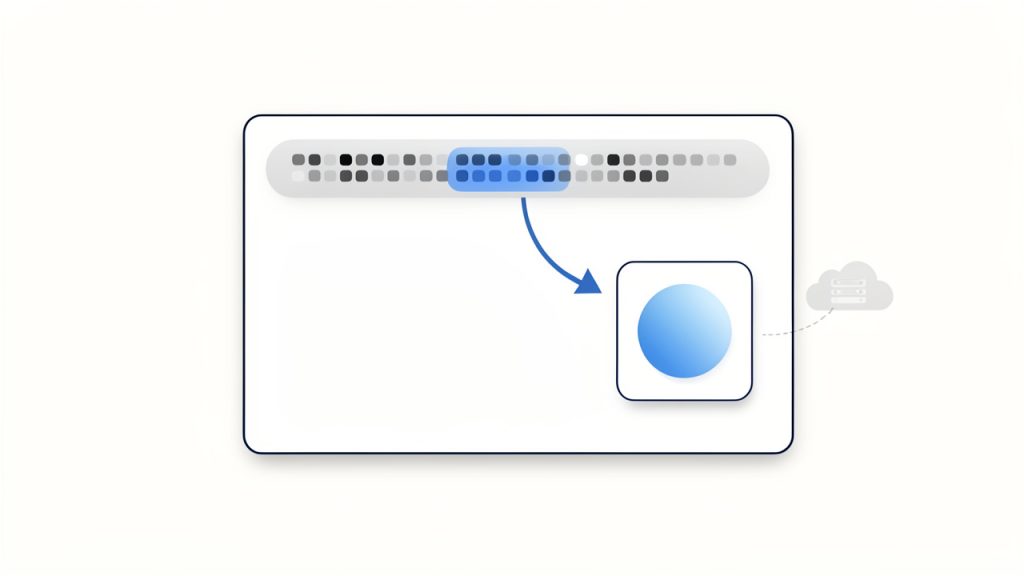
    Diagram of a data URI embedded in HTML: show a browser window rendering an <img> whose src is a long data:image/png;base64,... string — include a highlighted snippet of the data URI and an arrow to the rendered inline image (no separate network request).

    Pros and cons of using Base64 for images

    The biggest downside is size. Base64 adds roughly 33% overhead compared with the original binary file. A 300 KB image can become around 400 KB or more once encoded. That affects bandwidth, API payload size, page weight, and memory use.

    Caching is another important factor. If an image is embedded directly into HTML or CSS as a data URI, the browser cannot cache it separately from that file. If the page changes, the image may be downloaded again as part of the document. By contrast, an external image file can be cached independently and reused across multiple pages.

    The upside is fewer HTTP requests for tiny assets, simpler packaging in APIs, and easier portability in systems that only handle text. For small icons or one-off embedded images, Base64 can be practical. For large photos, product galleries, or repeated assets, external files are usually better.

    How to convert Base64 string to an image, quick examples

    Online converters and when to use them

    If you just need a quick result and you are not handling sensitive data, an online Base64 to image converter is the fastest option. You paste the string, the tool decodes it, and you preview or download the image.

    This works well for debugging API responses, checking if a string is valid, or converting a one-time asset. It is less suitable for private customer files, internal documents, or anything security-sensitive. In those cases, local conversion is safer.

    A reliable tool should let you preview the decoded image, identify the file type, and alert you if the Base64 is malformed.

    Convert Base64 to image using JavaScript in the browser

    In the browser, the easiest case is when you already have a full data URI. You can assign it directly to an image element.

    <img id="preview" alt="Preview" />
    <script>
      const base64 = "data:image/png;base64,iVBORw0KGgoAAAANSUhEUgAA...";
      document.getElementById("preview").src = base64;
    </script>
    

    If you want to turn a raw Base64 string into a downloadable file, first strip any prefix, decode it, and build a Blob.

    const input = "data:image/png;base64,iVBORw0KGgoAAAANSUhEUgAA...";
    const match = input.match(/^data:(image/[a-zA-Z0-9.+-]+);base64,(.+)$/);
    const mimeType = match ? match[1] : "image/png";
    const base64Data = match ? match[2] : input;
    const byteCharacters = atob(base64Data);
    const byteNumbers = new Array(byteCharacters.length);
    for (let i = 0; i < byteCharacters.length; i++) {
      byteNumbers[i] = byteCharacters.charCodeAt(i);
    }
    const byteArray = new Uint8Array(byteNumbers);
    const blob = new Blob([byteArray], { type: mimeType });
    const url = URL.createObjectURL(blob);
    const a = document.createElement("a");
    a.href = url;
    a.download = "image.png";
    a.click();
    URL.revokeObjectURL(url);
    

    This approach is useful for frontend tools and browser-based image previews. For very large payloads, though, it can use a lot of memory because the whole string is decoded in one go.

    Convert Base64 to image using Node.js

    Node.js makes this straightforward with Buffer. If the string includes a data URI prefix, remove it first.

    const fs = require("fs");
    const input = "data:image/png;base64,iVBORw0KGgoAAAANSUhEUgAA...";
    const base64Data = input.replace(/^data:image/[a-zA-Z0-9.+-]+;base64,/, "");
    const buffer = Buffer.from(base64Data, "base64");
    fs.writeFileSync("output.png", buffer);
    console.log("Image saved as output.png");
    

    If you do not know the file type in advance, detect it before choosing the extension. That is especially important in production systems that receive images from users or third-party APIs.

    Convert Base64 to image using Python

    Python’s built-in base64 module handles decoding cleanly.

    import base64
    import re
    input_data = "data:image/png;base64,iVBORw0KGgoAAAANSUhEUgAA..."
    base64_data = re.sub(r"^data:image/[a-zA-Z0-9.+-]+;base64,", "", input_data)
    image_bytes = base64.b64decode(base64_data)
    with open("output.png", "wb") as f:
        f.write(image_bytes)
    print("Image saved as output.png")
    

    For stricter validation, use base64.b64decode(base64_data, validate=True) so invalid characters trigger an error instead of being silently ignored.

    Convert Base64 to image using PHP

    PHP includes base64_decode(), which is enough for most cases.

    <?php
    $input = "data:image/png;base64,iVBORw0KGgoAAAANSUhEUgAA...";
    $base64 = preg_replace('/^data:image/[a-zA-Z0-9.+-]+;base64,/', '', $input);
    $data = base64_decode($base64, true);
    if ($data === false) {
        die("Invalid Base64 data");
    }
    file_put_contents("output.png", $data);
    echo "Image saved as output.png";
    ?>
    

    The second argument to base64_decode enables strict mode, which helps catch malformed input early.

    Convert Base64 to image using command-line tools

    On Linux or macOS, command-line decoding is fast and practical for debugging.

    echo 'iVBORw0KGgoAAAANSUhEUgAA...' | base64 -d > output.png
    

    If your system uses a different flag:

    echo 'iVBORw0KGgoAAAANSUhEUgAA...' | base64 --decode > output.png
    

    If the data is hex-encoded after another processing step, xxd can help, but for standard Base64 to image conversion, base64 -d is the usual tool.

    Handling common Base64 variants and pitfalls

    Recognizing and stripping the data URI prefix

    A lot of conversion failures happen because the input is not just Base64. It includes a prefix like data:image/jpeg;base64,. That header is useful because it tells you the MIME type, but most decoders need only the content after the comma.

    The safe pattern is to detect whether the string starts with data: and split on the first comma. Everything after that is the actual Base64 payload. If you forget this step, your decoder may error out or produce a corrupt file.

    URL-safe Base64 vs standard Base64

    Not all Base64 strings use the same alphabet. URL-safe Base64 replaces + with - and / with _. This variant appears in web tokens, query strings, and some APIs because it avoids characters that can cause issues in URLs.

    If you try to decode URL-safe Base64 with a standard decoder, it may fail unless you first normalize those characters back to the standard form. Many libraries support URL-safe decoding explicitly, but it is worth checking documentation instead of assuming all Base64 is identical.

    Padding characters and when they matter

    The = character at the end of a Base64 string is padding. It helps ensure the encoded length fits Base64’s block structure. Some systems omit padding, especially in URL-safe variants.

    Missing padding does not always break decoding, but some decoders require it. A simple fix is to add = characters until the string length is divisible by 4. If the payload still fails after that, the issue is probably not padding alone.

    Invalid characters and error handling

    Whitespace, line breaks, transport errors, or accidental copy-paste changes can break a Base64 string. The result might be an exception, a corrupt image, or an output file that exists but will not open.

    Good practice is to validate before decoding and wrap the decode step in error handling. In Python, use strict validation. In PHP, use strict mode. In JavaScript and Node.js, check the input format and fail gracefully if the decoded bytes do not match an expected image signature.

    Large payloads and memory considerations

    A very large Base64 string can stress memory because the text version is already bigger than the binary file, and decoding often creates additional copies in memory. That is one reason browser-based conversion can freeze tabs when the payload is large.

    On servers, avoid full-buffer decoding for very large files when possible. Stream the input, decode in chunks, and write directly to disk or object storage. This matters in image-heavy apps, upload services, and automation pipelines.

    Detecting image type from Base64

    Using the data URI MIME type if present

    If your Base64 string begins with something like data:image/webp;base64, you already have the simplest clue about the image type. In many workflows, that is enough to choose the file extension and set the correct Content-Type.

    Still, do not trust it blindly. A malicious or buggy source can label a payload as PNG when it is actually something else. For anything security-sensitive, compare the declared MIME type with the actual decoded bytes.

    Magic bytes approach

    Most image formats have recognizable magic bytes at the beginning of the file. After decoding a small portion of the Base64 string, you can inspect the first few bytes and identify the type.

    Here are common signatures:

    FormatMagic bytes (hex)Notes
    PNG89 50 4E 47Starts with .PNG signature
    JPEGFF D8 FFCommon for .jpg and .jpeg
    GIF47 49 46ASCII GIF
    WebP52 49 46 46 + 57 45 42 50RIFF container with WEBP marker

    This technique is more reliable than trusting a filename or a MIME prefix alone. It is a smart check when saving user uploads or processing third-party API content.

    Libraries and tools to detect format automatically

    If you do this often, use a library. In Node.js, file-type can inspect buffers and detect the format. In Python, python-magic and Pillow are common choices. In PHP, finfo, GD, or Imagick can help verify the actual file type and whether the image can be opened safely.

    Automation is especially useful when the Base64 string has no prefix and the extension is unknown.

    Security considerations

    Malicious payloads hidden in Base64

    Base64 does not make content safe. It only changes the representation. A harmful file can still be encoded as Base64 and passed through APIs, forms, or databases.

    That includes malformed files, oversized payloads, polyglot files that pretend to be images, and hidden content techniques such as steganography. If your system accepts Base64 image uploads, treat them like any untrusted file upload.

    Validating image content before displaying or saving

    The best defense is to decode the data, verify the actual image format, and then open it with a trusted image library. In many cases, the safest pattern is to re-encode the image into a known-good format like PNG or JPEG using a library such as Pillow, GD, or Imagick.

    That strips unexpected metadata, normalizes structure, and reduces the risk of passing through malformed or disguised content. It also lets you enforce size limits, dimensions, and file type restrictions.

    Rate limiting and resource exhaustion attacks

    Because Base64 strings are text, they are easy to send in huge quantities. Attackers can abuse this to consume CPU, memory, disk space, or bandwidth. Even legitimate users can unintentionally trigger issues by uploading extremely large inline images.

    Set strict maximum payload sizes, limit decode time where possible, and rate-limit endpoints that accept Base64 image data. Reject requests before decode if the string length already exceeds your policy threshold.

    Serving decoded images safely

    If you save and serve decoded images, send the correct Content-Type header and avoid content sniffing issues. If you render Base64 data directly into a page, review your Content-Security-Policy rules to ensure data: URLs are allowed only where appropriate.

    If image data is user-generated, sanitize any related metadata and do not mix untrusted strings directly into HTML without context-aware escaping. The risk is not just the image bytes, but also how surrounding content is handled.

    Performance best practices and alternatives

    When to use Base64 vs external image files

    A practical rule of thumb is simple. Use Base64 for tiny assets where reducing requests matters more than efficient caching. Use external files for anything medium or large, especially photos, product images, user uploads, and repeated UI assets.

    For example, a 1 KB icon embedded inline may be fine. A 200 KB product image embedded in JSON is usually a bad trade.

    Impact on page speed and caching

    Base64 can reduce the number of requests, but it increases document size. That matters on slower networks and mobile devices. If images are embedded in HTML, CSS, or JavaScript bundles, the browser must download that entire file before it can reuse the image.

    An external image file can be cached separately, lazy-loaded, served from a CDN, and reused across pages. That often leads to better real-world performance than inlining everything.

    Techniques to reduce size

    If you must move images as Base64, optimize the underlying image first. Compress it, resize it, and choose a modern format. Converting large PNGs or JPEGs to WebP or AVIF can reduce the file dramatically before any Base64 encoding happens.

    Server-side compression can help surrounding payloads, but remember that Base64 itself is still overhead. The best savings usually come from image optimization, not from trying to make the encoded text smaller.

    CDNs and data URI tradeoffs

    A CDN shines when images are separate files. It can cache near the user, apply optimized delivery, and reduce load on your origin server. Data URIs bypass those benefits because the image is tied to the parent file.

    If your workflow needs compact inline graphics, consider inline SVG for simple vector icons or traditional sprite strategies for tightly controlled assets. These options can be more efficient than Base64 for certain UI elements.

    Advanced scenarios and tools

    Embedding images in emails

    Email is one of the classic places where Base64 images appear, but client support is inconsistent. Some clients block images, some strip certain constructs, and large email bodies can hurt deliverability.

    For tiny logos or icons, inline embedding can work. For larger images, linked hosted files are often more manageable. Keep total email size low and test across major clients before relying on embedded images heavily.

    Storing Base64 images in databases

    Storing Base64 directly in a database is convenient, but usually inefficient. You pay the 33% size overhead, increase row size, and make backups heavier. Queries can also become slower and more memory-intensive.

    A better pattern is to store the image as binary in object storage or a file system, then save only metadata and a URL or key in the database. If you must accept Base64 at the API layer, decode it immediately and store the binary result instead of the original encoded string.

    Streaming decode for very large images

    For very large inputs, streaming is the right architecture. In Node.js, you can process incoming data with streams rather than buffering the entire payload. In Python, chunked processing or upload handlers can reduce memory pressure.

    This matters less for occasional small files and much more for batch systems, media pipelines, or services accepting user-generated content at scale.

    Automated conversion pipelines and tooling

    If your workflow repeatedly handles Base64 images, build a pipeline. Decode, detect type, validate dimensions, re-encode into a standard format, optimize, and store.

    Useful tools include Node packages like file-type and native Buffer, Python libraries such as Pillow and python-magic, and PHP image libraries like GD or Imagick. Command-line tools can also fit into scripts and CI pipelines for quick checks.

    Step-by-step troubleshooting checklist

    If your Base64 to image conversion fails, check these in order:

    1. Confirm the prefix: If the string starts with data:image/...;base64,, strip everything before the comma before decoding.
    2. Verify the variant: If it contains - and _, it may be URL-safe Base64 and needs normalization.
    3. Fix padding: If the length is not divisible by 4, add = until it is.
    4. Inspect the bytes: After decoding, check the first bytes for PNG, JPEG, GIF, or WebP signatures.
    5. Validate the MIME type: Make sure declared type and actual content match.
    6. Check memory limits: Large strings can crash browser tabs or exhaust server memory. Use streaming for big files.
    7. Review CSP rules: If a browser will not display an inline data URI, your Content-Security-Policy may block data: sources.

    A simple command-line check can help quickly:

    echo 'YOUR_BASE64_STRING' | base64 -d > test_image.bin
    file test_image.bin
    

    If file reports a valid image format, your Base64 is probably fine and the issue is elsewhere, such as MIME type or frontend rendering.

    Examples and common use-cases

    Inline avatars in single-page apps

    A single-page app might embed tiny default avatars as Base64 to avoid extra requests during initial render. That can be acceptable for a few very small placeholders.

    But once users upload real profile photos, external file storage becomes better. The photos can be resized, cached independently, and delivered through a CDN instead of bloating API responses.

    Small icon sprites embedded in emails

    An email template with a few tiny monochrome icons may use embedded image data to reduce dependence on remote loading. This can make branding more consistent in some clients.

    Still, the total message size matters. What works for a 500-byte icon becomes a problem when a marketing email embeds multiple large images directly in the HTML.

    APIs that return Base64 images vs returning URLs

    Some internal APIs return Base64 because it simplifies a single JSON response. That is fine for signatures, QR codes, or generated thumbnails. For larger assets, returning a URL is usually better because it keeps API responses smaller and lets the client fetch only what it needs.

    This is one of the most common design decisions teams revisit as an app grows. What feels simple early on can become expensive later.

    Converting legacy Base64 storage to modern workflows

    A legacy system might store customer images as Base64 text in a database. Migrating that setup usually means decoding each record, detecting the real type, re-encoding where needed, storing the file in object storage, and replacing the text field with a reference.

    Teams often see immediate benefits: smaller databases, faster backups, easier CDN delivery, and simpler frontend rendering.

    Resources, libraries and online tools

    Recommended libraries by language

    The following tools are widely used and practical:

    LanguageLibraries / ToolsBest use
    Node.jsBuffer, file-typeDecode Base64, detect image type
    Pythonbase64, Pillow, python-magicDecode, validate, re-encode
    PHPbase64_decode, GD, Imagick, finfoDecode and verify image content
    CLIbase64, file, xxdQuick validation and debugging

    Online Base64 to image converters and validators

    For one-off jobs, online tools can save time. The best ones offer preview, MIME detection, and validation. Use them for non-sensitive content only, or self-host an internal version if privacy matters.

    If you work with client data, financial documents, or user uploads, local or server-side conversion is the safer choice.

    Further reading and official docs

    Official language documentation is the best source for edge cases and strict decoding behavior. For production systems, also review your image library docs, storage platform guidance, and security recommendations for file uploads and content validation.

    Conclusion and quick reference

    Base64 to image conversion is easy once you separate the actual payload from any data URI prefix, decode it with the right tool, and verify the resulting bytes. The biggest mistakes usually come from trusting the MIME type blindly, ignoring URL-safe variants, or using Base64 where normal image files would perform better.

    Your next step depends on your use case. For a quick one-off, use an online converter. For app development, decode locally in JavaScript, Node.js, Python, or PHP. For production systems, add validation, file type detection, size limits, and a storage strategy that avoids unnecessary Base64 bloat.

    Cheat sheet: common commands and snippets

    TaskSnippet
    Browser preview<img src="data:image/png;base64,..." />
    Node.js save filefs.writeFileSync("output.png", Buffer.from(base64Data, "base64"))
    Python save fileopen("output.png", "wb").write(base64.b64decode(base64_data))
    PHP save filefile_put_contents("output.png", base64_decode($base64, true))
    Linux decode`echo ‘BASE64’`
    Strip data URI prefixRemove data:image/...;base64, before decoding
    Fix missing paddingAdd = until length is divisible by 4
    Detect PNG bytes89 50 4E 47
    Detect JPEG bytesFF D8 FF
    Detect GIF bytes47 49 46

    If you are building a workflow around Base64 images, the smartest move is simple: decode early, validate carefully, optimize the real image, and store files in a format built for delivery.