JNTZN

Tag: APIs

  • How to Convert a PDF to Base64 — A Simple Guide

    How to Convert a PDF to Base64 — A Simple Guide

    Turning a PDF into Base64 sounds technical, but the idea is surprisingly simple. You take a PDF file, convert its binary data into plain text, and end up with a long string of characters that can be passed through apps, APIs, forms, and databases more easily than the original file in some situations.
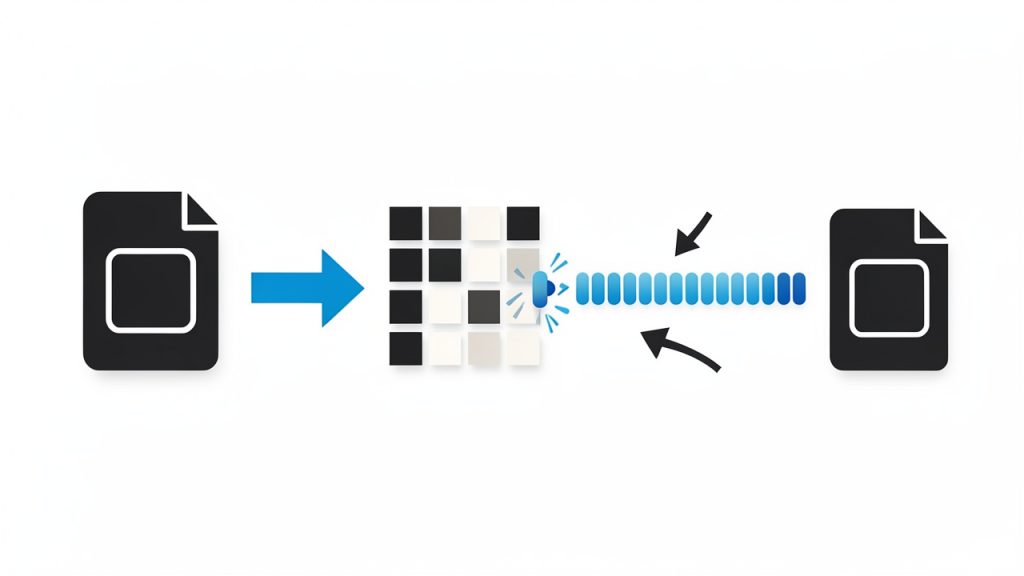
    PDF binary to Base64 diagram

    If you are a small business owner sharing documents between systems, a freelancer automating client workflows, or a developer building file uploads into a web app, understanding how to convert a PDF to Base64 can save time and reduce friction. It is one of those practical file-handling tricks that quietly powers a lot of modern software.

    What Is a PDF to Base64 Conversion?

    A PDF to Base64 conversion is the process of encoding a PDF file into a text-based format using the Base64 standard. A PDF is normally stored as binary data, which works well for file systems but not always for text-only channels. Base64 changes that binary content into a string made up of letters, numbers, and a few symbols.

    This does not “improve” or compress the PDF. In fact, Base64 usually makes the file around 33% larger. Its value is compatibility, not efficiency. When a system expects text instead of raw file data, Base64 acts like a translator.

    Think of it as repackaging a printed document into a sealed envelope with a standardized label. The contents stay the same, but the format becomes easier for certain delivery methods to handle. That is why converting a PDF to Base64 is common in APIs, email payloads, JSON requests, browser-based tools, and document automation workflows.
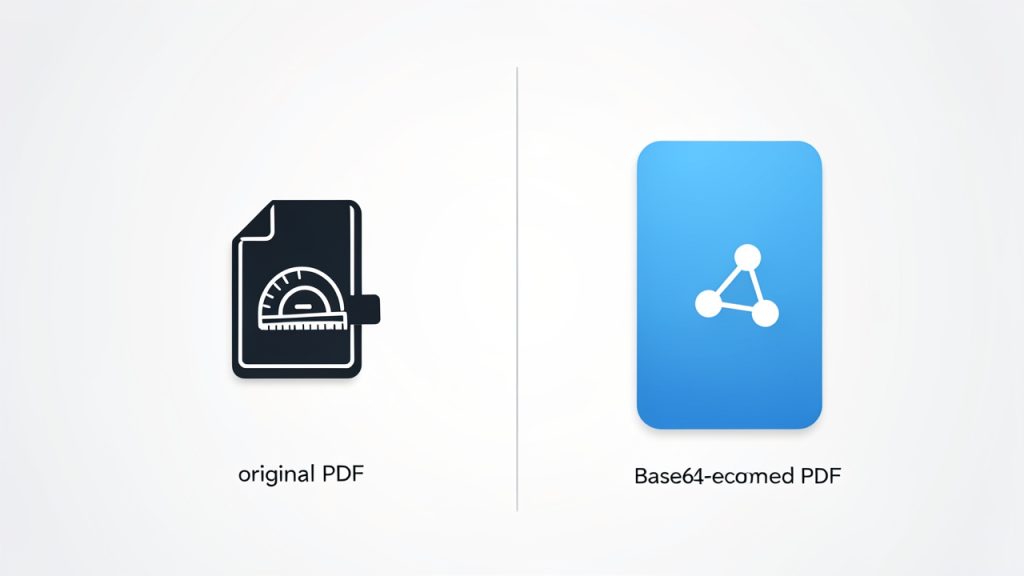
    Trade-off infographic: Original PDF vs Base64-encoded PDF

    Why people use Base64 for PDFs

    The main reason is convenience. Some platforms do not accept direct binary uploads or handle them inconsistently. A Base64 string can be embedded inside a text request, stored in a field, or transferred through systems that are designed around strings rather than files.

    It is also useful when you want to keep data self-contained. For example, instead of uploading a PDF as a separate attachment and passing around a file reference, you can include the encoded content directly in the request body. That can simplify integrations when you are connecting forms, CRMs, e-signature tools, or internal business software.

    What Base64 does not do

    Base64 is not encryption. This is one of the most important points to understand. If someone has the encoded string, they can decode it back into the original PDF with minimal effort.

    It is also not a replacement for secure storage or access control. If your PDF contains contracts, invoices, IDs, or confidential business records, you still need proper security practices. Base64 is a format conversion, not a privacy feature.

    Key Aspects of Converting a PDF to Base64

    Understanding the mechanics helps you make better decisions about when to use it and when not to.

    It is best for transfer, not for long-term storage

    A PDF encoded in Base64 becomes plain text, which makes it easy to include in API payloads, browser requests, and text fields. That is helpful for moving documents between tools.

    For storage, though, it is often less efficient than keeping the original PDF file. The larger encoded size can increase database load, slow down responses, and create unnecessary overhead. If you only need to store the file and retrieve it later, the original PDF is usually the better option.

    It works well in web and API workflows

    One of the most common use cases for converting a PDF to Base64 is in web development and software integrations. Some APIs accept documents as a Base64 string inside a JSON payload. That lets a single request carry both metadata and file content.

    For example, an invoicing system might send a client record, invoice number, and PDF attachment together in one structured request. In that case, encoding the PDF as Base64 creates a cleaner handoff between services.

    It increases size but improves compatibility

    This trade-off is central. Base64 makes a file larger, but also makes it more portable across systems built for text. Whether that trade-off is worth it depends on your use case.

    Here is a simple comparison:

    Format Best For File Size Impact Easy to Embed in Text Requests Human Readable
    Original PDF Storage, downloads, file systems Smaller No No
    Base64-encoded PDF APIs, text-based transfer, embedded data Larger Yes Partially, as text string

    The string itself is not meaningfully readable by people, but it is readable by systems that expect text input. That distinction matters.

    It can affect performance in large workflows

    For occasional document handling, converting a PDF to Base64 is usually straightforward. In high-volume operations, the extra processing and size overhead can matter more.

    If your business handles hundreds or thousands of PDFs daily, encoding and decoding each one may affect speed, memory usage, and bandwidth. In those cases, direct file storage or object-based uploads may be a better architectural choice.

    Validation matters

    Not every long text string is a valid Base64 PDF. If you are accepting encoded documents from users or external systems, validation is important. A malformed string can cause failed uploads, decoding errors, or corrupted files.

    A reliable PDF to Base64 tool should preserve file integrity and ideally help confirm that the decoded output matches the original document. That becomes especially important when dealing with signed files, legal forms, or customer-facing records.

    How to Get Started With Converting a PDF to Base64

    If you are new to this, the easiest path is to use a simple online PDF-to-Base64 converter or a built-in encoding function in your workflow tool. Most people do not need to understand the binary math behind it. They just need a dependable result.

    Start with a clear use case

    Before converting anything, ask one practical question: Why do I need the PDF in Base64? That answer shapes the right approach.

    If you need to send a PDF into an API, Base64 may be exactly right. If you only want to email, archive, or share the file normally, the extra conversion may add complexity without any real benefit. Good file handling starts with the destination in mind.

    Use an online tool for quick one-off tasks

    For non-technical users, a browser-based converter is often the fastest option. You upload the PDF, the tool generates the Base64 output, and you copy the text or download the result.

    This is useful for testing integrations, building prototypes, or handling occasional files. If the PDF contains sensitive information, make sure the tool is trustworthy and clear about privacy. For confidential files, local conversion is usually safer than uploading documents to an unknown website.

    Use code when conversion is part of a workflow

    If you are a developer or automating a recurring task, doing the conversion in code makes more sense. It reduces manual work and keeps the process consistent.

    Here are a few simple examples.

    In JavaScript, converting a PDF file buffer to Base64 is straightforward:

    const fs = require('fs');
    
    const pdfBuffer = fs.readFileSync('document.pdf');
    const base64String = pdfBuffer.toString('base64');
    
    console.log(base64String);
    

    This reads the PDF file and returns the Base64-encoded string. That string can then be inserted into an API request, saved temporarily, or passed to another function.

    In Python, the process looks very similar:

    import base64
    
    with open("document.pdf", "rb") as pdf_file:
        base64_string = base64.b64encode(pdf_file.read()).decode("utf-8")
    
    print(base64_string)
    

    This opens the PDF in binary mode, encodes it, and converts the result into a UTF-8 string that can be used in text-based systems.

    If you need to turn the Base64 string back into a PDF later, the reverse process is just as simple.

    JavaScript:

    const fs = require('fs');
    
    const base64String = 'PASTE_YOUR_BASE64_STRING_HERE';
    const pdfBuffer = Buffer.from(base64String, 'base64');
    
    fs.writeFileSync('restored-document.pdf', pdfBuffer);
    

    Python:

    import base64
    
    base64_string = "PASTE_YOUR_BASE64_STRING_HERE"
    
    with open("restored-document.pdf", "wb") as pdf_file:
        pdf_file.write(base64.b64decode(base64_string))
    

    These examples matter because they show the real purpose of converting a PDF to Base64. It is not an abstract technical exercise. It is a practical way to move documents through digital systems.

    Watch for common issues

    A few problems come up repeatedly. One is copying only part of the encoded string, which leads to broken files during decoding. Another is adding extra spaces or line breaks in systems that expect one continuous string.

    There is also the issue of prefixes. In some web contexts, the Base64 data may appear with a prefix such as data:application/pdf;base64,. That can be useful in browsers, but some APIs require only the raw encoded content. Knowing which format your destination expects avoids unnecessary errors.

    Choose the right method for your situation

    The best approach depends on your workflow:

    1. Use an online converter for quick, one-time tasks.
    2. Use built-in automation tools for business processes with no-code or low-code systems.
    3. Use custom code for apps, integrations, and repeated high-volume operations.

    That is the practical spectrum. The less often you need it, the simpler your setup should be. The more often you use it, the more valuable automation becomes.

    Practical Use Cases for Small Businesses, Freelancers, and Developers

    For small businesses, converting a PDF to Base64 often shows up in back-office operations. Invoices, signed agreements, purchase orders, and onboarding documents may need to move between tools that do not share a native file system. Base64 helps bridge that gap.

    Freelancers may encounter it when sending branded proposals through automation platforms, embedding generated PDFs into client portals, or connecting web forms to storage tools. In these cases, the conversion feels invisible when everything works, but understanding it makes troubleshooting much easier.

    Developers use Base64-encoded PDFs in more deliberate ways. It appears in REST APIs, serverless functions, browser apps, mobile backends, and document-generation systems. For them, the key question is usually not how to encode a PDF, but whether Base64 is the right transport layer for the job.

    Best Practices When Working With PDF and Base64

    The smartest approach is to treat Base64 as a delivery format, not a universal file strategy. Use it when compatibility matters more than file size. Avoid it when efficient storage or fast downloads are the priority.

    It is also wise to keep the original PDF whenever possible. That gives you a clean source file and reduces the risk of degradation caused by mishandling encoded data. While Base64 itself does not damage a file, broken strings, truncation, or formatting errors certainly can.

    For sensitive documents, prioritize privacy. If you are using a web-based PDF-to-Base64 converter, check how files are processed, whether uploads are stored, and how quickly data is deleted. Businesses dealing with contracts, IDs, financial records, or health information should be especially cautious.

    Conclusion

    Converting a PDF to Base64 is a practical solution for a specific problem: moving file data through text-based systems. It makes PDFs easier to embed in APIs, automate in workflows, and pass between applications that do not handle binary files well.

    The important thing is knowing when to use it. If you need portability and text-friendly transfer, Base64 is extremely useful. If you need compact storage and speed, the original PDF is usually better. Start with your end goal, choose the simplest method that fits, and test the output before building it into an important workflow.


  • How to Convert Text to Base64 — A Practical Guide

    How to Convert Text to Base64 — A Practical Guide

    A simple string can become unreadable in seconds once you convert it to Base64, and that is exactly why so many people use it. Whether you are embedding text in a URL, passing data through an API, storing credentials in a config file, or preparing content for email and web applications, converting text to Base64 is one of those small technical tasks that shows up everywhere.

    For developers, it is a routine utility. For freelancers and small business owners using online tools, it can feel more mysterious than it really is. The good news is that Base64 is not complicated once you understand its purpose. It is simply a standardized way to represent text or binary data using a limited set of safe characters.

    If you have ever wondered what a text-to-Base64 converter actually does, when you should use one, and what to watch out for, this guide will make it clear. You will come away knowing not just how to convert text into Base64, but why it matters and where it fits into real-world workflows.

    What Is Text to Base64?

    At its core, converting text into Base64 means taking readable characters, such as words, numbers, or symbols, and encoding them into a different text-based format. The output looks like a random string of letters, numbers, and symbols, but it follows a strict encoding standard that computers can decode reliably later.

    Side-by-side illustration showing a short readable string (e.g., "Hello, café ☕") on the left and its Base64-encoded result on the right, with a labeled arrow “Encode →” and a small note “uses UTF-8 (or specified charset)”

    Base64 was designed to solve a practical problem. Some systems handle plain text well, but struggle with special characters, binary files, or raw byte data. Base64 turns that data into a safer transport format using a restricted character set. That makes it useful for email systems, HTML, JSON payloads, APIs, authentication headers, and many other digital workflows.

    It is important to understand one thing clearly: Base64 is an encoding method, not encryption. That means it does not protect sensitive information by itself. Anyone with a Base64 decoder can turn the output back into the original text. This is one of the most common misunderstandings, especially among non-technical users who see the encoded result and assume it is secure because it looks unreadable.

    Why Base64 Exists

    Computers process data as bytes, but not every platform handles every byte cleanly when transmitting or storing information. Older email systems, web forms, and various software integrations often expect data to be made of standard printable characters only. Base64 solves this by translating data into a limited alphabet that is broadly safe across systems.

    A simple pipeline diagram showing source data passing through systems (email, URL, API, storage) with an intermediate box labeled “Base64” that uses a restricted alphabet (A–Z, a–z, 0–9, +, /, =) to indicate how Base64 makes data safe for transport across incompatible systems

    That alphabet typically includes uppercase letters, lowercase letters, numbers, plus, slash, and sometimes one or two equals signs at the end for padding. Those trailing equals signs are normal. They help ensure the encoded output aligns properly for decoding.

    What Happens During Encoding

    When text is converted to Base64, the underlying bytes of that text are reorganized into groups that can be represented using the Base64 character set. You do not need to perform the math manually to use it effectively, but it helps to know that the process is deterministic. The same input text will always produce the same Base64 output, assuming the same character encoding is used.

    This matters more than many people realize. For example, the word “café” may encode differently depending on whether the system uses UTF-8 or another character encoding. That is why high-quality online converters and development tools usually specify or assume UTF-8, which is the most common standard today.

    Key Aspects of Text to Base64

    Understanding the main characteristics of Base64 helps you use it correctly and avoid costly mistakes. The conversion itself is easy. Knowing the limits and proper use cases is what separates a quick workaround from a reliable workflow.

    Base64 Makes Data Portable, Not Secret

    One of the strongest benefits of Base64 is portability. If you need to move text through a system that may break on special symbols, line breaks, or non-standard characters, Base64 gives you a cleaner format to work with. This is especially useful in technical environments where a small formatting issue can cause an upload, API request, or script to fail.

    What it does not do is protect confidential information. If you are handling passwords, API keys, customer records, or private business data, Base64 should never be treated as a security layer. It may be used alongside secure transport methods, such as HTTPS, or within authentication protocols, but it is not a substitute for encryption.

    The Output Gets Longer

    A practical trade-off of converting text into Base64 is that the output becomes larger than the original input. In general, Base64 increases data size by about 33%. That may not matter for a short string, but it can become significant when encoding large text blocks, attachments, or repeated payloads in web applications.

    For a small business owner using an online converter occasionally, this may never be an issue. For developers building systems that process thousands of requests, it matters. Increased payload size can affect performance, storage, and bandwidth usage, especially when Base64 is used excessively in JSON responses or front-end assets.

    Character Encoding Matters

    When people encounter broken Base64 results, the problem is often not the Base64 itself. It is the underlying text encoding. If a tool reads a text string with the wrong character set, the encoded result may decode into gibberish or unexpected symbols later.

    This becomes especially relevant when your text includes accented characters, non-Latin scripts, currency symbols, or emoji. A dependable text-to-Base64 tool should support modern text encoding standards and preserve the original content accurately. If your work involves multilingual content, always verify the decoded output after conversion.

    Common Business and Development Use Cases

    Base64 appears in more places than most users expect. It is used in web development to embed small assets, in email systems to package content safely, in APIs to transmit structured data, and in authentication flows such as Basic Auth. It also shows up in browser tools, automation platforms, and low-code systems where encoded text is passed between services.

    For freelancers and productivity-focused users, a text-to-Base64 converter can be helpful when working with integration tools, CMS platforms, custom embeds, or webhook payloads. You may never need to know the technical internals, but understanding what the conversion is doing gives you more confidence when troubleshooting.

    Base64 Variants Exist

    Not every Base64 output looks exactly the same in every context. Standard Base64 uses characters like + and /, but URL-safe Base64 replaces them with alternatives that work better inside web addresses and query strings. Some systems also omit padding characters.

    This matters because one tool’s output may not be accepted by another tool if they expect different Base64 variants. If you are sending encoded text to a third-party platform, check whether it expects standard Base64 or URL-safe Base64. A mismatch can cause confusing errors, even when the original text is correct.

    Quick Comparison of Plain Text and Base64 Text

    Format Readability Best Use Security Level Typical Size
    Plain text Human-readable Direct reading, editing, display Low Smaller
    Base64-encoded text Not human-friendly Safe transport, embedding, API exchange Low by itself Larger

    How to Get Started With Text to Base64

    Using a text-to-Base64 converter is usually straightforward, but a few smart habits will save time and prevent errors. The basic process is simple: enter the original text, convert it, then copy or use the encoded output where needed.

    If you are using an online tool, look for one that is fast, clear, and transparent about what it does. A good converter should let you paste text directly, handle special characters correctly, and offer a matching Base64-to-text decoder so you can verify the result instantly. For many users, that round-trip check is the easiest way to confirm the output is valid.

    A Simple Workflow That Works

    For most people, the best approach is to keep the process minimal and repeatable. Use the original text, encode it, test the output where it will be used, and decode it again if necessary to confirm nothing changed unexpectedly.

    The following sequence is usually enough:

    1. Paste the text into a trusted converter or tool.
    2. Run the Base64 encoding and copy the output.
    3. Test the result in your app, form, API, or workflow.
    4. Decode it back if you want to verify accuracy.

    This process sounds basic, but it is extremely effective. It reduces the chance of subtle issues with hidden spaces, line breaks, or character encoding mismatches.

    When Online Tools Make Sense

    For occasional use, a browser-based converter is often the fastest option. It is ideal when you need to encode a short string for a CMS field, integration setting, or API test. You do not need to install anything, and the result is immediate.

    That said, online tools should be used carefully. If the text contains sensitive information, such as customer details, credentials, or proprietary internal data, avoid pasting it into unknown websites. In those cases, local tools, built-in operating system utilities, or trusted development environments are the safer route.

    What Developers Should Watch For

    If you are a developer, Base64 issues tend to appear not in the conversion itself, but in the surrounding context. Whitespace, line wrapping, URL encoding, and character set assumptions can all affect the final outcome. A string that looks correct may still fail if an API expects a URL-safe variant or if the receiving system trims padding.

    It is also worth being careful with debugging. Logging Base64 output can seem harmless because it is not immediately readable, but if it contains sensitive source text, the risk remains. Teams sometimes expose secrets accidentally because encoded values feel less dangerous than plain text, even though they are easily reversible.

    Signs You Need a Better Tool or Workflow

    If your Base64 output fails unpredictably, the issue may be with the tool rather than the data. Poorly built converters can mishandle Unicode characters, insert line breaks, or apply browser-side formatting quirks that break compatibility. This is especially frustrating when integrating with strict APIs.

    A reliable setup usually includes a clean interface, proper UTF-8 handling, and instant decoding for validation. If you find yourself repeatedly fixing broken encoded strings by hand, it is time to switch tools or automate the step in a more controlled environment.

    Common Scenarios and Best Fit

    Scenario Best Approach Why It Works
    Encoding a short string for a form or API test Online text-to-Base64 tool Fast and convenient
    Working with sensitive business data Local or trusted internal tool Better privacy control
    Building repeatable app workflows Scripted or integrated encoding Reduces human error
    Sharing encoded content in URLs URL-safe Base64 Avoids invalid URL characters

    Conclusion

    Converting text into Base64 is one of those practical digital tasks that looks more technical than it really is. At a basic level, it is just a way to transform text into a standardized format that systems can transmit and process more reliably. Once you understand that, the confusion disappears.

    The key is to use Base64 for what it is good at, compatibility and transport, not security. If you keep character encoding in mind, choose the right variant, and verify your output when needed, a text-to-Base64 workflow becomes quick, dependable, and easy to repeat.

    Your next step is simple: try a trusted converter with a short sample of text, decode the result back, and see how the process behaves in your real use case. That hands-on test is often the fastest way to turn Base64 from a vague technical term into a useful everyday tool.