JNTZN

Tag: audio editing

  • MP3 to WAV: When to Convert and How It Affects Quality

    MP3 to WAV: When to Convert and How It Affects Quality

    Converting MP3 to WAV sounds simple, but it often becomes confusing the moment audio quality, file size, compatibility, and editing needs enter the picture. Many people assume one format is just as good as the other, or that conversion somehow “restores” lost sound data. It does not. A little clarity saves time, storage, and frustration.

    If you are a small business owner preparing podcast clips, a freelancer editing voice recordings, a developer handling media assets, or someone trying to make an audio file work in the right app, understanding MP3 to WAV conversion matters. The right choice depends on what you need the file to do next, not just on what sounds familiar.

    What is MP3 to WAV?

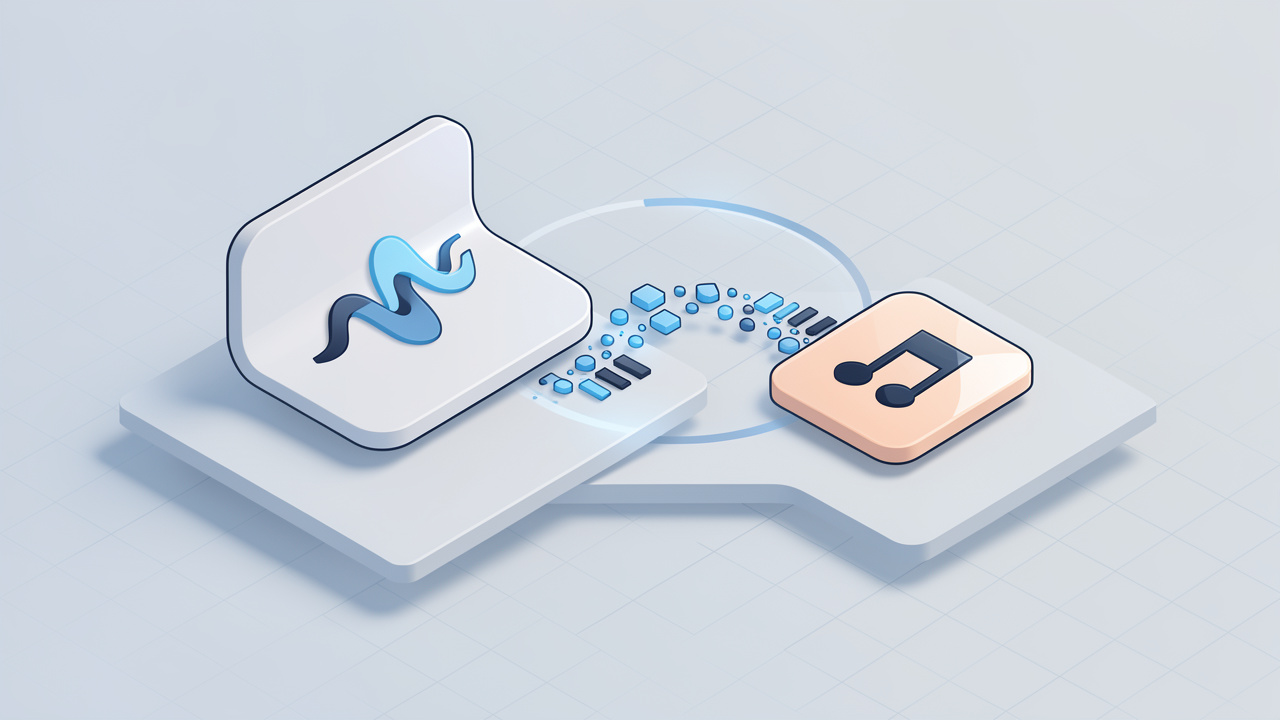
    At its core, MP3 to WAV means converting an audio file from the MP3 format into the WAV format. MP3 is a compressed audio format designed to reduce file size. WAV is typically an uncompressed audio format that preserves more raw audio data and is widely used in editing, production, and professional workflows.
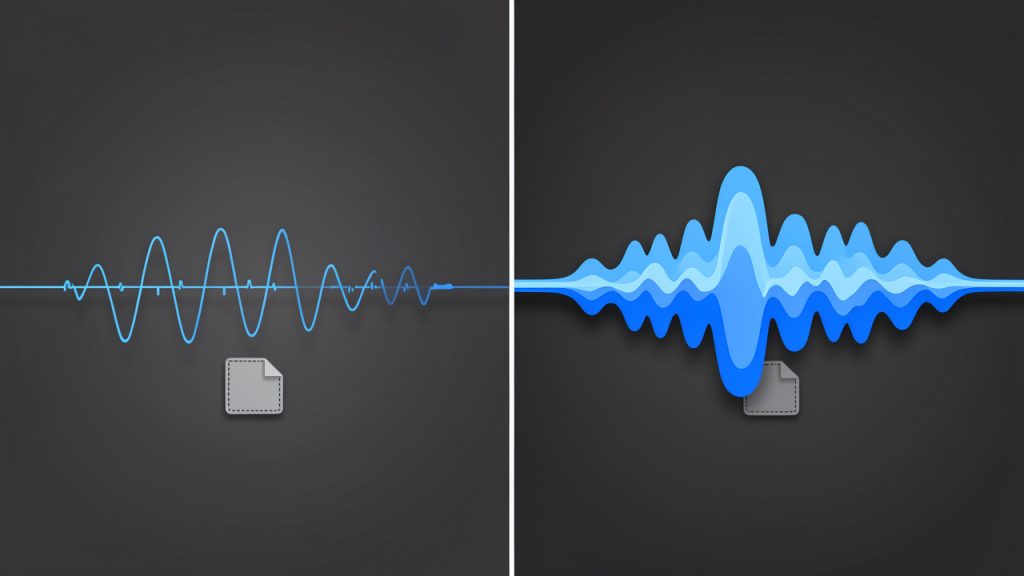
    Side-by-side visual comparing MP3 vs WAV: left panel shows a simplified, 'thinner' waveform with parts faded or missing and a small file-size icon labeled MP3 (lossy/compressed); right panel shows a fuller, detailed waveform and a large file-size icon labeled WAV (uncompressed).

    The key difference is not just the file extension, it is how the audio is stored. An MP3 removes parts of the sound data to make the file much smaller. This is called lossy compression. A WAV file, by contrast, usually stores audio in a much less compressed or uncompressed form, which makes it larger and easier for editing software, recording systems, and some hardware devices to process accurately.

    This leads to an important point that many users miss. Converting an MP3 into WAV does not improve the original audio quality. If the MP3 already lost data during compression, that missing information does not magically come back when you save it as WAV. What conversion does do is make the file more suitable for certain tasks, especially where compatibility and editing stability matter.
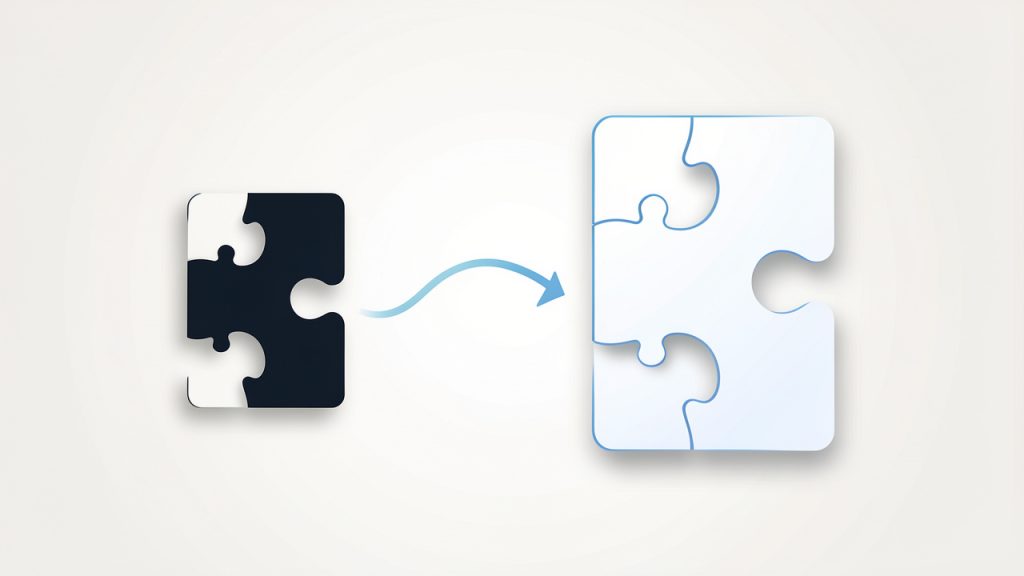
    A metaphorical illustration showing an MP3 file with pieces removed (like missing puzzle pieces) being converted into a larger WAV file where the missing pieces remain absent — emphasizing that conversion does not restore lost audio data.

    A simple way to think about it is this. MP3 is like a highly compressed image sent over messaging apps to save space, WAV is more like the original working file used in design software. Turning the compressed image back into a larger file does not recreate the missing detail, but it may make it easier to use in a professional workflow.

    Key Aspects of MP3 to WAV

    Why people convert MP3 to WAV

    The most common reason for converting MP3 to WAV is workflow compatibility. Audio editors, video production tools, DAWs, transcription systems, and some broadcasting platforms often handle WAV files more predictably than MP3s. WAV files are simpler for software to decode because they usually do not rely on the same compression logic as MP3.

    Another major reason is editing performance. When you edit audio repeatedly, cut sections, apply effects, normalize volume, or mix tracks, working with WAV can reduce the chance of introducing additional compression artifacts. Editors often prefer WAV because it gives them a more stable source format, even if the original audio began as MP3.

    There is also the issue of device and platform requirements. Some systems, including legacy hardware, professional recording devices, call systems, and speech processing tools, specifically request WAV uploads. In those cases, the conversion is not about quality improvement, it is about meeting a technical requirement.

    MP3 vs WAV at a glance

    Feature MP3 WAV
    Compression type Lossy Usually uncompressed
    File size Small Large
    Audio quality Reduced to save space Higher retention of source audio
    Best use case Streaming, sharing, storage Editing, production, archiving workflows
    Compatibility in editors Good, but sometimes less ideal Excellent
    Can conversion restore lost quality? No No

    This comparison highlights the practical trade-off. MP3 is efficient, WAV is flexible. One is built for convenience, the other for production.

    Audio quality misconceptions

    One of the biggest misconceptions around MP3 to WAV is the belief that WAV automatically means “better sound.” That is only true if the source audio was already high quality. If your original file is a 128 kbps MP3, converting it to WAV simply creates a much larger file that contains the same compressed audio quality.

    That does not mean the conversion is pointless, it means the benefit is functional, not magical. For example, if you need to import voice audio into editing software, sync it with video, or deliver it to a platform that rejects MP3 uploads, WAV becomes useful even though it does not improve the sound itself.

    A second misconception is that all WAV files are identical. In reality, WAV files can vary by sample rate, bit depth, and encoding settings. A 44.1 kHz, 16-bit WAV may be perfectly fine for music delivery, while 48 kHz, 24-bit is more common in video and production environments. Understanding those settings matters when precision is important.

    File size and storage implications

    Storage is where the difference becomes obvious fast. An MP3 might be only a few megabytes, while the same audio as WAV can be ten times larger or more. For a solo creator working on a few clips, that may not matter. For a business processing hundreds of recordings, it matters a lot.

    Larger files take longer to upload, download, sync, and archive. If you convert everything by default without a reason, your storage bill and project clutter can grow unnecessarily. That is why MP3 to WAV should be intentional. Use WAV where editing, system compatibility, or delivery standards require it. Keep MP3 where portability and smaller files are the priority.

    For teams and freelancers, this decision affects project management too. WAV files are better as working files, MP3 files are often better as sharing files. Knowing when to use each can keep both quality expectations and storage demands under control.

    How to Get Started with MP3 to WAV

    Start with your actual goal

    Before converting any file, ask a practical question: Why do I need WAV? If the answer is “to improve quality,” you may not get the result you expect. If the answer is “my editor, client, software tool, or system requires WAV,” then the conversion makes sense.

    This small mindset shift prevents wasted time. A lot of users convert files simply because WAV sounds more professional. Sometimes it is the right move. Sometimes it just creates larger files with no real benefit. The best workflow starts with the next step in your process, not the format name alone.

    For example, if you are sending a podcast episode draft to a client for approval, MP3 is often enough. If you are importing spoken word tracks into audio editing software for cleanup and mastering, WAV is usually the better choice.

    Choose the right conversion settings

    When converting MP3 to WAV, pay attention to the export settings if the tool allows it. The most common options include sample rate and bit depth. These settings do not restore lost quality from the MP3, but they can affect compatibility with downstream tools.

    For general use, 44.1 kHz, 16-bit WAV is a safe standard. For video production or professional post-production, 48 kHz is often preferred. If you are delivering files to a client or platform, use their required settings rather than guessing.

    If your conversion tool offers “high quality” presets, be careful not to confuse that label with source recovery. A high-quality WAV export from a low-bitrate MP3 is still limited by the original MP3. The conversion can preserve what remains, but it cannot recreate what was removed during compression.

    Use an online tool carefully

    Online converters are popular because they are fast and convenient. For many users, especially those handling a few files at a time, an online MP3 to WAV tool is the easiest option. You upload the MP3, choose WAV, convert, and download.

    That convenience comes with considerations. If your audio contains private interviews, client calls, unreleased media, legal recordings, or sensitive business material, be cautious. Not every free tool clearly explains how long files are stored or whether uploads are deleted after processing. For public or low-risk files, online conversion is usually fine. For confidential work, a trusted desktop app may be the safer route.

    If you do use a browser-based tool, look for clear file limits, transparent privacy policies, and support for the output settings you need. Ease of use matters, but so does control.

    A simple conversion workflow

    1. Upload your MP3 file to a trusted converter or open it in a desktop audio tool.
    2. Select WAV as the output format and review any settings like sample rate or bit depth.
    3. Convert and download the file, then test it in the app, editor, or system where you plan to use it.

    That is enough for basic needs. What matters more is checking the output file in the real destination environment. A conversion is only successful if the new WAV file works where you need it.

    Check the result before moving on

    After converting, play the WAV file and verify a few basics. Make sure the audio starts and ends correctly, volume levels are consistent, and the file opens in your target software. If the file is for client work or production, confirm that the sample rate matches project requirements.

    This verification step is often skipped, especially when converting in bulk. That can create avoidable problems later, such as sync issues in video timelines or rejected uploads on third-party systems. A quick check now can save a rework cycle later.

    If you handle audio regularly, it is smart to create a repeatable mini-workflow. Use the same settings, naming conventions, and storage folders each time. That level of consistency helps freelancers, teams, and small businesses stay organized as media files pile up.

    Conclusion

    MP3 to WAV conversion is less about making audio sound better and more about making it usable in the right context. MP3 is great for compact storage and easy sharing, WAV is better for editing, production, and systems that require a less compressed format. The conversion has value, but only when it supports your actual workflow.

    The next step is simple. Look at how you plan to use the file after conversion. If you need cleaner compatibility, easier editing, or a format accepted by professional tools, convert your MP3 to WAV with the right settings and verify the output. If not, keeping the file as MP3 may be the smarter and more efficient choice.
  • Convert WAV to MP3: Fast, Simple Audio Compression

    Convert WAV to MP3: Fast, Simple Audio Compression

    If you work with audio files regularly, you already know how quickly WAV files can become inconvenient. They sound great, but they are bulky, slow to share, and often far larger than you need for everyday use. That is where Wav to mp3 conversion becomes practical, it turns high-quality, uncompressed audio into a smaller, easier-to-manage format without making your workflow more complicated.

    For small business owners, freelancers, developers, and productivity-minded users, this is more than a file format choice, it is about saving storage, speeding up uploads, making files easier to distribute, and keeping your audio usable across devices and platforms. Whether you are handling podcast clips, voice notes, training materials, or music samples, knowing when and how to convert WAV to MP3 can streamline your entire process.

    What is Wav to mp3?

    WAV to MP3 is the process of converting an audio file from the WAV format into the MP3 format. WAV, short for Waveform Audio File Format, is typically uncompressed, which means it preserves a lot of audio detail but creates very large files. MP3, on the other hand, uses compression to reduce file size while keeping the sound quality acceptable for most everyday uses.

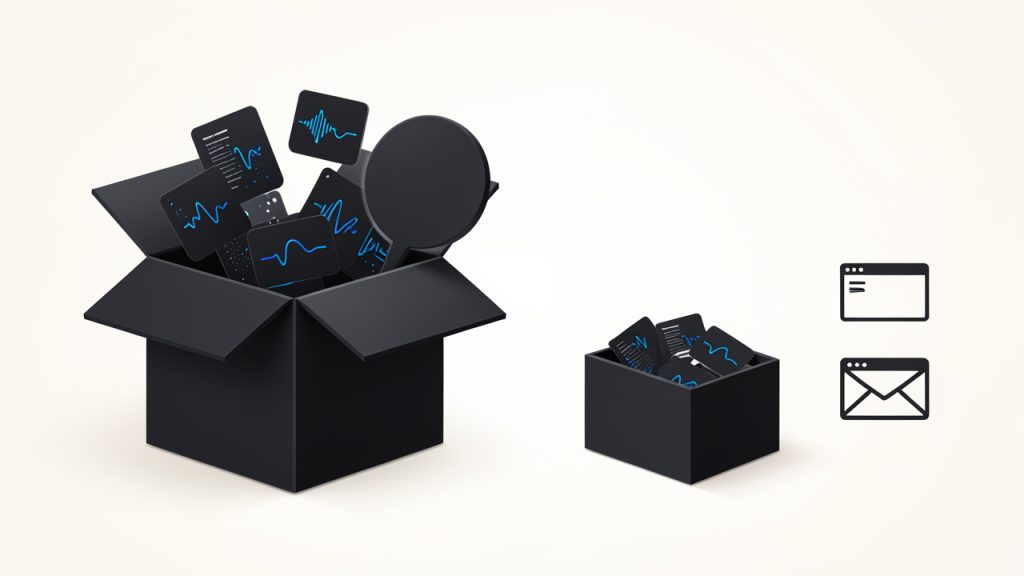
    The difference is easy to understand if you think of it like packaging. WAV is the full original box, with every part included exactly as it was recorded. MP3 is the same content packed into a much smaller container, making it easier to carry, send, and store. For many use cases, that trade-off is worth it.

    Same content, different packaging

    This is why WAV to MP3 conversion is so common in content creation, business communication, and digital publishing. A file that once took up hundreds of megabytes can often shrink dramatically after conversion, which makes it much easier to upload to websites, attach to emails, or keep organized on your computer.

    Why WAV files are often converted

    WAV files are excellent when you need maximum fidelity, such as in recording, editing, mastering, or archiving original audio. But once that stage is over, the large file size can become a problem. If you are publishing a voice recording, distributing a lesson, or sharing a sound asset with a client, you usually do not need the full weight of a WAV file.

    MP3 is widely supported across phones, laptops, media players, apps, and browsers. That broad compatibility makes it a convenient final format for distribution. In practice, many users keep a WAV master for editing and export an MP3 version for everyday access.

    What changes during conversion

    When converting WAV to MP3, the file is compressed, which means some audio information is removed to reduce size. The quality difference is not always obvious, especially at higher bitrates, but the file becomes much smaller and more practical.

    This makes bitrate an important part of the decision, a higher bitrate MP3 usually sounds better and preserves more detail, while a lower bitrate creates a smaller file. The right choice depends on what you are using the file for. A training clip or spoken audio file can usually be compressed more aggressively than a music track intended for close listening.

    Bitrate vs quality vs file size

    Key Aspects of Wav to mp3

    The most important thing to understand about WAV to MP3 is that it is not just a technical conversion, it is a balance between quality and convenience. If you want the highest possible quality for production work, WAV is often the safer choice. If you want portability and efficiency, MP3 usually wins.

    Audio quality is the first factor people worry about, and for good reason. MP3 is a lossy format, which means it sacrifices some audio data during compression. That does not automatically make it bad, it simply means that the output is optimized for smaller size, not perfect preservation. For most spoken audio, business use, and casual listening, the difference is often acceptable.

    File size is the second major consideration. A WAV file can be several times larger than the same audio saved as MP3. That matters when you are uploading multiple files, working with limited storage, or sending content to clients and collaborators. Smaller files also load faster, which can improve user experience on websites and in apps.

    Compatibility is another reason MP3 remains so popular. While WAV is supported by many systems, MP3 is nearly universal. If you need a format that works reliably across platforms, MP3 is usually the safer bet. That is especially helpful when you are publishing files for an audience you do not control.

    Quality versus convenience

    The quality-versus-size trade-off is the heart of the conversation. A WAV file is often the right choice during production because it gives you more flexibility for editing and processing. An MP3 is often the right choice at the end of the workflow because it is smaller and easier to distribute.

    For example, if you are a freelancer delivering audio samples to a client, you might keep the project in WAV while editing, then export the final version as MP3 for easy review. If you are a business owner uploading a podcast episode preview or an internal announcement, MP3 is likely more efficient than sending a huge WAV file.

    When MP3 makes more sense

    MP3 is usually the better option when the audio is meant for listening rather than editing. That includes interviews, lectures, voice memos, marketing assets, and basic website audio. In these situations, the practical benefits of compression usually outweigh the minor quality loss.

    If the audio will be heavily edited later, or if it serves as a master archive, staying in WAV may be wiser. The key is to match the format to the purpose. That is the real productivity win, choosing the right file type before storage and sharing become a bottleneck.

    Common use cases

    Use caseBetter formatWhy
    Final audio for web uploadMP3Smaller size and broad compatibility
    Editing and masteringWAVUncompressed quality preserves detail
    Voice memos and meetingsMP3Easier to store and share
    Audio archivesWAVBetter for long-term preservation
    Client delivery for reviewMP3Convenient and lightweight

    How to Get Started with Wav to mp3

    Getting started with WAV to MP3 conversion is usually straightforward. You do not need advanced technical knowledge, and in many cases you can complete the process in a browser using a free online tool. The key is knowing what to look for before you upload anything.

    First, check whether the tool supports your audio file size and whether it allows you to choose bitrate settings. A good converter should be simple enough for quick use, but flexible enough to let you control output quality. If your source file is important, it is also smart to use a converter that handles files securely and deletes uploads after processing.

    Before converting, make sure your original WAV file is clean and ready. If you are using audio from a recording session, trimming silence, removing noise, or making edits first can save time later. Conversion will not improve the sound, so it is best to finalize the audio before changing formats.

    What to look for in a converter

    A practical WAV to MP3 tool should be easy to use, fast, and reliable. It should not make you dig through confusing settings just to complete a simple task. For many users, the best tools are the ones that make the process feel almost invisible.

    • Ease of use: The upload and conversion process should be simple and intuitive.
    • Bitrate control: Higher bitrate options help preserve better sound quality.
    • Security: Upload handling should be safe, especially for business or client files.
    • Speed: Fast conversion saves time when dealing with multiple files.
    • Compatibility: The tool should work on desktop and mobile browsers when needed.

    Choosing the right bitrate

    Bitrate has a direct impact on the final MP3 quality and file size. Higher bitrates generally sound better but create larger files. Lower bitrates reduce size further, but they can introduce noticeable audio artifacts, especially in music or complex recordings.

    For speech, a moderate bitrate is often enough. For music or branded audio where quality matters more, a higher bitrate is usually the safer choice. If you are unsure, it is better to start a little higher, then reduce only if file size becomes a problem.

    A simple workflow for conversion

    A practical workflow usually looks like this: prepare the WAV file, upload it to the converter, choose the output settings, and download the MP3 version. That sounds basic, but the value is in consistency. Once you establish a repeatable process, you can convert files quickly without thinking about it each time.

    If you work with audio often, it helps to keep both versions when appropriate. The WAV file can serve as your master copy, while the MP3 is your shareable version. That gives you flexibility later if you need to edit again or export into another format.

    Best practices for everyday use

    One of the smartest habits is to keep your original WAV files organized before converting anything. That way, if you ever need a different bitrate or a fresh export, you are not forced to start over. A clear folder structure saves time and reduces mistakes.

    It also helps to name files clearly. Instead of generic labels, use descriptive names that tell you what the file contains, such as a project name, date, or version number. That small habit makes a big difference once your audio library starts growing.

    Conclusion

    WAV to MP3 conversion is one of those simple tasks that can make a big difference in your workflow. WAV gives you quality and flexibility, while MP3 gives you convenience and reach. When you understand the trade-offs, it becomes much easier to choose the right format for the job instead of defaulting to one option every time.

    The next step is to look at your own audio workflow and decide where file size, compatibility, and speed matter most. If the goal is sharing, publishing, or everyday listening, MP3 is often the practical choice. If the goal is editing, preservation, or production work, keep the WAV file as your source and convert only when you are ready.