

You do not need to be a developer to run into Base64. It shows up when you paste API credentials, inspect email content, move image data between tools, or troubleshoot odd-looking strings that seem unreadable at first glance. In those moments, a Base64 encoder decoder online tool can save time immediately.
For small business owners, freelancers, and developers, the appeal is simple. You want a fast way to convert plain text or binary-related content into Base64, then reverse it back without installing software or digging through technical documentation. A good online tool removes friction, helps you verify data quickly, and reduces the chance of mistakes when working across systems.
What is Base64 encoder decoder online?
A Base64 encoder decoder online tool is a web-based utility that converts data into Base64 format and decodes Base64 back into readable content.
Base64 itself is a method for representing data using a limited set of text characters. Instead of sending raw bytes directly, the data is transformed into a text-friendly format that can travel more easily through systems built for text handling.
This matters because many digital workflows were originally designed around text rather than arbitrary binary data. If you need to embed an image in HTML, include data inside JSON, move content through email, or work with API payloads, Base64 often appears as the bridge. If you need to embed an image in HTML, include data inside JSON, move content through email, or work with API payloads, Base64 often appears as the bridge. It is not a form of encryption, and that distinction is important. Base64 is encoding, not security. It makes data transportable, not protected.
An online Base64 tool simplifies that process. You paste text, a token, or encoded data into a field, click encode or decode, and get the converted output instantly. The best tools also support UTF-8 text, URL-safe variants, file input, copy-to-clipboard convenience, and local browser processing for better privacy.
Why Base64 appears so often
Base64 is common because it solves a practical compatibility problem. Some systems do not handle raw binary cleanly, but they do handle plain text reliably. By converting data into a text-only structure, developers and non-technical users alike can move content between platforms with fewer formatting issues.
You may see Base64 in email attachments, basic authentication headers, embedded images, signed tokens, API responses, configuration values, and browser-based data URLs. Even if you never write code, you may still need to recognize it. A long string containing letters, numbers, plus signs, slashes, and equal signs at the end is often a clue.

Encoding vs decoding, the simple difference
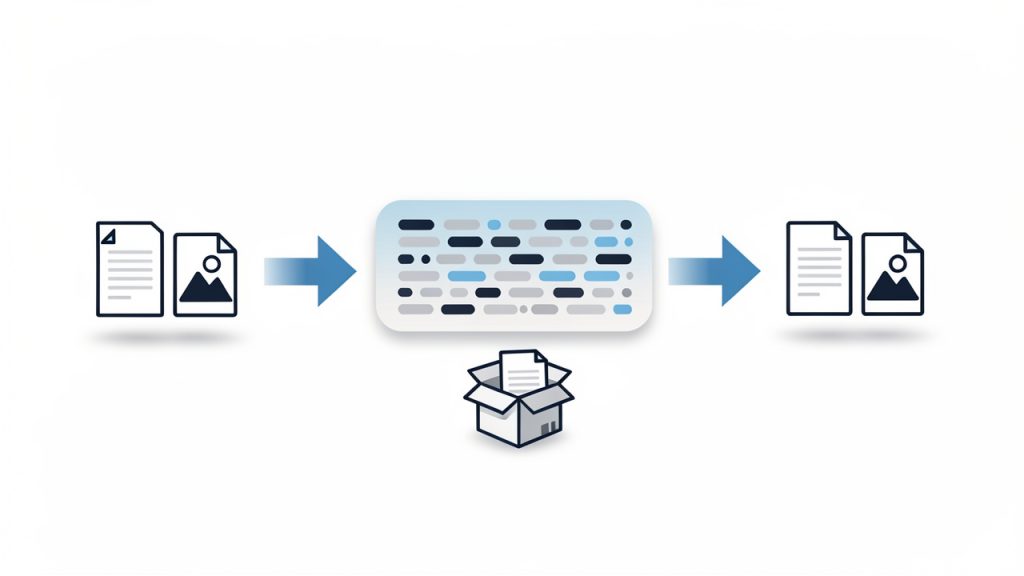
When you encode, you turn readable input or raw data into Base64 text. When you decode, you reverse that process and restore the original content. Think of it like putting a document into a shipping-friendly container, then unpacking it on arrival. The contents stay the same in meaning, but the format changes so other systems can handle it predictably.
That is why a Base64 encoder and decoder are usually paired in one online tool. Most users need both directions. You may encode text before sending it to another application, then decode a returned value to confirm that everything worked correctly.
Key Aspects of Base64 encoder decoder online
The value of an online Base64 tool is not just convenience. It is also about speed, compatibility, accuracy, and privacy. Those four factors determine whether the tool is useful for casual tasks or trustworthy enough for regular professional work.
Speed and ease of use
The biggest advantage of a Base64 encoder decoder online utility is immediate access. There is no software installation, no command line requirement, and no setup. You open the page, paste your content, and get results in seconds. For busy freelancers and small teams, that matters more than it might seem. Tiny interruptions compound over time.
Ease of use also reduces errors. A clean interface with separate input and output fields, a visible encode/decode toggle, and one-click copy buttons helps prevent accidental misuse. If you are checking a webhook payload or converting text for a CMS field, clarity is productivity.
Browser-based privacy
Privacy is one of the first concerns users should have when using any online conversion tool. Some Base64 strings contain harmless sample data. Others may include customer details, internal URLs, API information, or authentication-related values. Because of that, it is wise to prefer tools that process data locally in your browser rather than uploading it to a server.
A trustworthy tool usually makes this clear. If a site explains that encoding and decoding happen on the client side, you gain a meaningful privacy benefit. It does not replace your own judgment, but it lowers the risk of exposing sensitive information during routine work.
Accuracy with text and special characters
Not all online tools handle input equally well. Plain English text is easy. Real-world data is not. You may be working with accented characters, symbols, emoji, line breaks, JSON fragments, or URL parameters. A strong Base64 decoder online should handle character encoding correctly, especially UTF-8, so the decoded output matches the original input without corruption.
This becomes especially important in multilingual environments or when copying content between business systems. One wrong character in a payment note, customer name, or API secret can create a confusing problem. Reliable tools preserve the exact content.
Support for common use cases
Base64 is used in more places than many people realize. An online tool becomes more valuable when it supports the kinds of tasks people actually perform. Text encoding is the baseline, but some users need file support, URL-safe Base64 options, or easy handling of data URLs.
The table below shows how Base64 often appears in practical workflows:
| Use Case | How Base64 Is Used | Why an Online Tool Helps |
|---|---|---|
| API testing | Encodes credentials, payload fragments, or tokens | Quickly verify whether data is formatted correctly |
| Email troubleshooting | Helps inspect encoded message parts or attachments | Makes unreadable segments understandable |
| Image embedding | Converts image data into text for inline usage | Useful for quick experiments and debugging |
| Configuration work | Encodes values stored in app settings or environment workflows | Helps confirm values before deployment |
| Web development | Decodes tokens, strings, or browser-generated data | Speeds up debugging without extra software |
Understanding the limits of Base64
One of the most common misunderstandings is treating Base64 as if it were a security feature. It is not. Anyone with a decoder can reverse it instantly. If you encode a password in Base64, you have not protected it. You have only changed its appearance.
That matters for business users who may see encoded values and assume they are safe to expose publicly. They are not. Sensitive data still needs proper encryption, secure storage, and access control. A Base64 encoder decoder online tool is for formatting and inspection, not confidentiality.
Another practical limit is file size. Base64 increases data size by roughly a third. That makes it convenient for compatibility, but inefficient for large assets. If you embed big files in Base64 unnecessarily, pages and payloads can become heavier and slower.
How to Get Started with Base64 encoder decoder online
Using a Base64 tool is straightforward, but a few good habits make the process smoother and safer. The goal is not just to convert data, but to do it correctly and with confidence.
A simple workflow that works
For most tasks, the process follows the same pattern:
- Paste your input into the text area or upload the file if the tool supports it.
- Choose encode or decode based on what you need.
- Review the output carefully, then copy or export it for your next step.
That simplicity is exactly why online tools are so useful. You can move from confusion to clarity in under a minute, whether you are validating a token string or checking if a value in a settings panel decodes into plain text.
How to tell if a string is probably Base64
Users often ask whether a strange string is definitely Base64. There is no perfect visual test, but there are clues. Standard Base64 often includes uppercase and lowercase letters, numbers, plus signs, and slashes. It may end with one or two equal signs used as padding. URL-safe Base64 replaces some of those symbols, usually with hyphens and underscores.
Even so, appearance alone is not enough. Some plain strings can resemble Base64, and some Base64 strings omit padding. A practical approach is to try decoding with a reliable online tool and see whether the result is meaningful and error-free. If the decoded output is readable text, structured JSON, or recognizable binary metadata, you likely have a match.
Choosing the right online tool
Not every free utility is equally useful. If you plan to use a Base64 encoder decoder online tool regularly, look for a few practical qualities.
- Local processing: Keeps data in your browser when possible.
- UTF-8 support: Preserves non-English text and special characters accurately.
- Clear interface: Reduces mistakes during quick tasks.
- Copy and reset options: Saves time when handling repeated conversions.
Those features sound small, but they make a big difference in daily use. A cluttered tool creates friction. A fast, transparent one becomes part of your normal workflow.
Common mistakes to avoid
A frequent mistake is decoding content and assuming the output is safe or trustworthy just because it is readable. Decoded data can still contain harmful scripts, malformed text, or confidential information. Treat unknown content carefully, especially if it comes from external systems.
Another common issue is mixing up standard Base64 with URL-safe Base64. They are similar, but not identical. If a token fails to decode in one mode, it may simply be using the other variant. Good tools either detect this automatically or make it easy to switch.
A third issue is losing formatting during copy and paste. Line breaks, hidden spaces, or accidental truncation can break the conversion. If the result looks wrong, check the input first. In many cases, the tool is fine and the pasted data is the real problem.
Real-world examples for business and development users
A freelancer managing client websites may encounter Base64 when inspecting a plugin setting, email header, or API response. An online decoder helps reveal what is actually inside the encoded string without requiring technical setup. That speeds up communication with clients and support teams because you can verify facts quickly.
A small business owner using no-code or low-code tools may see Base64 in automation platforms, webhook logs, or file transfer workflows. In that context, an online encoder decoder becomes a practical troubleshooting companion. It turns mysterious machine-looking text into something understandable.
Developers, of course, use these tools constantly for testing. But the benefit is not limited to engineers. Anyone working across modern web systems can gain from understanding what Base64 does and how to reverse it safely.
Conclusion
A Base64 encoder decoder online tool is one of those deceptively simple utilities that becomes indispensable once you start working with digital systems more often. It helps you convert, inspect, troubleshoot, and verify data quickly, whether you are handling API values, embedded content, email fragments, or configuration strings.
The key is to use it with the right expectations. Base64 improves compatibility, not security. Choose a tool that is accurate, easy to use, and privacy-conscious, especially if it processes data locally in your browser. If you regularly work with encoded strings, your next step is simple, keep a reliable online Base64 encoder decoder handy and use it as part of your everyday workflow.