JNTZN

Tag: freelancers

  • Create a New Manual Post: Fast, Clear, and Controlled

    A new manual post can be surprisingly powerful when speed, clarity, and control matter more than automation. For small business owners, freelancers, developers, and productivity-focused users, the ability to publish something directly, intentionally, and without unnecessary complexity often solves a real problem. You do not always need a sophisticated workflow to get a message live. Sometimes, you simply need a reliable way to create and share content by hand.

    That is where the idea of a manually created post becomes useful. Whether you are publishing an update on a website, adding a listing, posting to a blog, documenting a process, or sharing an announcement in a content system, a manual post gives you direct ownership over what appears, when it appears, and how it reads.

    Used well, it can improve accuracy, reduce friction, and help you stay agile.

    What Is a New Manual Post?

    A manually created post is exactly what it sounds like, a post created directly by a person instead of being generated automatically by software, imported from another source, or triggered by a scheduled workflow. In practical terms, it is the act of opening a platform, entering the content yourself, setting the title, text, images, tags, or metadata, and publishing it on your own terms.

    This matters more than it may seem at first. In many digital tools, automation is treated as the default path to efficiency. That can be useful, especially for repetitive tasks. But manual posting still plays a critical role because not every message fits a template. A product launch, policy change, urgent client note, status update, or custom article often needs context, nuance, and human judgment that automated systems cannot fully provide.

    For productivity-minded users, a manual post is not the opposite of efficiency. It is often the smarter choice when precision matters. If you have ever spent more time fixing a bad automated output than it would have taken to write the post yourself, you already understand the value. Manual creation gives you room to tailor tone, structure, timing, and detail.

    Key Aspects of a New Manual Post

    The first key aspect is control. When you create a post manually, you decide every element that goes live. That includes wording, formatting, links, calls to action, and the overall message. For small businesses, this can be the difference between sounding generic and sounding trustworthy. A manually crafted post tends to reflect the real voice of the brand, which is especially important when customer relationships depend on authenticity.

    Another important aspect is accuracy. Automated publishing systems can save time, but they can also carry over outdated data, formatting issues, duplicated text, or context that no longer applies. A manually created post forces a quick but valuable review process. You see the content as the audience will see it. That simple check often prevents mistakes that damage credibility.

    A manual post also supports timely communication. When something changes quickly, such as availability, pricing, deadlines, service interruptions, or project updates, waiting on an automation workflow can create unnecessary delay. Manual posting allows you to respond in real time. That responsiveness can be a competitive advantage, especially for freelancers and small teams that need to move fast without layers of approval or technical setup.

    There is also a strong case for better content quality. Manual posts usually perform better when the message requires empathy, explanation, or persuasion. Think about a client-facing update, a thought leadership article, or a support announcement. These are not just data entries. They are communication assets. A human-written post can adapt its tone, anticipate reader concerns, and answer questions before they arise.

    Manual vs. Automated Posting

    Both approaches have a place, but they solve different problems. Automation is excellent for scale and repetition. Manual posting is better for nuance and oversight.

    Approach Best For Main Strength Main Risk
    Manual posting Custom updates, announcements, one-off content Full control and accuracy Takes more hands-on time
    Automated posting Recurring content, scheduled updates, data-driven publishing Speed and scalability Errors can repeat at scale
    Hybrid workflow Teams balancing efficiency with quality Flexible and practical Requires process discipline

    For many users, the best solution is not choosing one over the other. It is knowing when to use each. A manually created post is often the right choice when the message is important enough that you want to review every word before publishing.

    Why It Matters for Small Teams and Solo Operators

    If you run a small business or work independently, your publishing process needs to be simple. Complex systems can create more friction than value. A new manual post fits lean operations because it requires very little overhead. You do not need a full automation stack to publish a useful update. You just need clarity about what you want to say and where it should appear.

    That simplicity is powerful. It reduces tool dependency, shortens the path from idea to publication, and makes content management easier to understand. It also lowers the risk of silent failures. With automated systems, a problem may go unnoticed until the wrong content has already been published. With a manual process, visibility is built in because you are present at the moment of creation.

    How to Get Started With a New Manual Post

    Getting started is less about technology and more about process. Most platforms already support manual posting, whether it is a CMS, e-commerce backend, project board, forum, documentation tool, or social publishing interface. The real question is how to make your manual posts consistent, useful, and quick to create.

    Start by defining the purpose of the post. Before writing anything, ask what the reader needs to know and what action, if any, they should take after reading. This keeps the post focused. A common mistake is trying to make one post do too much. A good manual post is usually built around a single clear objective, such as informing, updating, clarifying, or prompting a response.

    Next, think about structure. Even a short post benefits from a logical flow. Lead with the most important information first. Then add the details that support it. If the post includes a date, deadline, link, or instruction, make that easy to find. Readers scan before they read deeply. Clear formatting improves usability immediately.

    A Simple Starting Workflow

    You do not need a complex checklist, but a short routine helps maintain quality. A practical workflow often looks like this:

    1. Define the goal of the post in one sentence.
    2. Write the headline so the purpose is obvious.
    3. Draft the body with the most important information first.
    4. Review for clarity by removing anything vague or repetitive.
    5. Publish and verify that formatting, links, and display look correct.

    This process works because it mirrors how readers consume content. They want relevance first, details second, and confidence that the information is current and trustworthy.

    Writing a Better Manual Post

    A manually written post should feel deliberate, not merely improvised. That does not mean it must be long or polished to perfection. It means every sentence should earn its place. If a paragraph does not inform the reader, answer a likely question, or move the message forward, it probably does not need to be there.

    Use plain language wherever possible. This is especially important for operational updates, service notices, or instructions. Clear writing reduces support requests and avoids confusion. If your audience includes busy clients or team members, they will appreciate content that respects their time.

    It also helps to write with context in mind. A manually created post should match the platform where it appears. A website announcement may need a slightly more formal tone. An internal workspace update can be more direct. A marketplace or listing post may need concise factual details. Good manual posting is not just about entering text. It is about matching message to medium.

    Common Mistakes to Avoid

    One frequent issue is publishing too quickly without reviewing the final version. Because manual posting feels simple, users sometimes skip the last check. That is where broken links, inconsistent formatting, and incomplete sentences often slip through. A thirty-second review can prevent a disproportionate amount of trouble.

    Another mistake is overloading the post with background information. Manual posts are most effective when they are focused. If you need to explain multiple topics, separate them into different posts or use headings to keep the content navigable. Readers should not have to dig for the point.

    A third problem is inconsistency. If every manual post looks different, uses a different tone, or buries key information in a different place, your workflow becomes harder to maintain. Consistency creates trust. It also makes posting faster because you are not reinventing the format every time.

    Practical Use Cases for Manual Posting

    In a business setting, a manually created post is often the best tool for announcements that carry direct consequences. Think of holiday hours, service changes, urgent stock updates, policy clarifications, or project milestones. These are moments when the exact wording matters. A generic auto-generated message may technically communicate the update, but it may not communicate it well.

    Freelancers can use manual posts to publish portfolio updates, client notices, availability changes, and service explanations. Because freelance work often relies on personal credibility, a manually written post can reinforce professionalism. It feels intentional, and that matters when every piece of communication shapes perception.

    Developers and technical users may also prefer manual posts in documentation systems, changelogs, and release notes when a feature needs explanation beyond raw commit data. Automated notes can list what changed. A human-written update can explain why it changed, what users should expect, and what action to take next. That layer of interpretation is where the value lies.

    Making Manual Posting More Efficient

    Efficiency does not require full automation. Often, it comes from reducing avoidable decisions. If you publish manual posts regularly, create a lightweight internal format for yourself. Use a repeatable title style. Decide where dates, links, or action items should appear. Keep a standard tone for customer-facing content. These small choices remove friction.

    You can also improve speed by preparing reusable starting points. This is not the same as relying on generic templates for everything. It is more about having a consistent frame. For example, announcements often benefit from a pattern: what changed, who it affects, when it starts, and what to do next. That structure keeps the post useful without making it robotic.

    The goal is to keep the benefits of manual control while minimizing unnecessary effort. A strong process does exactly that. It helps you publish quickly without sacrificing accuracy or voice.

    Conclusion

    A manually created post remains one of the simplest and most effective ways to communicate online when clarity, timing, and control matter. It gives you direct ownership over the message, reduces the chance of context errors, and works especially well for businesses and individuals who need flexible publishing without heavy systems.

    If you want better results from manual posting, start small and improve the process rather than overcomplicating the tools. Create one clear post with a focused purpose, review it before publishing, and build a repeatable structure from there. That approach is practical, fast, and far more valuable than publishing content that saves time but misses the point.

  • How to Create a New Manual Post That Connects

    How to Create a New Manual Post That Connects

    A new manual post can feel deceptively simple. You sit down, write the update, publish it, and move on. For small business owners, freelancers, developers, and productivity-focused teams, the way you create a post manually often says a lot about your workflow, your quality standards, and how well your message reaches the right people.

    That matters because not every post should be automated, templated, or pushed through a scheduling pipeline without human judgment. Sometimes the best-performing content is the one you craft intentionally, with clear timing, a specific audience in mind, and a message that responds to what is happening right now. A well-planned manual post gives you control, speed, and nuance that automated systems often likely miss.

    What Is a New Manual Post?

    A new manual post is content created and published directly by a person rather than generated, syndicated, or triggered automatically by a system. In practical terms, that usually means opening your platform of choice, writing the post yourself, adding any links or media, reviewing it, and then publishing it when you decide the timing is right.

    For many readers, this sounds obvious. After all, manual posting is how most people start. But once businesses begin using scheduling tools, content calendars, AI drafting assistants, social integrations, or CMS automations, the distinction becomes important. A manually created post is not just a piece of content, it is a deliberate action. It reflects a decision to prioritize context over convenience.

    That distinction is especially relevant for smaller teams. If you run a solo business, manage client work, or juggle multiple channels with limited time, knowing when to use a manually created post can improve both quality and performance. It allows you to respond to customer questions, comment on breaking developments, share a quick insight, or publish a timely announcement without waiting for a larger content workflow to catch up.

    Why manual posting still matters

    Automation is useful, but it is not always smarter. A manual post gives you room to adjust tone, clarify meaning, and react to real conditions. If a promotion changes, a product update needs immediate explanation, or a customer trend suddenly appears, publishing manually lets you address it while the topic is fresh.

    There is also a trust factor. Readers can often tell when content feels overly processed. A manual post tends to sound more human because it usually is more human. That can improve engagement, especially in channels where authenticity carries more weight than polished repetition.

    Where a new manual post is commonly used

    The idea applies across several environments. You might create a new manual post in a blog CMS, a company news section, a social media platform, a forum, a project workspace, or an internal knowledge hub. The core idea stays the same, even if the interface changes.

    For example, a freelancer may manually post a quick portfolio update after finishing a project. A developer tool company might publish a manual release note to clarify a bug fix. A local business could create a timely weekend announcement on social media. In each case, a person creates the post because the moment calls for clarity and control.

    Key Aspects of a New Manual Post

    The biggest strength of a manual post is intentionality. You are not just filling a slot in a publishing calendar. You are choosing what to say, how to say it, and when it should go live. That makes manual posting valuable for content that needs precision, emotion, urgency, or responsiveness.

    Control is another major advantage. When you publish manually, you can review the exact wording, check links, confirm formatting, and decide whether the message fits the current situation. This is especially useful when your audience expects relevance. A message that felt perfect yesterday might be poorly timed today. Manual posting gives you the final checkpoint.

    Quality over volume

    One of the most common mistakes in modern publishing is assuming that more content automatically produces better results. In reality, low-quality volume often creates noise. A strong manually published update can outperform several weak scheduled posts because it feels sharper, more timely, and more useful.

    Smaller teams often have an advantage here. You may not have the budget for a massive content operation, but you can still create thoughtful manual posts that speak directly to your audience. In many cases, that focus is more effective than trying to match the output of larger competitors.

    Speed with judgment

    Manual posting is often associated with slower workflows, but that is only partly true. It can actually be the fastest option when you need to publish immediately and do not want to navigate templates, approvals, or integrations. The key difference is that manual speed includes human judgment.

    That judgment matters. If a customer issue is spreading, an unclear announcement is circulating, or a trend affects your audience right now, a manual post allows you to respond quickly without sounding careless. It is the difference between reacting fast and reacting well.

    Platform context matters

    A new manual post should never be treated as generic content copied everywhere. The same update can work very differently depending on where it appears. A blog post may need structure and detail. A social post may need brevity and stronger emotional clarity. An internal team update may need clear action points and less branding language.

    This is why manual posting is valuable. It helps you shape the message to fit the platform rather than forcing one version everywhere. That usually leads to stronger results because the content feels native to the space where readers encounter it.

    The trade-off between manual and automated publishing

    Manual posting is powerful, but it is not perfect. It requires time, attention, and consistency. If every post is created from scratch with no process behind it, your workflow can become chaotic. Deadlines slip, messaging becomes uneven, and content may depend too heavily on whoever happens to be available.

    The better approach is balance. Use automation for repeatable, low-risk publishing tasks. Use manual posts for content that benefits from timeliness, sensitivity, personality, or strategic precision. This creates a system that is efficient without becoming robotic.

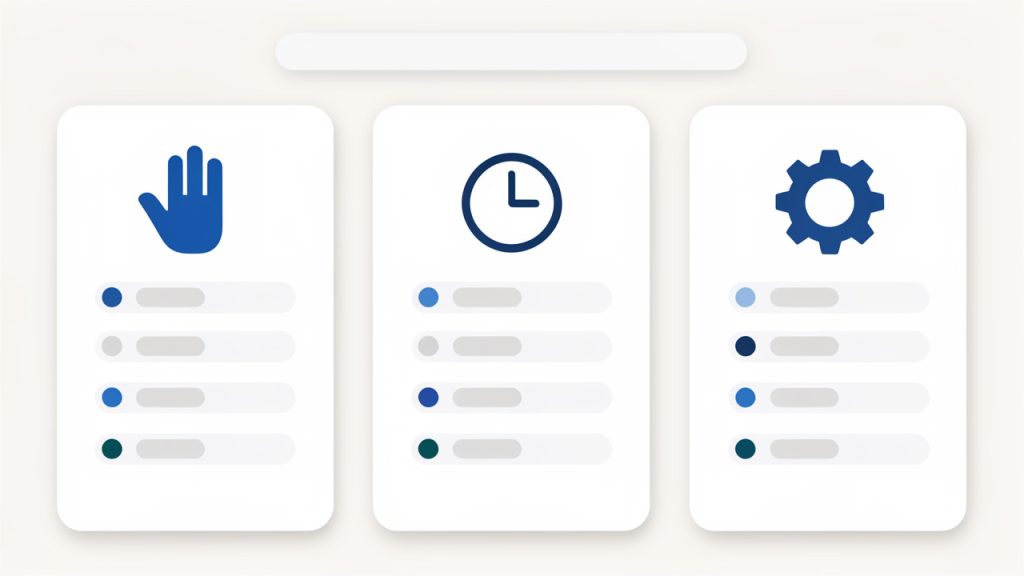
    A clean 3-column comparison graphic showing 'Manual posting', 'Scheduled posting', and 'Automated posting' with one-line bullets under each (best for / strength / limitation). Use simple icons for each column (hand/clock/gear) and a subtle header matching the blog style.

    Approach Best For Strength Limitation
    Manual posting Timely updates, announcements, nuanced communication High control and human judgment Requires more hands-on effort
    Scheduled posting Planned campaigns, evergreen content, recurring updates Efficient and consistent Less adaptable in real time
    Automated posting System-driven updates, syndication, routine publishing Saves time at scale Can feel generic or poorly timed

    How to Get Started With a New Manual Post

    Starting well is less about tools and more about clarity. Before creating a new manual post, decide what the post is trying to accomplish. Are you informing, promoting, clarifying, teaching, or responding? If you cannot answer that in one sentence, the post is probably not focused enough yet.

    Once the goal is clear, think about the audience. A manual post works best when it feels specific. That does not mean writing for only one person, but it does mean understanding what your readers care about in the moment. A productivity-minded audience may want quick, useful takeaways. A client audience may want reassurance and professionalism. A developer audience may want direct language and practical detail.

    Start with a simple posting framework

    You do not need a complicated process to create a strong manual post. A lightweight framework is usually enough:

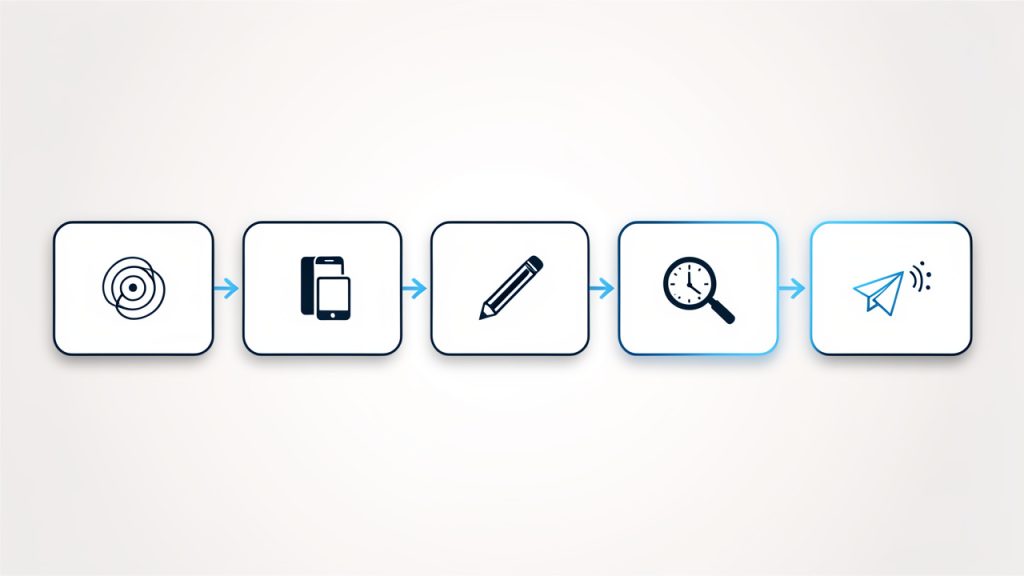
    A simple left-to-right flow diagram of the lightweight posting framework: Define purpose → Choose platform → Write core message → Review for clarity & timing → Publish & monitor responses. Each step as a rounded box with a small icon and arrows between them.

    1. Define the purpose
    2. Choose the platform
    3. Write the core message
    4. Review for clarity and timing
    5. Publish and monitor responses

    This works because it reduces friction without sacrificing quality. You are not building an entire campaign. You are making one clear communication decision and executing it well.

    Write for clarity first

    Many manual posts fail because the writer tries to sound impressive instead of useful. Clear language wins. Readers should understand the point of the post almost immediately. That is true whether you are announcing a service update, sharing a tip, or publishing a short opinion.

    A good rule is to make the first few lines carry the main value. If the post is important, say why. If there is an action readers need to take, say what it is. If the update affects them directly, say how. Clarity creates trust, and trust improves engagement.

    Edit before you publish

    Because manual posts often happen quickly, editing is easy to skip. That is risky. Even a short review can catch weak phrasing, broken links, awkward formatting, or missing context. A post published manually still represents your brand, even if it took only five minutes to create.

    It helps to review the post from the reader’s point of view. Ask whether it is obvious what the post means, why it matters, and what happens next. If any of those answers feel vague, revise before publishing.

    Build a repeatable habit

    If manual posting is always reactive, it can become stressful. The smarter move is to create a habit around it. Keep a list of post ideas, common update formats, and audience questions worth answering. That way, when you need to publish a new manual post, you are not starting from zero.

    This is particularly useful for freelancers and small business owners who wear multiple hats. A little preparation makes manual publishing faster while preserving the flexibility that makes it valuable in the first place.

    Common situations where manual posting works best

    Some publishing moments are especially well suited to manual posts. These usually include:

    • Timely announcements: Changes, launches, limited offers, or urgent updates
    • Direct responses: Clarifications based on customer feedback or current events
    • Personal insights: Founder opinions, lessons learned, or behind-the-scenes commentary
    • Context-sensitive content: Posts that need careful tone and timing

    These are situations where rigid scheduling can actually weaken the message. Manual posting lets you communicate with better awareness of what is happening around the post, not just inside it.

    Conclusion

    A well-crafted manual post is more than a basic publishing task. It is a strategic way to communicate with precision, speed, and human judgment. For businesses and independent professionals who care about relevance and trust, that makes manual posting a practical advantage, not an outdated habit.

    If you want better results from your content, start by treating each new manual post as a chance to be useful, timely, and clear. Build a simple process, stay close to your audience, and publish with intention. That next post does not need to be bigger. It needs to be better.

  • Free Productivity Tools That Actually Save Time

    Free Productivity Tools That Actually Save Time

    Time is expensive, but most people do not lose it in dramatic ways. They lose it in tiny fragments, a few minutes spent searching for a file, another ten switching between tabs, another half hour trying to remember what should happen next. That is why free productivity tools matter. The right ones do not just save money, they reduce friction, protect focus, and make work feel lighter.

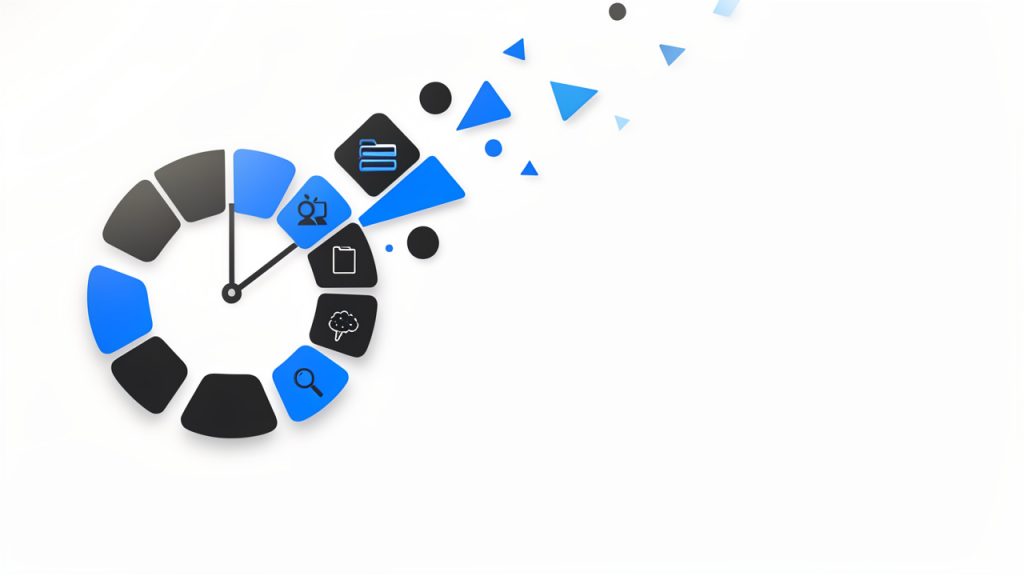
    A visual metaphor for fragmented time: a clock face broken into many small pieces or lots of tiny clock icons scattered, each labeled with brief distractions (e.g., 'searching for a file', 'tab switching', 'remembering next step'), conveying how minutes add up into lost time.

    For small business owners, freelancers, developers, and anyone trying to do more with limited resources, the appeal is obvious. You want software that is easy to adopt, flexible enough to support real work, and free enough to test without a procurement process or a long commitment. The challenge is not finding tools. It is finding the right tools, using them well, and avoiding a stack so cluttered that your productivity system becomes another source of stress.

    What are free productivity tools?

    Free productivity tools are apps, platforms, and online services designed to help individuals or teams organize work, manage time, communicate, automate routine tasks, and store information, all without an upfront cost. In practical terms, these tools cover everything from task managers and calendar apps to note-taking systems, cloud storage, writing assistants, collaboration platforms, and automation utilities.

    The word free deserves a closer look. Some tools are truly free with generous features for personal use or small teams. Others operate on a freemium model, which means the core product is available at no cost, while advanced features sit behind a paid plan. That distinction matters because a tool that feels perfect today can become restrictive once your client load grows or your business starts collaborating across a larger team.

    Productivity itself is often misunderstood. It is not about cramming more tasks into the day. It is about using your time, attention, and energy with greater intention. A good free productivity tool supports that goal by making priorities visible, reducing repetitive work, and helping you move from idea to execution with less effort.

    For a freelancer, that might mean a simple project board that keeps client work from slipping through the cracks. For a small business owner, it could be a shared document system that prevents version confusion. For a developer, it may be a lightweight automation or note system that keeps context organized across projects. The category is broad, but the purpose is consistent, better output with less wasted motion.

    Key aspects of free productivity tools

    Usability matters more than feature count

    One of the biggest mistakes people make is choosing tools based on long feature lists rather than real-world usability. A productivity app can be powerful on paper and still fail in daily use if it is cluttered, slow, or hard to understand. In most cases, the best free productivity tools are the ones you can start using in minutes, not the ones that require hours of setup before they become useful.

    That is especially true for solo users and small teams. When you are already managing clients, deadlines, or product work, you do not need another system that demands constant administration. A clean interface, fast search, and sensible defaults often create more value than dozens of advanced options you may never touch.

    Free does not always mean fully free

    There is a practical trade-off behind most free plans. Some tools limit storage. Others cap integrations, user seats, project boards, automation runs, or history length. These limits are not necessarily a problem, but they should be understood early. A tool can still be an excellent choice if its free tier aligns with your actual workflow.

    The smartest approach is to evaluate free tools not by what they hide, but by what they genuinely enable. If a task manager gives you enough projects, reminders, and views to run your week smoothly, then it is doing its job. If a note app lets you capture and retrieve information quickly, that may be all you need. The goal is not to get enterprise software for free. The goal is to get meaningful utility without paying before you are ready.

    Integration can make or break your workflow

    A productivity tool rarely works in isolation. Your calendar connects to meetings, your notes connect to tasks, your files connect to client work, and your communication tools connect to everything. That is why integration is one of the most overlooked aspects of choosing free productivity tools.

    When tools work well together, they reduce duplication. You stop copying deadlines from one place to another. You stop hunting for attachments across email, chat, and cloud folders. Even a basic level of integration can save significant time over a month.

    For developers and technical users, this can extend into APIs, webhooks, and lightweight automations. For non-technical users, it might simply mean choosing tools that offer calendar syncing, browser extensions, or cloud file support. Either way, the underlying principle is the same, less manual transfer means fewer mistakes and more focus.

    Collaboration features are increasingly essential

    Even solo professionals collaborate constantly. You may share drafts with clients, exchange feedback with contractors, or coordinate timelines with partners. That is why many of the best free productivity tools now include commenting, shared workspaces, permission controls, and live editing.

    This shift is important because productivity is no longer just personal. It is operational. A tool that works only for you but creates confusion for everyone around you can become a bottleneck. A free plan that supports lightweight collaboration often delivers more value than a more advanced app designed purely for individual use.

    Security and reliability should not be ignored

    When software is free, people sometimes assume the stakes are lower. In reality, if a tool stores client notes, financial drafts, passwords, project plans, or business files, reliability matters a great deal. Look for tools with strong reputations, regular updates, transparent privacy policies, and export options.

    The ability to export your data is especially important. Free tools are useful, but lock-in is not. If your needs change, you should be able to move your notes, tasks, or files without rebuilding everything from scratch. Portability is a quiet feature, but it becomes critical the moment a free plan no longer fits.

    Different categories solve different bottlenecks

    It helps to think of free productivity tools by the problem they solve, not just by their app category. Some reduce cognitive load by giving you a trusted place to capture tasks and ideas. Others reduce administrative work through scheduling, templates, and automation. Some improve execution by keeping projects visible. Others improve communication by centralizing conversations and documents.

    A simple comparison makes this easier to evaluate:

    Category What It Helps With Best For Common Free Plan Limits
    Task Management Tracking to-dos, deadlines, priorities Freelancers, small teams, personal planning Limited projects, automations, or team seats
    Note-Taking Capturing ideas, meeting notes, documentation Writers, developers, consultants Storage caps, restricted collaboration
    Calendar and Scheduling Time blocking, appointments, meeting coordination Service businesses, consultants, remote workers Booking limits, branding, fewer integrations
    Cloud Storage File access, sharing, backup Small businesses, distributed teams Limited storage space
    Communication Tools Messaging, quick coordination, updates Remote teams, client-facing businesses Message history limits, user caps
    Automation Tools Repetitive task reduction, workflow triggers Power users, developers, operations-focused teams Limited runs, fewer app connections

    This is why no single tool can solve productivity by itself. If your bottleneck is poor planning, a note-taking app will not fix it. If your bottleneck is repetitive admin, a calendar app alone will not help much. Good tool selection starts with honest diagnosis.

    How to get started with free productivity tools

    Start with your biggest source of friction

    The best way to adopt free productivity tools is to avoid building a full system all at once. Instead, begin with the part of your work that feels most consistently frustrating. That might be missed deadlines, scattered notes, scheduling chaos, or the feeling that important tasks are living in five different places.

    When you identify that friction clearly, tool selection becomes simpler. You are no longer asking, “What is the best productivity app?” You are asking, “What tool can reduce this specific problem?” That question produces better decisions and faster results.

    For example, if you repeatedly forget follow-ups, choose a task manager with reminders before adding anything else. If meetings consume too much time, adopt a free scheduling tool. If project materials are scattered, implement a shared cloud folder and a simple naming convention. Productivity improves fastest when the solution matches the constraint.

    Keep your first setup intentionally small

    Many people sabotage tool adoption by overbuilding from day one. They create elaborate workspaces, too many tags, deeply nested folders, and complicated rules they cannot maintain. A better approach is to create a minimal structure that supports immediate use.

    A practical starter setup usually includes just a few essentials:

    1. One task hub for what needs to happen next.
    2. One note space for ideas, reference material, and meeting notes.
    3. One calendar for deadlines, appointments, and focused work blocks.
    4. One file location for documents you need to find quickly.

    This is enough to create order without adding complexity. Once the system proves useful, you can refine it gradually. That sequence matters. Stable habits should come before advanced customization.

    Evaluate tools by behavior, not branding

    A tool may be popular and still be wrong for your work style. Some people think visually and prefer boards. Others want simple lists. Some need collaborative editing. Others need offline access and strong search. The only way to judge a tool properly is to use it for actual work over several days.

    Pay attention to your own behavior. Are you returning to the tool naturally, or avoiding it? Does it reduce mental clutter, or add another layer of maintenance? Can you find what you saved last week? Do you trust it enough to stop keeping backup notes in three other places? These questions reveal more than product marketing ever will.

    A short evaluation framework can help:

    Evaluation Factor What to Ask
    Ease of Use Can I understand the interface without training?
    Daily Fit Does this match how I naturally plan and work?
    Scalability Will the free version still work a month from now?
    Collaboration Can clients, teammates, or partners use it easily?
    Portability Can I export data if I need to switch later?

    This kind of review keeps you grounded. It shifts the decision from novelty to usefulness.

    Build habits around the tool, not dependence on it

    A tool helps only when it supports a repeatable habit. A task manager, for instance, becomes valuable when you check it at a consistent time, capture tasks immediately, and review priorities before work starts. Without those behaviors, even excellent software produces weak outcomes.

    That is why getting started with free productivity tools should include a routine. Spend a few minutes each morning reviewing priorities. End the day by clearing inboxes, updating task status, and scheduling the next important action. Keep it short and sustainable. Consistency beats sophistication.

    The most productive users often have surprisingly simple systems. Their edge comes from trust. They know where tasks go. They know where notes live. They know how to recover context quickly. Free tools can absolutely support this level of clarity, as long as the workflow remains disciplined.

    Avoid the trap of tool collecting

    There is a hidden cost to free software: because it is easy to try, it is also easy to accumulate. You install one app for notes, another for tasks, another for bookmarks, another for documents, and soon your system is fragmented. This feels productive at first because setup creates the illusion of progress. But too many tools create decision fatigue and information loss.

    A useful rule is to add a new tool only when it replaces confusion or manual work. If it does not clearly solve a problem, it is probably a distraction. Fewer tools, used consistently, almost always outperform a bloated stack full of overlapping functions.

    Think in workflows, not apps

    The most effective way to use free productivity tools is to see them as part of a workflow. A lead comes in, gets added to your notes or CRM. A task is created. A meeting is scheduled. Documents are stored in one place. Follow-up happens on a defined date. Each tool supports one stage of movement.

    This mindset is especially valuable for small businesses and freelancers. When your process is clear, tools become interchangeable parts rather than sources of dependency. You can test a free tool confidently because you understand what job it is supposed to perform. That makes upgrades, replacements, and simplification much easier over time.

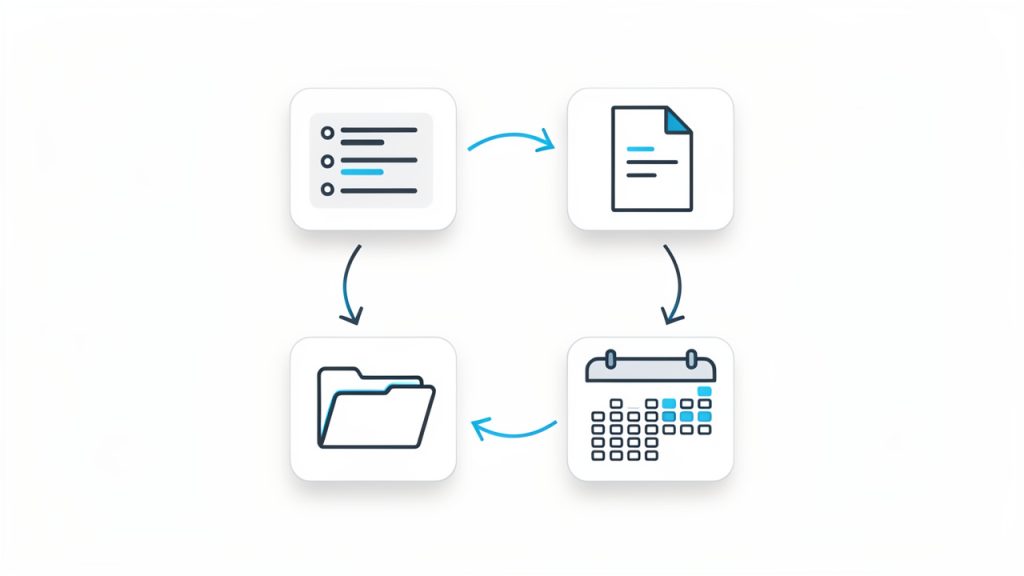
    A clear workflow diagram showing four connected boxes/icons: Tasks → Notes → Calendar → File Storage, with arrows indicating flow between them and small labels like 'create', 'schedule', 'store', 'reference' to show how the tools interact in a simple loop.

    Conclusion

    Free productivity tools are not just budget-friendly alternatives. When chosen carefully, they are powerful systems for reducing friction, improving visibility, and helping work move forward with less effort. The key is not using the most tools. It is using the right ones, in a way that supports your real workflow.

    Start with one bottleneck, choose one or two tools that solve it well, and build simple habits around them. Once your system feels trustworthy, expand only where needed. That approach keeps your stack lean, your processes clear, and your productivity grounded in results rather than software experimentation.