
JNTZN

Tag: internal linking

  • Practical Content Optimization Tips to Boost Traffic and Conversions

    Practical Content Optimization Tips to Boost Traffic and Conversions

    Great content does not fail because the ideas are weak. It usually fails because the presentation is weak. A page can be helpful, accurate, and well written, yet still underperform if it is hard to scan, mismatched to search intent, or missing the signals that help readers and search engines understand its value.

    That is why smart content optimization matters. For small business owners, freelancers, developers, and productivity-focused teams, improving existing content is often faster and cheaper than constantly creating new pages. A few deliberate changes can lift rankings, increase engagement, and turn a neglected article into a reliable traffic and conversion asset.

    What tips for content optimization really mean

    Content optimization is the process of improving a piece of content so it performs better for both human readers and search engines. That includes refining structure, sharpening relevance, improving readability, aligning with user intent, and strengthening on-page SEO elements such as headings, metadata, internal links, and keyword usage.

    The phrase “tips for content optimization” sounds simple, but the practice is more strategic than it first appears. Optimization is not just sprinkling keywords into a paragraph. It is about making the page more useful, more focused, and easier to consume. Search engines increasingly reward pages that satisfy user needs clearly and efficiently, so optimization now sits at the intersection of SEO, UX, and editorial quality.

    For many site owners, the biggest shift is this, optimization is not a one-time task. Search intent changes, competitors improve, and older content becomes stale. Pages that once ranked well can slip simply because they no longer answer the question as effectively as newer alternatives.

    Why optimization matters more than publishing volume

    Many people assume growth comes from publishing more. In reality, publishing without optimization often creates a library of underperforming content. You end up with dozens of pages competing for attention, but only a few generating meaningful results.

    Optimized content gives each page a stronger chance of ranking, retaining visitors, and moving people toward action. If you run a small business website, this can mean more service inquiries. If you are a freelancer, it can mean more qualified leads. If you are building a developer-focused blog or tool site, it can mean more product signups and stronger brand trust.

    The difference between writing and optimizing

    Writing creates the first version. Optimization improves its effectiveness. A writer may produce a thoughtful 1,200-word article. An optimizer asks harder questions. Does the title match what people search for? Does the introduction confirm relevance fast enough? Are the headings useful? Is the page answering the right question at the right depth?

    This distinction matters because many weak pages are not badly written. They are simply unfocused. Optimization brings clarity. It helps every section earn its place.

    Key aspects of effective content optimization

    The best tips for content optimization start with a mindset shift. You are not editing for style alone. You are improving performance. That means measuring a page by how well it satisfies intent, supports discovery, and encourages action.

    Match search intent before anything else

    If a page misses search intent, almost nothing else will save it. Search intent is the reason behind the query. Someone searching for advice on improving blog performance may want practical steps, not a dense theory lesson. Someone searching for a product comparison may not want a long opinion piece.
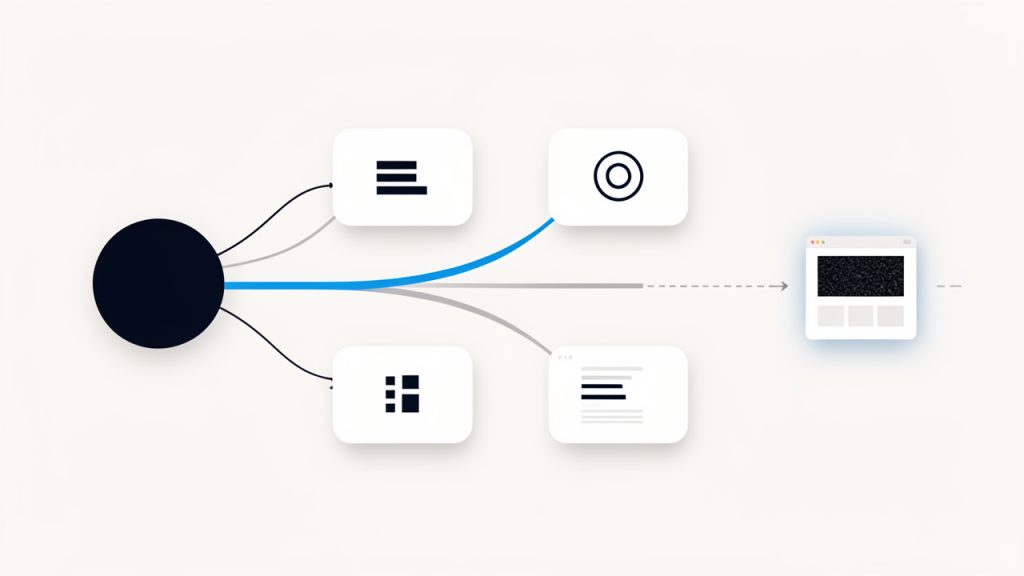
    Flow diagram showing a user query branching into different intent types, with examples of matching and mismatching pages

    A strong page signals intent match almost immediately. The title sets expectations. The introduction confirms the topic. The body delivers the format users want, whether that is a tutorial, checklist, explainer, or comparison. When content underperforms, intent mismatch is often the first issue to inspect.

    A useful way to think about this is to imagine the page as an answer in a conversation. If the user asks, “How do I improve my content?” and your page responds with brand history, general marketing philosophy, and vague advice, the conversation breaks down. Optimization restores alignment.

    Improve readability and scannability

    Most people do not read web content line by line. They scan first, decide whether the page feels useful, and then commit attention. This is why formatting is not cosmetic. It directly affects performance.

    Split illustration showing two versions of the same article page: left side dense blocks of text, right side well-structured and easy to scan

    Readable content uses clear headings, short paragraphs, descriptive subheadings, and strong opening sentences. Dense blocks of text create friction. Even good ideas get ignored when they look hard to consume. On the other hand, a well-structured page makes the reader feel progress. That sense of ease increases time on page and reduces bounce risk.

    See research on how users read on the web for more on readability and scannability.

    Scannability also helps search engines interpret the hierarchy of your information. A clear heading structure makes it easier to understand which ideas are primary and which support them.

    Use keywords naturally, not mechanically

    One of the most important tips for content optimization is also one of the most misunderstood. Keywords matter, but awkward keyword stuffing harms trust and readability. The goal is not to force an exact phrase into every section. The goal is to use the topic language naturally, in places where it helps clarify relevance.

    That means your primary keyword should appear in the title area, early in the article, in at least one subheading where it fits naturally, and throughout the copy in a way that feels organic. Related terms should appear as well, because they help establish topic depth. If you are writing about optimizing content, words like readability, search intent, internal linking, metadata, click-through rate, and engagement naturally belong in the discussion.

    Think of keywords as signals, not decorations. They should strengthen clarity, not interrupt it.

    Strengthen titles, meta descriptions, and introductions

    A page can rank and still disappoint if no one clicks it. That is where titles and meta descriptions matter. A strong title combines relevance with a clear benefit. It tells readers what they will get and why the page is worth opening.

    The introduction has a similar job once the click happens. It must confirm quickly that the visitor is in the right place. If the first paragraph feels generic, overly broad, or slow to reach the point, readers may leave before they ever reach your best insights.

    Optimization often begins here because these elements shape both visibility and engagement. Better titles improve click-through potential. Better openings improve retention.

    Build strong internal linking

    Internal links are one of the most overlooked ways to optimize content. They help search engines discover related pages and understand topical relationships, but they also guide human readers toward useful next steps.

    A page about optimizing content should naturally connect to related resources such as keyword research, content briefs, editorial workflows, analytics, or on-page SEO. These links extend the user journey and help distribute authority across the site.

    The key is relevance. Random or excessive linking creates noise. Strategic linking creates pathways.

    Update for freshness and accuracy

    Some content loses rankings simply because it feels old. Statistics become outdated. Screenshots no longer match current tools. Search results shift. Competitor content becomes more complete.

    Refreshing content is often more efficient than rewriting from scratch. Update examples, replace old claims, improve weak sections, and add current context where needed. If the topic evolves quickly, freshness can be a major advantage.

    For businesses and solo creators with limited time, this is one of the highest-return habits. Instead of producing ten new weak pages, improve three existing ones that already have some traction.

    Optimize for action, not just attention

    Traffic is useful, but attention without action has limits. A page should lead readers somewhere meaningful, even if the goal is modest. That next step could be reading a related guide, joining a mailing list, trying a tool, booking a consultation, or exploring a service page.

    Optimization should support that movement subtly. Calls to action work best when they feel like a logical extension of the reader’s progress. If someone has just learned how to improve their content structure, a next step around auditing their current pages feels natural. If the CTA feels unrelated or premature, it weakens the experience.

    How to evaluate a piece of content before optimizing it

    Before making changes, it helps to diagnose the page clearly. Optimization is more effective when you know whether the issue is visibility, relevance, readability, engagement, or conversion.

    Start with performance signals

    Look at how the page performs in search and on site. Impressions tell you whether search engines are surfacing it. Click-through rate suggests whether the title and description are compelling. Time on page, scroll depth, and bounce patterns hint at whether the content delivers on its promise.

    A page with high impressions but low clicks likely has a packaging problem. A page with decent clicks but weak engagement may have a content quality or intent issue. A page with strong traffic but no conversions might need better internal links or stronger calls to action.

    Compare the page against current search results

    Search results reveal what Google currently believes satisfies the query. Review the top-ranking pages and study their patterns. Are they more practical, more detailed, more current, or better structured? Do they use clearer headings? Are they answering adjacent questions your page ignores?

    This exercise is not about copying competitors. It is about understanding the standard your page must meet. If every top result includes examples, templates, or specific frameworks and your content stays abstract, that gap matters.

    Audit the reader experience

    Read your page like a busy visitor, not like its creator. The first question is simple, does it feel easy to use? If the answer is no, optimization should address that before anything else.

    The table below highlights common content problems and the optimization response that usually helps.

    Common Issue What It Looks Like Likely Impact Better Optimization Move
    Weak title Generic or vague headline Lower click-through rate Rewrite for clarity, relevance, and benefit
    Slow introduction Takes too long to address the topic Higher bounce rate Confirm value and intent in the first paragraph
    Poor structure Long blocks with few subheadings Low readability Break into logical sections with descriptive H3s
    Keyword stuffing Repetitive phrases that sound forced Lower trust, weaker UX Use natural phrasing and related terms
    Thin coverage Surface-level advice only Lower rankings and engagement Add examples, detail, and practical context
    Outdated information Old stats, stale examples, obsolete steps Declining trust and rankings Refresh facts, tools, and references
    Weak internal links No useful next steps Lower page depth and conversions Add relevant links to connected resources

    How to get started with content optimization

    Getting started does not require a giant content team or expensive software. What you need is a repeatable process. The most practical tips for content optimization are the ones you can apply consistently, even with limited time.

    Begin with high-potential pages

    Not every page deserves immediate attention. Start with content that already has some visibility, relevance, or business value. These are usually pages that rank on page two, attract impressions without many clicks, or bring traffic without converting.

    This approach works because optimization compounds existing momentum. A page already close to performing well often responds faster to improvements than a brand-new post with no history.

    A simple prioritization framework can help:

    1. Traffic opportunity: Find pages with impressions but weak rankings.
    2. Business value: Focus on pages tied to offers, services, or lead generation.
    3. Content quality gap: Identify pages that are useful but clearly underdeveloped.
    4. Freshness need: Update pages with outdated examples, stats, or advice.

    Rewrite the first 200 words carefully

    The opening of a page does a disproportionate amount of work. It tells readers whether to stay, tells search engines what the page is about, and shapes how the rest of the content will be interpreted.

    A strong opening quickly identifies the problem, states the promise, and establishes relevance. It should not wander. If your article takes five paragraphs to explain why the topic matters, optimization should begin there.

    For example, if your page is about improving website copy, start with the common frustration, traffic without results, content that ranks poorly, or pages that feel invisible. Then explain what the reader will gain from the article. This immediate clarity makes the rest of the page easier to trust.

    Refine headings so they carry meaning

    Headings should do more than break up text. They should guide the reader through the logic of the page. Vague headings like “Overview” or “More Tips” are rarely helpful. Specific headings improve usability because they let readers spot the section they need.

    Good headings also improve SEO by making the topic map clearer. If a reader scans only the subheadings and still understands the flow of the article, the structure is doing its job.

    Add depth where readers need it most

    One common mistake is trying to make every section equally long. Optimization is more effective when depth is added strategically. Expand the sections that answer key questions, remove filler, and sharpen transitions so the page feels purposeful.

    Depth does not mean padding. It means providing the explanation, example, or nuance that turns advice into guidance. If you say “improve readability,” show what that means. Discuss paragraph length, heading use, sentence rhythm, and formatting choices. Specificity builds authority.

    Use examples to make advice actionable

    Abstract advice is easy to forget. Concrete examples stick. If you recommend better titles, show the difference between a weak title and a stronger one. If you discuss internal links, describe where they naturally fit and why.

    Examples reduce ambiguity. They also make content more useful for mixed audiences. A freelancer may apply the advice to a portfolio blog, while a small business owner may adapt it to service pages. The principle becomes transferable.

    Optimize visual support thoughtfully

    Visuals can improve comprehension, especially in longer guides. Screenshots, diagrams, charts, and simple process graphics help break up text and make abstract ideas easier to grasp.

    Use visuals only where they support understanding, not as decoration. A content audit workflow, for instance, may benefit from a simple diagram. A table comparing weak and strong optimization choices can be more effective than paragraphs alone.

    Improve old content in rounds

    Trying to perfect a page in one sitting can be inefficient. A better approach is to optimize in rounds. The first round addresses intent, structure, and obvious quality issues. The second improves SEO elements such as title, metadata, and internal links. The third focuses on conversion paths and freshness updates.

    This method is especially useful for lean teams. It turns optimization into a manageable system instead of a large, irregular project.

    Practical tips for content optimization that deliver results

    Some tactics matter more than others. The strongest improvements usually come from a combination of editorial clarity and technical relevance.

    Focus on one primary topic per page

    Pages often underperform because they try to answer too many different questions at once. A broad article that jumps between strategy, tools, analytics, and social media promotion may dilute its relevance.

    A focused page performs better because the message is clearer. Readers understand what the page is about. Search engines do too. If you have several related ideas, connect them with internal links instead of forcing them into one bloated article.

    Write for humans first, then tighten for search

    SEO writing works best when it begins with genuine clarity. Draft naturally, then optimize the language. This produces content that sounds trustworthy and readable while still sending strong relevance signals.

    When editing, look for opportunities to make important terms more visible without sounding repetitive. Add them where they help, especially in headings, opening lines, and image alt text if applicable. Remove them where they create friction.

    Reduce friction in every section

    Each section of a page should answer a clear question or move the reader forward. If a paragraph repeats what has already been said, it creates friction. If a section exists only because “blog posts need length,” it weakens the page.

    Optimization often means cutting as much as adding. Cleaner content usually performs better than longer but diluted content. Readers appreciate momentum. So do search engines trying to determine whether a page is sharply relevant.

    Support claims with experience or evidence

    Authority grows when advice feels grounded. You do not always need formal studies, but you do need substance. That can come from experience, examples, observed patterns, or reliable data where appropriate.

    If you claim that stronger intros improve engagement, explain why. If you say internal linking helps page performance, describe the mechanism. Readers respond well to content that shows reasoning, not just recommendations.

    Revisit content after publication

    Publishing is not the finish line. One of the most underrated tips for content optimization is simply to review performance after a reasonable period and make improvements based on actual behavior.

    A post may attract a different audience than expected. A heading may underperform. A new opportunity may appear through search queries you did not target directly. These insights are only visible after the page has time to gather data.

    Common mistakes to avoid

    Many optimization efforts fail because they focus on the wrong signals. Adding keywords without improving usefulness is one example. Making a page longer without making it better is another.

    Another common mistake is treating every page the same. A service page, tutorial, landing page, and blog article each have different goals. Optimization should reflect that. What works for an educational article may not suit a conversion-focused page.

    It is also easy to over-edit. If a page already ranks well and converts, drastic changes can backfire. Optimization should be guided by evidence, not anxiety. Improve with intent, not just activity.

    A simple workflow you can repeat

    Consistency beats intensity in content work. A basic optimization workflow helps you make steady gains without turning every page into a major project.

    Stage Main Question Primary Task Outcome
    Audit Is the page worth improving? Review traffic, rankings, and relevance Clear priority list
    Intent check Does it match what users want? Compare with current search results Better alignment
    Structural edit Is it easy to read and scan? Improve headings, paragraphs, flow Better usability
    SEO refinement Are relevance signals clear? Update title, metadata, keywords, links Stronger discoverability
    Conversion review Does it guide the next step? Add or improve CTAs and related links Better business impact
    Refresh cycle Is it still current? Update examples, facts, and context Longer performance lifespan

    If you adopt this workflow, content optimization becomes less mysterious. It turns into a process you can schedule, measure, and improve over time.

    Conclusion

    The best tips for content optimization are not tricks. They are disciplined improvements that make content clearer, more relevant, easier to read, and more useful. When you align a page with search intent, strengthen its structure, use keywords naturally, and create a better reader experience, performance tends to follow.

    Start with one page that already matters to your business. Improve the title, rewrite the introduction, sharpen the headings, and add depth where readers need it. Then review the results and repeat the process. That is how content becomes an asset instead of just another published page.


  • The Essential SEO Audit Checklist for Small Businesses

    The Essential SEO Audit Checklist for Small Businesses

    A website can look polished, load reasonably fast, and still quietly lose traffic every month. That is what makes SEO tricky for small business owners and freelancers. The obvious problems are rarely the ones doing the most damage. More often, rankings slip because of a handful of technical issues, thin pages, weak internal linking, or missed opportunities that no one has reviewed in a structured way.

    That is where an SEO audit checklist becomes useful. It turns a vague task into a practical process. Instead of guessing why your site is underperforming, you review the same critical areas search engines care about, identify what is broken, and prioritize the fixes that can actually move visibility, traffic, and conversions.

    What Is an SEO Audit Checklist?

    An SEO audit checklist is a structured framework for evaluating how well a website performs in search. It helps you review the technical health of the site, the quality of its content, the strength of its on-page optimization, and the authority signals that influence rankings. Think of it as a diagnostic tool for organic search performance.

    Without a checklist, SEO audits tend to become messy and incomplete. You notice a few obvious issues, make a few changes, and assume the work is done. In reality, search performance depends on many connected factors. A page may have good content but poor crawlability. A site may load quickly on desktop but struggle on mobile. You might have strong blog posts that are buried because internal links are weak. A proper checklist prevents these blind spots.

    For small businesses and independent site owners, this matters even more. You may not have an in-house SEO team or a large budget for premium tools. A good audit process helps you focus on what matters most, avoid wasted effort, and make steady improvements using accessible tools and clear priorities.

    Why a Checklist Matters More Than a One-Time Review

    SEO is not a one-and-done task. Search engines update their systems, competitors improve their pages, and your own site changes over time. New pages are added, old pages become outdated, plugins create conflicts, and redirects pile up. A checklist makes your audit repeatable, which means you can track patterns instead of reacting only when traffic drops.

    It also improves decision-making. If you know your site has indexing issues, fixing title tags will not solve the real problem. If your pages are indexed but fail to rank, then content depth, search intent, and link signals may deserve more attention. The checklist creates order. That order makes your SEO work more efficient.

    What a Good SEO Audit Should Reveal

    A useful audit should answer a few practical questions. Can search engines crawl and index your site properly? Do your pages match the intent behind the keywords you target? Are there technical issues holding back performance? Is your site architecture helping users and bots understand your content? Are your strongest pages actually supported by internal links and relevant authority?

    When you use an SEO site audit checklist well, the outcome is not just a list of problems. It is a map of what to fix first, what to monitor, and what to improve next.

    Key Aspects of an SEO Audit Checklist

    A complete SEO audit covers several layers of website performance. Some are technical and behind the scenes. Others are visible to users. The strongest audits do not treat these areas separately. They evaluate how each one affects the others.

    Technical SEO Health

    Technical SEO is the foundation. If search engines cannot reliably access, interpret, or index your pages, even excellent content will struggle. This part of the checklist starts with crawlability and indexability. You need to verify that important pages are discoverable, not blocked accidentally by robots rules, and not marked with noindex tags by mistake.

    You should also review your XML sitemap and compare it against the pages you actually want indexed. Many sites include outdated URLs, redirected pages, or low-value content in their sitemaps. That creates noise. A clean sitemap helps search engines focus on the pages that matter.

    Site speed is another major area. Slow pages hurt user experience and can reduce search visibility, especially on mobile. Core Web Vitals, server response times, image sizes, script bloat, and unnecessary third-party tools all belong in this review. A site does not need to be perfect, but it should not frustrate users before the page even loads.

    HTTPS, mobile usability, redirect chains, broken links, duplicate pages, and canonical tags also deserve attention. These are not glamorous tasks, but they are the kind that quietly block performance for months when ignored.

    On-Page Optimization

    On-page SEO is where clarity meets intent. Every important page should have a clear primary topic, a useful title tag, a compelling meta description, a logical heading structure, and content that genuinely helps the searcher. This sounds basic, but many websites either over-optimize or under-explain.

    A good on-page review checks whether the page aligns with the query it targets. If someone searches for a service, they likely want a clear service page, not a vague blog article. If they search for a tutorial, they need detailed instructions, not a sales page. The best SEO audit checklist includes a close look at search intent, because intent mismatch is one of the most common reasons a page fails to rank well.

    Keyword use matters, but context matters more. You want relevant terms and natural language throughout the page, not awkward repetition. Strong on-page SEO helps search engines understand the page while making the content easier for humans to scan and trust.

    Content Quality and Relevance

    Content audits often reveal a surprising problem. Many sites do not suffer from too little content. They suffer from too much weak content. Thin posts, near-duplicate service pages, outdated advice, and pages with no clear purpose can dilute site quality and waste crawl budget.

    This part of your website audit should evaluate whether each key page is useful, current, specific, and better than what already ranks. Ask whether the page demonstrates expertise, answers real questions, and provides enough depth to satisfy a visitor without forcing them to search again.

    You should also look for content gaps. These are topics your audience cares about that your site barely covers, or does not cover at all. Content gaps often represent the easiest growth opportunities because they align with actual demand. If competitors rank for useful comparison pages, local landing pages, or how-to resources that you have never created, your audit should surface that quickly.

    Internal Linking and Site Structure

    Internal linking is often underestimated because it feels less exciting than backlinks or content creation. In practice, it is one of the easiest ways to improve discoverability and distribute authority across your site. A strong audit reviews whether important pages are linked from relevant pages, whether anchor text is descriptive, and whether users can move naturally from broad topics to specific ones.

    Site structure matters for the same reason. If a valuable page takes five clicks to reach, it signals low importance. If related content is scattered without logical grouping, both users and search engines have a harder time understanding topical relationships. Clear architecture improves crawling, usability, and topical authority at the same time.

    This is especially important for small business websites with services, locations, and blog content. Pages should support one another. A service page should link to relevant FAQs, case studies, and location pages where appropriate. Blog posts should not exist in isolation. They should feed authority back into your commercial pages.

    Backlinks and Off-Page Signals

    No SEO audit checklist is complete without reviewing off-page authority. Backlinks still matter because they act as trust and relevance signals. But the goal is not to chase random links. It is to understand the quality, relevance, and balance of your existing link profile.

    An audit should check whether your site has links from credible, topically related websites, whether important pages attract links or remain unsupported, and whether there are toxic or spammy patterns that may deserve investigation. For local businesses, citations and directory consistency can also influence visibility, especially in map-based results.

    If your competitors consistently outrank you despite similar content, off-page strength may be the difference. That does not always mean you need hundreds of links. Sometimes you simply need a smarter strategy around partnerships, digital PR, testimonials, resource pages, or link-worthy content assets.

    User Experience and Conversion Readiness

    SEO is not only about rankings. It is about what happens after the click. If users land on your site and bounce because the page is cluttered, confusing, or untrustworthy, that weakens the value of your traffic. A thorough audit reviews user experience alongside search performance.

    Check whether pages are easy to read on mobile, whether the main action is obvious, and whether trust signals are present. Reviews, credentials, contact information, policies, and helpful design all influence how users engage. Good SEO brings visitors in. Good experience gives those visitors a reason to stay and convert.

    The strongest sites do not separate SEO from usability. They treat them as partners. That mindset usually leads to better rankings because the site is built for real people first.

    A Practical View of What to Check

    Stacked-layer infographic showing the main audit areas as tiers: Technical SEO, On-Page Optimization, Content Quality, Internal Linking & Site Structure, Off-Page Signals, UX & Conversion

    Audit Area What You Review Why It Matters
    Technical SEO Crawlability, indexing, speed, mobile usability, HTTPS, redirects Ensures search engines can access and trust your pages
    On-Page SEO Titles, headings, metadata, keyword alignment, search intent Helps pages communicate relevance clearly
    Content Depth, freshness, uniqueness, topic coverage, content gaps Improves usefulness and topical authority
    Internal Linking Navigation, contextual links, anchor text, page hierarchy Distributes authority and improves discoverability
    Off-Page SEO Backlinks, citations, referring domains, brand mentions Strengthens authority and trust
    UX and Conversion Readability, layout, calls to action, mobile experience Turns traffic into meaningful business results

    How to Get Started With an SEO Audit Checklist

    Starting an audit can feel overwhelming because there are so many moving parts. The easiest way to avoid paralysis is to begin with a simple workflow. You do not need enterprise software to make progress. In many cases, a combination of free tools, analytics data, and a careful manual review is enough to uncover major issues.

    Before you begin, gather the basics. That includes access to your analytics platform, search performance data, a crawl tool if available, and a spreadsheet or document where you can track findings. The goal is not just to spot issues. The goal is to record them in a way that helps you take action later.

    Start With the Pages That Matter Most

    Do not audit every page with the same intensity. Begin with the pages that drive revenue, leads, or strategic traffic. For a local service business, that might be your homepage, service pages, and location pages. For a content-driven site, it might be your top landing pages and highest-potential articles. This keeps the process practical.

    A common mistake is spending hours tweaking low-value pages while major commercial pages remain weak. Your audit should reflect business value, not just page count. A five-page review of the right pages can produce more growth than a fifty-page review of pages that barely matter.

    Review Performance Before You Review Problems

    Before changing anything, look at the numbers. Which pages already bring impressions but few clicks? Which pages rank on page two or three? Which pages have traffic but low engagement? These patterns help you find the most promising opportunities.

    For example, a page with many impressions and a low click-through rate may need a stronger title and meta description. A page ranking in positions 8 to 15 might benefit from content expansion, internal links, or better alignment with search intent. Data tells you where effort is most likely to pay off.

    Run Through the Audit in a Logical Order

    A clean sequence makes the work easier. In most cases, you should move from technical foundations to content quality to authority signals. That prevents you from polishing pages that search engines cannot properly access or index in the first place.

    A simple order looks like this:

    1. Check indexing and crawlability
    2. Review site speed and mobile performance
    3. Audit titles, headings, and page intent
    4. Evaluate content quality and gaps
    5. Improve internal linking and structure
    6. Assess backlinks and external trust signals

    Simple left-to-right flowchart of the recommended audit sequence: 1) Check indexing & crawlability → 2) Review site speed & mobile performance → 3) Audit titles, headings & page intent → 4) Evaluate content quality & gaps → 5) Improve internal linking & structure → 6) Assess backlinks & external trust signals

    This order is practical because it starts with access and visibility, then moves into relevance and authority.

    Prioritize Fixes by Impact, Not by Convenience

    Once you have findings, resist the urge to fix only the easiest items. Some small improvements are worth doing, but not all fixes carry equal value. Changing a few meta descriptions may help. Fixing accidental noindex tags on key service pages may help far more.

    A useful way to prioritize is to sort issues into three groups:

    Priority Level What It Includes Typical Impact
    High Priority Indexing issues, broken key pages, severe speed problems, intent mismatch on important pages Directly affects rankings, traffic, and conversions
    Medium Priority Thin content, weak internal links, missing metadata, duplicate elements Improves performance and clarity over time
    Low Priority Minor formatting issues, small image tweaks, low-value page refinements Helpful, but less urgent

    This approach keeps your audit from turning into a long list of disconnected tasks. It gives you a roadmap.

    Use Free and Accessible Tools Wisely

    For the audience trying to work efficiently, this matters. You do not need to buy every premium SEO platform at the start. Search Console, analytics tools, page speed tools, browser inspections, and limited free crawlers can already reveal a lot. What matters more is knowing how to interpret what you find.

    A speed report, for instance, is only useful if you connect it to user experience and rankings. A crawl report is only useful if you distinguish between critical errors and harmless noise. Tools support the checklist. They do not replace judgment.

    Turn the Audit Into an Ongoing Habit

    The most effective audit is the one you repeat. A site changes constantly, even when you are not actively redesigning it. Plugins update, content ages, links break, competitors improve, and new search opportunities emerge. Running a light monthly review and a deeper quarterly audit is often enough for small to midsize websites.

    Over time, this habit creates momentum. You stop treating SEO as emergency repair and start treating it as routine maintenance with measurable gains. That shift alone can dramatically improve consistency.

    Conclusion

    A strong SEO audit checklist gives structure to one of the most important, and most often neglected, parts of website growth. It helps you move past guesswork and evaluate the real drivers of organic performance, from technical health and content quality to internal linking, authority, and user experience.

    The best next step is simple. Pick your most important pages, run a focused audit, and document what you find. Fix the issues that block visibility first, then improve the pages that already show potential. SEO rewards consistency. A clear checklist makes that consistency possible.

  • Complete On-Page SEO Guide: Optimize Your Pages for Search

    Complete On-Page SEO Guide: Optimize Your Pages for Search

    Ranking in search is rarely about luck. Most pages that win organic traffic do so because they send clear, useful, and technically sound signals to search engines and to people. If your content is good but invisible, or your pages get impressions but few clicks, the problem is often on the page itself.

    That is why on-page SEO matters so much. It is the part of search optimization you can directly control, from the title tag, headings, and content depth, to internal links, structured data, and page experience. When these elements work together, your pages become easier to understand, easier to rank, and easier to convert.

    This guide shows you how to optimize pages for search in a practical, prioritized way. You will learn what matters most, how to implement it, how to measure results, and how to build a repeatable workflow that works whether you run a small business site, a blog, a SaaS product, or a large e-commerce catalog.

    What On-Page SEO Is and Why It Matters

    Definition: On-page vs. off-page vs. technical SEO

    On-page SEO is the practice of optimizing the elements on a webpage so search engines can understand it and users can get value from it quickly. That includes your title tag, meta description, URL, headings, copy, images, internal links, and structured data.

    A simple metaphor helps. Think of your webpage as a product shelf in a store. Your content is the product. Your title tag is the shelf label. Your headings are the section dividers. Your internal links are the signs pointing shoppers to related aisles. Your technical setup is the lighting and store layout that makes the shelf easy to find and navigate. If any of those pieces are weak, the product may still be great, but fewer people will discover it.

    Illustration of the 'webpage as a product shelf' metaphor: a store shelf with a product on it, a shelf label (title tag), section dividers (headings), aisle signs (internal links) pointing to other shelves, and lighting/architecture (technical SEO) highlighting discoverability.

    Off-page SEO is different. It covers signals that happen away from your site, such as backlinks, brand mentions, and reputation. Technical SEO sits beneath both, focusing on crawlability, indexation, site architecture, page speed, and other infrastructure. On-page SEO lives at the intersection of content quality and discoverability, which is why it has such a direct impact on performance.

    How search engines use on-page signals

    Search engines read on-page elements to understand topic, intent, quality, and context. Your title tag and headings help define the page’s primary subject. The body copy explains depth and relevance. Internal links show how the page connects to the rest of the site. Image alt text and schema add more meaning.

    Google does not rank pages because they contain a certain number of keywords. It ranks pages because they appear to satisfy a searcher’s need better than alternatives. On-page signals help it make that judgment.

    Industry studies have consistently shown that optimized titles and compelling meta descriptions can improve click-through rate, and higher-quality content aligned with search intent tends to correlate with stronger rankings. Google’s own documentation also emphasizes helpful content, page experience, and clear structure, all of which are central to strong on-page optimization.

    Business impact: traffic, conversions, and UX

    Good on-page SEO does more than improve rankings. It improves click-through rate from search results, engagement on the page, and conversion performance once users arrive.

    A better title tag can increase clicks without any ranking change. A clearer introduction can reduce bounces. Stronger internal links can move visitors from an article to a service page or product page. Faster image loading can improve both mobile usability and revenue.

    This is why on-page SEO is not just an SEO task. It is a content, UX, and conversion task too.

    Core On-Page Ranking Factors (What to Optimize)

    Title tags: best practices and examples

    The title tag is still one of the most important on-page elements because it helps search engines understand page topic and heavily influences SERP clicks. A strong title should be specific, relevant, and aligned with search intent.

    A good title usually places the primary topic near the beginning, stays readable, and gives a clear reason to click. For example, “On-Page SEO Checklist for Beginners | 15 Quick Fixes” is stronger than “SEO Tips” because it communicates topic, audience, and benefit.

    Common mistakes include stuffing too many keywords, writing titles that are too vague, and duplicating the same title across multiple pages. In terms of prioritization, title optimization is high impact and low effort, which makes it one of the fastest wins.

    Here is a simple example:

    <title>Complete On-Page SEO Guide: How to Optimize Your Pages for Search</title>
    

    Mockup of a search engine results snippet showing an optimized title tag and meta description: the title highlighted, the meta description below, and a small CTR callout (arrow/percentage) to show how wording changes can affect clicks.

    Meta descriptions and SERP CTR optimization

    Meta descriptions are not direct ranking factors in the classic sense, but they strongly influence whether users click your result. Think of them as your ad copy in organic search.

    The best meta descriptions match the query’s intent and promise a useful outcome. For an informational query, clarity works better than hype. For a transactional page, benefits and urgency matter more.

    A solid example would be: Learn how to improve title tags, headings, content, internal links, schema, and page speed with this complete on-page SEO guide.

    Avoid generic descriptions, missing descriptions, or descriptions that simply repeat the title. Optimizing them is usually medium impact and low effort, especially for pages already receiving impressions.

    URL structure and canonicalization

    URLs should be short, descriptive, and readable. They help reinforce page topic and improve usability. A page like /on-page-seo-guide/ is easier to understand than /blog/post?id=4839.

    Canonicalization matters when similar or duplicate pages exist. A canonical tag tells search engines which version is preferred. This is especially important for e-commerce filters, tracking parameters, and republished content.

    Example:

    <link rel="canonical" href="https://www.example.com/on-page-seo-guide/" />
    

    Common errors include pointing canonicals to the wrong page, canonicalizing paginated pages incorrectly, or leaving duplicate pages fully indexable. Canonicals are high impact where duplication exists, but lower priority on small, simple sites.

    Heading tags (H1 to H3): structure and keyword usage

    Headings help users scan and help search engines understand content hierarchy. Your H1 should state the page’s main topic clearly. H2s and H3s should break the subject into logical sections.

    Good heading structure feels natural. It guides the reader through the page instead of acting like a list of keywords. For instance, “How Search Engines Use On-Page Signals” is better than “On Page SEO Search Engine Ranking Keyword Guide”.

    The biggest mistake is using headings only for styling instead of structure. Another is having no H1 or several competing H1s. Heading optimization is high impact and low effort, especially for pages with weak structure.

    Content quality, depth, and topical relevance

    Content remains the center of on-page SEO. Search engines want to rank content that is useful, reliable, and aligned with the user’s intent. That does not always mean longer content. It means content that answers the query well.

    An informational query often benefits from depth, examples, and context. A transactional query may need concise copy, trust signals, comparison details, and clear calls to action. The right content is the one that helps the user complete their task.

    Thin content, filler text, and shallow rewrites are common failures. Improving core content is usually very high impact but medium to high effort, which is why it deserves prioritization on pages with strong business value.

    Keyword usage and placement (intent-driven optimization)

    Keyword optimization is about relevance, not repetition. Your primary topic should appear naturally in the title, H1, opening paragraph, key subheadings, and body copy where it makes sense. But intent matters more than exact phrasing.

    For a query around on-page SEO, related concepts such as title tags, internal links, search intent, and schema help strengthen the page. Search engines increasingly evaluate meaning and coverage, not just string matching.

    The most common error is forcing awkward wording. Another is targeting one keyword while writing a page that serves a different intent. This is high impact and low to medium effort when mapped properly.

    LSI, related keywords, and semantic optimization

    “LSI keywords” is an outdated phrase, but the underlying idea still matters. Search engines look for semantically related terms and entities that help confirm topic depth.

    If you are writing about on-page SEO, you would naturally discuss CTR, meta tags, Core Web Vitals, schema markup, indexation, and content relevance. Those related terms signal breadth and expertise.

    A simple way to find these terms is to review People Also Ask results, related searches, competitor headings, and Search Console query data. Semantic optimization is generally medium impact and low effort once you understand the topic.

    Internal linking and anchor text strategy

    Internal links help search engines discover pages, understand site structure, and distribute authority across your site. They also help users move from awareness to action.

    A strong internal link strategy connects related pages with descriptive anchor text. For example, from a blog post on page speed, you might link to a service page about technical SEO or an article on image optimization.

    Avoid vague anchors like “click here” and avoid over-optimizing every anchor with the exact same phrase. Internal linking is one of the most underused high-impact, low-effort tactics in SEO.

    Images: file names, alt text, compression, and captions

    Images support comprehension, improve engagement, and can drive traffic from image search. But they can also slow a page down if handled poorly.

    Descriptive file names and useful alt text help search engines understand image content. Compression and proper dimensions improve load time. Captions can increase user attention when relevant.

    A helpful alt text example is “On-page SEO checklist shown in a website audit dashboard”. A poor one is “image123” or keyword-stuffed text. Image optimization is medium impact and low effort, with strong UX upside.

    Schema and structured data: types and quick wins

    Structured data helps search engines understand your content more precisely and can unlock rich results in some cases. Article, FAQ, Product, HowTo, and LocalBusiness schema are among the most useful types.

    For example, a local business page can benefit from LocalBusiness schema, while a product page can use Product schema with price, availability, and review information. Structured data does not guarantee a richer search result, but it improves eligibility.

    Quick wins often include adding Article schema to editorial content, Product schema to e-commerce pages, and FAQ schema where it genuinely reflects page content. Impact is medium, but implementation effort can range from low to medium depending on the CMS.

    Example JSON-LD:

    <script type="application/ld+json">
    {
      "@context": "https://schema.org",
      "@type": "Article",
      "headline": "Complete On-Page SEO Guide",
    ### "author": {
        "@type": "Person",
        "name": "Your Name"
      },
      "publisher": {
        "@type": "Organization",
        "name": "Your Brand"
      }
    }
    </script>
    

    Mobile friendliness and Core Web Vitals (page speed)

    Most searches now happen on mobile devices, so on-page performance is inseparable from mobile usability. Slow pages, shifting layouts, and poor responsiveness hurt engagement and can limit search visibility.

    Core Web Vitals focus on loading, interactivity, and visual stability. Heavy images, bloated scripts, poor font handling, and intrusive elements often create problems at the page level.

    This area can range from high impact and medium effort to high effort, depending on the site. Start with image optimization, lazy loading, and removing avoidable page bloat before moving into deeper development tasks.

    Step-by-Step On-Page SEO Optimization Workflow

    A good workflow turns SEO from a one-time cleanup into a repeatable system. The most effective process starts with intent and ends with measurement.

    Step 1: Keyword intent mapping and prioritization

    Start by choosing pages and queries that matter. Look at Search Console impressions, current ranking positions, conversion value, and business importance. Pages sitting in positions 5 through 20 are often the best candidates because they already show search potential.

    Map each page to one primary intent: informational, commercial, transactional, or navigational. If the page’s current format does not match the query’s intent, fix that first.

    Estimated time is 30 to 60 minutes per priority page. Ownership usually sits with SEO or content strategy.

    Step 2: Content brief creation

    A content brief prevents random optimization. It aligns topic, intent, structure, sources, and conversion goals before editing starts.

    A practical brief should include the target query, search intent, working title, suggested H2s and H3s, related questions, internal link targets, source references, and desired CTA. For content teams, this is where consistency begins.

    Here is a simple template:

    Field Example
    Primary Topic On-page SEO
    Intent Informational
    Audience Small business owners, marketers
    Suggested Title Complete On-Page SEO Guide: How to Optimize Your Pages for Search
    Primary H2s What It Is, Ranking Factors, Workflow, Measurement
    Related Terms title tags, internal links, schema, search intent
    Internal Links Technical SEO guide, keyword research guide
    CTA Download on-page checklist
    Sources Search Console, competitor analysis, Google documentation

    Estimated time is 20 to 45 minutes. Ownership belongs to SEO and content.

    Step 3: On-page implementation checklist

    This is where the edits happen. Update the title tag, refine the meta description, improve the H1 and heading hierarchy, strengthen the introduction, add related terms naturally, improve internal links, compress images, and add relevant schema.

    For small teams, standardizing this step with a checklist saves time and reduces missed details. If your site uses templates, some elements like schema or canonical tags can be rolled out across many pages at once.

    Estimated time is 45 minutes to 3 hours per page, depending on depth. Ownership is shared across content, SEO, and sometimes design.

    Step 4: Technical validation

    Before publishing, verify that the page is indexable, mobile friendly, fast enough, and correctly canonicalized. Also confirm that robots directives, hreflang tags, and structured data are correct where relevant.

    Developers can use a short command list during review: check canonical, inspect robots meta, validate structured data, test mobile rendering, and confirm no important resources are blocked. Search Console URL Inspection is especially useful here.

    Estimated time is 15 to 45 minutes. Ownership is usually developer or technical SEO.

    Step 5: Publish, monitor, and iterate

    After publication, track impressions, clicks, CTR, average position, organic sessions, and conversions over time. Review early movement after two to four weeks, but expect more meaningful patterns after four to twelve weeks depending on crawl frequency and competition.

    On-page SEO is rarely a one-and-done task. The best teams treat it like product optimization. They ship, measure, learn, and improve.

    Practical Content Optimization Techniques

    Structuring content for scanners

    Most visitors do not read a page line by line. They scan. That means your content should be easy to navigate with short paragraphs, meaningful subheadings, and occasional visual breaks.

    Good structure improves both UX and SEO because it makes the page easier to interpret. It also increases the chances that users find the answer they came for without friction.

    Optimizing introductions and on-page CTAs for search intent

    The introduction should confirm immediately that the visitor is in the right place. For an informational query, state the problem and promise the outcome. For a product or service page, lead with value, differentiation, and trust.

    The CTA should match intent too. An early CTA on an informational guide might be Download the checklist. On a transactional page, it might be Start your free trial or Request pricing. Matching CTA to search intent improves conversion without fighting the user journey.

    Balancing depth and readability

    Content length should follow intent. A local service page may only need 600 to 1,000 strong words plus trust elements, FAQs, and location relevance. A competitive informational guide may need 1,500 to 3,000 words to fully cover the topic. Product category pages often sit somewhere between, depending on market complexity.

    The goal is not to hit a number. The goal is to satisfy the query with the least friction. If a page is long but repetitive, it loses. If it is short but complete, it can still win.

    Using internal links to spread authority and support conversion

    Internal links should do two jobs at once. They should strengthen topic relationships for SEO and create natural next steps for users.

    For example, a blog post about page speed can link to a technical audit service, a guide to image compression, and a case study on Core Web Vitals. That turns content into a pathway instead of a dead end.

    Multimedia: when to use images, video, charts, and transcripts

    Multimedia helps when the topic benefits from demonstration or visual explanation. Screenshots are useful for tutorials. Charts help with comparisons. Video is effective for walkthroughs and product pages. Transcripts add accessibility and text relevance.

    Use media with purpose. Do not add video just because it looks modern. Add it when it makes the page clearer, more useful, or more persuasive.

    Technical On-Page Elements That Support SEO

    Canonical tags and duplicate content strategies

    Canonical tags are essential when multiple URLs contain substantially similar content. Common cases include filtered category pages, campaign parameters, print versions, and duplicate CMS paths.

    A self-referencing canonical is usually a safe default on indexable pages, but problems arise when canonicals point to irrelevant URLs or conflict with internal linking. Always make sure the canonical reflects the preferred, live version of the page.

    Robots meta tags and indexation controls

    Robots meta tags help control whether a page can be indexed and whether its links can be followed. A page accidentally marked noindex can wipe out visibility even if the content is excellent.

    Use indexation controls carefully. Admin pages, search result pages, and duplicate utility pages often deserve restrictions. Revenue-driving pages usually do not.

    hreflang and international content considerations

    If your site targets multiple languages or regions, hreflang helps search engines serve the right version to the right audience. This matters for both user experience and international SEO accuracy.

    Common pitfalls include incorrect language-region codes, missing return tags, and pointing all country pages to one global canonical. International setups need extra validation because small tag errors can create large visibility issues.

    Example:

    <link rel="alternate" hreflang="en-us" href="https://example.com/us/on-page-seo-guide/" />
    <link rel="alternate" hreflang="en-gb" href="https://example.com/uk/on-page-seo-guide/" />
    

    Pagination, faceted navigation, and parameter handling

    Large content sites and e-commerce stores often generate many URL variations through pagination and filters. Without control, these can dilute crawl budget and create duplication.

    The right approach depends on the site, but the principle is simple. Important category and product pages should be indexable and clearly linked. Low-value filtered combinations often should not compete for indexation unless they serve meaningful search demand.

    Speed optimizations tied to on-page elements

    Many speed issues come directly from page-level decisions. Oversized images, unnecessary embeds, bulky sliders, and unoptimized third-party scripts can slow a page before any deep engineering work begins.

    Start with what is visible and controllable. Compress images, use modern formats, lazy-load below-the-fold media, and reduce nonessential page elements. Then use browser devtools and PageSpeed Insights to inspect remaining bottlenecks.

    Schema and Structured Data: On-Page SEO Boosters

    Which schema types matter most

    The most useful schema types depend on the page type. Editorial pages often benefit from Article. Product pages benefit from Product and sometimes Review. Local landing pages benefit from LocalBusiness. FAQ and HowTo can help when the content genuinely follows those formats.

    Schema is not magic. It is a clarity layer. It helps search engines interpret your content, but it cannot rescue weak content or poor intent alignment.

    How to add JSON-LD and validate it

    JSON-LD is the preferred structured data format for most implementations because it is easy to manage and less likely to break page markup. It can be hardcoded, template-driven, or inserted through a tag manager depending on the setup.

    After adding it, test with Google Rich Results Test and inspect the page in Search Console. Validation matters because syntax errors, missing required fields, and mismatched content can prevent eligibility.

    Examples: FAQ schema, product schema, and review markup

    Here is a simple FAQ example:

    <script type="application/ld+json">
    {
      "@context":"https://schema.org",
      "@type":"FAQPage",
      "mainEntity":[
        {
          "@type":"Question",
          "name":"How long does on-page SEO take to work?",
          "acceptedAnswer":{
            "@type":"Answer",
            "text":"Small improvements can appear within weeks, but competitive pages often take one to three months to show clearer movement."
          }
        }
      ]
    }
    </script>
    

    A product page would include fields such as name, image, description, offers, price, availability, and review data where applicable. The key rule is that the markup must reflect what is actually visible on the page.

    Measuring the impact of structured data

    Measure structured data by looking for changes in impressions, CTR, and rich result visibility in Search Console. Sometimes rankings do not change much, but click-through rate improves because the result becomes more informative.

    Keep expectations realistic. Schema can improve eligibility and presentation, but it does not guarantee visual enhancements in the SERP.

    Measuring On-Page SEO Success

    Key KPIs that matter

    The most useful KPIs for on-page SEO are impressions, clicks, CTR, average position, organic sessions, and conversions. Impressions show visibility. CTR shows listing appeal. Sessions show traffic impact. Conversions show business value.

    Track at both page level and template level. A single page may improve due to a unique rewrite, while a whole template may improve due to shared technical or structural changes.

    Tools to use

    Google Search Console is the foundation because it shows queries, pages, clicks, impressions, and average positions. GA4 adds engagement and conversion data. Screaming Frog helps audit titles, metas, canonicals, headers, and broken links at scale. Ahrefs and Semrush help with competitor visibility, keyword gaps, and SERP tracking.

    A simple 6-month dashboard can look like this:

    KPI 6-Month View Why It Matters
    Impressions Trend by page group Measures search visibility
    Clicks Trend by page group Shows traffic from search
    CTR Query and page level Indicates title/meta effectiveness
    Average Position Top queries Reveals ranking movement
    Organic Sessions Landing pages Connects search to analytics
    Conversions Form fills, sales, signups Ties SEO to revenue

    Setting up tracking and alerting for drops

    Set alerts for sudden drops in clicks, impressions, and indexed pages. These can signal technical errors, title rewrites, deindexation issues, or lost rankings. Weekly page group reviews are often enough for small sites, while larger sites may need daily monitoring.

    When measuring impact, try to isolate changes. If you update title tags, content, schema, and internal links all at once, you may improve performance but learn less. Controlled changes help build better SEO judgment over time.

    How to run A/B tests for titles and meta descriptions

    True SEO A/B testing is easier on large sites with many similar pages, but smaller sites can still run structured comparisons. Update titles or meta descriptions on a set of similar pages, keep other variables stable, and compare CTR and ranking movement against a control group or historical baseline.

    For example, a publisher might test benefit-led titles versus question-led titles across 30 similar articles. An e-commerce site might test including price language or shipping value in meta descriptions for category pages.

    Common On-Page SEO Mistakes and How to Fix Them

    Keyword stuffing is still common, especially on older pages. It makes copy hard to read and often signals low quality. The fix is simple. Rewrite for clarity, remove repetition, and replace forced phrases with natural semantic coverage.

    Duplicate or thin content often appears on category pages, location pages, and blog archives. Detect it with crawlers and manual reviews, then consolidate, expand, or noindex low-value pages where appropriate. If two pages target the same intent, one stronger page usually performs better than two weak ones.

    Missing meta tags and H1s are basic but costly problems. Crawl your site, identify blanks and duplicates, and fix priority pages first. Broken internal links and orphan pages also deserve attention because they damage both UX and crawlability. Use your crawler and Search Console coverage reports to find them.

    Ignoring mobile and UX issues is the mistake that ties everything together. A page can be well-written and still underperform if it is frustrating on a phone. If resources are limited, fix this order first: indexation issues, title/H1 problems, content-intent mismatch, internal linking, then speed and media optimization.

    Advanced On-Page Tactics

    Content clustering and topic modeling

    Topic clusters help larger sites build authority around a subject. A pillar page targets a broad topic, while cluster pages cover related subtopics in depth and link back to the pillar and to each other.

    For example, a pillar page on on-page SEO might connect to cluster pages on title tags, schema markup, internal linking, content optimization, and Core Web Vitals. This structure helps users explore the topic and helps search engines see subject depth.

    A simple mini case is common on publisher sites. After reorganizing standalone articles into a cluster with stronger internal links and clearer parent-child relationships, rankings often improve across the entire group because topical relevance becomes easier to interpret.

    Entity-based optimization and Knowledge Graph signals

    Entity optimization means writing in a way that clearly reflects real concepts, relationships, brands, people, products, and places. Instead of focusing only on phrases, you strengthen the page with relevant entities and context.

    If you cover local SEO for restaurants, mentioning menus, reservations, reviews, maps, and local business schema creates a richer understanding than repeating the main term. This is especially useful for competitive or ambiguous topics.

    Using internal testing to improve CTR and dwell time

    Larger sites can test page intros, title formats, CTA placement, and media choices to improve engagement. Better engagement is not a direct ranking factor in a simplistic sense, but improved user satisfaction often supports stronger search performance over time.

    A useful approach is to test one element class at a time across similar pages. That creates patterns you can scale.

    Personalization and dynamic content

    Dynamic content can help when it improves relevance without harming crawlability. Localized examples, recently updated stats, or geo-specific trust signals can strengthen pages. The danger comes when personalization hides critical content from search engines or creates bloated, inconsistent experiences.

    Use it carefully. The base page should still be fully understandable and valuable without user-specific variation.

    Templates, Checklists, and Resources

    A strong on-page SEO system gets easier when you use templates. They reduce missed steps and help teams maintain quality across many pages.

    Here is a compact checklist you can apply before publishing:

    1. Confirm intent matches the target query.
    2. Write a clear title tag with the primary topic near the front.
    3. Create a compelling meta description focused on click value.
    4. Use one strong H1 and logical H2-H3 structure.
    5. Improve the introduction so it answers the user’s first question fast.
    6. Add internal links to related and conversion-focused pages.
    7. Optimize images with compression, alt text, and descriptive names.
    8. Add relevant schema and validate it.
    9. Check canonical and indexation status.
    10. Test mobile rendering and page speed.

    Title and meta templates also help. For informational pages, a strong pattern is [Primary Topic]: [Specific Benefit or Outcome]. For example, On-Page SEO: 15 Fixes to Improve Rankings and CTR. For service pages, a useful pattern is [Service] for [Audience] | [Key Value].

    Tooling can stay simple. Free essentials include Google Search Console, GA4, PageSpeed Insights, Rich Results Test, and browser devtools. Paid tools like Screaming Frog, Ahrefs, and Semrush become valuable when you need scale, crawling depth, and competitive intelligence.

    Frequently Asked Questions about On-Page SEO

    How often should I update on-page elements?

    Review high-value pages at least every 3 to 6 months. Update sooner if rankings drop, search intent shifts, competitors improve, or the content becomes outdated.

    Does keyword density still matter?

    Not in the old formula-driven way. Relevance, coverage, and clarity matter far more than any percentage. Use your target topic naturally and focus on satisfying intent.

    How long until I see results from on-page changes?

    Small changes can show early movement in a few weeks. More competitive pages often take 1 to 3 months for clearer results, and sometimes longer on low-crawl or low-authority sites.

    Can on-page SEO fix a site with bad backlinks?

    It can improve performance significantly, but it cannot solve every authority problem. Strong on-page SEO gives your content the best chance to rank. Weak off-page signals may still limit how far it can go in very competitive spaces.

    90-Day Action Plan: What to Do First

    The first 30 days should focus on audit work and quick wins. Identify pages with high impressions and low CTR, pages ranking just outside the top results, duplicate titles, missing H1s, broken internal links, and uncompressed images. Most of this work belongs to SEO and content, with light developer support.

    Days 31 through 60 should center on content refreshes and technical fixes. Rewrite weak titles and intros, improve internal links, expand thin sections, add missing schema, fix canonical problems, and improve mobile rendering on top landing pages. This phase usually produces the most visible gains because it combines intent alignment with structural cleanup.

    Days 61 through 90 are where you scale and refine. Build topic clusters, add richer structured data where it fits, test title formats, improve conversion paths, and document winning patterns so they can be reused sitewide. By this point, your work shifts from repair to system building.

    If you want a simple weekly rhythm, use week one for crawling and prioritization, weeks two through four for quick fixes, weeks five through eight for deeper page rewrites, and weeks nine through twelve for structured testing and scaling.

    Conclusion and Next Steps

    The highest-impact parts of on-page SEO are usually the least glamorous. Match the page to search intent. Write a better title. Improve the structure. Strengthen the content. Add smart internal links. Fix duplicate and indexation issues. Improve mobile experience. Then measure what changed.

    If you manage a larger site, the long-term advantage comes from turning these actions into templates, workflows, and recurring reviews. That is how on-page SEO scales without becoming chaotic.

    Your next step is simple. Pick five high-impression pages from Search Console and audit them today. Update the titles, intros, headings, internal links, and technical basics first. Then monitor CTR, rankings, and conversions over the next month. Small page-level improvements often create the fastest organic wins.