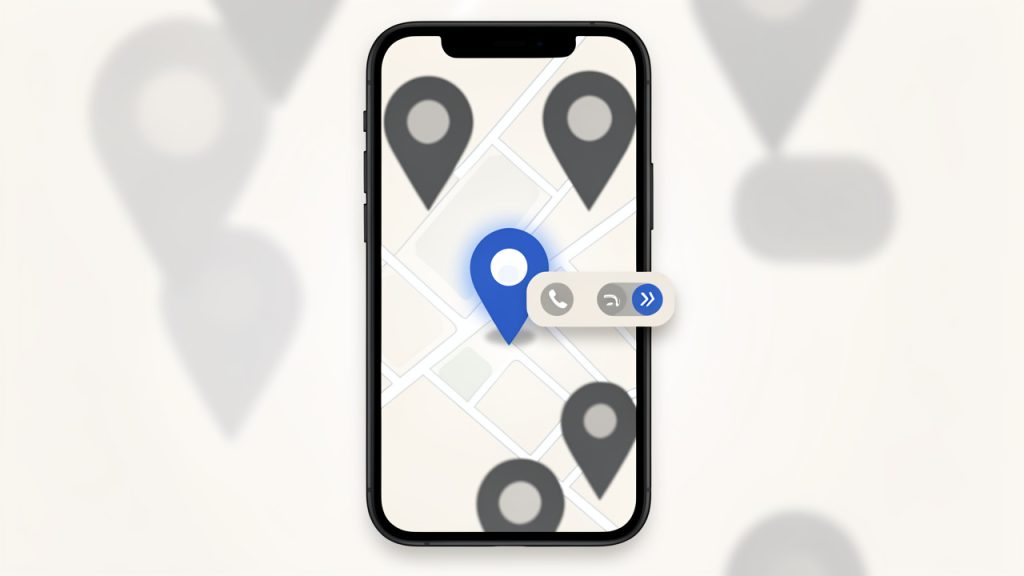
Local customers are searching for businesses like yours every day, and most of those searches never go beyond the first few results. If your company does not appear in local map listings, business directories, and location-based search results, you are not just missing traffic. You are missing people who are ready to call, visit, book, or buy.
That is why strong local SEO tips matter so much for small business owners, freelancers, and service providers. Local search optimization is one of the most practical forms of digital marketing because it helps you show up when nearby customers have clear intent. Done well, it can drive phone calls, foot traffic, and leads without requiring a huge advertising budget.
What is Local SEO?
Local SEO refers to the process of improving your online presence so your business appears in geographically relevant search results. When someone searches for phrases like coffee shop near me, plumber in Austin, or best dentist downtown, search engines try to match that intent with businesses in the right area. The tips that improve those chances are what most people mean when they talk about local search optimization advice.
At its core, local SEO is about sending clear signals to search engines. Those signals include your business name, address, phone number, website content, reviews, business categories, service areas, and local relevance. Search engines compare all of that information to decide whether your business is a trustworthy result for a specific location-based query.
For a small business, local SEO often produces faster practical results than broad national SEO. Competing for a general keyword can take months or years. Competing for a local phrase, especially in a defined city or neighborhood, is often much more realistic. A neighborhood bakery does not need to rank everywhere. It needs to rank where its customers live and search.
Key Aspects of Local SEO
Claim and optimize your Google Business Profile
If you only do one thing, make it this. Your Google Business Profile is one of the strongest local ranking factors because it directly influences how you appear in Google Maps and local pack results.
Your profile should include the correct business name, accurate primary and secondary categories, a working phone number, current hours, website link, service details, and a strong business description. Photos matter too. Real images of your storefront, office, team, products, or completed work help improve credibility and engagement.
A local listing should not be treated as a one-time setup task. It needs ongoing care. Update holiday hours, add new photos, publish posts when relevant, and monitor suggested edits. A neglected listing can quietly lose effectiveness even if your business itself is doing well.

Keep your NAP details consistent everywhere
One of the most repeated and useful local search tips is maintaining NAP consistency, meaning your business name, address, and phone number should match everywhere they appear online. That includes your website, directory listings, social profiles, map listings, and local citations.
Even small inconsistencies can create confusion. If one directory shows Suite 210 and another leaves it out, or one listing uses an old phone number, those mixed signals weaken trust. Search engines prefer businesses with clear, consistent identity data across the web.
This does not mean every listing must look mechanically identical in formatting. Minor variations like St. versus Street are usually not catastrophic. Still, the closer your details match, the better. Consistency is one of those unglamorous tasks that often has a measurable impact.

Build strong location signals on your website
Your website is where local relevance becomes explicit. If you serve a town, city, county, or multi-location area, your site should say so clearly. That means including your location naturally in page titles, headings, meta descriptions, contact pages, and service copy where appropriate.
Many businesses make the mistake of having a generic homepage with no local context. If a visitor lands there, they may understand what you do but not where you do it. Search engines face the same problem. Clear local signals help your site align with searches that include place names and nearby intent.
If you serve multiple areas, create useful location pages instead of duplicating the same thin content with city names swapped out. A strong location page includes relevant services, local references, testimonials from nearby customers, driving information if useful, and answers to common local questions.
Reviews are more than reputation, they are ranking signals
Customer reviews influence both visibility and conversion. They tell search engines that your business is active, trusted, and relevant. They also help future customers decide whether to contact you. A business with many recent, authentic reviews usually earns more clicks than one with few reviews or outdated feedback.
The best approach is to build a steady review system. Ask satisfied customers shortly after a successful job, purchase, or visit. Make the process simple. A polite request by email, text, or in person often works better than a generic campaign sent to everyone at once.
Responding to reviews also matters. Thank customers for positive feedback and address negative reviews calmly and professionally. A thoughtful response can rebuild trust with prospective customers who are reading, even if the original reviewer never returns.
Local citations still matter
A citation is any online mention of your business information, especially on business directories, chambers of commerce sites, local news sites, and industry-specific platforms. Citations help validate that your business exists and operates where it says it does.
Not all directories carry equal weight. A handful of high-quality, relevant listings is usually more valuable than dozens of low-quality ones. Focus on trusted platforms, respected local directories, niche industry sites, and regional organizations that real customers might actually use.
Think of citations like references on a resume. One good reference from a credible source says more than ten vague mentions from places nobody trusts. Quality and consistency beat volume.
On-page SEO needs a local lens
Standard on-page SEO still applies, but local businesses need to adapt it. Your service pages should clearly explain what you offer and where you offer it. Instead of targeting only broad terms like web design or landscaping, your content should reflect local intent such as web designer in Portland or landscaping services in Mesa when it fits naturally.
This does not mean stuffing city names into every sentence. Search engines are better than that, and readers certainly are. The goal is clarity, not repetition. Use local language where helpful, mention nearby landmarks or neighborhoods when relevant, and ensure your contact information is easy to find.
Schema markup can also support local visibility, especially for business details like address, hours, and reviews. While it is not a magic fix, it helps search engines interpret your site more accurately.
Mobile experience is a local SEO factor
A large share of local searches happens on phones. Someone searching for a roofer, salon, attorney, or repair service nearby is often in a hurry. If your site is slow, hard to navigate, or missing basic contact information, that user may leave within seconds.
A good local website should load quickly, show the phone number prominently, make directions easy to find, and use forms that are simple to complete on mobile. Buttons should be tappable, text should be readable, and pages should not bury key details under clutter.
Mobile usability is not just a design preference. It directly affects conversions. Better rankings help people find you, but a poor mobile experience can erase that gain before a customer ever reaches out.
Local links build authority and relevance
Backlinks remain important in SEO, and for local businesses, the most useful links are often geographically and topically relevant. A link from a local newspaper, neighborhood association, chamber of commerce, community event page, or regional blog can strengthen both authority and local connection.
These links are often easier to earn than large national media placements. Sponsoring community events, partnering with local organizations, offering expert commentary, or contributing useful resources can create legitimate opportunities. The goal is not to chase links for their own sake, but to become visible in the local ecosystem around your business.
A florist, for example, might earn local links from wedding vendors, venue directories, event blogs, and local lifestyle publications. Those links make contextual sense. Search engines notice that kind of relevance.
How to get started with local SEO
Start with a simple local SEO audit
Before making changes, get clear on your current position. Search for your business name, your main services, and your primary city or service area. Check whether your Google Business Profile appears correctly, whether your website ranks anywhere for local phrases, and whether your contact details are consistent across major listings.
Also review your competitors. Notice which businesses appear in the local map pack, what categories they use, how many reviews they have, and how strong their websites look. This is not about copying them blindly. It is about understanding the local standard you need to meet or exceed.
A short audit often reveals obvious wins. You may find missing categories, outdated hours, duplicate listings, weak location pages, or no review strategy at all. Those are fixable issues, and they often produce results faster than chasing advanced tactics too early.
Prioritize the foundations first
A smart local SEO plan starts with the essentials before moving into content and link building. If the basics are broken, advanced work has less impact.
Focus first on claiming and verifying your Google Business Profile, adding clear service area and contact information to your website, fixing NAP consistency across key listings, and starting a repeatable review process. These foundational tasks are often enough to improve visibility for many small and medium local businesses. They are practical, affordable, and within reach even if you are handling marketing yourself.
Create pages that match real search intent
A common mistake is writing content that sounds good internally but does not match how customers search. If people look for emergency electrician in Tampa and your page is titled Power Solutions for Residential Needs, you are making search engines work too hard.
Create service pages that use plain, customer-centered language. If you have several important services, give each one its own page. If you serve several distinct areas, create location pages that are genuinely useful. The key is to connect real search behavior with clear page structure.
A strong page should answer basic questions quickly. What do you offer, where do you offer it, why should someone trust you, and what should they do next? If a visitor has to hunt for those answers, the page is underperforming.
Use reviews as ongoing content signals
Reviews are often treated as a reputation task, but they also help your local visibility stay fresh. Search engines like current business signals. A profile with recent reviews, owner responses, and regular activity looks more alive than one that has been static for a year.
Encourage customers to mention the service they received and, when natural, the location. You should never script reviews or pressure people into wording them a certain way. Still, authentic specificity can be helpful. A review that says great tax preparation help for my small business in Denver offers more context than good service.
Over time, reviews become a layer of user-generated local content around your business. That can strengthen relevance while also giving future customers social proof.
Track the right metrics
Local SEO success is not just about raw rankings. Rankings matter, but they are only part of the picture. A better measure is whether local visibility leads to meaningful actions, such as calls, form submissions, appointment requests, direction clicks, and in-store visits.
Use tools like Google Business Profile insights, website analytics, and call tracking if appropriate. Watch trends over time instead of reacting to every small fluctuation. Local search can vary based on device, proximity, and personalization, so single ranking snapshots are less useful than overall lead growth.
The most helpful metrics usually include the following:
| Metric | Why It Matters |
|---|---|
| Map views | Shows how often your business appears in local listings |
| Website clicks | Indicates whether searchers are interested enough to learn more |
| Phone calls | Reflects high-intent local engagement |
| Direction requests | Strong signal for brick-and-mortar businesses |
| Review volume and recency | Supports trust and ongoing local relevance |
| Local organic traffic | Helps measure whether your website is attracting nearby searchers |
Avoid the most common local SEO mistakes
Some businesses hurt their visibility without realizing it. They choose the wrong primary category, create duplicate listings, ignore negative reviews, or publish thin location pages for dozens of cities they barely serve. Others use keyword stuffing that makes content sound robotic and untrustworthy.
A better approach is to stay grounded in reality. Represent your business accurately, publish useful local information, and make it easy for customers to verify who you are and what you offer. Search engines increasingly reward businesses that create a consistent and trustworthy experience across platforms.
| Common Mistake | Better Approach |
|---|---|
| Using inconsistent contact details | Keep your business information aligned across your website and listings |
| Creating duplicate location pages | Write unique, useful pages for real service areas |
| Ignoring reviews | Respond consistently and request reviews from happy customers |
| Stuffing keywords unnaturally | Use local phrases naturally in clear, readable content |
| Setting up profiles and forgetting them | Update listings regularly with hours, photos, and service changes |
Conclusion
The most effective local SEO advice is rarely flashy. It is about clarity, consistency, and trust. When your business information is accurate, your website reflects your service area, your reviews are active, and your local presence is maintained over time, search engines have far more confidence in showing you to nearby customers.
Start with the basics this week. Clean up your Google Business Profile, check your business details across the web, improve your location signals on your site, and build a simple review process. Those four actions create momentum, and in local search, momentum is often what moves a business from being hard to find to becoming the obvious choice nearby.