

If you run a small business, work as a freelancer, or manage your own website, SEO can feel expensive before it feels useful. Premium platforms are powerful, but many people do not need an enterprise subscription to make meaningful progress. What they need is clarity, consistency, and a practical set of free SEO tools that solve real problems.
The good news is that you can do a surprising amount without paying upfront. You can research keywords, inspect technical issues, improve page structure, track visibility, and learn what your audience is searching for by using free tools for SEO in a smart way. The key is not finding one perfect platform, it is building a simple toolkit that matches your goals and your workflow.
What Are Free SEO Tools?
Free SEO tools are online resources, browser-based utilities, and platform features that help you improve how your website appears in search engines without requiring a paid subscription. Some are fully free. Others offer limited free plans or specific no-cost features that are still highly valuable for day-to-day SEO work.
At their core, these tools help answer the questions that matter most. What are people searching for? Which pages are getting traffic? Where is your site technically weak? How does your content compare with competing pages? Which search queries are creating impressions but not clicks? Those are not abstract marketing questions. They are the operating system of search visibility.
For small business owners, the appeal is obvious. You may not have a dedicated SEO specialist, a large ad budget, or hours each week to spend inside a complicated dashboard. A good free SEO tool reduces friction. It turns guesswork into data and helps you focus on changes that actually move the needle.
For developers and productivity-minded users, free tools are often even more useful because they make SEO measurable. Instead of treating optimization like a vague checklist, you can evaluate crawlability, performance signals, indexing, metadata, internal links, and search demand in a structured way. That makes SEO easier to integrate into content publishing, site maintenance, and product workflows.
Key Aspects of Free SEO Tools
Not all free SEO tools do the same job. Some are excellent for keyword discovery. Others are built for technical diagnostics, analytics, or on-page optimization. Understanding the categories matters more than memorizing brand names, because once you know the job a tool should do, you can choose the right one quickly.
Keyword Research and Search Intent
Keyword research is usually the first thing people think of when they hear SEO, and for good reason. If you do not know what your audience is searching for, even strong content can miss the mark. Free tools in this category help you find search terms, related questions, autocomplete suggestions, and topical variations.

What makes this especially valuable is not the raw keyword list. It is the intent behind the query. A person searching for “best invoicing software for freelancers” is closer to making a decision than someone searching for “what is invoicing software.” Good SEO starts when you recognize that difference and build content that matches it.
Many free keyword tools are limited compared with paid suites, but they can still uncover patterns. You may find that your audience uses simpler language than your industry does. You may discover local modifiers, problem-based phrases, or question-style searches that are easier to rank for. That insight often matters more than having a giant spreadsheet of thousands of terms.
Technical SEO and Site Health
Technical SEO sounds intimidating, but the basic goal is simple: search engines need to crawl, understand, and index your site efficiently. Free technical SEO tools help you spot barriers that get in the way, such as broken links, missing metadata, duplicate pages, indexing issues, slow-loading assets, and mobile usability problems.
This matters because content quality alone is not enough if the site structure is working against you. Think of it like opening a great retail store in a building with a jammed front door. The product may be good, but access is the problem. Technical tools reveal these hidden bottlenecks.
For developers, this category is particularly useful because many SEO issues overlap with clean engineering practices. Proper redirects, structured headings, canonical tags, image optimization, and page speed all improve both user experience and search performance. A free tool that flags these issues can save hours of manual checking.
Replace “slow-loading assets” with a reference to a performance tool like PageSpeed Insights where relevant, for example when testing images, scripts, and server response times: https://developers.google.com/speed/pagespeed/insights
Performance Tracking and Search Visibility
You cannot improve what you do not measure. Free tools for SEO often shine brightest when it comes to tracking, especially if they connect directly to search engine data. They can show which pages earn impressions, which queries generate clicks, how average positions change over time, and where opportunities are hiding.
This is where SEO becomes less theoretical. A page might be appearing in search results for dozens of queries you never intentionally targeted. That is not a problem. It is an opportunity. With a few content edits, stronger headings, or clearer internal links, you may be able to improve relevance and lift traffic without creating a new page from scratch.
Visibility data also helps you avoid common mistakes. If a page has high impressions but low clicks, the issue may be your title tag or meta description. If a page gets indexed but never ranks, the content may not match intent or may be too weak compared with competitors. Free tracking tools help you diagnose which problem you are actually dealing with.
On-Page Optimization
On-page SEO is the practice of making each page easier for search engines and users to understand. Free tools in this area often review title tags, headings, content structure, keyword usage, image alt text, internal links, and readability. Some even highlight missing elements or suggest improvements.
The value here is not in blindly following a score. It is in creating pages with stronger alignment between topic, structure, and search intent. A well-optimized page is easier to scan, clearer in its purpose, and more likely to satisfy the visitor. Search engines tend to reward that because users tend to reward it first.
Writers and freelancers benefit a lot from this category. You do not need advanced technical knowledge to improve title clarity, tighten section hierarchy, remove vague phrasing, or ensure that your main topic is obvious from the start. Often, these are editorial improvements as much as SEO improvements.
Competitor and Content Gap Analysis
Some free SEO tools help you learn indirectly by examining the pages already winning in search. This can reveal how competitors structure content, which subtopics they cover, what keywords appear repeatedly, and where your own page may be too thin.
This is not about copying. It is about understanding expectations. If every top-ranking page for a query explains pricing, use cases, and setup steps, and your article only offers a general overview, your content may feel incomplete. Free competitor research tools can help you spot those gaps before you waste effort promoting underdeveloped pages.
For small teams, this is one of the most efficient uses of SEO time. Instead of publishing more and more content, you improve what already exists by making it more complete, more useful, and more competitive.
Types of Free SEO Tools Worth Using
The best free SEO tools usually fall into a few practical groups. You do not need one of everything. You need enough coverage to research, diagnose, optimize, and measure.
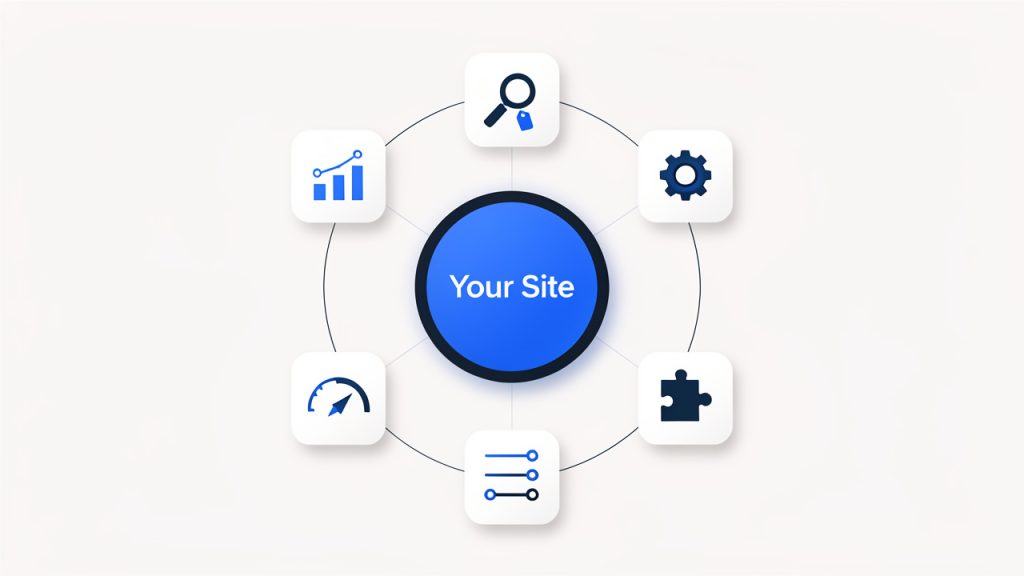
| Tool Category | What It Helps With | Best For | Typical Limitation |
|---|---|---|---|
| Search analytics tools | Impressions, clicks, rankings, indexing data | Site owners and marketers | Requires site verification |
| Keyword research tools | Search terms, questions, topic ideas | Writers, bloggers, small businesses | Limited volume data or daily searches |
| Technical audit tools | Broken links, redirects, metadata, crawl issues | Developers and site managers | Restricted page crawls on free plans |
| On-page SEO tools | Titles, headings, keyword placement, content quality | Freelancers and content teams | Simplified scoring or limited reports |
| Performance tools | Speed, mobile usability, page experience | Developers and UX-focused teams | Can require interpretation |
| Browser extensions | Quick page-level SEO checks | Fast audits and competitor review | Surface-level data only |
A balanced toolkit often combines one tool from each major area instead of relying on a single all-in-one platform. That approach is usually more realistic for people who want useful SEO without a steep cost curve.
How to Get Started With Free SEO Tools
Starting with free SEO tools is less about collecting accounts and more about building a repeatable routine. The biggest mistake beginners make is opening ten tools, looking at twenty metrics, and changing nothing. SEO improves when data leads to action.
Begin With Your Site’s Real Search Data
The smartest first step is to connect your website to a tool that shows how it performs in search results. This gives you direct evidence of what is happening now. You can see which pages are being discovered, which queries drive impressions, and where click-through rates are weak.
That baseline is incredibly important. Without it, you end up optimizing based on assumptions. With it, you can prioritize pages that already have traction. A page ranking on the second page of results is usually a better short-term opportunity than a page with no visibility at all.
Audit a Small Set of Important Pages
Do not try to optimize your entire site in one weekend. Pick five to ten pages that matter most. For a small business, that might include your home page, core service pages, key location pages, and two or three blog posts. For a freelancer, it may be your portfolio, service descriptions, and lead-generating articles.
Run those pages through a few free tools and look for patterns. Are titles too generic? Are headings inconsistent? Are pages slow on mobile? Is important content buried too far down? A page-level review is manageable and usually reveals the highest-impact fixes quickly.
Match Content to Search Intent
Once you have keyword and visibility data, compare it with what your page actually delivers. If searchers want a tutorial and your page is mostly promotional copy, rankings may stay weak no matter how many keywords you add. If users want pricing clarity and your page avoids specifics, they may bounce even if they click.
This is where free tools become decision aids rather than score generators. Use them to understand demand, then reshape content so the page genuinely answers the query better. SEO success often comes from better alignment, not just better optimization.
Fix Technical Friction Early
Some SEO issues quietly suppress performance. Broken internal links, duplicate title tags, non-indexed pages, missing canonicals, or very slow load times can limit your progress even when content quality is solid. Free technical SEO tools are useful because they surface these structural issues before they become expensive.
For developers, this is low-hanging fruit with long-term benefits. Technical fixes often improve usability, accessibility, and maintainability at the same time. For non-technical site owners, even basic checks can help you know when to involve a developer and what to ask them to fix.
Build a Weekly SEO Habit
SEO rewards consistency more than intensity. One focused hour each week using free tools is often more effective than a rushed monthly audit. In practice, that could mean reviewing search queries on Monday, updating one page on Tuesday, checking technical warnings on Wednesday, and measuring changes at the end of the month.
That habit turns SEO into an operating rhythm instead of a one-time project. It also reduces overwhelm. You stop chasing every metric and start improving the pages and issues most likely to generate results.
A simple starting routine looks like this:
- Review search performance for your top pages.
- Choose one page with visible opportunity.
- Improve content alignment based on search intent and query data.
- Check technical issues that may block indexing or usability.
- Track the result over the next few weeks.
How to Choose the Right Free SEO Tools
The best free SEO tool is not the one with the longest feature list. It is the one you will actually use. That usually depends on your role, your website size, and the kind of decisions you need to make.
For Small Business Owners
If you wear multiple hats, simplicity matters. You want tools that quickly show what pages people find, what problems need attention, and where you can make practical improvements without becoming an SEO specialist. A clean dashboard and clear recommendations are often more valuable than advanced exports.
The most useful combination is usually one search analytics tool, one page speed or technical checker, and one keyword discovery tool. That gives you enough visibility to make informed updates without drowning in data.
For Freelancers and Content Creators
Freelancers often need SEO tools that support both strategy and execution. You may be writing content, auditing client sites, and reporting progress, sometimes all in the same week. In that case, free tools that help with on-page optimization, keyword mapping, and SERP analysis tend to provide the most value.
The ideal setup helps you move from idea to publishable content efficiently. You want to know what people search for, what top-ranking content includes, and how to improve your own page structure without adding unnecessary complexity.
For Developers and Technical Users
Developers usually benefit most from crawling tools, performance analyzers, structured data validators, and browser extensions that expose page-level signals. These tools support a more diagnostic workflow. Instead of asking “What keyword should I target?” you may be asking “Why is this page not indexable?” or “What template issue is affecting all category pages?”
That is where free SEO tools become operational infrastructure. They help you catch technical regressions, test changes, and maintain healthy site architecture over time.
Common Mistakes When Using Free SEO Tools
Free tools are useful, but they can be misused. The most common mistake is treating incomplete data as definitive truth. Many free keyword tools offer estimates, ranges, or limited datasets. They are directionally helpful, not perfect forecasts.
Another mistake is chasing tool scores instead of user value. If a page becomes awkward because you forced too many terms into headings, the tool may be satisfied while the reader is not. Search engines have become much better at detecting usefulness, relevance, and quality beyond mechanical optimization.
Many users also jump between tools without creating a process. They collect screenshots, export reports, and never translate findings into edits. A tool is only helpful when it changes what you publish, fix, or prioritize.
The final trap is expecting immediate results. SEO usually compounds over time. A free tool can show you the right move today, but rankings and traffic often respond gradually. Patience is part of the strategy.
What a Practical Free SEO Stack Can Look Like
You do not need a complicated system to get value from free SEO tools. For many websites, a lean setup is enough.
| Need | Practical Free Tool Type | Why It Matters |
|---|---|---|
| Understand current visibility | Search performance dashboard | Shows queries, clicks, impressions, and indexing signals |
| Find topic opportunities | Keyword and question research tool | Helps shape content around real search demand |
| Check page quality | On-page analyzer or browser extension | Reveals obvious optimization gaps |
| Catch technical issues | Site audit or crawl tool | Identifies structural problems that limit performance |
| Improve speed and UX | Performance testing tool | Supports rankings and user satisfaction |
This kind of stack works because it reflects how SEO actually happens. First you learn what is visible. Then you identify opportunities. Then you improve pages. Then you remove technical obstacles. Then you measure again.
Conclusion
Free tools for SEO are not just entry-level substitutes for paid platforms. When used well, they are a practical foundation for better content, stronger technical health, and more informed decisions. For small business owners, freelancers, developers, and productivity-focused users, they can make SEO more accessible, less mysterious, and far more actionable.
The best next step is simple. Pick one important page, review its search data, run a basic audit, and improve it based on real intent and real issues. Then repeat. A small, consistent workflow with the right free SEO tools can outperform a much bigger toolkit that never gets used.