JNTZN

Tag: on-page SEO

  • Shopify SEO: A Practical Guide to Boost Search Traffic

    Shopify SEO: A Practical Guide to Boost Search Traffic

    Shopify SEO can quietly make or break an online store. You can have strong products, clean branding, and competitive pricing, but if your store does not appear when people search, growth becomes expensive and unpredictable.

    That is why search optimization matters so much for Shopify merchants. Good SEO helps your products, collections, and content show up for the right shoppers at the right moment. It reduces your dependence on paid ads, builds long-term visibility, and attracts visitors who are already looking for what you sell. If you run a small business, freelance for ecommerce clients, or build stores as a developer, understanding SEO for Shopify is one of the highest-leverage skills you can invest in.

    What Is Shopify SEO?

    Shopify SEO is the process of improving a Shopify store so it can rank better in search engines like Google. That includes technical improvements, content optimization, site structure, internal linking, product page quality, and user experience. The goal is simple, help search engines understand your store and help real people find exactly what they need.

    What makes SEO on Shopify different from general SEO is the platform itself. Shopify gives store owners a fast, hosted ecommerce system with many built-in features, but it also comes with structural conventions that affect optimization. URL patterns, themes, collection architecture, duplicate content risks, and app-related performance issues all play a role. In other words, the fundamentals of SEO still apply, but the way you implement them on Shopify has its own nuances.

    For most store owners, Shopify is a strong starting point. It handles hosting, security, and mobile responsiveness in many themes, and it covers a lot of technical basics out of the box. That lowers the barrier to entry. At the same time, easy setup can create a false sense of completion. A store can be launched quickly and still be poorly optimized for search.

    The real value of SEO for Shopify stores is not just ranking for broad terms. It is about matching search intent. A well-optimized store attracts shoppers who are comparing products, researching options, or ready to buy. That makes search traffic especially valuable because it often arrives with purpose.

    Key Aspects of Shopify SEO

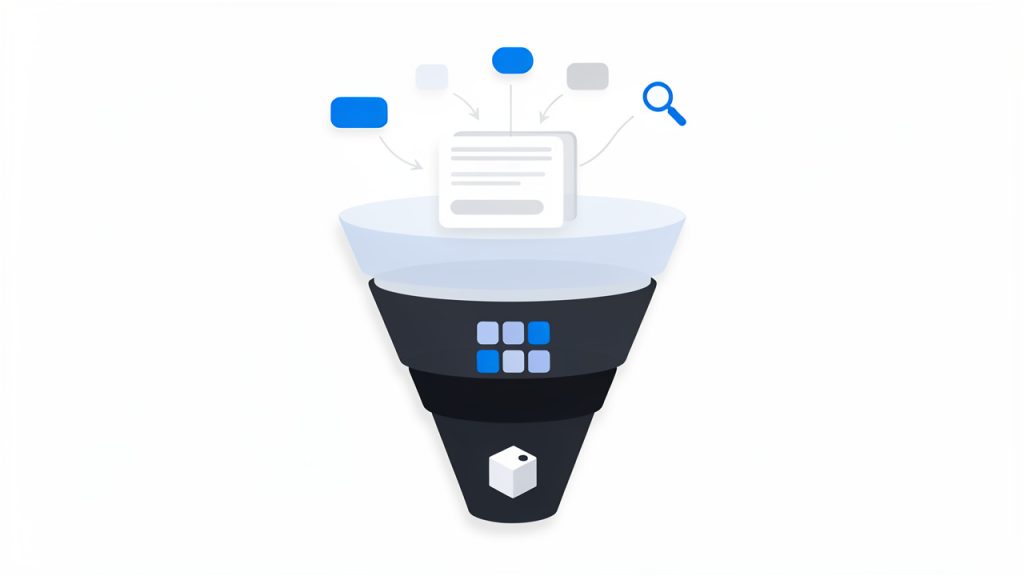
    The most important part of Shopify SEO is keyword targeting, but not in the old-fashioned sense of stuffing phrases everywhere. Modern optimization starts by understanding what your customers actually type into search. Some searches are broad and informational, such as people learning about a type of product. Others are commercial, where users are comparing options. The most valuable ecommerce searches tend to be transactional, where the person already knows what they want and is close to buying.

    A keyword-intent funnel: three-tiered funnel labeled Informational → Commercial/Comparison → Transactional. Each tier shows the page types that match that intent (top: blog posts/guides; middle: collections/category pages; bottom: product pages) and example search queries for each stage.

    On Shopify, this means each page should have a clear role. Your homepage usually targets branded or broad category terms. Collection pages often target category-level searches. Product pages should focus on specific product names and high-intent variations. Blog content can support the rest by capturing informational searches and guiding readers toward products.

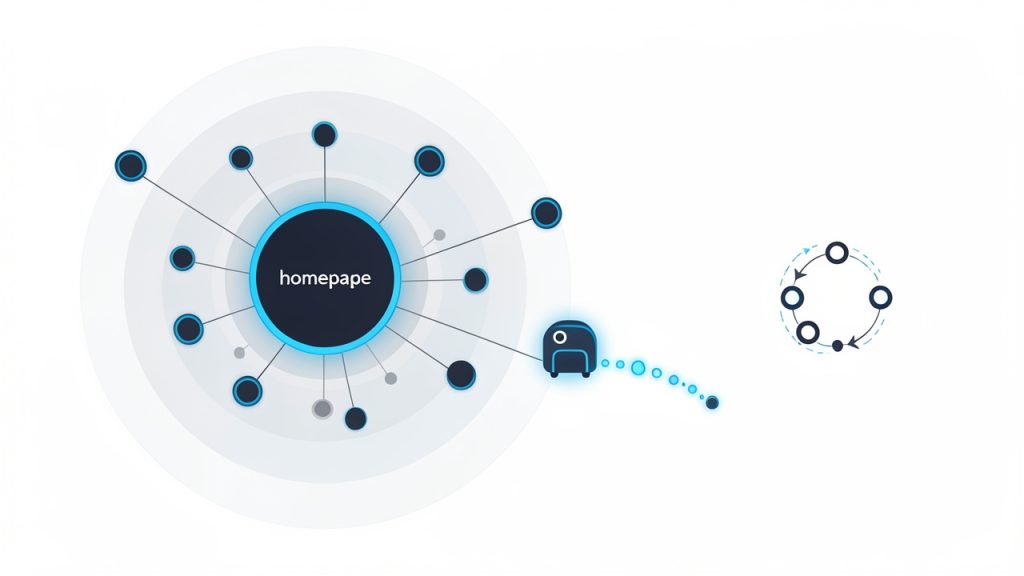
    Another major aspect is site architecture. Search engines favor stores that are easy to crawl and easy to understand. If your products are buried under confusing navigation, scattered into overlapping collections, or connected with weak internal links, both users and search engines will struggle. A clean Shopify structure helps distribute authority across pages and makes it easier for search engines to discover what matters most.

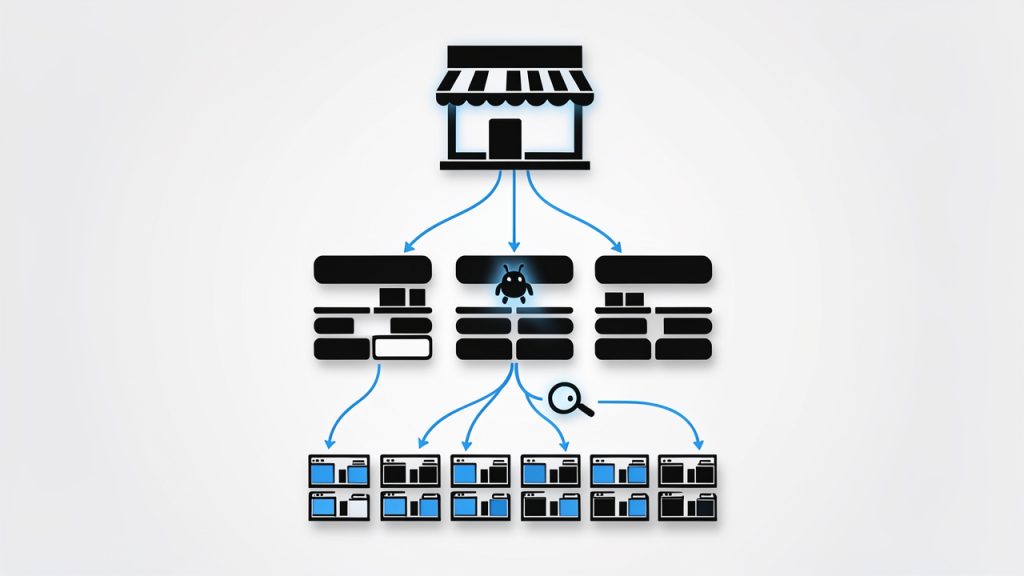
    A strong architecture usually starts with sensible categories and collections. Think of your store like a physical shop. If everything is tossed into random aisles, shoppers leave frustrated. If the layout is intuitive, they browse longer and buy faster. Search engines respond to that same clarity because it helps them interpret topical relevance and page relationships.

    A schematic 'store as a shop' site-architecture diagram: a storefront (homepage) at the top, branching into category/collection aisles, each aisle leading to product shelves (product pages). Include arrows showing internal linking between collections and products and a crawler icon tracing an easy path down the hierarchy to illustrate crawlability and distribution of authority.

    On-page optimization is another core pillar. This includes title tags, meta descriptions, headings, image alt text, page copy, and internal links. On a Shopify store, many merchants stop at adding a product title and price. That is not enough. Product pages need unique descriptions, useful details, and language that reflects how shoppers search. Collection pages also need real copy, not just a grid of products. Even a short, thoughtful introduction can help clarify the theme of the page.

    Technical SEO matters too, especially on ecommerce sites where page counts grow quickly. Shopify handles some technical essentials well, but store owners still need to pay attention to crawlability, indexation, canonicalization, redirects, schema support, and site speed. Themes with heavy scripts, oversized images, and too many apps can slow down the experience, which hurts both rankings and conversions.

    Content also plays a bigger role than many Shopify merchants expect. If your store only contains product and collection pages, you may be missing opportunities to rank for educational or comparison-based searches. Helpful articles, buying guides, care instructions, and use-case content can bring people into your ecosystem earlier in the buying journey. This kind of content also supports internal linking and topical authority.

    User experience overlaps with SEO more than ever. Search engines increasingly reward pages that satisfy visitors. If a page loads slowly, looks cluttered on mobile, or fails to answer the query clearly, it may struggle to perform even if the keywords are present. On Shopify, design and SEO should not be treated as separate conversations. A polished theme that hides important content, or a stylish layout that slows down the site, can work against your search visibility.

    The table below shows how the main parts of SEO for Shopify fit together:

    SEO Area What It Covers Why It Matters for Shopify Stores
    Keyword Strategy Search intent, product terms, category terms, content topics Helps each page target the right audience and query type
    Site Structure Navigation, collections, internal linking, hierarchy Makes the store easier to crawl and easier to shop
    On-Page SEO Titles, descriptions, headings, copy, alt text Improves relevance and click-through potential
    Technical SEO Speed, canonicals, redirects, indexing, mobile performance Prevents hidden issues that limit rankings
    Content Marketing Blog posts, guides, FAQs, educational pages Expands reach beyond direct product searches
    User Experience Mobile usability, page clarity, conversion flow Supports both rankings and sales outcomes

    How to Get Started With Shopify SEO

    The best way to start is with an SEO audit of your existing store. Even a small store can accumulate avoidable issues quickly. You may have duplicate product descriptions, missing title tags, oversized images, weak collection copy, or pages that do not align with what people are searching for. Before chasing new traffic, it helps to understand what is already blocking performance.

    Start by reviewing your core pages manually. Look at the homepage, top collections, best-selling products, and any blog posts already getting traffic. Ask a simple question for each page: What search intent is this page meant to serve? If the answer is unclear, the page likely needs stronger focus. SEO gets much easier when every important page has a defined purpose.

    Next, build a keyword map. This does not need to be overly complicated, especially for a small business. Assign one primary keyword theme to each major page, then support it with related variations. For example, a collection page might target a category phrase, while the products inside it target specific branded or feature-based searches. The key is to avoid making multiple pages compete for the same term unless there is a very good reason.

    After that, improve your on-page elements. Your title tags should be descriptive and compelling, not just stuffed with keywords. Your meta descriptions should invite clicks. Product pages should include original copy that explains benefits, features, dimensions, materials, shipping relevance, and use cases. Collection pages should have a short introduction that helps search engines understand the page and helps users confirm they are in the right place.

    Images deserve more attention than they usually get. On Shopify stores, product imagery often carries both commercial and SEO value. Compress files so pages load faster, use clear filenames, and write alt text that accurately describes the image. Alt text should support accessibility first, but it can also reinforce page relevance when written naturally.

    If your store has multiple collections and filtering options, pay attention to duplicate content. Shopify can generate different paths to similar pages, which can create confusion for search engines if left unmanaged. That is one reason technical review matters. Canonical signals, internal linking consistency, and careful handling of filtered or tag-based pages help keep your SEO focused.

    Content creation is often the next layer of growth. Once core commercial pages are optimized, add content that answers real questions your audience has. A Shopify store selling skincare, for example, could publish guides about ingredient types, routine order, or product selection by skin concern. A furniture store could create measurement guides, styling tips, or material comparisons. This content is not just for traffic. It can move readers toward products and strengthen the authority of your store overall.

    A practical starting sequence looks like this:

    1. Audit the store for technical, content, and structure issues.
    2. Map keywords to homepage, collections, products, and blog content.
    3. Optimize key pages with stronger titles, copy, headings, and images.
    4. Improve speed and mobile usability by reducing unnecessary app and media weight.
    5. Publish supporting content that targets informational and commercial questions.

    One of the most common mistakes is trying to optimize every product page first, especially on large catalogs. That approach often burns time without creating meaningful momentum. A better strategy is to focus on the pages with the highest business impact. Usually that means your main collections, flagship products, and strongest category opportunities. Once those are performing, you can expand outward.

    It is also important to set realistic expectations. SEO for Shopify is not an overnight fix. Search growth usually comes from consistent improvements compounded over time. You may see technical wins quickly, especially if there are major issues holding the site back. But most ranking gains come from better page quality, stronger internal structure, and content that proves relevance over weeks and months.

    Measurement matters here. Track impressions, clicks, rankings, and conversions, not just traffic volume. More visitors are not useful if they do not buy or engage. The best Shopify SEO strategy connects search visibility to business outcomes. That means watching how optimized pages influence revenue, assisted conversions, and customer acquisition efficiency.

    For developers and freelancers working on Shopify stores, there is another important layer, implementation discipline. Theme changes, app installs, template edits, and collection logic can all affect SEO. A technically sound store today can lose rankings after a redesign if redirects break, content disappears, or JavaScript bloats performance. SEO should be part of every development workflow, not a cleanup task after launch.

    Conclusion

    SEO for Shopify is not about gaming search engines. It is about building a store that is clear, fast, useful, and aligned with the way customers search. When keyword strategy, site structure, content, and technical health work together, your store becomes easier to discover and easier to trust.

    The smartest next step is to audit your most important pages and improve them one by one. Start with your collections, best-selling products, and overall site structure. Once that foundation is solid, expand into content and deeper technical refinement. That steady approach is what turns Shopify SEO from a vague marketing task into a dependable growth channel.

  • Practical WordPress SEO: A Step-by-Step Guide

    Practical WordPress SEO: A Step-by-Step Guide

    If your website looks good but still struggles to attract traffic, the problem is rarely just the design. More often, it is discoverability. A well-built WordPress site can still remain invisible in search results if the underlying SEO basics are weak, inconsistent, or missing entirely.

    That is why understanding SEO for WordPress matters so much. WordPress gives you a strong foundation, but it does not automatically make your site rank. You still need the right structure, content strategy, technical setup, and ongoing optimization. The good news is that WordPress is one of the most SEO-friendly platforms available, which makes it ideal for small business owners, freelancers, developers, and anyone who wants practical results without unnecessary complexity.

    This guide breaks down what WordPress SEO really means, which elements have the biggest impact, and how to get started in a way that is manageable and effective. Whether you are launching a new site or trying to improve an existing one, the goal is simple: help search engines understand your content, and help the right people find it.

    What Is WordPress SEO?

    WordPress SEO is the process of improving a WordPress website so it performs better in search engines like Google. That includes making your site easier to crawl, easier to understand, faster to load, and more useful to human visitors. Good SEO is not about gaming an algorithm. It is about aligning your site with what search engines are trying to reward, which is relevance, clarity, and quality.

    Many people assume WordPress handles SEO automatically. That idea is only partly true. WordPress does provide a cleaner starting point than many other website platforms. It supports customizable permalinks, responsive themes, blogging functionality, and a flexible ecosystem of plugins. Those features make optimization easier, but they do not replace strategy.

    A useful way to think about SEO for WordPress is to separate the platform from the practice. WordPress is the vehicle, SEO is how you drive it. You can have a powerful platform and still make poor decisions about site structure, content, or page speed. On the other hand, a modest WordPress site with focused content and solid technical setup can outperform larger competitors.

    Search engine optimization on WordPress typically touches four areas: technical SEO, on-page SEO, content quality, and user experience. These areas overlap more than most beginners expect. For example, a fast mobile page improves user satisfaction, and it also helps search visibility. Clear headings help readers scan a page, and they also help search engines interpret topical relevance.

    Key Aspects of WordPress SEO

    Site Structure and Crawlability

    One of the most important foundations of WordPress SEO is a clean site structure. Search engines need to discover your pages, understand how they relate to each other, and determine which ones matter most. If your site is cluttered with unnecessary archives, duplicate pages, broken links, or confusing navigation, you make that job harder.

    A strong WordPress structure starts with logical page organization. Your main services, categories, and important resources should be easy to reach in just a few clicks. Internal linking also plays a major role here. When one page naturally links to another related page, you create pathways for both users and search engines. That improves context and can distribute authority across your site.

    Permalinks deserve attention too. WordPress lets you customize your URL format, and this is more important than it sounds. A short, descriptive URL is easier to trust, easier to share, and easier for search engines to interpret. A page called /local-seo-services/ communicates far more clearly than a URL filled with dates or random parameters.

    A clear site-structure diagram showing a homepage at the top, main category/service pages beneath it, individual content pages/blog posts under those categories, and internal links between related pages. Include a small sitemap icon and an example of a clean permalink (e.g., /local-seo-services/) to emphasize readable URLs.

    Content Optimization

    Content is where most SEO gains are won or lost. A WordPress site can be technically polished and still underperform if the content is thin, vague, or built around the wrong topics. Strong content optimization starts with understanding what your audience is actually searching for, then creating pages that answer those needs clearly and completely.

    That means every important page should have a distinct purpose. A homepage targets broad brand intent. A service page targets a specific solution. A blog post might answer a question, compare options, or explain a process. When pages overlap too much, they compete with one another. When they are focused, they become easier to rank.

    A visual that matches search intent to page types: e.g., an intent column (informational, navigational, transactional) with arrows to example page formats (blog post/guide, homepage/brand page, service/product page). Show best practices like distinct page purpose, titles/headings, and meta descriptions.

    Titles, headings, and meta descriptions also matter. They help frame the page for both search engines and users. Your target phrase should appear naturally in the title and supporting headings, but stuffing keywords into every line is counterproductive. Modern SEO rewards topical depth and readability, not repetition.

    Good content also means updating pages over time. Search intent changes, competitors improve, and statistics go out of date. Pages that once ranked well can slowly slide if they are not maintained. Treat content as an asset that needs refinement, not as a one-time task.

    Technical Performance

    Technical SEO can sound intimidating, but for most WordPress site owners, it comes down to a few practical areas. Speed, mobile usability, indexing, and clean code output are the big ones. If a page loads slowly, shifts around while loading, or works poorly on a phone, that weakens both user trust and search performance.

    Themes and plugins often have a direct impact here. A visually impressive theme that loads excessive scripts may hurt performance more than it helps conversions. The same goes for installing too many plugins without a clear purpose. Every addition should earn its place.

    Caching, image compression, lazy loading, and reliable hosting make a major difference. So does keeping WordPress core, themes, and plugins updated. A neglected site can develop errors, security issues, and performance problems that quietly undermine SEO. Technical health is not glamorous, but it is often the reason one site outranks another with similar content quality.

    User Experience and Engagement

    Search engines increasingly reward pages that satisfy users. That does not mean Google can read minds, but it can detect useful signals. If visitors land on your page and immediately leave because it is slow, confusing, or unhelpful, that is a problem. If they stay, explore, and engage, that usually indicates stronger relevance.

    This is why user experience belongs in any serious conversation about WordPress SEO. Readable formatting, clear navigation, strong calls to action, and mobile-friendly layouts all contribute to performance. Even simple changes such as shorter paragraphs, clearer subheadings, and better spacing can improve how people interact with your content.

    There is also a branding dimension here. A polished, trustworthy site tends to earn more backlinks, more shares, and more conversions. SEO does not exist in isolation. It is connected to how credible your business appears online. In that sense, optimization is not just about rankings. It is about making your website more effective overall.

    Plugins and SEO Tools

    WordPress plugins can simplify many SEO tasks, but they should support your strategy, not define it. An SEO plugin can help you edit title tags, generate XML sitemaps, set canonical URLs, and manage indexing settings. Those are real advantages, especially for small teams without technical staff.

    Still, no plugin can compensate for weak content or a poor site structure. Some site owners become overly dependent on traffic-light scores or plugin recommendations without understanding the bigger picture. A green indicator is not a ranking guarantee. It is just a prompt based on limited rules.

    The smartest approach is to use plugins to handle repetitive technical details while keeping your attention on content quality, user intent, and business goals. In other words, let tools assist the work, not replace judgment.

    How to Get Started With WordPress SEO

    Begin With the Essentials

    If you are starting from scratch, the first priority is to make sure your WordPress site is technically visible to search engines. That includes checking that your site is not set to discourage indexing, choosing a clean permalink structure, installing a reputable SEO plugin, and submitting your sitemap through Google Search Console.

    At the same time, review your theme and hosting setup. A slow host or bloated theme can create SEO problems before you publish a single page. It is easier to build on a solid foundation than to repair one later. Think of it like opening a physical store. Location, signage, and accessibility matter before foot traffic ever arrives.

    A simple starting checklist can help:

    1. Set clean permalinks that use readable page names.
    2. Install an SEO plugin to manage metadata and sitemaps.
    3. Connect Google Search Console to monitor indexing and performance.
    4. Check mobile usability and speed before expanding your content.
    5. Create core pages first, such as homepage, services, about, and contact.

    Build Content Around Search Intent

    Once the basics are in place, focus on content that matches what your audience is searching for. This is where many WordPress sites either gain traction or stall. Writing random blog posts may fill your site with pages, but traffic grows faster when each piece serves a real purpose.

    If you are a freelancer, that might mean service pages for each offering plus articles that answer common client questions. If you run a small business, it may mean local landing pages, product explanations, or guides that support your sales process. Developers might create tutorials, comparisons, or technical explainers that attract highly targeted visitors.

    Search intent should shape both the topic and the format. A person searching for “best accounting software for freelancers” expects comparison content. Someone searching for “bookkeeping services near me” has transactional intent. When your page matches that expectation, it performs better.

    Strengthen On-Page SEO Without Overdoing It

    On-page optimization is where you help search engines understand the topic of each page. In WordPress, that usually means refining the title tag, heading structure, image alt text, internal links, and meta description. These are small elements individually, but together they create clarity.

    The key is natural optimization. Use your main keyword in a way that sounds human. Include related terms where relevant. Organize the page with meaningful headings. Add internal links to related posts or service pages. Avoid the outdated habit of forcing the same phrase into every paragraph.

    This is especially important for SEO on WordPress because plugins can sometimes encourage checkbox behavior. Readers do not care whether a plugin score says 92 out of 100. They care whether the page answers their question quickly and convincingly. Search engines increasingly reward the same thing.

    Prioritize Performance and Maintenance

    SEO is not a one-time project. WordPress sites need ongoing care. Broken links appear. Plugins conflict. Pages slow down over time. Content ages. Rankings shift. The sites that maintain visibility are usually the ones that treat SEO as an operating habit rather than a launch task.

    That does not mean you need to obsess daily. It means setting a rhythm. Review Search Console data, update old content, improve pages with high impressions but low clicks, and audit site speed periodically. Small consistent improvements often outperform occasional major overhauls.

    The table below highlights where beginners should focus first and what tends to have the biggest practical impact.

    SEO Area Why It Matters Best First Action Common Mistake
    Site Structure Helps search engines crawl and understand your pages Create simple navigation and logical page hierarchy Publishing too many overlapping pages
    Content Quality Drives relevance and rankings Write pages around real user questions and needs Targeting keywords without matching intent
    On-Page SEO Clarifies page topics Optimize titles, headings, and internal links Keyword stuffing
    Technical Performance Affects speed, mobile usability, and indexing Choose quality hosting and optimize images Using a heavy theme and too many plugins
    Tracking and Maintenance Helps you improve over time Use Search Console and update content regularly Setting everything up once and ignoring it

    Think Long Term, Not Just Quick Wins

    It is tempting to approach WordPress SEO as a hunt for hacks. Most shortcuts either do not work or do not last. Sustainable results usually come from doing ordinary things consistently well: publishing useful content, improving site speed, clarifying page topics, and building a trustworthy brand.

    This matters especially for small businesses and independent creators. You may not have the authority of a massive publisher, but you can be more specific, more helpful, and more aligned with your audience. In many niches, that is exactly what earns rankings.

    If your site is new, expect momentum to build gradually. Search visibility often compounds. One strong page leads to a few rankings. Those rankings bring data, links, and confidence. That helps the next pages perform better. WordPress is a strong platform for this kind of growth because it is flexible enough to scale as your content strategy matures.

    Conclusion

    WordPress gives you an excellent foundation for search visibility, but the platform alone is not the strategy. Effective SEO for WordPress comes from combining technical reliability, clear structure, useful content, and a strong user experience. When those pieces work together, your site becomes easier to find and more persuasive once people arrive.

    Your next step is simple. Audit what you already have. Check your structure, improve a few key pages, fix obvious technical issues, and build new content around real search intent. You do not need to perfect everything at once. In WordPress SEO, steady improvement is often what creates the biggest long-term gains.

  • Complete On-Page SEO Guide: Optimize Your Pages for Search

    Complete On-Page SEO Guide: Optimize Your Pages for Search

    Ranking in search is rarely about luck. Most pages that win organic traffic do so because they send clear, useful, and technically sound signals to search engines and to people. If your content is good but invisible, or your pages get impressions but few clicks, the problem is often on the page itself.

    That is why on-page SEO matters so much. It is the part of search optimization you can directly control, from the title tag, headings, and content depth, to internal links, structured data, and page experience. When these elements work together, your pages become easier to understand, easier to rank, and easier to convert.

    This guide shows you how to optimize pages for search in a practical, prioritized way. You will learn what matters most, how to implement it, how to measure results, and how to build a repeatable workflow that works whether you run a small business site, a blog, a SaaS product, or a large e-commerce catalog.

    What On-Page SEO Is and Why It Matters

    Definition: On-page vs. off-page vs. technical SEO

    On-page SEO is the practice of optimizing the elements on a webpage so search engines can understand it and users can get value from it quickly. That includes your title tag, meta description, URL, headings, copy, images, internal links, and structured data.

    A simple metaphor helps. Think of your webpage as a product shelf in a store. Your content is the product. Your title tag is the shelf label. Your headings are the section dividers. Your internal links are the signs pointing shoppers to related aisles. Your technical setup is the lighting and store layout that makes the shelf easy to find and navigate. If any of those pieces are weak, the product may still be great, but fewer people will discover it.

    Illustration of the 'webpage as a product shelf' metaphor: a store shelf with a product on it, a shelf label (title tag), section dividers (headings), aisle signs (internal links) pointing to other shelves, and lighting/architecture (technical SEO) highlighting discoverability.

    Off-page SEO is different. It covers signals that happen away from your site, such as backlinks, brand mentions, and reputation. Technical SEO sits beneath both, focusing on crawlability, indexation, site architecture, page speed, and other infrastructure. On-page SEO lives at the intersection of content quality and discoverability, which is why it has such a direct impact on performance.

    How search engines use on-page signals

    Search engines read on-page elements to understand topic, intent, quality, and context. Your title tag and headings help define the page’s primary subject. The body copy explains depth and relevance. Internal links show how the page connects to the rest of the site. Image alt text and schema add more meaning.

    Google does not rank pages because they contain a certain number of keywords. It ranks pages because they appear to satisfy a searcher’s need better than alternatives. On-page signals help it make that judgment.

    Industry studies have consistently shown that optimized titles and compelling meta descriptions can improve click-through rate, and higher-quality content aligned with search intent tends to correlate with stronger rankings. Google’s own documentation also emphasizes helpful content, page experience, and clear structure, all of which are central to strong on-page optimization.

    Business impact: traffic, conversions, and UX

    Good on-page SEO does more than improve rankings. It improves click-through rate from search results, engagement on the page, and conversion performance once users arrive.

    A better title tag can increase clicks without any ranking change. A clearer introduction can reduce bounces. Stronger internal links can move visitors from an article to a service page or product page. Faster image loading can improve both mobile usability and revenue.

    This is why on-page SEO is not just an SEO task. It is a content, UX, and conversion task too.

    Core On-Page Ranking Factors (What to Optimize)

    Title tags: best practices and examples

    The title tag is still one of the most important on-page elements because it helps search engines understand page topic and heavily influences SERP clicks. A strong title should be specific, relevant, and aligned with search intent.

    A good title usually places the primary topic near the beginning, stays readable, and gives a clear reason to click. For example, “On-Page SEO Checklist for Beginners | 15 Quick Fixes” is stronger than “SEO Tips” because it communicates topic, audience, and benefit.

    Common mistakes include stuffing too many keywords, writing titles that are too vague, and duplicating the same title across multiple pages. In terms of prioritization, title optimization is high impact and low effort, which makes it one of the fastest wins.

    Here is a simple example:

    <title>Complete On-Page SEO Guide: How to Optimize Your Pages for Search</title>
    

    Mockup of a search engine results snippet showing an optimized title tag and meta description: the title highlighted, the meta description below, and a small CTR callout (arrow/percentage) to show how wording changes can affect clicks.

    Meta descriptions and SERP CTR optimization

    Meta descriptions are not direct ranking factors in the classic sense, but they strongly influence whether users click your result. Think of them as your ad copy in organic search.

    The best meta descriptions match the query’s intent and promise a useful outcome. For an informational query, clarity works better than hype. For a transactional page, benefits and urgency matter more.

    A solid example would be: Learn how to improve title tags, headings, content, internal links, schema, and page speed with this complete on-page SEO guide.

    Avoid generic descriptions, missing descriptions, or descriptions that simply repeat the title. Optimizing them is usually medium impact and low effort, especially for pages already receiving impressions.

    URL structure and canonicalization

    URLs should be short, descriptive, and readable. They help reinforce page topic and improve usability. A page like /on-page-seo-guide/ is easier to understand than /blog/post?id=4839.

    Canonicalization matters when similar or duplicate pages exist. A canonical tag tells search engines which version is preferred. This is especially important for e-commerce filters, tracking parameters, and republished content.

    Example:

    <link rel="canonical" href="https://www.example.com/on-page-seo-guide/" />
    

    Common errors include pointing canonicals to the wrong page, canonicalizing paginated pages incorrectly, or leaving duplicate pages fully indexable. Canonicals are high impact where duplication exists, but lower priority on small, simple sites.

    Heading tags (H1 to H3): structure and keyword usage

    Headings help users scan and help search engines understand content hierarchy. Your H1 should state the page’s main topic clearly. H2s and H3s should break the subject into logical sections.

    Good heading structure feels natural. It guides the reader through the page instead of acting like a list of keywords. For instance, “How Search Engines Use On-Page Signals” is better than “On Page SEO Search Engine Ranking Keyword Guide”.

    The biggest mistake is using headings only for styling instead of structure. Another is having no H1 or several competing H1s. Heading optimization is high impact and low effort, especially for pages with weak structure.

    Content quality, depth, and topical relevance

    Content remains the center of on-page SEO. Search engines want to rank content that is useful, reliable, and aligned with the user’s intent. That does not always mean longer content. It means content that answers the query well.

    An informational query often benefits from depth, examples, and context. A transactional query may need concise copy, trust signals, comparison details, and clear calls to action. The right content is the one that helps the user complete their task.

    Thin content, filler text, and shallow rewrites are common failures. Improving core content is usually very high impact but medium to high effort, which is why it deserves prioritization on pages with strong business value.

    Keyword usage and placement (intent-driven optimization)

    Keyword optimization is about relevance, not repetition. Your primary topic should appear naturally in the title, H1, opening paragraph, key subheadings, and body copy where it makes sense. But intent matters more than exact phrasing.

    For a query around on-page SEO, related concepts such as title tags, internal links, search intent, and schema help strengthen the page. Search engines increasingly evaluate meaning and coverage, not just string matching.

    The most common error is forcing awkward wording. Another is targeting one keyword while writing a page that serves a different intent. This is high impact and low to medium effort when mapped properly.

    LSI, related keywords, and semantic optimization

    “LSI keywords” is an outdated phrase, but the underlying idea still matters. Search engines look for semantically related terms and entities that help confirm topic depth.

    If you are writing about on-page SEO, you would naturally discuss CTR, meta tags, Core Web Vitals, schema markup, indexation, and content relevance. Those related terms signal breadth and expertise.

    A simple way to find these terms is to review People Also Ask results, related searches, competitor headings, and Search Console query data. Semantic optimization is generally medium impact and low effort once you understand the topic.

    Internal linking and anchor text strategy

    Internal links help search engines discover pages, understand site structure, and distribute authority across your site. They also help users move from awareness to action.

    A strong internal link strategy connects related pages with descriptive anchor text. For example, from a blog post on page speed, you might link to a service page about technical SEO or an article on image optimization.

    Avoid vague anchors like “click here” and avoid over-optimizing every anchor with the exact same phrase. Internal linking is one of the most underused high-impact, low-effort tactics in SEO.

    Images: file names, alt text, compression, and captions

    Images support comprehension, improve engagement, and can drive traffic from image search. But they can also slow a page down if handled poorly.

    Descriptive file names and useful alt text help search engines understand image content. Compression and proper dimensions improve load time. Captions can increase user attention when relevant.

    A helpful alt text example is “On-page SEO checklist shown in a website audit dashboard”. A poor one is “image123” or keyword-stuffed text. Image optimization is medium impact and low effort, with strong UX upside.

    Schema and structured data: types and quick wins

    Structured data helps search engines understand your content more precisely and can unlock rich results in some cases. Article, FAQ, Product, HowTo, and LocalBusiness schema are among the most useful types.

    For example, a local business page can benefit from LocalBusiness schema, while a product page can use Product schema with price, availability, and review information. Structured data does not guarantee a richer search result, but it improves eligibility.

    Quick wins often include adding Article schema to editorial content, Product schema to e-commerce pages, and FAQ schema where it genuinely reflects page content. Impact is medium, but implementation effort can range from low to medium depending on the CMS.

    Example JSON-LD:

    <script type="application/ld+json">
    {
      "@context": "https://schema.org",
      "@type": "Article",
      "headline": "Complete On-Page SEO Guide",
    ### "author": {
        "@type": "Person",
        "name": "Your Name"
      },
      "publisher": {
        "@type": "Organization",
        "name": "Your Brand"
      }
    }
    </script>
    

    Mobile friendliness and Core Web Vitals (page speed)

    Most searches now happen on mobile devices, so on-page performance is inseparable from mobile usability. Slow pages, shifting layouts, and poor responsiveness hurt engagement and can limit search visibility.

    Core Web Vitals focus on loading, interactivity, and visual stability. Heavy images, bloated scripts, poor font handling, and intrusive elements often create problems at the page level.

    This area can range from high impact and medium effort to high effort, depending on the site. Start with image optimization, lazy loading, and removing avoidable page bloat before moving into deeper development tasks.

    Step-by-Step On-Page SEO Optimization Workflow

    A good workflow turns SEO from a one-time cleanup into a repeatable system. The most effective process starts with intent and ends with measurement.

    Step 1: Keyword intent mapping and prioritization

    Start by choosing pages and queries that matter. Look at Search Console impressions, current ranking positions, conversion value, and business importance. Pages sitting in positions 5 through 20 are often the best candidates because they already show search potential.

    Map each page to one primary intent: informational, commercial, transactional, or navigational. If the page’s current format does not match the query’s intent, fix that first.

    Estimated time is 30 to 60 minutes per priority page. Ownership usually sits with SEO or content strategy.

    Step 2: Content brief creation

    A content brief prevents random optimization. It aligns topic, intent, structure, sources, and conversion goals before editing starts.

    A practical brief should include the target query, search intent, working title, suggested H2s and H3s, related questions, internal link targets, source references, and desired CTA. For content teams, this is where consistency begins.

    Here is a simple template:

    Field Example
    Primary Topic On-page SEO
    Intent Informational
    Audience Small business owners, marketers
    Suggested Title Complete On-Page SEO Guide: How to Optimize Your Pages for Search
    Primary H2s What It Is, Ranking Factors, Workflow, Measurement
    Related Terms title tags, internal links, schema, search intent
    Internal Links Technical SEO guide, keyword research guide
    CTA Download on-page checklist
    Sources Search Console, competitor analysis, Google documentation

    Estimated time is 20 to 45 minutes. Ownership belongs to SEO and content.

    Step 3: On-page implementation checklist

    This is where the edits happen. Update the title tag, refine the meta description, improve the H1 and heading hierarchy, strengthen the introduction, add related terms naturally, improve internal links, compress images, and add relevant schema.

    For small teams, standardizing this step with a checklist saves time and reduces missed details. If your site uses templates, some elements like schema or canonical tags can be rolled out across many pages at once.

    Estimated time is 45 minutes to 3 hours per page, depending on depth. Ownership is shared across content, SEO, and sometimes design.

    Step 4: Technical validation

    Before publishing, verify that the page is indexable, mobile friendly, fast enough, and correctly canonicalized. Also confirm that robots directives, hreflang tags, and structured data are correct where relevant.

    Developers can use a short command list during review: check canonical, inspect robots meta, validate structured data, test mobile rendering, and confirm no important resources are blocked. Search Console URL Inspection is especially useful here.

    Estimated time is 15 to 45 minutes. Ownership is usually developer or technical SEO.

    Step 5: Publish, monitor, and iterate

    After publication, track impressions, clicks, CTR, average position, organic sessions, and conversions over time. Review early movement after two to four weeks, but expect more meaningful patterns after four to twelve weeks depending on crawl frequency and competition.

    On-page SEO is rarely a one-and-done task. The best teams treat it like product optimization. They ship, measure, learn, and improve.

    Practical Content Optimization Techniques

    Structuring content for scanners

    Most visitors do not read a page line by line. They scan. That means your content should be easy to navigate with short paragraphs, meaningful subheadings, and occasional visual breaks.

    Good structure improves both UX and SEO because it makes the page easier to interpret. It also increases the chances that users find the answer they came for without friction.

    Optimizing introductions and on-page CTAs for search intent

    The introduction should confirm immediately that the visitor is in the right place. For an informational query, state the problem and promise the outcome. For a product or service page, lead with value, differentiation, and trust.

    The CTA should match intent too. An early CTA on an informational guide might be Download the checklist. On a transactional page, it might be Start your free trial or Request pricing. Matching CTA to search intent improves conversion without fighting the user journey.

    Balancing depth and readability

    Content length should follow intent. A local service page may only need 600 to 1,000 strong words plus trust elements, FAQs, and location relevance. A competitive informational guide may need 1,500 to 3,000 words to fully cover the topic. Product category pages often sit somewhere between, depending on market complexity.

    The goal is not to hit a number. The goal is to satisfy the query with the least friction. If a page is long but repetitive, it loses. If it is short but complete, it can still win.

    Using internal links to spread authority and support conversion

    Internal links should do two jobs at once. They should strengthen topic relationships for SEO and create natural next steps for users.

    For example, a blog post about page speed can link to a technical audit service, a guide to image compression, and a case study on Core Web Vitals. That turns content into a pathway instead of a dead end.

    Multimedia: when to use images, video, charts, and transcripts

    Multimedia helps when the topic benefits from demonstration or visual explanation. Screenshots are useful for tutorials. Charts help with comparisons. Video is effective for walkthroughs and product pages. Transcripts add accessibility and text relevance.

    Use media with purpose. Do not add video just because it looks modern. Add it when it makes the page clearer, more useful, or more persuasive.

    Technical On-Page Elements That Support SEO

    Canonical tags and duplicate content strategies

    Canonical tags are essential when multiple URLs contain substantially similar content. Common cases include filtered category pages, campaign parameters, print versions, and duplicate CMS paths.

    A self-referencing canonical is usually a safe default on indexable pages, but problems arise when canonicals point to irrelevant URLs or conflict with internal linking. Always make sure the canonical reflects the preferred, live version of the page.

    Robots meta tags and indexation controls

    Robots meta tags help control whether a page can be indexed and whether its links can be followed. A page accidentally marked noindex can wipe out visibility even if the content is excellent.

    Use indexation controls carefully. Admin pages, search result pages, and duplicate utility pages often deserve restrictions. Revenue-driving pages usually do not.

    hreflang and international content considerations

    If your site targets multiple languages or regions, hreflang helps search engines serve the right version to the right audience. This matters for both user experience and international SEO accuracy.

    Common pitfalls include incorrect language-region codes, missing return tags, and pointing all country pages to one global canonical. International setups need extra validation because small tag errors can create large visibility issues.

    Example:

    <link rel="alternate" hreflang="en-us" href="https://example.com/us/on-page-seo-guide/" />
    <link rel="alternate" hreflang="en-gb" href="https://example.com/uk/on-page-seo-guide/" />
    

    Pagination, faceted navigation, and parameter handling

    Large content sites and e-commerce stores often generate many URL variations through pagination and filters. Without control, these can dilute crawl budget and create duplication.

    The right approach depends on the site, but the principle is simple. Important category and product pages should be indexable and clearly linked. Low-value filtered combinations often should not compete for indexation unless they serve meaningful search demand.

    Speed optimizations tied to on-page elements

    Many speed issues come directly from page-level decisions. Oversized images, unnecessary embeds, bulky sliders, and unoptimized third-party scripts can slow a page before any deep engineering work begins.

    Start with what is visible and controllable. Compress images, use modern formats, lazy-load below-the-fold media, and reduce nonessential page elements. Then use browser devtools and PageSpeed Insights to inspect remaining bottlenecks.

    Schema and Structured Data: On-Page SEO Boosters

    Which schema types matter most

    The most useful schema types depend on the page type. Editorial pages often benefit from Article. Product pages benefit from Product and sometimes Review. Local landing pages benefit from LocalBusiness. FAQ and HowTo can help when the content genuinely follows those formats.

    Schema is not magic. It is a clarity layer. It helps search engines interpret your content, but it cannot rescue weak content or poor intent alignment.

    How to add JSON-LD and validate it

    JSON-LD is the preferred structured data format for most implementations because it is easy to manage and less likely to break page markup. It can be hardcoded, template-driven, or inserted through a tag manager depending on the setup.

    After adding it, test with Google Rich Results Test and inspect the page in Search Console. Validation matters because syntax errors, missing required fields, and mismatched content can prevent eligibility.

    Examples: FAQ schema, product schema, and review markup

    Here is a simple FAQ example:

    <script type="application/ld+json">
    {
      "@context":"https://schema.org",
      "@type":"FAQPage",
      "mainEntity":[
        {
          "@type":"Question",
          "name":"How long does on-page SEO take to work?",
          "acceptedAnswer":{
            "@type":"Answer",
            "text":"Small improvements can appear within weeks, but competitive pages often take one to three months to show clearer movement."
          }
        }
      ]
    }
    </script>
    

    A product page would include fields such as name, image, description, offers, price, availability, and review data where applicable. The key rule is that the markup must reflect what is actually visible on the page.

    Measuring the impact of structured data

    Measure structured data by looking for changes in impressions, CTR, and rich result visibility in Search Console. Sometimes rankings do not change much, but click-through rate improves because the result becomes more informative.

    Keep expectations realistic. Schema can improve eligibility and presentation, but it does not guarantee visual enhancements in the SERP.

    Measuring On-Page SEO Success

    Key KPIs that matter

    The most useful KPIs for on-page SEO are impressions, clicks, CTR, average position, organic sessions, and conversions. Impressions show visibility. CTR shows listing appeal. Sessions show traffic impact. Conversions show business value.

    Track at both page level and template level. A single page may improve due to a unique rewrite, while a whole template may improve due to shared technical or structural changes.

    Tools to use

    Google Search Console is the foundation because it shows queries, pages, clicks, impressions, and average positions. GA4 adds engagement and conversion data. Screaming Frog helps audit titles, metas, canonicals, headers, and broken links at scale. Ahrefs and Semrush help with competitor visibility, keyword gaps, and SERP tracking.

    A simple 6-month dashboard can look like this:

    KPI 6-Month View Why It Matters
    Impressions Trend by page group Measures search visibility
    Clicks Trend by page group Shows traffic from search
    CTR Query and page level Indicates title/meta effectiveness
    Average Position Top queries Reveals ranking movement
    Organic Sessions Landing pages Connects search to analytics
    Conversions Form fills, sales, signups Ties SEO to revenue

    Setting up tracking and alerting for drops

    Set alerts for sudden drops in clicks, impressions, and indexed pages. These can signal technical errors, title rewrites, deindexation issues, or lost rankings. Weekly page group reviews are often enough for small sites, while larger sites may need daily monitoring.

    When measuring impact, try to isolate changes. If you update title tags, content, schema, and internal links all at once, you may improve performance but learn less. Controlled changes help build better SEO judgment over time.

    How to run A/B tests for titles and meta descriptions

    True SEO A/B testing is easier on large sites with many similar pages, but smaller sites can still run structured comparisons. Update titles or meta descriptions on a set of similar pages, keep other variables stable, and compare CTR and ranking movement against a control group or historical baseline.

    For example, a publisher might test benefit-led titles versus question-led titles across 30 similar articles. An e-commerce site might test including price language or shipping value in meta descriptions for category pages.

    Common On-Page SEO Mistakes and How to Fix Them

    Keyword stuffing is still common, especially on older pages. It makes copy hard to read and often signals low quality. The fix is simple. Rewrite for clarity, remove repetition, and replace forced phrases with natural semantic coverage.

    Duplicate or thin content often appears on category pages, location pages, and blog archives. Detect it with crawlers and manual reviews, then consolidate, expand, or noindex low-value pages where appropriate. If two pages target the same intent, one stronger page usually performs better than two weak ones.

    Missing meta tags and H1s are basic but costly problems. Crawl your site, identify blanks and duplicates, and fix priority pages first. Broken internal links and orphan pages also deserve attention because they damage both UX and crawlability. Use your crawler and Search Console coverage reports to find them.

    Ignoring mobile and UX issues is the mistake that ties everything together. A page can be well-written and still underperform if it is frustrating on a phone. If resources are limited, fix this order first: indexation issues, title/H1 problems, content-intent mismatch, internal linking, then speed and media optimization.

    Advanced On-Page Tactics

    Content clustering and topic modeling

    Topic clusters help larger sites build authority around a subject. A pillar page targets a broad topic, while cluster pages cover related subtopics in depth and link back to the pillar and to each other.

    For example, a pillar page on on-page SEO might connect to cluster pages on title tags, schema markup, internal linking, content optimization, and Core Web Vitals. This structure helps users explore the topic and helps search engines see subject depth.

    A simple mini case is common on publisher sites. After reorganizing standalone articles into a cluster with stronger internal links and clearer parent-child relationships, rankings often improve across the entire group because topical relevance becomes easier to interpret.

    Entity-based optimization and Knowledge Graph signals

    Entity optimization means writing in a way that clearly reflects real concepts, relationships, brands, people, products, and places. Instead of focusing only on phrases, you strengthen the page with relevant entities and context.

    If you cover local SEO for restaurants, mentioning menus, reservations, reviews, maps, and local business schema creates a richer understanding than repeating the main term. This is especially useful for competitive or ambiguous topics.

    Using internal testing to improve CTR and dwell time

    Larger sites can test page intros, title formats, CTA placement, and media choices to improve engagement. Better engagement is not a direct ranking factor in a simplistic sense, but improved user satisfaction often supports stronger search performance over time.

    A useful approach is to test one element class at a time across similar pages. That creates patterns you can scale.

    Personalization and dynamic content

    Dynamic content can help when it improves relevance without harming crawlability. Localized examples, recently updated stats, or geo-specific trust signals can strengthen pages. The danger comes when personalization hides critical content from search engines or creates bloated, inconsistent experiences.

    Use it carefully. The base page should still be fully understandable and valuable without user-specific variation.

    Templates, Checklists, and Resources

    A strong on-page SEO system gets easier when you use templates. They reduce missed steps and help teams maintain quality across many pages.

    Here is a compact checklist you can apply before publishing:

    1. Confirm intent matches the target query.
    2. Write a clear title tag with the primary topic near the front.
    3. Create a compelling meta description focused on click value.
    4. Use one strong H1 and logical H2-H3 structure.
    5. Improve the introduction so it answers the user’s first question fast.
    6. Add internal links to related and conversion-focused pages.
    7. Optimize images with compression, alt text, and descriptive names.
    8. Add relevant schema and validate it.
    9. Check canonical and indexation status.
    10. Test mobile rendering and page speed.

    Title and meta templates also help. For informational pages, a strong pattern is [Primary Topic]: [Specific Benefit or Outcome]. For example, On-Page SEO: 15 Fixes to Improve Rankings and CTR. For service pages, a useful pattern is [Service] for [Audience] | [Key Value].

    Tooling can stay simple. Free essentials include Google Search Console, GA4, PageSpeed Insights, Rich Results Test, and browser devtools. Paid tools like Screaming Frog, Ahrefs, and Semrush become valuable when you need scale, crawling depth, and competitive intelligence.

    Frequently Asked Questions about On-Page SEO

    How often should I update on-page elements?

    Review high-value pages at least every 3 to 6 months. Update sooner if rankings drop, search intent shifts, competitors improve, or the content becomes outdated.

    Does keyword density still matter?

    Not in the old formula-driven way. Relevance, coverage, and clarity matter far more than any percentage. Use your target topic naturally and focus on satisfying intent.

    How long until I see results from on-page changes?

    Small changes can show early movement in a few weeks. More competitive pages often take 1 to 3 months for clearer results, and sometimes longer on low-crawl or low-authority sites.

    Can on-page SEO fix a site with bad backlinks?

    It can improve performance significantly, but it cannot solve every authority problem. Strong on-page SEO gives your content the best chance to rank. Weak off-page signals may still limit how far it can go in very competitive spaces.

    90-Day Action Plan: What to Do First

    The first 30 days should focus on audit work and quick wins. Identify pages with high impressions and low CTR, pages ranking just outside the top results, duplicate titles, missing H1s, broken internal links, and uncompressed images. Most of this work belongs to SEO and content, with light developer support.

    Days 31 through 60 should center on content refreshes and technical fixes. Rewrite weak titles and intros, improve internal links, expand thin sections, add missing schema, fix canonical problems, and improve mobile rendering on top landing pages. This phase usually produces the most visible gains because it combines intent alignment with structural cleanup.

    Days 61 through 90 are where you scale and refine. Build topic clusters, add richer structured data where it fits, test title formats, improve conversion paths, and document winning patterns so they can be reused sitewide. By this point, your work shifts from repair to system building.

    If you want a simple weekly rhythm, use week one for crawling and prioritization, weeks two through four for quick fixes, weeks five through eight for deeper page rewrites, and weeks nine through twelve for structured testing and scaling.

    Conclusion and Next Steps

    The highest-impact parts of on-page SEO are usually the least glamorous. Match the page to search intent. Write a better title. Improve the structure. Strengthen the content. Add smart internal links. Fix duplicate and indexation issues. Improve mobile experience. Then measure what changed.

    If you manage a larger site, the long-term advantage comes from turning these actions into templates, workflows, and recurring reviews. That is how on-page SEO scales without becoming chaotic.

    Your next step is simple. Pick five high-impression pages from Search Console and audit them today. Update the titles, intros, headings, internal links, and technical basics first. Then monitor CTR, rankings, and conversions over the next month. Small page-level improvements often create the fastest organic wins.

  • What Is SEO and Why It Matters

    What Is SEO and Why It Matters

    Search engines decide, in seconds, whether your website deserves attention or invisibility. That is why so many business owners, freelancers, and creators keep asking a simple question: what is SEO, and why does it matter so much?

    SEO, or search engine optimization, is the process of improving your website so it can appear more prominently in search engine results. When someone searches for a product, service, answer, or local business, SEO helps your site become easier for search engines to understand and easier for people to find. It is not magic, and it is not just about adding keywords. Good SEO is really about relevance, clarity, trust, and user experience.

    For small businesses and independent professionals, this matters because search traffic is one of the few marketing channels that can keep working long after the initial effort. A well-optimized page can bring in leads, sales, and inquiries day after day. If you have ever wondered what SEO is in practical terms, think of it as making your digital storefront more visible, more useful, and more credible.

    What SEO Is

    SEO is the practice of helping search engines understand your content and helping users discover it when they need it. Search engines like Google use automated systems to crawl websites, index pages, and rank results based on hundreds of signals. Your job is to make your pages easy to access, easy to interpret, and valuable enough to deserve a strong ranking.

    At its core, SEO sits at the intersection of content, technology, and trust. Content gives search engines something to rank. Technical structure helps them crawl and understand your site. Trust signals, such as backlinks, brand mentions, and a positive user experience, help reinforce that your content is worth showing to searchers.

    A useful way to think about SEO is this: if paid advertising is like renting attention, SEO is like building an asset. It usually takes longer to gain traction, but the long-term payoff can be substantial. That is why SEO remains a foundational strategy for websites of every size, from solo freelancers to large ecommerce brands.

    SEO vs. Paid Search

    People often confuse SEO with search ads. They are related, but they are not the same.

    With SEO, you earn visibility in the organic results by creating relevant pages, improving site quality, and building authority over time. With paid search, you pay for placement in sponsored listings. Paid search can deliver immediate visibility, but traffic stops when the budget stops. SEO takes patience, but it can create a more durable source of traffic.

    For most businesses, the strongest approach is not choosing one over the other. It is understanding the role of each. Paid search is excellent for speed and testing. SEO is excellent for long-term growth and cost efficiency.

    Why Search Engines Care About SEO

    Search engines want to satisfy users. If someone searches for “best accountant for freelancers” or “how to fix a slow website,” the search engine’s reputation depends on delivering helpful, trustworthy answers quickly. SEO works when it aligns with that goal.

    This is why outdated tactics, such as stuffing a page with awkward keywords, do not work well in the long run. Search engines have become much better at interpreting meaning, context, and quality. Modern SEO rewards pages that genuinely answer the searcher’s question and provide a good on-site experience.

    Key Aspects of SEO

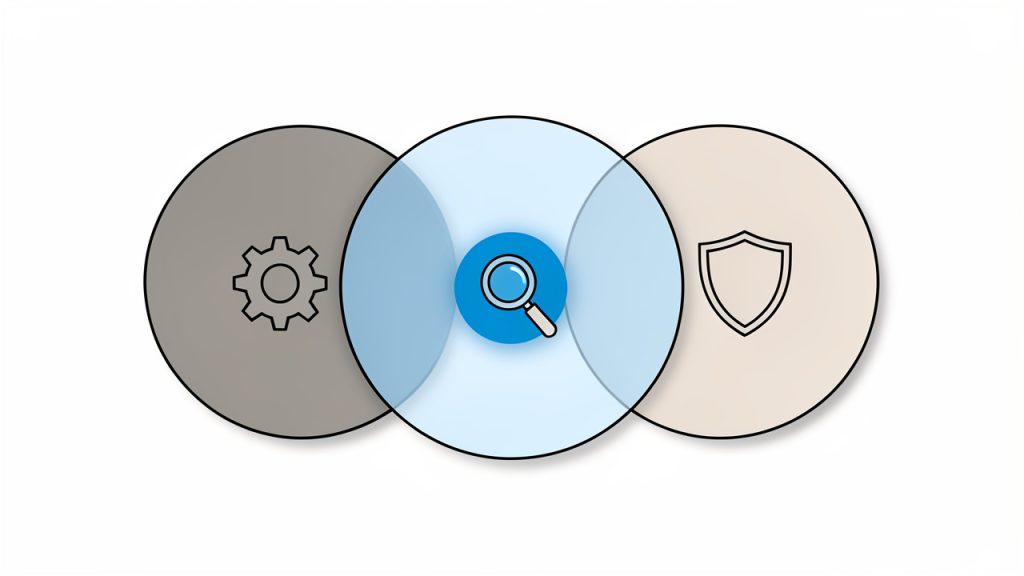
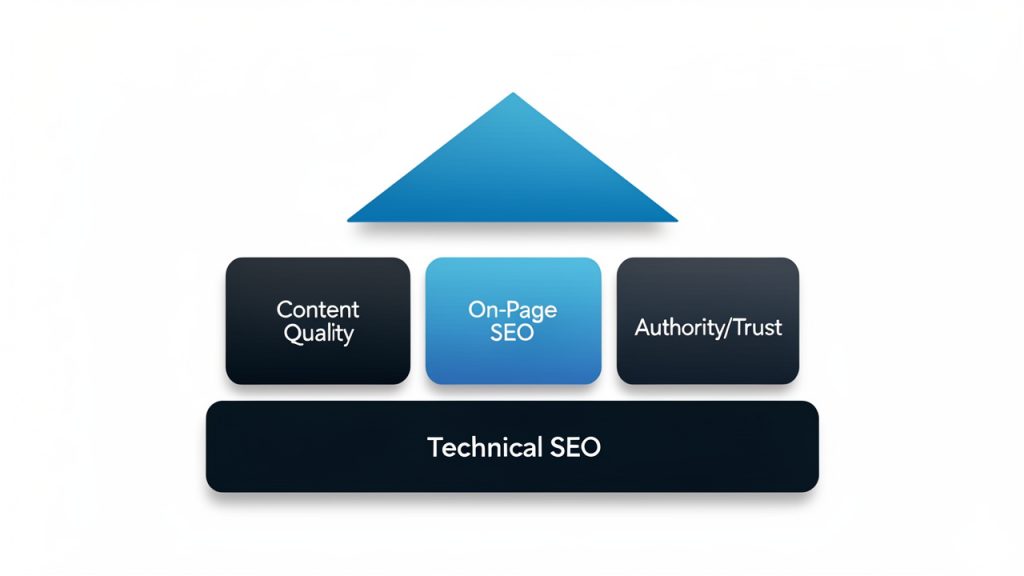
    Understanding what search engine optimization is becomes much easier when you break it into its main parts. SEO is usually discussed in three broad categories: on-page SEO, technical SEO, and off-page SEO. These categories overlap, but each plays a different role.

    On-Page, Technical, Off-Page SEO overview

    On-Page SEO

    On-page SEO refers to the content and elements on your actual web pages. This includes your page titles, headings, body copy, URLs, internal links, images, and the overall topic focus of the page. The goal is to make each page clearly relevant to a specific search intent.

    If you run a local bakery, for example, a page about wedding cakes should not also try to rank for bread delivery, birthday cupcakes, and catering in the same breath. Focus matters. Search engines prefer pages with a clear purpose because users do too.

    Strong on-page SEO starts with understanding what your audience is searching for. Then you create content that answers that need better than competing pages. That means writing naturally, organizing information clearly, and covering the topic in enough depth to be genuinely useful.

    Technical SEO

    Technical SEO deals with how your website functions behind the scenes. It includes site speed, mobile friendliness, crawlability, indexing, secure connections, clean site structure, and more. A beautiful page cannot rank well if search engines struggle to access it or users abandon it because it loads too slowly.

    This area can sound intimidating, especially to non-technical site owners. But the principle is simple. If your site is hard to use or hard to read for a machine, it will be harder to rank. Technical SEO is about removing friction.

    For developers and site managers, technical SEO often includes improving page performance, managing redirects correctly, fixing broken links, handling duplicate content, and ensuring pages are indexable. These details may seem small in isolation, but together they shape how search engines evaluate your site.

    Off-Page SEO

    Off-page SEO refers to signals that happen outside your website, especially backlinks, which are links from other websites to yours. Search engines often treat quality backlinks as signs of credibility. If respected websites reference your content, that can strengthen your authority.

    Not all links are equal, though. A single relevant link from a trusted industry publication can be more valuable than dozens of low-quality links from unrelated sites. That is why modern link building is less about volume and more about reputation.

    Off-page SEO can also include brand mentions, reviews, local citations, and broader digital PR efforts. For a local business, positive reviews and accurate directory listings can support visibility. For a content-driven brand, expert mentions and editorial links may matter more.

    Search Intent Matters More Than Keywords Alone

    Many beginners think SEO starts and ends with keywords. Keywords do matter, but search intent matters more. Search intent is the reason behind the search. Is the user trying to learn something, compare options, find a nearby provider, or make a purchase?

    If someone searches for “how to choose project management software,” they are probably still researching. If they search for “buy project management software for freelancers,” they are much closer to taking action. A page that matches the wrong intent will struggle, even if it includes the right terms.

    This is why effective SEO content is built around the user’s goal, not just a phrase. When people ask what SEO is in the modern sense, the best answer is this: it is the art and discipline of matching your content to real search behavior.

    Content Quality and Topical Depth

    Search engines have become much better at distinguishing shallow content from genuinely helpful content. A page that repeats the same phrase over and over without adding insight is unlikely to perform well. A page that explains a topic clearly, covers related questions, and helps the reader take action stands a much better chance.

    Topical depth does not mean writing the longest page possible. It means covering the subject thoroughly enough for the reader’s needs. Sometimes that takes 600 words. Sometimes it takes 2,000. The right length depends on the query, the competition, and the expectations of the audience.

    Good SEO content also earns trust through accuracy and usability. Clear headings, readable paragraphs, useful examples, and logical structure all help. Search engines increasingly reward pages that satisfy the visitor, not just pages that mention a term frequently.

    Local SEO for Small Businesses

    If your business serves a specific area, local SEO deserves special attention. Local SEO helps your business appear in searches tied to a place, such as “plumber near me” or “best coffee shop in Austin.” This relies on location signals, business listings, reviews, and locally relevant content.

    For many small business owners, local SEO can produce faster returns than trying to compete nationally. A well-optimized business profile, consistent contact details, and service pages tailored to your region can make a real difference.

    How SEO Creates Business Value

    SEO is not only about rankings. It is about outcomes. Better visibility can lead to more qualified traffic. More qualified traffic can lead to more inquiries, bookings, signups, and sales. The real value of SEO comes from attracting people who are already searching for what you offer.

    That makes SEO especially powerful for businesses with clear customer problems to solve. A freelance designer can rank for service pages and educational content. A software company can rank for feature comparisons and tutorials. A local repair service can rank for urgent, high-intent searches in its area.

    Over time, SEO also improves marketing efficiency. Content that ranks can continue generating leads without ongoing ad spend for each click. That does not make SEO free, because it requires time, skill, and maintenance, but it often becomes one of the most cost-effective channels available.

    How to Get Started With SEO

    Starting with SEO does not require a massive budget or a large team. It requires focus. The best first step is understanding your audience’s questions, then making sure your website answers them clearly and effectively.

    A common mistake is trying to optimize everything at once. That usually leads to scattered effort and weak results. A better approach is to start with your most important pages, such as your homepage, core service pages, product pages, and a few high-value blog topics.

    Start With Keyword and Topic Research

    Begin by identifying the phrases your ideal customers might search for. Think in terms of problems, services, locations, and comparisons. If you are a freelancer, your prospects may search for service-specific phrases. If you run a local business, location-based terms will matter more. If you publish educational content, question-based searches can be valuable.

    The real goal is not collecting a giant keyword list. It is understanding demand and intent. Look for topics that align with your business, match what users want, and are realistic for your site to compete on.

    Improve the Pages That Matter Most

    Once you know your target topics, optimize your priority pages. Each page should have a clear focus, a descriptive title, structured headings, and content that actually helps the reader. Avoid vague, generic copy. Search engines and users both respond better to specificity.

    If a page is meant to attract leads, it should explain the service, who it is for, what problem it solves, and what the next step is. If it is an informational article, it should answer the question thoroughly and lead naturally to a related action, such as contacting you, exploring a service, or reading another useful page.

    Fix Basic Technical Issues

    Even simple technical improvements can have an outsized impact. Make sure your site loads reasonably fast, works well on mobile devices, uses HTTPS, and does not have obvious broken pages. Ensure search engines can crawl your important content and that your site structure is logical.

    For many small sites, technical SEO at the beginning is less about advanced configuration and more about fundamentals. A clean website that works reliably already has an advantage over a cluttered, slow, confusing one.

    Build Internal Links and Site Structure

    Internal linking is one of the most overlooked parts of SEO. When you link related pages together, you help users discover more content and help search engines understand the relationships between topics on your site.

    Imagine your website as a map. Internal links create the roads. If important pages are isolated, they are harder to find and harder to prioritize. A sensible structure, with connected topics and intuitive navigation, supports both rankings and usability.

    Earn Trust Over Time

    Authority is rarely built overnight. If you want stronger off-page SEO, focus on creating content worth referencing, building genuine relationships, and making your business mention-worthy. A guest article, a local partnership, a useful tool, a strong case study, or original data can all attract quality links and attention.

    This is also where reputation matters. Reviews, testimonials, and a consistent brand presence can reinforce trust. Search visibility is not just a technical contest. It is also a credibility contest.

    Track Results and Adjust

    SEO improves when you measure what is happening. Look at which pages get traffic, which queries bring visitors, how users behave on your site, and which pages lead to conversions. Rankings alone do not tell the full story.

    A page that ranks in position three but brings no business value may be less important than a page in position eight that consistently drives leads. Effective SEO always connects back to business goals. Traffic is useful, but relevant traffic is what matters.

    Common SEO Misunderstandings

    A lot of confusion around SEO comes from outdated advice. One common myth is that SEO is a one-time task. It is not. Search behavior changes, competitors improve, and your own business evolves. SEO needs ongoing refinement.

    Another misconception is that SEO is purely technical. Technical health matters, but great rankings also depend on strong content and clear alignment with user intent. A technically perfect site with weak messaging will still struggle.

    There is also the belief that more content automatically means better SEO. In reality, better content beats more content. Publishing ten thin articles is usually less effective than publishing two excellent ones that truly help your audience.

    A Simple SEO Priority Framework

    If you are wondering where to focus first, this order is practical for most small businesses and freelancers:

    1. Fix visibility basics: Ensure your site is crawlable, mobile friendly, secure, and fast enough.
    2. Optimize core pages: Improve your homepage, service pages, product pages, and key landing pages.
    3. Create useful content: Publish articles or guides that answer real customer questions.
    4. Strengthen authority: Earn reviews, mentions, and backlinks from relevant sources.
    5. Measure outcomes: Track traffic, rankings, leads, and conversions to refine your strategy.

    This simple framework keeps SEO from feeling abstract. It turns it into a repeatable system built around visibility, usefulness, and trust.

    SEO at a Glance

    SEO Area What It Focuses On Why It Matters
    On-page SEO Content, headings, titles, keyword relevance, internal links Helps search engines understand what each page is about
    Technical SEO Speed, mobile usability, crawlability, indexing, site structure Makes it easier for search engines and users to access your site
    Off-page SEO Backlinks, mentions, reviews, authority signals Builds credibility and trust beyond your website
    Local SEO Maps visibility, business listings, local relevance Helps nearby customers discover your business

    The Real Answer to “What Is SEO?”

    If you want the plain-English answer to what SEO is, here it is: SEO is the process of making your website easier to find, easier to understand, and more worthy of trust in search results. It combines strategy, writing, technical quality, and reputation.

    The most successful SEO efforts are not built on tricks. They are built on usefulness. When your site genuinely helps people, clearly communicates what you offer, and removes technical barriers, search engines are more likely to reward that effort.

    Your next step is simple. Choose one important page on your website and improve it today. Clarify its purpose, tighten the title, answer the visitor’s main question better, and make sure it works well on mobile. That single action will teach you more about SEO than reading ten vague tips, and it will move your site in the right direction.

  • Search Engine Optimization: A Practical Guide

    Search Engine Optimization: A Practical Guide

    Most websites do not have a traffic problem, they have a visibility problem. You can publish helpful content, offer a great service, and build a polished site, but if search engines like Google cannot understand or trust your pages, the right people may never find you. That gap between quality and discoverability is where Search engine optimization matters.

    For small business owners, freelancers, developers, and anyone trying to grow online without wasting money, SEO is one of the most practical long-term skills to understand. It is not magic, and it is not just about rankings. Good optimization helps your site become easier to find, easier to use, and more aligned with what real people are actually searching for.

    What Is Search Engine Optimization?

    Search engine optimization, often shortened to SEO, is the process of improving a website so it can appear more prominently in search engine results for relevant queries. In simple terms, it helps search engines understand your content and helps users discover it when they need it.

    That sounds straightforward, but the real value of SEO goes deeper. Search engines like Google try to deliver the best answer for every search. They evaluate pages based on many signals, including relevance, quality, usability, page experience, and authority. SEO is the practice of improving those signals in ways that benefit both the search engine and the visitor.

    Think of your website as a shop on a busy street, except the street is invisible unless your signs are clear. If your pages have weak titles, confusing structure, slow performance, or thin content, search engines may struggle to know when to show them. Strong optimization acts like better signage, cleaner aisles, and a clearer storefront. It makes your digital presence easier to interpret and trust.

    A storefront on an otherwise invisible street: one shop with clear, bright signage and a visible path of customers, and another shop with faded or missing signs that few people notice. Visual cues indicate search engines/readers can’t 'see' poorly signed sites.

    Why SEO Matters for Modern Websites

    Paid ads can bring traffic quickly, but they stop working the moment you stop paying. SEO works differently, it is an investment in sustainable visibility. A well-optimized page can keep bringing qualified visitors for months or even years, especially if the content solves a real problem or answers a specific question.

    This matters even more for smaller organizations with limited marketing budgets. If you are a freelancer, local service provider, SaaS founder, or online seller, ranking for the right search terms can bring in highly motivated visitors at a lower long-term cost than many paid channels. The goal is not just more traffic, but better traffic.

    SEO Is About People First

    A common misunderstanding is that SEO is only about pleasing algorithms. That mindset usually leads to thin content, awkward keyword stuffing, and pages built for robots instead of humans. Effective search optimization is the opposite. It starts with understanding what your audience needs, what they search for, and what kind of page would genuinely help them.

    When you create useful content, structure it clearly, and make your website fast and easy to navigate, you are doing something search engines increasingly reward. In that sense, SEO is partly technical, partly strategic, and heavily tied to user experience.

    Key Aspects of Search Engine Optimization

    SEO is often divided into several overlapping areas. Each one supports the others. You can think of them as the content, the structure, the reputation, and the technical foundation of your website.

    A simple diagram of four overlapping pillars or circles labeled: Content, Structure, Reputation (Off‑page), Technical Foundation — showing how they support and interact to form overall SEO.

    On-Page SEO

    On-page SEO refers to the elements you control directly on a page. This includes the page title, headings, meta description, URL structure, internal links, image alt text, and the actual written content. These signals help search engines understand the page topic and help users decide whether to click.

    Good on-page optimization begins with search intent. If someone searches for “best invoicing software for freelancers,” they likely want comparisons and recommendations, not a vague homepage. If someone searches for “how to fix a slow WordPress site,” they want a practical guide. Matching the page format to the intent behind the query is one of the most important parts of SEO.

    Keywords still matter, but not in the old-fashioned sense of repeating exact phrases. What matters is using the language your audience naturally uses, then covering the topic thoroughly enough that search engines can confidently identify relevance. Clear headings, helpful examples, and focused topic coverage usually outperform awkward keyword repetition.

    Technical SEO

    Technical SEO is the behind-the-scenes work that helps search engines crawl, understand, and index your site efficiently. This includes site speed, mobile usability, secure connections, clean code, crawlability, structured navigation, and proper use of canonical tags, sitemaps, and robots directives.

    For many businesses, technical issues quietly block growth. A site may have good content but still underperform because pages load too slowly, duplicate versions confuse search engines, or important pages are buried too deep in the site architecture. Technical SEO is not always glamorous, but it often has an outsized effect.

    If you run an online tool, a portfolio, or a service-based business, this is especially important. Users expect pages to load quickly and work well on mobile. Search engines expect the same. A fast, accessible, and logically organized website creates a better experience for everyone involved.

    Content SEO

    Content is where SEO and real business value meet. Search engines want to rank pages that satisfy the searcher, and content is often the primary reason a page earns that trust. Strong SEO content is not just long. It is useful, specific, accurate, and aligned with user intent.

    A helpful article answers the main question quickly, then supports it with examples, context, and practical next steps. A product page explains benefits, use cases, and differentiators clearly. A local service page addresses what customers want to know before contacting you. In every case, the goal is to remove friction and deliver clarity.

    Thin pages rarely perform well for long. Neither do generic posts that say what every other post says. Search engines increasingly reward original experience, real expertise, and content that demonstrates a genuine understanding of the topic. That is why expert insights, firsthand examples, and specific recommendations matter.

    Off-Page SEO and Authority

    Off-page SEO refers to signals that come from outside your website, especially backlinks from other reputable sites. A backlink functions like a vote of confidence, though not all votes carry equal weight. Links from relevant, trustworthy websites tend to help far more than random links from low-quality directories or spammy pages.

    Authority is not just about link volume. Relevance matters. A backlink from a respected industry publication or community site can be more valuable than dozens of weak links. Mentions, citations, reviews, and broader brand visibility can also support your presence, especially for local businesses and known experts.

    This is why relationship-building often beats shortcut tactics. Publishing original resources, contributing expert insights, creating useful tools, and earning genuine references tend to build stronger long-term authority than manipulative link schemes. Shortcuts in SEO often create short-lived results.

    Local SEO

    For businesses that serve a geographic area, local SEO can be one of the highest-return forms of optimization. If someone searches for a plumber, web designer, accountant, or café near them, search engines prioritize proximity, relevance, and local trust signals.

    A strong local presence usually depends on a well-optimized business profile, consistent contact information across the web, relevant local landing pages, and authentic customer reviews. Local SEO is especially important for service providers who want leads from a specific city or region rather than global traffic.

    User Experience and SEO

    User experience is no longer separate from SEO. If visitors land on your page and immediately bounce because it is slow, cluttered, or hard to read, that page is less likely to perform well over time. Search engines want to recommend pages that feel reliable and satisfying.

    This does not mean every design choice is a ranking factor. It means the broader experience matters. Clear navigation, readable formatting, mobile friendliness, and helpful page structure all support both usability and search visibility. Good SEO often looks a lot like good product thinking.

    A Quick SEO Comparison

    Area Primary Goal Common Focus Typical Mistake
    On-page SEO Improve relevance Titles, headings, content, internal links Stuffing keywords unnaturally
    Technical SEO Improve crawlability and performance Speed, indexing, mobile usability, architecture Ignoring hidden site issues
    Content SEO Satisfy search intent Topic depth, usefulness, clarity Publishing generic articles
    Off-page SEO Build trust and authority Backlinks, mentions, digital PR Chasing low-quality links
    Local SEO Increase location-based visibility Business profiles, reviews, local pages Inconsistent business information

    How to Get Started With Search Engine Optimization

    SEO can feel overwhelming at first because it spans content, technical setup, research, and measurement. The simplest way to begin is to treat it as a series of practical improvements rather than a massive one-time project.

    Start With the Right Questions

    Before changing anything on your site, ask what your ideal visitor is trying to accomplish. What problems do they have? What words would they type into a search engine? What would a truly useful answer look like? These questions help you move beyond random traffic and focus on search visibility that supports actual business goals.

    For example, a freelance designer might want to rank for service-specific searches such as branding design for startups. A local accountant may care more about tax preparation searches tied to a city name. A developer building an online utility might want traffic from problem-based searches that match how users discover free tools.

    Do Basic Keyword and Intent Research

    Keyword research helps you understand the language your audience uses, but the real insight comes from the intent behind those phrases. A useful keyword is not just one with volume. It is one where your site can realistically compete and where ranking could lead to meaningful action.

    As you review target terms, look at the current search results. Are they blog posts, product pages, landing pages, videos, or comparison articles? The result type tells you what search engines believe users want. If your content format does not match that expectation, ranking becomes harder.

    Improve Your Most Important Pages First

    Many site owners spread their effort too thin. A better approach is to start with the pages that have the highest business value. That may include your homepage, service pages, top blog posts, category pages, or landing pages that already get some impressions but underperform in clicks.

    Tighten the page title. Clarify the main heading. Rewrite weak sections so they answer user questions more directly. Add internal links from related pages. Improve readability with short paragraphs and clear subheadings. These updates often create better results than publishing large amounts of mediocre new content.

    Build a Strong Site Structure

    Search engines and users both benefit from a site that is easy to navigate. Important pages should be easy to reach, grouped logically, and connected through relevant internal links. If your site structure feels chaotic, search engines may struggle to understand which pages matter most.

    A clean structure also helps distribute authority across the site. When you link related pages thoughtfully, you create context. A blog post about invoicing can support a page about freelance finance tools. A guide on site speed can support a technical services page. This makes your site more coherent and more useful.

    Make Technical Health a Habit

    You do not need to become a full-time SEO specialist to improve technical performance. You do need to check for the basics consistently. Make sure your site is mobile-friendly, secure, and reasonably fast. Confirm that important pages can be indexed. Fix broken links. Compress oversized images. Remove duplicate or low-value pages where appropriate.

    A practical starting checklist can include:

    1. Check indexing: Make sure key pages can appear in search results.
    2. Review page speed: Improve slow-loading pages, especially on mobile.
    3. Audit page titles and headings: Ensure each page has a clear topic focus.
    4. Strengthen internal links: Connect related pages naturally.
    5. Update weak content: Expand thin pages and remove outdated information.

    These are not advanced tactics, but they solve many common problems that limit organic growth.

    Create Content With a Clear Purpose

    Publishing for the sake of publishing usually leads nowhere. Each piece of content should serve a purpose, such as attracting early-stage search traffic, answering buyer questions, supporting a product page, or earning links from other sites.

    The strongest content often sits at the intersection of audience need, business relevance, and realistic ranking opportunity. If you create online tools, for instance, your content can explain use cases, compare workflows, or solve small but recurring problems your users face. That kind of content does double duty. It helps with SEO and reinforces product value.

    Measure What Actually Matters

    SEO success is not only about rankings. Rankings can be useful, but they are a means to an end. What matters more is whether your search traffic is growing in quality and whether that traffic contributes to leads, sales, signups, or other business outcomes.

    Track organic impressions, clicks, top landing pages, engagement, and conversions. If a page ranks well but brings the wrong audience, it may not be a win. If another page ranks modestly but drives qualified leads, that page may deserve far more attention. The smartest SEO decisions come from connecting search performance to real business impact.

    Common Early Mistakes to Avoid

    Newcomers often expect SEO to work instantly. In reality, it usually takes time for changes to be crawled, indexed, and reflected in performance. Patience matters, but so does consistency. Sporadic effort rarely produces durable results.

    Another common mistake is chasing every trend. Algorithm updates, ranking hacks, and viral advice can distract from the fundamentals. Most websites improve by doing a few things very well: understanding intent, publishing useful content, maintaining technical health, and building trust over time.

    Conclusion

    Search engine optimization is not a trick for gaming rankings. It is a discipline for making your website more discoverable, more useful, and more aligned with what your audience is already looking for. When done well, it improves visibility in a way that compounds over time.

    If you are getting started, begin small and stay focused. Choose a handful of important pages, improve them with clear intent in mind, fix obvious technical issues, and create content that genuinely helps your audience. That is the next step that matters most, because strong SEO is rarely built through shortcuts. It is built through clarity, consistency, and a better experience for the people you want to reach.

  • A Practical SEO Guide for Small Businesses and Creators

    A Practical SEO Guide for Small Businesses and Creators

    Search traffic is one of the few growth channels that can keep working while you sleep. A well-optimized page can attract visitors for months or even years, long after an ad budget runs out or a social post disappears from the feed. That is why SEO still matters so much for small business owners, freelancers, developers, and anyone building an online presence with limited time and money.

    At the same time, SEO can feel confusing because the advice online is often either too technical, too shallow, or too focused on shortcuts. If you have ever wondered why one website ranks and another gets ignored, the answer usually comes down to a simple principle: search engines reward pages that best satisfy user intent.

    A visual metaphor showing a search engine (magnifying glass/search bar) acting as a matchmaker: multiple user queries on the left (speech bubbles) are being matched to the single best page on the right. The image highlights the idea of intent matching with a checkmark on the chosen page and faded/ignored pages that don't fit.

    What Is SEO?

    SEO, or search engine optimization, is the process of improving your website so it appears more prominently in search engine results for relevant queries. In plain terms, it helps the right people find your content, products, services, or tools when they are actively looking for them.

    That sounds simple, but good SEO is more than sprinkling keywords into a page. It combines content quality, site structure, page speed, usability, authority, and relevance. Search engines try to understand what a page is about, whether it is trustworthy, and whether users are likely to have a good experience on it. Your job is to make those signals clear.

    For small businesses, SEO is often one of the highest-leverage marketing investments because it aligns with existing demand. You are not interrupting people. You are showing up when they are already interested. A local accountant, a freelance designer, a SaaS builder, or a niche e-commerce store can all benefit from being visible at the exact moment a potential customer searches for a solution.

    There is also an important mindset shift here. SEO is not just about ranking higher. It is about attracting qualified traffic. A page that ranks for the wrong term can bring plenty of visitors and still produce no leads, no sales, and no meaningful engagement. Smart search optimization focuses on the queries that connect to real business value.

    Key Aspects of SEO

    Relevance and Search Intent

    The foundation of SEO is relevance. Search engines want to match a query with the page that most effectively answers it, and that means you need to understand search intent, or the reason behind a search.

    If someone searches for “best project management app,” they are likely comparing options. If they search for “how to use kanban boards,” they want education. If they search for “buy time tracking software,” they are much closer to making a purchase. Each query suggests a different kind of page.

    This is where many websites go wrong. They create pages based on what they want to say instead of what users want to know. Strong SEO starts by asking better questions. What is the user trying to accomplish? What information would make this page genuinely helpful? What format fits the query best, such as a guide, landing page, comparison, tutorial, or product page?

    Content Quality

    Content remains one of the strongest SEO drivers because it gives search engines something to understand and rank. But quality is not measured by word count alone. A shorter page that directly solves a problem can outperform a longer article full of filler.

    High-quality content is usually clear, specific, well-structured, and useful. It anticipates follow-up questions and answers them naturally. It demonstrates experience, not just surface-level rewriting. It avoids vague claims and instead offers practical insight, examples, context, and real value.

    For a freelancer, this might mean writing a service page that explains process, pricing logic, and outcomes. For a developer building a tool, it might mean creating documentation and use-case pages that solve real user problems. For a local business, it could mean publishing location-specific pages and helpful FAQs that reflect what customers actually ask.

    On-Page SEO

    On-page SEO covers the elements on your website that help search engines understand your content. This includes page titles, headings, URL structure, internal links, image alt text, and the natural use of target phrases within the content.

    A strong page title tells both users and search engines what the page is about. Headings create a readable structure. Internal links help visitors and crawlers discover related content. Descriptive URLs improve clarity. None of this is glamorous, but together these signals make your site easier to interpret.

    The key is balance. You want to optimize without sounding robotic. Repeating the same phrase over and over makes a page worse, not better. Good on-page SEO reads naturally to humans first, while still making relevance obvious.

    Technical SEO

    Technical SEO is the part many people fear, but its purpose is straightforward, it ensures your site can be crawled, rendered, and indexed efficiently. If search engines cannot access your content properly, even great writing may struggle to perform.

    Important technical factors include page speed, mobile usability, clean navigation, secure connections, and logical site architecture. Broken pages, duplicate content, confusing redirects, or poor performance can all hurt visibility. This matters especially for developers and site owners managing custom builds, because technical decisions shape how discoverable the site becomes.

    A pillar/foundation diagram labeling the key SEO components as building blocks: Content Quality, On‑Page SEO, Technical SEO (foundation), Authority/Trust, and User Experience (roof). The technical SEO block is drawn as the base foundation to echo its infrastructural role.

    Think of technical SEO like the foundation of a building. Visitors may not notice it directly, but everything depends on it. A site that loads slowly or feels broken sends a negative quality signal to both users and search engines.

    Authority and Trust

    Search engines also try to determine whether your site is credible. One signal of authority comes from backlinks, which are links from other websites pointing to yours. A mention from a respected source can act like a vote of confidence, especially when it is contextually relevant.

    Still, authority is not only about links. It also comes from publishing accurate, well-maintained content, showing expertise, and building a brand people recognize. Reviews, citations, author credibility, and overall reputation all contribute to trust.

    For small businesses, this means SEO extends beyond your pages. Your broader online presence matters. If your brand is mentioned across reputable directories, industry blogs, partner sites, and communities, that supports your visibility over time.

    User Experience

    SEO and user experience are closely connected. Search engines do not want to send users to pages that are cluttered, confusing, or frustrating. A good page should be easy to navigate, readable on mobile, and designed to help users complete their goal quickly.

    This does not mean you need a flashy site. In fact, simple often wins. Clear menus, readable typography, sensible spacing, and obvious calls to action do more for SEO than decorative complexity. If users land on your page and instantly understand where they are and what to do next, you are on the right track.

    A useful way to think about this is that search optimization is partly a communication exercise. You are communicating with an algorithm, yes, but more importantly with the person behind the query. If that person feels helped, search performance usually improves with time.

    How to Get Started with SEO

    Start With the Right Keywords

    The first practical step in SEO is keyword research, but that phrase can sound more intimidating than it needs to be. At its core, keyword research is about understanding the language your audience uses when searching for solutions.

    A small business owner should focus less on massive, highly competitive terms and more on specific, intent-driven queries. A broad keyword like “design” is almost useless. A phrase like “freelance logo designer for restaurants” is far more targeted. It may bring less traffic, but that traffic is more likely to convert.

    Look for a mix of informational and commercial terms. Informational searches help you build awareness and trust. Commercial searches help you capture people closer to action. Together, they create a stronger content strategy.

    Build Pages Around Real Needs

    Once you know what your audience searches for, create pages that map directly to those needs. Do not force one page to target everything. A service page should serve a different purpose than a blog post. A pricing page should answer different questions than a tutorial.

    This is where clarity beats volume. It is better to publish ten pages that each solve a real problem than fifty thin pages with overlapping intent. If you run a local service business, create clear service pages and location pages where appropriate. If you build digital tools, create pages for features, use cases, integrations, and support topics.

    Each page should have a clear primary topic, a logical structure, and a specific conversion goal. Ask yourself what the visitor should think, feel, and do after reading it. That question helps keep pages useful rather than generic.

    Improve the Basics First

    Many websites do not need advanced SEO tactics at the start. They need the basics done well. Make sure every important page has a unique title, a clear heading, and a concise meta description that encourages clicks. Check that your site works well on mobile devices and loads quickly enough to avoid user frustration.

    You should also review navigation and internal linking. If an important page takes too many clicks to reach, it becomes harder for both users and search engines to prioritize it. Internal links act like signposts across your site, helping search engines understand relationships between pages while guiding visitors toward deeper engagement.

    A simple early-stage checklist can help:

    1. Identify key pages that matter most for leads, sales, or signups.
    2. Match each page to a primary search intent and a relevant keyword theme.
    3. Optimize titles and headings so the page topic is immediately clear.
    4. Improve speed and mobile usability to reduce friction.
    5. Add internal links between related pages to strengthen site structure.

    Publish Consistently, but With Purpose

    Consistency matters in SEO, but frequency alone is not a strategy. Publishing weak content every week will not outperform publishing genuinely useful content every month. Quality compounds more reliably than volume.

    A practical content plan starts with common customer questions. What do prospects ask before hiring you? What objections slow down a sale? What features need explanation? What comparisons are people making before choosing a tool or provider? Those questions often become your best SEO topics because they align with real-world intent.

    For example, a productivity software company could create pages around workflow templates, time-saving tutorials, and feature comparisons. A freelancer could write detailed guides about process, pricing, timelines, and industry-specific solutions. These are not just traffic plays. They are trust-building assets.

    Earn Trust Over Time

    SEO rarely works like a switch. It behaves more like momentum. Pages gain traction as they are indexed, refined, linked, and used. That is why patience matters. You may not see immediate results, especially in competitive spaces, but steady improvement often beats sporadic bursts of effort.

    One of the best long-term strategies is to create content worth referencing. Original examples, useful frameworks, practical tools, and clear explanations can naturally attract links and mentions. You can also support this by building relationships in your industry, contributing insights to relevant communities, and making your expertise visible beyond your own website.

    If your business has a local presence, trust also grows through reviews, directory consistency, and local relevance. If your work is digital or global, trust grows through thought leadership, product quality, and helpful educational content. Different business models need different authority signals, but the principle is the same, be discoverable, credible, and useful.

    Measure What Actually Matters

    A common SEO mistake is obsessing over rankings without connecting them to outcomes. Ranking first for a term that brings unqualified visitors is not a win. Better metrics include organic traffic to high-intent pages, conversions from search, click-through rates, and engagement on important landing pages.

    Use analytics to understand which pages attract traffic, which pages convert, and where users drop off. Sometimes the issue is not visibility but messaging. A page may rank well yet fail to persuade. In that case, improving copy, structure, or call-to-action clarity can produce bigger results than chasing a new keyword.

    The most useful SEO mindset is iterative. Publish, measure, improve. Over time, this turns SEO from a vague marketing activity into a practical system for attracting and converting demand.

    Conclusion

    SEO works best when you stop treating it like a trick and start treating it like a service. The goal is not simply to rank. The goal is to create pages that deserve visibility because they answer real questions, solve real problems, and guide people toward the next step with clarity and trust.

    If you are getting started, begin small. Identify the pages that matter most, understand the search intent behind them, strengthen the fundamentals, and publish useful content consistently. That approach is sustainable, realistic, and far more effective than chasing shortcuts. Over time, solid search engine optimization can become one of the most valuable growth assets your website has.