A plain text message can expose more than most people realize. Client notes, password hints, contract details, API keys, internal plans, and personal information often get copied into emails, chats, and documents without a second thought. That convenience is useful, but it also creates risk. If you need to encrypt text online free, the good news is that modern web tools make the process fast, accessible, and practical for everyday use.
For small business owners, freelancers, developers, and productivity-focused users, text encryption is no longer a niche security task. It is a simple habit that helps protect sensitive content before it is shared or stored. The real challenge is not whether free online encryption exists, it is knowing what it actually does, when to trust it, and how to use it without creating a false sense of security.
What is Encrypt text online free?
At its core, encrypt text online free means using a web-based tool to convert readable text into an unreadable format that can only be restored with the correct key, password, or method. In simple terms, encryption scrambles your message so that even if someone intercepts it, they cannot understand it without authorization. The original readable message is often called plaintext, and the scrambled result is called ciphertext.
This matters because not all text protection works the same way. Some online tools only encode text, which changes its format but does not truly secure it. Others perform real encryption using established cryptographic methods. That difference is critical. If you are protecting financial details, confidential business notes, customer information, or login-related content, you need actual encryption, not just a cosmetic transformation.
Free online text encryption tools are popular because they remove friction. You do not need to install software, configure complex settings, or learn command-line utilities just to protect a short message. In many cases, you paste your text into a browser, choose a password or encryption option, and generate encrypted output in seconds. For quick workflows, that ease is valuable.
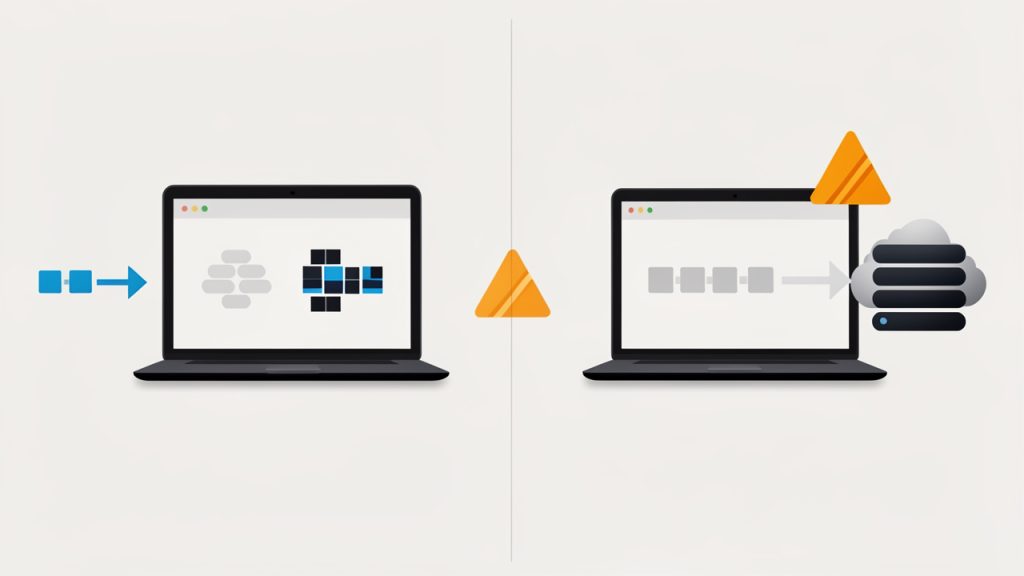
Still, convenience should not replace judgment. The phrase encrypt text online free sounds simple, but the safety of the process depends on how the tool handles your data. Some services process everything locally in your browser, which means your text may never leave your device. Others send the content to a server for processing. That distinction can dramatically affect privacy and trust.
Encryption versus encoding versus hashing
People often use these terms interchangeably, but they solve different problems. Encryption is reversible with the right key or password, which makes it suitable when you want to protect a message and later recover it. Encoding is mostly about formatting data for compatibility, such as converting text into another representation. It is not security. Hashing creates a one-way fingerprint and is used to verify data or store passwords more safely, but it is not designed to restore the original text.
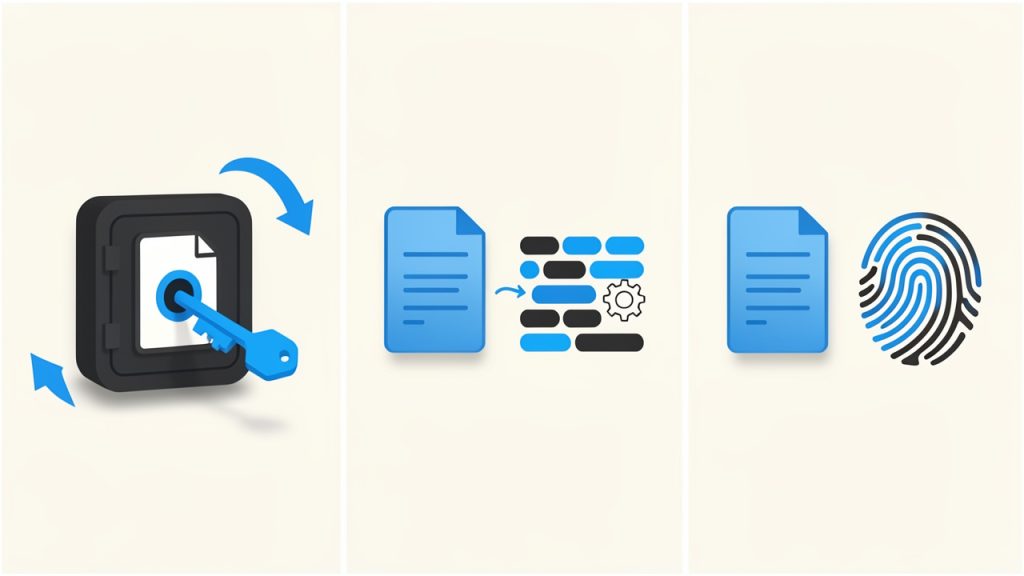
A useful analogy is this. Encoding is like changing a document into a different file format. Hashing is like creating a unique fingerprint of the document. Encryption is like placing the document in a locked safe. If your goal is confidentiality, only the safe analogy fits.
Why people use online text encryption
The use cases are broader than many expect. A freelancer might encrypt contract notes before sending them over a messaging app. A small business owner may protect sensitive instructions shared with a remote assistant. A developer may want to secure an API secret in transit. Even an individual sending personal details to a family member may want more than plain text privacy.
This is why free tools remain attractive. They serve immediate, practical needs without requiring a budget approval or an IT department. When the tool is well designed and transparent about how it works, it can be an efficient way to add a meaningful layer of protection.
Key Aspects of Encrypt text online free
Choosing the right free online encryption method is not just about clicking the first result in a search engine. The quality of the tool, the security model, and your intended use all matter. A polished interface means little if the service stores your message on a server or uses weak cryptography behind the scenes.
The most important factor is whether the encryption happens client-side, inside your browser. When that is the case, the text is transformed on your device before anything is transmitted. This reduces the risk of exposure. It also means the provider may never see your original message, which is exactly what privacy-conscious users want.
Some services process everything locally in your browser, which means your text may never leave your device. Others send the content to a server for processing. That distinction can dramatically affect privacy and trust.
Browser-based encryption is often the safest online option
When a tool performs encryption in the browser, it behaves more like a local app than a remote processor. That does not make it automatically perfect, but it is generally better than a service that asks you to trust its servers with your raw text. For business users handling confidential material, this distinction should be near the top of the checklist.
You should also look for transparency. Reputable tools usually explain what encryption standard they use, whether the process is local, and whether they store any submitted content. If a website is vague about all three, caution is warranted. Security should be visible, not assumed.
Strong passwords still matter
Even the best encryption algorithm can be undermined by a weak password. If your encrypted text is protected with something obvious like “123456,” “companyname,” or a predictable phrase, the security benefit drops fast. The encryption system may be strong, but the lock is only as useful as the key you choose.
A good password for text encryption should be long, unique, and difficult to guess. Passphrases are often easier to remember and stronger than short passwords filled with predictable substitutions. If you are encrypting something genuinely sensitive, create a fresh passphrase for that specific exchange instead of reusing one from another account or app.
Free does not always mean private
Many people assume “free” simply refers to price. In reality, free services often operate on trade-offs. Some may show ads, collect analytics, log activity, or monetize traffic indirectly. That does not automatically make them unsafe, but it does mean you should read carefully before using them for anything important.
A free text encryption tool can be excellent if it limits data collection, processes text locally, and avoids storing content. On the other hand, a free tool that lacks transparency may create more risk than convenience. For sensitive business communications, the right free option is one that minimizes trust requirements.
Usability matters more than people think
Security tools fail when they are too awkward to use. If the process is confusing, users make mistakes. They may copy the wrong text, forget the password, store the key in the same message thread, or abandon encryption altogether because it slows them down. Good tools strike a balance between security and clarity.
That balance is especially important for small teams and solo professionals. A tool that works in seconds and does not require technical expertise is far more likely to become a consistent habit. Consistency, in practice, often matters as much as technical strength.
Common features to compare
If you are evaluating online options, these are the features worth comparing at a glance:
Encryption location: Determines whether your text is exposed to a server, prefer in-browser or client-side encryption.
Password protection: Controls who can decrypt the text, prefer custom, strong passphrase support.
Transparency: Shows whether the tool explains its methods, prefer clear documentation and privacy details.
Storage policy: Affects whether your message may be retained, prefer no text storage or temporary local handling.
Ease of use: Reduces user error and speeds up workflow, prefer simple interfaces with clear steps.
Device compatibility: Helps when working across teams and platforms, prefer tools that work on desktop and mobile browsers.
When online encryption is appropriate, and when it is not
Free online encryption is ideal for short messages, notes, temporary sharing, and quick protection in a browser-first workflow. It is particularly useful when you need speed and do not want to install software on every device. For routine operational privacy, that can be enough.
It is less ideal for highly regulated data, long-term secrets, or mission-critical business records that require strict compliance controls. In those cases, dedicated security tools, encrypted file vaults, or enterprise communication systems may be more appropriate. The right question is not “Is online text encryption good or bad?” It is “Is it appropriate for this kind of information?”
How to Get Started with Encrypt text online free
Getting started is straightforward, but doing it well requires a little discipline. The first step is understanding what kind of text you are trying to protect and how sensitive it is. A draft note to yourself is one thing. Client account details or private credentials are something else entirely. The more sensitive the text, the more selective you should be about the tool and your process.
Before using any online service, check whether it states that encryption happens locally in your browser. Then verify that the site uses HTTPS and provides a clear explanation of its privacy approach. These are not advanced technical checks. They are practical signs that the tool takes security seriously.
A simple process for first-time users
Most people can begin with a short workflow like this:
Choose a reputable tool: Prefer a browser-based service with clear privacy and encryption information.
Paste only the necessary text: Avoid including extra details that do not need protection.
Create a strong passphrase: Use a long, unique phrase that you do not reuse elsewhere.
Generate the encrypted text: Confirm that the output is unreadable and properly copied.
Share the passphrase separately: Never send the encrypted text and the password in the same message thread.
That final point is where many users slip. Encrypting a message and then sending the password in the same email defeats much of the purpose. If possible, send the passphrase through a different channel, such as a phone call, secure chat, or separate messaging platform.
Practical examples in everyday work
Imagine a freelancer sending a private project brief that contains pricing, timelines, and internal strategy notes. Instead of pasting everything into a standard email, they encrypt the text first and send the ciphertext. Then they call the client or send the passphrase through a different app. The process takes a minute, but it meaningfully reduces exposure if the email is forwarded or intercepted.
A developer might use a free online text encryption tool to protect a temporary configuration string while coordinating with a teammate. A small business owner could use it to send private HR notes or account recovery details during an urgent handoff. These are not theoretical security exercises; they are ordinary moments where plain text is unnecessarily risky.
Mistakes to avoid
Most problems with online text encryption come from process errors rather than cryptography. Users may forget the passphrase, use a weak one, trust an unverified tool, or store the decrypted text carelessly after receiving it. Encryption protects content in transit or at rest, but it cannot help once the text is copied into an unsecured note or left open on a shared device.
Another common mistake is assuming all scrambled-looking text is secure. Some websites offer obfuscation, encoding, or novelty “cipher” transformations that look impressive but provide little real protection. If a tool does not clearly describe actual encryption, treat it with skepticism.
A quick trust checklist
Before you use any service to encrypt text online free, look for these signs:
Local processing: The website says encryption happens in your browser.
Clear privacy policy: It explains whether any text is stored or transmitted.
Recognized methods: It names established encryption approaches instead of vague claims.
Secure connection: The site uses HTTPS and appears professionally maintained.
This short review can save you from the biggest mistake of all, trusting a tool simply because it appears high in search results.
Building a secure habit
The real value of text encryption comes from turning it into a repeatable habit. If you handle sensitive information often, set a personal rule for when encryption is required. Maybe it applies to client identifiers, account details, legal drafts, private pricing, or any internal planning document that would be problematic if exposed.
Habits reduce decision fatigue. Instead of debating each time whether a message is “sensitive enough,” you create a threshold and follow it consistently. For busy professionals, that kind of system is far more reliable than relying on memory or instinct.
Conclusion
Using a tool to encrypt text online free is one of the simplest ways to improve digital privacy without adding much friction to your workflow. It helps protect confidential notes, business communications, and personal information from unnecessary exposure. The key is choosing a tool that encrypts in the browser, uses clear privacy practices, and lets you protect your message with a strong passphrase.
Your next step is simple. Pick a reputable browser-based encryption tool, test it with non-sensitive text first, and build a habit around using it for information that should never travel as plain text. A few extra seconds of care can prevent a surprising amount of risk.
A weak password can undo years of careful work in a single breach. For small business owners, freelancers, developers, and anyone managing dozens of accounts, password fatigue is real. You need strong credentials for email, banking, cloud apps, client portals, project tools, and social platforms, but creating unique passwords by hand is tedious and unreliable.
That’s exactly why a password generator online has become such a practical tool. It removes guesswork, creates high-entropy passwords in seconds, and helps you avoid the common habits attackers count on, like reused phrases, predictable substitutions, and short combinations. Used well, an online password generator can dramatically improve account security without slowing down your workflow.
What is Password generator online?
A password generator online is a web-based tool that automatically creates strong, random passwords for you. Instead of thinking up your own combinations, you choose preferences such as length, symbols, numbers, uppercase letters, or memorable passphrases, and the tool generates a password instantly.
At its core, the idea is simple. Humans are not good at randomness. We tend to reuse old patterns, favorite words, dates, or familiar keyboard sequences. An online password generator avoids those habits by producing credentials that are much harder to predict or crack through brute-force attacks, dictionary attacks, or credential stuffing attempts.
For most users, the appeal is speed and convenience. You open the tool, generate a password, copy it, and use it for a new account or to replace a weak one. For professionals, the value goes deeper. A good generator supports stronger security policies, faster onboarding, and cleaner account management across teams and devices.
Why online password generators matter more than ever
The average user now manages far more digital accounts than they did a few years ago. Even a solo freelancer may have logins for invoicing, CRM software, cloud storage, video calls, design tools, analytics dashboards, and multiple client environments.
That growth creates a familiar problem. If every password must be unique and secure, you either need a reliable system or you end up taking shortcuts. Many people choose easy-to-remember variations of the same password. That feels efficient, but it creates a domino effect. If one site is compromised, attackers test the same password elsewhere.
A password generator online breaks that cycle by making strong, unique passwords easy to create at the moment you need them. Instead of relying on memory, you rely on randomness and proper storage.
Password generator vs password manager
These tools are related, but they are not the same. A password generator creates a strong password. A password manager stores and organizes those passwords so you do not have to memorize them.
In practice, they work best together. Many password managers include a built-in generator, but standalone online tools are still useful when you need a quick password on a device where you are not logged into your manager, or when you want a simple, no-friction way to create secure credentials.
Key Aspects of Password generator online
Not all password generators are equally useful. The best ones combine strong randomness, flexible options, and sensible defaults. If you are choosing a tool for personal use or recommending one within a business, it helps to understand what really matters.
Randomness is the foundation
The biggest advantage of a password generator online is randomness. Strong passwords are not just long, they are also unpredictable. A password like Summer2024! may appear complex at first glance, but it follows a pattern that attackers know well. It contains a common word, a recent year, and a common symbol.
A randomly generated password, by contrast, does not follow a recognizable pattern. That unpredictability increases what security professionals call entropy, which is a measure of how hard a password is to guess. The more entropy a password has, the more resistant it is to automated attacks.
This is where quality matters. A trustworthy generator should rely on strong browser-based randomness rather than simplistic formulas. You may not see that technology directly, but it affects the strength of every password produced.
Human-created (predictable) vs Random character password vs Random passphrase, with a simple entropy/strength indicator.
Length usually matters more than complexity alone
Many people focus only on special characters. Symbols do help, but length is often the bigger factor. A short password with mixed characters can still be vulnerable. A longer password, especially one generated randomly, is dramatically harder to crack.
For many accounts, a password length of 16 to 20 characters is a strong default. For highly sensitive accounts such as email, banking, admin panels, and password managers, going longer is wise if the platform allows it.
Some generators also offer passphrases, which use multiple random words. These can be easier to type and remember when needed, while still offering strong protection if they are sufficiently long and truly random.
Customization improves usability
A useful online generator gives you control without forcing you to think too hard. You may need to include or exclude specific character types because some websites have frustrating password rules. You may also need to avoid ambiguous characters such as lowercase L, uppercase I, or zero and uppercase O.
That flexibility matters in real-world use. A password that is mathematically strong but difficult to enter correctly on mobile, or rejected by a website’s legacy requirements, creates friction. Good tools balance security with practical usability.
Here is a simple comparison of common password styles:
Password Type
Example Style
Strength Potential
Ease of Use
Best For
Random character password
Mixed letters, numbers, symbols
Very high
Moderate
Most online accounts
Long alphanumeric password
Letters and numbers only
High
Good
Sites with symbol restrictions
Passphrase
Several random words
High to very high
Very good
Accounts you may need to type manually
Human-created password
Familiar word plus variations
Low to moderate
Good at first, poor long term
Not recommended
Privacy and trust are essential
When people search for a password generator online, they often focus on convenience first. That is understandable, but trust should come first. You are using a security tool, so it should not create new risks.
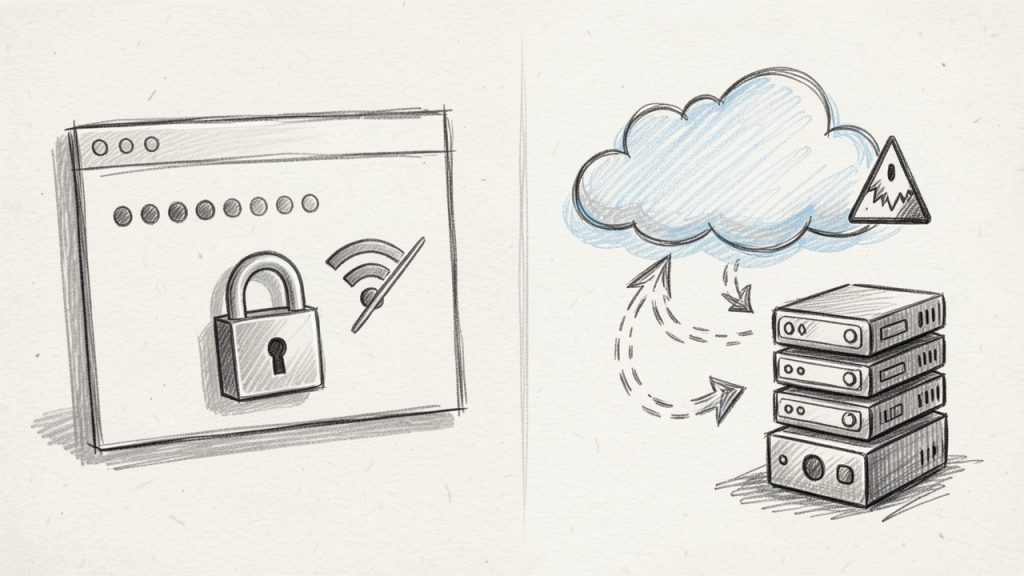
A good online password generator should ideally generate passwords locally in your browser, rather than sending them to a server, which reduces exposure and aligns with the basic principle of minimizing data transmission. Even if the password is only visible briefly, you want as little external handling as possible.
Generate locally when possible vs Avoid sending passwords to remote servers.
Transparency also helps. Reputable tools usually explain how passwords are generated, whether anything is stored, and what privacy protections are in place. If a site is vague, cluttered with suspicious ads, or pushes odd permissions, move on.
Strong passwords are only one part of security
Generating a strong password is a major step, but it is not the entire security strategy. Even the best password can be undermined if it is reused across sites, shared insecurely, or stored in a spreadsheet named “logins-final-final.”
This is especially relevant for small teams. A business may adopt stronger passwords but still struggle because credentials are copied into chat apps or shared through email. The real goal is not just stronger passwords, but stronger password practices.
That usually means combining a password generator with a password manager, enabling two-factor authentication, reviewing old accounts, and limiting access by role. Security improves most when these habits work together.
Common mistakes people still make
One of the most common mistakes is generating a strong password, then slightly modifying it for other accounts. That defeats much of the benefit. Attackers look for patterns, and small variations are easier to predict than most people realize.
Another frequent issue is prioritizing memorability over strength for every account. In reality, most passwords do not need to be memorized if they are stored in a secure password manager. Trying to remember all of them usually pushes people back toward weak, repeated patterns.
A third mistake is ignoring account importance. Not every login carries the same risk. Your email account, domain registrar, payment systems, cloud storage, and admin dashboards deserve the strongest possible credentials because they often act as gateways to everything else.
How to Get Started with Password generator online
Getting started is straightforward, but doing it well makes a noticeable difference. The goal is not simply to generate one strong password. It is to build a repeatable habit that improves your security across all accounts.
Start with your highest-risk accounts
If you have been using weak or repeated passwords, do not feel like you need to fix everything in one sitting. Start with the accounts that matter most. In most cases, that means your primary email, banking, password manager, cloud storage, and any business-critical software.
These are the accounts that can trigger broader compromise if accessed by an attacker. Securing them first gives you the highest return for your effort.
A practical first pass usually includes:
Email account: This is often the recovery hub for everything else.
Banking and payment tools: Financial systems need immediate attention.
Password manager: Protect the vault before anything else.
Business admin accounts: Hosting, domains, cloud tools, and client systems.
Frequently reused accounts: Replace any password that appears in multiple places.
Choose sensible generator settings
When using a password generator online, pick settings that fit both security and the platform you are using. For most modern websites, a random password of 16 or more characters that includes uppercase, lowercase, numbers, and symbols is an excellent choice.
If you expect to type the password manually, a passphrase or a password without ambiguous characters may be more practical. If a site has odd restrictions, adapt the output, but avoid over-simplifying just for convenience. It is better to use a long alphanumeric password than a short one with forced complexity.
Store passwords properly from day one
This step matters just as much as generation. If you create strong passwords but save them in insecure notes, browser text files, or shared documents, you lose much of the protection.
A password manager is the best companion to an online generator. It lets you create, store, and autofill unique passwords across services without relying on memory. For teams, it also creates safer sharing workflows and better visibility into who has access to what.
If you are a freelancer or business owner, this can also improve continuity. When tools, client portals, or financial platforms are stored properly, access is less likely to get lost during device changes, contractor handoffs, or urgent support situations.
Use passphrases when they make more sense
Not every account needs a dense string of characters that looks impossible to type. Sometimes a random passphrase is the smarter choice, especially for systems you access manually on multiple devices.
A well-generated passphrase made of unrelated words can offer strong security while remaining easier to enter accurately. The key is that the words must be random, not chosen from personal preferences or familiar phrases.
For example, a random passphrase works well for Wi-Fi access, encrypted backups, or accounts that require occasional manual login. For everything else, traditional random passwords are still a strong default.
Build a simple ongoing routine
A security habit only works if it is sustainable. The easiest approach is to use a generator every time you create a new account or change an old password. Make uniqueness your default, not your exception.
It also helps to review older accounts in batches. Update a few each week rather than turning it into a one-time project you never finish. Over time, your weakest credentials get replaced without creating unnecessary friction.
If you manage a team, set a clear standard. Encourage unique generated passwords, require two-factor authentication where possible, and avoid informal credential sharing. Good security is easier to maintain when the process is consistent.
What to look for in a good online password generator
Before choosing a tool, focus on a few practical signals of quality:
Feature
Why It Matters
Local browser generation
Reduces the chance of passwords being transmitted or logged remotely
Adjustable length
Lets you create stronger passwords for sensitive accounts
Character controls
Helps meet site requirements without weakening security
Passphrase option
Useful for manually entered credentials
Clear privacy information
Builds trust and shows security maturity
Clean interface
Reduces mistakes and speeds up everyday use
Conclusion
A password generator online is one of the simplest security upgrades you can make, and one of the most effective. It helps you create strong, unique passwords quickly, reduces reliance on predictable patterns, and supports better security across personal and business accounts alike.
The next step is practical. Pick a trustworthy generator, pair it with a password manager, and start by updating your most important accounts. Once strong password creation becomes part of your normal workflow, better security stops feeling like a chore and starts feeling automatic.
A free password generator online can either reduce account risk dramatically or create a false sense of security. The difference is not the button that says Generate. It is the implementation, the randomness source, the browser execution model, and what happens to the password after it is created.
Most online generators explain only the surface layer: choose a length, toggle symbols, copy the result. That is useful, but incomplete. Developers, security-conscious users, and teams need a more rigorous framework. They need to know whether the tool uses a CSPRNG, whether generation happens client-side or on a remote server, whether the page loads third-party scripts, and how much entropy the final password actually contains.
This guide covers both dimensions. First, it explains how online password generators work, how to evaluate their security properties, and how to use them safely. Then it ranks leading tools, including integrated password-manager options and simpler web utilities, so readers can choose the right generator for personal accounts, team workflows, or developer testing.
What a Free Password Generator Online Actually Is
Overview, definition and purpose
A free password generator online is a web-based utility that creates passwords or passphrases based on selectable constraints such as length, character classes, excluded symbols, and readability rules. In stronger implementations, the generator runs entirely in the browser and uses a CSPRNG such as window.crypto.getRandomValues() to produce unpredictable output. In weaker implementations, generation may rely on ordinary pseudo-random logic, server-side generation, or opaque scripts that offer little transparency.
Its purpose is straightforward, replace human-chosen passwords, which are typically short, patterned, and reused, with machine-generated secrets that are harder to guess, brute-force, or predict. A good generator acts as an entropy tool, expanding the search space beyond what a human would invent manually.
Use cases and audience
For individual users, an online password generator is useful when creating unique credentials for banking, email, shopping, streaming, and social accounts. The ideal workflow is not simply generating a password, but generating it and storing it immediately in a password manager so it never needs to be memorized or reused elsewhere.
For teams and developers, a generator can create service account credentials, bootstrap admin passwords, test fixtures, temporary secrets for development environments, or passphrases for controlled internal systems. There is an important distinction between human account passwords and machine-to-machine secrets. For production tokens, API keys, and long-lived cryptographic material, specialized secret-management systems are generally preferable.
Generated passwords are strongly recommended when the threat model includes credential stuffing, online guessing, password spraying, or database leaks. They are less suitable when a secret must be reproducible from memory without a password manager, in which case a high-entropy passphrase may be a better design.
How Online Password Generators Work, Mechanics and Algorithms
Randomness sources, PRNG vs CSPRNG
The critical implementation detail is the randomness source. A normal PRNG, pseudo-random number generator, can appear random while being predictable if an attacker can infer its state or seed. JavaScript’s Math.random() falls into this category. It is acceptable for UI effects, simulations, or non-security applications, but it is not appropriate for password generation.
A CSPRNG is designed so that its output remains computationally infeasible to predict, even if an attacker knows part of the internal process. In browsers, the standard interface is window.crypto.getRandomValues(). In Python, the corresponding secure interface is the secrets module. In Node.js, it is the crypto module.
When evaluating a free password generator online, this is the first technical question to answer. If the site does not clearly state that it uses browser-native cryptographic randomness, caution is warranted. If the implementation uses Math.random(), the tool fails a baseline security requirement.
Entropy measurement, bits of entropy explained
Password strength is often described in terms of entropy, usually measured in bits. In simplified form, if a password is chosen uniformly from a character set of size N and has length L, the total search space is N^L, and the entropy is:
entropy = log2(N^L) = L × log2(N)
That formula matters because many interfaces display strength bars without explaining the underlying math. Consider a 16-character password drawn uniformly from a 94-character printable ASCII set. The approximate entropy is:
16 × log2(94) ≈ 16 × 6.55 ≈ 104.8 bits
That is extremely strong for most real-world account scenarios. By contrast, an 8-character password using only lowercase letters has approximately 37.6 bits of entropy, which is dramatically weaker. Length has a compounding effect, which is why modern guidance generally prefers longer passwords over cosmetic complexity alone.
Entropy estimates only hold if selection is actually random. If a password is created with patterns, substitutions, or predictable templates, the effective entropy drops sharply. A password like Winter2026! looks varied but is easy for attackers to model.
Character set and policy constraints
Most generators allow the user to include or exclude uppercase letters, lowercase letters, digits, and symbols. Some also exclude ambiguous characters such as O, 0, l, and I, which improves readability but slightly reduces the search space.
These options are useful because many websites still enforce legacy password policies. Some require at least one symbol. Others reject certain punctuation. A good generator adapts to those constraints without pushing the user into weak choices.
The trade-off is simple, every restriction narrows the search space. Excluding half the symbols does not necessarily make a password weak if the length is sufficient, but excessive constraint can reduce entropy in measurable ways. This is why the best default setting is usually long first, complexity second.
Deterministic generators, passphrases and algorithmic derivation
Not every password generator is purely random. Some are deterministic, meaning the same inputs always produce the same output. These systems may derive passwords from a master secret plus a site identifier using mechanisms based on PBKDF2, HMAC, or related constructions.
This approach has practical advantages. A user can regenerate the same site-specific password without storing it anywhere, provided the derivation secret remains protected. It is conceptually elegant, but operationally stricter. If the derivation scheme is weak, undocumented, or inconsistently implemented, the entire model becomes fragile.
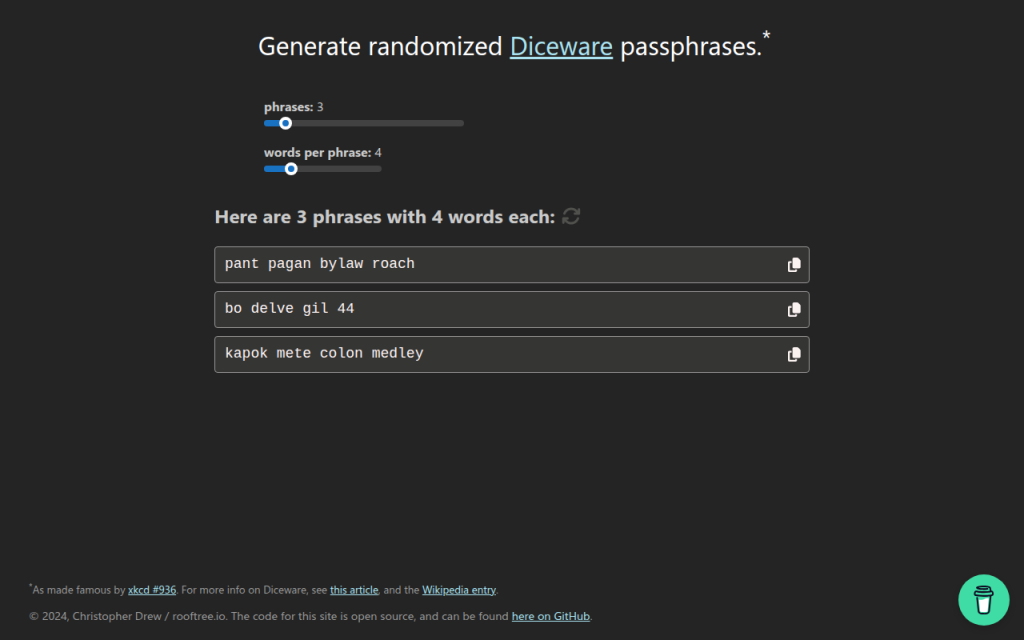
Passphrase generators occupy a related but distinct category. Instead of random characters, they select random words from a curated list, often in a Diceware-style format. A passphrase such as four or five truly random words can offer strong entropy while remaining easier to type and remember. For accounts that allow long credentials and do not require odd symbol constraints, passphrases are often an excellent choice.
Network and browser considerations, client-side vs server-side generation
A generator that runs client-side inside the browser is generally preferable because the secret does not need to traverse the network. The site still needs to be trusted to deliver unmodified code over HTTPS, but at least the password itself is never intentionally transmitted to the server.
A server-side generator can still produce strong passwords, but it creates a different threat surface. The server may log requests, retain generated values, expose them to analytics middleware, or leak them through misconfiguration. For this reason, transparent client-side generation is the stronger architecture for a public web utility.
Browser context also matters. Extensions with broad page access, injected third-party scripts, or compromised devices can observe generated passwords regardless of where the randomness originates. The generator is only one component in the trust chain.
Security Evaluation, Threat Model, Risks and Best Practices
Threat model matrix
The useful question is not whether an online generator is safe in the abstract. It is whether it is safe against a defined attacker model.
Threat / Attacker Capability
Relevant Risk
Strong Generator Property
Recommended Mitigation
Network observer
Password interception in transit
Client-side generation over HTTPS
Use TLS, prefer browser-side generation
Compromised website backend
Logged or stored generated passwords
No server-side generation
Audit architecture, avoid tools that transmit secrets
Malicious third-party script
DOM scraping or exfiltration
Minimal dependencies, strict CSP
Prefer sites with no analytics and no external scripts
Weak randomness attacker
Predictable output
CSPRNG only
Verify use of window.crypto.getRandomValues() or equivalent
Local malware / hostile extension
Clipboard or form capture
Direct save to manager, minimal clipboard use
Use clean device, trusted extensions only
Credential database breach
Offline cracking
High-entropy unique password
Use 16+ characters or strong passphrase
User reuse across services
Credential stuffing
Unique per-account generation
Store in password manager, never reuse
Common risks, logging, clipboard leakage and browser extensions
Even a technically solid free password generator online can be undermined by workflow mistakes. The most common one is the clipboard. Many users generate, copy, paste, and forget that clipboard history utilities, remote desktop tools, or OS-level syncing may retain the secret longer than expected.
Another risk is implicit telemetry. A site can advertise client-side generation while still loading analytics scripts, tag managers, A/B testing frameworks, or session replay tools. These scripts may not intentionally collect passwords, but every extra script expands the attack surface.
Browser extensions are another major variable. Password-related pages are high-value targets, and extensions with broad page permissions can inspect the DOM. The stronger the generator, the more important it becomes to reduce ambient browser risk.
Evaluating generator implementations
A serious evaluation should cover implementation transparency, transport security, and browser hardening signals. Inspect whether the page appears to generate secrets locally, whether the source is available for review, and whether it avoids unnecessary network calls when the password is created.
The strongest implementations typically combine HTTPS, HSTS, a strict Content Security Policy, minimal third-party JavaScript, and clear privacy documentation. If the generator is open-source, that adds auditability, though open source is not automatic proof of safety. It simply allows verification.
A particularly strong signal is a site that states the generation method explicitly, avoids tracking, and integrates directly with a password manager so the secret can be saved immediately rather than copied around manually.
Best practices for users
For most accounts, a practical default is 16 to 24 random characters using a broad character set, adjusted only when a site has compatibility limitations. For passphrases, 4 to 6 random words is often a strong and usable target.
Password rotation should be event-driven rather than arbitrary. A randomly generated, unique password does not become weak just because a calendar page turns. Change it when there is evidence of compromise, role change, policy requirement, or reuse exposure. This aligns with modern guidance such as NIST SP 800-63B.
Multi-factor authentication remains essential. A strong generated password mitigates one class of risk, but it does not neutralize phishing, session theft, or device compromise by itself.
How to Use a Free Password Generator Safely
Quick UI workflow
The safest manual workflow is compact. Open a trusted generator, set the desired length, include the required character classes, generate once, store immediately in a password manager, and then use it in the target account flow.
The key operational principle is to minimize exposure time. A password that exists briefly in a secure form field is better than one left in notes, chats, screenshots, or repeated clipboard copies.
Secure workflow, generate, save, clear
If the generator is integrated into a password manager, that is usually the best path because the password can be generated inside the vault or extension context and stored directly with the site entry. This removes several failure points, especially clipboard leakage and transcription mistakes.
If the workflow requires copying, paste it once into the target field or manager entry, then clear the clipboard if the operating system supports it. On shared systems, avoid browser-based generation entirely unless the environment is trusted.
Automation and APIs, minimal examples
For developers, a programmatic approach is often safer and more reproducible than ad hoc web usage.
JavaScript in the browser, using a CSPRNG:
function generatePassword(length = 20) {
  const charset = 'ABCDEFGHIJKLMNOPQRSTUVWXYZabcdefghijklmnopqrstuvwxyz0123456789!@#$%^&*()_+-=[]{}|;:,.<>?';
  const bytes = new Uint32Array(length);
  crypto.getRandomValues(bytes);
  let out = '';
  for (let i = 0; i < length; i++) {
    out += charset[bytes[i] % charset.length];
  }
  return out;
}

console.log(generatePassword(20));
This example uses crypto.getRandomValues(), not Math.random(). The modulo mapping is acceptable for many practical uses, though a rejection-sampling approach is preferable if exact uniformity across arbitrary charset sizes is required.
import secrets
import string

alphabet = string.ascii_letters + string.digits + "!@#$%^&*()_+-=[]{}|;:,.<>?"
password = "".join(secrets.choice(alphabet) for _ in range(20))
print(password)

print(secrets.token_urlsafe(24))
secrets.choice() is suitable for character-based passwords. token_urlsafe() is useful when URL-safe output is preferred, such as for temporary credentials or internal tooling.
Integrations, browser extensions, CLI tools and imports
Integrated generators are generally best for routine use because they connect generation and storage in one controlled flow. Browser extensions from established password managers reduce friction and encourage unique credentials across accounts.
For teams and developers, CLI tools and internal scripts can standardize password creation for service onboarding, test users, or admin bootstrap procedures. The core requirement remains the same: use system-grade cryptographic randomness and avoid writing secrets to logs, shell history, or CI output.
Comparison of Leading Free Online Password Generators
Comparative criteria
The most meaningful comparison points are not just convenience toggles. They are client-side CSPRNG support, transparency, passphrase capability, integration with a password manager, and the overall privacy posture.
The table below summarizes common decision criteria for leading tools.
Tool
Client-side CSPRNG
Open Source / Public Code
Passphrase Mode
Manager Integration
Privacy / Tracking Posture
Best For
Home
Strong emphasis on streamlined secure utility design
Limited public implementation detail visible externally
Varies by implementation scope
Useful if part of a broader efficiency workflow
Simplicity-focused
Users wanting a lightweight modern tool experience
Bitwarden Password Generator
Yes, within apps and vault ecosystem
Significant open-source availability
Yes
Excellent
Strong transparency reputation
Users who want generation plus secure storage
1Password Password Generator
Yes, via product ecosystem
Closed-source core product
Yes
Excellent
Strong vendor security documentation
Users prioritizing premium UX and account integration
LastPass Generator
Yes, product-based generation
Closed-source
Yes
Good
Mixed trust perception due to historical incidents
Existing LastPass users needing convenience
Random.org String Generator
Server-based randomness model
Not primarily an open-source client utility
No native passphrase focus
None
Different trust model
Users wanting atmospheric randomness for non-vault scenarios
PasswordsGenerator.net
Web utility style
Limited transparency compared to manager vendors
Basic options
None
Functional but less auditable
Quick one-off generation with custom rules
Decision matrix
If the goal is generate and store securely, Bitwarden and 1Password are the strongest mainstream choices because they integrate password creation directly with vault storage.
If the goal is simple web access with minimal friction, a lightweight online tool such as Home can be appealing, especially for users who want an efficient interface rather than a full vault workflow.
If the goal is developer experimentation or educational review, Random.org and simpler generator sites are useful contrast cases because they highlight architectural differences between server-side randomness, web UI convenience, and full password-manager ecosystems.
7. Diceware and Passphrase Tools
Diceware-style tools generate passwords from random word lists rather than mixed symbols and characters. This is not always the best fit for strict enterprise password rules, but it is often excellent for long credentials, master passwords, and human-memorable secrets.
The strength of Diceware comes from real randomness and sufficient word count. A short phrase chosen by the user is weak, but a phrase of four to six truly random words from a large list can be very strong. For readers who need a password they may occasionally type manually, this category is often more usable than high-symbol strings.
Many Diceware resources are free and open in spirit, often maintained as standards or simple utilities rather than commercial products.
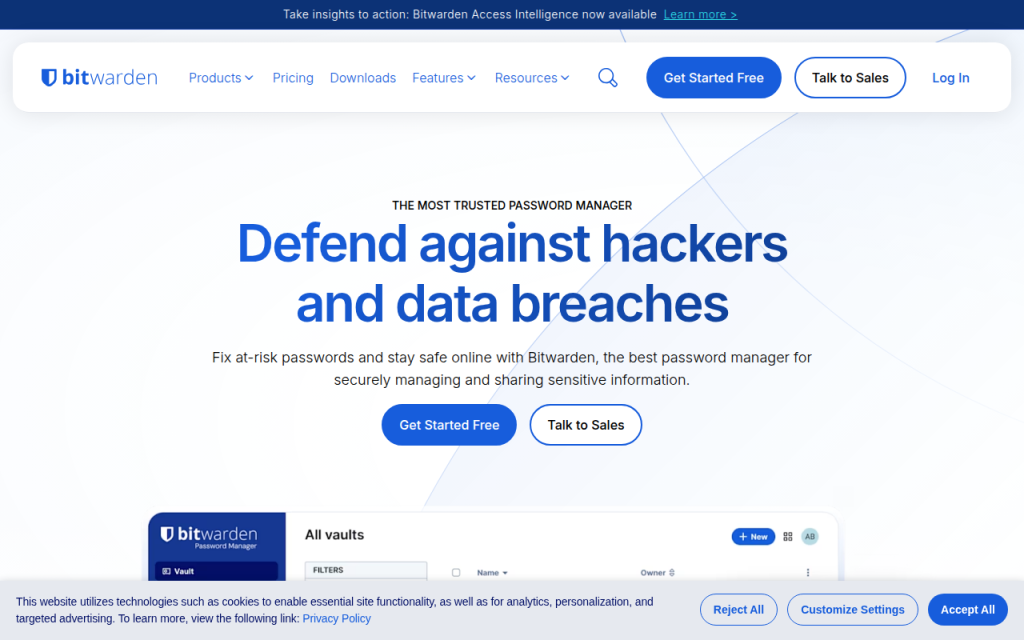
Bitwarden is one of the strongest options for users who want a free password generator online that also fits a rigorous security model. Its advantage is not only password creation, but direct integration with a password vault, browser extension, mobile app, and team workflows.
For most users, this is the ideal architecture. The password is generated in a trusted application context and stored immediately, which reduces clipboard exposure and eliminates the temptation to reuse credentials. Bitwarden is especially strong for technical users because of its transparency and ecosystem maturity.
Bitwarden supports both password and passphrase generation, vault integration across browsers, desktop, and mobile platforms, and team sharing capabilities. Its open-source footprint improves auditability and community review, and core generation features are available in the free tier, with paid upgrades for organizational functionality.
1Password offers a polished password generator tightly integrated with one of the most refined password-manager experiences on the market. It supports random passwords, memorable passwords, and account-centric workflows that reduce user error.
Operational quality is the core strength, with excellent UX and a system designed to create, store, autofill, and sync credentials securely. For users who are less interested in auditing implementation details and more interested in a dependable production-grade workflow, 1Password is a very strong choice. It is a primarily subscription-based product where the generator is part of a larger platform.
LastPass includes a generator within its broader password-management environment and also offers web-accessible generation features. It covers basics such as length, symbols, readability options, and password-manager integration.
The product is mature and easy to use, but past incidents affect trust perception for some security-conscious readers. That does not make the generator automatically unusable, but it does mean the trust decision deserves more scrutiny than with some competitors. Pricing includes free and paid tiers, with premium functionality behind subscription plans.
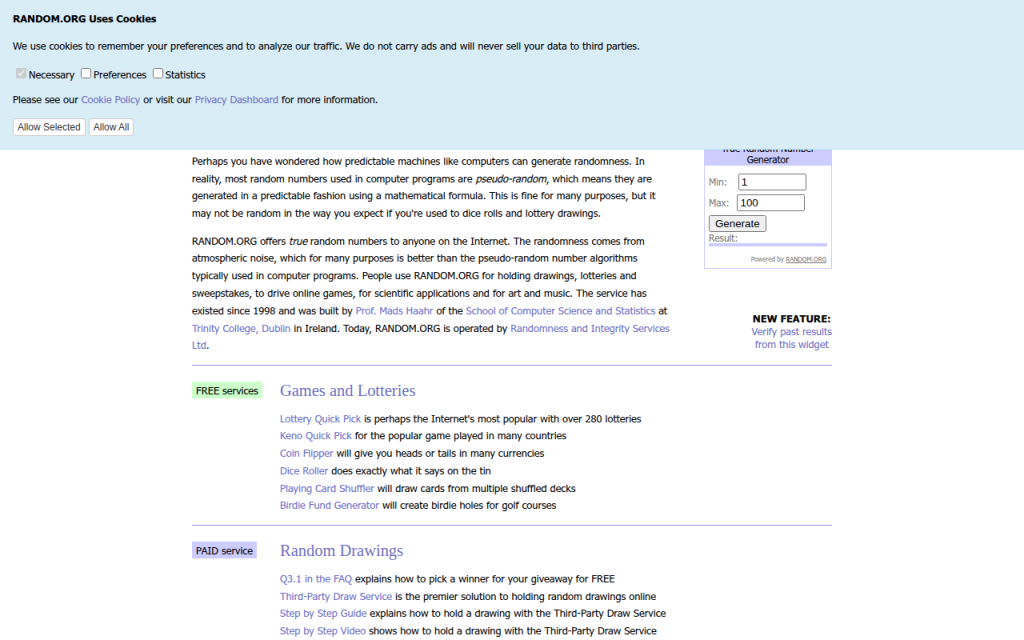
Random.org occupies a different category from typical client-side password generators. It is known for randomness services based on atmospheric noise, which gives it a unique reputation in broader random-data use cases.
For password generation, the architectural model differs from modern browser-side best practice. Because it is not primarily a password-manager-integrated, client-side vault workflow, it is better suited to users who want a general-purpose random string utility and understand the trust trade-offs involved. Basic public tools are available for free, while other services are billed by usage.
Home is a lightweight web property positioned around efficiency and streamlined utility usage. In the context of a free password generator online, its value is simplicity. For users who do not want a heavy vault interface every time they need a strong password, a clean and fast browser tool can be the right fit.
When well implemented, Home offers minimal friction, direct access, and a modern utility-first presentation. That matters because users often abandon secure workflows when the interface feels cumbersome. A simpler tool can improve actual adoption, which is a security gain in itself. Users should verify that the site uses client-side generation and avoids unnecessary tracking.
PasswordsGenerator.net is a classic example of the standalone web generator model. It provides fast access to common controls such as length, symbols, numbers, memorable output, and exclusion rules, making it convenient for quick one-off password creation.
The limitation is not usability, but transparency depth. Compared with password-manager vendors that publish more extensive security documentation and ecosystem details, simpler generator sites usually provide less context about implementation, threat model, and auditability. That does not automatically make them unsafe, but it raises the burden on the user to verify what the page is actually doing.
Building Your Own Secure Password Generator, Reference Implementation
Minimal secure JS example
For developers building a browser-based generator, the minimum viable standard is local execution with window.crypto.getRandomValues() and zero external dependencies in the generation path.
const DEFAULT_CHARSET =
  "ABCDEFGHIJKLMNOPQRSTUVWXYZabcdefghijklmnopqrstuvwxyz0123456789!@#$%^&*()_+-=[]{}|;:,.<>?";

function securePassword(length = 20, charset = DEFAULT_CHARSET) {
  if (!Number.isInteger(length) || length <= 0) throw new Error("Invalid length");
  if (!charset || charset.length < 2) throw new Error("Charset too small");

  const output = [];
  const maxValid = Math.floor(256 / charset.length) * charset.length;
  const buf = new Uint8Array(length * 2);

  while (output.length < length) {
    crypto.getRandomValues(buf);
    for (const b of buf) {
      if (b < maxValid) {
        output.push(charset[b % charset.length]);
        if (output.length === length) break;
      }
    }
  }
  return output.join("");
}

console.log(securePassword(20));
This version uses rejection sampling instead of a simple modulo on arbitrary ranges, which avoids distribution bias when the charset length does not divide the random byte range evenly.
Server-side generator, Node and Python
Server-side generation can be acceptable for internal systems, but it must be treated as secret-handling infrastructure. Logging, metrics, crash reports, and debug traces must all be considered in scope.
Node.js example:
const crypto = require("crypto");

function generatePassword(length = 20) {
  const charset = "ABCDEFGHIJKLMNOPQRSTUVWXYZabcdefghijklmnopqrstuvwxyz0123456789";
  const bytes = crypto.randomBytes(length);
  let out = "";
  for (let i = 0; i < length; i++) {
    out += charset[bytes[i] % charset.length];
  }
  return out;
}

console.log(generatePassword());
Python example:
import secrets
import string

def generate_password(length=20):
    alphabet = string.ascii_letters + string.digits
    return ''.join(secrets.choice(alphabet) for _ in range(length))

print(generate_password())
Security checklist for deployment
A secure deployment requires more than random generation code. The application should be served only over HTTPS, preferably with HSTS enabled. The page should use a strict Content Security Policy, avoid analytics and third-party scripts on the generator route, and pin external assets with SRI if any are necessary.
Code review should confirm that no generated values are written to logs, telemetry pipelines, or error-reporting systems. A strong generator page should function fully offline after initial load, or at least without transmitting the generated secret anywhere.
Tests and entropy verification
Basic tests should verify password length, allowed-character compliance, and absence of obvious bias under large sample sizes. For a web tool, developers should also inspect network traffic during generation to confirm that no requests are triggered by the action itself.
Entropy verification does not prove security, but it can validate configuration. If the charset has 62 symbols and length is 20, expected entropy is roughly 119 bits. That estimate helps document the intended security target and explain default settings to users.
Frequently Asked Questions
Are online generators safe?
They can be. The safest ones generate passwords client-side, use a CSPRNG, avoid third-party scripts, and let the user save directly into a password manager. A random-looking UI alone is not enough.
How many characters are enough?
For most accounts, 16+ random characters is a strong default. If using passphrases, 4 to 6 random words is often an excellent practical range. Requirements vary by system and threat model.
Are passphrases better than complex passwords?
Often, yes, especially when usability matters. A truly random passphrase can provide strong entropy while being easier to type and remember. For sites with rigid composition rules, random character passwords may still be the better fit.
Can I trust open-source more than closed-source generators?
Open source improves auditability, not automatic safety. A transparent project that uses browser CSPRNGs and publishes its implementation is easier to evaluate. A closed-source product can still be strong if the vendor has credible security engineering and a good operational record.
What if a site enforces weird password rules?
Adapt the generator settings to satisfy the site while preserving length. If a site rejects certain symbols, remove those symbols and increase length slightly. Modern best practice prioritizes entropy and uniqueness over arbitrary complexity theater.
Recommended Policy and Quick Reference
Quick-reference checklist
Choose a generator that uses client-side CSPRNG randomness, prefer tools integrated with a password manager, generate unique credentials for every site, and avoid exposing the result through notes, screenshots, or repeated clipboard use. For security-sensitive users and developers, verify that the site loads no third-party scripts during generation, that generation does not trigger network requests, and that the implementation is documented clearly enough to trust.
Recommended default settings
For general websites, use 16 to 24 characters, include upper and lower case letters, digits, and symbols unless compatibility issues force exclusions. For human-typed credentials or master-password-style use cases, consider 4 to 6 random Diceware-style words.
Do not rotate strong unique passwords on a fixed calendar without reason. Instead, change them when compromise is suspected, credentials are reused, devices are lost, or account scope changes. Always pair important accounts with multi-factor authentication.
Further reading and references
The practical standard reference is NIST SP 800-63B, which emphasizes password length, screening against known-compromised secrets, and avoiding outdated complexity rituals. Browser cryptography guidance from platform documentation is also essential for developers implementing client-side generation.
The fastest next step is to select one trusted tool from the list above, generate a new password for a high-value account, and save it directly into a password manager. That single workflow change usually delivers more real security than any amount of password advice read in theory.