JNTZN

Tag: publishing workflow

  • How to Create a New Manual Post

    Manual posting still matters, even in a landscape saturated with automation. When a workflow depends on precision, timing, compliance, or deliberate editorial control, a new manual post is not a step backward. It is often the most reliable way to publish exactly what needs to go live, in the form it was intended, with no hidden transformation in the background.

    For developers, operators, and teams focused on efficiency tools, the phrase can sound deceptively simple. A manual post is rarely just “publish by hand.” It usually sits inside a broader system of governance, content operations, versioning, platform constraints, and approval logic. Understanding how a manually created post fits into that system is what turns a one-off action into a repeatable, low-friction process.

    What is a manual post?

    A manual post is a content entry created directly by a person rather than generated, duplicated, syndicated, or pushed automatically by software. The exact implementation varies by platform, but the principle stays consistent. A human initiates the entry, defines the content, reviews the metadata, and confirms publication through an interface or controlled workflow.

    This matters because “manual” does not mean primitive. In many systems, manual posting is the highest-trust publication path. It is used when content must be reviewed line by line, when formatting must be exact, or when a post carries operational or legal significance. Teams working in CMS platforms, internal dashboards, community tools, social publishing systems, or product announcement pipelines often reserve manual posts for moments where automation would introduce unacceptable ambiguity.

    From an efficiency perspective, a manually created post is best viewed as a controlled write operation. It is a direct interaction between a user and a publishing system. That framing is useful because it shifts the conversation away from vague content tasks and toward concrete concerns such as validation, permissions, latency, auditability, and revision control.

    Why the term matters in modern workflows

    The phrase “new manual post” often appears in environments where there are multiple publishing modes. One post may be imported from a feed, another generated from a template, and another entered from scratch. The manual variant signals intent. It tells the system, and often the team, that the post has been individually authored or assembled with active oversight.

    That distinction becomes important when debugging operational issues. If a post fails to render correctly, arrives at the wrong time, or violates platform constraints, knowing it was created manually narrows the source of truth. The failure is less likely to be caused by upstream automation and more likely to be tied to editor input, field validation, permission scope, or platform-side formatting behavior.

    In technical organizations, this distinction also affects documentation. A workflow that includes a manually published post should define who can create it, what fields are required, what review path applies, and what happens after publication. Without that structure, manual work becomes inconsistent, and inconsistency is the enemy of efficiency.

    Key aspects of a manual post

    The first key aspect is control. A manual post gives the operator full visibility into the content at the moment of creation. Titles, descriptions, tags, categories, media attachments, links, and publication timing can all be inspected before the post goes live. In systems where automated transformations sometimes create edge-case errors, this level of inspection is extremely valuable.

    The second aspect is accountability. Manual posts usually leave a clearer editorial footprint. A user identity is attached to the action, timestamps are recorded, and revision histories can be tracked with greater confidence. For teams that need governance, especially in product communications, documentation updates, support notices, or public-facing announcements, this traceability is not optional. It is a core requirement.

    The third aspect is friction, and this is where efficiency questions become serious. Manual posting is slower than automation when volume is high. It introduces human dependency, and with that comes interruption cost, formatting inconsistency, and the risk of skipped fields. The goal is not to eliminate manual posting altogether, but to make it deliberate. A high-performing team decides which posts must be manual and then optimizes the path for those specific cases.

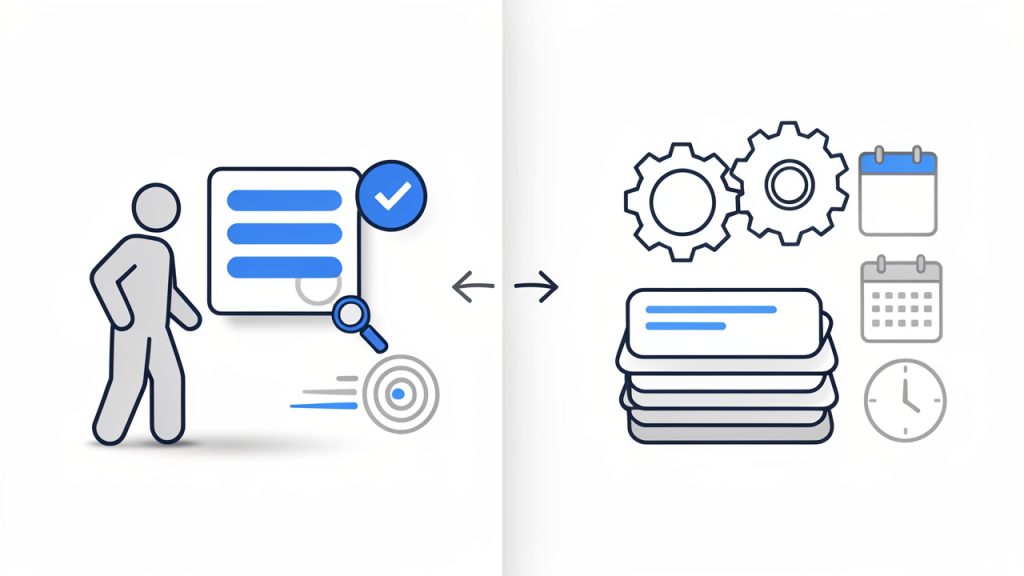
    Manual posting versus automated publishing

    The practical difference between manual and automated publication is not only speed. It is also how decisions are made. Automated systems excel when inputs are structured and rules are stable. Manual systems are better when content quality depends on judgment, nuance, or situational context that is difficult to encode.

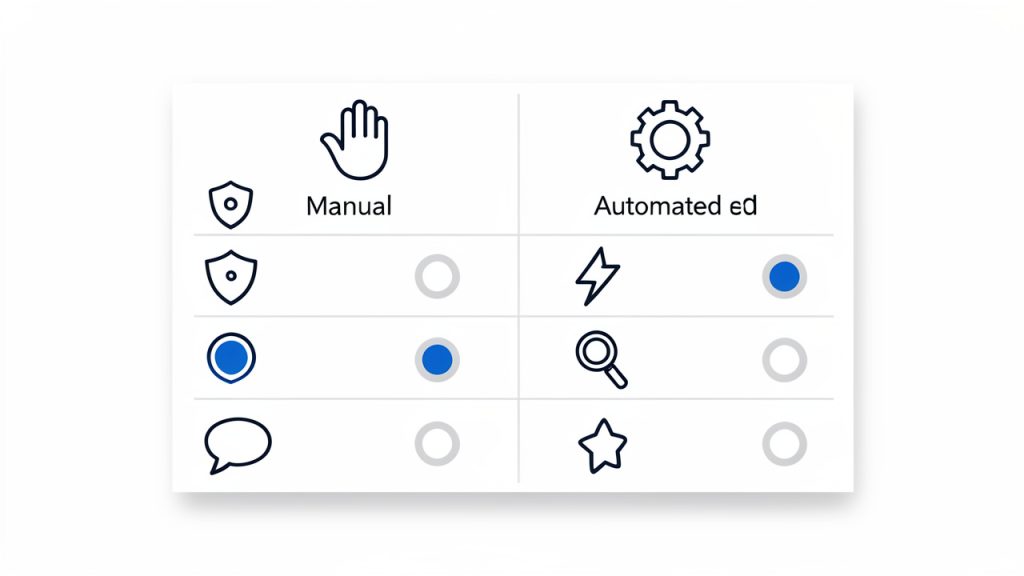
    The following comparison makes that trade-off clearer:

    Dimension Manual post Automated post
    Control High, each field reviewed directly Moderate to high, but rule-dependent
    Speed Slower for high-volume publishing Faster at scale
    Flexibility Strong for exceptions and edge cases Strong for predictable patterns
    Consistency Depends on process discipline Depends on automation quality
    Auditability Usually clear user-level action tracking Clear if logging is implemented well
    Error profile Human input mistakes Data mapping or logic errors
    Best use case Sensitive, custom, reviewed content Repetitive, structured publishing

    For developers and technical operators, this table highlights the central truth. Manual posting is not “better” in the abstract. It is better when the content or context demands human discretion. Automated posting is not “smarter” simply because it is faster. It is smarter when the workflow is stable enough to justify abstraction.

    Structural components that define a good manual post

    A well-designed manual post workflow begins with a clear content schema. Even if the post is created by hand, the system should define exactly what constitutes a valid entry. Typical components include the title, body, excerpt, slug, taxonomies, media references, status, visibility, and publish timestamp. If any of those are optional in practice but required in outcome, the system should make that explicit.

    The next component is validation. A manual form without validation invites silent failure. Missing alt text, malformed links, oversized media, duplicate slugs, or incorrect tags can all degrade downstream performance. Efficient tools reduce this risk by checking inputs early. This is where platforms such as Home can provide real value, especially when teams need a cleaner environment for controlled publishing and repeatable review.

    The final component is editorial state. A manually created post should not exist in a binary draft-or-published model unless the workflow is extremely simple. In mature systems, content often passes through draft, review, approved, scheduled, and published states. That structure preserves the benefits of manual control while reducing the chaos that usually comes from ad hoc publishing.

    How to get started with manual posting

    Starting well is less about writing quickly and more about reducing avoidable decisions. Before creating a manual post, the operator should know the post objective, target audience, publication destination, required metadata, and approval conditions. When those inputs are unclear, even a simple post can become a costly revision cycle.

    A practical setup usually begins with a template, not for automation, but for consistency. Templates standardize field order, naming conventions, content length expectations, and review notes. This gives manual posting the same structural benefits people normally associate with scripted workflows. The result is a system that remains human-controlled without becoming messy.

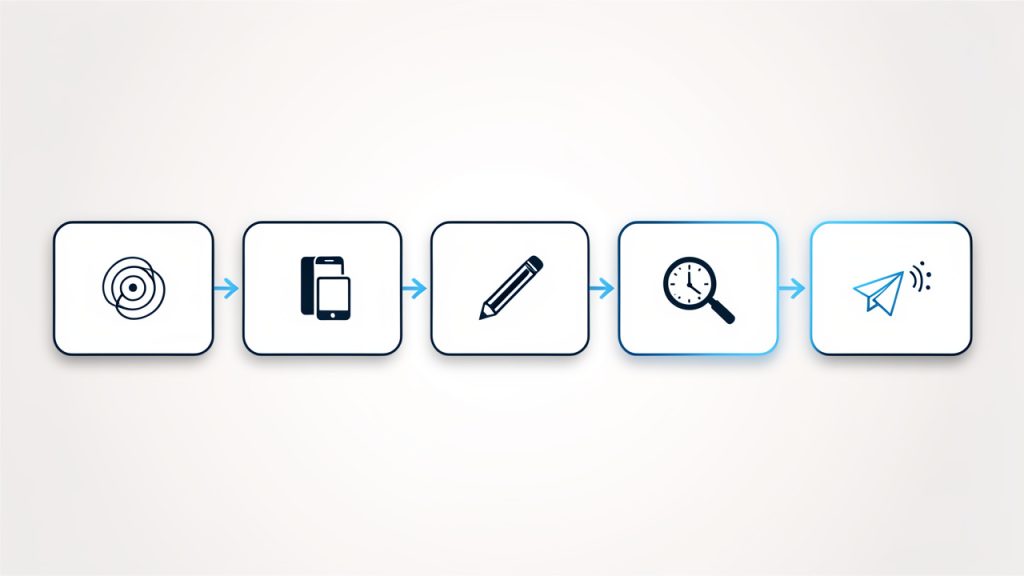
    A simple starting sequence

    1. Define the post type and confirm whether the content truly needs manual handling.
    2. Prepare the core assets, including title, body copy, links, media, and metadata.
    3. Create the post manually in the publishing interface and validate each field.
    4. Review formatting and permissions before saving, scheduling, or publishing.
    5. Log the action if the workflow requires audit or downstream coordination.

    This sequence is intentionally compact. The important point is not the number of steps, but the consistency of execution. Repetition creates operational clarity, and operational clarity is where efficiency gains usually appear.

    Common mistakes at the start

    One of the most common mistakes is treating manual entry as an informal process. Teams often assume that because a person is creating the post, quality is self-evident. It is not. Manual work without standards tends to produce variation in naming, categorization, tagging, formatting, and approval documentation.

    Another frequent issue is overloading the editor with decisions at creation time. If the user must choose among too many categories, status options, field variants, and formatting rules, the post slows down and error rates rise. Good efficiency tools solve this by constraining the interface. They do not remove manual control, but they reduce ambiguity. This is why a platform like Home can be useful when the objective is not just publishing, but publishing with less cognitive overhead.

    There is also the problem of hidden dependencies. A manually published post may look correct on the editor screen but fail in the live environment because of missing integrations, theme constraints, API-dependent embeds, or role-based visibility settings. The solution is to test the rendered output, not just the input form.

    Building an efficient manual posting system

    Efficiency does not come from speeding up typing. It comes from reducing rework. That means defining a repeatable schema, enforcing validation rules, using clear approval states, and maintaining documentation that reflects actual publishing behavior rather than idealized process diagrams.

    Teams that manage frequent manual posts should also measure operational signals. Time to publish, revision count, metadata completeness, post-publication corrections, and approval latency are all useful indicators. These metrics reveal whether manual posting is being used intentionally or as a fallback for broken automation.

    A practical model is to reserve manual posting for scenarios such as executive communications, incident notices, high-visibility announcements, or content that requires customized presentation. Everything else can be evaluated for partial automation. This hybrid approach preserves precision where it matters and scale where it is safe.

    Conclusion

    A manual post is not just a piece of content entered by hand. It is a publishing method defined by control, traceability, and human judgment. For developers and teams seeking efficiency tools, the real value lies in designing a workflow where manual posting is structured, validated, and easy to execute without unnecessary friction.

    The next step is to audit the current publishing process. Identify which posts genuinely require manual creation, document the required fields and approval states, and standardize the interface around that reality. If the current toolset makes manual publishing slower or more error-prone than it should be, moving that workflow into a more disciplined environment such as Home can make the process far more reliable.


  • How to Create a New Manual Post That Matters

    The phrase “new manual post” can sound deceptively simple. At first glance, it feels like a phrase that should explain itself. Yet for many small business owners, freelancers, developers, and productivity-focused users, the real question is not just what a new manual post is, but when it matters, why it still has value, and how to use it effectively in a world built around automation.

    That tension is real. Most modern tools promise scheduling, syncing, auto-publishing, and one-click workflows, and those features save time, but they can also create distance between the creator and the content. A manually created post, especially a new one prepared with intention, often gives you more control over timing, accuracy, tone, formatting, and context. In many situations, that control is exactly what makes the difference between content that merely appears online and content that actually works.

    If you have come across the term new manual post while managing a website, social feed, CMS, forum, internal dashboard, or publishing tool, this guide will clarify what it means in practical terms. More importantly, it will show you how to approach manual posting strategically, so the process stays efficient instead of becoming another repetitive task.

    What Is a New Manual Post?

    A new manual post generally refers to a piece of content that is created and published by a person directly, rather than generated, imported, duplicated, or automatically scheduled by software. The exact meaning can vary by platform, but the core idea remains consistent, a human is intentionally initiating the post and deciding what appears, when it appears, and how it is presented.

    In a content management system (CMS), a new manually created post might mean opening the editor, writing the title and body, adding media, selecting categories, and publishing it yourself. In that sentence, link “the editor” points to a visual tool, which you can explore for a guided editing experience: the editor.

    On social media, it can mean typing and posting an update directly rather than relying on a scheduler or an automation tool. In a forum, knowledge base, or internal workflow platform, it can refer to entering a fresh post or record by hand instead of using templates, API feeds, or batch imports.

    That distinction matters because manual posting is often tied to precision. When something is time-sensitive, brand-sensitive, or dependent on human judgment, manual creation becomes an advantage rather than a limitation. For example, a business responding to a local event, a freelancer publishing a portfolio update, or a developer documenting a product change may all benefit from reviewing every word before posting.

    There is also a quality element here. Automated systems are excellent at scale, but not always at nuance. A new post created manually can reflect current context, adapt to audience expectations, and avoid awkward errors that come from generic workflows. It is the digital equivalent of writing a note yourself instead of sending a prewritten template. Both are valid, but they do not have the same effect.

    Key Aspects of a New Manual Post

    Control Over Content and Timing

    One of the biggest strengths of a new manual post is editorial control. You decide the language, the structure, the formatting, and the moment of publication. That may sound basic, but in practice it is powerful.

    Consider a small business announcing a flash promotion. If the wording needs to be adjusted based on stock levels, customer questions, or local conditions, a manually published post allows immediate refinement. You are not locked into a preloaded message set days earlier. You can adapt in real time, which often leads to more accurate and more effective communication.

    Timing is equally important. Automated systems publish according to rules, and manual publishing responds to reality. If your audience is suddenly active because of breaking news, an industry update, or a product launch, posting manually lets you meet the moment with relevance instead of sticking to a rigid schedule.

    Greater Accuracy and Context

    A manually created post often performs better in situations where context matters. This is especially true for updates involving pricing, policy changes, technical notices, project milestones, or client communication. In these cases, accuracy is not optional. It is part of trust.

    When you create a post manually, you are more likely to catch inconsistencies, outdated references, missing links, or misleading phrasing. That extra human review acts as a quality filter. It helps ensure the message matches the current situation, not just the template it came from.

    For developers and technical teams, this can be particularly valuable. A release note, incident update, or changelog entry may require nuance that automation cannot always provide. Users do not just want information, they want the right information, stated clearly, with the right level of detail.

    Better Fit for Sensitive or Custom Messaging

    Not every message should be automated. A new post created manually is often the better route when the content is personal, reactive, or highly specific. Announcements tied to customer feedback, service disruptions, one-time promotions, or public responses usually benefit from direct oversight.

    Freelancers can use manual posts to shape a more authentic voice. Instead of publishing the same type of update every week, they can tailor each post to current work, audience interest, or portfolio goals. That keeps content from feeling mechanical. It also helps maintain a stronger professional identity.

    The same applies to small brands trying to appear more human online. Audiences are quick to notice when every post sounds system-generated. Manual publishing introduces variation, personality, and intention, which often leads to stronger engagement over time.

    Slower Workflow, but Smarter Decisions

    There is a trade-off. Manual posting is slower than automation, at least on the surface. It takes time to write, review, format, and publish each item individually. For teams handling large volumes of content, that can feel inefficient.

    Still, speed is not the only metric that matters. A slower workflow can sometimes produce better decisions. When someone pauses to manually prepare a post, they are more likely to ask useful questions about clarity, channel appropriateness, and timing. Those questions improve quality. They also reduce the chance of publishing content that creates confusion, damages credibility, or simply adds noise. In that sense, a manual post is not just a publishing method, it is a decision-making checkpoint.

    Where Manual Posting Works Best

    A new manual post is especially useful in environments where customization matters more than volume. The table below shows how manual posting compares with automated posting in common scenarios.

    Scenario Manual Post Advantage Automated Post Advantage
    Time-sensitive announcements Better real-time judgment and wording Faster bulk distribution if preplanned
    Social media engagement More authentic and reactive communication Easier consistency across many posts
    Blog publishing Better editorial review and SEO refinement Useful for scheduled content calendars
    Technical updates Higher accuracy and context Efficient for repetitive status updates
    Client communication More personal and tailored messaging Helpful for standard reminders

    The important takeaway is that manual and automated posting are not enemies. They serve different purposes. The best workflows usually combine both, using automation for repeatable tasks and manual publishing for moments that require attention and judgment.

    How to Get Started With a New Manual Post

    Start With the Purpose, Not the Platform

    Before writing anything, define what the post is supposed to accomplish. This step is often skipped, which is why many posts end up sounding vague or unnecessary. A new manually prepared post should have a clear reason to exist.

    Ask yourself whether the post is meant to inform, promote, clarify, update, or invite action. A business update should not read like a sales pitch unless sales are the actual goal. A product post should not be overloaded with detail if the goal is simple awareness. When the purpose is clear, decisions about structure, tone, and length become much easier.

    This approach also saves time. Instead of endlessly editing a post that feels off, you shape it around a defined outcome. That keeps the process focused and prevents manual posting from turning into unstructured improvisation.

    Build a Simple Creation Process

    A good manual workflow should feel deliberate, not complicated. You do not need a large system to make it work. In most cases, a lightweight process is enough to maintain consistency without sacrificing flexibility.

    A practical starting process usually includes these actions:

    1. Define the goal for the post.
    2. Draft the message in plain language.
    3. Review for clarity and accuracy before publishing.
    4. Add links, images, or formatting only where they improve the message.
    5. Publish and monitor response so you can adjust if needed.

    That sequence keeps manual posting manageable. It also reduces the common temptation to overdesign every post. The goal is not perfection, the goal is publishing something clear, useful, and well-timed.

    Focus on Readability and Structure

    Even a short manual post should be easy to scan. Most readers do not consume digital content word by word. They look for signals, a clear opening, relevant details, and a reason to care.

    That means your manually created post should use direct language, short paragraphs, and a logical flow. If the message contains important details such as dates, links, feature changes, or action steps, place them where they are easy to find. Do not bury critical information under a long introduction.

    For productivity-minded users, this is especially important. A post can be well written and still fail if it wastes attention. Manual posting should give you more control over readability, not less. Use that advantage.

    Keep Branding Consistent Without Sounding Robotic

    One challenge with manual posting is inconsistency. If every post is written from scratch, tone and messaging can drift. That is why it helps to define a few internal standards for voice, style, and structure.

    You do not need a long brand manual. A short set of guidelines can be enough. For example, decide how formal your tone should be, how you refer to products or services, whether you use short or detailed calls to action, and how you format links or updates. These small decisions create a more professional experience.

    At the same time, avoid making every manual post sound identical. Consistency should support trust, not erase personality. The best manually written posts feel cohesive, but still responsive to the situation.

    Use Manual Posting Where It Adds Real Value

    The smartest way to use a new manual post is not to apply it everywhere. It is to use it where it creates a meaningful advantage. If a recurring update is always the same, automation may be the better tool. If a message needs judgment, nuance, or human tone, manual creation is likely worth the effort.

    This mindset matters for small teams and solo professionals who cannot afford wasted motion. Manual posting should be treated as a high-value publishing option, not as the default for everything. That helps preserve time while protecting quality where quality matters most.

    A useful way to decide is to compare effort against impact.

    Type of Content Best Approach Reason
    Weekly standard reminders Automated Low variation, repeatable format
    New service announcement Manual Needs tailored messaging and positioning
    Urgent customer update Manual Requires judgment and clear context
    Scheduled promotional series Mixed Automate the base, adjust key posts manually
    Internal knowledge entries Manual or mixed Depends on complexity and accuracy needs

    This kind of filtering helps you build a workflow that is realistic. It also prevents burnout, which is a real risk when every post is handled manually without a clear reason.

    Conclusion

    A new manual post is more than a basic publishing action. It is a deliberate choice to create and publish content with human oversight, direct control, and contextual awareness. In environments where accuracy, tone, and timing matter, that choice can significantly improve results.

    If you want to get started, begin small. Pick one kind of content that benefits from a manual approach, create a simple review process, and pay attention to how the quality changes. Over time, you will find the right balance between automation for efficiency and manual posting for precision. That balance is where effective digital communication usually lives.

    For additional context on platforms and publishing tools, learn more about content management systems here: content management system.

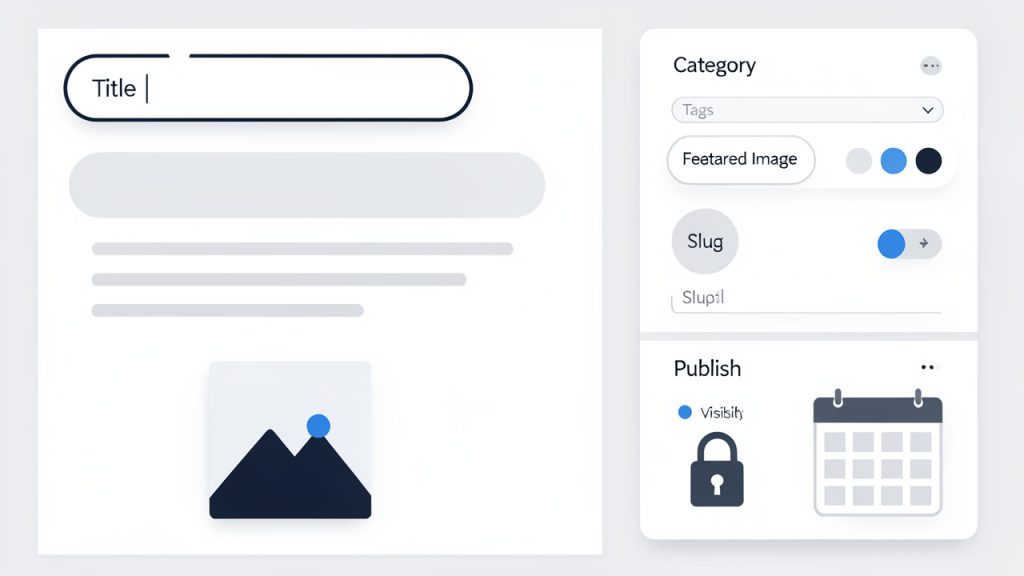
    Screenshot of a manual post editor

    Watch a quick primer on manual vs. automated publishing: https://www.youtube.com/watch?v=dQw4w9WgXcQ

  • How to Create a New Manual Post That Resonates

    The phrase new manual post can sound simple, but in practice it often points to something many small businesses, freelancers, and creators struggle with every day, publishing content by hand with intention instead of relying entirely on automation. That matters more than most people think. When you create a post manually, you control the message, the timing, the tone, and the details that automated systems often flatten.

    For people juggling marketing, client work, product updates, and daily operations, manual posting can feel inefficient at first, but it is often the fastest route to clarity and quality, especially when you are testing ideas, announcing something important, or trying to sound more human online. A new post created manually gives you space to be precise, relevant, and responsive in a way scheduled templates rarely can.

    This guide explains what a manual post is, why it still matters, and how to use a manually created post as a practical tool for communication, visibility, and productivity.

    What Is a New Manual Post?

    A manually created post is a piece of content you create and publish directly, rather than generating it through automation, bulk scheduling, or cross-posting tools. The exact format depends on the platform. It could be a blog update, a social media post, a community announcement, a product note, or even an internal team message. What makes it manual is not the channel, but the process. You write it, review it, and publish it intentionally.

    That distinction matters because manual posting usually reflects a real moment. It responds to a current event, a timely customer question, a fresh idea, or a specific business need. Instead of filling a calendar slot, it serves a purpose. For small teams and independent professionals, that kind of precision often outperforms content created just to stay active.

    A manually created post also gives you more control over nuance. Automation is useful for consistency, but consistency without context can become noise. A new post written by hand allows you to adapt your wording, make your tone more natural, and speak directly to the people you want to reach. This is especially useful when trust, clarity, and responsiveness are part of your brand.

    Why Manual Posting Still Matters

    Many businesses assume smarter systems always produce better outcomes. In reality, automated publishing is only as good as the strategy behind it. If the message is weak, generic, or poorly timed, automation simply helps you publish weak content faster.

    Manual posts are different because they force a brief moment of thought. You ask, why am I posting this now, who is it for, and what should happen after someone reads it? Those questions improve quality. They also reduce the common problem of publishing for appearance instead of value.

    This is particularly important for audience-facing communication. A local service business, a solo consultant, or a startup founder often benefits more from one sharp, relevant post than from ten generic updates. The manual approach encourages that sharper standard.

    Where a manually created post is commonly used

    A manually created post appears in more places than people realize. On social platforms, it may be a quick update tied to current customer interest. On a website, it may be a timely article or announcement. In a project or collaboration tool, it may be an update designed to keep a team aligned.

    The common thread is intentional publishing. The post is created because it needs to exist, not because the system says it is time to publish something. That subtle difference often changes both the quality of the content and the way people respond to it.

    Key aspects of a manually created post

    The most important quality of a manually created post is intentionality. A manual post starts with a reason. That reason might be to educate, announce, clarify, promote, or respond. If you cannot identify the reason quickly, the post usually becomes vague. Intent acts like a filter. It helps you choose the right angle, length, and call to action.

    Another key aspect is tone. Manual posts tend to sound more human because they are written for a specific moment. They can acknowledge urgency, show personality, or answer a real question in plain language. This matters because audiences are increasingly good at spotting content that sounds over-processed. Even if they cannot explain why, they can feel the difference between a post written to communicate and a post written to fill space.

    Relevance and timing

    A manually written post often performs well because it is close to the moment that inspired it. Timing is not just about trending topics. It is also about internal timing, such as launching a service, announcing a feature, updating customers, or clarifying a policy. Publishing close to the moment gives the content energy and relevance.

    That immediacy is valuable in business communication. If a customer concern appears repeatedly, a manual post can address it directly. If a product update changes how people use your service, a quick post can reduce confusion. If market conditions shift, your messaging can shift with them.

    Automation usually works best for repeatable content. Manual posting works best for meaningful content. Most brands need both, but they should not confuse one for the other.

    Quality control and accuracy

    A manually created post can also improve accuracy. When you publish by hand, you are more likely to notice awkward wording, outdated references, broken assumptions, or tone issues. That extra review step helps protect credibility.

    This is especially important for small businesses and freelancers, where every public message reflects directly on the person behind it. A rushed or generic post can make a capable business look careless. A clear, concise manual post can make even a small operation appear thoughtful and trustworthy.

    Flexibility across platforms

    Another strength of the manual approach is flexibility. A manually created post can be shaped to fit the platform instead of forcing one generic message everywhere. A website article may need context and depth. A social post may need brevity and immediacy. A client-facing update may need reassurance and clarity.

    That flexibility matters because platform behavior changes how people read. The same message can succeed or fail based on how well it matches the environment. Manual posting gives you room to adapt without losing meaning.

    Manual posting versus automated posting

    The difference between manual and automated publishing becomes clearer when viewed side by side.

    Aspect Manual Post Automated Post
    Control High control over wording, timing, and tone Often limited to pre-set rules or templates
    Speed Fast for single timely updates Fast for large-scale recurring publishing
    Personalization Easier to tailor to current context Can feel generic if not carefully configured
    Consistency Depends on your workflow Strong for maintaining schedules
    Best Use Case Announcements, timely responses, nuanced messaging Recurring campaigns, evergreen content, routine scheduling

    This comparison does not suggest one method is always better. It shows that a manually created post is strongest when context matters more than scale.

    How to get started with a manually created post

    The easiest way to start is to stop thinking about the post as content and start thinking about it as communication. Ask yourself what someone needs to know, feel, or do after reading it. That single shift can improve clarity immediately. Instead of trying to sound impressive, focus on being useful.

    Before writing, define the purpose in one sentence. For example, you may want to announce a new offer, explain a change, answer a common question, or share a useful observation. If the purpose feels blurry, the post usually will too. A manual post works best when it is built around one clear idea.

    Start with a strong core message

    Every good manual post has a center. That center is the message you would say out loud if someone asked what the post is about. If you cannot say it simply, rewrite it until you can.

    A practical structure works well here. Begin with the most important point. Follow with a brief explanation. End with the next step. This pattern works across most formats because it respects the reader’s time. It also helps productivity-minded users avoid overediting and second-guessing every line.

    Shorter is often better, but shorter does not mean shallow. A concise post can still carry authority if the message is specific. Compare a vague line like “We have exciting news” with a direct line like “We now offer same-day turnaround for standard client requests.” Specificity builds trust.

    Match the post to the platform

    A manually created post should fit the place where it appears. If you are posting on a website, readers often expect context, clarity, and discoverable keywords. If you are posting on social media, they expect speed, relevance, and a cleaner opening line. If you are publishing inside a team or customer portal, usefulness matters more than style.

    Many people lose momentum by trying to write one perfect version for every platform. A better approach is to create one core message and adapt it lightly. Keep the idea consistent, but let the wording change to match the channel.

    Use a simple publishing workflow

    You do not need a complex system to publish manual posts effectively. You need a repeatable routine that keeps quality high without slowing you down.

    A practical workflow can be as simple as this:

    1. Define the goal, decide what the post should achieve.
    2. Write the main point first, lead with the clearest takeaway.
    3. Edit for clarity, remove filler, jargon, and repeated ideas.
    4. Publish with intent, choose the right time and channel.

    That process is lightweight enough for a solo user and structured enough for a small team. It also reduces one of the biggest productivity problems in content creation, spending too much time polishing a message that was never clear to begin with.

    Common mistakes to avoid

    Many manual posts fail for predictable reasons. They say too much, hide the main point, or try to sound polished at the expense of sounding real. Another common issue is writing from the business perspective only, without translating the message into reader value.

    The strongest manual posts avoid those traps. They make the reader’s context visible. They answer the unspoken question, why should I care? That one habit separates useful updates from forgettable ones.

    It also helps to avoid publishing just because you feel you should. A manually written post should have a reason to exist. If there is no message, no insight, no update, and no action to support, waiting is often the better choice.

    A practical checklist before you publish

    Before you publish a manually created post, review a few essentials:

    • Purpose: Is the main point obvious within the first sentence or two?
    • Audience: Does the wording make sense for the people reading it?
    • Clarity: Have you removed vague phrases and unnecessary filler?
    • Action: Is it clear what the reader should do or understand next?

    This short check prevents avoidable mistakes while keeping your workflow fast. For busy professionals, that balance matters. A good process should support action, not create friction.

    Conclusion

    A manually created post is more than a basic publishing action. It is a deliberate way to communicate with clarity, timing, and control. For small business owners, freelancers, developers, and anyone focused on efficient workflows, manual posting remains a valuable skill because it helps you respond to real situations with messages that feel relevant and human.

    The next step is simple. Create one new post manually this week with a single purpose in mind. Keep it clear, specific, and useful. Measure the response, refine your approach, and treat manual posting not as extra work, but as one of the most direct ways to say something that actually matters.

  • Create Manual Posts with Control and Speed

    A new manual post sounds simple until it becomes a bottleneck. The moment a team relies on repetitive publishing steps, copy-paste workflows, scattered approvals, and inconsistent formatting, “manual” stops meaning “controlled” and starts meaning slow, error-prone, and expensive.

    For developers and efficiency-focused operators, the value of a manual post is not in the act of posting itself. It is in the precision, auditability, and intentional control that manual execution provides. When handled correctly, a manually created post can serve as a reliable publishing unit, a documented operational artifact, and a checkpoint in a broader content or product workflow.

    What is a manually created post?

    A manually created post refers to content that is created, configured, and published through direct human action rather than through automation, scheduled generation, or API-driven workflows. In practical terms, this usually means a user opens an editor or a publishing interface, enters the content, sets metadata, reviews formatting, and pushes the post live using an explicit sequence of steps.

    This model remains relevant even in heavily automated environments. Automation is excellent for repeatability, but it is often weak at handling nuance. A manually created post is useful when the content requires editorial judgment, case-specific formatting, legal review, stakeholder approval, or contextual timing that a rule-based system cannot safely infer.

    From a systems perspective, a manually created post is not merely “non-automated content.” It is a controlled intervention point in a publishing pipeline. That distinction matters. In a mature workflow, manual posting is often reserved for high-impact updates, sensitive announcements, documentation corrections, release notes, landing page changes, or operational messages where accuracy outweighs speed.

    Why manual posting still matters

    The assumption that automation should replace every manual process is usually too simplistic. In practice, teams need a balance between automation for scale and manual control for exceptions. A manually created post sits on the control side of that equation.

    For example, a product team may automate recurring blog syndication but still require manual handling for incident communications. A documentation team may use templates and content generation tools but insist on a manual post for version-specific deprecation notices. In both cases, the manual path exists because risk is higher than routine.

    That is why this approach often appears in operational contexts where governance matters. It is less about content volume and more about trust, visibility, and precision.

    Key aspects of a manually created post

    A useful way to understand manual posting is to break it into its operational properties. The post itself is only one layer. The surrounding mechanics, input quality, formatting discipline, approval logic, and publication environment are what determine whether the process is efficient or fragile.

    Human control and intentional publishing

    The defining feature of a manual post is intentional execution. Every field, every setting, and every action is chosen by a person. That creates friction, but it also creates accountability.

    This matters in environments where the cost of a mistake is high. A mistimed product announcement, a broken internal knowledge update, or an incorrect support notice can create confusion fast. Manual posting introduces a reviewable path in which a responsible user can validate content before publication.

    The trade-off is obvious. Human control improves judgment, but it also increases the chance of inconsistency. One user may apply proper taxonomy and metadata while another may skip key fields. This is why manual workflows require structure, not just access.

    Format consistency and structural integrity

    A manually created post is often where formatting drift begins. Without templates or validation rules, headings become inconsistent, tags lose meaning, metadata fields are omitted, and internal linking patterns deteriorate over time.

    For technical teams, formatting should be treated as a schema problem, even when content is entered by hand. A manual post still benefits from predefined field expectations, naming conventions, slug patterns, category logic, and content blocks that reduce ambiguity.

    The difference between a clean manual workflow and a chaotic one is rarely the writing quality alone. It is usually the presence or absence of structural guardrails. A publishing interface that enforces good defaults can make manual posting efficient without removing editorial flexibility.

    Workflow visibility and Audit Trails

    One of the strongest arguments for preserving a manual post option is observability. In well-designed systems, manual publishing creates a traceable record of who made the change, when it was made, what version was published, and what approvals were attached.

    This is the essence of Audit Trails.

    This level of traceability is particularly important for distributed teams. When multiple contributors touch content across product, marketing, support, and engineering, ambiguity creates operational drag. A manual post should therefore be connected to a clear status model such as draft, review, approved, published, and archived.

    If a platform lacks that visibility, the manual process becomes opaque. People start asking who changed what, why a field was left blank, or whether the published version reflects the approved draft. The issue is not that the post was manual. The issue is that the workflow lacked instrumentation.

    Speed versus accuracy

    Manual posting is often criticized for being slow. That criticism is valid, but incomplete. The more useful question is whether the process is slow in a productive way, or slow because the system is poorly designed.

    A productive delay is a review step that catches a legal risk, a broken link, or a messaging inconsistency. A wasteful delay is making a user re-enter the same metadata across multiple screens or forcing stakeholders to approve content through disconnected tools.

    That distinction is important for teams looking to improve efficiency. The goal should not always be to eliminate manual steps. The goal should be to eliminate low-value manual steps while preserving high-value decision points.

    Manual posts in developer and tooling environments

    For developers, the concept of a manually created post often intersects with content management systems, internal tools, admin dashboards, issue trackers, and operational knowledge bases. In these contexts, manual posting behaves less like casual publishing and more like a lightweight deployment event.

    A release note entered manually into a dashboard, for example, may trigger customer communications, documentation updates, or support references. An internal operations post might act as a runbook annotation. A manually created status update can become the canonical record during an incident response.

    This is where efficiency tools matter. A platform like Home can reduce friction by centralizing publishing surfaces, standardizing templates, and making manual content entry easier to validate and track. The point is not to replace the human step, but to make that step cleaner, faster, and less error-prone.

    How to get started with manual posting

    Getting started does not require a complex framework, but it does require a disciplined approach. A manual process becomes efficient when it is repeatable. That means the first version should be built around clarity, not improvisation.

    Define the purpose before creating the post

    Before opening the editor, the most important task is to define the function of the post. Is it informational, transactional, operational, or editorial? Is it meant for internal consumption, public discovery, stakeholder communication, or knowledge retention?

    This step prevents a common failure mode in manual publishing, where content is written first and structured later. When purpose is unclear, the post often ends up with weak metadata, poor hierarchy, and inconsistent calls to action. Clarity at the start reduces rework downstream.

    A useful mental model is to treat each post as an object with explicit properties. Audience, publication channel, review level, expected lifespan, owner, and update cadence should all be known before drafting begins. That turns the process from ad hoc writing into controlled content production.

    Standardize the input layer

    If a team wants manual posting to remain sustainable, the entry path must be standardized. This does not require heavy process overhead. It requires a small set of required conventions that every contributor follows.

    The essentials usually include a consistent title format; required metadata such as categories, tags, owner, and status; a defined content structure with a predictable heading hierarchy and section order; and a clear review logic that specifies when approval is mandatory.

    Even a lightweight standard dramatically improves output quality. It reduces decision fatigue and makes manual posts easier to search, maintain, and audit later.

    Build a repeatable review process

    A manual post should not depend on memory. If quality relies on whether a specific team member “usually remembers everything,” the system is fragile.

    Instead, implement a short pre-publish review routine. This can be embedded into the publishing tool or maintained as an editorial checkpoint. The routine should validate essentials such as title clarity, formatting consistency, links, metadata completeness, and audience alignment.

    For developer-oriented teams, it helps to think of this as a pre-deployment validation layer. The post is content, but the review model is operational. The same logic used to validate software changes can improve publishing quality when adapted appropriately.

    Reduce friction with better tooling

    The fastest way to improve manual posting is often not better writing guidance, but better tooling. When interfaces are cluttered, status handling is unclear, or collaborators must switch across too many systems, manual work becomes unnecessarily expensive.

    An effective publishing tool should support focused entry, reusable templates, role-based visibility, and straightforward version history. It should also make high-frequency actions fast, such as duplicating a prior post, applying taxonomy defaults, or routing a draft for approval.

    This is another area where Home can be useful. If the goal is to maintain the control benefits of manual posting without absorbing unnecessary administrative overhead, centralized workflow support becomes a practical advantage. Good tooling does not remove ownership. It removes noise.

    Measure what slows the process

    Many teams try to optimize posting by guessing. A better approach is to inspect where time is actually spent. Is drafting the slowest step, or is the delay happening in approvals, formatting correction, publishing permissions, or post-publication edits?

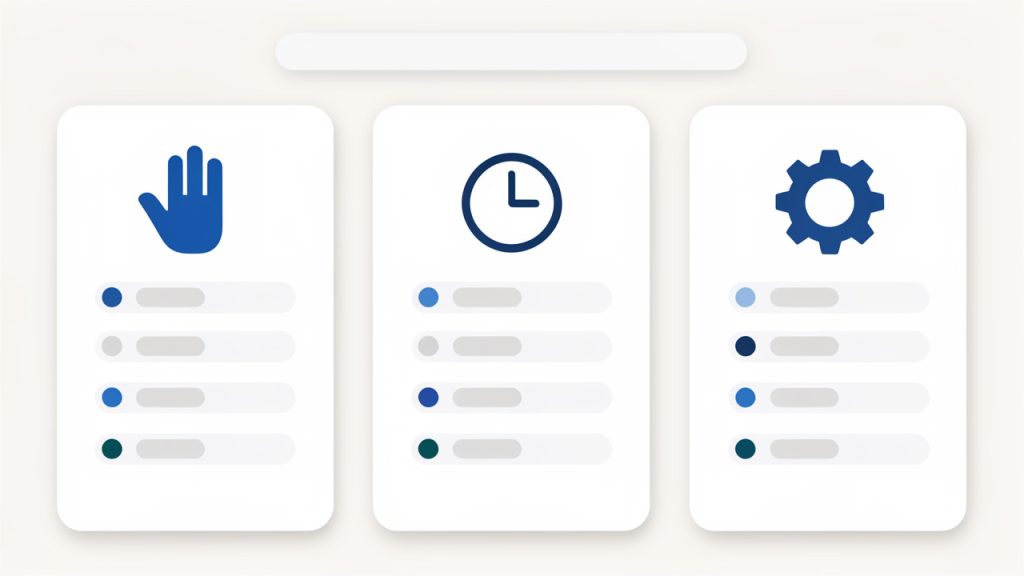
    A simple analysis comparing low-maturity and optimized processes often makes this easier to visualize. In low-maturity workflows, draft creation tends to be unstructured and inconsistent, metadata entry is optional or forgotten, review cycles are informal and chat-based, publishing actions are tool-dependent and error-prone, and post-publication tracking provides limited visibility. In an optimized manual process, draft creation is template-driven and predictable, metadata entry is required and validated, the review cycle has clear status and approver paths, publishing is guided and standardized, and versioning provides auditable tracking.

    This type of analysis often reveals that manual posting itself is not the problem. The problem is usually fragmented workflow design around the post.

    Practical operating model for manual posts

    A manual system works best when it is treated as a constrained process with clear boundaries. That does not mean bureaucratic overhead. It means defining what must be consistent and what may remain flexible.

    Establish ownership

    Every manually created post should have a clear owner. Ownership is not only about authorship. It also covers revision responsibility, update accountability, and archival decisions.

    Without ownership, posts age poorly. They become stale, contradictory, or disconnected from current operations. This is especially common in knowledge bases and internal publishing systems, where content persists long after the original author has moved on to other work.

    Ownership also improves response time. When a post requires correction, teams should not have to reconstruct who created it by scanning message history or metadata gaps.

    Design for reuse, not repetition

    Manual posting does not mean starting from zero each time. Reuse is one of the most important efficiency principles in any human-driven process.

    A reusable title structure, a standard introduction pattern, metadata presets, and post templates all reduce cognitive load. Writers can spend effort on the unique part of the content rather than rebuilding the same frame repeatedly.

    This is where many teams unintentionally waste time. They preserve manual control but fail to build reusable scaffolding. The result is slow execution with no corresponding quality benefit.

    Reserve manual posts for the right scenarios

    Not every publishing task deserves manual handling. Some should be automated, scheduled, or generated from system events. The strongest workflows distinguish between content that benefits from judgment and content that benefits from scale.

    A practical split looks like this: incident updates and internal policy changes generally benefit from a manual approach because they require contextual judgment and traceability. Release notes for major launches may need a manual or hybrid approach. Routine promotional posts are usually good candidates for automation or scheduling. Recurring status summaries can be automated with a manual review step.

    The operational takeaway is straightforward. Use manual posting where it creates value, not where it merely preserves habit.

    Common problems and how to avoid them

    The most common issues with manual posting workflows are not technical failures. They are process defects disguised as content problems.

    A frequent issue is inconsistent taxonomy. Posts are created successfully, but categories and tags vary so widely that search and retrieval become unreliable. This degrades the usefulness of the content system over time, particularly in environments with high documentation volume.

    Another issue is fragmented approval. Teams often review drafts in one tool, request changes in another, and publish in a third. By the time the post goes live, the source of truth is unclear. That raises the risk of publishing the wrong revision or missing requested edits.

    There is also the problem of silent drift. A manual post structure may work well initially, but over months, contributors adapt it informally. New fields get skipped. Headings become inconsistent. Link practices change. What was once a controlled process becomes an unstable convention.

    The solution in all three cases is the same: constrain the workflow at the right layer. Do not over-police writing. Instead, standardize structure, metadata, ownership, and review visibility. That preserves flexibility while maintaining operational coherence.

    Conclusion

    A manually created post is more than a piece of content entered by hand. It is a deliberate publishing action that trades automation for judgment, speed for control, and convenience for traceability when necessary. In the right context, that trade is not a weakness. It is an operational advantage.

    For developers and efficiency-minded teams, the next step is to evaluate whether manual posting is being used intentionally or simply inherited as a default habit. If it is valuable, standardize it. If it is slow, instrument it. If it is chaotic, support it with better tooling. A platform like Home can help centralize and streamline the process, but the core principle remains the same: manual work should be structured, not improvised.

  • How to Create an Effective Manual Post

    Speed matters, but so does control. That tension sits at the center of every publishing workflow, especially for developers, operators, and teams that want reliable output without handing everything over to automation. A new manual post is often the simplest answer to a complex operational problem, publish intentionally, review carefully, and keep humans in the loop where judgment matters most.

    For individuals seeking efficiency tools, that may sound paradoxical. Manual work is usually framed as the opposite of efficiency. In practice, a manual posting process can be highly efficient when it is designed well. It reduces accidental publishes, improves quality assurance, and creates a clear checkpoint before content, updates, notices, or technical documentation go live.

    What Is a New Manual Post?

    A new manual post refers to a content entry, update, or published item that is created and submitted through direct human action rather than a fully automated pipeline. In a modern workflow, that could mean drafting a knowledge base article in a CMS, publishing a release note from an admin panel, submitting an internal update to a portal, or entering a record into a system that supports both automated and manual inputs.

    The concept is broader than blogging. In technical and operational environments, a manual post can function as a deliberate control point. It allows the author or administrator to define the exact content, metadata, timing, and visibility rules before publication. That matters when accuracy is more important than volume, or when context cannot be trusted to templates and triggers alone.

    For developers, the phrase also maps well to systems thinking. A manual post is a human-invoked operation in a larger publishing architecture. It sits outside scheduled jobs, webhooks, and API-driven content generation. That does not make it primitive. It makes it explicit. In many environments, explicit actions are easier to audit, easier to review, and easier to trust.

    Why Manual Posting Still Matters

    Automation is excellent at repetition. It is less reliable when content requires interpretation, nuance, or final editorial judgment. A product update, a compliance notice, a customer-facing incident report, or a highly specific internal memo may all benefit from manual creation because the cost of a mistake is high.

    There is also a governance reason. Teams often need a documented, human-approved publishing event. A post created manually gives organizations a natural review boundary. Someone authored it, someone checked it, and someone decided it was ready. That chain is useful for quality control, legal defensibility, and operational clarity.

    Where It Fits in Modern Workflows

    In most systems, manual posting is not a replacement for automation. It is a complementary mode. Automated processes handle recurring, structured, high-volume output. Manual posts handle exceptions, announcements, sensitive changes, and one-off information that does not fit a rigid template.

    That distinction is important for efficiency-minded users. The goal is not to choose between manual and automated systems in absolute terms. The goal is to assign each method to the work it handles best. A new manual post becomes valuable when it protects quality, preserves context, or prevents bad automation from creating public-facing errors.

    Key Aspects of a New Manual Post

    The value of a manual post comes from its design, not merely from the fact that a person clicked “publish.” A good manual posting process includes structure, validation, and consistency. Without those elements, manual work becomes slow and error-prone. With them, it becomes a controlled and efficient publishing mechanism.

    At the center of that design is intentionality. Every field, label, attachment, category, and publishing option should support a clear outcome. If the post is meant to inform users about a feature release, the workflow should guide the author toward the right format, audience selection, and review path. Manual does not mean unstructured. In strong systems, it means deliberately structured human input.

    Accuracy and Editorial Control

    A manual post offers the highest degree of editorial control because the author can inspect every detail before publication. That includes title formatting, body content, links, tags, media placement, visibility settings, and release timing. For technical teams, this matters because one incorrect link, one outdated version number, or one ambiguous instruction can create immediate downstream confusion.

    This is especially relevant in environments with fast iteration cycles. When product states change quickly, automated publishing may accidentally expose outdated assumptions. A manual post allows the author to reconcile the latest context just before release. That final review layer often prevents issues that no template can catch.

    Workflow Visibility and Accountability

    Another core aspect is traceability. A manual post is usually easier to tie to a specific user, timestamp, revision sequence, and approval flow. That gives teams stronger operational visibility. If something needs to be corrected later, it is easier to understand how it entered the system and who can evaluate the decision.

    This accountability also improves collaboration. Editors, developers, support teams, and operations staff can work from the same record. A manual post becomes a stable reference point rather than an opaque artifact produced by background automation. In technical organizations, visibility often translates directly into reduced friction.

    Flexibility for Edge Cases

    The strongest case for manual posting appears in edge cases. These are the moments when normal templates break down, a partial rollout, a temporary workaround, a legal notice, a migration advisory, or a targeted announcement for a subset of users. In those scenarios, flexibility matters more than speed alone.

    Manual posting supports custom language, tailored formatting, and case-specific decisions that automation typically handles poorly. This makes it particularly useful for teams managing dynamic products or mixed audiences. A public release note and an internal operations update may share a platform, but they require different levels of precision and framing.

    Efficiency Through Standardization

    Manual work becomes inefficient when every action is reinvented. The opposite is also true. A standardized manual posting framework can dramatically reduce friction. When authors have reusable templates, required fields, review checkpoints, and formatting conventions, they can publish quickly without sacrificing quality.

    This is where efficiency tools matter. A platform such as Home can support manual posting by reducing context switching, centralizing approvals, and making publishing states easier to manage. The benefit is not that it removes human input. The benefit is that it removes unnecessary procedural overhead around that input.

    Manual vs Automated Posting

    The distinction between manual and automated publishing is best understood in terms of fit, not superiority.

    Aspect Manual Post Automated Post
    Control High, human-reviewed Limited to predefined rules
    Speed at scale Lower for large volumes High for repetitive tasks
    Flexibility Strong for exceptions and special cases Strong for predictable patterns
    Error prevention Better for contextual issues Better for process consistency
    Auditability Often clearer at the user-action level Often clearer at the system-event level
    Best use case Sensitive, custom, or high-stakes content Recurring, structured, high-volume content

    The practical takeaway is simple. Use automation for predictable output. Use a manual post when judgment, nuance, or accountability carries more weight than raw throughput.

    How to Get Started With a New Manual Post

    Starting well has less to do with writing the first post and more to do with defining the system around it. Teams that struggle with manual content usually have one of two problems. Either the process is so loose that quality varies wildly, or it is so rigid that authors avoid it until the last possible moment. A useful manual-posting workflow sits between those extremes.

    The first step is to determine the post’s function. Is it informational, operational, promotional, instructional, or corrective? That decision affects everything that follows, including structure, approval requirements, metadata, and audience targeting. Without a defined purpose, manual posts tend to become bloated containers for unrelated information.

    Establish a Minimal Publishing Standard

    Before creating a new manual post, it helps to define a small set of mandatory requirements:

    1. Title: Clear, searchable, and specific.
    2. Body: Accurate content with a defined scope.
    3. Owner: A named author or responsible team.
    4. Review status: Draft, approved, scheduled, or published.
    5. Audience: Internal, external, segmented, or global.

    This type of standard prevents common publishing failures. It also improves discoverability later, which is critical in systems where posts accumulate quickly and must remain useful over time.

    Build Around Repeatable Templates

    Templates make manual posting sustainable. A release note template should not look like an incident update template, and neither should resemble a generic company announcement. The more precisely the structure matches the use case, the less cognitive load the author carries.

    For technical audiences, templates should encode operational logic. That may include required version fields, dependency notes, rollback instructions, support contacts, and change summaries. A well-designed template acts like a lightweight schema for human-authored content. It preserves flexibility while constraining the most important variables.

    Keep the Review Layer Lightweight

    A manual workflow often fails because review becomes a bottleneck. Every post does not require the same scrutiny. A minor internal update should not move through the same process as a public compliance notice. Review should scale with risk.

    This is where policy design matters. Define which posts need peer review, which need legal or product approval, and which can be published directly by trusted contributors. Efficiency is not about removing review. It is about assigning the right level of review to the right class of content.

    Optimize the Publishing Environment

    The user interface matters more than many teams realize. If creating a new manual post requires navigating five disconnected systems, copying data between tools, and remembering hidden validation rules, quality will suffer. Authors will either rush or delay. Neither is desirable.

    A cleaner environment improves both speed and consistency. Centralized dashboards, inline validation, saved drafts, reusable blocks, and straightforward permissions all contribute to a better manual process. In this context, platforms like Home can provide value by consolidating common publishing tasks into a more coherent operational workspace.

    Common Starting Mistakes

    Most early problems come from process design rather than author capability. The following issues appear frequently:

    • Overly broad posts: One entry tries to solve multiple communication goals at once.
    • Missing ownership: No clear person is responsible for accuracy or updates.
    • Weak metadata: Tags, categories, or visibility settings are incomplete.
    • No review logic: Every post follows the same approval path, regardless of risk.

    Each of these problems compounds over time. A manual post is not just a single artifact. It becomes part of a broader content system, and systems degrade quickly when inputs are inconsistent.

    Making Manual Posting Efficient for Developers and Technical Teams

    Developers often resist manual processes because they associate them with repetition, ambiguity, and avoidable human error. That resistance is reasonable. Poorly designed manual workflows waste time. But a high-quality manual posting system behaves less like bureaucracy and more like a structured control surface.

    The key is to treat manual posting as an interface problem. The system should expose only the fields and decisions the user actually needs. It should validate input early, preserve drafts automatically, and reduce duplicate data entry. In technical terms, the manual layer should be optimized for low-friction, high-confidence interaction.

    Think in Terms of Inputs and Constraints

    A productive way to design a manual post workflow is to separate freeform content from constrained fields. The title, narrative body, and case-specific notes may need editorial flexibility. The status, category, audience, and timing settings usually benefit from strict options. This hybrid model keeps the process fast without making it chaotic.

    That same logic applies to permissions. Not every contributor needs access to every publishing control. Scoped access lowers risk and simplifies the interface. When users only see what is relevant to their role, they move faster and make fewer mistakes.

    Measure the Right Outcomes

    Efficiency is not only about how fast a post is published. It is also about whether the post was correct, whether it reached the right audience, and whether it required rework later. Teams that measure only posting speed tend to create fragile systems. Teams that measure quality and rework alongside speed usually build better processes.

    Useful operational metrics include draft-to-publish time, review turnaround, correction rate, metadata completeness, and search retrieval success after publication. These metrics reveal whether the manual system is actually helping the organization or simply shifting effort to later stages.

    Conclusion

    A new manual post is not an outdated method. It is a practical publishing mechanism for situations where context, control, and accountability matter more than blind speed. When structured properly, manual posting supports precision without creating unnecessary drag. It gives teams a clear way to handle edge cases, sensitive information, and high-value communication with confidence.

    The next step is to audit the current publishing flow and identify where manual control creates the most value. Then standardize those moments with templates, lightweight review logic, and a cleaner operational workspace. If the current environment feels fragmented, a tool like Home can help centralize the process and make manual posting far more efficient without removing the human judgment that makes it effective.

  • How to Create a New Manual Post That Delivers Quality

    How to Create a New Manual Post That Delivers Quality

    Posting online should be simple, but it rarely feels that way when every platform pushes automation, scheduling, and one-click publishing. For many small business owners, freelancers, developers, and productivity-focused users, there is still real value in creating a manual post by hand. It offers control, clarity, and a chance to shape each message with intention, instead of relying on presets or bulk workflows.

    That matters more than it may seem. A manually created post is often where quality shows up first, whether you are publishing a blog update, writing a forum entry, sharing a product announcement, or adding content to a CMS. When you slow down long enough to craft the post yourself, you usually catch weak wording, broken formatting, and missing context before your audience does.

    This guide breaks down what a manual post actually is, why it still matters, and how to use it effectively without turning your workflow into a time sink. If you want better content with fewer mistakes and more control over the final result, manual posting is worth understanding.

    What a manual post is

    A manual post is content created and published directly by a person, rather than generated, imported, duplicated, or automated by a tool. The phrase can apply across many platforms. In a website CMS, it may mean opening the editor and writing a fresh article from scratch. In social media, it can mean composing a post directly instead of pulling from a queue. In internal tools, forums, and marketplace systems, it often means entering content manually, field by field.

    The defining trait is not the platform, it is the method of creation. A manual post is intentional. Someone decides on the title, body, formatting, links, media, and publishing timing in real time. That gives the creator full editorial control, which is often the difference between content that feels generic and content that feels relevant.

    For businesses and independent professionals, this approach has a practical advantage. Manual posting reduces the risk of publishing something outdated, mistimed, or poorly matched to the audience. Automation is powerful, but it works best when paired with judgment. A hand-built post brings that judgment into the process from the start.

    Why the term matters in different contexts

    The meaning of a manually created post can shift slightly depending on where you encounter it. In blogging platforms, it usually refers to a newly created article or update entered directly into the editor. In ecommerce systems, it may mean manually adding an announcement, listing, or update without syncing from another source. In community platforms, it can mean a fresh discussion thread started by a user.

    That flexibility is important because many readers search for the phrase without a single platform in mind. They are often trying to understand whether they should create content manually or let software handle the process. The answer depends on the goal. If precision, timing, and message quality matter, manual posting remains the stronger option.

    Manual posting versus automated publishing

    Automated publishing is built for scale. It saves time, keeps calendars moving, and helps teams maintain consistency. A manual post is built for accuracy and relevance. It lets you adapt your wording to the moment, respond to recent changes, and tailor the message to a specific audience or channel.

    Neither approach is inherently better in every situation. The real distinction is in trade-offs. Automation improves speed, while manual posting improves oversight. If you are announcing a feature update, responding to customer feedback, or sharing a time-sensitive message, the manual route often produces better results.

    Manual Posting Versus Automated Publishing

    Key aspects of manual posting

    The value of a manually created post comes down to several core qualities. These are not just abstract benefits. They affect how your content performs, how your audience perceives you, and how much cleanup you need to do after publishing.

    Control over message and tone

    One of the strongest advantages of manual posting is editorial control. You decide exactly how the message sounds, what details to emphasize, and what action you want the reader to take. That control is especially useful for brands and professionals who care about voice, credibility, and nuance.

    A scheduled or templated post can sound efficient but flat. A manually written post can reflect current context, customer concerns, or industry changes. That makes it more likely to feel timely and human. Readers may not consciously think, “This was carefully written,” but they often respond better when a message feels direct and considered.

    Better accuracy and fewer publishing errors

    Errors tend to appear where workflows become too automatic. The wrong link, an old screenshot, an outdated CTA, or a title that no longer fits can all slip through when content is pushed live without review. A manually created post creates a natural checkpoint. Because the content is being assembled intentionally, the creator is more likely to verify the details before hitting publish.

    This matters for more than grammar. Accuracy affects trust. A single incorrect date or broken URL can weaken the impact of an otherwise good post. Manual creation gives you the chance to catch those issues while they are still small.

    Flexibility across platforms

    A manually created post adapts well to different environments. You can shorten it for social, expand it for a blog, or adjust the structure for a product page, community board, or email update. That flexibility is useful for users who work across multiple systems and do not want every message forced into the same template.

    For small teams especially, this can be more efficient than it sounds. Instead of fighting the limits of automation tools, you create the right version for the right channel. The work feels more direct because it is shaped around the audience rather than around the software.

    Stronger quality for high-value content

    Not every piece of content deserves deep manual effort, but high-impact posts usually do. A launch announcement, service update, pricing change, customer-facing clarification, or thought leadership post should not feel rushed. These are the moments when a manual post has the greatest value.

    Think of it like handwriting an important note instead of sending a generic form letter. The extra care changes how the message lands. In digital publishing, that care often shows up in tighter structure, clearer wording, and more useful context.

    Time cost and workflow considerations

    Manual posting is not perfect. It takes longer, requires attention, and can become inefficient if used for everything. If you publish high volumes of repetitive content, creating each post manually may slow your team down and introduce inconsistency.

    The smartest approach is usually selective. Use manual posting where message quality, precision, or timing matter most. Use automation for routine publishing where the stakes are lower. That balance helps you protect quality without overwhelming your workflow.

    Scenario Manual post Automated post
    Product or service announcement Best for accuracy and tone control Risk of sounding generic or outdated
    Routine promotional content Can be effective but time-intensive Best for scale and consistency
    Customer response or clarification Best for relevance and nuance Often too rigid
    Multi-channel campaign adaptation Strong if each version needs tailoring Useful if platforms need identical messaging
    Time-sensitive updates Best when human review is essential Helpful only if pre-approved carefully

    How to get started with manual posting

    Getting started with manual posting does not require a complicated system. What it does require is a simple process that protects clarity and reduces avoidable mistakes. The goal is not to make posting slower, the goal is to make it more deliberate.

    Start with purpose, not format

    Before writing anything, define what the post needs to accomplish. Are you informing, persuading, updating, explaining, or inviting action? Too many posts begin with the editor open and no clear objective. That usually leads to filler, vague openings, and weak calls to action.

    When your purpose is clear, decisions become easier. You know what tone to use, what details matter, and what the reader should remember. A strong manual post starts with a simple question, what should this post do for the audience right now?

    Build the core message first

    Once the purpose is clear, draft the main message in plain language. Avoid polishing too early. Focus on the substance first. What happened? Why does it matter? What should the reader do next? If you can answer those three questions clearly, the rest of the post becomes easier to shape.

    This approach is useful because manual posting can tempt people into over-editing the surface before the core idea is strong. Think of the post like a storefront sign. If the message is unclear from a distance, better decoration will not fix it.

    Use a simple publishing workflow

    A lightweight workflow keeps manual posting efficient. You do not need a complex editorial stack if the content is straightforward. In most cases, the process can stay simple.

    Simple Publishing Workflow

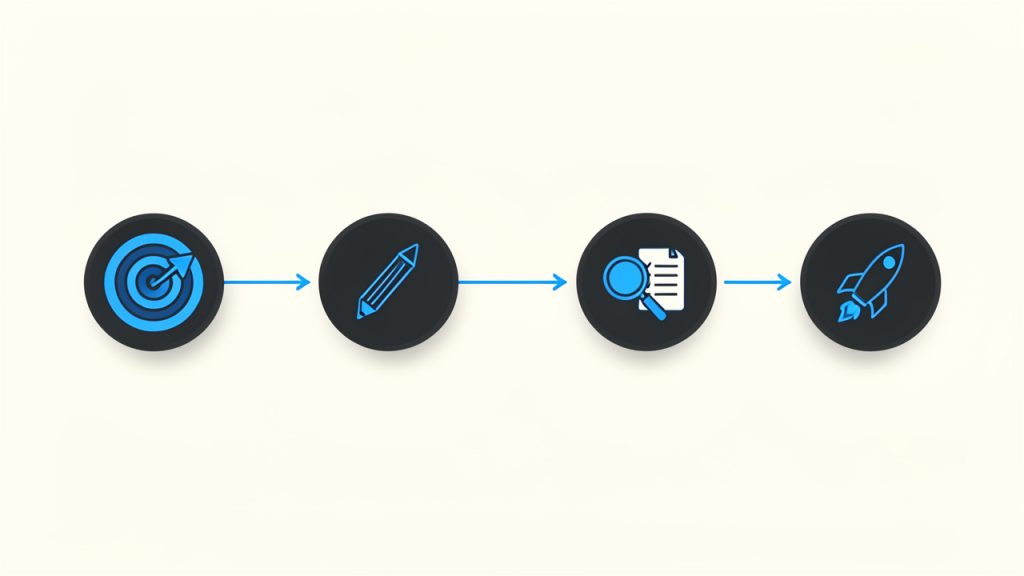
    A practical four-step routine works well for most small teams and solo creators:

    1. Define the goal of the post.
    2. Draft the message in plain, direct language.
    3. Review for accuracy, including links, dates, names, and formatting.
    4. Publish and monitor audience response or engagement.

    This kind of structure creates consistency without removing flexibility. It also helps prevent the common problem of treating every post like a one-off task with no quality check.

    Focus on readability and structure

    A manual post should be easy to scan and easy to understand. That means using clear headings where appropriate, short paragraphs, and a logical flow from opening to action. Readers often decide within seconds whether a post is worth their time. Dense formatting and vague openings make that decision easy in the wrong direction.

    Clarity also improves performance. Whether your audience is reading a blog article, platform announcement, or community update, they are more likely to engage when the structure helps them find meaning quickly. Good manual posting is not only about writing better, it is also about presenting information in a way that respects attention.

    Check context before publishing

    One of the biggest advantages of creating a post manually is that you can align it with the current moment. Use that advantage. Before publishing, ask whether anything has changed since the draft began. Has the timeline shifted? Has a feature changed? Has customer sentiment moved? Is the audience likely to interpret the message differently today than they would have yesterday?

    That final context check is where many manually written posts become noticeably stronger than automated ones. The content feels current because it is current. Even a small update to wording can make the difference between a post that feels canned and one that feels genuinely useful.

    Know when manual is the right choice

    Not every post needs to be manually created from scratch. The best candidates are posts with high visibility, sensitive information, changing details, or audience-specific nuance. If the content affects trust, understanding, or decision-making, manual creation is usually worth the extra effort.

    A helpful rule is to think in terms of risk. If publishing the wrong version would cause confusion, embarrassment, or missed opportunity, choose the manual route. If the message is routine and stable, automation may be perfectly fine.

    Conclusion

    A manual post is more than a basic publishing action, it is a deliberate way to create content with stronger accuracy, clearer intent, and better alignment with your audience. In a digital environment that often rewards speed over substance, manual posting remains one of the simplest ways to protect quality.

    If you want to get more value from it, start small. Use manual posting for your most important updates first, then build a repeatable process around what works. That next step gives you the best of both worlds, content that feels human and thoughtful, without making your workflow unnecessarily heavy.

  • How to Create a New Manual Post That Connects

    How to Create a New Manual Post That Connects

    A new manual post can feel deceptively simple. You sit down, write the update, publish it, and move on. For small business owners, freelancers, developers, and productivity-focused teams, the way you create a post manually often says a lot about your workflow, your quality standards, and how well your message reaches the right people.

    That matters because not every post should be automated, templated, or pushed through a scheduling pipeline without human judgment. Sometimes the best-performing content is the one you craft intentionally, with clear timing, a specific audience in mind, and a message that responds to what is happening right now. A well-planned manual post gives you control, speed, and nuance that automated systems often likely miss.

    What Is a New Manual Post?

    A new manual post is content created and published directly by a person rather than generated, syndicated, or triggered automatically by a system. In practical terms, that usually means opening your platform of choice, writing the post yourself, adding any links or media, reviewing it, and then publishing it when you decide the timing is right.

    For many readers, this sounds obvious. After all, manual posting is how most people start. But once businesses begin using scheduling tools, content calendars, AI drafting assistants, social integrations, or CMS automations, the distinction becomes important. A manually created post is not just a piece of content, it is a deliberate action. It reflects a decision to prioritize context over convenience.

    That distinction is especially relevant for smaller teams. If you run a solo business, manage client work, or juggle multiple channels with limited time, knowing when to use a manually created post can improve both quality and performance. It allows you to respond to customer questions, comment on breaking developments, share a quick insight, or publish a timely announcement without waiting for a larger content workflow to catch up.

    Why manual posting still matters

    Automation is useful, but it is not always smarter. A manual post gives you room to adjust tone, clarify meaning, and react to real conditions. If a promotion changes, a product update needs immediate explanation, or a customer trend suddenly appears, publishing manually lets you address it while the topic is fresh.

    There is also a trust factor. Readers can often tell when content feels overly processed. A manual post tends to sound more human because it usually is more human. That can improve engagement, especially in channels where authenticity carries more weight than polished repetition.

    Where a new manual post is commonly used

    The idea applies across several environments. You might create a new manual post in a blog CMS, a company news section, a social media platform, a forum, a project workspace, or an internal knowledge hub. The core idea stays the same, even if the interface changes.

    For example, a freelancer may manually post a quick portfolio update after finishing a project. A developer tool company might publish a manual release note to clarify a bug fix. A local business could create a timely weekend announcement on social media. In each case, a person creates the post because the moment calls for clarity and control.

    Key Aspects of a New Manual Post

    The biggest strength of a manual post is intentionality. You are not just filling a slot in a publishing calendar. You are choosing what to say, how to say it, and when it should go live. That makes manual posting valuable for content that needs precision, emotion, urgency, or responsiveness.

    Control is another major advantage. When you publish manually, you can review the exact wording, check links, confirm formatting, and decide whether the message fits the current situation. This is especially useful when your audience expects relevance. A message that felt perfect yesterday might be poorly timed today. Manual posting gives you the final checkpoint.

    Quality over volume

    One of the most common mistakes in modern publishing is assuming that more content automatically produces better results. In reality, low-quality volume often creates noise. A strong manually published update can outperform several weak scheduled posts because it feels sharper, more timely, and more useful.

    Smaller teams often have an advantage here. You may not have the budget for a massive content operation, but you can still create thoughtful manual posts that speak directly to your audience. In many cases, that focus is more effective than trying to match the output of larger competitors.

    Speed with judgment

    Manual posting is often associated with slower workflows, but that is only partly true. It can actually be the fastest option when you need to publish immediately and do not want to navigate templates, approvals, or integrations. The key difference is that manual speed includes human judgment.

    That judgment matters. If a customer issue is spreading, an unclear announcement is circulating, or a trend affects your audience right now, a manual post allows you to respond quickly without sounding careless. It is the difference between reacting fast and reacting well.

    Platform context matters

    A new manual post should never be treated as generic content copied everywhere. The same update can work very differently depending on where it appears. A blog post may need structure and detail. A social post may need brevity and stronger emotional clarity. An internal team update may need clear action points and less branding language.

    This is why manual posting is valuable. It helps you shape the message to fit the platform rather than forcing one version everywhere. That usually leads to stronger results because the content feels native to the space where readers encounter it.

    The trade-off between manual and automated publishing

    Manual posting is powerful, but it is not perfect. It requires time, attention, and consistency. If every post is created from scratch with no process behind it, your workflow can become chaotic. Deadlines slip, messaging becomes uneven, and content may depend too heavily on whoever happens to be available.

    The better approach is balance. Use automation for repeatable, low-risk publishing tasks. Use manual posts for content that benefits from timeliness, sensitivity, personality, or strategic precision. This creates a system that is efficient without becoming robotic.

    A clean 3-column comparison graphic showing 'Manual posting', 'Scheduled posting', and 'Automated posting' with one-line bullets under each (best for / strength / limitation). Use simple icons for each column (hand/clock/gear) and a subtle header matching the blog style.

    Approach Best For Strength Limitation
    Manual posting Timely updates, announcements, nuanced communication High control and human judgment Requires more hands-on effort
    Scheduled posting Planned campaigns, evergreen content, recurring updates Efficient and consistent Less adaptable in real time
    Automated posting System-driven updates, syndication, routine publishing Saves time at scale Can feel generic or poorly timed

    How to Get Started With a New Manual Post

    Starting well is less about tools and more about clarity. Before creating a new manual post, decide what the post is trying to accomplish. Are you informing, promoting, clarifying, teaching, or responding? If you cannot answer that in one sentence, the post is probably not focused enough yet.

    Once the goal is clear, think about the audience. A manual post works best when it feels specific. That does not mean writing for only one person, but it does mean understanding what your readers care about in the moment. A productivity-minded audience may want quick, useful takeaways. A client audience may want reassurance and professionalism. A developer audience may want direct language and practical detail.

    Start with a simple posting framework

    You do not need a complicated process to create a strong manual post. A lightweight framework is usually enough:

    A simple left-to-right flow diagram of the lightweight posting framework: Define purpose → Choose platform → Write core message → Review for clarity & timing → Publish & monitor responses. Each step as a rounded box with a small icon and arrows between them.

    1. Define the purpose
    2. Choose the platform
    3. Write the core message
    4. Review for clarity and timing
    5. Publish and monitor responses

    This works because it reduces friction without sacrificing quality. You are not building an entire campaign. You are making one clear communication decision and executing it well.

    Write for clarity first

    Many manual posts fail because the writer tries to sound impressive instead of useful. Clear language wins. Readers should understand the point of the post almost immediately. That is true whether you are announcing a service update, sharing a tip, or publishing a short opinion.

    A good rule is to make the first few lines carry the main value. If the post is important, say why. If there is an action readers need to take, say what it is. If the update affects them directly, say how. Clarity creates trust, and trust improves engagement.

    Edit before you publish

    Because manual posts often happen quickly, editing is easy to skip. That is risky. Even a short review can catch weak phrasing, broken links, awkward formatting, or missing context. A post published manually still represents your brand, even if it took only five minutes to create.

    It helps to review the post from the reader’s point of view. Ask whether it is obvious what the post means, why it matters, and what happens next. If any of those answers feel vague, revise before publishing.

    Build a repeatable habit

    If manual posting is always reactive, it can become stressful. The smarter move is to create a habit around it. Keep a list of post ideas, common update formats, and audience questions worth answering. That way, when you need to publish a new manual post, you are not starting from zero.

    This is particularly useful for freelancers and small business owners who wear multiple hats. A little preparation makes manual publishing faster while preserving the flexibility that makes it valuable in the first place.

    Common situations where manual posting works best

    Some publishing moments are especially well suited to manual posts. These usually include:

    • Timely announcements: Changes, launches, limited offers, or urgent updates
    • Direct responses: Clarifications based on customer feedback or current events
    • Personal insights: Founder opinions, lessons learned, or behind-the-scenes commentary
    • Context-sensitive content: Posts that need careful tone and timing

    These are situations where rigid scheduling can actually weaken the message. Manual posting lets you communicate with better awareness of what is happening around the post, not just inside it.

    Conclusion

    A well-crafted manual post is more than a basic publishing task. It is a strategic way to communicate with precision, speed, and human judgment. For businesses and independent professionals who care about relevance and trust, that makes manual posting a practical advantage, not an outdated habit.

    If you want better results from your content, start by treating each new manual post as a chance to be useful, timely, and clear. Build a simple process, stay close to your audience, and publish with intention. That next post does not need to be bigger. It needs to be better.

  • How to Create a New Manual Post

    How to Create a New Manual Post

    Publishing should not feel like fighting your tools. Yet for many developers, operators, and efficiency-minded teams, that is exactly what happens when a workflow becomes over-automated, opaque, or fragile. A manual post, when designed deliberately, restores control. It introduces precision where automation can blur intent, and it creates a reliable fallback when integrations fail.

    A new manual post is not simply a post created by hand. In practical terms, it is a controlled publishing action executed directly by a user, usually with explicit inputs, clear review points, and minimal hidden logic. That makes it especially relevant for technical audiences who value auditability, reproducibility, and operational simplicity.

    This article examines what a new manual post actually means, why it still matters in modern workflows, and how to implement a clean process around it. The goal is not to romanticize manual work. The goal is to identify where manual posting adds leverage, where it introduces risk, and how to structure it so it remains efficient rather than chaotic.

    What Is a New Manual Post?

    A new manual post is a freshly created content entry, update, announcement, or publication that is initiated and completed directly by a person rather than by a scheduled automation, API trigger, or pipeline rule. The term can apply across systems, including CMS platforms, internal dashboards, social publishing tools, knowledge bases, and product update feeds.

    In a technical context, the distinction matters because a manual post changes the execution model. Automated publishing typically depends on event listeners, data transforms, queue handling, and external dependencies. A manual post bypasses much of that. The operator decides when the content is created, what data is included, and when it goes live.

    This gives the process a different set of properties. A manual post is usually more intentional, often easier to review before release, and less susceptible to silent failures caused by broken integrations. At the same time, it can become inconsistent if there is no template, no validation layer, and no operational standard.

    For developers and efficiency-focused teams, the newness of the manual post is important. It implies a fresh record with a defined purpose, not an ad hoc edit buried inside an old object. That makes it useful for traceable communication, one-off operational messages, urgent announcements, and content that requires human judgment before publication.

    Why the concept still matters

    Many teams assume automation is always the superior pattern. In reality, automation is only superior when the process is stable, the inputs are predictable, and the failure modes are well understood. In all other cases, manual execution can be the safer and faster option.

    A new manual post is often the correct choice when timing is sensitive, the content needs contextual nuance, or the source data has not been normalized well enough for automation. For example, a release note generated automatically from commit metadata may be fast, but it may not be readable. A manually created post can convert technical changes into language that users actually understand.

    This also matters in governance-heavy environments. Legal review, security incidents, compliance updates, and operational notices often require direct oversight. In those situations, a manual post is not a workaround. It is the control mechanism.

    Manual does not mean inefficient

    There is a common misconception that manual workflows are inherently wasteful. That is only true when the workflow is undefined. A structured manual posting system can be fast, repeatable, and low-risk.

    The key is to treat the post as an operational object with inputs, validation, ownership, and publishing criteria. Once that happens, a manual post stops being improvised labor and starts functioning like a lightweight, deterministic procedure.

    Key Aspects of a New Manual Post

    The value of a new manual post depends on how it is constructed. If the process is vague, the post becomes a source of inconsistency. If the process is explicit, it becomes a reliable unit of communication.

    Control and intentionality

    The strongest advantage of a manual post is direct control. The publisher chooses the exact content, ordering, tone, timing, and visibility. There is no need to reverse-engineer an automation rule or debug an integration to understand why something was published.

    That level of control is particularly useful when a message contains exceptions, edge cases, or human-sensitive framing. Developers know this pattern well from deployment workflows. Full automation is efficient until a release has special conditions. At that point, an explicit manual gate becomes the layer that prevents avoidable damage.

    Intentionality also improves quality. When a person creates the post with a clear purpose, the content is more likely to align with actual reader needs rather than just system output.

    Transparency and traceability

    A well-managed manual post is easier to audit than many low-visibility automated actions. The initiator is known. The input source is known. The time of publication is known. The rationale can be documented.

    This becomes valuable in environments where teams need to answer questions like: Who posted this? Why was it published now? Was it reviewed? What changed from the previous message? A manual workflow can support those questions more cleanly than a chain of hidden triggers.

    Transparency is also a usability advantage. When the process is visible, it is easier to train new team members, identify weak points, and improve throughput without losing control.

    Flexibility in edge-case workflows

    Automation performs best on common paths. Manual posting performs best on unusual ones. If a post needs custom formatting, selective disclosure, temporary overrides, or context-specific wording, a manual workflow handles that variability more gracefully.

    This is where many teams make a category error. They try to automate a process that is still evolving. The result is brittle logic, endless exceptions, and content that technically publishes but functionally misses the mark. A new manual post provides a low-friction alternative while the workflow matures.

    That does not mean manual should remain permanent in every case. It means manual execution is often the right intermediate architecture until the process has enough stability to justify automation.

    Risk profile and operational trade-offs

    Manual posting reduces some risks and introduces others. It reduces dependency risk because fewer systems are involved. It reduces transformation risk because the content is usually entered closer to its final form. It may also reduce reputational risk when human review catches language that automation would have published without context.

    But manual work introduces consistency risk. Different people may structure posts differently. Required fields may be skipped. Timing may vary. Small format errors can accumulate, especially when the process is frequent and lightly supervised.

    The practical solution is not to eliminate manual posting. It is to constrain it with standards. Templates, approval rules, field validation, and version tracking can preserve the benefits of manual control while minimizing the variance that makes manual systems hard to scale.

    Where a manual post fits best

    The following comparison clarifies when a newly created manual post is typically the right model:

    Scenario Manual Post Fit Why It Works
    Urgent operational announcement High Human judgment and immediate control are required
    Legal or compliance notice High Reviewability and precise wording matter
    Product launch with nuanced messaging High Messaging often needs context beyond raw source data
    Routine recurring update with stable inputs Medium Manual is workable, but automation may eventually be better
    High-volume system-generated notifications Low Automation is generally more scalable and consistent
    Experimental communication workflow High Manual execution allows fast iteration before formalization

    For teams using a workspace platform such as Home, this balance is especially relevant. A system like Home can centralize posting, ownership, and review without forcing every communication event into a fully automated pipeline. That preserves speed while keeping the workflow manageable.

    A two-column comparison infographic showing 'Automated Post' vs 'New Manual Post'. Left column lists traits of automation (event-driven, scalable, predictable inputs, brittle with exceptions). Right column lists traits of manual posts (user-initiated, intentional, reviewable, resilient to broken integrations). A small central row shows recommended use-cases (high-volume -> automation, urgent/nuanced/legal -> manual).

    How to Get Started With a New Manual Post

    Getting started does not require a complex framework. It requires a disciplined baseline. The objective is to make manual posting predictable enough that it remains efficient even as volume grows.

    A simple linear flow diagram (or swimlane) showing the manual post lifecycle: 'Define Objective' -> 'Standardize Input (Template)' -> 'Draft' -> 'Review/Approve' -> 'Publication Criteria Check' -> 'Publish & Assign Ownership' -> 'Trace/Follow-up'. Include small icons for each step (target, form, pencil, checkmark, gate, publish button, person).

    Define the posting objective first

    Before creating a new manual post, the team should define what the post is supposed to accomplish. This sounds obvious, but many inefficient workflows begin with content production before intent has been clarified.

    A post may exist to inform, to instruct, to record, to alert, or to prompt action. Each of those purposes changes the structure. An alert requires immediacy and clarity. A record requires completeness and traceability. An instructional post requires sequencing and reduced ambiguity.

    When the objective is explicit, the post becomes easier to write and easier for readers to consume. It also becomes easier to evaluate afterward. A post that had one job is much simpler to assess than a post trying to do five things poorly.

    Standardize the input structure

    The fastest manual workflows usually rely on a minimal template. The user should not have to invent the structure each time. A reusable pattern reduces cognitive overhead and increases consistency across contributors.

    A practical starter template can include the following:

    1. Title: A concise statement of the post’s purpose
    2. Context: Why the post exists now
    3. Core message: The information the reader must understand
    4. Action or status: What happens next, or what the reader should do

    This is enough structure to improve quality without making the process bureaucratic. For technical teams, the template can be extended with identifiers such as environment, release tag, incident reference, owner, or effective date.

    Build review into the workflow

    A manual post should not depend entirely on author confidence. A lightweight review step catches clarity issues, policy problems, and factual errors before publication.

    The review does not need to be heavy. In small teams, it may simply mean a second pair of eyes. In more formal environments, it may involve role-based approval depending on the topic. The key is proportionality. The more sensitive the content, the more structured the review should be.

    This is where tooling matters. In a coordinated environment such as Home, teams can reduce friction by keeping draft state, ownership, and approval visibility in one place. That is more efficient than spreading the process across chat messages, email, and undocumented verbal approvals.

    Establish clear publication criteria

    A new manual post should have a defined readiness threshold. Without one, teams publish too early, too late, or with incomplete information. Publication criteria act as a simple quality gate.

    Typical criteria include confirmed facts, validated formatting, assigned ownership, correct audience selection, and a final language check. For developer-centric teams, publication criteria may also include reference links, version labels, and environment accuracy.

    The point is not perfection. The point is operational consistency. A short, enforced standard prevents the “quick post” from becoming a recurring source of confusion.

    Start small, then optimize the frequency

    A common failure mode is overengineering the first manual posting workflow. Teams create extensive forms, redundant approvals, and excessive metadata before they understand actual usage. This slows adoption and encourages side-channel workarounds.

    A better approach is to start with a minimal process, observe where friction appears, and improve the workflow based on real behavior. If titles are inconsistent, add title guidance. If approvals are unclear, define approvers. If recurring posts follow the same pattern, convert part of the flow into a semi-automated template.

    This progression mirrors good software design. First establish the working path. Then remove ambiguity. Then optimize.

    Common mistakes to avoid

    Most manual posting problems are not caused by the fact that the workflow is manual. They come from missing process boundaries.

    The first mistake is treating each post as a one-off artifact. That approach prevents standardization and guarantees inconsistent quality. The second is skipping ownership. If nobody owns the post after publication, corrections, follow-ups, and questions become slow and fragmented.

    Another mistake is using manual posting as a permanent substitute for every scalable process. A new manual post is powerful, but it is not a universal answer. If the same task happens hundreds of times with stable inputs, automation may eventually be the better model. Manual posting should solve ambiguity, not institutionalize repetition without review.

    Conclusion

    A new manual post is best understood as a deliberate publishing unit with human control at its center. It matters because not every workflow should be automated, and not every message can be reduced to system output. In the right context, manual posting improves clarity, traceability, and operational safety.

    The practical next step is simple. Define a lightweight template, assign ownership, add a proportional review step, and publish through a tool that keeps the process visible. If the goal is to improve efficiency without losing control, platforms such as Home can help teams manage manual posting in a structured way while leaving room for future automation where it actually makes sense.

  • Creating a New Manual Post for Precise Publishing

    Creating a New Manual Post for Precise Publishing

    Speed matters, but control matters more. In a world filled with automation, scheduled publishing, and one-click workflows, there are still moments when a manually created post is the right tool for the job. A new manual post gives the author direct control over timing, structure, formatting, and intent, which is often exactly what developers, operators, and efficiency-focused teams need.

    Automation vs Manual Post

    Automation optimizes for throughput, manual posting optimizes for intent, and neither is universally better. The right choice depends on the risk of mistakes, the complexity of the message, and the level of control required by the workflow.

    That is especially true when the content must be deliberate. Release notes, system updates, incident summaries, internal knowledge entries, and product announcements often benefit from a hands-on publishing process. Instead of relying on generated templates or automated triggers, a manual workflow creates space for validation, review, and precision.

    What Is a Manual Post?

    A manual post is a content entry created directly by a user rather than generated by an automation, imported from another system, or published through a scheduled pipeline. The phrase can apply across several environments, including CMS platforms, internal dashboards, knowledge bases, forums, developer portals, and productivity tools.

    The core concept is simple, but its value is often underestimated. A manual post is not just a basic entry form with a title and body. It is a controlled publishing event. The author chooses the structure, wording, metadata, attachments, and publication timing in a way that remains explicit and observable.

    For developers and operations-minded users, that distinction matters. Automated systems are excellent at scale, repetition, and consistency. Manual posting is better when the task requires judgment. If the content depends on context, needs human verification, or carries operational consequences, creating the post manually can reduce errors and improve clarity.

    A useful way to think about it is this: automation optimizes for throughput, while manual posting optimizes for intent. Neither is universally better. The right choice depends on the risk of mistakes, the complexity of the message, and the level of control required by the workflow.

    Where Manual Posting Fits in Modern Workflows

    A manually created post often appears in places where content has a direct operational function. Teams publish maintenance notices, deployment summaries, customer updates, policy revisions, or documentation patches by hand because those posts must reflect current conditions precisely.

    Manual Post Checkpoint

    In many systems, the act of creating a new manual post also acts as a checkpoint. It forces the author to confirm categories, tags, visibility rules, access permissions, and final wording. That pause can be more valuable than it looks, especially in environments where a small publication mistake has downstream effects.

    This is one reason manual posting remains relevant even in highly automated stacks. It is not a legacy habit. It is a control layer.

    Key Aspects of a New Manual Post

    Understanding a new manual post requires more than defining it. The practical value comes from its operational characteristics: control, accuracy, flexibility, and accountability.

    Direct Control Over Content and Timing

    The most immediate advantage of creating a post manually is direct control. The user decides what gets published, when it appears, and how it is formatted. There is no dependency on an external trigger, no waiting for a sync job, and no hidden automation logic altering the final output.

    This matters in time-sensitive scenarios. If a service status update needs to go live immediately, or an internal process change needs to be documented without delay, manual posting reduces the chain of dependencies. Fewer moving parts often means fewer failure points.

    That control also extends to tone and structure. Automated systems tend to favor consistency, which is useful until the message requires nuance. A manual post allows the author to adapt the content to the situation rather than forcing the situation into a rigid template.

    Higher Accuracy in Context-Sensitive Communication

    Manual posts are often more accurate when the topic involves exceptions, edge cases, or evolving conditions. A generated announcement may be technically correct at the time it is produced, but a human author can account for ambiguity, caveats, and context that automation cannot easily infer.

    For developers, this is familiar territory. Systems can validate syntax, but they cannot always validate meaning. The same principle applies to content. A new post created manually is valuable when semantic accuracy matters more than speed.

    This is particularly important for internal documentation and operational notices. If readers are making decisions based on the post, a manually reviewed and authored message can prevent misinterpretation. In practice, that translates into fewer follow-up questions, fewer corrections, and a lower chance of process drift.

    Better Fit for Review and Governance

    A manual posting process is easier to align with review rules, compliance requirements, and editorial governance. Because each post is explicitly authored, it is usually easier to inspect who created it, what changed, and when it was published.

    That visibility is useful in organizations where posts are not merely content assets but part of the operational record. Product teams, IT teams, legal reviewers, and support functions often need a publish flow that supports accountability. A manual post naturally supports that requirement because it begins with a conscious user action.

    This does not mean every manual workflow is automatically well-governed. It means the structure is more compatible with governance because the event is discrete and human-initiated. If the platform includes version history, draft states, approval checkpoints, or publication logs, the value becomes even stronger.

    Flexibility Without Full-System Complexity

    A new manual post is also attractive because it offers flexibility without requiring a large automation architecture. Not every team needs webhooks, queue processors, integration layers, and rules engines for publishing. In many cases, that stack introduces more overhead than value.

    A manual workflow is often sufficient when posting volume is moderate and content quality matters more than raw output. It can also serve as the fallback path when automation fails. Mature teams often keep both modes available: automated posting for routine events, and manual posting for exceptions, overrides, and critical communications.

    This hybrid approach is usually the most efficient. Automation handles repetition, manual posting handles judgment.

    Trade-Offs to Consider

    Manual posting is not perfect. It can be slower, more dependent on human discipline, and less scalable when volume increases. If multiple people create posts without a shared standard, formatting inconsistency and metadata errors can appear quickly.

    That is why the best manual systems are structured. They provide clear fields, validation rules, editorial guidance, and publishing constraints. A good interface reduces friction without removing control.

    The following comparison clarifies where manual posting tends to perform best:

    Workflow Type Best Use Case Strength Limitation
    Manual Post Creation High-importance updates, documentation changes, exceptions Precision and human judgment Slower at scale
    Automated Posting Repetitive updates, routine feeds, scheduled events Speed and consistency Weak contextual awareness
    Hybrid Workflow Mixed publishing environments Balance of control and efficiency Requires process design

    How to Get Started with a New Manual Post

    Starting with a new manual post should not mean starting without structure. The most effective setup is a lightweight process that preserves human control while minimizing avoidable friction.

    Define the Purpose Before the Platform

    Many teams begin with the tool, but the better starting point is the publishing intent. A manual post should exist for a reason. Is it meant to communicate an urgent update, document a change, share an insight, or create a permanent reference? The answer shapes everything that follows, from length to metadata to review requirements.

    Without that clarity, manual posting becomes inconsistent. One person writes a brief notice, another writes a long-form update, and neither uses the same categories or naming conventions. The result is a repository of posts that are technically published but operationally difficult to use.

    A useful baseline is to standardize four elements before authors begin: title pattern, audience, required fields, and publication criteria. This is enough structure to keep quality high without making the workflow heavy.

    Create a Repeatable Input Pattern

    A manual workflow becomes efficient when the inputs are predictable. Even if the post itself is written by hand, the author should know which elements are always required. That usually includes a clear title, summary, main body, tags or labels, visibility setting, and publication status.

    For efficiency-focused users, this is where systems thinking helps. A manual process does not have to be informal. In fact, the strongest manual publishing environments behave like well-designed forms. They reduce cognitive load by making decisions explicit and repeatable.

    If the platform supports templates, use them carefully. A template should provide structure, not force generic writing. It should accelerate the process while preserving room for context-specific detail.

    Start Small, Then Introduce Rules

    When implementing a new manual post workflow, it is better to begin with a narrow use case than to design for every scenario at once. Start with one content type, such as release updates or internal notices, and observe where authors hesitate or make mistakes.

    That observation phase matters. It reveals whether the issue is missing fields, unclear permissions, poor editor design, or weak review logic. Once the workflow is stable, additional rules can be added gradually. This may include approval steps, required tags, retention rules, or publishing windows.

    A compact onboarding model usually works best:

    1. Identify the post type that truly requires manual control.
    2. Define the minimum required fields for every new entry.
    3. Establish a review path if the content has operational impact.
    4. Measure errors and delays before expanding the workflow.

    This approach keeps the process practical. It also prevents overengineering, which is a common problem when teams try to make a manual workflow behave like a full automation platform.

    Choose a Tool That Supports Intentional Publishing

    The quality of a manual post is shaped by the interface used to create it. A good system should make drafting, editing, reviewing, and publishing straightforward. It should expose state clearly and avoid hidden behaviors that confuse authors.

    For teams that want efficiency without losing control, a platform like Home can be useful when it supports clear publishing states, lightweight templates, searchable archives, and role-aware permissions. The value is not simply that content can be entered manually. The value is that the system respects manual work as a first-class workflow rather than treating it as a fallback.

    That distinction matters for long-term adoption. If authors feel the manual path is awkward or underpowered, they will either avoid using it or publish with avoidable inconsistency. A platform designed for clarity turns manual posting into a reliable operational habit.

    Common Mistakes When Creating a New Manual Post

    The most common problem is not writing quality. It is process inconsistency. Teams often assume that because a post is manual, every detail can be improvised. That leads to vague titles, missing metadata, unclear ownership, and poor discoverability later.

    Another issue is treating manual posting as inherently slow. In reality, it is slow only when the workflow is undefined. A structured process with a clean interface can be fast enough for most high-value communication tasks.

    A third mistake is failing to distinguish between urgent and important posts. Not every manual post needs immediate publication. Some need careful review. Others need speed. If the workflow does not separate those cases, both quality and responsiveness suffer.

    Conclusion

    A new manual post remains a practical and often essential part of modern content operations. It offers direct control, stronger contextual accuracy, and better alignment with review, governance, and exception handling. For developers and efficiency-focused users, manual posting is not the opposite of optimization, it is a deliberate optimization for cases where judgment matters more than throughput.

    The most effective next step is to define one use case where manual publishing clearly outperforms automation, then build a lightweight, repeatable workflow around it. When the system is structured well, a manual post becomes more than a simple entry. It becomes a reliable mechanism for precise communication, operational clarity, and long-term content quality.

  • How to Create a New Manual Post: A Step-by-Step Guide

    How to Create a New Manual Post: A Step-by-Step Guide

    Creating a post manually sounds simple until you are staring at a blank editor, a dozen settings, and one nagging question: what actually matters before you hit publish? A poorly built post can hurt readability, SEO, loading speed, and even your brand credibility. A well-built one can do the opposite, it can rank, convert, and stay useful for months.

    This guide explains how to create a new manual post from start to finish, without tying the process to just one platform. Whether you publish in WordPress, Wix, Squarespace, a forum, a social platform, or a custom admin panel, the same core principles apply. You need the right structure, the right metadata, clean formatting, and a publishing workflow that reduces errors.

    If you are a small business owner, freelancer, developer, or a productivity-minded creator, this article will help you build posts with more control and fewer surprises. You will learn when manual posting is the right choice, how to prepare your content, how to publish it properly across common platforms, and how to measure whether it actually worked.

    Introduction: What Is a Manual Post and Why It Matters

    A manual post is any post you create directly inside a content editor, rather than generating it automatically through code, imports, RSS feeds, APIs, or bulk upload tools. In practice, that can mean writing a blog article in WordPress, adding a news update in a custom CMS, publishing a discussion thread in a forum, or posting a long-form update on a social platform.

    The phrase shows up in different contexts, but the idea stays consistent. A manual post is created with human input at every important step. You choose the title, write the body, add images, set the slug, define categories or tags, and control the publication settings yourself. That hands-on approach is often slower, but it gives you much more precision.

    That precision matters. Manual posting is usually better when content quality, brand voice, SEO, compliance, and layout all need close attention. Automated posting has its place, especially for scale, but imported content often needs cleanup. A manually created post is typically stronger when discoverability and presentation are priorities.

    When to Create a Manual Post vs. Automated Posting

    The biggest advantage of manual posting is control. You can shape the message for a specific audience, optimize the page for search intent, and catch issues before they go live. That is especially important for landing pages, thought leadership pieces, product updates, service pages, and evergreen blog content where small details affect performance.

    The trade-off is time. Creating each post manually requires writing, formatting, metadata entry, media prep, and quality checks. If your team publishes hundreds of short updates per week, a fully manual workflow may become inefficient. In those cases, automation can support scale, but it should still include review steps for anything customer-facing.

    A practical way to decide is to look at the content’s purpose. If the post is high value, brand sensitive, conversion focused, or search focused, manual creation is usually the better route. If it is data-driven, repetitive, or high volume, automation may be more appropriate.

    Here is a simple comparison:

    Factor Manual Posting Automated Posting
    Quality control High Variable
    Speed at scale Low to medium High
    SEO customization Strong Often limited
    Brand voice Precise Inconsistent unless monitored
    Best for Important content, evergreen posts, editorial work Bulk updates, feeds, large catalogs, recurring campaigns

    Infographic comparing manual posting and automated posting

    Preparing to Create a Manual Post

    Before you open the editor, clarify your goal. Every strong post has a job. It may be meant to attract search traffic, educate customers, announce a change, generate leads, or answer a recurring support question. Without that goal, it is easy to create content that looks complete but does not actually perform.

    Next, define the audience. A freelancer writing for startup founders should sound different from a developer documenting a feature for technical users. The language, structure, examples, and depth should match what the reader already knows and what they need next.

    Keyword planning also belongs in this stage. If your target phrase is the awkward raw term “New Manual Post”, do not force it word-for-word into every heading. Use it naturally in context, such as “how to create a new manual post” or “steps for publishing a manual post.” That approach keeps the wording human while still signaling relevance to search engines.

    Gather all assets before you start building the post. That includes images, links, references, downloadable files, author details, captions, and metadata ideas. It also includes accessibility details like alt text, which should describe the image meaningfully rather than stuffing in keywords.

    A short outline saves time later. Even a simple structure like introduction, key steps, examples, and next action helps you write faster and format more cleanly. In most editors, structure problems become harder to fix once images, embeds, and callouts are already in place.

    Step-by-Step: Creating a Manual Post in Common Platforms

    WordPress, Block Editor, and Gutenberg

    In WordPress, creating a new post usually starts from Posts > Add New. You will first enter the title, then build the body using blocks. The block editor makes it easy to insert paragraphs, headings, images, lists, embeds, quotes, and buttons without code, but it also makes it easy to over-format. Keep the design simple unless the post genuinely needs more visual elements.

    After writing the main content, move to the settings panel and complete the fields many users skip. Add a featured image, assign the right category, use tags sparingly, write an excerpt if your theme uses one, and review the permalink or slug. That slug should be short, descriptive, and readable. For a guide like this, a clean slug might be /create-manual-post/.

    Before publishing, check the post status and visibility settings. WordPress lets you save as draft, publish immediately, schedule the post, make it private, or password-protect it. Preview the post on desktop and mobile before going live.

    WordPress block editor screenshot: title field, content blocks, categories, featured image, and publish panel

    Squarespace and Wix

    In Squarespace and Wix, the process is similar even if the interface differs. You begin by adding a new blog post, choosing a layout, and entering the title and body content. Most users can work visually, which is helpful, but that same visual freedom can lead to inconsistent spacing and oversized media.

    Pay close attention to the built-in SEO fields. Add a clear SEO title, a concise description, and a clean URL slug. If the platform lets you define social sharing images or summaries separately, use that option. It improves how the post appears when shared externally.

    Media insertion is generally straightforward in both platforms, but image size still matters. Uploading a massive image directly from a phone can slow the page and reduce the user experience. Resize and compress before upload whenever possible.

    Social Platforms and Forums

    A manual post on LinkedIn, Reddit, Facebook groups, or niche forums works differently from a blog post. The field options are lighter, but the fundamentals remain. You still need a strong opening, clear formatting, and the right tone for the platform.

    Forums reward specificity and relevance. Social platforms reward clarity and engagement. That means your first few lines matter even more. On Reddit, for example, a vague title can sink a post immediately. On LinkedIn, a strong opening line can significantly improve dwell time and interaction.

    These platforms also have community norms. A polished blog-style post may work well on LinkedIn but feel out of place in a technical forum. Manual posting gives you the flexibility to adapt, which is one of its biggest strengths.

    Custom CMS or Admin Panels

    Custom CMS tools often include fields that standard website owners rarely see directly. These can include author attribution, content status, publication date, slug, summary, meta title, meta description, canonical URL, structured data options, and revision notes.

    Developers and content teams should agree on field definitions before publishing at scale. If one editor uses the summary field as an internal note and another uses it as an excerpt, output will become inconsistent across the site. Good manual posting depends not just on the editor, but on a predictable workflow.

    If your custom admin panel supports staging, use it. Draft in staging, preview on multiple devices, then publish to production only after verification. That reduces formatting regressions and prevents broken public pages.

    Formatting and Readability Best Practices

    Good formatting is invisible when done well. The reader should move through the post naturally, without friction. That means clear headings, short paragraphs, enough white space, and media that supports the content instead of interrupting it.

    Headlines should be specific and useful, not clever for the sake of it. If your topic is how to create a manual post, say that clearly. Search users and busy readers respond better to direct language than to vague creative phrasing. Subheadings should also help scanning. A reader should be able to skim them and still understand the article structure.

    Paragraph length matters more than many editors realize. Huge blocks of text feel harder than they are, especially on mobile. In most web content, two to four sentences per paragraph is a good rule. This is not just a style preference. It directly improves readability and time on page.

    Images should be optimized for both clarity and performance. Use captions when context helps. Add descriptive alt text such as “WordPress post editor with category and featured image settings open” rather than “manual post SEO image.” For audio and video, transcripts or summaries improve accessibility and search value.

    SEO and Metadata: Make Your Manual Post Discoverable

    Creating a post manually gives you a chance to shape the metadata properly, and that is one of the clearest advantages over low-review automation. Start with the meta title. It should be specific, readable, and aligned with the page intent. Then write a meta description that explains the benefit of clicking.

    Permalinks deserve care. Short slugs usually perform better than long ones because they are cleaner and easier to share. Avoid unnecessary dates, filler words, or category clutter unless your site structure requires them. A readable URL improves trust and can help users understand the page before clicking.

    If you are targeting a phrase like new manual post, use it naturally in places that matter. The title can say “How to Create a New Manual Post,” the introduction can mention the phrase once in context, and the slug can reflect the core topic. Do not force the exact phrase into every subheading. Search engines are better at understanding natural language than many outdated SEO habits suggest.

    Structured data can further improve discoverability. For blog-style content, Article or BlogPosting schema is often appropriate. Many CMS plugins handle this automatically, but it is worth checking. Tools like Yoast and Rank Math can help you review metadata, readability, and schema output without making the process overly technical.

    Internal linking also matters. Link the new post to relevant service pages, related articles, or documentation. If similar versions of the content exist, review canonical tags to avoid duplicate content confusion.

    Images, Media, and File Management

    Media handling is where many otherwise strong manual posts lose performance. The most common problem is uploading oversized files without compression. For most posts, WebP is an excellent choice for web images because it keeps quality high and file size low. JPEG still works well for photographs, while PNG is better reserved for graphics that truly need transparency.

    Naming files well helps more than people think. A filename like create-manual-post-wordpress.webp is clearer than IMG_4837.webp. It supports organization and can offer a small contextual benefit.

    Captions and credits should be deliberate. Use captions when they add meaning, not just because the platform offers the field. If an image comes from a licensed source or external contributor, include proper attribution according to your usage rights.

    For video embeds, check responsiveness. A video that looks fine on desktop can overflow or distort on mobile if the theme or container is poorly configured. Attachments and downloads should also be hosted securely, especially if they include client resources, lead magnets, or internal documentation.

    Scheduling, Publishing, and Post-Publish Checklist

    Scheduling gives you breathing room. Instead of rushing content live the moment it is finished, you can set a publication time that aligns with your audience and your promotional plan. The best posting time depends on the platform and audience, but consistency usually matters more than chasing generic timing advice.

    Before publishing, do a full review. Read the post in preview mode, not just in the editor. Editors can hide spacing issues, embed problems, and mobile layout flaws. Check links, headings, image alignment, metadata, and whether the page still makes sense when skimmed quickly.

    Use the publication settings intentionally. Immediate publishing is fine for urgent updates. Scheduled posts are better for editorial consistency. Private and password-protected posts are useful for internal reviews, gated resources, or client previews.

    After the post goes live, the work is not finished. Share it through relevant channels, submit the URL to Google Search Console if appropriate, and watch early behavior. If the page has poor click-through rate or low engagement, the title, intro, or featured image may need refinement.

    Editing, Versioning, and Managing Revisions

    Manual posts are rarely one-and-done. Good content gets revised. Platforms like WordPress include revision history, which makes it easier to restore earlier versions after a mistake. That is especially useful when multiple people touch the same piece.

    Teams should have a clear draft workflow. A common system is draft, editor review, SEO review, final approval, scheduled, then published. This sounds formal, but even very small teams benefit from defined checkpoints. It reduces accidental publication and keeps responsibilities clear.

    Author attribution matters too. In multi-author environments, record who wrote the content, who edited it, and who approved it. This improves accountability and makes future updates easier. Older manual posts should also be reviewed periodically for refresh opportunities, outdated information, and repurposing into newsletters, social threads, or downloadable guides.

    Measuring Success: Analytics and Optimization After Publishing

    Once your post is live, success should be measured against the original goal. If the goal was traffic, watch impressions, clicks, and sessions. If the goal was lead generation, track conversions, CTA clicks, or form submissions. If the goal was education, time on page and scroll depth may be more meaningful.

    Google Analytics 4 and Google Search Console are the core tools for this. Search Console shows how the page performs in search, including queries, impressions, and click-through rate. GA4 helps you understand engagement, user paths, and conversion behavior after visitors land on the page.

    Performance should be reviewed in stages. In the first 30 days, focus on indexing, early engagement, and obvious issues. By 90 days, look for ranking movement and user behavior trends. By 180 days, you should be evaluating whether the post deserves an update, a stronger internal linking push, or a changed title to improve clicks.

    Testing can help, especially for high-value content. A headline tweak or featured image change can improve results without rewriting the entire article. The key is to test with purpose, not constant random changes.

    Common Manual Post Problems and How to Fix Them

    Formatting issues often appear after publication because themes, block settings, or pasted content behave differently across devices. If a page looks broken on mobile, check for oversized embeds, copied formatting from external documents, and inconsistent heading styles. Cleaning pasted text before formatting it in the CMS can prevent many of these problems.

    SEO issues are another common frustration. Duplicate titles, weak meta descriptions, missing canonical tags, and noindex settings can suppress visibility. If a manual post is not appearing in search, confirm that it is published, indexable, internally linked, and included in the sitemap.

    Media failures usually come down to file size, unsupported formats, or CDN delays. If images load slowly, compress them, enable lazy loading if your platform supports it, and test performance in Lighthouse. If a file will not upload, check platform size limits and file permissions.

    Permission errors often affect team workflows in CMS platforms. If a user can draft but not publish, review role settings. Custom CMS setups are especially prone to this issue because workflows are sometimes built around granular permissions that are not obvious in the interface.

    Checklist: Final Manual Post Publication Template

    Use this template as a practical final review before and after publishing a new manual post.

    1. Pre-publish
      1. Title is clear, specific, and aligned with search intent.
      2. Slug is short, readable, and relevant.
      3. Meta title and description are filled in.
      4. Headings are structured logically.
      5. Images are compressed, aligned, and include alt text.
      6. Links work and open as intended.
      7. Mobile preview looks clean.
      8. Categories, tags, excerpt, and featured image are set if needed.
    2. Immediate post-publish
      1. URL is live and indexable.
      2. Search Console submission is completed if appropriate.
      3. Social sharing is scheduled or published.
      4. Analytics tracking is verified.
      5. Team or client notification is sent if required.
    3. 90-day follow-up
      1. Performance is reviewed in GA4 and Search Console.
      2. Headline or meta description is updated if CTR is weak.
      3. Internal links are added from newer content.
      4. Outdated details are refreshed.
      5. Backlinks and conversions are assessed.

    Resources and Tools

    A good manual posting workflow is easier with the right tools. Writing tools like Grammarly help with clarity and proofreading. SEO plugins such as Yoast or Rank Math simplify metadata checks in WordPress. TinyPNG and similar compressors help keep images lean, while Canva helps non-designers create clean visuals quickly.

    For scheduling and promotion, Buffer and Hootsuite are useful options. For site performance and technical checks, Google Lighthouse is a practical place to start. Search Console remains essential for indexing and search visibility, regardless of platform.

    It is also worth bookmarking official documentation for the platform you use most. WordPress, Wix, and Squarespace all maintain help libraries that explain interface updates and settings changes. That matters because editors evolve, and manual posting steps can shift over time.

    Conclusion: Best Practices Recap and Next Steps

    A strong manual post is not just written, it is assembled carefully. The title, structure, images, slug, metadata, accessibility details, and publish settings all contribute to how the post performs. Manual posting takes more effort than automation, but it rewards that effort with better control, cleaner SEO, and stronger user experience.

    Your next step is simple. Pick one platform you use regularly, create a draft, and apply the workflow in this guide from preparation to post-publish review. If you build that habit now, every future manual post will be faster, cleaner, and more effective.