The hardest part of SEO today is not finding advice. It is filtering through too much of it. Small business owners, freelancers, developers, and lean teams are all hearing the same promise: use AI, publish faster, rank higher. But speed alone does not create search visibility. The real advantage comes from choosing AI tools that help you make better decisions, spot opportunities earlier, and improve content with purpose.
That is why so many people are searching for the best AI tools for SEO right now.
They want something practical, affordable, and easy to use without building an enterprise-level stack. They want tools that save time on keyword research, content planning, on-page optimization, technical audits, and performance analysis, without turning the workflow into a mess of dashboards and disconnected data.
The good news is that the market has matured. There are now strong AI-powered SEO platforms for different needs, from solo creators who want guidance while writing, to agencies that need large-scale optimization, to ecommerce teams focused on category pages and product discovery. The better news is that you do not need all of them. You need the right mix.
What the best AI tools for SEO actually do
The phrase best AI tools for SEO can be misleading if you picture a magical app that ranks your site with one click. No serious SEO professional works that way. AI is powerful, but it is still a layer on top of strategy, audience understanding, technical site health, and content quality. The best tools help with judgment, workflow, and pattern recognition. They do not replace the fundamentals.
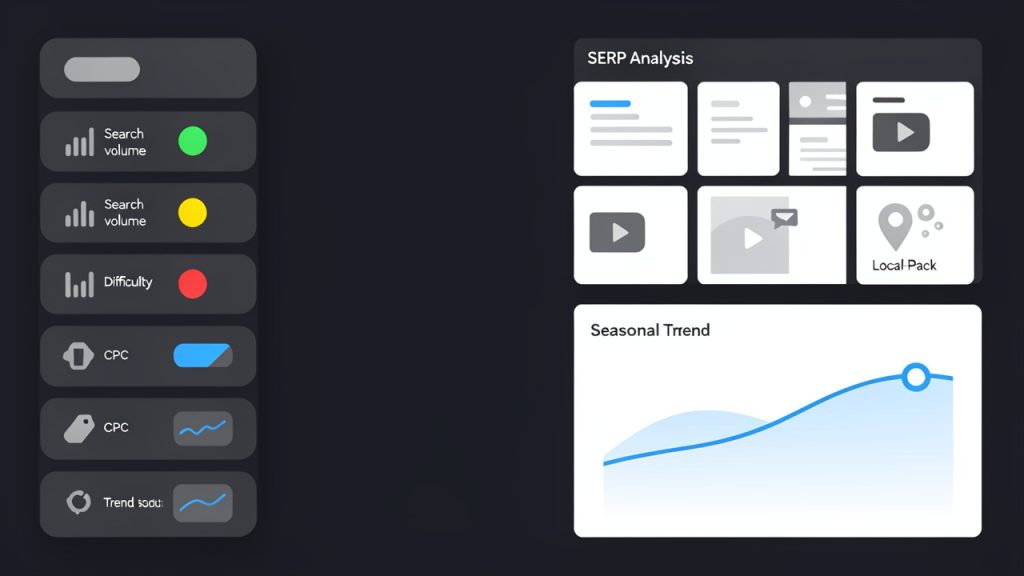
At a practical level, AI SEO tools combine machine learning, natural language processing, and automation to support search optimization tasks. Some help you identify keywords and clusters based on search intent. Others analyze top-ranking pages and suggest the entities, topics, and subtopics your content should cover. Some focus on internal linking, schema opportunities, content briefs, SERP monitoring, or competitor gaps.
What separates a useful tool from a flashy one is whether it improves outcomes you can measure. Can it help you publish better pages faster? Can it reduce guesswork in optimization? Can it surface hidden opportunities you would otherwise miss? Can it explain why a recommendation matters, rather than just throwing out a score?
For small teams, this matters even more. You are often balancing SEO with content creation, client work, operations, and sales. A tool that saves two hours a week by cleaning up keyword clustering or creating usable briefs can be more valuable than a complex platform with fifty reports you never open.
AI in SEO is about assistance, not autopilot
There is a common misconception that AI SEO means generating a hundred blog posts and waiting for traffic. That is not a reliable strategy. Search engines have become much better at evaluating usefulness, originality, and depth. Thin content produced at scale often creates more cleanup work than growth.
The strongest AI tools support the parts of SEO that are repetitive, data-heavy, or difficult to process quickly. Think of them as assistants that are very good at reading patterns across large datasets. They can scan the competitive landscape, organize topics, suggest missing angles, and flag optimization issues. You still need human judgment to shape the final output around your brand, voice, and audience.

That human layer is where many businesses win. AI can propose a structure for a local service page, but only you know the customer objections that need addressing. AI can suggest related terms for a software comparison post, but only a real expert can explain the trade-offs clearly enough to earn trust.
Different tool types solve different problems
Not every AI SEO tool is trying to do the same job. Some are all-in-one platforms. Others are specialized. If you are evaluating options, it helps to think in categories rather than brand names first.

Content optimization tools help improve relevance, topical coverage, readability, and structure.
Keyword and topic research tools uncover opportunities, cluster terms, and identify intent.
Technical SEO tools scan sites for issues and increasingly use AI to prioritize fixes.
Writing assistants speed up drafting, rewriting, and meta creation.
Workflow tools connect data from multiple sources and turn it into briefs, tasks, or recommendations.
This distinction matters because the best choice for a freelance copywriter is often not the best choice for a developer-led startup or a local business with twenty service pages.
Key aspects to look for in the best AI tools for SEO
A tool can have excellent marketing and still be a poor fit. The smartest way to evaluate AI for SEO is by looking at the qualities that affect daily use and long-term value.
Search intent analysis
One of the most useful applications of AI in SEO is understanding search intent. Good tools go beyond listing keywords and help you interpret what users are actually trying to accomplish. Are they looking for a quick answer, a comparison, a tutorial, a product page, or a local provider?
This changes everything about content strategy. If you target a keyword with the wrong page type, no amount of optimization will fix the mismatch. The best platforms help you identify intent patterns from the SERP itself. They look at ranking page formats, common subtopics, featured snippets, and semantic relationships so your content can align more naturally with what search engines already reward.
For small business websites, this is often the difference between writing a generic article and building a page that genuinely meets demand. A bakery should not treat “best wedding cakes in Austin” the same way it treats “how much does a wedding cake cost.” One suggests a local commercial page. The other suggests informational content with pricing guidance.
Content brief creation and topical depth
AI-generated briefs are one of the biggest time savers in modern SEO. A well-designed brief can shorten research time dramatically by combining keyword targets, competitor insights, topic coverage, heading suggestions, questions to answer, and internal link recommendations.
The best tools do not just create outlines. They help you cover a subject with enough depth to be competitive. This often includes identifying related entities, frequently discussed themes, and content gaps in ranking pages. When done well, it prevents the common mistake of writing content that targets the right keyword but misses the real breadth of the topic.
For freelancers and agencies, this can streamline client work. Instead of spending an hour manually reviewing top pages, you can use AI to create a solid first-pass brief, then refine it with your own judgment and brand knowledge.
On-page optimization without over-optimization
Early SEO tools often trained people to chase arbitrary keyword density. Better AI tools have moved beyond that. They evaluate relevance, structure, semantic coverage, internal consistency, readability, and alignment with search intent.
This is important because content can become robotic very quickly when writers optimize too aggressively. The better platforms suggest improvements that make a page more complete and useful, not just more repetitive. They might recommend clarifying the introduction, expanding a weak subsection, adding examples, or including a missing concept that appears across top-ranking pages.
That kind of optimization is healthier for both search performance and reader experience. It reflects the reality that strong content feels natural while still being strategically constructed.
Keyword clustering and topic mapping
For anyone managing more than a handful of pages, keyword clustering is one of the highest-value AI capabilities. Instead of treating every keyword as a separate article opportunity, clustering tools group terms that can likely be served by the same page.
This reduces cannibalization and helps you build cleaner site architecture. It also makes editorial planning easier. Rather than producing five overlapping blog posts, you create one stronger resource and support it with complementary pages where needed.
Topic mapping takes this a step further. It helps you see how pieces of content relate across a broader topical area. This is especially useful for SaaS companies, affiliate sites, service businesses, and publishers trying to build authority around a niche over time.
Technical SEO prioritization
Technical SEO can be overwhelming because many tools surface hundreds or thousands of issues. AI helps by separating noise from impact. Instead of presenting a giant checklist, stronger platforms are beginning to prioritize fixes based on likely performance effects, implementation difficulty, and site context.
That matters for developers and time-strapped site owners. If your crawl budget is limited, your templates generate duplicate metadata, or your internal linking is weak, you need to know what deserves attention first. AI can assist by grouping related problems, spotting root causes, and surfacing anomalies that might be easy to miss in raw reports.
It will not replace developer expertise, but it can make technical analysis far more manageable.
Usability and workflow fit
A brilliant tool that no one wants to use is not a good investment. For the audience most interested in easy-to-use online tools, usability is a major factor. Clean navigation, understandable recommendations, quick setup, and sensible reporting often matter more than having every possible feature.
This is where many smaller businesses should be disciplined. If you are not running a large SEO operation, the best choice may be the platform that does three things extremely well and helps you act quickly. Complexity can feel impressive while quietly reducing adoption.
Data quality and transparency
AI recommendations are only as good as the data behind them. If a tool gives optimization advice without explaining its rationale, be careful. The best platforms show enough of their logic to make recommendations trustworthy. They connect insights to rankings, SERP patterns, competitors, topic coverage, or site data rather than offering mysterious scores in isolation.
Transparency is especially important when using AI-generated content suggestions. You should be able to tell whether a recommendation is based on actual search patterns or generic language modeling. That difference affects quality in a big way.
A practical comparison of popular AI SEO tool categories
Before choosing a tool, it helps to compare them by real-world use case rather than hype. Most buyers do not need the single “best” platform in the abstract. They need the best fit for their workflow.
| Tool Category | Best For | Main Strength | Watch-Out |
|---|---|---|---|
| AI content optimization tools | Writers, agencies, publishers | Improve topical coverage and on-page quality | Can encourage formulaic writing if followed too rigidly |
| AI keyword research tools | SEO strategists, small businesses, niche site owners | Surface opportunities, clusters, and search intent | Data quality varies across providers |
| AI writing assistants for SEO | Freelancers, content teams, solo marketers | Faster drafting, rewriting, titles, and meta descriptions | Human editing is essential for originality and accuracy |
| AI technical SEO platforms | Developers, larger sites, ecommerce teams | Prioritize issues and identify structural problems | Can be overkill for very small websites |
| All-in-one AI SEO suites | Agencies, scaling businesses | Centralized workflow across research, content, and reporting | Higher cost and steeper learning curve |
This comparison highlights a simple truth. The best AI tool for SEO depends heavily on what problem you need to solve first. A freelancer writing ten articles a month has different needs than a developer managing a large documentation site.
How to choose the right AI SEO tool for your situation
Choosing well starts with honesty about your bottleneck. Most people do not need a platform that does everything. They need one that removes friction at the point where progress currently slows down.
If you struggle with content planning
If your biggest challenge is deciding what to write, focus on tools with strong keyword discovery, clustering, SERP analysis, and brief generation. These features help turn vague ideas into a realistic editorial roadmap.
This is often the best entry point for small businesses and solo site owners. Content planning mistakes are expensive because they waste time before optimization even begins. AI can help you avoid building pages around low-value or mismatched terms.
If you already publish but rarely rank
In this case, the issue may be content depth, alignment, structure, or internal linking. AI content optimization platforms can be helpful because they show where pages fall short against the competitive set.
That said, do not assume every low-ranking page needs more words. Sometimes it needs a clearer angle, a more useful format, fresher examples, or stronger authority signals. The right tool should help you diagnose that distinction rather than just pushing for length.
If your site has technical problems
Developers, SaaS teams, and ecommerce operators often benefit more from AI-supported auditing and prioritization than from writing tools. A beautiful article cannot compensate for major crawl, indexing, duplication, or architecture issues.
If this sounds familiar, look for tools that surface technical patterns clearly and help you focus on fixes with meaningful impact. Bonus points if they integrate well with analytics and search console data.
If you need simplicity and affordability
For budget-conscious users, the ideal setup is often a lightweight combination rather than a massive suite. One tool for research and clustering, plus a capable AI writing assistant and free analytics data, can go surprisingly far when used well.
This matters because SEO tools can become expensive quickly. Pricing should be evaluated against actual use, not feature count. An affordable tool you use every week beats a premium platform you open once a month.
How to get started with AI SEO tools
The fastest way to waste money on AI SEO software is to sign up before you define your process. Tools work best when they support a clear method, even a simple one.
Start by identifying one objective for the next 60 to 90 days. That objective might be increasing organic traffic to service pages, publishing a cluster of educational blog content, refreshing older posts, or improving internal linking. A specific goal makes it easier to choose the right features and evaluate whether the tool is helping.
Then establish your baseline. Look at your current rankings, top-performing pages, impressions, clicks, conversions, and technical site health. Without a before-and-after view, even a good tool can feel vague. SEO takes time, but progress becomes easier to see when you measure the right indicators.
A simple starter workflow
For most small businesses and freelancers, a basic workflow is enough to begin:
- Research topics using AI-assisted keyword discovery and clustering.
- Build a brief based on search intent, competitor patterns, and key subtopics.
- Draft or update content with AI support, then edit for expertise, clarity, and originality.
- Optimize on-page elements such as headings, metadata, internal links, and structure.
- Review results in search console and analytics, then refine based on performance.
This process keeps AI in a supporting role. It speeds up the work without replacing your judgment.
Use AI to improve, not just produce
A common beginner mistake is using AI only at the drafting stage. In reality, some of the biggest gains come before and after writing. AI is excellent at discovering content gaps, organizing topic clusters, and identifying pages worth refreshing. It can also help summarize competitor patterns and suggest stronger internal linking opportunities after a page is live.
That broader use is usually more valuable than asking a chatbot to write a generic post from scratch. Production is only one part of SEO. Improvement is where rankings are often won.
Keep human review in the loop
No matter how advanced the platform, human review remains essential. AI can miss nuance, repeat weak assumptions from existing search results, or create polished but shallow content. This is especially risky in industries where accuracy and trust matter, such as finance, legal, health, software, or local services.
Review every AI-assisted output for factual accuracy, tone, originality, and usefulness. Add firsthand examples when possible. Include details your competitors are unlikely to have. That is how you create pages that feel genuinely worth ranking.
Measure results with patience and precision
SEO results are rarely immediate, which is why clear measurement matters. Track whether pages are gaining impressions before they gain clicks. Watch ranking movement at the query level. Monitor whether updated content improves engagement or conversions, not just traffic.
AI tools can make optimization faster, but they do not change the fundamental timeline of organic search. What they can do is increase the quality and consistency of your work, which compounds over time.
Common mistakes people make with AI SEO tools
The most frequent mistake is assuming the tool itself is the strategy. It is not. If your site targets the wrong audience, lacks a clear structure, or publishes content without a business purpose, AI will only help you move faster in the wrong direction.
Another mistake is over-automating content. Search visibility grows when content is useful, differentiated, and aligned with intent. If every page sounds like it was generated from the same template, both users and search engines will notice. AI should support quality, not flatten it.
There is also a temptation to trust scores too much. Optimization scores can be useful, but they should not override common sense. A page should satisfy the reader first. If a recommendation improves a score while making the content less readable, it is probably the wrong move.
Finally, many teams buy too much software too early. If your workflow is still simple, keep the stack simple. Add complexity only when it solves a real bottleneck.
What the future of AI in SEO looks like
AI in SEO is moving beyond content generation into decision support. The next wave is less about writing faster and more about understanding search landscapes more intelligently. Expect better clustering, better intent mapping, smarter refresh recommendations, more useful internal linking guidance, and stronger connections between SEO data and business outcomes.
That shift is healthy. It moves the conversation away from mass production and toward strategic leverage. The best AI tools for SEO will increasingly act like analysts and assistants, not content vending machines.
For users who value productivity, that is good news. It means you can spend less time wrestling with raw data and more time making decisions that matter.
Conclusion
The best AI tools for SEO are not the ones with the longest feature list. They are the ones that help you research better, create smarter, optimize more confidently, and act faster without sacrificing quality. Whether you are a small business owner, freelancer, developer, or productivity-focused user, the right tool should reduce friction and improve decisions.
Your next step is simple. Pick one SEO goal, choose a tool category that matches your bottleneck, and test it in a focused workflow for the next few weeks. If it helps you produce clearer insights, stronger pages, and better performance, you have found something valuable. If not, move on quickly. In SEO, useful tools earn their place through results, not promises.