JNTZN

Tag: site architecture

  • Ecommerce SEO: A Practical Guide to Optimize Online Stores

    Ecommerce SEO: A Practical Guide to Optimize Online Stores

    A beautiful online store means very little if no one can find it. That is the hard truth behind ecommerce SEO. Many store owners invest in product photography, branding, and ads, then wonder why organic traffic stays flat. The problem is rarely the product alone. More often, the site is invisible to the people already searching for what it sells.

    Search engine optimization for ecommerce is not just about ranking a homepage. It is about helping category pages, product pages, collections, filters, and supporting content appear when buyers are actively looking. Done well, it turns your store into a long-term traffic asset, instead of a business that depends entirely on paid acquisition.

    For small business owners, freelancers, and developers building online shops, this matters even more. A strong ecommerce SEO strategy can lower customer acquisition costs, improve visibility across hundreds or thousands of search terms, and create steady sales momentum over time. It takes structure, patience, and smart execution, but the payoff is durable.

    What Is Ecommerce SEO?

    Ecommerce SEO is the process of optimizing an online store so its pages rank higher in search engines for relevant product, category, and informational queries. Unlike general SEO, which may focus heavily on blog content or service pages, SEO for ecommerce has to deal with a larger and more complex site architecture.

    An online store usually contains product listings, collection pages, faceted navigation, internal search results, seasonal pages, and often duplicate or near-duplicate content. That creates unique technical and content challenges. Search engines need to understand which pages matter most, how they relate to one another, and which ones deserve to rank.

    At its core, ecommerce search optimization serves two audiences at once. It helps search engines crawl and interpret your store, and it helps real shoppers discover products faster. Those two goals overlap more than many businesses realize. A clean category structure, descriptive page titles, useful product copy, and fast load times all improve discoverability and user experience at the same time.

    Think of it like organizing a retail store. If the aisles are confusing, labels are missing, and similar products are scattered randomly, customers leave. Search engines react in a similar way when a store has poor structure or thin content. Good ecommerce SEO creates order, clarity, and relevance.

    Why Ecommerce SEO Matters More Than Ever

    Paid ads can drive traffic quickly, but they stop the moment you stop funding them. Organic search works differently. When your category pages and product pages rank well, they can keep bringing in visitors without a direct cost per click.

    This is especially important in competitive markets where ad costs continue to rise. Small brands often cannot outspend larger retailers, but they can still compete through better targeting, stronger content, and a more technically sound site. Search gives smaller businesses a way to win specific, high-intent queries that larger competitors may overlook.

    Search behavior has also changed. Buyers rarely search in broad terms alone. They use detailed phrases such as color, model, material, use case, and brand comparisons. A well-optimized ecommerce site can capture that intent across many stages of the buying journey, from research to purchase.

    Key Aspects of Ecommerce SEO

    Ecommerce SEO is not one task. It is a system made up of technical setup, keyword targeting, on-page optimization, content strategy, internal linking, and user experience. If one part is weak, it often limits the others.

    Keyword Research for Commercial Intent

    Keyword research for an online store should begin with buyer intent, not vanity traffic. A keyword with lower volume but stronger purchase intent can be more valuable than a broad phrase that attracts casual browsers.

    Category pages usually target broader commercial terms, while product pages target specific model or product-based searches. Informational content, such as buying guides or comparisons, can capture earlier-stage demand and support conversions later. This layered approach matters because ecommerce buyers do not all arrive at the same point in the funnel.

    A funnel-style illustration mapping buyer intent to page types: top (informational queries) → guides/blogs, middle (commercial investigation) → category/collection pages, bottom (transactional intent) → product pages. Show examples of queries at each stage (e.g., 'best running shoes for flat feet' → category/guide; 'Nike Air Zoom Pegasus 38' → product).

    For example, someone searching for “best running shoes for flat feet” is still evaluating options. Someone searching for a specific product name is much closer to buying. Your store should have pages designed for both searches, but the page type and content must match the intent. That alignment is one of the biggest ranking factors many stores overlook.

    Site Architecture and Crawlability

    A strong ecommerce site architecture helps both users and search engines, and crawlability is a key factor in that design. Ideally, your important pages should be reachable within a few clicks from the homepage. Categories should be logical, subcategories should be clear, and URLs should reflect that hierarchy in a simple, readable way.

    Poor structure creates crawl waste. Search engines may spend time on filtered URLs, duplicate pages, or low-value variations instead of your core money pages. This is a common issue on platforms with faceted navigation, where every filter combination can generate a unique URL.

    The goal is not to eliminate filters, because filters improve usability. The goal is to control how search engines interact with them. That often means deciding which filtered pages deserve indexing and which should remain crawlable but not indexable, or blocked when appropriate. This is where technical SEO becomes especially important in ecommerce.
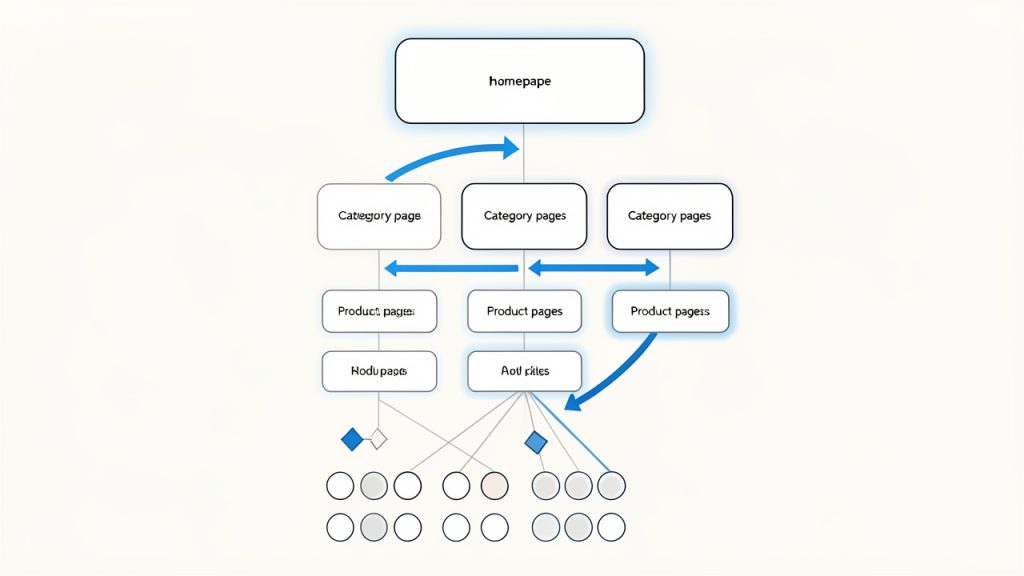
    A clear site architecture diagram showing homepage > category > subcategory > product pages, with faceted/filtered URLs branching off. Include a visual cue for 'important pages within a few clicks' and highlight crawl paths (arrows) to show crawlability.

    On-Page Optimization for Category and Product Pages

    Category pages are often the unsung heroes of ecommerce SEO. They tend to target valuable high-intent keywords and can rank for a wide range of related searches. Yet many stores treat them as simple product grids with almost no context.

    A good category page has a clear title, helpful introductory copy, descriptive headings, optimized metadata, and strong internal links. It should explain what the category offers without overwhelming the user with unnecessary text. The trick is balancing search relevance with shopping usability.

    Product pages need their own level of care. Manufacturer descriptions copied across dozens of stores rarely perform well. Unique product copy, detailed specifications, use cases, FAQs, reviews, and trust signals help a product page stand out. Search engines prefer pages that add value, and shoppers do too.

    Technical SEO for Online Stores

    Technical SEO is often where ecommerce sites either scale well or break under complexity. Page speed, mobile usability, crawl management, structured data, canonical tags, and indexation control all have a direct impact on visibility.

    Large stores often suffer from duplicate content because of product variants, sorting parameters, printer-friendly pages, and multiple URLs leading to similar content. Canonicalization helps signal which version should be treated as primary. Without it, ranking signals can become diluted across duplicates.

    Structured data is another important piece. Product schema, review markup, availability, price, and breadcrumb data can help search engines understand your pages more clearly. In some cases, this can improve how listings appear in search results, making them more attractive to click.

    Content That Supports Product Discovery

    Content marketing still matters in ecommerce, but it has to support the buying journey. Random blog posts with no connection to your products rarely move the needle. Content should bridge the gap between informational searches and commercial pages.

    Buying guides, comparison pages, sizing help, care instructions, gift guides, and “best for” content are all useful formats. These assets can attract top-of-funnel traffic while naturally linking users toward categories and products. They also help answer objections before a customer reaches checkout.

    A useful way to think about content is this: every question a shopper asks before buying is a search opportunity. If your store answers those questions better than competitors, you increase both traffic and trust.

    Internal Linking and Topical Relevance

    Internal links help distribute authority across your site and guide both users and crawlers toward important pages. In ecommerce, internal linking is often underused outside of navigation menus and breadcrumbs.

    Contextual links from guides to categories, from categories to subcategories, and from related products to complementary items can strengthen relevance. This also helps users continue their shopping journey naturally. The best internal linking does not feel forced. It feels like helpful merchandising.

    Topical relevance also matters at the site level. If your store consistently covers a product niche in depth, your pages can reinforce one another. Search engines look for patterns of expertise, not just isolated pages. A tightly themed store with well-connected content often performs better than a scattered one.

    User Experience, Trust, and Conversion Signals

    SEO does not end at rankings. If visitors land on your pages and leave immediately, your traffic will not become revenue. Search optimization for ecommerce works best when it is paired with clear usability and trust.

    Fast load times, clean mobile design, obvious calls to action, transparent shipping information, return policies, and customer reviews all influence whether visitors stay and buy. While not every conversion factor is a direct ranking signal, better user experience often supports better engagement, stronger retention, and more brand searches over time.

    Search engines increasingly reward pages that satisfy users. If your page answers the query, loads quickly, and makes the next step easy, you are not just optimizing for algorithms. You are optimizing for outcomes.

    Common Ecommerce SEO Priorities by Page Type

    Page Type Primary SEO Goal Typical Keyword Intent Main Optimization Focus
    Homepage Brand visibility Navigational, branded Brand messaging, internal links, core categories
    Category Page Rank for commercial terms Commercial investigation Titles, headings, intro copy, filters, internal links
    Product Page Rank for specific product searches Transactional Unique descriptions, schema, reviews, images
    Blog/Guide Page Capture informational traffic Informational Search intent match, depth, linking to products
    Collection or Seasonal Page Capture timely demand Commercial, seasonal Freshness, promotional relevance, discoverability

    How to Get Started With Ecommerce SEO

    Getting started can feel overwhelming because online stores have so many moving parts. The best approach is not to optimize everything at once. Start with the pages and issues most likely to affect revenue and visibility.

    Begin With an SEO Audit

    An ecommerce SEO audit gives you a baseline. It should assess crawlability, indexation, site structure, page speed, duplicate content, metadata quality, internal linking, and content depth. You are looking for constraints that stop good pages from performing.

    Often, the highest-impact fixes are not glamorous. You may discover that important category pages are buried too deep, duplicate product variants are being indexed, or title tags are autogenerated poorly. These issues can suppress performance across the whole site, even if your products are strong.

    A proper audit also helps prioritize. Not every issue deserves immediate action. Focus first on problems that affect key commercial pages and overall site accessibility.

    Map Keywords to the Right Pages

    Once you understand the state of the site, map target search terms to specific pages. This step prevents keyword cannibalization, where multiple pages compete for the same query and weaken each other.

    Your broad commercial phrases should usually map to category pages. Highly specific product terms belong on product pages. Informational queries belong in guides, FAQs, or blog content. This mapping process creates strategic clarity and makes future content decisions easier.

    A simple content-to-keyword map can save months of confusion. Instead of publishing pages at random, you build with intent.

    Improve Core Commercial Pages First

    If you only have limited time, start with the pages closest to revenue. That usually means top category pages, best-selling product pages, and high-margin collections.

    Rewrite thin category intros with useful, concise copy. Improve product descriptions so they are unique and persuasive. Add missing metadata, optimize headings, and strengthen internal links from related pages. These changes are often more profitable than publishing large volumes of new content right away.

    For smaller stores, this focused improvement approach is especially effective. You do not need hundreds of pages to see movement. You need the right pages to be clearly better than they are today.

    Build Supporting Content Around Buyer Questions

    After your core pages are in better shape, create supporting content based on real customer questions. Search query data, customer support logs, reviews, and competitor research can reveal what shoppers want to know before they buy.

    A strong guide can rank for informational terms and funnel readers toward products naturally. For example, a store selling ergonomic office products might publish content on choosing the right desk height, comparing chair materials, or setting up a home workspace. That content should lead into relevant categories and products without feeling forced.

    This approach helps your site capture more search demand while building trust. It also gives you more linking opportunities across the store.

    Track the Metrics That Matter

    Traffic alone is not enough. In ecommerce, SEO success should be tied to commercial outcomes. Rankings, organic sessions, click-through rate, index coverage, and page-level visibility all matter, but so do conversion rate, revenue, and assisted conversions from organic search.

    If a page gains traffic but drives no sales, the issue may be intent mismatch, weak page content, or poor user experience. If impressions rise but clicks do not, your titles and descriptions may need work. The data tells a story, but only if you look beyond top-line traffic.

    A useful starting point is to monitor:

    1. Organic traffic by page type
    2. Rankings for category and product terms
    3. Conversion rate from organic visitors
    4. Revenue influenced by organic search

    A Practical Starting Sequence

    Stage What to Do First Why It Matters
    Audit Review technical health and indexation Prevents hidden issues from limiting growth
    Structure Improve categories, navigation, and URLs Helps users and search engines find key pages
    On-page Optimize titles, headings, copy, and metadata Increases relevance and click potential
    Content Publish guides and supporting articles Expands keyword reach and supports conversions
    Measurement Track rankings, traffic, and revenue Shows what is working and what needs adjustment

    Conclusion

    Ecommerce SEO is both a visibility strategy and a growth system. It helps the right shoppers find the right pages at the right time, whether they are comparing options, researching a purchase, or ready to buy now. The strongest results usually come from getting the fundamentals right first: structure, crawlability, keyword intent, page quality, and internal linking.

    If you want to improve ecommerce search performance, start with your most important commercial pages and the technical issues that may be holding them back. Then build outward with supporting content and a clear measurement process. The next step is simple: audit your store, choose your top priority category pages, and begin optimizing them one by one.

  • Technical SEO Checklist for Developers: Essential Tasks

    Technical SEO Checklist for Developers: Essential Tasks

    Technical SEO problems rarely announce themselves. Your site can look polished, load fine on your laptop, and still quietly lose rankings because search engines cannot crawl key pages, understand your templates, or trust the signals your platform sends. For developers, that is where SEO stops being a marketing afterthought and becomes an engineering responsibility.

    A strong technical SEO checklist for developers helps bridge that gap. It turns vague goals like “make the site SEO-friendly” into concrete tasks across crawling, rendering, metadata, performance, structured data, and indexation. If you build websites, maintain storefronts, or ship product updates, these are not optional details. They directly affect whether pages get discovered, indexed, and ranked.

    What Is a Technical SEO Checklist for Developers?

    A technical SEO checklist for developers is a practical framework for validating that a website is accessible, understandable, and performant for search engines. It focuses less on copywriting and keyword targeting, and more on the systems behind the site. Think routing, status codes, canonical tags, robots directives, structured data, Core Web Vitals, mobile rendering, and XML sitemaps.

    This matters because search engines do not experience a site the same way a human does. A user may happily click through navigation and wait a second for content to render. A crawler, on the other hand, evaluates server responses, HTML structure, JavaScript dependencies, and the consistency of your indexing signals. When those technical layers are weak, even excellent content can struggle.

    For developers, the value of an SEO checklist is consistency. It reduces regressions during redesigns, migrations, framework updates, and content deployments. It also makes SEO measurable. Instead of hearing that “traffic dropped,” you can inspect redirect chains, compare rendered HTML, verify canonical logic, or trace a noindex tag introduced in a release.

    Key Aspects of a Developer-Focused Technical SEO Checklist

    Crawlability and indexation come first

    If search engines cannot crawl your pages, nothing else matters. The first priority is making sure important URLs are accessible and return the right HTTP status codes. Pages you want ranked should generally return 200 OK. Removed pages should return 404 or 410, and moved content should use 301 redirects. Soft 404s, broken internal links, and endless redirect loops create friction for both bots and users.

    Indexation is the next layer. A page can be crawlable but still excluded from search if it carries a noindex directive, points to another canonical URL, or is blocked by robots settings in a way that prevents proper evaluation. This is where many sites get tangled. A developer may block staging correctly, then accidentally carry the same directive into production. Or a templating rule may inject canonical tags that all point to one category page.

    The simplest way to think about it is this, crawlability is whether a bot can reach the page, and indexation is whether the bot is allowed and encouraged to store it in search results. Both have to work together.

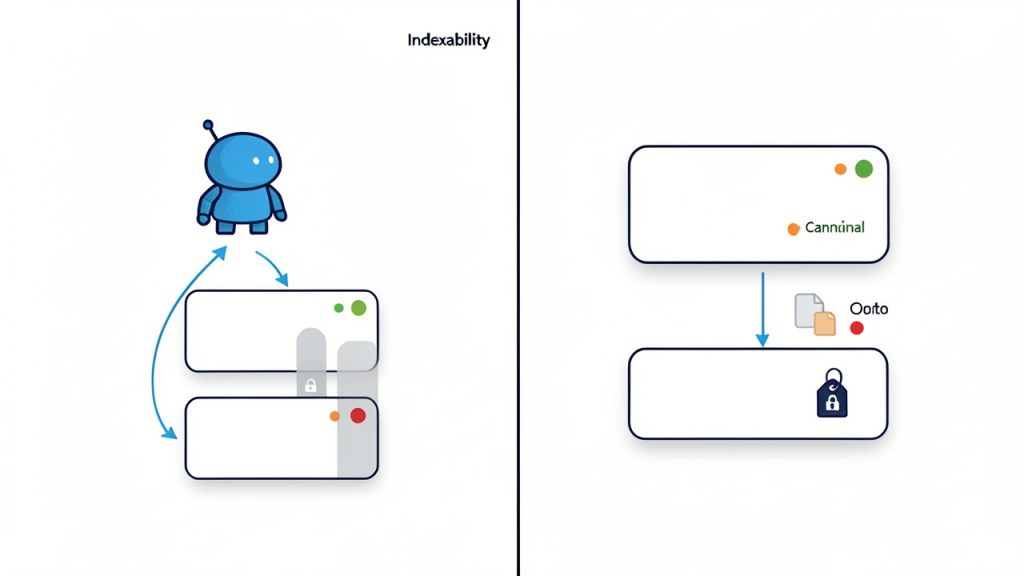
    A split diagram showing "Crawlability" on the left and "Indexation" on the right. Left side: a crawler bot reaching pages with green (200), red (404/410), and orange (301) status code labels and arrows showing accessible vs blocked URLs. Right side: the same pages with meta robots tags, canonical tags, and robots.txt decisions determining which pages are stored in an index (some go into an index box, others are excluded).

    Site architecture and internal linking shape discoverability

    Search engines understand a website partly through its internal link structure. If important pages are buried deep, orphaned, or only accessible through filtered JavaScript states, they become harder to discover and less likely to accumulate authority. Good technical SEO often starts with clean architecture, not clever hacks.

    A developer should pay close attention to URL structure, navigation components, breadcrumbs, pagination, and related-content modules. These elements are not just UX features. They are also discovery paths for crawlers. When internal links are rendered in standard HTML and point to canonical, indexable destinations, the site becomes easier to interpret.

    Flat, logical architecture usually wins. A user should not need six clicks to reach an important product or service page, and neither should a crawler. If a page matters to the business, it should be prominently linked from relevant sections of the site.

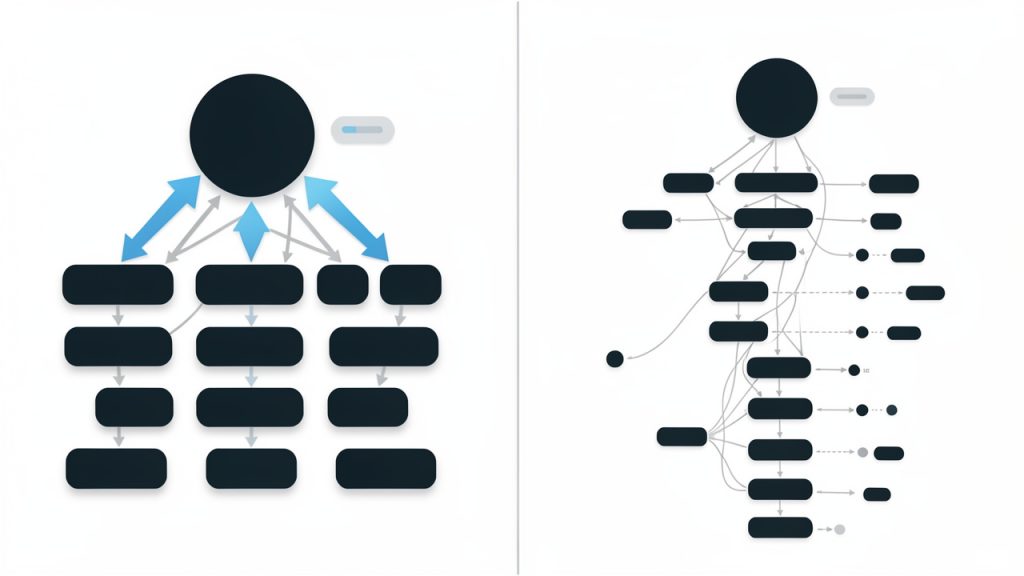
    A site-architecture illustration comparing two mini-sitemaps: (A) flat, logical structure where important pages are 1–2 clicks from the homepage, with clear nav and breadcrumb trails; (B) deep/fragmented structure showing many clicks, orphan pages with no incoming links, and filtered/JS-only links. Use arrows to indicate crawler discovery paths and show authority flow thicker on the flat structure.

    Rendering and JavaScript can make or break visibility

    Modern sites often rely on JavaScript frameworks, client-side rendering, and hydration. These can work for SEO, but they require discipline. Search engines have improved at processing JavaScript, yet rendering is still more fragile than serving meaningful HTML upfront. If critical content, links, or metadata appear only after complex client-side execution, you are increasing risk.

    Developers should verify what the initial HTML contains before JavaScript runs. Page titles, meta descriptions, canonicals, headings, body content, and internal links should ideally be present or reliably rendered in a way crawlers can access. Heavy reliance on deferred scripts, blocked resources, or API calls can delay or obscure key content.

    This is especially important on large sites where crawl budget matters. If every page requires significant rendering resources, search engines may process fewer URLs or revisit them less often. Server-side rendering or static generation often provides a more stable SEO foundation than fully client-rendered experiences.

    Metadata and canonicals need system-level consistency

    Metadata issues are common because they often come from templates rather than individual pages. A technically sound site should generate unique, accurate title tags, sensible meta descriptions, and consistent canonical tags across all major page types. Problems usually appear when template logic scales badly, such as duplicate titles across paginated pages or canonicals that point to non-indexable URLs.

    Canonical tags deserve extra attention. They are hints that help search engines consolidate duplicate or near-duplicate content, but they are not magic fixes. If your site creates duplicate pages through tracking parameters, faceted navigation, session IDs, or print versions, canonical logic must align with your URL strategy. A bad canonical setup can quietly de-index valuable pages.

    The same principle applies to hreflang for multilingual sites. If implemented, it must be reciprocal, accurate, and mapped to canonical URLs. Otherwise, search engines may ignore it or misinterpret regional targeting.

    Structured data improves clarity, not rankings by itself

    Structured data helps search engines understand the meaning of your content. For developers, it is one of the clearest technical SEO tasks because it involves explicit implementation. Product pages, articles, FAQs, organizations, reviews, breadcrumbs, and local business pages can all benefit when the schema matches the page intent.

    That said, structured data is not a shortcut to ranking. It is a way to improve eligibility for rich results and reduce ambiguity. A page with weak content or poor crawlability will not suddenly perform because you added schema markup. The implementation has to be accurate, complete, and aligned with visible content on the page.

    Developers should also treat schema as part of the application layer, not a one-off plugin setting. It should be tested after releases, validated, and updated as page templates evolve.

    Performance affects both rankings and user behavior

    Technical SEO and performance are deeply linked. Search engines want to rank pages that provide a good experience, and users abandon slow pages quickly. Core Web Vitals, including Largest Contentful Paint, Interaction to Next Paint, and Cumulative Layout Shift, give developers a concrete framework for improving load and stability.

    The most useful mindset here is to focus on rendering priorities. Compress images, serve modern formats when appropriate, reduce unused JavaScript, preload essential assets carefully, and avoid layout shifts caused by late-loading fonts or media. Performance tuning is not just about hitting a score in a tool. It is about making the critical content visible and usable as early as possible.

    For SEO, this matters twice. Faster pages improve user satisfaction, and they also make crawling more efficient, especially at scale.

    Mobile-first indexing changes the baseline

    Google primarily evaluates the mobile version of a site for indexing and ranking. That means mobile parity is no longer a “nice to have.” If your desktop page has strong content, internal links, and metadata, but the mobile version hides or strips important elements, the mobile version becomes the weak signal search engines see.

    Developers should verify that the mobile experience includes the same key content, structured data, metadata, headings, and internal linking logic. Responsive design generally makes this easier, but component-level decisions still matter. Accordion content, hidden elements, oversized interstitials, or broken mobile navigation can all interfere with SEO outcomes.

    Internationalization, pagination, and faceted navigation need careful control

    Some of the hardest technical SEO work appears on large or dynamic sites. Ecommerce platforms, SaaS documentation hubs, and multi-region websites often generate huge numbers of URLs automatically. This is where developers need governance, not just optimization.

    Faceted navigation can produce endless combinations of filtered URLs. Pagination can split authority awkwardly if internal linking is poor. International sites can create duplicate pages across countries or languages. In each case, the developer’s role is to define what should be indexable, what should remain crawlable but not indexed, and what should not be exposed at all.

    These are strategic decisions as much as technical ones. The wrong setup can flood search engines with low-value pages while starving high-value pages of crawl attention.

    A Practical Technical SEO Checklist for Developers

    Below is a concise working checklist you can use during launches, redesigns, and ongoing maintenance.

    Area What to check Why it matters
    HTTP status codes Important pages return 200, moved pages use 301, removed pages return 404 or 410 Prevents crawl waste and confusion
    robots.txt No accidental production blocks, sensitive areas handled intentionally Controls crawler access at scale
    Meta robots No unintended noindex or nofollow directives Prevents valuable pages from being excluded
    Canonical tags Self-referential where appropriate, no contradictory canonicals Consolidates duplicate signals correctly
    XML sitemap Includes canonical, indexable URLs only, updated automatically Helps discovery of important pages
    Internal links Key pages linked from navigational and contextual areas Improves crawl paths and authority flow
    Rendering Critical content and links visible in rendered output Ensures search engines can process pages
    Titles and descriptions Unique, relevant, template-controlled correctly Improves clarity and click-through potential
    Structured data Valid schema aligned with visible content Enhances eligibility for rich results
    Page speed Strong Core Web Vitals and efficient asset delivery Supports rankings and UX
    Mobile parity Same essential content and metadata on mobile Required for mobile-first indexing
    Redirects No chains, loops, or mass redirects to irrelevant pages Preserves equity and user trust
    Duplicate URLs Parameters, filters, and alternate versions controlled Reduces index bloat
    Image SEO Descriptive alt text, compressed files, crawlable image URLs Supports accessibility and discovery
    Logs and monitoring Crawl behavior, errors, and indexation changes tracked Helps catch technical issues early

    How to Get Started With Technical SEO Tasks as a Developer

    Start with a baseline audit, not random fixes

    Many teams jump into technical SEO by changing titles, adding plugins, or rewriting robots.txt without understanding the actual problem. A better approach is to audit the current state first. Crawl the site, inspect index coverage in search tools, review templates, and compare source HTML with rendered output. You want to see how the site behaves before deciding what to fix.

    A baseline audit should answer a few practical questions. Which important pages are indexable? Which are missing from the sitemap? Are duplicate URLs being created unnecessarily? Are core page elements present without relying on late JavaScript? Is the mobile version equivalent to desktop in substance? Once you have those answers, prioritization becomes far easier.

    Work through the highest-impact tasks first

    Not every SEO issue deserves equal urgency. Some bugs are cosmetic, while others can wipe out visibility overnight. Developers should prioritize based on business impact and crawl/indexation risk. If a production deploy accidentally adds noindex to major templates, that outranks almost everything else. If your category pages are canonicalizing to the homepage, that is an emergency. Minor meta description duplication is not.

    A useful order of operations is this:

    1. Fix indexation blockers such as noindex errors, robots misconfigurations, broken canonicals, and bad redirects.
    2. Resolve crawl and rendering issues so bots can access content and links reliably.
    3. Improve site architecture and internal linking to strengthen discovery and authority flow.
    4. Enhance performance and structured data to improve quality signals and search presentation.

    This sequence keeps effort aligned with outcome. It also prevents teams from polishing secondary details while foundational issues remain unresolved.

    Build SEO checks into your development workflow

    The best technical SEO checklist is not a document that gets opened once a year. It is a set of checks embedded into design reviews, QA, staging validation, and deployment processes. That means developers should treat SEO-critical elements as part of acceptance criteria.

    For example, when launching a new page template, verify title generation, canonical logic, schema output, mobile rendering, and internal linking before release. During migrations, map old URLs to new destinations, test redirect behavior, and compare traffic-driving pages before and after launch. For large applications, automated tests can help catch regressions in metadata or structured data.

    SEO becomes much easier when it is operationalized. It becomes much harder when it depends on memory.

    Use the right tools, but interpret them carefully

    No tool can replace technical judgment. Crawlers, browser audits, server logs, and search console data are all useful, but each shows only part of the picture. A page might look healthy in a crawler while still being excluded from search because of duplicate intent, weak internal linking, or conflicting signals.

    Developers should combine multiple viewpoints. Use crawlers to map site structure and metadata. Use browser tools to inspect rendering and performance. Use server logs to understand how bots actually behave. Use index reports to see what search engines include or exclude over time. The intersection of these sources is where reliable diagnosis happens.

    Common technical SEO mistakes developers should avoid

    Some SEO failures are surprisingly routine. A redesign launches with JavaScript-only navigation and no crawlable links. A framework update changes routing and creates duplicate trailing-slash URLs. Parameterized search pages get indexed at scale. A staging site is blocked correctly, but production inherits the same directive. Image lazy loading hides critical visuals from the initial viewport, hurting both UX and LCP.

    These issues usually do not happen because developers ignore SEO. They happen because SEO requirements were not translated into technical rules early enough. The fix is not more panic after launch. The fix is better specification, testing, and ownership.

    Key Aspects to Revisit During Redesigns and Migrations

    Redesigns often preserve visuals, not visibility

    A redesign can improve branding while damaging search performance if the underlying page structure changes carelessly. Heading hierarchy, internal links, content depth, URL structure, metadata templates, and schema output all need to be validated. Search engines do not rank color palettes. They rank accessible, consistent, interpretable pages.

    Before launch, compare old and new templates side by side. Make sure important on-page content is still present. Confirm that URLs are either preserved or redirected cleanly. Check that navigation still exposes critical sections. It is common for visually elegant redesigns to reduce text, flatten category structures, or hide links in scripts that are less crawler-friendly.

    Site migrations demand precision

    Migrations are one of the highest-risk moments in technical SEO. Domain changes, CMS replacements, protocol updates, and major URL restructures can all trigger ranking losses if not handled carefully. The developer’s job is to preserve as much continuity as possible.

    That includes creating a clear redirect map, retaining key content, updating canonicals, refreshing XML sitemaps, and validating internal links after launch. Redirecting everything to the homepage is not a migration strategy. It is a signal of lost relevance. Each important old URL should point to its closest new equivalent.

    Monitoring after launch matters just as much as pre-launch checks. Watch crawl errors, indexation shifts, rankings, and bot behavior closely in the first few weeks.

    How Small Teams Can Manage Technical SEO Without Overcomplicating It

    Small business owners, freelancers, and lean product teams do not always have a dedicated SEO engineer. That is fine. Most technical SEO wins come from getting the fundamentals consistently right, not from chasing edge-case tactics.

    If your resources are limited, focus on a smaller set of recurring tasks. Keep your important pages crawlable and indexable. Make sure titles, canonicals, and internal links are generated correctly. Maintain a clean XML sitemap. Test mobile rendering. Improve page speed where users feel it most. Validate structured data on your main templates. These habits will outperform sporadic, reactive fixes.

    A lightweight process can be enough. One monthly crawl, one performance review, and one checklist pass before every release can catch a large percentage of avoidable SEO mistakes.

    Conclusion

    A good SEO checklist for developers that covers technical SEO tasks is really a reliability checklist for search visibility. It ensures your site can be crawled, rendered, indexed, understood, and trusted. It also gives developers something better than vague advice. It gives them specific systems to inspect and improve.

    The next step is simple. Pick your top page templates, run a technical audit against the checklist above, and fix the highest-impact issues first. Once those checks become part of your development workflow, technical SEO stops being a scramble and becomes a competitive advantage.