
A website can look polished, load decently on your laptop, and still quietly lose traffic every week. That’s what makes SEO problems so expensive. Broken links, missing metadata, weak internal linking, slow mobile pages, crawl issues, and duplicate content often stay invisible until rankings drop or leads dry up.
This is where SEO audit tools earn their place. They help you inspect your site the way a search engine might, surfacing technical errors, on-page weaknesses, and missed opportunities before they become bigger business problems. For small business owners, freelancers, developers, and efficiency-focused teams, the right audit tool can save hours of guesswork and turn SEO into a repeatable process instead of a vague marketing chore.
What Are SEO Audit Tools?
SEO audit tools are platforms or utilities that analyze a website’s search performance and technical health. Their job is to identify issues that may prevent pages from ranking well, being crawled correctly, or delivering a good user experience. Think of them as a diagnostic system for your website.
A strong audit tool does more than point out surface-level errors. It connects technical findings to practical outcomes. If a page loads slowly, the tool should help you understand whether large images, render-blocking scripts, or server response time are to blame. If a page is missing a title tag, the tool should show why that matters and where to fix it.
For many users, the appeal is simple. Manual SEO reviews are time-consuming and easy to miss things in. A good auditing tool scans hundreds or thousands of pages faster than any human could, then organizes the findings into categories you can act on. That matters whether you run a five-page local business site or a large ecommerce store with constantly changing inventory.
What These Tools Usually Check
Most website audit tools for SEO focus on several core areas. The first is technical SEO, which includes crawlability, indexability, site speed, HTTPS issues, redirects, canonicals, XML sitemaps, and mobile usability. If search engines cannot access or interpret your pages correctly, your content will struggle no matter how good it is.
The second area is on-page SEO. This includes title tags, meta descriptions, heading structure, image alt text, keyword usage, duplicate content, thin pages, and internal linking. These factors help search engines understand page relevance and help users navigate your content.
The third area is site quality and performance. Some tools review page speed, Core Web Vitals, structured data, broken links, and user-facing issues that affect trust and usability. Others extend into backlinks, competitor analysis, and keyword tracking, giving you a more complete SEO workflow in one place.
Why Audit Tools Matter for Smaller Teams
If you’re a solo freelancer or small business owner, time is usually the real bottleneck. You may not have an in-house SEO specialist, developer, content strategist, and analyst all working together. An audit tool reduces that complexity by flagging what needs attention first.
For developers, these tools are useful because they translate SEO into concrete fixes. Instead of hearing that a site “is not optimized,” you get a list of redirect chains, missing schema, blocked resources, oversized images, and crawl-depth issues. That level of specificity makes SEO much easier to prioritize alongside other technical work.
Key Aspects of SEO Audit Tools
Not all SEO audit software is equally useful. Some tools produce long reports filled with warnings that do not matter much. Others do a better job of separating critical issues from minor improvements. Knowing what to look for will help you choose a tool that supports decisions instead of creating noise.
Crawl Depth and Site Discovery
At the heart of most auditing platforms is a crawler. This crawler moves through your website the way a bot would, following links and collecting data about each page. The quality of this crawl matters because poor crawling leads to incomplete audits.
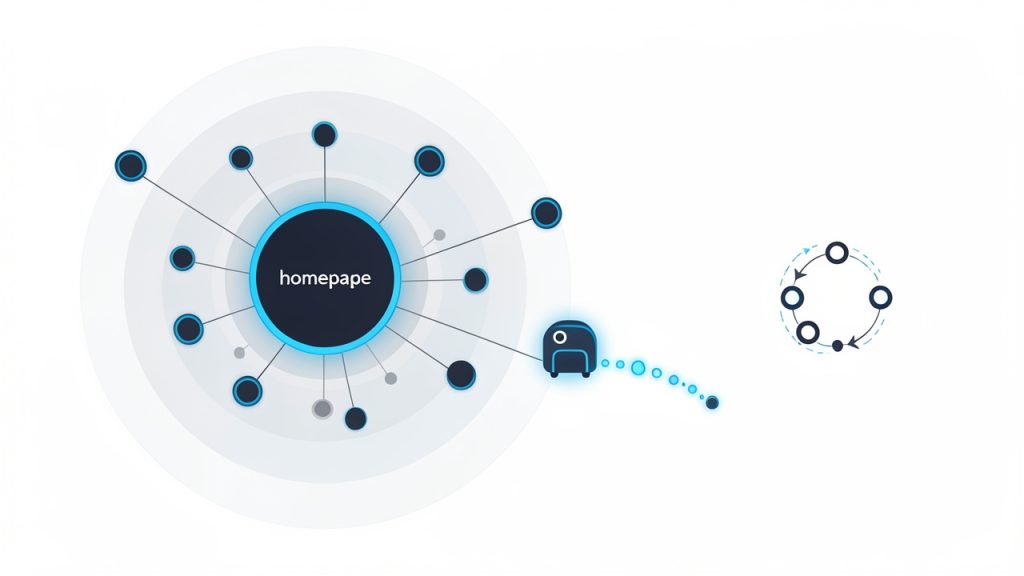
A useful crawler should reveal orphan pages, deep pages buried too far from the homepage, redirect loops, and broken internal links. These problems affect both discoverability and user navigation. If an important sales page is four or five clicks deep with weak internal links, that page may be technically live but strategically hidden.
For larger sites, crawl controls become especially important. The best tools let you set limits, include or exclude folders, and inspect JavaScript-rendered content where needed. That matters for modern websites built with dynamic frameworks, where a simple HTML crawl may miss key issues.
Technical SEO Diagnostics
Technical analysis is often the most valuable part of a site audit. This is where tools identify the invisible problems that block rankings without obvious visual signs. A page can look perfectly fine to a visitor while returning the wrong canonical tag, redirecting unnecessarily, or being excluded from indexing.
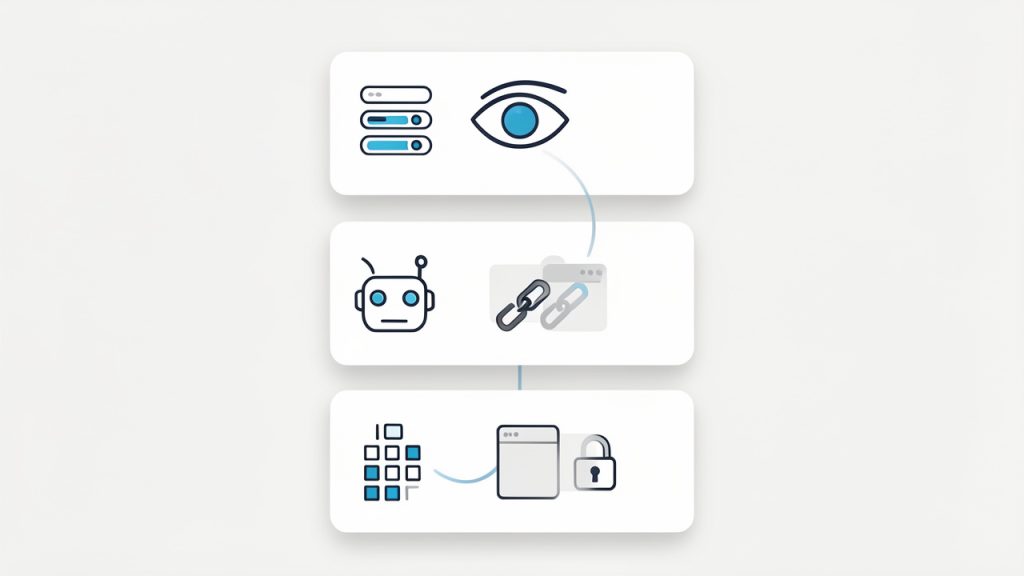
The strongest tools report on status codes, indexability, robots directives, canonical conflicts, HTTPS consistency, and XML sitemaps. They help answer essential questions. Can search engines reach the page? Should they index it? Does the page point to itself properly? Are there conflicting signals?
Speed and performance are often included here as well. A good audit should help connect performance issues to causes, not just scores. A score alone is interesting, but knowing that your slow pages come from uncompressed images, excessive JavaScript, or poor caching is what makes the report actionable.
On-Page Optimization Insights
A complete SEO review goes beyond infrastructure. It also evaluates how well pages communicate relevance. On-page checks help identify missing or duplicated title tags, weak headings, overly short or thin content, missing alt attributes, and metadata gaps.
This part is especially useful for content-heavy sites. If you manage a blog, service pages, product pages, or landing pages, an audit tool can quickly expose patterns. Maybe all your category pages have duplicate titles. Maybe your local pages use nearly identical copy. Maybe your strongest content is not linked from any commercial page. These are the kinds of issues that often hold websites back.
The best tools also avoid treating SEO like a checklist divorced from context. For example, a short page is not automatically bad. A branded contact page does not need 1,500 words. Smart tools help you interpret findings rather than blindly chasing “perfect” scores.
Reporting and Prioritization
An audit is only useful if you can turn it into action. This is where reporting quality matters. Some platforms dump hundreds of alerts into one dashboard, which can feel productive but quickly becomes overwhelming. Others group findings by severity and business impact.
Look for tools that separate critical errors, warnings, and opportunities. A noindex tag on a revenue-generating page deserves immediate attention. A missing meta description on a privacy policy page probably does not. Prioritization helps prevent wasted effort.
Clear reporting also improves collaboration. If you work with clients, team members, or developers, a readable report can reduce back-and-forth and help everyone understand what matters now versus later.
Usability and Learning Curve
For non-specialists, the interface matters almost as much as the features. A powerful platform that requires advanced configuration and technical interpretation may not be the right fit for a local business owner who just wants to catch major issues once a month.
On the other hand, developers and SEO professionals may prefer deeper controls, custom crawling rules, API access, or raw data exports. The right choice depends on how hands-on you want to be. A simple tool can be ideal if it gets used consistently. A sophisticated one is valuable if you have the capacity to interpret it properly.
Free vs Paid SEO Audit Tools
Free tools can be surprisingly useful, especially for small sites and first-time audits. They often cover basic page analysis, mobile friendliness, speed insights, indexing checks, and metadata reviews. For many users, that is enough to spot the biggest problems early.
Paid tools become more valuable when you need larger crawls, historical tracking, competitor data, advanced issue segmentation, white-label reports, or collaborative workflows. They save time at scale. If your site changes often, or if SEO directly supports lead generation and sales, that time savings can easily justify the cost.
The smartest approach is usually practical, not ideological. Start with what solves your current problem. If a free tool gives you clear answers, use it. If your workflow outgrows it, upgrade for better depth and automation.
Comparing Common Types of SEO Audit Tools
Different tools tend to specialize in different parts of the audit process. Some are better for technical crawling, others for performance testing, and others for broader SEO management.
| Tool Type | Best For | Strengths | Limitations |
|---|---|---|---|
| Browser-based page audit tools | Quick checks on individual pages | Fast, easy to use, beginner-friendly | Limited sitewide visibility |
| Full-site crawlers | Technical SEO and large-scale diagnostics | Deep crawl data, issue detection, exports | Can feel complex for beginners |
| Performance testing tools | Speed and Core Web Vitals analysis | Detailed load metrics and optimization clues | Usually less comprehensive for on-page SEO |
| All-in-one SEO platforms | Ongoing SEO management | Combines audits, keywords, backlinks, reporting | Often more expensive |
| CMS-integrated SEO tools | Day-to-day content optimization | Convenient inside publishing workflow | Usually less powerful for technical audits |
This comparison matters because many users expect one tool to do everything perfectly. In practice, the best results often come from combining a site crawler with a speed tool and a simple indexing or search-console review.
How to Get Started With SEO Audit Tools
Starting well is more important than starting with the most advanced software. Many people waste time chasing dozens of minor suggestions before fixing the few issues that actually affect visibility. A focused first audit will give you far better results.
Begin With a Clear Goal
Before running any website audit tool for SEO, decide what you are trying to learn. Are you investigating a rankings drop? Preparing a site launch? Looking for technical problems on a client site? Trying to improve local search visibility? Your goal will shape which issues deserve attention.
If your traffic dropped suddenly, focus on indexing, crawlability, redirects, and recent site changes. If your problem is poor conversions from existing traffic, usability and page performance may matter more. If you are launching a new site, start with fundamentals like metadata, structure, mobile experience, and internal links.
Without a goal, audit reports can become distracting. You end up fixing harmless warnings while missing the one issue that actually affects growth.
Run a Baseline Audit
Your first audit should create a benchmark. This gives you a snapshot of current site health so you can measure improvement over time. Even a simple audit should tell you how many pages were crawled, how many errors were found, and which issues are most serious.
A practical starting workflow looks like this:
- Crawl the site with a reliable audit tool.
- Review critical issues first, especially indexing, redirects, and broken pages.
- Check performance metrics on important landing pages.
- Inspect on-page elements like titles, headings, and duplicate metadata.
- Document fixes in order of business impact.
That sequence works because it mirrors how search visibility usually breaks. Accessibility comes first, then performance, then optimization.
Focus on High-Impact Pages
Not every page deserves equal attention. A common mistake is treating a minor archive page the same way as a homepage, top service page, or major product category. In real-world SEO, some pages matter far more than others.
Start with pages that drive leads, revenue, or strategic visibility. If those pages have crawl issues, poor speed, weak titles, or thin supporting links, fixing them can produce meaningful results faster than doing broad cleanup on low-value URLs.
This approach is especially useful for small teams. It keeps the workload realistic and ties SEO work directly to business outcomes.
Translate Findings Into Tasks
An audit report becomes valuable only when it turns into action. That means converting issues into specific tasks for yourself, your developer, your writer, or your marketing team. “Improve technical SEO” is not a task. “Fix redirect chain on pricing page” is a task.
When reviewing your audit, categorize items by effort and impact. Some fixes are quick wins, like missing title tags or broken internal links. Others require development time, like improving server response or resolving rendering problems. Knowing the difference helps you build momentum without losing sight of bigger structural work.
Recheck After Every Major Change
SEO audits are not one-time events. Websites change constantly. New plugins get installed, pages are deleted, templates are updated, scripts are added, and internal links shift over time. Each change can create new problems.
That is why routine audits matter. Monthly checks are often enough for smaller sites, while larger or more active sites may benefit from weekly monitoring. At minimum, run a fresh audit after redesigns, migrations, CMS updates, or major content changes.
Common Mistakes When Using SEO Audit Tools
One of the biggest mistakes is assuming the tool is always right. Audit platforms are helpful, but they are not infallible. They rely on rules, thresholds, and models that may not fit every page or business context. A warning is a signal to investigate, not a command to obey blindly.
Another common issue is chasing a perfect score. SEO does not work like a school exam. A site with an 80 out of 100 can outperform a site with a 95 if the first one better matches search intent, earns stronger backlinks, and serves users more effectively. Audit scores are useful for direction, but they should not replace judgment.
It is also easy to over-focus on technical details while ignoring content quality. A technically clean site with weak messaging, poor search intent alignment, or unhelpful pages will still struggle. Good SEO comes from the combination of technical accessibility, relevant content, and solid user experience.
Choosing the Right SEO Audit Tool for Your Needs
The best audit tool is the one you will actually use consistently. For a solo consultant, that may be a lightweight platform with fast scans and simple reports. For a developer or agency, it may be a deeper crawler with exports, integrations, and more technical controls.
If ease of use is your top priority, look for a clean dashboard, plain-language explanations, and clear next steps. If flexibility matters more, prioritize crawl settings, segmentation, JavaScript rendering, and robust reporting. If budget is tight, begin with free tools that cover site health, speed, and indexing, then expand only when your needs justify it.
A useful way to evaluate any tool is to ask one question: Does this help me make better decisions faster? If the answer is yes, it is a good fit. If it mostly generates clutter, it is not.
Conclusion
SEO audit tools help transform website optimization from guesswork into a structured process. They reveal technical issues, highlight on-page weaknesses, and give small teams a practical way to maintain search visibility without inspecting every page manually.
If you are getting started, begin with a simple baseline audit and focus on the pages that matter most to your business. Fix critical crawl and indexing issues first, then move into speed, metadata, and content improvements. The next step is straightforward: choose one reliable tool, run an audit this week, and turn the top findings into a short action plan you can actually complete.
Broken links, missing metadata, weak internal linking, slow mobile pages, crawl issues, and duplicate content often stay invisible until rankings drop or leads dry up.
For further reading on how search engines access sites, see Google’s overview of crawlability.