JNTZN

Tag: technical seo

  • How to Rank on Google: A Practical Guide for Small Sites

    How to Rank on Google: A Practical Guide for Small Sites

    How your business appears on Google can change everything. A page that ranks well brings in qualified traffic day after day, while a page buried on page three might as well not exist.

    If you have been trying to figure out how to rank on Google, the good news is that the process is not magic, and it is not reserved for giant brands with massive budgets. Google wants to show users the most relevant, trustworthy, and helpful result, which creates an opportunity for small businesses, freelancers, developers, and solo creators who are willing to publish genuinely useful content and build a technically sound website.

    The challenge is that most SEO advice is either too vague or too complicated. One side says, “just create great content.” The other drowns you in audits, jargon, and endless checklists. The real path sits in the middle, you need the right content, the right structure, and the right signals of quality. When those pieces work together, rankings become much more achievable.

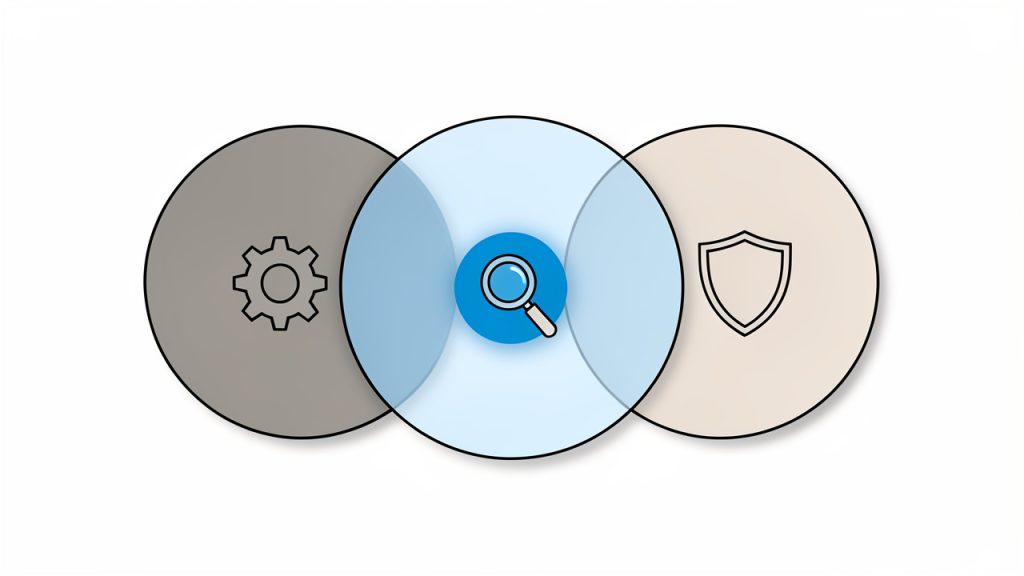
    Three interlocking gears (or pillars) labeled “Content,” “Technical,” and “Signals/Authority” with arrows showing they must work together. Emphasize balance — if one gear is weak, the system falters. Clean, simple icons for each gear (e.g., document for content, speed/bolt for technical, link/star for signals).

    What It Means to Rank on Google

    Ranking on Google means your page appears prominently in the search results for a query that your audience types in. If someone searches for “best invoicing software for freelancers” or “how to speed up a WordPress site,” Google compares thousands or millions of pages and chooses which deserve the top positions.

    That decision is based on many factors, but the core principle is simple. Google tries to match search intent with the most useful result. A page ranks well when it answers the right question, in the right format, with enough authority and a good enough user experience to deserve visibility.

    This is where many site owners get stuck. They often focus on what they want to say, instead of what the searcher wants to find. Those are not always the same thing. If a user wants a step-by-step guide and lands on a sales page, Google notices that mismatch through engagement signals and relevance patterns over time.

    Ranking Is Not Just About Keywords

    Keywords still matter, but they are no longer the whole game. Years ago, you could repeat a phrase enough times and have a decent shot at ranking. Today, Google is much better at understanding topic relationships, synonyms, and user expectations.

    That means if you want to rank on Google, you should not obsess over exact-match repetition. You should focus on topical depth, clarity, and relevance. A page about local SEO for plumbers should naturally mention service areas, Google Business Profile optimization, reviews, citations, and nearby search intent. That breadth tells Google the page is genuinely useful.

    Google Rewards Helpfulness

    Google’s systems increasingly favor content created for people, not for algorithms. Helpful content solves a real problem, answers follow-up questions, and makes the next step obvious.

    Think of your page like a strong in-person recommendation. If a friend asked how to choose a project management tool, you would not recite keywords at them. You would explain trade-offs, compare options, and help them make a decision. Great SEO content works the same way.

    Key Aspects of Ranking Well on Google

    If you want consistent visibility, you need to understand the main pillars behind search rankings. These elements reinforce one another. Strong content without a healthy technical foundation will struggle, and technical perfection without useful content also struggles. SEO works best as a system.

    Search Intent Comes First

    Before writing anything, ask what the user actually wants. Are they trying to learn, compare, buy, or find a local business? This is the foundation of ranking well.

    If the keyword suggests curiosity, your page should educate. If it suggests comparison, your page should help evaluate options. If it suggests purchase intent, your page should reduce friction and build trust. Misreading intent is one of the fastest ways to create content that never ranks, no matter how polished it looks.

    A practical way to understand intent is to study the current top results. If Google shows mostly guides, you likely need a guide. If it shows product pages, a blog post may not be enough. The search results are often the clearest hint about what Google believes users want.

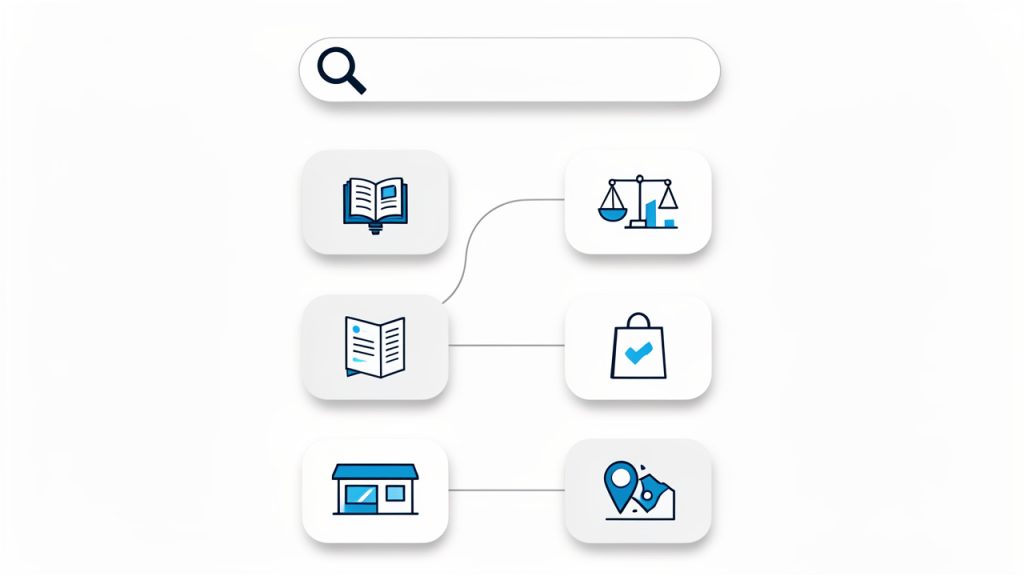
    A simple matrix or flow showing search intent types (Learn, Compare, Buy, Local) mapped to ideal page formats (Guide, Comparison, Product page, Local business listing). Use icons for each intent and corresponding page type, with a magnifying-glass/search-bar header to imply a query-to-result mapping.

    Content Quality Still Drives Results

    Content quality is not about writing longer articles for the sake of length. It is about being more useful than the alternatives. A strong page answers the main question clearly, then covers the supporting questions that naturally follow.

    For example, a page about how to rank on Google should not only mention keywords and backlinks. It should explain search intent, site structure, page speed, internal linking, content freshness, and authority. It should also make those ideas understandable for non-specialists.

    Quality also comes from specificity. Generic advice is easy to ignore. Real examples, practical details, and clear explanations make a page more trustworthy. Google’s algorithms are designed to detect patterns associated with expertise and usefulness, and readers can feel the difference immediately.

    On-Page SEO Helps Google Understand Your Page

    On-page SEO is the practice of structuring a page so both users and search engines can quickly understand it. This includes your title, headings, URL, meta description, image alt text, and the natural use of relevant phrases throughout the content.

    Good on-page SEO does not feel forced. Your primary topic should appear in the title and early in the page, but always in a way that sounds natural. Supporting phrases should appear where they make sense. The goal is not to “insert keywords.” The goal is to create a page that is tightly aligned with one core topic.

    Headings matter here because they create a clear hierarchy. They help readers scan and help Google understand how your ideas are organized. A confusing wall of text makes your content harder to use and harder to interpret.

    Technical SEO Removes Hidden Friction

    A surprising number of ranking problems have nothing to do with writing. Sometimes Google cannot properly crawl a page. Sometimes a site is too slow. Sometimes pages are duplicated, orphaned, or blocked by mistake.

    Technical SEO is about making your site easy to access, understand, and trust. If your pages load quickly, work well on mobile devices, use secure HTTPS connections, and avoid major crawl issues, you give your content a far better chance to compete.

    For small businesses, this does not mean you need enterprise-level complexity. It means covering the essentials. Your website should be mobile-friendly, indexable, logically structured, and fast enough that users do not leave before the page fully loads. Strong content without technical health will still struggle to reach its potential.

    Authority and Backlinks Still Matter

    Google uses links from other websites as signals of credibility. A backlink, especially from a reputable site in your niche, acts like a vote of confidence. Not all links are equal, though. A few strong, relevant links are more valuable than dozens of weak or spammy ones.

    Authority is not only about backlinks. It is also shaped by your brand reputation, topical consistency, author credibility, and the overall trust signals on your site. Still, links remain one of the clearest ways Google measures external validation.

    This is why content that earns attention tends to outperform content that merely exists. If your page offers original insights, useful tools, strong data, or a genuinely better explanation, it is more likely to attract links naturally over time.

    User Experience Influences Performance

    Google ultimately wants satisfied searchers. If people click your result and quickly bounce back, that is not a great sign. If they stay, read, explore your site, and find what they need, your page is doing its job.

    User experience includes readability, layout, mobile responsiveness, visual clarity, and page speed. It also includes trust. If your page looks outdated, cluttered, or confusing, users may leave even if the information is solid.

    A clean design helps your SEO more than many people realize. It reduces friction. It helps users stay focused. It makes your expertise easier to absorb.

    A Simple View of the Ranking Factors

    Factor Why It Matters What Good Looks Like
    Search intent Aligns your content with what users want The page format matches the query type
    Content quality Gives users a reason to stay and trust you Clear, useful, specific, complete content
    On-page SEO Helps Google understand your topic Strong title, headings, structure, and relevance
    Technical SEO Ensures your site can be crawled and used Fast, mobile-friendly, secure, indexable pages
    Backlinks Provide external trust and authority Relevant links from reputable websites
    User experience Supports engagement and satisfaction Easy navigation, readable design, low friction

    How to Get Started With Ranking on Google

    The best way to begin is to stop thinking of SEO as a trick and start treating it like a publishing and optimization process. You are building assets that should deserve attention over time.

    A new site will not rank overnight, and even established sites need consistency. But if you approach SEO with clear priorities, you can make real progress faster than most competitors who publish randomly and hope for the best.

    Start With the Right Keywords

    Keyword research helps you identify what your audience is already searching for. The goal is not to chase the biggest search volume. It is to find topics where your content can realistically compete and provide real value.

    For small business owners and freelancers, this often means starting with long-tail keywords. These are more specific phrases that may have lower search volume but clearer intent and less competition. A page targeting “best CRM for solo consultants” is often easier to rank than one targeting “CRM.”

    Look for keywords that connect directly to your services, audience problems, or buying decisions. If a search phrase brings in traffic but not the right visitors, it is not a win.

    Build Topic Clusters, Not Random Pages

    One common mistake is publishing unrelated blog posts with no overall strategy. Google prefers sites that show depth in a subject area. That is why topic clusters work so well.

    A topic cluster means creating a main page around a core subject, then supporting pages around related subtopics. If your core topic is SEO for small businesses, related pages might cover local SEO, keyword research, Google Business Profile optimization, content planning, and site speed.

    Internal links tie those pages together. That helps users navigate your content and helps Google understand your topical authority. Over time, this structure can strengthen your rankings across multiple related searches.

    Optimize Each Page for One Primary Goal

    Every important page should have a clear purpose. Trying to rank one page for too many unrelated terms usually weakens it. A page should answer one main search need extremely well, then support that with relevant secondary information.

    This affects your title, headings, content angle, and call to action. If the page is informational, teach clearly. If it is transactional, remove doubt and make action easy. If it is local, highlight location signals and service details.

    Clarity wins. Both readers and search engines respond better when a page knows exactly what it is trying to do.

    Improve Your Site’s Technical Foundation

    You do not need a perfect site before publishing content, but you do need a usable one. Check whether your pages are indexed, whether they load quickly, and whether mobile users can navigate them comfortably.

    If your website has broken links, duplicate pages, or confusing navigation, fix those issues early. SEO gains compound, and technical problems compound too. A weak foundation slows everything down.

    A simple audit can reveal a lot. Many site owners discover they have excellent content hidden behind slow pages, poor internal linking, or indexing problems that prevent Google from seeing the full value of the site.

    Publish Content Worth Citing

    If you want backlinks, you need something people would naturally reference. That might be a detailed guide, a useful comparison, original research, a calculator, a template, or a clear explanation that improves on what already exists.

    This is where many businesses underinvest. They create content that is “fine,” but not memorable. Fine content rarely earns links. Exceptional content, even in a narrow niche, can.

    For example, a local accountant might publish a genuinely helpful tax deadline guide for freelancers. A developer might create a performance checklist for small websites. A consultant might release a simple planning template. Useful assets create opportunities for both traffic and authority.

    Track Progress the Right Way

    SEO is a long game, so you need to measure more than just rankings. Some pages may gain impressions before clicks. Others may bring lower traffic but better leads. Looking only at vanity metrics can lead you in the wrong direction.

    Focus on a few meaningful indicators:

    1. Organic impressions show whether Google is beginning to surface your pages.
    2. Organic clicks show whether your titles and rankings are earning attention.
    3. Keyword movement helps you see whether optimization is working over time.
    4. Conversions show whether traffic is actually helping your business.

    If a page is getting impressions but few clicks, your title or meta description may need improvement. If it gets clicks but no engagement, the content may not match intent closely enough. SEO becomes much easier when you treat data as feedback instead of judgment.

    Practical Priorities for Small Teams and Solo Operators

    Many SEO guides assume you have a full marketing department. Most small businesses do not. That means your strategy should emphasize leverage, not volume.

    A practical approach is to choose a narrow set of topics where your expertise is strongest and your audience is most active. Create a few excellent pages instead of dozens of shallow ones. Improve them over time. Add internal links. Refresh facts. Expand sections based on real search behavior and user questions.

    This approach is slower at the start, but much more sustainable. A smaller library of strong content often outperforms a large archive of weak content.

    Where to Spend Time First

    Priority Why It Deserves Early Attention Expected Impact
    Keyword and intent research Prevents wasted content creation High
    Core service or topic pages Targets business-relevant traffic High
    Technical cleanup Removes crawl and UX barriers High
    Internal linking Strengthens site structure and topic relevance Medium to High
    Backlink outreach Builds authority gradually Medium
    Content expansion and refreshes Improves pages already gaining traction Medium to High

    Common Mistakes That Hold Rankings Back

    One of the biggest mistakes is writing for algorithms instead of people. When content sounds robotic, padded, or repetitive, users lose trust quickly. Google is getting better at identifying content that exists mainly to manipulate rankings rather than solve problems.

    Another common issue is targeting keywords that are far too competitive. A small business site usually should not begin by chasing broad national terms dominated by major publishers or large software companies. Smarter wins come from relevance, specificity, and local or niche authority.

    Some site owners also expect instant results. SEO rarely works that way. Rankings often improve gradually as Google crawls, tests, and reevaluates your pages. Patience matters, but so does iteration. Publishing once and never updating is usually not enough.

    There is also the problem of fragmented effort. A business might publish blog posts, tweak titles, and occasionally share links, but without any coherent structure. SEO rewards consistency and alignment. A connected strategy nearly always beats scattered activity.

    A Realistic Path to Better Google Rankings

    If you want to understand how ranking on Google actually works in practice, think in phases. First, identify the queries worth targeting. Second, create pages that satisfy those queries better than weaker competitors. Third, make sure the site is technically sound. Fourth, strengthen trust and authority over time.

    That sequence matters. You do not need to do everything at once, but you do need to do the right things in the right order. Great backlinks cannot save content that misses user intent. Great content cannot fully perform on a broken site. SEO is not one tactic. It is coordination.

    For most readers, the fastest gains come from improving pages that already exist. Refresh outdated content. Clarify headings. Add missing sections. Improve internal links. Tighten titles. Fix page speed issues. Often, the easiest ranking gains are hidden in assets you already have.

    Conclusion

    To rank higher on Google, focus on what searchers need, then build pages that answer those needs clearly, thoroughly, and credibly. Support that content with strong on-page SEO, a healthy technical foundation, and a steady effort to build authority. That is the real answer to how to get your site to rank on Google.

    Your next step is simple. Pick one important page on your site and evaluate it honestly. Does it match search intent? Is it better than the current top results? Is it fast, clear, and well-structured? Improve that page first, then repeat the process. SEO momentum starts small, but it compounds.

  • Shopify SEO: A Practical Guide to Boost Search Traffic

    Shopify SEO: A Practical Guide to Boost Search Traffic

    Shopify SEO can quietly make or break an online store. You can have strong products, clean branding, and competitive pricing, but if your store does not appear when people search, growth becomes expensive and unpredictable.

    That is why search optimization matters so much for Shopify merchants. Good SEO helps your products, collections, and content show up for the right shoppers at the right moment. It reduces your dependence on paid ads, builds long-term visibility, and attracts visitors who are already looking for what you sell. If you run a small business, freelance for ecommerce clients, or build stores as a developer, understanding SEO for Shopify is one of the highest-leverage skills you can invest in.

    What Is Shopify SEO?

    Shopify SEO is the process of improving a Shopify store so it can rank better in search engines like Google. That includes technical improvements, content optimization, site structure, internal linking, product page quality, and user experience. The goal is simple, help search engines understand your store and help real people find exactly what they need.

    What makes SEO on Shopify different from general SEO is the platform itself. Shopify gives store owners a fast, hosted ecommerce system with many built-in features, but it also comes with structural conventions that affect optimization. URL patterns, themes, collection architecture, duplicate content risks, and app-related performance issues all play a role. In other words, the fundamentals of SEO still apply, but the way you implement them on Shopify has its own nuances.

    For most store owners, Shopify is a strong starting point. It handles hosting, security, and mobile responsiveness in many themes, and it covers a lot of technical basics out of the box. That lowers the barrier to entry. At the same time, easy setup can create a false sense of completion. A store can be launched quickly and still be poorly optimized for search.

    The real value of SEO for Shopify stores is not just ranking for broad terms. It is about matching search intent. A well-optimized store attracts shoppers who are comparing products, researching options, or ready to buy. That makes search traffic especially valuable because it often arrives with purpose.

    Key Aspects of Shopify SEO

    The most important part of Shopify SEO is keyword targeting, but not in the old-fashioned sense of stuffing phrases everywhere. Modern optimization starts by understanding what your customers actually type into search. Some searches are broad and informational, such as people learning about a type of product. Others are commercial, where users are comparing options. The most valuable ecommerce searches tend to be transactional, where the person already knows what they want and is close to buying.

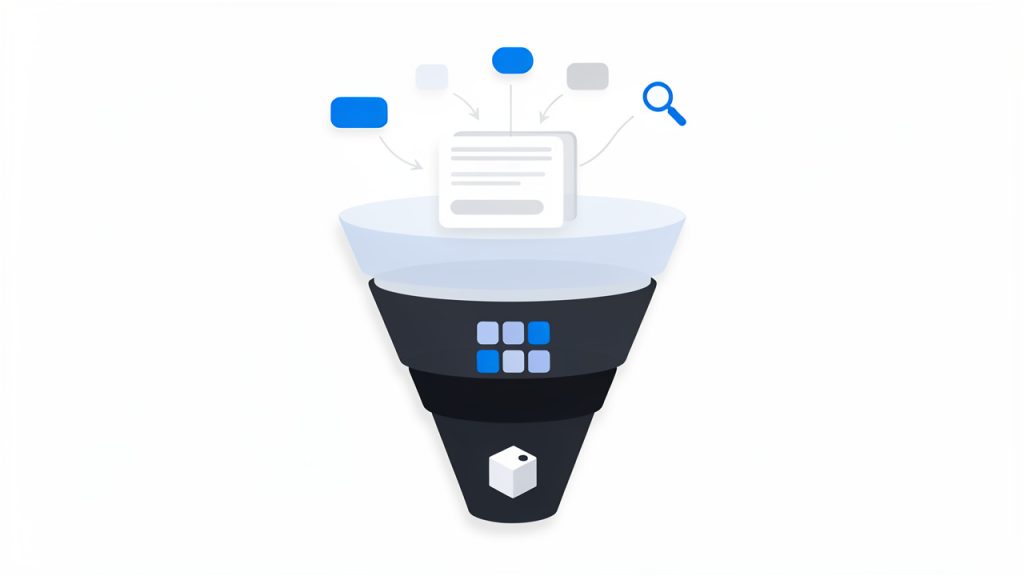
    A keyword-intent funnel: three-tiered funnel labeled Informational → Commercial/Comparison → Transactional. Each tier shows the page types that match that intent (top: blog posts/guides; middle: collections/category pages; bottom: product pages) and example search queries for each stage.

    On Shopify, this means each page should have a clear role. Your homepage usually targets branded or broad category terms. Collection pages often target category-level searches. Product pages should focus on specific product names and high-intent variations. Blog content can support the rest by capturing informational searches and guiding readers toward products.

    Another major aspect is site architecture. Search engines favor stores that are easy to crawl and easy to understand. If your products are buried under confusing navigation, scattered into overlapping collections, or connected with weak internal links, both users and search engines will struggle. A clean Shopify structure helps distribute authority across pages and makes it easier for search engines to discover what matters most.

    A strong architecture usually starts with sensible categories and collections. Think of your store like a physical shop. If everything is tossed into random aisles, shoppers leave frustrated. If the layout is intuitive, they browse longer and buy faster. Search engines respond to that same clarity because it helps them interpret topical relevance and page relationships.

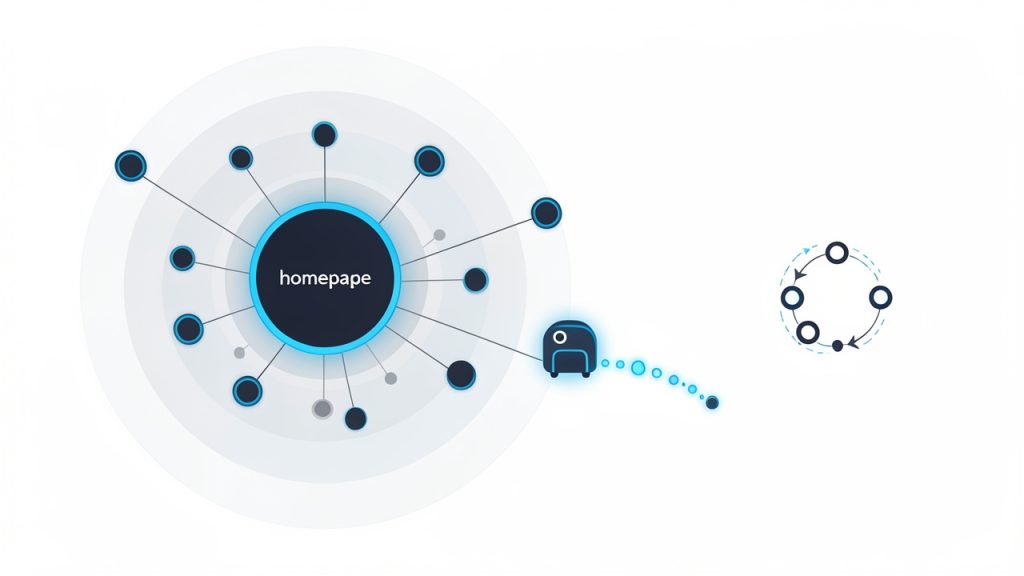
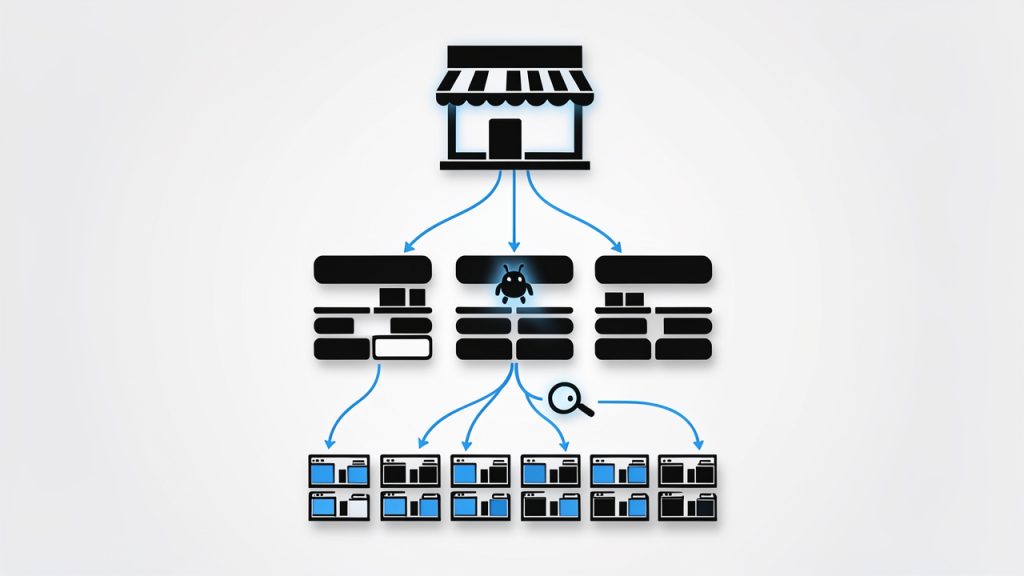
    A schematic 'store as a shop' site-architecture diagram: a storefront (homepage) at the top, branching into category/collection aisles, each aisle leading to product shelves (product pages). Include arrows showing internal linking between collections and products and a crawler icon tracing an easy path down the hierarchy to illustrate crawlability and distribution of authority.

    On-page optimization is another core pillar. This includes title tags, meta descriptions, headings, image alt text, page copy, and internal links. On a Shopify store, many merchants stop at adding a product title and price. That is not enough. Product pages need unique descriptions, useful details, and language that reflects how shoppers search. Collection pages also need real copy, not just a grid of products. Even a short, thoughtful introduction can help clarify the theme of the page.

    Technical SEO matters too, especially on ecommerce sites where page counts grow quickly. Shopify handles some technical essentials well, but store owners still need to pay attention to crawlability, indexation, canonicalization, redirects, schema support, and site speed. Themes with heavy scripts, oversized images, and too many apps can slow down the experience, which hurts both rankings and conversions.

    Content also plays a bigger role than many Shopify merchants expect. If your store only contains product and collection pages, you may be missing opportunities to rank for educational or comparison-based searches. Helpful articles, buying guides, care instructions, and use-case content can bring people into your ecosystem earlier in the buying journey. This kind of content also supports internal linking and topical authority.

    User experience overlaps with SEO more than ever. Search engines increasingly reward pages that satisfy visitors. If a page loads slowly, looks cluttered on mobile, or fails to answer the query clearly, it may struggle to perform even if the keywords are present. On Shopify, design and SEO should not be treated as separate conversations. A polished theme that hides important content, or a stylish layout that slows down the site, can work against your search visibility.

    The table below shows how the main parts of SEO for Shopify fit together:

    SEO Area What It Covers Why It Matters for Shopify Stores
    Keyword Strategy Search intent, product terms, category terms, content topics Helps each page target the right audience and query type
    Site Structure Navigation, collections, internal linking, hierarchy Makes the store easier to crawl and easier to shop
    On-Page SEO Titles, descriptions, headings, copy, alt text Improves relevance and click-through potential
    Technical SEO Speed, canonicals, redirects, indexing, mobile performance Prevents hidden issues that limit rankings
    Content Marketing Blog posts, guides, FAQs, educational pages Expands reach beyond direct product searches
    User Experience Mobile usability, page clarity, conversion flow Supports both rankings and sales outcomes

    How to Get Started With Shopify SEO

    The best way to start is with an SEO audit of your existing store. Even a small store can accumulate avoidable issues quickly. You may have duplicate product descriptions, missing title tags, oversized images, weak collection copy, or pages that do not align with what people are searching for. Before chasing new traffic, it helps to understand what is already blocking performance.

    Start by reviewing your core pages manually. Look at the homepage, top collections, best-selling products, and any blog posts already getting traffic. Ask a simple question for each page: What search intent is this page meant to serve? If the answer is unclear, the page likely needs stronger focus. SEO gets much easier when every important page has a defined purpose.

    Next, build a keyword map. This does not need to be overly complicated, especially for a small business. Assign one primary keyword theme to each major page, then support it with related variations. For example, a collection page might target a category phrase, while the products inside it target specific branded or feature-based searches. The key is to avoid making multiple pages compete for the same term unless there is a very good reason.

    After that, improve your on-page elements. Your title tags should be descriptive and compelling, not just stuffed with keywords. Your meta descriptions should invite clicks. Product pages should include original copy that explains benefits, features, dimensions, materials, shipping relevance, and use cases. Collection pages should have a short introduction that helps search engines understand the page and helps users confirm they are in the right place.

    Images deserve more attention than they usually get. On Shopify stores, product imagery often carries both commercial and SEO value. Compress files so pages load faster, use clear filenames, and write alt text that accurately describes the image. Alt text should support accessibility first, but it can also reinforce page relevance when written naturally.

    If your store has multiple collections and filtering options, pay attention to duplicate content. Shopify can generate different paths to similar pages, which can create confusion for search engines if left unmanaged. That is one reason technical review matters. Canonical signals, internal linking consistency, and careful handling of filtered or tag-based pages help keep your SEO focused.

    Content creation is often the next layer of growth. Once core commercial pages are optimized, add content that answers real questions your audience has. A Shopify store selling skincare, for example, could publish guides about ingredient types, routine order, or product selection by skin concern. A furniture store could create measurement guides, styling tips, or material comparisons. This content is not just for traffic. It can move readers toward products and strengthen the authority of your store overall.

    A practical starting sequence looks like this:

    1. Audit the store for technical, content, and structure issues.
    2. Map keywords to homepage, collections, products, and blog content.
    3. Optimize key pages with stronger titles, copy, headings, and images.
    4. Improve speed and mobile usability by reducing unnecessary app and media weight.
    5. Publish supporting content that targets informational and commercial questions.

    One of the most common mistakes is trying to optimize every product page first, especially on large catalogs. That approach often burns time without creating meaningful momentum. A better strategy is to focus on the pages with the highest business impact. Usually that means your main collections, flagship products, and strongest category opportunities. Once those are performing, you can expand outward.

    It is also important to set realistic expectations. SEO for Shopify is not an overnight fix. Search growth usually comes from consistent improvements compounded over time. You may see technical wins quickly, especially if there are major issues holding the site back. But most ranking gains come from better page quality, stronger internal structure, and content that proves relevance over weeks and months.

    Measurement matters here. Track impressions, clicks, rankings, and conversions, not just traffic volume. More visitors are not useful if they do not buy or engage. The best Shopify SEO strategy connects search visibility to business outcomes. That means watching how optimized pages influence revenue, assisted conversions, and customer acquisition efficiency.

    For developers and freelancers working on Shopify stores, there is another important layer, implementation discipline. Theme changes, app installs, template edits, and collection logic can all affect SEO. A technically sound store today can lose rankings after a redesign if redirects break, content disappears, or JavaScript bloats performance. SEO should be part of every development workflow, not a cleanup task after launch.

    Conclusion

    SEO for Shopify is not about gaming search engines. It is about building a store that is clear, fast, useful, and aligned with the way customers search. When keyword strategy, site structure, content, and technical health work together, your store becomes easier to discover and easier to trust.

    The smartest next step is to audit your most important pages and improve them one by one. Start with your collections, best-selling products, and overall site structure. Once that foundation is solid, expand into content and deeper technical refinement. That steady approach is what turns Shopify SEO from a vague marketing task into a dependable growth channel.

  • Ecommerce SEO: A Practical Guide to Optimize Online Stores

    Ecommerce SEO: A Practical Guide to Optimize Online Stores

    A beautiful online store means very little if no one can find it. That is the hard truth behind ecommerce SEO. Many store owners invest in product photography, branding, and ads, then wonder why organic traffic stays flat. The problem is rarely the product alone. More often, the site is invisible to the people already searching for what it sells.

    Search engine optimization for ecommerce is not just about ranking a homepage. It is about helping category pages, product pages, collections, filters, and supporting content appear when buyers are actively looking. Done well, it turns your store into a long-term traffic asset, instead of a business that depends entirely on paid acquisition.

    For small business owners, freelancers, and developers building online shops, this matters even more. A strong ecommerce SEO strategy can lower customer acquisition costs, improve visibility across hundreds or thousands of search terms, and create steady sales momentum over time. It takes structure, patience, and smart execution, but the payoff is durable.

    What Is Ecommerce SEO?

    Ecommerce SEO is the process of optimizing an online store so its pages rank higher in search engines for relevant product, category, and informational queries. Unlike general SEO, which may focus heavily on blog content or service pages, SEO for ecommerce has to deal with a larger and more complex site architecture.

    An online store usually contains product listings, collection pages, faceted navigation, internal search results, seasonal pages, and often duplicate or near-duplicate content. That creates unique technical and content challenges. Search engines need to understand which pages matter most, how they relate to one another, and which ones deserve to rank.

    At its core, ecommerce search optimization serves two audiences at once. It helps search engines crawl and interpret your store, and it helps real shoppers discover products faster. Those two goals overlap more than many businesses realize. A clean category structure, descriptive page titles, useful product copy, and fast load times all improve discoverability and user experience at the same time.

    Think of it like organizing a retail store. If the aisles are confusing, labels are missing, and similar products are scattered randomly, customers leave. Search engines react in a similar way when a store has poor structure or thin content. Good ecommerce SEO creates order, clarity, and relevance.

    Why Ecommerce SEO Matters More Than Ever

    Paid ads can drive traffic quickly, but they stop the moment you stop funding them. Organic search works differently. When your category pages and product pages rank well, they can keep bringing in visitors without a direct cost per click.

    This is especially important in competitive markets where ad costs continue to rise. Small brands often cannot outspend larger retailers, but they can still compete through better targeting, stronger content, and a more technically sound site. Search gives smaller businesses a way to win specific, high-intent queries that larger competitors may overlook.

    Search behavior has also changed. Buyers rarely search in broad terms alone. They use detailed phrases such as color, model, material, use case, and brand comparisons. A well-optimized ecommerce site can capture that intent across many stages of the buying journey, from research to purchase.

    Key Aspects of Ecommerce SEO

    Ecommerce SEO is not one task. It is a system made up of technical setup, keyword targeting, on-page optimization, content strategy, internal linking, and user experience. If one part is weak, it often limits the others.

    Keyword Research for Commercial Intent

    Keyword research for an online store should begin with buyer intent, not vanity traffic. A keyword with lower volume but stronger purchase intent can be more valuable than a broad phrase that attracts casual browsers.

    Category pages usually target broader commercial terms, while product pages target specific model or product-based searches. Informational content, such as buying guides or comparisons, can capture earlier-stage demand and support conversions later. This layered approach matters because ecommerce buyers do not all arrive at the same point in the funnel.

    A funnel-style illustration mapping buyer intent to page types: top (informational queries) → guides/blogs, middle (commercial investigation) → category/collection pages, bottom (transactional intent) → product pages. Show examples of queries at each stage (e.g., 'best running shoes for flat feet' → category/guide; 'Nike Air Zoom Pegasus 38' → product).

    For example, someone searching for “best running shoes for flat feet” is still evaluating options. Someone searching for a specific product name is much closer to buying. Your store should have pages designed for both searches, but the page type and content must match the intent. That alignment is one of the biggest ranking factors many stores overlook.

    Site Architecture and Crawlability

    A strong ecommerce site architecture helps both users and search engines, and crawlability is a key factor in that design. Ideally, your important pages should be reachable within a few clicks from the homepage. Categories should be logical, subcategories should be clear, and URLs should reflect that hierarchy in a simple, readable way.

    Poor structure creates crawl waste. Search engines may spend time on filtered URLs, duplicate pages, or low-value variations instead of your core money pages. This is a common issue on platforms with faceted navigation, where every filter combination can generate a unique URL.

    The goal is not to eliminate filters, because filters improve usability. The goal is to control how search engines interact with them. That often means deciding which filtered pages deserve indexing and which should remain crawlable but not indexable, or blocked when appropriate. This is where technical SEO becomes especially important in ecommerce.

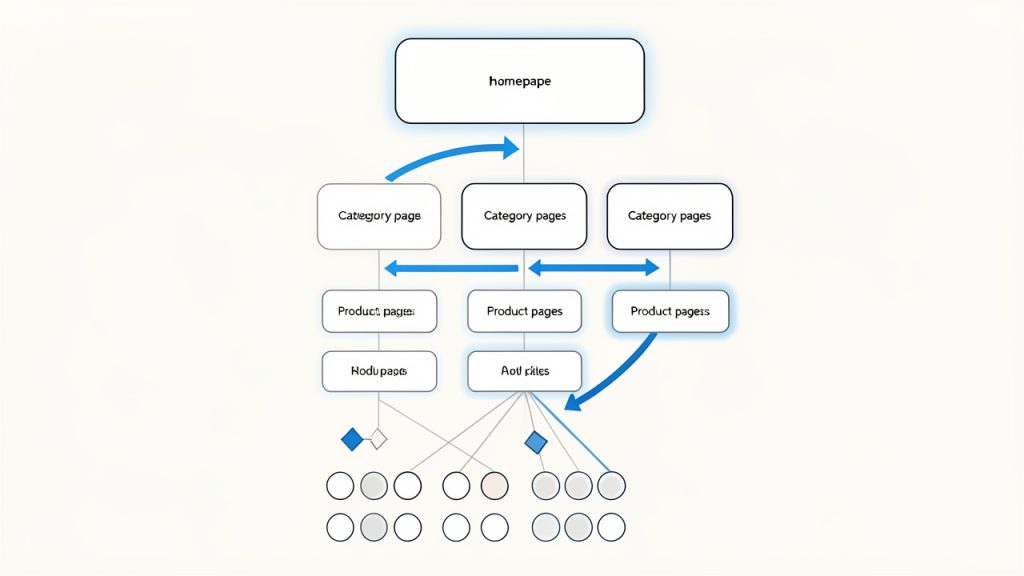
    A clear site architecture diagram showing homepage > category > subcategory > product pages, with faceted/filtered URLs branching off. Include a visual cue for 'important pages within a few clicks' and highlight crawl paths (arrows) to show crawlability.

    On-Page Optimization for Category and Product Pages

    Category pages are often the unsung heroes of ecommerce SEO. They tend to target valuable high-intent keywords and can rank for a wide range of related searches. Yet many stores treat them as simple product grids with almost no context.

    A good category page has a clear title, helpful introductory copy, descriptive headings, optimized metadata, and strong internal links. It should explain what the category offers without overwhelming the user with unnecessary text. The trick is balancing search relevance with shopping usability.

    Product pages need their own level of care. Manufacturer descriptions copied across dozens of stores rarely perform well. Unique product copy, detailed specifications, use cases, FAQs, reviews, and trust signals help a product page stand out. Search engines prefer pages that add value, and shoppers do too.

    Technical SEO for Online Stores

    Technical SEO is often where ecommerce sites either scale well or break under complexity. Page speed, mobile usability, crawl management, structured data, canonical tags, and indexation control all have a direct impact on visibility.

    Large stores often suffer from duplicate content because of product variants, sorting parameters, printer-friendly pages, and multiple URLs leading to similar content. Canonicalization helps signal which version should be treated as primary. Without it, ranking signals can become diluted across duplicates.

    Structured data is another important piece. Product schema, review markup, availability, price, and breadcrumb data can help search engines understand your pages more clearly. In some cases, this can improve how listings appear in search results, making them more attractive to click.

    Content That Supports Product Discovery

    Content marketing still matters in ecommerce, but it has to support the buying journey. Random blog posts with no connection to your products rarely move the needle. Content should bridge the gap between informational searches and commercial pages.

    Buying guides, comparison pages, sizing help, care instructions, gift guides, and “best for” content are all useful formats. These assets can attract top-of-funnel traffic while naturally linking users toward categories and products. They also help answer objections before a customer reaches checkout.

    A useful way to think about content is this: every question a shopper asks before buying is a search opportunity. If your store answers those questions better than competitors, you increase both traffic and trust.

    Internal Linking and Topical Relevance

    Internal links help distribute authority across your site and guide both users and crawlers toward important pages. In ecommerce, internal linking is often underused outside of navigation menus and breadcrumbs.

    Contextual links from guides to categories, from categories to subcategories, and from related products to complementary items can strengthen relevance. This also helps users continue their shopping journey naturally. The best internal linking does not feel forced. It feels like helpful merchandising.

    Topical relevance also matters at the site level. If your store consistently covers a product niche in depth, your pages can reinforce one another. Search engines look for patterns of expertise, not just isolated pages. A tightly themed store with well-connected content often performs better than a scattered one.

    User Experience, Trust, and Conversion Signals

    SEO does not end at rankings. If visitors land on your pages and leave immediately, your traffic will not become revenue. Search optimization for ecommerce works best when it is paired with clear usability and trust.

    Fast load times, clean mobile design, obvious calls to action, transparent shipping information, return policies, and customer reviews all influence whether visitors stay and buy. While not every conversion factor is a direct ranking signal, better user experience often supports better engagement, stronger retention, and more brand searches over time.

    Search engines increasingly reward pages that satisfy users. If your page answers the query, loads quickly, and makes the next step easy, you are not just optimizing for algorithms. You are optimizing for outcomes.

    Common Ecommerce SEO Priorities by Page Type

    Page Type Primary SEO Goal Typical Keyword Intent Main Optimization Focus
    Homepage Brand visibility Navigational, branded Brand messaging, internal links, core categories
    Category Page Rank for commercial terms Commercial investigation Titles, headings, intro copy, filters, internal links
    Product Page Rank for specific product searches Transactional Unique descriptions, schema, reviews, images
    Blog/Guide Page Capture informational traffic Informational Search intent match, depth, linking to products
    Collection or Seasonal Page Capture timely demand Commercial, seasonal Freshness, promotional relevance, discoverability

    How to Get Started With Ecommerce SEO

    Getting started can feel overwhelming because online stores have so many moving parts. The best approach is not to optimize everything at once. Start with the pages and issues most likely to affect revenue and visibility.

    Begin With an SEO Audit

    An ecommerce SEO audit gives you a baseline. It should assess crawlability, indexation, site structure, page speed, duplicate content, metadata quality, internal linking, and content depth. You are looking for constraints that stop good pages from performing.

    Often, the highest-impact fixes are not glamorous. You may discover that important category pages are buried too deep, duplicate product variants are being indexed, or title tags are autogenerated poorly. These issues can suppress performance across the whole site, even if your products are strong.

    A proper audit also helps prioritize. Not every issue deserves immediate action. Focus first on problems that affect key commercial pages and overall site accessibility.

    Map Keywords to the Right Pages

    Once you understand the state of the site, map target search terms to specific pages. This step prevents keyword cannibalization, where multiple pages compete for the same query and weaken each other.

    Your broad commercial phrases should usually map to category pages. Highly specific product terms belong on product pages. Informational queries belong in guides, FAQs, or blog content. This mapping process creates strategic clarity and makes future content decisions easier.

    A simple content-to-keyword map can save months of confusion. Instead of publishing pages at random, you build with intent.

    Improve Core Commercial Pages First

    If you only have limited time, start with the pages closest to revenue. That usually means top category pages, best-selling product pages, and high-margin collections.

    Rewrite thin category intros with useful, concise copy. Improve product descriptions so they are unique and persuasive. Add missing metadata, optimize headings, and strengthen internal links from related pages. These changes are often more profitable than publishing large volumes of new content right away.

    For smaller stores, this focused improvement approach is especially effective. You do not need hundreds of pages to see movement. You need the right pages to be clearly better than they are today.

    Build Supporting Content Around Buyer Questions

    After your core pages are in better shape, create supporting content based on real customer questions. Search query data, customer support logs, reviews, and competitor research can reveal what shoppers want to know before they buy.

    A strong guide can rank for informational terms and funnel readers toward products naturally. For example, a store selling ergonomic office products might publish content on choosing the right desk height, comparing chair materials, or setting up a home workspace. That content should lead into relevant categories and products without feeling forced.

    This approach helps your site capture more search demand while building trust. It also gives you more linking opportunities across the store.

    Track the Metrics That Matter

    Traffic alone is not enough. In ecommerce, SEO success should be tied to commercial outcomes. Rankings, organic sessions, click-through rate, index coverage, and page-level visibility all matter, but so do conversion rate, revenue, and assisted conversions from organic search.

    If a page gains traffic but drives no sales, the issue may be intent mismatch, weak page content, or poor user experience. If impressions rise but clicks do not, your titles and descriptions may need work. The data tells a story, but only if you look beyond top-line traffic.

    A useful starting point is to monitor:

    1. Organic traffic by page type
    2. Rankings for category and product terms
    3. Conversion rate from organic visitors
    4. Revenue influenced by organic search

    A Practical Starting Sequence

    Stage What to Do First Why It Matters
    Audit Review technical health and indexation Prevents hidden issues from limiting growth
    Structure Improve categories, navigation, and URLs Helps users and search engines find key pages
    On-page Optimize titles, headings, copy, and metadata Increases relevance and click potential
    Content Publish guides and supporting articles Expands keyword reach and supports conversions
    Measurement Track rankings, traffic, and revenue Shows what is working and what needs adjustment

    Conclusion

    Ecommerce SEO is both a visibility strategy and a growth system. It helps the right shoppers find the right pages at the right time, whether they are comparing options, researching a purchase, or ready to buy now. The strongest results usually come from getting the fundamentals right first: structure, crawlability, keyword intent, page quality, and internal linking.

    If you want to improve ecommerce search performance, start with your most important commercial pages and the technical issues that may be holding them back. Then build outward with supporting content and a clear measurement process. The next step is simple: audit your store, choose your top priority category pages, and begin optimizing them one by one.

  • Practical WordPress SEO: A Step-by-Step Guide

    Practical WordPress SEO: A Step-by-Step Guide

    If your website looks good but still struggles to attract traffic, the problem is rarely just the design. More often, it is discoverability. A well-built WordPress site can still remain invisible in search results if the underlying SEO basics are weak, inconsistent, or missing entirely.

    That is why understanding SEO for WordPress matters so much. WordPress gives you a strong foundation, but it does not automatically make your site rank. You still need the right structure, content strategy, technical setup, and ongoing optimization. The good news is that WordPress is one of the most SEO-friendly platforms available, which makes it ideal for small business owners, freelancers, developers, and anyone who wants practical results without unnecessary complexity.

    This guide breaks down what WordPress SEO really means, which elements have the biggest impact, and how to get started in a way that is manageable and effective. Whether you are launching a new site or trying to improve an existing one, the goal is simple: help search engines understand your content, and help the right people find it.

    What Is WordPress SEO?

    WordPress SEO is the process of improving a WordPress website so it performs better in search engines like Google. That includes making your site easier to crawl, easier to understand, faster to load, and more useful to human visitors. Good SEO is not about gaming an algorithm. It is about aligning your site with what search engines are trying to reward, which is relevance, clarity, and quality.

    Many people assume WordPress handles SEO automatically. That idea is only partly true. WordPress does provide a cleaner starting point than many other website platforms. It supports customizable permalinks, responsive themes, blogging functionality, and a flexible ecosystem of plugins. Those features make optimization easier, but they do not replace strategy.

    A useful way to think about SEO for WordPress is to separate the platform from the practice. WordPress is the vehicle, SEO is how you drive it. You can have a powerful platform and still make poor decisions about site structure, content, or page speed. On the other hand, a modest WordPress site with focused content and solid technical setup can outperform larger competitors.

    Search engine optimization on WordPress typically touches four areas: technical SEO, on-page SEO, content quality, and user experience. These areas overlap more than most beginners expect. For example, a fast mobile page improves user satisfaction, and it also helps search visibility. Clear headings help readers scan a page, and they also help search engines interpret topical relevance.

    Key Aspects of WordPress SEO

    Site Structure and Crawlability

    One of the most important foundations of WordPress SEO is a clean site structure. Search engines need to discover your pages, understand how they relate to each other, and determine which ones matter most. If your site is cluttered with unnecessary archives, duplicate pages, broken links, or confusing navigation, you make that job harder.

    A strong WordPress structure starts with logical page organization. Your main services, categories, and important resources should be easy to reach in just a few clicks. Internal linking also plays a major role here. When one page naturally links to another related page, you create pathways for both users and search engines. That improves context and can distribute authority across your site.

    Permalinks deserve attention too. WordPress lets you customize your URL format, and this is more important than it sounds. A short, descriptive URL is easier to trust, easier to share, and easier for search engines to interpret. A page called /local-seo-services/ communicates far more clearly than a URL filled with dates or random parameters.

    A clear site-structure diagram showing a homepage at the top, main category/service pages beneath it, individual content pages/blog posts under those categories, and internal links between related pages. Include a small sitemap icon and an example of a clean permalink (e.g., /local-seo-services/) to emphasize readable URLs.

    Content Optimization

    Content is where most SEO gains are won or lost. A WordPress site can be technically polished and still underperform if the content is thin, vague, or built around the wrong topics. Strong content optimization starts with understanding what your audience is actually searching for, then creating pages that answer those needs clearly and completely.

    That means every important page should have a distinct purpose. A homepage targets broad brand intent. A service page targets a specific solution. A blog post might answer a question, compare options, or explain a process. When pages overlap too much, they compete with one another. When they are focused, they become easier to rank.

    A visual that matches search intent to page types: e.g., an intent column (informational, navigational, transactional) with arrows to example page formats (blog post/guide, homepage/brand page, service/product page). Show best practices like distinct page purpose, titles/headings, and meta descriptions.

    Titles, headings, and meta descriptions also matter. They help frame the page for both search engines and users. Your target phrase should appear naturally in the title and supporting headings, but stuffing keywords into every line is counterproductive. Modern SEO rewards topical depth and readability, not repetition.

    Good content also means updating pages over time. Search intent changes, competitors improve, and statistics go out of date. Pages that once ranked well can slowly slide if they are not maintained. Treat content as an asset that needs refinement, not as a one-time task.

    Technical Performance

    Technical SEO can sound intimidating, but for most WordPress site owners, it comes down to a few practical areas. Speed, mobile usability, indexing, and clean code output are the big ones. If a page loads slowly, shifts around while loading, or works poorly on a phone, that weakens both user trust and search performance.

    Themes and plugins often have a direct impact here. A visually impressive theme that loads excessive scripts may hurt performance more than it helps conversions. The same goes for installing too many plugins without a clear purpose. Every addition should earn its place.

    Caching, image compression, lazy loading, and reliable hosting make a major difference. So does keeping WordPress core, themes, and plugins updated. A neglected site can develop errors, security issues, and performance problems that quietly undermine SEO. Technical health is not glamorous, but it is often the reason one site outranks another with similar content quality.

    User Experience and Engagement

    Search engines increasingly reward pages that satisfy users. That does not mean Google can read minds, but it can detect useful signals. If visitors land on your page and immediately leave because it is slow, confusing, or unhelpful, that is a problem. If they stay, explore, and engage, that usually indicates stronger relevance.

    This is why user experience belongs in any serious conversation about WordPress SEO. Readable formatting, clear navigation, strong calls to action, and mobile-friendly layouts all contribute to performance. Even simple changes such as shorter paragraphs, clearer subheadings, and better spacing can improve how people interact with your content.

    There is also a branding dimension here. A polished, trustworthy site tends to earn more backlinks, more shares, and more conversions. SEO does not exist in isolation. It is connected to how credible your business appears online. In that sense, optimization is not just about rankings. It is about making your website more effective overall.

    Plugins and SEO Tools

    WordPress plugins can simplify many SEO tasks, but they should support your strategy, not define it. An SEO plugin can help you edit title tags, generate XML sitemaps, set canonical URLs, and manage indexing settings. Those are real advantages, especially for small teams without technical staff.

    Still, no plugin can compensate for weak content or a poor site structure. Some site owners become overly dependent on traffic-light scores or plugin recommendations without understanding the bigger picture. A green indicator is not a ranking guarantee. It is just a prompt based on limited rules.

    The smartest approach is to use plugins to handle repetitive technical details while keeping your attention on content quality, user intent, and business goals. In other words, let tools assist the work, not replace judgment.

    How to Get Started With WordPress SEO

    Begin With the Essentials

    If you are starting from scratch, the first priority is to make sure your WordPress site is technically visible to search engines. That includes checking that your site is not set to discourage indexing, choosing a clean permalink structure, installing a reputable SEO plugin, and submitting your sitemap through Google Search Console.

    At the same time, review your theme and hosting setup. A slow host or bloated theme can create SEO problems before you publish a single page. It is easier to build on a solid foundation than to repair one later. Think of it like opening a physical store. Location, signage, and accessibility matter before foot traffic ever arrives.

    A simple starting checklist can help:

    1. Set clean permalinks that use readable page names.
    2. Install an SEO plugin to manage metadata and sitemaps.
    3. Connect Google Search Console to monitor indexing and performance.
    4. Check mobile usability and speed before expanding your content.
    5. Create core pages first, such as homepage, services, about, and contact.

    Build Content Around Search Intent

    Once the basics are in place, focus on content that matches what your audience is searching for. This is where many WordPress sites either gain traction or stall. Writing random blog posts may fill your site with pages, but traffic grows faster when each piece serves a real purpose.

    If you are a freelancer, that might mean service pages for each offering plus articles that answer common client questions. If you run a small business, it may mean local landing pages, product explanations, or guides that support your sales process. Developers might create tutorials, comparisons, or technical explainers that attract highly targeted visitors.

    Search intent should shape both the topic and the format. A person searching for “best accounting software for freelancers” expects comparison content. Someone searching for “bookkeeping services near me” has transactional intent. When your page matches that expectation, it performs better.

    Strengthen On-Page SEO Without Overdoing It

    On-page optimization is where you help search engines understand the topic of each page. In WordPress, that usually means refining the title tag, heading structure, image alt text, internal links, and meta description. These are small elements individually, but together they create clarity.

    The key is natural optimization. Use your main keyword in a way that sounds human. Include related terms where relevant. Organize the page with meaningful headings. Add internal links to related posts or service pages. Avoid the outdated habit of forcing the same phrase into every paragraph.

    This is especially important for SEO on WordPress because plugins can sometimes encourage checkbox behavior. Readers do not care whether a plugin score says 92 out of 100. They care whether the page answers their question quickly and convincingly. Search engines increasingly reward the same thing.

    Prioritize Performance and Maintenance

    SEO is not a one-time project. WordPress sites need ongoing care. Broken links appear. Plugins conflict. Pages slow down over time. Content ages. Rankings shift. The sites that maintain visibility are usually the ones that treat SEO as an operating habit rather than a launch task.

    That does not mean you need to obsess daily. It means setting a rhythm. Review Search Console data, update old content, improve pages with high impressions but low clicks, and audit site speed periodically. Small consistent improvements often outperform occasional major overhauls.

    The table below highlights where beginners should focus first and what tends to have the biggest practical impact.

    SEO Area Why It Matters Best First Action Common Mistake
    Site Structure Helps search engines crawl and understand your pages Create simple navigation and logical page hierarchy Publishing too many overlapping pages
    Content Quality Drives relevance and rankings Write pages around real user questions and needs Targeting keywords without matching intent
    On-Page SEO Clarifies page topics Optimize titles, headings, and internal links Keyword stuffing
    Technical Performance Affects speed, mobile usability, and indexing Choose quality hosting and optimize images Using a heavy theme and too many plugins
    Tracking and Maintenance Helps you improve over time Use Search Console and update content regularly Setting everything up once and ignoring it

    Think Long Term, Not Just Quick Wins

    It is tempting to approach WordPress SEO as a hunt for hacks. Most shortcuts either do not work or do not last. Sustainable results usually come from doing ordinary things consistently well: publishing useful content, improving site speed, clarifying page topics, and building a trustworthy brand.

    This matters especially for small businesses and independent creators. You may not have the authority of a massive publisher, but you can be more specific, more helpful, and more aligned with your audience. In many niches, that is exactly what earns rankings.

    If your site is new, expect momentum to build gradually. Search visibility often compounds. One strong page leads to a few rankings. Those rankings bring data, links, and confidence. That helps the next pages perform better. WordPress is a strong platform for this kind of growth because it is flexible enough to scale as your content strategy matures.

    Conclusion

    WordPress gives you an excellent foundation for search visibility, but the platform alone is not the strategy. Effective SEO for WordPress comes from combining technical reliability, clear structure, useful content, and a strong user experience. When those pieces work together, your site becomes easier to find and more persuasive once people arrive.

    Your next step is simple. Audit what you already have. Check your structure, improve a few key pages, fix obvious technical issues, and build new content around real search intent. You do not need to perfect everything at once. In WordPress SEO, steady improvement is often what creates the biggest long-term gains.

  • Top 6 Backlink Research Tips: A Technical Guide

    Top 6 Backlink Research Tips: A Technical Guide

    Backlink research looks deceptively simple until the data starts contradicting itself. One tool shows a domain as authoritative, another flags it as mediocre, and a third reveals that the “valuable” link is hidden behind JavaScript, canonicals, or a redirect chain that strips most of its practical value.

    That is why effective backlink analysis cannot rely on vanity metrics or isolated screenshots from SEO tools. It requires a repeatable model, a validation layer, and a workflow that turns link data into outreach decisions with measurable upside. For teams trying to improve rankings, strengthen link equity, and prioritize scalable opportunities, the difference between casual review and technical research is substantial.

    This guide is written for developers, technical marketers, SEO operators, and anyone building efficient link research systems. It covers the six most important backlink research tips in a structured format: how to assess quality, compute relevance, audit anchor text, identify competitor gaps, analyze link velocity, and validate whether links are actually crawlable and indexable. In other words, it covers the most practical ways to apply the top six tips for backlink research without reducing the work to guesswork.

    Introduction: Purpose, Scope, and Terminology

    Purpose and target outcomes

    The purpose of backlink research is not merely to count links. It is to improve the quality of the link profile, identify high-probability acquisition opportunities, and reduce the risk associated with poor anchor patterns, irrelevant placements, or suspicious velocity spikes.

    The target outcomes are operational. A solid research process should help a team answer three questions with confidence: which backlinks are worth replicating, which risks need remediation, and which outreach targets offer the highest return relative to effort.

    Scope: what this guide will and will not cover

    This guide focuses on the analytical and technical side of backlink research. It includes scoring models, semantic relevance methods, temporal analysis, link rendering validation, and workflow design. It does not attempt to cover broad brand PR, full digital PR campaign strategy, or advanced legal review beyond practical compliance considerations.

    A baseline understanding of SEO, HTTP behavior, HTML link attributes, and spreadsheet or scripting workflows is assumed. The material is intended to be actionable for practitioners who already work with crawlers, APIs, or structured datasets.

    Definitions and core terms

    A backlink is any hyperlink from an external page to a target page on a different domain. A referring domain is the root domain from which one or more backlinks originate. These are distinct metrics, because 100 links from one domain rarely equal 100 links from 100 domains.

    DA (Domain Authority), DR (Domain Rating), Trust Flow (Trust Flow), and Citation Flow are third-party proxy metrics used to estimate authority or influence. They are useful, but they are not Google metrics and should not be treated as ground truth.

    Anchor text is the visible clickable text of the link. Link velocity is the rate at which links are gained or lost over time. Link equity refers to the ranking value that may pass through a link, influenced by authority, relevance, position, crawlability, and page-level conditions.

    Overview: The Six Foundational Principles of Backlink Research

    The six principles below form the technical backbone of strong backlink analysis. Each one is simple in definition, but meaningful only when translated into measurable signals.

    Principle Technical definition Why it matters KPI
    Quality over quantity Prioritize links from authoritative, editorially sound pages over raw backlink volume Low-value link volume often inflates reports without improving rankings Average quality score per referring domain
    Relevance and topical alignment Measure how closely the linking page matches the target page’s topic and search intent Irrelevant links are less likely to transfer meaningful ranking signals Relevance score, topic-cluster match rate
    Link diversity and naturalness Maintain distribution across domains, IPs, anchor types, and acquisition sources Homogeneous patterns can look manipulative and underperform Referring domain diversity, anchor mix ratio
    Historical link velocity and trends Track link acquisition and loss over time using rolling baselines Sudden spikes may signal campaigns, negative SEO, or unnatural patterns Monthly net new links, churn rate, z-score anomalies
    Anchor-text distribution and risk signals Audit anchor categories and abrupt shifts in keyword concentration Over-optimized anchors remain a common risk marker Exact-match anchor share, anchor entropy
    Actionability Convert analysis into prioritized outreach tasks with effort-impact scoring Research without execution has no business value Outreach-ready opportunities per cycle

    Tip 1: Assess Link Quality, Metrics, Signals, and Weighting

    Authoritative metrics explained

    Third-party link metrics are useful only when normalized and interpreted comparatively. DR (Domain Rating) and DA (Domain Authority) estimate domain-level authority from link graph characteristics. Trust Flow (Trust Flow) attempts to measure trust proximity to a curated seed set, while Citation Flow emphasizes raw influence from link quantity.

    None of these metrics should be consumed in isolation. A DR 70 domain with poor topical relevance, thin content, and excessive outbound linking may be less valuable than a DR 45 domain with strong editorial alignment and stable organic visibility.

    On-page and off-page quality signals

    On-page signals include content depth, editorial placement, outbound link patterns, and the semantic prominence of the link. A contextual link within the core body of a well-maintained article is typically stronger than a footer link on a low-context directory page.

    Off-page signals expand the evaluation. These include referring domain count, IP diversity, TLD distribution, and whether the domain attracts links from trusted ecosystems such as respected educational, government, or established industry sites. Again, these are directional signals, not guarantees.

    Composite scoring model

    A reproducible model should harmonize metrics from multiple tools into a single score from 0 to 100. One practical approach is to normalize each metric, weight it, then subtract risk penalties.

    A simple formula might look like this:

    Composite Link Quality Score =
    (0.22 × NormDR) +
    (0.18 × NormDA) +
    (0.15 × NormTrustFlow) +
    (0.10 × NormCitationFlow) +
    (0.15 × ContentQuality) +
    (0.10 × EditorialContext) +
    (0.05 × RefDomainDiversitySignal) +
    (0.05 × OrganicVisibilitySignal) –
    (0.10 × SpamRiskPenalty)

    Thresholds can then be defined operationally:

    Score range Classification Recommended action
    80 to 100 High quality Prioritize for replication or partnership
    60 to 79 Medium quality Review relevance and outreach feasibility
    40 to 59 Low utility Keep only if niche-relevant or traffic-positive
    Below 40 High risk / low value Avoid or investigate further

    A weighted model is better than a single-metric filter because it reduces bias from tool-specific scoring. In practice, many teams store these inputs in a central sheet or database, then re-score domains weekly as fresh data arrives.

    Composite Link Quality Score diagram: stacked weighted inputs with a penalty block, example final numeric score 72/100, and color-coded threshold bands

    Tip 2: Evaluate Relevance, Topical, Semantic, and Intent Alignment

    Topical match versus semantic relevance

    Authority without relevance is incomplete. A strong link from a high-metric site in an unrelated niche may still have limited ranking impact compared with a modest but tightly aligned publication.

    Topical relevance can be evaluated through taxonomy mapping and semantic similarity. Taxonomy mapping classifies the linking page and target page into shared topic clusters. Semantic similarity measures how close the actual text content is using TF-IDF, embeddings, or document vectors.

    Using topical clusters and SERP intent

    A practical workflow starts with seed keywords, which map into topic clusters. For example, a page about container security may belong to a cloud infrastructure cluster, while a link from a general startup funding article may be semantically distant even if both are “tech.”

    Intent matters as much as vocabulary. If the linking page satisfies informational intent and the target page is a transactional landing page, alignment may be weaker. One efficient check is to compare the dominant SERP type for both keyword sets. If both return guides, documentation, or resource pages, fit is usually stronger.

    Automation with cosine similarity

    For scale, teams often compute vector similarity between page content. The concept is straightforward: extract text, generate vectors, then calculate cosine similarity between the linking page and target page. Higher scores indicate stronger semantic proximity.

    A practical pseudo-workflow is:

    1. Extract visible main content from linking pages and target pages.
    2. Clean boilerplate, navigation, and repeated template content.
    3. Convert text to vectors using TF-IDF or embeddings.
    4. Compute cosine similarity.
    5. Blend similarity score with topic-cluster and intent match flags.

    A practical interpretation might be:

    • 0.75 and above, strong semantic match.
    • 0.55 to 0.74, acceptable relevance.
    • Below 0.55, weak or questionable alignment.

    For organizations using internal tooling, this is one area where a centralized analytics workspace is useful to store normalized topic labels, similarity scores, and outreach status rather than scattering research across disconnected exports.

    Semantic relevance workflow illustration: content extraction, cleaning, conversion to vectors, cosine similarity calculation, and score interpretation bands

    Tip 3: Audit Anchor Text and Link Attributes for Risk and Value

    Anchor-text profiles and distribution

    Anchor text should look natural across the domain profile. A healthy distribution usually includes branded, partial-match, generic, and naked URL anchors, with exact-match commercial phrases forming only a controlled percentage.

    If a site’s new links suddenly shift from branded mentions to aggressive exact-match anchors, that is a risk signal. It may indicate overly coordinated outreach, manipulative placements, or a campaign drifting into unsafe territory.

    Link attributes and rendering behavior

    Not all links pass the same practical value. Attributes such as nofollow, sponsored, and ugc provide signals about how the link should be interpreted. They do not necessarily eliminate all value, but they change how the opportunity should be prioritized.

    JavaScript-rendered links add another complication. If the link exists only after client-side rendering and is absent from the server response, validation becomes necessary. Some links seen in browser inspection never meaningfully contribute because crawlers do not process the page as expected, or because the rendered element differs from what indexing systems retain.

    Pattern detection and mitigation

    Common red flags include repetitive commercial anchors, anchors containing coupon or gambling language unrelated to the site, and identical anchor strings repeated across many unrelated domains.

    A simple regex pattern for suspicious anchors might target terms such as casino, payday, crypto bonus, bet now, free download, or exact commercial phrases repeated at scale. In a spreadsheet, anchor categorization can be handled with nested pattern rules, then aggregated by count and percentage. In SQL-like logic, the audit usually groups by anchor category and compares current-period share against historical share.

    Anchor strategy should be diversified deliberately. Branded anchors often form the base, partial matches support topical relevance, and generic anchors preserve naturalness. The goal is not randomness, but a distribution that resembles real citation behavior.

    Tip 4: Map Link Acquisition Pathways and Competitor Gap Analysis

    Acquisition models and inventory normalization

    Competitor research is most valuable when it explains how links were earned, not just where they came from. Backlinks generally fall into recognizable acquisition pathways such as editorial mentions, resource pages, HARO-style contributions, broken-link replacements, and partnership references.

    The first technical step is to export competitor backlink inventories, normalize URLs to canonical domains, deduplicate referring domains, and classify linking pages by pattern. This may involve path analysis, content heuristics, or page-title clustering.

    Gap detection and opportunity scoring

    A backlink gap is not simply “domains competitors have and you do not.” It is the intersection of quality, relevance, and attainability. A domain linking to three competitors in the same topic cluster is often a stronger prospect than a larger site with no obvious editorial pathway.

    A practical scoring model is:

    Opportunity Score =
    (0.35 × LinkQualityScore) +
    (0.30 × RelevanceScore) +
    (0.20 × CompetitorOverlapScore) +
    (0.15 × EstimatedTrafficValue) –
    (0.20 × OutreachEffortScore)

    This creates a ranked queue rather than a flat export. That matters because outreach teams rarely fail from lack of prospects. They fail from poor prioritization.

    Opportunity type Typical effort Typical impact Best use case
    Editorial mention Medium High Unique data, expert commentary
    Resource page Low to medium Medium Tools, guides, documentation
    Broken link replacement Medium Medium to high Comparable replacement content
    HARO / expert quote Medium High Fast expert responses
    Partnership / integration High High SaaS, platforms, ecosystems

    Tip 5: Temporal Analysis, Link Velocity, Recency, and Historical Context

    Link acquisition rate, churn, and decay

    Backlink profiles are time series, not static snapshots. A domain that gained 200 links last month may be healthy, inflated by a campaign, or under risk depending on historical baseline, source distribution, and retention rate.

    Three core temporal metrics matter: acquisition rate, churn rate, and net growth. Acquisition rate measures new links per period. Churn rate measures lost links. Net growth is the difference between the two. Decay modeling helps estimate how quickly earned links disappear, which is especially important for news mentions and syndicated content.

    Detecting spikes and contextualizing history

    A practical way to detect abnormal activity is to compute a rolling mean and standard deviation, then calculate a z-score for the current month’s new-link volume. If the z-score exceeds a threshold such as 2.5 or 3.0, further review is warranted.

    Interpretation depends on context. A product launch, original research publication, or seasonal campaign may explain a spike. That is why historical archives and tool snapshots are useful. If a linking page previously contained the link but later removed or changed it, the volatility may be normal rather than suspicious.

    Controlled velocity strategy

    The goal is not to maintain perfectly linear growth. That would be artificial. The goal is to avoid patterns that are both abrupt and low-quality. Healthy campaigns usually produce link gains that correlate with content launches, PR activity, partnerships, or product news, followed by a taper rather than a cliff.

    For most teams, controlled velocity means setting campaign expectations per quarter, aligning content releases with outreach windows, and monitoring whether new links come from diverse domains and anchor types.

    Tip 6: Technical Validation and Indexation, Crawlability and Real Impact

    Verifying link render and crawlability

    A link cannot provide consistent value if it is not actually visible to crawlers in a usable form. Technical validation starts by checking whether the link exists in the raw HTML response, appears only after rendering, or is blocked behind scripts, widgets, or iframes.

    Command-line checks are useful here. A simple curl request can confirm whether the anchor and URL appear in the server-rendered HTML. For JavaScript-heavy pages, a headless browser can verify rendered DOM output. This distinction is critical for modern web stacks. See the guide on link rendering validation for quick tooling references.

    Indexation, redirects, and canonicals

    Even when the link exists, the source page may not be indexed, or the target page may resolve through redirects, canonical mismatches, or parameterized duplicates. Each of these conditions can dilute or alter link value.

    The validation sequence is straightforward: confirm the source page is indexable, confirm the source page itself appears indexed, inspect the target status code, inspect any redirect chain, and confirm the final canonical points to the intended destination. If the target canonical points elsewhere, the expected equity may consolidate to a different URL.

    Measuring downstream impact

    The only defensible proof of backlink value is downstream performance. That includes organic ranking movement, referral sessions, assisted conversions, and changes in impression and click trends for pages receiving new links.

    This is where many backlink programs fail. They report acquired links but never connect them to business outcome. A proper validation layer links acquisition data to analytics, Search Console, and ranking datasets so the team can distinguish symbolic wins from effective wins.

    Tools, Scripts, and Data Sources

    Commercial tools such as Ahrefs, Majestic, Moz, and Semrush remain the fastest way to source link data, authority metrics, and historical deltas. Each has slightly different strengths, so cross-tool normalization is usually better than single-platform dependence.

    For technical teams, open-source tooling expands capability. Screaming Frog is useful for validating on-page links and canonicals. Python libraries such as requests, BeautifulSoup, and sentence-transformers support fetching, parsing, and semantic scoring. A clean dataset should minimally store source URL, target URL, referring domain, anchor, rel attributes, first seen date, last seen date, status code, canonical target, and normalized quality score.

    The important architectural decision is not which tool looks best in screenshots. It is whether the data can be extracted, normalized, re-scored, and operationalized consistently.

    Operationalizing Research: From Data to Outreach Workflows

    Backlink research becomes valuable only when it feeds a disciplined execution pipeline. The best setup is an opportunity queue with status fields, SLA deadlines, acquisition model tags, and owner assignments. Domains with high quality and high relevance scores should be routed first, while high-effort, low-certainty prospects are deferred.

    Outreach also benefits from taxonomy. A resource-page ask should not use the same template as a broken-link pitch or a partnership request. Teams that centralize this in a shared system, whether a CRM or a structured analytics workspace, usually move faster because the research context remains attached to each prospect.

    Core KPIs should include new referring domains, average quality score of acquired links, response rate, placement rate, referral traffic, and ranking improvement on target URLs. Measuring only link count encourages bad behavior.

    Risk Management and Compliance

    Risk control in link building is mostly about pattern avoidance. Paid placements without disclosure, coordinated exact-match anchors, irrelevant guest posting at scale, and low-quality network behavior all increase long-term downside.

    Sponsored relationships should be labeled appropriately, and outreach teams should maintain pre-send validation rules. These rules typically screen out suspect domains, check anchor overuse, and cap campaign-level concentration from any single acquisition source. A strong compliance posture is not restrictive. It protects the asset being built.

    If a site experiences a manual action or suspicious link spike, the response should be procedural. Freeze risky outreach, isolate source patterns, validate unnatural anchors, document recent campaigns, and prepare remediation steps. Chaos usually makes the problem worse.

    Case Study: End-to-End Backlink Research to Campaign Execution

    A B2B SaaS site in the infrastructure monitoring space exported 18,400 backlinks and 1,920 referring domains. After deduplication and scoring, only 312 domains met the threshold of quality score above 70 and relevance score above 0.68.

    Competitor gap analysis across three competing domains found 146 high-overlap prospects. These were clustered into editorial mentions, tooling directories, DevOps resource pages, and integration partner pages. Opportunity scoring reduced that to a priority set of 58 domains.

    Anchor auditing revealed a healthy branded profile overall, but one recent campaign had pushed exact-match anchors to 19 percent of new monthly links, well above the site’s normal 7 to 9 percent range. That campaign was adjusted immediately.

    Temporal analysis showed an acquisition spike of 63 new referring domains in one month, with a z-score above 3.1. Historical review confirmed the cause was a benchmark report launch, supported by diverse editorial links, so the spike was deemed natural.

    After technical validation, 11 of the 58 priority prospects were downgraded because the linking pages were non-indexed, canonicalized elsewhere, or passed through diluted redirect chains. Outreach went live for the remaining 47.

    Within 10 weeks, the campaign secured 14 new referring domains, generated a 29 percent increase in referral sessions to the target resource hub, and improved average ranking position across six target keywords from 14.2 to 9.8. The largest gain came not from the highest-DR domain, but from a mid-authority niche publication with excellent semantic relevance and strong editorial placement. That is the clearest lesson in advanced backlink research, context often beats raw authority.

    Conclusion and Actionable Checklist

    The best backlink programs are built on disciplined evaluation, not optimism. Assess link quality with a weighted model, measure topical and intent relevance, audit anchors for risk, map competitor pathways, analyze velocity over time, and validate that links are technically real, indexable, and capable of producing impact.

    To act on these six backlink research tips, start with one target page, score existing and competitor links, build a ranked opportunity queue, and connect outreach activity to outcome metrics. Once that loop is stable, scale it. Precision first, volume second.

  • The Best SEO Tools: Top Picks and How to Choose

    The Best SEO Tools: Top Picks and How to Choose

    Choosing the right SEO software can save months of wasted effort. Choosing the wrong stack can do the opposite, flooding you with dashboards, noisy metrics, and expensive subscriptions that never turn into rankings, leads, or sales.

    The best SEO tools are not always the most expensive ones. They are the tools that match your goals, your team size, and your workflow, a solo consultant usually needs a lean setup with strong keyword research and rank tracking, a local business may get most of its value from Google Search Console, a local listing platform, and a simple on-page plugin, and an agency often needs collaboration, reporting, crawling, and backlink intelligence at scale.

    Three user personas with matching tool stacks

    This guide covers both free and paid SEO tools, with ranked recommendations, side-by-side comparisons, practical workflows, and advice on how to build a stack that actually works. If you want a quick shortcut, start with your primary need: keyword research, technical SEO, backlinks, content optimization, local SEO, or reporting. Then choose one core tool, one validation source from Google, and only add specialized tools when you hit a real limitation.

    Why Choosing the Right SEO Tools Matters

    SEO tools now cover far more than keyword ideas. A modern toolkit may include keyword research, rank tracking, backlink analysis, technical crawling, on-page optimization, content planning, page speed testing, local listing management, and reporting. That breadth is useful, but it also makes tool selection harder because many platforms overlap.

    The good news is that most people do not need everything at once. Small businesses usually need visibility into search queries, page performance, and local presence. Freelancers often need fast audits, competitor research, and lightweight reporting. In-house teams may need deeper integrations, API access, and clearer collaboration features. The best setup depends less on industry hype and more on what work you need to do every week.

    This article is structured to help you move from confusion to a practical decision. First, you will learn how to choose SEO tools based on goals and budget. Then you will see the top tools by category, followed by ranked short reviews, a comparison table, and step-by-step workflows for using multiple tools together.

    How to Choose the Right SEO Tools for Your Needs

    Start with the outcome you care about most. If your goal is traffic growth, prioritize keyword research, content planning, and rank tracking. If your goal is technical stability, put more weight on crawling, page speed testing, and Search Console diagnostics. If you run a local business, local listings, reviews, and map visibility matter more than a huge backlink database.

    Match tasks to features. Keyword research tools help you find topics, estimate search demand, and assess competition. Site audit tools uncover crawl errors, redirects, duplicate content, missing metadata, and indexation issues. Backlink tools help with link prospecting, competitor analysis, and toxicity review. Content optimization platforms help turn a target keyword into a stronger brief and more complete page.

    Budget matters, but so does team fit. A free stack can go surprisingly far when combined well. Entry-level plans are often enough for a freelancer or early-stage business. Enterprise plans only make sense when you need larger data allowances, more seats, API access, and formal reporting.

    Before committing, test three things during a free trial: data quality, usability, and exportability. You should be able to answer simple questions quickly, such as which pages lost traffic, which keywords a competitor ranks for, what technical issues matter first, and how easily you can export data into a spreadsheet or dashboard.

    Top SEO Tools by Category

    Hub-and-spoke SEO tools market map

    If you want a quick map of the market, it helps to think in categories. Ahrefs, SEMrush, and Moz Pro are broad suites. Screaming Frog is a technical crawler. Google Search Console and Google Analytics are foundational free data sources. Surfer SEO and Clearscope focus on content optimization. AccuRanker and SERPWatcher are rank trackers. GTmetrix, PageSpeed Insights, and WebPageTest handle performance testing. Yoast and Rank Math support WordPress on-page SEO.

    For keyword research, the strongest choices are usually Ahrefs, SEMrush, and Google’s own search data via Search Console. For technical audits, Screaming Frog remains one of the most trusted options because it shows what a crawler sees, not just what a marketing dashboard summarizes.

    For backlinks, Ahrefs and Majestic are widely respected. For local SEO, Moz Local and Google Business Profile-related workflows are often enough for many small businesses.

    What matters most is not finding one perfect tool. It is building a complementary stack. A strong stack often includes one discovery tool, one technical tool, and one source of truth from Google.

    1. Ahrefs

    Screenshot of ahrefs.com

    Ahrefs is one of the most respected SEO platforms for backlink analysis, keyword research, competitor discovery, and content gap analysis. It is especially useful when you want to understand why a competing page ranks, where its links come from, and which topics are driving growth in a niche.

    Key features include Site Explorer for backlink and organic traffic analysis, Keywords Explorer for keyword ideas, difficulty, and SERP review, a Site Audit tool for technical SEO monitoring, and Content Gap and competitor comparison tools. Its strengths are strong backlink intelligence, excellent competitor research workflows, and useful keyword and content gap features. Pricing can be steep for small teams, some users find usage limits restrictive, and it is not the cheapest option for occasional use. Ahrefs typically fits best when SEO is a consistent growth channel rather than an occasional task.

    Website: https://ahrefs.com

    2. SEMrush

    Screenshot of semrush.com

    SEMrush is a broad digital marketing suite with strong SEO functionality, especially in keyword research, site audits, rank tracking, competitor analysis, and advertising research. It is often the best fit for teams that want one platform to cover both organic and paid search visibility.

    Its advantage is breadth, enabling keyword research, site audits, position monitoring, competitor examination, and report generation without switching systems constantly. That makes it attractive for agencies and marketing managers who need all-in-one convenience more than specialist depth in one narrow area. SEMrush offers a wide feature set beyond pure SEO, strong reporting and project organization, and a good fit for agencies and multi-channel teams. The interface can feel busy at first, cost rises quickly with add-ons and limits, and heavy overlap of features can overwhelm new users.

    Website: https://semrush.com

    3. Moz Pro

    Screenshot of moz.com

    Moz Pro remains a solid choice for users who want a more approachable SEO suite. It is often recommended for beginners, small businesses, and teams that want straightforward workflows without too much clutter.

    Moz’s strengths include keyword tracking, site audits, and recognizable authority metrics. It may not feel as expansive as Ahrefs or SEMrush in every area, but that simplicity can be an advantage when adoption matters more than power-user depth. Moz is beginner-friendly, backed by a good educational ecosystem, and useful for small teams and local visibility work. Some datasets feel less expansive than top-tier rivals, power users may outgrow it, and advanced workflows are not its strongest angle.

    Website: https://moz.com

    4. Screaming Frog SEO Spider

    Screenshot of screamingfrog.co.uk

    Screaming Frog is the technical SEO specialist on this list. It crawls websites the way a search engine bot might, revealing status codes, redirect chains, duplicate tags, missing metadata, canonicals, orphan pages, and indexation problems.

    This is the tool to use when rankings are blocked by technical issues rather than weak content. It gives raw, actionable data and is beloved by consultants, developers, and technical SEOs. Features include deep site crawling, custom extraction, technical filtering, and integrations with analytics and Search Console for richer audits. Screaming Frog is one of the best technical crawlers available, excellent for audits and migrations, and useful for large sites and detailed QA work. It has a learning curve for non-technical users, a desktop-software feel that may not suit everyone, and it is less useful for keyword discovery than all-in-one suites. There is a free version with crawl limits and a paid version that unlocks larger-scale and advanced functionality.

    Website: https://www.screamingfrog.co.uk/seo-spider/

    5. Google Search Console

    Screenshot of search.google.com

    Google Search Console is not optional. It shows how your site actually performs in Google Search, including queries, clicks, impressions, average position, indexing status, and coverage issues.

    For small businesses and experienced SEOs alike, this is your validation layer. Third-party tools estimate, Search Console reports what Google is willing to tell you directly. It is essential for identifying pages that rank without getting clicks, queries with growing impressions, and indexing problems that can quietly suppress performance. It is free and authoritative, essential for indexing and performance diagnostics, and valuable for validating third-party data. Limitations include less historical granularity compared with some paid tools and an interface built more for function than polish.

    Website: https://search.google.com/search-console

    6. Google Analytics

    Google Analytics complements Search Console by showing what happens after the click, helping you understand traffic sources, engagement, conversions, landing-page performance, and user behavior.

    Analytics is critical because ranking alone is not the goal. If a page attracts traffic but drives no leads, purchases, or signups, it may need a different keyword target or a stronger page experience. Used with Search Console, Analytics helps connect visibility to business outcomes. Setup can be confusing for beginners, and event tracking requires care, but it remains free and powerful when implemented well.

    Website: https://analytics.google.com

    7. Majestic

    Screenshot of majestic.com

    Majestic is a specialized link intelligence platform focusing on backlink profiles, trust metrics, citation metrics, and link neighborhood analysis. It is not trying to be an all-in-one SEO suite, and that focus is why many link builders still value it.

    If your work revolves around authority analysis, competitor link comparisons, and prospect qualification, Majestic provides a link-centric lens rather than an everything dashboard. Its strengths are backlink-focused workflows and proprietary trust metrics. It can feel narrow compared with broader suites, the interface may seem dated to some users, and it is usually justified for teams doing regular backlink work.

    Website: https://majestic.com

    8. Surfer SEO

    Surfer SEO focuses on content optimization, SERP-based content structure, on-page recommendations, and workflow support for writers and editors. It helps teams build pages that better match search intent and topical coverage by suggesting subtopics and relevant terms based on ranking pages.

    Its real value is speed and structured briefs. Surfer is excellent for content briefs and optimization, aligning pages to SERP patterns, and supporting writers and editors. It can encourage formulaic writing if used too rigidly, and it is best combined with editorial judgment rather than used as an optimization score alone. You will need a separate tool for technical and backlink work.

    Website: https://surferseo.com

    9. Clearscope

    Screenshot of clearscope.io

    Clearscope is a leading content optimization platform, praised for a clean editorial workflow and strong relevance guidance. It helps teams produce content that is more complete, aligned with search intent, and easier to brief across stakeholders.

    Clearscope feels polished for larger content teams and publishers that want consistency across many writers. It is premium priced and more narrowly focused than all-in-one suites, making it better for mature content workflows than for early experimentation.

    Website: https://www.clearscope.io

    10. AccuRanker

    AccuRanker is a specialist rank tracking tool designed for accurate, frequent keyword position monitoring. If daily ranking movements matter, especially across many terms, locations, or devices, a dedicated tracker like AccuRanker is often more reliable and flexible than bundled trackers inside general SEO suites.

    It is best for agencies and larger teams where reporting precision matters. AccuRanker offers strong rank tracking accuracy, frequent reporting options, and useful filters for segmentation. It is a specialized subscription that adds another cost to the stack and is overkill for very small sites. Pricing typically scales with the number of tracked keywords.

    Website: https://www.accuranker.com

    11. GTmetrix

    Screenshot of gtmetrix.com

    GTmetrix is a practical tool for testing page speed, loading behavior, and performance bottlenecks. It translates site speed into visible issues such as oversized assets, script delays, and render-blocking resources.

    For many businesses, GTmetrix is easier to interpret than raw developer diagnostics alone. It is especially useful during redesigns, template changes, and troubleshooting drops in page experience.

    Website: https://gtmetrix.com

    12. WebPageTest

    Screenshot of webpagetest.org

    WebPageTest is a deeper performance testing platform favored by developers and technical specialists. It allows more detailed test conditions and waterfall analysis than many beginner tools.

    If GTmetrix gives you the headline, WebPageTest gives you the engineering detail. It is ideal when SEO and performance work overlap heavily.

    Website: https://www.webpagetest.org

    13. Yoast SEO

    Screenshot of yoast.com

    Yoast SEO is a well-known WordPress plugin that handles titles, meta descriptions, XML sitemaps, schema basics, and on-page optimization guidance. It helps site owners manage important SEO settings without editing code.

    For small business sites on WordPress, Yoast is often enough to establish a strong on-page foundation, especially when combined with Search Console and a basic keyword workflow.

    Website: https://yoast.com

    14. Rank Math

    Screenshot of rankmath.com

    Rank Math is another popular WordPress SEO plugin with a broad feature set and a modern interface. Many users like it because it packs schema options, on-page checks, redirects, and integrations into a single plugin.

    It appeals to site owners who want more built-in functionality from their WordPress SEO plugin without adding several separate extensions.

    Website: https://rankmath.com

    Side-by-Side Comparison: Features, Pricing, and Best Use Cases

    Here is a practical comparison of leading options.

    Tool Best For Strength Area Free Option Typical Pricing Level Best User
    Ahrefs Competitor SEO research Backlinks, keywords Limited tools Premium Agencies, in-house teams
    SEMrush All-in-one marketing SEO Keywords, audits, reporting Limited trials/tools Premium Agencies, multi-channel teams
    Moz Pro Simpler SEO suite Usability, tracking Limited free tools Mid to premium Small teams, beginners
    Screaming Frog Technical SEO Crawling, audits Yes, limited crawl Low to mid Consultants, developers
    Google Search Console Search performance Queries, indexing Yes Free Everyone
    Google Analytics User behavior Engagement, conversion Yes Free Everyone
    Majestic Link analysis Trust and backlink data Limited Mid Link-focused SEOs
    Surfer SEO On-page content Optimization, briefs No meaningful free tier Mid Content teams
    Clearscope Editorial SEO Content relevance No Premium Publishers, large teams
    AccuRanker Rank tracking Position accuracy No Mid to premium Agencies, reporting-heavy teams
    GTmetrix Speed testing Performance diagnostics Yes Free to mid Site owners, developers
    Yoast SEO WordPress on-page SEO Metadata, sitemaps Yes Low WordPress site owners
    Rank Math WordPress SEO plugin On-page, schema, redirects Yes Low WordPress site owners

    A smart stack avoids too much overlap. For many teams, Ahrefs plus Screaming Frog plus Search Console is a strong research and technical combination. SEMrush plus GA4 plus a WordPress plugin suits many small marketing teams. Search Console plus Analytics plus Screaming Frog free plus Yoast or Rank Math is an excellent low-cost starting point.

    Practical Workflows: How to Use Tools Together

    For a new site launch, start in Search Console and your CMS. Set up verification, submit the sitemap, and confirm indexing access. Then run Screaming Frog to check titles, canonicals, redirects, and noindex issues. Use Ahrefs or SEMrush to build a keyword map by assigning one primary intent to each core page. Finally, use Yoast or Rank Math to implement on-page basics and monitor impressions in Search Console during the first few weeks.

    For a content workflow, begin with topic discovery in Ahrefs or SEMrush and pick a keyword cluster based on realistic competition and business relevance. Then use Surfer SEO or Clearscope to create a brief with subtopics, headings, and coverage guidance. After publishing, track early impressions and query variations in Search Console, then refine the page based on actual search behavior rather than only optimization scores.

    For a backlink workflow, use Ahrefs or Majestic to review competitor links and identify realistic prospects. Evaluate link quality by relevance, authority patterns, and traffic signals rather than one metric alone. After outreach and link acquisition, monitor the impact on target pages in Search Console and rankings in AccuRanker or your suite’s tracker.

    For a technical SEO workflow, crawl the site with Screaming Frog, sort issues by impact, then hand off priority fixes to development. Re-crawl after deployment to verify changes. Use Search Console to confirm that indexing and coverage trends improve over time. Technical SEO is not just about finding errors, it is about verifying that search engines respond positively after the fix.

    Free and Low-Cost Alternatives

    If budget is tight, start with Google Search Console, Google Analytics, PageSpeed Insights, Screaming Frog free, and a WordPress plugin like Yoast or Rank Math. That stack will not replace a premium suite for competitor intelligence, but it covers the essentials surprisingly well.

    Low-cost tools become attractive when you need one extra capability without buying a giant platform. A smaller rank tracker, a limited content optimization subscription, or a standalone crawler license can often produce better ROI than paying for a large suite you barely use.

    A simple way to extend free tools is to export data into spreadsheets. Search Console query exports can reveal pages with high impressions but low click-through rates, which often surfaces quick wins faster than broad keyword databases. CSV exports from crawlers can also be filtered to uncover missing metadata, redirect chains, and thin category pages.

    Advanced Topics and Emerging Trends in SEO Tools

    AI is changing how SEO tools assist with content briefs, topical clustering, internal linking suggestions, and intent modeling. The best use of AI in SEO is acceleration, not blind content generation. AI helps teams analyze SERPs faster, organize information, and identify missing angles, while human judgment protects quality and originality.

    Privacy changes and reduced data transparency also affect tool choice. Third-party estimates remain useful, but they are still estimates. That makes first-party sources like Search Console, Analytics, CRM data, and server logs more important. Future-proof SEO stacks will combine external intelligence with internal evidence.

    Another growing area is SERP feature tracking. Ranking number three means less if the page is pushed down by ads, video packs, local packs, and AI-generated search features. Modern SEO tools need to help you see not just rank, but visibility context.

    Common Mistakes When Choosing or Using SEO Tools

    One of the biggest mistakes is relying too heavily on a single metric such as Domain Authority, Domain Rating, or Trust Flow. These numbers are helpful shorthand, not business truth. A lower-metric site can still outrank stronger domains with better relevance, structure, and intent match.

    Another common mistake is buying overlapping subscriptions too early. Many teams pay for two large suites when one suite plus Search Console would cover most tasks. Complexity rises, adoption drops, and reporting becomes inconsistent.

    Misconfiguration is another silent failure point. If Analytics events are wrong, Search Console is not verified properly, or crawlers are blocked, your tool stack will produce false confidence. Always validate setup before trusting output.

    Tool Evaluation Checklist and Quick Decision Guide

    Use this simple framework when comparing three candidate tools: core feature fit, data trust, ease of use, integrations, export options, support, and total monthly cost. Score each category from 1 to 5. The highest score should not automatically win, but patterns become obvious quickly.

    For a small business, prioritize ease of use, essential audits, Google integration, and affordable pricing. For a freelancer, prioritize research depth, exportability, and technical troubleshooting. For an agency, prioritize collaboration, reporting, crawl capacity, and keyword-tracking scale. For an enterprise team, API access, governance, and integration flexibility become much more important.

    Conclusion and Next Steps

    The best SEO software is rarely one tool. It is usually a stack built around a clear job. For many users, a practical starting point is Google Search Console plus Google Analytics, one core SEO platform, and one technical or content specialist tool as needed. That combination keeps costs controlled while giving you enough data to make better decisions.

    If you are evaluating options now, run a two-week trial with one real objective. Audit your site, research one competitor, optimize one page, and track one set of target keywords. If the tool helps you make faster, better decisions in that short window, it has probably earned a place in your stack.

    Useful links referenced in this guide:

  • Technical SEO: A Practical Guide for Small Sites

    Technical SEO: A Practical Guide for Small Sites

    Technical SEO is often the difference between a website that could rank and a website that actually does. You can publish great content, write compelling sales copy, and build a strong brand, but if search engines struggle to crawl, understand, or index your pages, your visibility will stall before your strategy even has a chance to work.

    For small business owners, freelancers, and developers, that reality can feel frustrating. Technical SEO sounds intimidating, and many guides make it seem like you need an engineering team to fix anything. In practice, the foundation is simpler than it looks. Once you understand how your site is discovered, rendered, indexed, and measured, technical search optimization becomes much more manageable.

    What Is Technical SEO?

    Technical SEO is the part of search engine optimization that focuses on how well a website is built for search engines to access and process. It is less about writing keywords into page copy and more about making sure your site can be crawled efficiently, loaded quickly, understood clearly, and served securely.

    A useful way to think about technical SEO is to compare it to a storefront. Your branding, products, and sales messaging are what customers see when they walk in. Technical SEO is the lighting, the door, the floor plan, and the signage outside. If the entrance is blocked, the lights flicker, and no one can find the address, even a great business inside will underperform.

    A storefront analogy: two side-by-side shop fronts. Left: blocked entrance, poor signage, flickering lights, cluttered interior (represents bad technical SEO). Right: clear door, bright lighting, visible address, tidy interior with customers (represents good technical SEO).

    At its core, technical search optimization helps search engines answer four essential questions about your site. Can they find your pages? Can they access them reliably? Can they understand what those pages are about? And can they trust the experience enough to show them to users? When the answer is yes, your content has a much better chance of ranking.

    A simple flow diagram showing how search engines discover and process pages: discovery (sitemap + links) → crawl (bot follows links, fetches resources) → render (browser/JS rendering) → index (content stored with metadata) → serve in search results. Include icons for sitemap, robots.txt, search bot, browser window, and index/database.

    This is why technical SEO matters for more than large enterprises. A local service business, a portfolio site, an online store, or a blog can all gain from better site structure, faster load times, clean indexing signals, and mobile-friendly design. These are not abstract improvements. They influence visibility, user experience, and ultimately conversions.

    Key Aspects of Technical SEO

    Technical SEO covers several moving parts, but they work toward the same goal: making your website easy for search engines and users to navigate. Some factors matter more than others depending on your site size and platform, but the main pillars are consistent across almost every project.

    Crawlability and Indexability

    Before a page can rank, a search engine needs to crawl it and then decide whether to index it. Crawlability refers to whether bots can reach your content. Indexability refers to whether that content is eligible to appear in search results.

    Problems often happen when important pages are buried deep in the site structure, blocked by robots instructions, redirected unnecessarily, or marked with tags that tell search engines not to index them. Even a beautifully designed page becomes invisible if search engines cannot reach it properly.

    This is where internal linking plays a big role. A page that is linked naturally from navigation, category pages, and relevant content is easier to discover than a page that only exists in a forgotten corner of the site. In technical SEO, structure is not decoration. It is infrastructure.

    Site Speed and Performance

    A slow website hurts both rankings and conversions. Users are impatient, especially on mobile devices, and search engines know that page experience affects satisfaction. Technical SEO therefore includes performance optimization, not as a vanity metric but as a core usability issue.

    Fast websites usually have cleaner code, optimized images, efficient caching, fewer render-blocking resources, and better hosting. Even small gains can matter. If your pages load a second or two faster, bounce rates often improve, and visitors are more likely to stay long enough to take action.

    Performance also connects to technical stability. A site that loads inconsistently, shifts content while rendering, or becomes unusable during script execution creates friction. Search engines increasingly evaluate these experience signals because they reflect real-world quality, not just backend neatness.

    Mobile Friendliness

    Most websites now live in a mobile-first world. Search engines primarily evaluate the mobile version of a site when determining how content should be indexed and ranked. That means your mobile layout cannot be treated as a secondary experience.

    Technical SEO includes responsive design, readable text sizing, tappable navigation, usable forms, and layouts that do not break on smaller screens. It also means ensuring that the mobile version contains the same essential content and metadata as the desktop version.

    For small businesses, this is especially important because many high-intent searches happen on phones. A person looking for a nearby service, comparing prices, or reading reviews is often doing it on mobile. If the site is technically clumsy on that device, search visibility and lead quality both suffer.

    URL Structure and Site Architecture

    Good technical SEO makes a website easier to understand at a glance. Clear URLs, logical navigation, and sensible page hierarchy help both users and search engines interpret how your content is organized.

    A strong site architecture usually keeps important pages close to the homepage, groups related topics together, and avoids creating too many thin or duplicative paths. This matters because search engines use internal relationships to understand topical relevance and page importance.

    Clean URL structures also reduce confusion. A concise address that reflects the page topic is easier to crawl, easier to share, and easier to trust. It will not magically improve rankings on its own, but it supports clarity across the whole site.

    XML Sitemaps and Robots Directives

    An XML sitemap acts like a roadmap for search engines. It helps highlight the pages you want crawled and indexed, especially on larger sites or sites with pages that are not easily discovered through links alone.

    Robots directives serve a different purpose. They help control crawler access and page-level indexing behavior. Used correctly, they keep search engines focused on valuable content. Used carelessly, they can hide critical pages from search entirely.

    This is one of the most common technical SEO trouble spots. A site redesign, plugin conflict, or staging setup can accidentally leave noindex tags or disallow rules in place. That kind of simple mistake can wipe out organic traffic quickly, which is why regular checks matter.

    Duplicate Content and Canonicalization

    Duplicate or near-duplicate content is common, especially on ecommerce sites, blogs with tag archives, filtered category pages, or CMS platforms that generate multiple URL versions for the same content. Search engines can usually handle some duplication, but too much ambiguity weakens signals.

    Canonical tags help indicate which version of a page should be treated as the preferred one. They do not force search engines to obey, but they provide an important signal when multiple URLs contain substantially similar content.

    This is not only about avoiding penalties, because the issue is usually not punitive. It is about preventing dilution. If backlinks, internal links, and crawl attention are spread across several versions of the same page, ranking potential becomes fragmented.

    Structured Data and Search Understanding

    Structured data helps search engines interpret page content more precisely. It adds context to elements like products, reviews, articles, FAQs, organizations, and local business details. In some cases, it can also support enhanced search result displays.

    Think of structured data as labeling the parts of your site in a language machines understand clearly. A human visitor can infer that a line of text is a product price or review rating. Search engines benefit when that information is explicitly marked up.

    For businesses, this can improve how pages are understood and occasionally how they appear in search. It does not replace strong content or site quality, but it strengthens clarity, which is a recurring theme across technical SEO.

    HTTPS and Site Security

    Security is a baseline expectation now. HTTPS encrypts data between the user and the site, helps build trust, and supports a safer browsing experience. Search engines have long treated HTTPS as an important standard.

    A site that still mixes secure and non-secure elements can trigger browser warnings, broken assets, or trust issues. That creates a technical and business problem at the same time. People are less likely to submit a form, make a purchase, or stay on a site that looks unsafe.

    Security also extends beyond certificates. A technically healthy site is updated, monitored, and protected from preventable vulnerabilities that can lead to spam, malware, or indexing problems.

    Broken Links, Redirects, and Status Codes

    Every website changes over time. Pages are removed, product lines shift, URLs are updated, and old content gets retired. Technical SEO ensures those changes do not leave behind broken paths.

    Broken internal links create a poor user experience and waste crawl attention. Poorly handled redirects can slow navigation, confuse search engines, and weaken page equity. Understanding status codes such as 200, 301, 404, and 500 helps you diagnose whether pages are working, moved, missing, or failing.

    This is one of the most practical areas to audit because the fixes are often straightforward. Updating links, removing redirect chains, and restoring key pages can produce quick gains in both usability and crawl efficiency.

    Core Web Vitals and Real User Experience

    Core Web Vitals measure aspects of speed, responsiveness, and visual stability. While they are only one part of the larger ranking picture, they are useful because they tie technical quality to actual user experience.

    A page that appears quickly, responds promptly, and does not jump around while loading feels trustworthy and polished. That matters to users, and it matters to search engines because their job is to recommend satisfying results.

    For many site owners, Core Web Vitals are best seen as a prioritization tool rather than an obsession. You do not need perfection on every metric to benefit from technical SEO. You need a site that performs reliably well enough to remove friction.

    A Simple View of the Main Areas

    Area What It Affects Common Problems Why It Matters
    Crawling Discovery of pages Blocked resources, poor internal links Search engines cannot rank what they cannot find
    Indexing Eligibility for search results Noindex tags, duplicate URLs Valuable pages may never appear in search
    Performance Speed and user experience Heavy images, slow hosting, excess scripts Slow sites lose traffic and conversions
    Mobile usability Accessibility on phones and tablets Broken layouts, tiny text, hard-to-use forms Mobile-first indexing makes this essential
    Architecture Site understanding and navigation Deep page structure, messy URLs Better structure improves discoverability
    Structured data Content interpretation Missing or invalid markup Helps search engines understand page meaning
    Security Trust and safe access Missing HTTPS, mixed content Users and search engines expect secure browsing

    How to Get Started With Technical SEO

    The biggest mistake beginners make is assuming technical SEO begins with advanced tools and complicated fixes. It usually begins with observation. You need to understand how your website behaves before you try to optimize it.

    Start by looking at your site the way a search engine might. Can your important pages be reached through clear navigation? Do they load quickly on mobile? Are there duplicate versions of the same page? Are there obvious broken links or strange redirects? This first pass often reveals more than people expect.

    Begin With a Technical Audit

    A technical SEO audit is simply a structured review of your website’s health. The goal is not to create a giant report for its own sake. It is to identify the issues most likely to hold back visibility and prioritize them by impact.

    For a small business site or portfolio, the first audit should focus on the essentials. Check whether the site is indexable, whether there are crawl errors, whether HTTPS is working correctly, and whether key pages can be found within a few clicks. Then review speed, mobile usability, and obvious duplicate content issues.

    If you run a larger site, the audit becomes more layered. You may need to evaluate faceted navigation, pagination, orphan pages, log files, JavaScript rendering, or parameter handling. But the principle remains the same. Fix what prevents search engines from accessing and understanding your best content first.

    Focus on High-Impact Fixes First

    Not every technical issue deserves immediate attention. Some warnings are minor. Others can quietly suppress an entire site. Good technical SEO is as much about prioritization as diagnosis.

    If your site accidentally blocks search engines, that is urgent. If your product pages load slowly because of oversized images, that is also high value to fix. If a small markup field is missing on a low-traffic page, it probably matters less in the short term.

    A practical sequence often looks like this:

    1. Fix indexing blockers, so important pages can appear in search.
    2. Improve crawl paths, through stronger internal linking and cleaner architecture.
    3. Resolve major speed and mobile issues, that hurt user experience.
    4. Clean up duplicates, redirects, and metadata signals, to improve clarity.

    This order works because it aligns effort with business results. A perfectly marked-up page means little if it is not indexable in the first place.

    Use Tools Without Becoming Tool-Dependent

    Technical SEO tools are helpful, but they should support judgment, not replace it. A crawler can flag duplicate titles. A performance tool can identify heavy assets. A search console can surface indexing issues. These are valuable signals, but they still need interpretation.

    For example, a tool may report dozens of redirected URLs. That is not automatically a crisis. Some redirects are necessary and healthy. The real question is whether they create chains, loops, or unnecessary delays on important pages.

    The most effective site owners use tools to validate what they suspect, uncover what they missed, and track progress over time. They do not chase every red warning symbol as if it carries equal weight.

    Match Technical Work to Your Platform

    A WordPress site, a Shopify store, a custom web app, and a static portfolio site all present different technical SEO realities. Your platform determines how much control you have over URLs, metadata, structured data, performance, and rendering behavior.

    This matters because the best advice is always contextual. On one platform, image compression and plugin cleanup might deliver the biggest gains. On another, the priority may be JavaScript rendering or template-driven duplicate content. Technical SEO is not one-size-fits-all, even when the underlying principles stay the same.

    If you are a developer, this is an advantage. You can often solve structural problems at the template or framework level instead of patching them page by page. If you are a business owner using a website builder, your focus should be on the settings and content architecture you can control consistently.

    Build Good Habits Into Ongoing Maintenance

    Technical SEO is not a one-time repair job. Sites evolve, content changes, plugins update, and redesigns introduce risk. The healthiest websites treat technical maintenance as a recurring process rather than an emergency response.

    That does not mean constant tinkering. It means checking key signals regularly. Monitor indexing trends, crawl errors, page speed, broken links, and mobile usability after meaningful site changes. If traffic drops unexpectedly, technical causes should be one of the first places you investigate.

    A simple monthly review can prevent much larger problems later. This is especially important for small teams that do not have a dedicated SEO specialist watching every deployment.

    Common Early Priorities for Most Sites

    Priority What to Check First Typical Outcome
    Indexing health Important pages are not blocked or noindexed Pages become eligible to rank
    Site speed Large images, weak hosting, heavy scripts Faster pages and better engagement
    Mobile usability Responsive layout, readable text, easy navigation Better performance on mobile-first indexing
    Internal linking Key pages linked from menus and relevant content Improved crawlability and page discovery
    URL consistency Duplicate versions, trailing slash issues, HTTP/HTTPS conflicts Cleaner ranking signals
    Redirect cleanup Broken pages and redirect chains Stronger user experience and crawl efficiency

    Conclusion

    Technical SEO is not glamorous, but it is foundational. It ensures that the work you put into content, branding, and marketing is not wasted by preventable technical friction. When your site is fast, crawlable, secure, mobile-friendly, and logically structured, search engines can do their job more effectively, and users can too.

    The best next step is to audit your site with fresh eyes and fix the biggest blockers first. Focus on accessibility, indexing, performance, and structure before chasing smaller refinements. Once the technical foundation is solid, every other SEO effort becomes more likely to pay off.

  • How Professional SEO Services Grow Your Business

    How Professional SEO Services Grow Your Business

    SEO services can be the difference between a website that quietly exists and one that consistently brings in leads, sales, and qualified traffic. Many small business owners invest in a website, publish a few pages, and then wonder why nothing happens. The problem usually is not the business itself. It is that potential customers cannot easily find it.

    That is where professional search engine optimization services become valuable. Good SEO is not about tricks, shortcuts, or stuffing pages with keywords. It is about making your site easier for search engines to understand and easier for real people to trust, navigate, and use. When done well, SEO supports long-term growth, lowers dependence on paid ads, and helps the right audience discover your business at the moment they are already searching for what you offer.

    What Are SEO Services?

    SEO services are professional activities designed to improve a website’s visibility in search engine results. The goal is simple: help your business appear when people search for relevant topics, products, or services. The work behind that goal, however, is broad and strategic.

    In practice, search engine optimization services often include technical site improvements, keyword research, content optimization, on-page SEO, link building, and performance tracking. Some providers also include local SEO, e-commerce SEO, or SEO consulting for teams that want guidance without full implementation support.

    Think of SEO like improving both the location and presentation of a physical store. If your store is hidden down an unmarked alley, few people will find it. If customers walk in and the shelves are confusing, they may leave without buying. SEO addresses both problems. It helps search engines locate, interpret, and rank your content, while also improving the user experience once visitors arrive.

    Split-screen storefront: hidden alley vs busy main street with search magnifying glass

    Why SEO Services Matter for Small Businesses

    For small businesses, SEO can be one of the most cost-effective digital marketing investments available. Paid advertising stops the moment the budget runs out. Organic search traffic, by contrast, can continue generating visibility and leads long after the initial work is done.

    This matters even more in competitive local and niche markets. A freelance designer, local law firm, home repair company, or online tool creator may not have the ad budget of larger competitors. But with the right SEO service strategy, they can still earn visibility by targeting specific search intent, creating useful content, and optimizing pages better than businesses with bigger budgets but weaker execution.

    SEO Services vs. Doing It Yourself

    A do-it-yourself approach can work for very small websites or founders willing to learn the basics. Many entrepreneurs start by updating titles, writing blog posts, and improving page speed on their own. That can be a smart beginning.

    Still, professional SEO services become especially helpful when growth stalls, rankings drop, or the site becomes more complex. An experienced provider can spot technical issues, identify content gaps, and prioritize the work that creates the best return. That saves time and often prevents expensive mistakes.

    Key Aspects of SEO Services

    Not all SEO work is the same. The phrase often gets used broadly, but quality services usually combine several disciplines. Understanding those areas helps you evaluate providers and make better decisions about what your business actually needs.

    Technical SEO

    Technical SEO focuses on the foundation of your website. Search engines need to crawl and index your pages efficiently. If your site has broken links, slow loading times, duplicate pages, poor mobile usability, or confusing structure, your rankings may suffer even if the content is strong.

    A good SEO service provider will assess issues such as site speed, crawlability, indexing, XML sitemaps, redirects, canonical tags, and mobile performance. These details may seem invisible to customers, but they shape how search engines interpret your website. Strong technical SEO is like good plumbing, you do not always see it, but problems there affect everything else.

    Visual metaphor of technical SEO as plumbing and engineering, showing sitemap, crawling bot, speed gauge, mobile responsiveness, and redirect/canonical tags

    Keyword Research and Search Intent

    Keyword research is not just about finding high-volume phrases. It is about understanding what your audience wants and how they phrase that need. Effective SEO services look beyond vanity metrics and focus on search intent.

    For example, someone searching “best accounting software for freelancers” is in a different stage of decision-making than someone searching “what is double-entry bookkeeping.” One query suggests buying intent, while the other suggests early research. Good SEO strategy aligns content with both types of searches, depending on business goals.

    On-Page SEO

    On-page SEO refers to optimizing the visible elements of a page so both users and search engines understand its topic and value. This includes titles, headings, internal links, image alt text, URL structure, and content clarity.

    What separates average work from strong work is precision. It is not enough to mention a phrase a few times. The content has to answer the searcher’s question better than competing pages. That means clean structure, helpful explanations, relevant examples, and a natural use of keywords that supports readability rather than distracting from it.

    Content Strategy

    Content is one of the strongest long-term assets in SEO. A well-planned content strategy helps your site rank for informational, commercial, and transactional searches. It also builds trust with readers before they are ready to buy.

    Professional SEO services often include content audits, topic planning, optimization of existing pages, and recommendations for new articles or landing pages. This matters because many sites already have content, but it is often unfocused, outdated, or poorly aligned with search demand. Improving existing content can be just as valuable as creating new pieces from scratch.

    Link Building and Authority

    Search engines view links from other reputable websites as signals of trust and authority. That does not mean every link helps. Poor-quality links, irrelevant directories, and manipulative tactics can hurt more than help.

    Strong SEO services treat link building as a credibility strategy, not a numbers game. This may involve digital PR, outreach, partnerships, resource pages, local citations, or creating useful content that naturally earns references. The emphasis should be on quality, relevance, and legitimacy.

    Local SEO

    For businesses that serve a geographic area, local SEO is essential. Ranking in standard search results matters, but showing up in map listings and local queries is often even more valuable. A person searching for a plumber, dentist, or coworking space usually wants a nearby option.

    Local SEO services typically focus on Google Business Profile optimization, local citations, review signals, localized content, and location-specific landing pages. For many small businesses, these efforts generate some of the highest-intent traffic available because the searcher is already close to making a decision.

    Reporting and Performance Measurement

    SEO without measurement quickly turns into guesswork. Good providers track rankings, organic traffic, click-through rates, technical issues, conversions, and engagement metrics. More importantly, they explain what those numbers mean in business terms.

    A traffic increase sounds impressive, but it means little if the visitors are not converting. On the other hand, a modest rise in highly qualified traffic can significantly improve revenue. The best SEO service reports tie visibility improvements to outcomes such as leads, calls, sign-ups, or sales.

    Common SEO Service Areas at a Glance

    Service Area What It Focuses On Why It Matters
    Technical SEO Site speed, indexing, mobile usability, crawl issues Helps search engines access and trust your site
    Keyword Research Search terms, topics, user intent Targets the right audience with the right content
    On-Page SEO Titles, headings, internal links, content structure Improves relevance and readability
    Content Strategy New content, content updates, topical coverage Builds authority and attracts long-term traffic
    Link Building Earning relevant backlinks and mentions Strengthens domain authority and trust
    Local SEO Maps visibility, reviews, local pages, citations Drives leads from nearby customers

    How to Get Started With SEO Services

    Getting started with SEO is easier when you begin with clarity. Many businesses make the mistake of shopping for services before defining goals. That often leads to vague deliverables, mismatched expectations, and disappointing results.

    Start by identifying what success actually looks like. For one business, success may mean more phone calls from local search. For another, it may mean growing newsletter sign-ups or increasing product page traffic. SEO strategy should follow business priorities, not the other way around.

    Audit Your Current Website

    Before investing in any optimization work, understand where your site stands today. A basic audit should examine technical health, existing rankings, page quality, content depth, backlink profile, and conversion paths. This creates a baseline and reveals what is blocking growth.

    Sometimes the issue is obvious, such as pages that load too slowly or missing metadata. Other times the problem is strategic, such as targeting keywords that are too competitive or publishing content that does not match user intent. An audit keeps you from guessing.

    Decide What Type of SEO Help You Need

    Not every business needs a full-service agency. Some need a consultant for strategy. Others need a freelancer to fix technical issues or optimize content. Businesses with in-house marketers may simply need periodic guidance and reporting support.

    The right choice depends on budget, complexity, and internal capacity. If you run a small local business with a simple website, a focused local SEO package may be enough. If you operate an e-commerce store or SaaS platform, you may need more advanced technical and content support.

    Ask Better Questions Before Hiring

    Choosing a provider based only on price is risky. Cheap SEO can become expensive if it leads to poor practices, weak content, or penalties from spammy tactics. It is better to understand how a provider works, what they prioritize, and how they define results.

    Ask about their process, reporting style, timeline expectations, and how they approach content, links, and technical fixes. A trustworthy provider will be realistic. SEO takes time. Anyone promising instant rankings or guaranteed #1 positions is usually selling certainty they cannot truly control.

    Set Realistic Expectations

    One of the biggest frustrations in SEO comes from misaligned timelines. Search optimization is not usually a same-week or same-month channel. Improvements may start appearing in a few weeks for technical fixes or low-competition terms, but larger gains often take several months.

    That does not mean SEO is slow in a negative sense. It means it compounds. A well-optimized article, landing page, or local listing can continue producing value long after the original work is complete. This is why patient, consistent execution tends to outperform rushed campaigns.

    Focus on Business Outcomes, Not Just Rankings

    Rankings matter, but they are only part of the picture. A business does not grow because it ranked for a term. It grows because the ranking brought qualified visitors who took meaningful action.

    This is especially important for productivity-minded users, freelancers, and developers promoting online tools. Broad traffic may look good in analytics, but niche traffic with strong intent is often far more valuable. A focused SEO strategy should improve discoverability and conversions together.

    A Simple Starting Path

    If you are unsure where to begin, this sequence keeps the process manageable:

    1. Clarify goals: Define whether you want leads, sales, sign-ups, or local inquiries.
    2. Run an audit: Identify technical, content, and visibility issues.
    3. Prioritize fixes: Address the highest-impact problems first.
    4. Build content around intent: Create or improve pages that match what users are searching for.
    5. Track results: Measure traffic quality, rankings, and conversions over time.

    What Good SEO Services Look Like in Practice

    The best SEO services are rarely flashy. They are methodical, data-informed, and rooted in user experience. They improve the structure of your site, strengthen your content, and make it easier for search engines to trust what you publish.

    In real-world terms, that may look like cleaning up a messy site architecture, rewriting weak service pages, optimizing a Google Business Profile, or building topical authority through helpful content. None of that sounds magical, but that is the point. Effective SEO is usually the result of disciplined fundamentals executed consistently.

    It is also adaptive. Search behavior changes. Competitors publish new content. Algorithms evolve. Quality SEO services respond to those shifts without abandoning the core principle that matters most, create a website that deserves to rank because it is genuinely useful, relevant, and easy to understand.

    Conclusion

    SEO services are not just a marketing add-on. They are a structured way to make your website more visible, more trustworthy, and more effective at turning search demand into real business results. Whether you run a small local company, a freelance business, or an online platform, the right SEO approach can help you compete more intelligently, even in crowded markets.

    The next step is simple. Review your current site, define one clear outcome you want from search, and identify the biggest gap between where you are and where you want to be. Once that gap is visible, choosing the right SEO service becomes much easier, and the results become far more meaningful.

  • Practical Free SEO Tools That Help You Rank

    Practical Free SEO Tools That Help You Rank

    If you run a small business, work as a freelancer, or manage your own website, SEO can feel expensive before it feels useful. Premium platforms are powerful, but many people do not need an enterprise subscription to make meaningful progress. What they need is clarity, consistency, and a practical set of free SEO tools that solve real problems.

    The good news is that you can do a surprising amount without paying upfront. You can research keywords, inspect technical issues, improve page structure, track visibility, and learn what your audience is searching for by using free tools for SEO in a smart way. The key is not finding one perfect platform, it is building a simple toolkit that matches your goals and your workflow.

    What Are Free SEO Tools?

    Free SEO tools are online resources, browser-based utilities, and platform features that help you improve how your website appears in search engines without requiring a paid subscription. Some are fully free. Others offer limited free plans or specific no-cost features that are still highly valuable for day-to-day SEO work.

    At their core, these tools help answer the questions that matter most. What are people searching for? Which pages are getting traffic? Where is your site technically weak? How does your content compare with competing pages? Which search queries are creating impressions but not clicks? Those are not abstract marketing questions. They are the operating system of search visibility.

    For small business owners, the appeal is obvious. You may not have a dedicated SEO specialist, a large ad budget, or hours each week to spend inside a complicated dashboard. A good free SEO tool reduces friction. It turns guesswork into data and helps you focus on changes that actually move the needle.

    For developers and productivity-minded users, free tools are often even more useful because they make SEO measurable. Instead of treating optimization like a vague checklist, you can evaluate crawlability, performance signals, indexing, metadata, internal links, and search demand in a structured way. That makes SEO easier to integrate into content publishing, site maintenance, and product workflows.

    Key Aspects of Free SEO Tools

    Not all free SEO tools do the same job. Some are excellent for keyword discovery. Others are built for technical diagnostics, analytics, or on-page optimization. Understanding the categories matters more than memorizing brand names, because once you know the job a tool should do, you can choose the right one quickly.

    Keyword Research and Search Intent

    Keyword research is usually the first thing people think of when they hear SEO, and for good reason. If you do not know what your audience is searching for, even strong content can miss the mark. Free tools in this category help you find search terms, related questions, autocomplete suggestions, and topical variations.

    A search-intent spectrum graphic with three labeled bands (Informational → Commercial/Investigational → Transactional) and example queries placed on the spectrum (e.g., 'what is invoicing software' on Informational; 'best invoicing software for freelancers' on Commercial; 'buy invoicing software subscription' on Transactional).

    What makes this especially valuable is not the raw keyword list. It is the intent behind the query. A person searching for “best invoicing software for freelancers” is closer to making a decision than someone searching for “what is invoicing software.” Good SEO starts when you recognize that difference and build content that matches it.

    Many free keyword tools are limited compared with paid suites, but they can still uncover patterns. You may find that your audience uses simpler language than your industry does. You may discover local modifiers, problem-based phrases, or question-style searches that are easier to rank for. That insight often matters more than having a giant spreadsheet of thousands of terms.

    Technical SEO and Site Health

    Technical SEO sounds intimidating, but the basic goal is simple: search engines need to crawl, understand, and index your site efficiently. Free technical SEO tools help you spot barriers that get in the way, such as broken links, missing metadata, duplicate pages, indexing issues, slow-loading assets, and mobile usability problems.

    This matters because content quality alone is not enough if the site structure is working against you. Think of it like opening a great retail store in a building with a jammed front door. The product may be good, but access is the problem. Technical tools reveal these hidden bottlenecks.

    For developers, this category is particularly useful because many SEO issues overlap with clean engineering practices. Proper redirects, structured headings, canonical tags, image optimization, and page speed all improve both user experience and search performance. A free tool that flags these issues can save hours of manual checking.

    Replace “slow-loading assets” with a reference to a performance tool like PageSpeed Insights where relevant, for example when testing images, scripts, and server response times: https://developers.google.com/speed/pagespeed/insights

    Performance Tracking and Search Visibility

    You cannot improve what you do not measure. Free tools for SEO often shine brightest when it comes to tracking, especially if they connect directly to search engine data. They can show which pages earn impressions, which queries generate clicks, how average positions change over time, and where opportunities are hiding.

    This is where SEO becomes less theoretical. A page might be appearing in search results for dozens of queries you never intentionally targeted. That is not a problem. It is an opportunity. With a few content edits, stronger headings, or clearer internal links, you may be able to improve relevance and lift traffic without creating a new page from scratch.

    Visibility data also helps you avoid common mistakes. If a page has high impressions but low clicks, the issue may be your title tag or meta description. If a page gets indexed but never ranks, the content may not match intent or may be too weak compared with competitors. Free tracking tools help you diagnose which problem you are actually dealing with.

    On-Page Optimization

    On-page SEO is the practice of making each page easier for search engines and users to understand. Free tools in this area often review title tags, headings, content structure, keyword usage, image alt text, internal links, and readability. Some even highlight missing elements or suggest improvements.

    The value here is not in blindly following a score. It is in creating pages with stronger alignment between topic, structure, and search intent. A well-optimized page is easier to scan, clearer in its purpose, and more likely to satisfy the visitor. Search engines tend to reward that because users tend to reward it first.

    Writers and freelancers benefit a lot from this category. You do not need advanced technical knowledge to improve title clarity, tighten section hierarchy, remove vague phrasing, or ensure that your main topic is obvious from the start. Often, these are editorial improvements as much as SEO improvements.

    Competitor and Content Gap Analysis

    Some free SEO tools help you learn indirectly by examining the pages already winning in search. This can reveal how competitors structure content, which subtopics they cover, what keywords appear repeatedly, and where your own page may be too thin.

    This is not about copying. It is about understanding expectations. If every top-ranking page for a query explains pricing, use cases, and setup steps, and your article only offers a general overview, your content may feel incomplete. Free competitor research tools can help you spot those gaps before you waste effort promoting underdeveloped pages.

    For small teams, this is one of the most efficient uses of SEO time. Instead of publishing more and more content, you improve what already exists by making it more complete, more useful, and more competitive.

    Types of Free SEO Tools Worth Using

    The best free SEO tools usually fall into a few practical groups. You do not need one of everything. You need enough coverage to research, diagnose, optimize, and measure.

    A simple toolkit diagram showing major free SEO tool categories (Search analytics, Keyword research, Technical audit, On-page optimization, Performance, Browser extensions) as labeled icons around a central 'Your Site' hub, indicating how each tool type supports research, diagnosis, optimization, and measurement.

    Tool Category What It Helps With Best For Typical Limitation
    Search analytics tools Impressions, clicks, rankings, indexing data Site owners and marketers Requires site verification
    Keyword research tools Search terms, questions, topic ideas Writers, bloggers, small businesses Limited volume data or daily searches
    Technical audit tools Broken links, redirects, metadata, crawl issues Developers and site managers Restricted page crawls on free plans
    On-page SEO tools Titles, headings, keyword placement, content quality Freelancers and content teams Simplified scoring or limited reports
    Performance tools Speed, mobile usability, page experience Developers and UX-focused teams Can require interpretation
    Browser extensions Quick page-level SEO checks Fast audits and competitor review Surface-level data only

    A balanced toolkit often combines one tool from each major area instead of relying on a single all-in-one platform. That approach is usually more realistic for people who want useful SEO without a steep cost curve.

    How to Get Started With Free SEO Tools

    Starting with free SEO tools is less about collecting accounts and more about building a repeatable routine. The biggest mistake beginners make is opening ten tools, looking at twenty metrics, and changing nothing. SEO improves when data leads to action.

    Begin With Your Site’s Real Search Data

    The smartest first step is to connect your website to a tool that shows how it performs in search results. This gives you direct evidence of what is happening now. You can see which pages are being discovered, which queries drive impressions, and where click-through rates are weak.

    That baseline is incredibly important. Without it, you end up optimizing based on assumptions. With it, you can prioritize pages that already have traction. A page ranking on the second page of results is usually a better short-term opportunity than a page with no visibility at all.

    Audit a Small Set of Important Pages

    Do not try to optimize your entire site in one weekend. Pick five to ten pages that matter most. For a small business, that might include your home page, core service pages, key location pages, and two or three blog posts. For a freelancer, it may be your portfolio, service descriptions, and lead-generating articles.

    Run those pages through a few free tools and look for patterns. Are titles too generic? Are headings inconsistent? Are pages slow on mobile? Is important content buried too far down? A page-level review is manageable and usually reveals the highest-impact fixes quickly.

    Match Content to Search Intent

    Once you have keyword and visibility data, compare it with what your page actually delivers. If searchers want a tutorial and your page is mostly promotional copy, rankings may stay weak no matter how many keywords you add. If users want pricing clarity and your page avoids specifics, they may bounce even if they click.

    This is where free tools become decision aids rather than score generators. Use them to understand demand, then reshape content so the page genuinely answers the query better. SEO success often comes from better alignment, not just better optimization.

    Fix Technical Friction Early

    Some SEO issues quietly suppress performance. Broken internal links, duplicate title tags, non-indexed pages, missing canonicals, or very slow load times can limit your progress even when content quality is solid. Free technical SEO tools are useful because they surface these structural issues before they become expensive.

    For developers, this is low-hanging fruit with long-term benefits. Technical fixes often improve usability, accessibility, and maintainability at the same time. For non-technical site owners, even basic checks can help you know when to involve a developer and what to ask them to fix.

    Build a Weekly SEO Habit

    SEO rewards consistency more than intensity. One focused hour each week using free tools is often more effective than a rushed monthly audit. In practice, that could mean reviewing search queries on Monday, updating one page on Tuesday, checking technical warnings on Wednesday, and measuring changes at the end of the month.

    That habit turns SEO into an operating rhythm instead of a one-time project. It also reduces overwhelm. You stop chasing every metric and start improving the pages and issues most likely to generate results.

    A simple starting routine looks like this:

    1. Review search performance for your top pages.
    2. Choose one page with visible opportunity.
    3. Improve content alignment based on search intent and query data.
    4. Check technical issues that may block indexing or usability.
    5. Track the result over the next few weeks.

    How to Choose the Right Free SEO Tools

    The best free SEO tool is not the one with the longest feature list. It is the one you will actually use. That usually depends on your role, your website size, and the kind of decisions you need to make.

    For Small Business Owners

    If you wear multiple hats, simplicity matters. You want tools that quickly show what pages people find, what problems need attention, and where you can make practical improvements without becoming an SEO specialist. A clean dashboard and clear recommendations are often more valuable than advanced exports.

    The most useful combination is usually one search analytics tool, one page speed or technical checker, and one keyword discovery tool. That gives you enough visibility to make informed updates without drowning in data.

    For Freelancers and Content Creators

    Freelancers often need SEO tools that support both strategy and execution. You may be writing content, auditing client sites, and reporting progress, sometimes all in the same week. In that case, free tools that help with on-page optimization, keyword mapping, and SERP analysis tend to provide the most value.

    The ideal setup helps you move from idea to publishable content efficiently. You want to know what people search for, what top-ranking content includes, and how to improve your own page structure without adding unnecessary complexity.

    For Developers and Technical Users

    Developers usually benefit most from crawling tools, performance analyzers, structured data validators, and browser extensions that expose page-level signals. These tools support a more diagnostic workflow. Instead of asking “What keyword should I target?” you may be asking “Why is this page not indexable?” or “What template issue is affecting all category pages?”

    That is where free SEO tools become operational infrastructure. They help you catch technical regressions, test changes, and maintain healthy site architecture over time.

    Common Mistakes When Using Free SEO Tools

    Free tools are useful, but they can be misused. The most common mistake is treating incomplete data as definitive truth. Many free keyword tools offer estimates, ranges, or limited datasets. They are directionally helpful, not perfect forecasts.

    Another mistake is chasing tool scores instead of user value. If a page becomes awkward because you forced too many terms into headings, the tool may be satisfied while the reader is not. Search engines have become much better at detecting usefulness, relevance, and quality beyond mechanical optimization.

    Many users also jump between tools without creating a process. They collect screenshots, export reports, and never translate findings into edits. A tool is only helpful when it changes what you publish, fix, or prioritize.

    The final trap is expecting immediate results. SEO usually compounds over time. A free tool can show you the right move today, but rankings and traffic often respond gradually. Patience is part of the strategy.

    What a Practical Free SEO Stack Can Look Like

    You do not need a complicated system to get value from free SEO tools. For many websites, a lean setup is enough.

    Need Practical Free Tool Type Why It Matters
    Understand current visibility Search performance dashboard Shows queries, clicks, impressions, and indexing signals
    Find topic opportunities Keyword and question research tool Helps shape content around real search demand
    Check page quality On-page analyzer or browser extension Reveals obvious optimization gaps
    Catch technical issues Site audit or crawl tool Identifies structural problems that limit performance
    Improve speed and UX Performance testing tool Supports rankings and user satisfaction

    This kind of stack works because it reflects how SEO actually happens. First you learn what is visible. Then you identify opportunities. Then you improve pages. Then you remove technical obstacles. Then you measure again.

    Conclusion

    Free tools for SEO are not just entry-level substitutes for paid platforms. When used well, they are a practical foundation for better content, stronger technical health, and more informed decisions. For small business owners, freelancers, developers, and productivity-focused users, they can make SEO more accessible, less mysterious, and far more actionable.

    The best next step is simple. Pick one important page, review its search data, run a basic audit, and improve it based on real intent and real issues. Then repeat. A small, consistent workflow with the right free SEO tools can outperform a much bigger toolkit that never gets used.