
Creating a post manually sounds simple until you are staring at a blank editor, a dozen settings, and one nagging question: what actually matters before you hit publish? A poorly built post can hurt readability, SEO, loading speed, and even your brand credibility. A well-built one can do the opposite, it can rank, convert, and stay useful for months.
This guide explains how to create a new manual post from start to finish, without tying the process to just one platform. Whether you publish in WordPress, Wix, Squarespace, a forum, a social platform, or a custom admin panel, the same core principles apply. You need the right structure, the right metadata, clean formatting, and a publishing workflow that reduces errors.
If you are a small business owner, freelancer, developer, or a productivity-minded creator, this article will help you build posts with more control and fewer surprises. You will learn when manual posting is the right choice, how to prepare your content, how to publish it properly across common platforms, and how to measure whether it actually worked.
Introduction: What Is a Manual Post and Why It Matters
A manual post is any post you create directly inside a content editor, rather than generating it automatically through code, imports, RSS feeds, APIs, or bulk upload tools. In practice, that can mean writing a blog article in WordPress, adding a news update in a custom CMS, publishing a discussion thread in a forum, or posting a long-form update on a social platform.
The phrase shows up in different contexts, but the idea stays consistent. A manual post is created with human input at every important step. You choose the title, write the body, add images, set the slug, define categories or tags, and control the publication settings yourself. That hands-on approach is often slower, but it gives you much more precision.
That precision matters. Manual posting is usually better when content quality, brand voice, SEO, compliance, and layout all need close attention. Automated posting has its place, especially for scale, but imported content often needs cleanup. A manually created post is typically stronger when discoverability and presentation are priorities.
When to Create a Manual Post vs. Automated Posting
The biggest advantage of manual posting is control. You can shape the message for a specific audience, optimize the page for search intent, and catch issues before they go live. That is especially important for landing pages, thought leadership pieces, product updates, service pages, and evergreen blog content where small details affect performance.
The trade-off is time. Creating each post manually requires writing, formatting, metadata entry, media prep, and quality checks. If your team publishes hundreds of short updates per week, a fully manual workflow may become inefficient. In those cases, automation can support scale, but it should still include review steps for anything customer-facing.
A practical way to decide is to look at the content’s purpose. If the post is high value, brand sensitive, conversion focused, or search focused, manual creation is usually the better route. If it is data-driven, repetitive, or high volume, automation may be more appropriate.
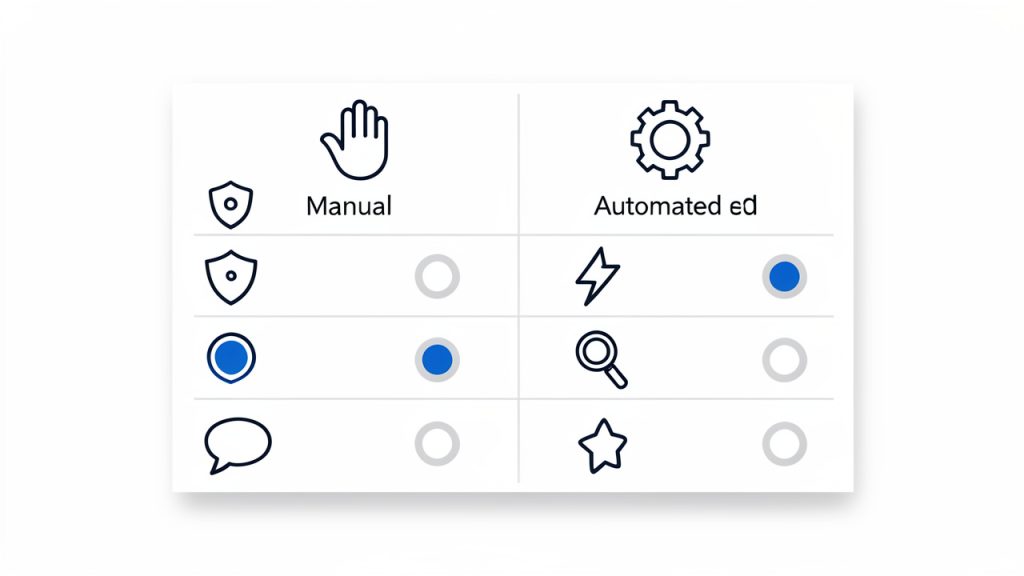
Here is a simple comparison:
| Factor | Manual Posting | Automated Posting |
|---|---|---|
| Quality control | High | Variable |
| Speed at scale | Low to medium | High |
| SEO customization | Strong | Often limited |
| Brand voice | Precise | Inconsistent unless monitored |
| Best for | Important content, evergreen posts, editorial work | Bulk updates, feeds, large catalogs, recurring campaigns |
Preparing to Create a Manual Post
Before you open the editor, clarify your goal. Every strong post has a job. It may be meant to attract search traffic, educate customers, announce a change, generate leads, or answer a recurring support question. Without that goal, it is easy to create content that looks complete but does not actually perform.
Next, define the audience. A freelancer writing for startup founders should sound different from a developer documenting a feature for technical users. The language, structure, examples, and depth should match what the reader already knows and what they need next.
Keyword planning also belongs in this stage. If your target phrase is the awkward raw term “New Manual Post”, do not force it word-for-word into every heading. Use it naturally in context, such as “how to create a new manual post” or “steps for publishing a manual post.” That approach keeps the wording human while still signaling relevance to search engines.
Gather all assets before you start building the post. That includes images, links, references, downloadable files, author details, captions, and metadata ideas. It also includes accessibility details like alt text, which should describe the image meaningfully rather than stuffing in keywords.
A short outline saves time later. Even a simple structure like introduction, key steps, examples, and next action helps you write faster and format more cleanly. In most editors, structure problems become harder to fix once images, embeds, and callouts are already in place.
Step-by-Step: Creating a Manual Post in Common Platforms
WordPress, Block Editor, and Gutenberg
In WordPress, creating a new post usually starts from Posts > Add New. You will first enter the title, then build the body using blocks. The block editor makes it easy to insert paragraphs, headings, images, lists, embeds, quotes, and buttons without code, but it also makes it easy to over-format. Keep the design simple unless the post genuinely needs more visual elements.
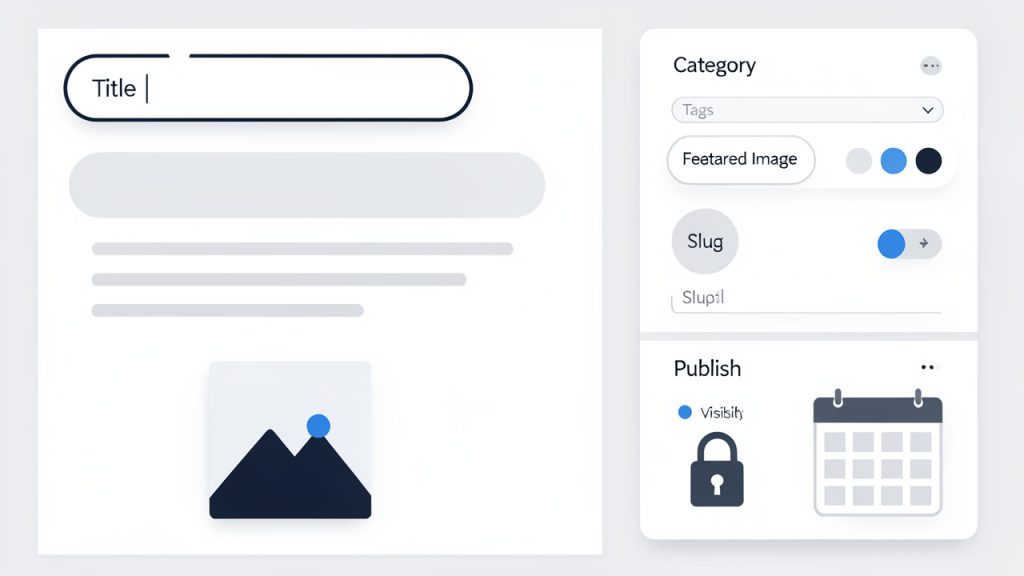
After writing the main content, move to the settings panel and complete the fields many users skip. Add a featured image, assign the right category, use tags sparingly, write an excerpt if your theme uses one, and review the permalink or slug. That slug should be short, descriptive, and readable. For a guide like this, a clean slug might be /create-manual-post/.
Before publishing, check the post status and visibility settings. WordPress lets you save as draft, publish immediately, schedule the post, make it private, or password-protect it. Preview the post on desktop and mobile before going live.
Squarespace and Wix
In Squarespace and Wix, the process is similar even if the interface differs. You begin by adding a new blog post, choosing a layout, and entering the title and body content. Most users can work visually, which is helpful, but that same visual freedom can lead to inconsistent spacing and oversized media.
Pay close attention to the built-in SEO fields. Add a clear SEO title, a concise description, and a clean URL slug. If the platform lets you define social sharing images or summaries separately, use that option. It improves how the post appears when shared externally.
Media insertion is generally straightforward in both platforms, but image size still matters. Uploading a massive image directly from a phone can slow the page and reduce the user experience. Resize and compress before upload whenever possible.
Social Platforms and Forums
A manual post on LinkedIn, Reddit, Facebook groups, or niche forums works differently from a blog post. The field options are lighter, but the fundamentals remain. You still need a strong opening, clear formatting, and the right tone for the platform.
Forums reward specificity and relevance. Social platforms reward clarity and engagement. That means your first few lines matter even more. On Reddit, for example, a vague title can sink a post immediately. On LinkedIn, a strong opening line can significantly improve dwell time and interaction.
These platforms also have community norms. A polished blog-style post may work well on LinkedIn but feel out of place in a technical forum. Manual posting gives you the flexibility to adapt, which is one of its biggest strengths.
Custom CMS or Admin Panels
Custom CMS tools often include fields that standard website owners rarely see directly. These can include author attribution, content status, publication date, slug, summary, meta title, meta description, canonical URL, structured data options, and revision notes.
Developers and content teams should agree on field definitions before publishing at scale. If one editor uses the summary field as an internal note and another uses it as an excerpt, output will become inconsistent across the site. Good manual posting depends not just on the editor, but on a predictable workflow.
If your custom admin panel supports staging, use it. Draft in staging, preview on multiple devices, then publish to production only after verification. That reduces formatting regressions and prevents broken public pages.
Formatting and Readability Best Practices
Good formatting is invisible when done well. The reader should move through the post naturally, without friction. That means clear headings, short paragraphs, enough white space, and media that supports the content instead of interrupting it.
Headlines should be specific and useful, not clever for the sake of it. If your topic is how to create a manual post, say that clearly. Search users and busy readers respond better to direct language than to vague creative phrasing. Subheadings should also help scanning. A reader should be able to skim them and still understand the article structure.
Paragraph length matters more than many editors realize. Huge blocks of text feel harder than they are, especially on mobile. In most web content, two to four sentences per paragraph is a good rule. This is not just a style preference. It directly improves readability and time on page.
Images should be optimized for both clarity and performance. Use captions when context helps. Add descriptive alt text such as “WordPress post editor with category and featured image settings open” rather than “manual post SEO image.” For audio and video, transcripts or summaries improve accessibility and search value.
SEO and Metadata: Make Your Manual Post Discoverable
Creating a post manually gives you a chance to shape the metadata properly, and that is one of the clearest advantages over low-review automation. Start with the meta title. It should be specific, readable, and aligned with the page intent. Then write a meta description that explains the benefit of clicking.
Permalinks deserve care. Short slugs usually perform better than long ones because they are cleaner and easier to share. Avoid unnecessary dates, filler words, or category clutter unless your site structure requires them. A readable URL improves trust and can help users understand the page before clicking.
If you are targeting a phrase like new manual post, use it naturally in places that matter. The title can say “How to Create a New Manual Post,” the introduction can mention the phrase once in context, and the slug can reflect the core topic. Do not force the exact phrase into every subheading. Search engines are better at understanding natural language than many outdated SEO habits suggest.
Structured data can further improve discoverability. For blog-style content, Article or BlogPosting schema is often appropriate. Many CMS plugins handle this automatically, but it is worth checking. Tools like Yoast and Rank Math can help you review metadata, readability, and schema output without making the process overly technical.
Internal linking also matters. Link the new post to relevant service pages, related articles, or documentation. If similar versions of the content exist, review canonical tags to avoid duplicate content confusion.
Images, Media, and File Management
Media handling is where many otherwise strong manual posts lose performance. The most common problem is uploading oversized files without compression. For most posts, WebP is an excellent choice for web images because it keeps quality high and file size low. JPEG still works well for photographs, while PNG is better reserved for graphics that truly need transparency.
Naming files well helps more than people think. A filename like create-manual-post-wordpress.webp is clearer than IMG_4837.webp. It supports organization and can offer a small contextual benefit.
Captions and credits should be deliberate. Use captions when they add meaning, not just because the platform offers the field. If an image comes from a licensed source or external contributor, include proper attribution according to your usage rights.
For video embeds, check responsiveness. A video that looks fine on desktop can overflow or distort on mobile if the theme or container is poorly configured. Attachments and downloads should also be hosted securely, especially if they include client resources, lead magnets, or internal documentation.
Scheduling, Publishing, and Post-Publish Checklist
Scheduling gives you breathing room. Instead of rushing content live the moment it is finished, you can set a publication time that aligns with your audience and your promotional plan. The best posting time depends on the platform and audience, but consistency usually matters more than chasing generic timing advice.
Before publishing, do a full review. Read the post in preview mode, not just in the editor. Editors can hide spacing issues, embed problems, and mobile layout flaws. Check links, headings, image alignment, metadata, and whether the page still makes sense when skimmed quickly.
Use the publication settings intentionally. Immediate publishing is fine for urgent updates. Scheduled posts are better for editorial consistency. Private and password-protected posts are useful for internal reviews, gated resources, or client previews.
After the post goes live, the work is not finished. Share it through relevant channels, submit the URL to Google Search Console if appropriate, and watch early behavior. If the page has poor click-through rate or low engagement, the title, intro, or featured image may need refinement.
Editing, Versioning, and Managing Revisions
Manual posts are rarely one-and-done. Good content gets revised. Platforms like WordPress include revision history, which makes it easier to restore earlier versions after a mistake. That is especially useful when multiple people touch the same piece.
Teams should have a clear draft workflow. A common system is draft, editor review, SEO review, final approval, scheduled, then published. This sounds formal, but even very small teams benefit from defined checkpoints. It reduces accidental publication and keeps responsibilities clear.
Author attribution matters too. In multi-author environments, record who wrote the content, who edited it, and who approved it. This improves accountability and makes future updates easier. Older manual posts should also be reviewed periodically for refresh opportunities, outdated information, and repurposing into newsletters, social threads, or downloadable guides.
Measuring Success: Analytics and Optimization After Publishing
Once your post is live, success should be measured against the original goal. If the goal was traffic, watch impressions, clicks, and sessions. If the goal was lead generation, track conversions, CTA clicks, or form submissions. If the goal was education, time on page and scroll depth may be more meaningful.
Google Analytics 4 and Google Search Console are the core tools for this. Search Console shows how the page performs in search, including queries, impressions, and click-through rate. GA4 helps you understand engagement, user paths, and conversion behavior after visitors land on the page.
Performance should be reviewed in stages. In the first 30 days, focus on indexing, early engagement, and obvious issues. By 90 days, look for ranking movement and user behavior trends. By 180 days, you should be evaluating whether the post deserves an update, a stronger internal linking push, or a changed title to improve clicks.
Testing can help, especially for high-value content. A headline tweak or featured image change can improve results without rewriting the entire article. The key is to test with purpose, not constant random changes.
Common Manual Post Problems and How to Fix Them
Formatting issues often appear after publication because themes, block settings, or pasted content behave differently across devices. If a page looks broken on mobile, check for oversized embeds, copied formatting from external documents, and inconsistent heading styles. Cleaning pasted text before formatting it in the CMS can prevent many of these problems.
SEO issues are another common frustration. Duplicate titles, weak meta descriptions, missing canonical tags, and noindex settings can suppress visibility. If a manual post is not appearing in search, confirm that it is published, indexable, internally linked, and included in the sitemap.
Media failures usually come down to file size, unsupported formats, or CDN delays. If images load slowly, compress them, enable lazy loading if your platform supports it, and test performance in Lighthouse. If a file will not upload, check platform size limits and file permissions.
Permission errors often affect team workflows in CMS platforms. If a user can draft but not publish, review role settings. Custom CMS setups are especially prone to this issue because workflows are sometimes built around granular permissions that are not obvious in the interface.
Checklist: Final Manual Post Publication Template
Use this template as a practical final review before and after publishing a new manual post.
- Pre-publish
- Title is clear, specific, and aligned with search intent.
- Slug is short, readable, and relevant.
- Meta title and description are filled in.
- Headings are structured logically.
- Images are compressed, aligned, and include alt text.
- Links work and open as intended.
- Mobile preview looks clean.
- Categories, tags, excerpt, and featured image are set if needed.
- Immediate post-publish
- URL is live and indexable.
- Search Console submission is completed if appropriate.
- Social sharing is scheduled or published.
- Analytics tracking is verified.
- Team or client notification is sent if required.
- 90-day follow-up
- Performance is reviewed in GA4 and Search Console.
- Headline or meta description is updated if CTR is weak.
- Internal links are added from newer content.
- Outdated details are refreshed.
- Backlinks and conversions are assessed.
Resources and Tools
A good manual posting workflow is easier with the right tools. Writing tools like Grammarly help with clarity and proofreading. SEO plugins such as Yoast or Rank Math simplify metadata checks in WordPress. TinyPNG and similar compressors help keep images lean, while Canva helps non-designers create clean visuals quickly.
For scheduling and promotion, Buffer and Hootsuite are useful options. For site performance and technical checks, Google Lighthouse is a practical place to start. Search Console remains essential for indexing and search visibility, regardless of platform.
It is also worth bookmarking official documentation for the platform you use most. WordPress, Wix, and Squarespace all maintain help libraries that explain interface updates and settings changes. That matters because editors evolve, and manual posting steps can shift over time.
Conclusion: Best Practices Recap and Next Steps
A strong manual post is not just written, it is assembled carefully. The title, structure, images, slug, metadata, accessibility details, and publish settings all contribute to how the post performs. Manual posting takes more effort than automation, but it rewards that effort with better control, cleaner SEO, and stronger user experience.
Your next step is simple. Pick one platform you use regularly, create a draft, and apply the workflow in this guide from preparation to post-publish review. If you build that habit now, every future manual post will be faster, cleaner, and more effective.