If your website looks good but still struggles to attract traffic, the problem is rarely just the design. More often, it is discoverability. A well-built WordPress site can still remain invisible in search results if the underlying SEO basics are weak, inconsistent, or missing entirely.
That is why understanding SEO for WordPress matters so much. WordPress gives you a strong foundation, but it does not automatically make your site rank. You still need the right structure, content strategy, technical setup, and ongoing optimization. The good news is that WordPress is one of the most SEO-friendly platforms available, which makes it ideal for small business owners, freelancers, developers, and anyone who wants practical results without unnecessary complexity.
This guide breaks down what WordPress SEO really means, which elements have the biggest impact, and how to get started in a way that is manageable and effective. Whether you are launching a new site or trying to improve an existing one, the goal is simple: help search engines understand your content, and help the right people find it.
What Is WordPress SEO?
WordPress SEO is the process of improving a WordPress website so it performs better in search engines like Google. That includes making your site easier to crawl, easier to understand, faster to load, and more useful to human visitors. Good SEO is not about gaming an algorithm. It is about aligning your site with what search engines are trying to reward, which is relevance, clarity, and quality.
Many people assume WordPress handles SEO automatically. That idea is only partly true. WordPress does provide a cleaner starting point than many other website platforms. It supports customizable permalinks, responsive themes, blogging functionality, and a flexible ecosystem of plugins. Those features make optimization easier, but they do not replace strategy.
A useful way to think about SEO for WordPress is to separate the platform from the practice. WordPress is the vehicle, SEO is how you drive it. You can have a powerful platform and still make poor decisions about site structure, content, or page speed. On the other hand, a modest WordPress site with focused content and solid technical setup can outperform larger competitors.
Search engine optimization on WordPress typically touches four areas: technical SEO, on-page SEO, content quality, and user experience. These areas overlap more than most beginners expect. For example, a fast mobile page improves user satisfaction, and it also helps search visibility. Clear headings help readers scan a page, and they also help search engines interpret topical relevance.
Key Aspects of WordPress SEO
Site Structure and Crawlability
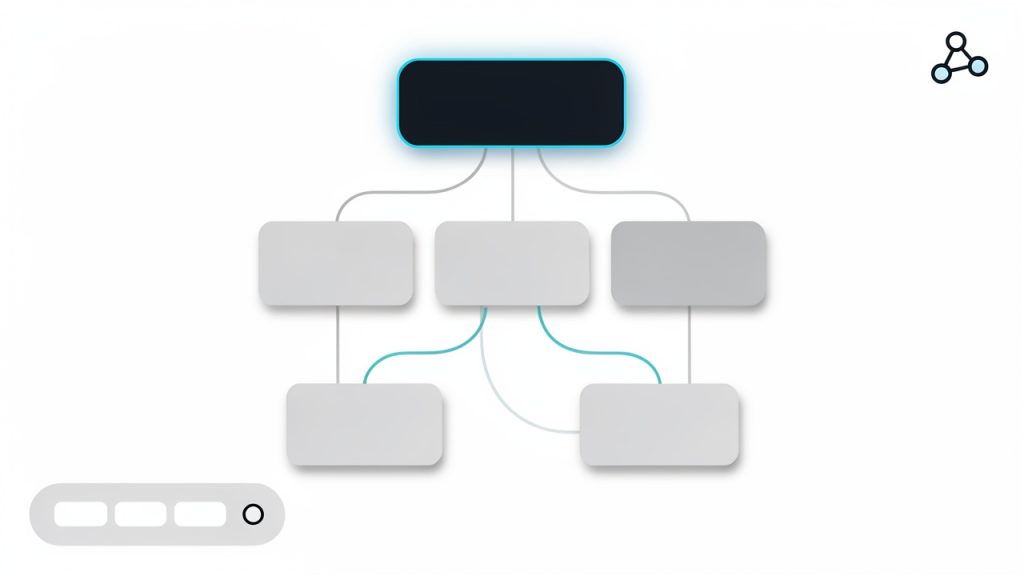
One of the most important foundations of WordPress SEO is a clean site structure. Search engines need to discover your pages, understand how they relate to each other, and determine which ones matter most. If your site is cluttered with unnecessary archives, duplicate pages, broken links, or confusing navigation, you make that job harder.
A strong WordPress structure starts with logical page organization. Your main services, categories, and important resources should be easy to reach in just a few clicks. Internal linking also plays a major role here. When one page naturally links to another related page, you create pathways for both users and search engines. That improves context and can distribute authority across your site.
Permalinks deserve attention too. WordPress lets you customize your URL format, and this is more important than it sounds. A short, descriptive URL is easier to trust, easier to share, and easier for search engines to interpret. A page called /local-seo-services/ communicates far more clearly than a URL filled with dates or random parameters.
Content Optimization
Content is where most SEO gains are won or lost. A WordPress site can be technically polished and still underperform if the content is thin, vague, or built around the wrong topics. Strong content optimization starts with understanding what your audience is actually searching for, then creating pages that answer those needs clearly and completely.
That means every important page should have a distinct purpose. A homepage targets broad brand intent. A service page targets a specific solution. A blog post might answer a question, compare options, or explain a process. When pages overlap too much, they compete with one another. When they are focused, they become easier to rank.
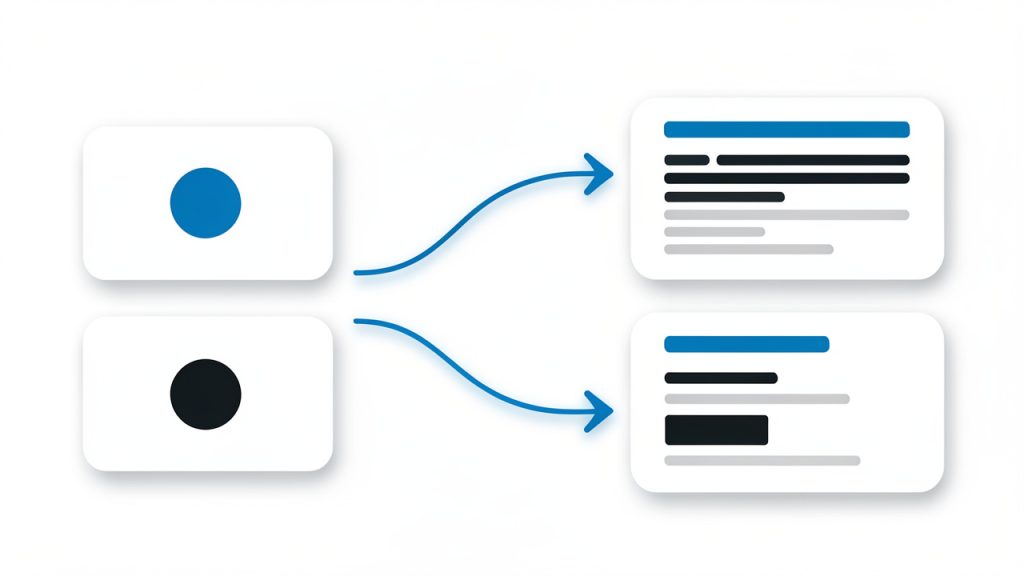
Titles, headings, and meta descriptions also matter. They help frame the page for both search engines and users. Your target phrase should appear naturally in the title and supporting headings, but stuffing keywords into every line is counterproductive. Modern SEO rewards topical depth and readability, not repetition.
Good content also means updating pages over time. Search intent changes, competitors improve, and statistics go out of date. Pages that once ranked well can slowly slide if they are not maintained. Treat content as an asset that needs refinement, not as a one-time task.
Technical Performance
Technical SEO can sound intimidating, but for most WordPress site owners, it comes down to a few practical areas. Speed, mobile usability, indexing, and clean code output are the big ones. If a page loads slowly, shifts around while loading, or works poorly on a phone, that weakens both user trust and search performance.
Themes and plugins often have a direct impact here. A visually impressive theme that loads excessive scripts may hurt performance more than it helps conversions. The same goes for installing too many plugins without a clear purpose. Every addition should earn its place.
Caching, image compression, lazy loading, and reliable hosting make a major difference. So does keeping WordPress core, themes, and plugins updated. A neglected site can develop errors, security issues, and performance problems that quietly undermine SEO. Technical health is not glamorous, but it is often the reason one site outranks another with similar content quality.
User Experience and Engagement
Search engines increasingly reward pages that satisfy users. That does not mean Google can read minds, but it can detect useful signals. If visitors land on your page and immediately leave because it is slow, confusing, or unhelpful, that is a problem. If they stay, explore, and engage, that usually indicates stronger relevance.
This is why user experience belongs in any serious conversation about WordPress SEO. Readable formatting, clear navigation, strong calls to action, and mobile-friendly layouts all contribute to performance. Even simple changes such as shorter paragraphs, clearer subheadings, and better spacing can improve how people interact with your content.
There is also a branding dimension here. A polished, trustworthy site tends to earn more backlinks, more shares, and more conversions. SEO does not exist in isolation. It is connected to how credible your business appears online. In that sense, optimization is not just about rankings. It is about making your website more effective overall.
Plugins and SEO Tools
WordPress plugins can simplify many SEO tasks, but they should support your strategy, not define it. An SEO plugin can help you edit title tags, generate XML sitemaps, set canonical URLs, and manage indexing settings. Those are real advantages, especially for small teams without technical staff.
Still, no plugin can compensate for weak content or a poor site structure. Some site owners become overly dependent on traffic-light scores or plugin recommendations without understanding the bigger picture. A green indicator is not a ranking guarantee. It is just a prompt based on limited rules.
The smartest approach is to use plugins to handle repetitive technical details while keeping your attention on content quality, user intent, and business goals. In other words, let tools assist the work, not replace judgment.
How to Get Started With WordPress SEO
Begin With the Essentials
If you are starting from scratch, the first priority is to make sure your WordPress site is technically visible to search engines. That includes checking that your site is not set to discourage indexing, choosing a clean permalink structure, installing a reputable SEO plugin, and submitting your sitemap through Google Search Console.
At the same time, review your theme and hosting setup. A slow host or bloated theme can create SEO problems before you publish a single page. It is easier to build on a solid foundation than to repair one later. Think of it like opening a physical store. Location, signage, and accessibility matter before foot traffic ever arrives.
A simple starting checklist can help:
- Set clean permalinks that use readable page names.
- Install an SEO plugin to manage metadata and sitemaps.
- Connect Google Search Console to monitor indexing and performance.
- Check mobile usability and speed before expanding your content.
- Create core pages first, such as homepage, services, about, and contact.
Build Content Around Search Intent
Once the basics are in place, focus on content that matches what your audience is searching for. This is where many WordPress sites either gain traction or stall. Writing random blog posts may fill your site with pages, but traffic grows faster when each piece serves a real purpose.
If you are a freelancer, that might mean service pages for each offering plus articles that answer common client questions. If you run a small business, it may mean local landing pages, product explanations, or guides that support your sales process. Developers might create tutorials, comparisons, or technical explainers that attract highly targeted visitors.
Search intent should shape both the topic and the format. A person searching for “best accounting software for freelancers” expects comparison content. Someone searching for “bookkeeping services near me” has transactional intent. When your page matches that expectation, it performs better.
Strengthen On-Page SEO Without Overdoing It
On-page optimization is where you help search engines understand the topic of each page. In WordPress, that usually means refining the title tag, heading structure, image alt text, internal links, and meta description. These are small elements individually, but together they create clarity.
The key is natural optimization. Use your main keyword in a way that sounds human. Include related terms where relevant. Organize the page with meaningful headings. Add internal links to related posts or service pages. Avoid the outdated habit of forcing the same phrase into every paragraph.
This is especially important for SEO on WordPress because plugins can sometimes encourage checkbox behavior. Readers do not care whether a plugin score says 92 out of 100. They care whether the page answers their question quickly and convincingly. Search engines increasingly reward the same thing.
Prioritize Performance and Maintenance
SEO is not a one-time project. WordPress sites need ongoing care. Broken links appear. Plugins conflict. Pages slow down over time. Content ages. Rankings shift. The sites that maintain visibility are usually the ones that treat SEO as an operating habit rather than a launch task.
That does not mean you need to obsess daily. It means setting a rhythm. Review Search Console data, update old content, improve pages with high impressions but low clicks, and audit site speed periodically. Small consistent improvements often outperform occasional major overhauls.
The table below highlights where beginners should focus first and what tends to have the biggest practical impact.
| SEO Area | Why It Matters | Best First Action | Common Mistake |
|---|---|---|---|
| Site Structure | Helps search engines crawl and understand your pages | Create simple navigation and logical page hierarchy | Publishing too many overlapping pages |
| Content Quality | Drives relevance and rankings | Write pages around real user questions and needs | Targeting keywords without matching intent |
| On-Page SEO | Clarifies page topics | Optimize titles, headings, and internal links | Keyword stuffing |
| Technical Performance | Affects speed, mobile usability, and indexing | Choose quality hosting and optimize images | Using a heavy theme and too many plugins |
| Tracking and Maintenance | Helps you improve over time | Use Search Console and update content regularly | Setting everything up once and ignoring it |
Think Long Term, Not Just Quick Wins
It is tempting to approach WordPress SEO as a hunt for hacks. Most shortcuts either do not work or do not last. Sustainable results usually come from doing ordinary things consistently well: publishing useful content, improving site speed, clarifying page topics, and building a trustworthy brand.
This matters especially for small businesses and independent creators. You may not have the authority of a massive publisher, but you can be more specific, more helpful, and more aligned with your audience. In many niches, that is exactly what earns rankings.
If your site is new, expect momentum to build gradually. Search visibility often compounds. One strong page leads to a few rankings. Those rankings bring data, links, and confidence. That helps the next pages perform better. WordPress is a strong platform for this kind of growth because it is flexible enough to scale as your content strategy matures.
Conclusion
WordPress gives you an excellent foundation for search visibility, but the platform alone is not the strategy. Effective SEO for WordPress comes from combining technical reliability, clear structure, useful content, and a strong user experience. When those pieces work together, your site becomes easier to find and more persuasive once people arrive.
Your next step is simple. Audit what you already have. Check your structure, improve a few key pages, fix obvious technical issues, and build new content around real search intent. You do not need to perfect everything at once. In WordPress SEO, steady improvement is often what creates the biggest long-term gains.