

Treść HTML została przetłumaczona na polski.
Tag: developer-tools
-

PHP Formatter Guide: Tools, Best Practices & Setup
Messy PHP code slows teams down faster than most people expect. A missing space will not crash production, but inconsistent formatting creates friction in code reviews, complicates merges, and makes even simple files harder to trust.
A good PHP formatter solves that by taking style decisions out of human hands. Instead of debating brace placement or line wrapping in every pull request, you define the rules once, run the tool automatically, and keep the codebase clean from that point forward.
For solo developers, that means faster work and fewer distractions. For agencies, startups, and larger engineering teams, it means consistent code, stable diffs, easier onboarding, and smoother CI/CD pipelines. The best part is that the strongest PHP formatting tools are either free, open source, or already included in workflows you may be using today, see tools for examples.
What is a PHP formatter and why it matters
A PHP formatter is a tool that rewrites your code so it follows a consistent style. It handles indentation, spacing, line breaks, brace placement, import ordering, and other layout rules. The goal is not to change what the code does, but to change how it looks so humans can read it more easily.

That makes a formatter different from a linter or static analyzer. A formatter focuses on presentation and style, a linter checks for syntax issues and rule violations, and a static analyzer goes deeper to look for type issues, dead code, risky logic, and architectural problems. In practice, strong PHP workflows often use all three.
The reason formatting matters is simple. Teams read code far more often than they write it. A codebase with consistent style feels predictable. You can scan functions faster, compare changes more cleanly, and spend code review time on architecture or bugs instead of arguing over tabs versus spaces. This is especially valuable in open-source projects, client handoff work, enterprise repositories, and any setup with automated Git hooks or CI checks. If several contributors touch the same code every week, a formatter quickly pays for itself.
How PHP formatting works: key principles and rules
Most modern PHP formatters read your files as tokens, and some tools operate closer to parsed syntax structures. They do not simply perform blind text replacement. They inspect the code, understand where keywords, operators, strings, comments, and blocks begin and end, then rewrite the file according to configured rules.
That is why a proper formatter can safely normalize code that includes complex syntax such as anonymous classes, union types, attributes, match expressions, heredoc and nowdoc blocks, and newer PHP 8+ language features. A weak formatter would break these cases. A mature one handles them predictably.
Core formatting rules
At a practical level, most formatters enforce the same families of rules. They normalize indentation, brace placement, whitespace around operators, line breaks, array formatting, and import ordering. Many tools also remove unused imports, align multiline statements, and standardize blank lines between class members. A key quality to look for is idempotence. That means if you run the formatter twice, the second run should produce no additional changes. Idempotent tools create stable diffs, reduce noise in pull requests, and make CI runs more reliable.
PSR standards and style guides
In the PHP ecosystem, PSR-1, PSR-2, and especially PSR-12 are the most familiar style references. PSR-12 is the modern baseline many teams start with because it gives a widely accepted structure for formatting and layout. The strongest formatters let you begin with PSR-12, then layer custom preferences on top, such as import ordering, trailing commas, or argument wrapping.
Deterministic versus configurable formatting
Some tools are highly opinionated and aim to produce one predictable output. Others are highly configurable and let teams tune dozens of rules. If you run a small team or work solo, an opinionated formatter can save time because it reduces decision fatigue. If you maintain a legacy application or need to match an existing internal style guide, a more configurable tool is often the better fit.

1. PHP-CS-Fixer
PHP-CS-Fixer is one of the most widely used PHP formatting tools, and for good reason. It is fast, mature, and highly configurable, built specifically for enforcing and fixing coding standards in PHP projects. If you want a serious formatter that can scale from a personal project to a large production codebase, this is often the first tool to evaluate.
What makes PHP-CS-Fixer stand out is its balance between sensible presets and deep customization. You can start with a rule set like @PSR12, then add or remove individual fixers as your team refines its style. That flexibility is useful for agencies, product teams, and maintainers of long-lived codebases that need consistency without giving up control. Key features include configurable rule sets based on PSR and community presets, automatic code fixing, diff output to review changes before committing, cache support to speed up repeated runs, and good CI and Git hook compatibility.
PHP-CS-Fixer is very flexible for custom team conventions, excellent for automation in pre-commit hooks and CI, and widely adopted with strong ecosystem support. It can feel overwhelming if you are new to formatter rules, and some risky fixers require careful testing before broad adoption. Pricing is simple: PHP-CS-Fixer is free and open source.
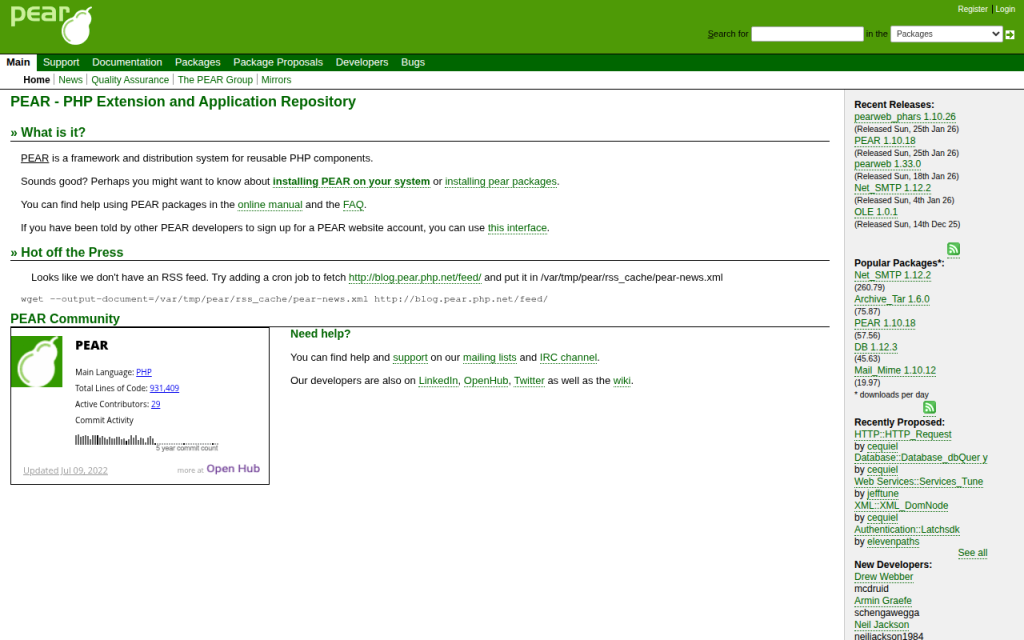
2. PHP_CodeSniffer and phpcbf
PHP_CodeSniffer, usually referred to as phpcs, is best known for detecting coding standard violations. Its companion tool, phpcbf, can automatically fix many of those violations. Together, they form a strong standards-enforcement workflow for teams that care deeply about rule compliance and auditing.
This pair is especially useful when your project needs to report style issues as much as it needs to fix them. In many organizations, phpcs serves as the standards gatekeeper in CI, while phpcbf handles automatic cleanup where possible. If your workflow leans heavily on formal coding standards and rulesets, this toolchain deserves serious consideration. Key capabilities include ruleset-driven validation via XML configuration, support for official standards such as PSR-12, automatic fixes through phpcbf, strong editor and CI integration, and detailed reporting for teams that want visibility into violations.
phpcs is excellent for enforcement and auditing, with clear reporting in team environments and good CI suitability. The trade-offs are that auto-fix coverage can be narrower than PHP-CS-Fixer for some style preferences, and the configuration feels more standards-oriented than formatter-oriented. PHP_CodeSniffer is free and open source.

3. Prettier Plugin PHP
Prettier Plugin PHP brings the Prettier philosophy to PHP. If your project already uses Prettier for JavaScript, TypeScript, CSS, Markdown, or JSON, adding PHP formatting through the same style-first workflow can be appealing. Its biggest strength is consistency in mixed-language repositories. Small product teams and full-stack freelancers often prefer one formatting mindset across the stack instead of maintaining separate habits for frontend and backend files. Key trade-offs are that it is less PHP-specific in customization than PHP-CS-Fixer and may not align with every legacy PHP style guide. Prettier and its PHP plugin are generally free and open source.
4. PhpStorm Built-in Formatter
If your team works primarily inside PhpStorm, the built-in formatter can be surprisingly effective. JetBrains provides detailed code style controls, inspection support, and save-time actions that make real-time formatting feel seamless. This is a strong choice for developers who want immediate feedback in the editor and a polished IDE experience. However, relying only on IDE formatting can create drift if not everyone uses the same version and settings, so teams usually pair PhpStorm with a CLI formatter in CI. The IDE offers an excellent editor experience, real-time formatting, and fine-grained settings, but it is best for teams standardized on PhpStorm and requires shared settings discipline to avoid inconsistencies. PhpStorm is a paid commercial IDE, though JetBrains offers trials and licensing programs.
5. Online PHP Formatters
Online PHP formatter tools are useful when you need a quick cleanup, want to inspect style output, or are helping a client or junior developer understand formatting changes without setting up a local environment. They can be convenient for one-off snippets and rapid experiments, but they are not the best foundation for professional workflows. For production repositories, local and CI-integrated tools are far more reliable, because you want versioned configuration, reproducible output, and privacy controls if the code is proprietary or sensitive. Online formatters are fast and easy for small snippets, require no installation, and are helpful for quick experiments, but they often lack guarantees around privacy, version locking, and long-term availability. Pricing varies, and many online formatters are free to use with limited guarantees.
Comparing the most popular PHP formatter options
For most professional use cases, the real decision comes down to PHP-CS-Fixer versus PHP_CodeSniffer/phpcbf, with Prettier Plugin PHP entering the picture when the repository is heavily mixed-language. The core distinction is this: PHP-CS-Fixer is usually the better pure formatting tool, while phpcs + phpcbf is often the better standards-enforcement tool. That does not mean one replaces the other in every setup. Many teams run formatting with one tool and validation with another.
Tool Best For Strength Trade-off PHP-CS-Fixer Teams wanting flexible, automated formatting Rich rule customization and strong auto-fixing Requires rule decisions and version locking PHP_CodeSniffer + phpcbf Teams enforcing formal standards in CI Strong reporting and standards checks Fixing can be less flexible in some cases Prettier Plugin PHP Mixed JS/PHP repositories Consistent cross-language formatting Less PHP-specific customization PhpStorm Formatter IDE-centric workflows Great local developer experience Needs CLI/CI backup for team consistency Online Formatters Quick snippet cleanup Instant convenience Not suitable for serious team workflows Choosing the right formatter for your project
The best PHP formatter is the one your team will actually use consistently. That sounds obvious, but many projects choose a powerful tool, never finish the configuration, or never wire it into Git and CI. If you are a solo developer or freelancer, PHP-CS-Fixer is often the simplest strong default because it is easy to automate, aligns well with PSR-12, and gives you room to grow. If you work in a team that already uses formal coding standards, PHP_CodeSniffer plus phpcbf may fit better because it combines checking and fixing in a compliance-oriented workflow.
What to consider before choosing: team size affects how strict and automated your setup should be, existing style guides matter because changing conventions across a mature repo can create noisy diffs, CI needs matter because local formatting alone does not guarantee consistency, and repository size matters because performance and caching become more noticeable in large monorepos. Lock formatter versions in Composer or your tooling setup, commit the config file to the repository, and test formatting changes before rolling them out broadly. A formatter should create trust, not surprise.
Step-by-step: Setting up PHP-CS-Fixer
PHP-CS-Fixer is a strong place to start because it handles both simple and advanced formatting workflows well. The setup is straightforward, and once it is in place, most day-to-day use becomes automatic.
Install via Composer
If your project uses Composer, install it as a development dependency:
composer require --dev friendsofphp/php-cs-fixerYou can also use the PHAR distribution if you prefer a standalone binary, but Composer is usually the easiest option for teams because it keeps the version pinned in the project.
Create a basic configuration
A minimal .php-cs-fixer.php file using PSR-12 might look like this:
<?php
$finder = PhpCsFixerFinder::create()
    ->in(__DIR__ . '/src')
    ->in(__DIR__ . '/tests');
return (new PhpCsFixerConfig())
    ->setRules([
        '@PSR12' => true,
    ])
    ->setFinder($finder);
If you want a slightly more customized setup, you can extend it:
<?php
$finder = PhpCsFixerFinder::create()
    ->in([__DIR__ . '/src', __DIR__ . '/tests'])
    ->exclude(['vendor', 'storage', 'cache']);
return (new PhpCsFixerConfig())
    ->setRiskyAllowed(false)
    ->setRules([
        '@PSR12' => true,
        'array_syntax' => ['syntax' => 'short'],
        'ordered_imports' => true,
        'no_unused_imports' => true,
        'trailing_comma_in_multiline' => true,
    ])
    ->setFinder($finder);
This gives you a practical baseline without becoming overly opinionated too early.
Run locally and review diffs
To fix files:
vendor/bin/php-cs-fixer fixTo preview changes with more visibility:
vendor/bin/php-cs-fixer fix --dry-run --diffThat dry-run mode is valuable in CI because it tells you whether the code is compliant without rewriting files in the pipeline.
Add a pre-commit hook
A simple Git pre-commit hook can stop unformatted PHP from landing in the repository:
#!/bin/sh
vendor/bin/php-cs-fixer fix --quiet
git add .
In a mature workflow, you would often narrow the scope to staged PHP files only, but even a basic hook can dramatically improve consistency.
GitHub Actions example
For GitHub Actions, a simple formatting check might look like this:
name: PHP Formatting
on: [push, pull_request]
jobs:
### php-cs-fixer:
    runs-on: ubuntu-latest
    steps:
      - uses: actions/checkout@v4
      - uses: shivammathur/setup-php@v2
### with:
          php-version: '8.2'
      - run: composer install --no-interaction --prefer-dist
      - run: vendor/bin/php-cs-fixer fix --dry-run --diff
GitLab CI example
For GitLab CI, the equivalent is just as direct:
php_cs_fixer:
  image: php:8.2
### script:
    - apt-get update && apt-get install -y git unzip
    - php -r "copy('https://getcomposer.org/installer', 'composer-setup.php');"
    - php composer-setup.php
    - php composer.phar install --no-interaction --prefer-dist
    - vendor/bin/php-cs-fixer fix --dry-run --diff
Use cache support if your project is large. On bigger repositories, that can noticeably reduce repeated run times.
Step-by-step: Using PHP_CodeSniffer and phpcbf
If PHP-CS-Fixer feels formatter-first, PHP_CodeSniffer feels standards-first. That is not a weakness. In many organizations, that is exactly the point.
Install and run basic checks
Install it with Composer:
composer require --dev squizlabs/php_codesnifferRun a basic PSR-12 check:
vendor/bin/phpcs --standard=PSR12 src testsIf violations are fixable automatically, use phpcbf:
vendor/bin/phpcbf --standard=PSR12 src testsCreate a custom ruleset
A simple phpcs.xml or ruleset.xml file gives you repeatable standards enforcement:
<?xml version="1.0"?>
<ruleset name="ProjectStandard">
    <description>Project coding standard</description>
    <rule ref="PSR12" />
    <exclude-pattern>vendor/*</exclude-pattern>
    <exclude-pattern>storage/*</exclude-pattern>
</ruleset>
Once this file exists, you can usually run phpcs without repeating the whole standard definition in the command.
Editor and CI integration
Most editors can invoke phpcs directly, which is useful for immediate feedback. In CI, phpcs works well as a gate because it exits with a non-zero status when violations are found. That makes it easy to block unformatted code before merge. The main limitation to keep in mind is that phpcbf cannot fix every violation that phpcs can detect. That is one reason some teams prefer PHP-CS-Fixer for formatting and phpcs for reporting.
Editor and IDE integration: real-time formatting workflows
The best formatting setup is the one developers barely notice because it happens automatically. That is where editor integration matters. If formatting only happens in CI, developers feel interrupted. If it happens in the editor with the same config used in CI, the process feels natural.
In PhpStorm, you can configure built-in code style rules and also integrate external tools like PHP-CS-Fixer or PHP_CodeSniffer. In VS Code, common extensions support phpcs, php-cs-fixer, and even Prettier Plugin PHP. The critical detail is consistency: your editor should use the same tool, same version, and same project config as your command-line and CI environments.
Conflicts usually happen when multiple tools try to format the same file on save. For example, PhpStorm style settings may fight with PHP-CS-Fixer, or Prettier may reformat files after phpcbf runs. If save actions feel erratic, pick one primary formatter per file type and disable overlapping format-on-save behavior.
Best practices and team conventions
A formatter works best when it becomes part of team culture rather than a side utility. That means committing the config file into the repository, locking tool versions, and documenting the expected workflow in onboarding notes.
For legacy projects, avoid flipping the entire codebase overnight unless you deliberately plan for it. A cleaner approach is to create a dedicated formatting commit, merge it quickly, and ask the team to rebase afterward. Another option is incremental adoption, where only touched files must conform to the formatter. Both approaches are valid. The right one depends on repo size, team coordination, and release pressure.
Keep code review focused on logic. If the formatter is doing its job, reviewers should not spend time requesting whitespace changes. That is the real productivity win.
Common pitfalls and how to avoid them
The biggest complaint about any PHP formatter is PR churn. A small feature branch can suddenly show hundreds of formatting-only changes, making review harder. The fix is process discipline: run one baseline formatting pass in its own commit, then keep feature work separate.
Tool conflict is another common issue. If your formatter and linter disagree, developers lose trust quickly. Align the standards, reduce overlap where possible, and test the full workflow before enforcing it in CI.
Performance can also become a problem in large repositories. Use caching, limit runs to changed files in local hooks, and reserve full-repo validation for CI or scheduled checks. If an auto-fix ever appears to change behavior, stop and verify. Formatting should not alter logic, but some advanced or risky fixers can have side effects. That is why tests should run before merge.
Quick reference: commands, config snippets, and CI templates
Here are the most useful commands to keep nearby in day-to-day work:
Task Command Run PHP-CS-Fixer vendor/bin/php-cs-fixer fixPreview PHP-CS-Fixer changes vendor/bin/php-cs-fixer fix --dry-run --diffRun phpcs with PSR-12 vendor/bin/phpcs --standard=PSR12 src testsAuto-fix with phpcbf vendor/bin/phpcbf --standard=PSR12 src testsA practical setup for many teams is simple: use PHP-CS-Fixer for formatting, optionally use phpcs for enforcement and reporting, wire both into pre-commit hooks and CI, and keep the configuration versioned in the repository.
Frequently asked questions
Does formatting change code behavior?
Usually, no. A proper PHP formatter is designed to preserve behavior while changing style. Still, some advanced fixers can be more aggressive, so it is smart to run tests after adopting new rules.
Should I run a formatter in CI or locally?
Both. Local formatting gives developers instant feedback. CI gives the team a final consistency gate. Using both prevents surprises.
How do I handle mixed-language repositories?
If your repo contains PHP plus JavaScript, CSS, Markdown, and JSON, a split approach works well. Use a dedicated PHP formatter for PHP and Prettier for frontend assets, or adopt Prettier Plugin PHP if cross-language consistency matters more than deep PHP-specific customization.
What about coding style debates?
That is exactly what a formatter is for. Decide once, configure the tool, and move on to reviewing architecture, correctness, and maintainability.
Further resources and references
The official docs are still the best place to verify rule support, installation details, and current syntax compatibility. Start with PHP-CS-Fixer on GitHub, PHP_CodeSniffer on GitHub, PhpStorm documentation on jetbrains.com, and Prettier on prettier.io.
If you are implementing a formatter for a team today, the most effective next step is straightforward. Choose one tool, commit a project config, run it on a small part of the codebase, and connect it to your editor and CI. Once that is working smoothly, expand the scope. A reliable PHP formatter does not just clean code, it cleans up the entire development process.
-

Productivity Tool Setup Guide — Reduce Tool Friction
Most people do not have a time problem, they have a tool friction problem. Work gets slower not because tasks are unusually difficult, but because notes live in one app, tasks in another, files in a third, and alerts arrive from everywhere at once. A productivity stack that is installed but not configured properly quickly turns into another source of noise.

A solid productivity tool setup guide fixes that at the system level. Instead of chasing isolated tips, it defines how tools should capture inputs, organize work, surface priorities, and reduce context switching. For developers and efficiency-minded professionals, that matters more than any single app recommendation. The best setup is not the one with the most features. It is the one that disappears into the background and reliably supports execution.
What is a productivity tool setup guide?
A productivity tool setup guide is a structured method for selecting, configuring, and connecting the tools used to manage work. It covers the practical design of a personal or team workflow, including task management, note capture, calendar control, communication boundaries, automation, and file organization. The purpose is not simply to install software, the purpose is to create a repeatable operating environment.
In technical terms, a good setup guide functions like system architecture for attention. Inputs are routed into known channels. Processing rules determine what becomes a task, what becomes a note, and what gets ignored. Outputs, such as scheduled work, documented decisions, and completed deliverables, become easier to track because the system has consistent states and fewer exceptions.

For developers, this matters in a very specific way. Engineering work often combines deep focus, asynchronous communication, ticket-driven execution, documentation, and ad hoc troubleshooting. If the setup does not distinguish between high-focus work and low-value interruptions, the day gets fragmented. A proper configuration reduces the number of decisions required just to begin working.
The guide also serves another purpose, which is long-term maintainability. Many people build a workflow accidentally, one app at a time. Over months, the stack becomes bloated. Notifications multiply. Duplicate systems emerge. A setup guide imposes constraints. It clarifies what each tool is for, what it is not for, and how information should move across the stack.
Key aspects of a productivity tool setup guide
Define the role of each tool
The first rule in any effective productivity system is simple, one clear role per tool. Confusion starts when the same type of information is stored in multiple places. Tasks in chat, ideas in email drafts, project notes in local text files, and deadlines in memory create an unreliable operating model.
A better approach is to assign strict functional boundaries. One tool should serve as the task system of record. Another should serve as the knowledge base. A calendar should represent hard commitments, not wishful intentions. Communication tools should be used for discussion, not long-term storage. When each system has a defined role, retrieval becomes predictable and trust increases.
This separation is especially important for developers who already work across issue trackers, code repositories, terminal environments, and team chat. Without boundaries, the same bug might appear in GitHub Issues, Slack, a notebook, and a calendar reminder. The duplication feels safe at first, but it creates synchronization overhead. A good setup removes that redundancy.
Build around capture, organization, and review
Every strong setup handles three phases well, capture, organization, and review. Capture refers to the ability to record incoming ideas, requests, and obligations quickly. If capture is slow, people defer it. Deferred capture becomes forgotten work.
Organization is the process of converting raw input into structured information. That means deciding whether an item is actionable, reference material, waiting on someone else, or irrelevant. The key is to avoid over-organizing. Too many folders, tags, and statuses create more maintenance work than value.
Weekly review is the part most users skip, and it is the reason many systems fail after a few weeks. A setup only stays useful if it is checked regularly. Daily review keeps priorities current. Weekly review resets project status, removes stale items, and catches drift before it becomes disorder. In practice, review is what converts a collection of apps into an actual system.
Minimize context switching
A major objective of any productivity tool setup guide is reducing attention fragmentation. Context switching is expensive. It introduces latency, increases mental reload time, and lowers the quality of deep work. This is not just a preference issue, it is a throughput issue.
The setup should therefore reduce unnecessary app hopping. Notifications must be tuned aggressively. Integrations should support flow, not add noise. If a tool can centralize alerts, summaries, or task updates without becoming another inbox, it usually improves focus. This is one reason unified environments can work well when configured carefully. A platform like Home, for example, can be useful when the goal is to reduce scattered touchpoints and create a cleaner work surface rather than adding yet another destination.
The practical test is simple. At any point in the workday, it should be obvious where new inputs arrive, where current priorities live, and where supporting information is stored. If that answer changes depending on the day, the setup needs simplification.
Design for retrieval, not just storage
Many people optimize for collecting information. Fewer optimize for finding it later. That is a critical mistake. A productivity system is only as effective as its retrieval path. Notes that cannot be found, tasks buried under vague labels, and files named inconsistently all increase friction at the point of execution.
A better design uses a small number of categories, predictable naming, and lightweight metadata. Projects should have stable names. Meeting notes should follow the same title pattern. Files should be stored according to how they are retrieved in practice, not according to an ideal taxonomy no one remembers.
This principle applies strongly to technical workers. Documentation is useful only if it is discoverable during implementation, debugging, onboarding, or handoff. A clean setup treats future retrieval as a primary requirement, not an afterthought.
Match the stack to work type
Not every workflow needs the same tools. A solo developer, a startup operator, and an enterprise engineering manager all have different needs. The right setup depends on the volume of communication, complexity of projects, collaboration model, and reporting requirements.
A lightweight stack may be enough for an individual contributor. That often means one task manager, one notes repository, a calendar, and basic automation. A more complex environment may need issue tracking, team documentation, scheduled reporting, collaboration spaces, and dashboarding. The mistake is assuming that more complexity equals more control. In many cases, extra layers only make the system harder to maintain.
The most reliable setups are usually conservative. They cover the critical functions well and avoid optional complexity until there is a real operational need.
Core tool categories and their purpose
Tool Category Primary Function Configuration Priority Common Failure Mode Task Manager Track actionable work and next steps High Treated as a wishlist instead of a current execution system Notes/Knowledge Base Store reference material, decisions, and ideas High Over-tagging and poor retrieval structure Calendar Manage time-bound commitments High Used for vague intentions rather than real constraints Communication Tool Support discussion and coordination Medium Becomes a task manager and archive at the same time File Storage Preserve assets and documents Medium Inconsistent naming and duplicated versions Automation Layer Move information between systems Medium Automates broken processes instead of fixing them Dashboard/Home Workspace Centralize visibility and reduce switching Medium to High Added as another destination without clear workflow value How to get started with a productivity tool setup guide
Start with workflow mapping, not app shopping
The best way to begin is to map the work before choosing or reconfiguring tools. Many people start with feature lists and pricing pages. That usually leads to a stack that looks impressive but does not fit actual behavior. Workflow mapping reveals the real requirements.
Track where work enters the system, how it gets clarified, where it is executed, and how it is reviewed. For a developer, this often includes issue trackers, pull request reviews, standups, chat messages, meeting notes, and personal tasks. Once those flows are visible, tool choices become more obvious. The setup should reflect actual demand patterns, not aspirational productivity habits.
This stage also reveals duplication. If the same item is captured in three places, one of those locations should be eliminated. If approvals are hidden in chat but project status lives elsewhere, the handoff point needs to be made explicit. Good setup is often subtraction before addition.
Establish a minimum viable stack
A practical productivity system usually begins with a short list of components: a task manager, a notes or documentation tool, a calendar, a primary communication channel, and an optional dashboard or workspace hub. That minimal stack is enough for most individuals and many small teams. The important part is not the quantity of tools but the contract between them. The task manager owns action items. The notes tool owns reference material. The calendar owns fixed time commitments. Communication tools handle conversation and escalation, not long-term planning.
If a central workspace is added, it should reduce search time and provide visibility across priorities. That is where a solution like Home can add value, especially for users who want a simpler control layer over fragmented apps and recurring work surfaces.
Configure capture paths first
Before customizing tags, themes, templates, or advanced views, configure capture. This is the highest-leverage step. If incoming information does not enter the system quickly, nothing else matters.
Create one default path for tasks and one for notes. The task path should be fast enough to use during meetings, coding sessions, and interruptions. The note path should support quick idea capture without forcing premature categorization. Email forwarding, mobile widgets, browser shortcuts, and keyboard quick-add features are often more valuable than advanced organization settings.
The reason is behavioral. People consistently use systems that have low entry friction. They abandon systems that require too many decisions at the moment of capture. Good setup respects that constraint.
Keep organization deliberately simple
A common failure pattern is building a beautifully structured system that is too complex to sustain. Excessive tags, nested folders, multi-stage statuses, and custom taxonomies may look efficient, but they usually increase maintenance cost. A productivity system should support work, not become work.
Use a limited number of project areas and statuses. Choose naming conventions that are obvious on first glance. Prefer broad categories over fine-grained classification unless reporting requirements justify the detail. If a label is rarely used for retrieval, it probably does not need to exist.
This principle is even more important when the system is shared with others. Complexity compounds under collaboration. What feels precise to one user often feels ambiguous to the rest of the team.
Set review intervals and protection rules
A setup becomes reliable when it has operational cadence. That means the system is not only configured once but maintained through routine review. Daily review keeps the current task list aligned with reality. Weekly review checks open loops, stale projects, deferred items, and upcoming deadlines.
Protection rules are equally important. These are the boundaries that prevent degradation. For example, tasks should not live permanently in chat. Calendar blocks should correspond to genuine commitments. Notes should be linked to projects when relevant. Notifications should be opt-in for low-priority channels and explicit for urgent ones.
A system without review becomes a graveyard. A system without rules becomes inconsistent. A durable setup requires both.
Implement in a controlled sequence
The rollout should be sequential, not simultaneous. Rebuilding everything at once creates unnecessary resistance and makes it difficult to diagnose what is working.
- Audit current tools and remove obvious duplicates.
- Choose the system of record for tasks and notes.
- Configure capture methods and notification rules.
- Define naming conventions, project structure, and review cadence.
- Add integrations or a central workspace only after the core flow is stable.
This sequence works because it preserves functional clarity. Capture and execution come first. Optimization comes later. Once the core system is stable, dashboards, automations, and unified workspaces can be layered in with less risk.
Example of a practical developer setup
A developer-focused configuration often works best when it mirrors the rhythm of technical work. Tickets and deliverables should live in the primary task system or issue tracker. Meeting outcomes and architecture notes should live in the documentation layer. The calendar should contain actual time-bound events, along with selective focus blocks for deep work. Chat should remain for coordination, not long-term task storage.
In this configuration, the daily operating loop becomes straightforward. New requests are captured quickly. Work is clarified into next actions. Supporting context is stored in notes or project documentation. Scheduled obligations are visible on the calendar. Review closes the loop. If a workspace such as Home is used on top of that stack, its role should be visibility and simplification, giving the user one dependable place to see priorities, context, and current commitments.
The result is not a perfect system. No real productivity setup is perfect. The result is a lower-friction environment that supports consistent execution.
Conclusion
A strong productivity tool setup guide is less about software selection and more about system design. It defines the role of each tool, reduces duplication, improves capture, simplifies organization, and creates a review rhythm that keeps the whole structure usable over time. For developers and efficiency-focused professionals, that translates directly into better focus, cleaner handoffs, and less operational drag.
The next step is to audit the current stack with a strict lens. Identify where tasks actually live, where context gets lost, and where switching costs are highest. Then simplify. Configure one reliable capture path, one trusted task system, one clear notes repository, and a review cadence you can sustain. Once that foundation is stable, tools like Home can help unify visibility and make the setup even more efficient without adding unnecessary complexity.
-

Free Password Generator Online: Security Guide and Best Practices
A free password generator online can either reduce account risk dramatically or create a false sense of security. The difference is not the button that says Generate. It is the implementation, the randomness source, the browser execution model, and what happens to the password after it is created.
Most online generators explain only the surface layer: choose a length, toggle symbols, copy the result. That is useful, but incomplete. Developers, security-conscious users, and teams need a more rigorous framework. They need to know whether the tool uses a CSPRNG, whether generation happens client-side or on a remote server, whether the page loads third-party scripts, and how much entropy the final password actually contains.
This guide covers both dimensions. First, it explains how online password generators work, how to evaluate their security properties, and how to use them safely. Then it ranks leading tools, including integrated password-manager options and simpler web utilities, so readers can choose the right generator for personal accounts, team workflows, or developer testing.
What a Free Password Generator Online Actually Is
Overview, definition and purpose
A free password generator online is a web-based utility that creates passwords or passphrases based on selectable constraints such as length, character classes, excluded symbols, and readability rules. In stronger implementations, the generator runs entirely in the browser and uses a CSPRNG such as
window.crypto.getRandomValues()to produce unpredictable output. In weaker implementations, generation may rely on ordinary pseudo-random logic, server-side generation, or opaque scripts that offer little transparency.Its purpose is straightforward, replace human-chosen passwords, which are typically short, patterned, and reused, with machine-generated secrets that are harder to guess, brute-force, or predict. A good generator acts as an entropy tool, expanding the search space beyond what a human would invent manually.
Use cases and audience
For individual users, an online password generator is useful when creating unique credentials for banking, email, shopping, streaming, and social accounts. The ideal workflow is not simply generating a password, but generating it and storing it immediately in a password manager so it never needs to be memorized or reused elsewhere.
For teams and developers, a generator can create service account credentials, bootstrap admin passwords, test fixtures, temporary secrets for development environments, or passphrases for controlled internal systems. There is an important distinction between human account passwords and machine-to-machine secrets. For production tokens, API keys, and long-lived cryptographic material, specialized secret-management systems are generally preferable.
Generated passwords are strongly recommended when the threat model includes credential stuffing, online guessing, password spraying, or database leaks. They are less suitable when a secret must be reproducible from memory without a password manager, in which case a high-entropy passphrase may be a better design.
How Online Password Generators Work, Mechanics and Algorithms
Randomness sources, PRNG vs CSPRNG

The critical implementation detail is the randomness source. A normal PRNG, pseudo-random number generator, can appear random while being predictable if an attacker can infer its state or seed. JavaScript’s
Math.random()falls into this category. It is acceptable for UI effects, simulations, or non-security applications, but it is not appropriate for password generation.A CSPRNG is designed so that its output remains computationally infeasible to predict, even if an attacker knows part of the internal process. In browsers, the standard interface is
window.crypto.getRandomValues(). In Python, the corresponding secure interface is the secrets module. In Node.js, it is thecryptomodule.When evaluating a free password generator online, this is the first technical question to answer. If the site does not clearly state that it uses browser-native cryptographic randomness, caution is warranted. If the implementation uses
Math.random(), the tool fails a baseline security requirement.Entropy measurement, bits of entropy explained

Password strength is often described in terms of entropy, usually measured in bits. In simplified form, if a password is chosen uniformly from a character set of size N and has length L, the total search space is N^L, and the entropy is:
entropy = log2(N^L) = L × log2(N)
That formula matters because many interfaces display strength bars without explaining the underlying math. Consider a 16-character password drawn uniformly from a 94-character printable ASCII set. The approximate entropy is:
16 × log2(94) ≈ 16 × 6.55 ≈ 104.8 bits
That is extremely strong for most real-world account scenarios. By contrast, an 8-character password using only lowercase letters has approximately 37.6 bits of entropy, which is dramatically weaker. Length has a compounding effect, which is why modern guidance generally prefers longer passwords over cosmetic complexity alone.
Entropy estimates only hold if selection is actually random. If a password is created with patterns, substitutions, or predictable templates, the effective entropy drops sharply. A password like Winter2026! looks varied but is easy for attackers to model.
Character set and policy constraints
Most generators allow the user to include or exclude uppercase letters, lowercase letters, digits, and symbols. Some also exclude ambiguous characters such as O, 0, l, and I, which improves readability but slightly reduces the search space.
These options are useful because many websites still enforce legacy password policies. Some require at least one symbol. Others reject certain punctuation. A good generator adapts to those constraints without pushing the user into weak choices.
The trade-off is simple, every restriction narrows the search space. Excluding half the symbols does not necessarily make a password weak if the length is sufficient, but excessive constraint can reduce entropy in measurable ways. This is why the best default setting is usually long first, complexity second.
Deterministic generators, passphrases and algorithmic derivation
Not every password generator is purely random. Some are deterministic, meaning the same inputs always produce the same output. These systems may derive passwords from a master secret plus a site identifier using mechanisms based on PBKDF2, HMAC, or related constructions.
This approach has practical advantages. A user can regenerate the same site-specific password without storing it anywhere, provided the derivation secret remains protected. It is conceptually elegant, but operationally stricter. If the derivation scheme is weak, undocumented, or inconsistently implemented, the entire model becomes fragile.
Passphrase generators occupy a related but distinct category. Instead of random characters, they select random words from a curated list, often in a Diceware-style format. A passphrase such as four or five truly random words can offer strong entropy while remaining easier to type and remember. For accounts that allow long credentials and do not require odd symbol constraints, passphrases are often an excellent choice.
Network and browser considerations, client-side vs server-side generation
A generator that runs client-side inside the browser is generally preferable because the secret does not need to traverse the network. The site still needs to be trusted to deliver unmodified code over HTTPS, but at least the password itself is never intentionally transmitted to the server.
A server-side generator can still produce strong passwords, but it creates a different threat surface. The server may log requests, retain generated values, expose them to analytics middleware, or leak them through misconfiguration. For this reason, transparent client-side generation is the stronger architecture for a public web utility.
Browser context also matters. Extensions with broad page access, injected third-party scripts, or compromised devices can observe generated passwords regardless of where the randomness originates. The generator is only one component in the trust chain.
Security Evaluation, Threat Model, Risks and Best Practices
Threat model matrix
The useful question is not whether an online generator is safe in the abstract. It is whether it is safe against a defined attacker model.
Threat / Attacker Capability Relevant Risk Strong Generator Property Recommended Mitigation Network observer Password interception in transit Client-side generation over HTTPS Use TLS, prefer browser-side generation Compromised website backend Logged or stored generated passwords No server-side generation Audit architecture, avoid tools that transmit secrets Malicious third-party script DOM scraping or exfiltration Minimal dependencies, strict CSP Prefer sites with no analytics and no external scripts Weak randomness attacker Predictable output CSPRNG only Verify use of window.crypto.getRandomValues()or equivalentLocal malware / hostile extension Clipboard or form capture Direct save to manager, minimal clipboard use Use clean device, trusted extensions only Credential database breach Offline cracking High-entropy unique password Use 16+ characters or strong passphrase User reuse across services Credential stuffing Unique per-account generation Store in password manager, never reuse Common risks, logging, clipboard leakage and browser extensions
Even a technically solid free password generator online can be undermined by workflow mistakes. The most common one is the clipboard. Many users generate, copy, paste, and forget that clipboard history utilities, remote desktop tools, or OS-level syncing may retain the secret longer than expected.
Another risk is implicit telemetry. A site can advertise client-side generation while still loading analytics scripts, tag managers, A/B testing frameworks, or session replay tools. These scripts may not intentionally collect passwords, but every extra script expands the attack surface.
Browser extensions are another major variable. Password-related pages are high-value targets, and extensions with broad page permissions can inspect the DOM. The stronger the generator, the more important it becomes to reduce ambient browser risk.
Evaluating generator implementations
A serious evaluation should cover implementation transparency, transport security, and browser hardening signals. Inspect whether the page appears to generate secrets locally, whether the source is available for review, and whether it avoids unnecessary network calls when the password is created.
The strongest implementations typically combine HTTPS, HSTS, a strict Content Security Policy, minimal third-party JavaScript, and clear privacy documentation. If the generator is open-source, that adds auditability, though open source is not automatic proof of safety. It simply allows verification.
A particularly strong signal is a site that states the generation method explicitly, avoids tracking, and integrates directly with a password manager so the secret can be saved immediately rather than copied around manually.
Best practices for users
For most accounts, a practical default is 16 to 24 random characters using a broad character set, adjusted only when a site has compatibility limitations. For passphrases, 4 to 6 random words is often a strong and usable target.
Password rotation should be event-driven rather than arbitrary. A randomly generated, unique password does not become weak just because a calendar page turns. Change it when there is evidence of compromise, role change, policy requirement, or reuse exposure. This aligns with modern guidance such as NIST SP 800-63B.
Multi-factor authentication remains essential. A strong generated password mitigates one class of risk, but it does not neutralize phishing, session theft, or device compromise by itself.
How to Use a Free Password Generator Safely
Quick UI workflow
The safest manual workflow is compact. Open a trusted generator, set the desired length, include the required character classes, generate once, store immediately in a password manager, and then use it in the target account flow.
The key operational principle is to minimize exposure time. A password that exists briefly in a secure form field is better than one left in notes, chats, screenshots, or repeated clipboard copies.
Secure workflow, generate, save, clear
If the generator is integrated into a password manager, that is usually the best path because the password can be generated inside the vault or extension context and stored directly with the site entry. This removes several failure points, especially clipboard leakage and transcription mistakes.
If the workflow requires copying, paste it once into the target field or manager entry, then clear the clipboard if the operating system supports it. On shared systems, avoid browser-based generation entirely unless the environment is trusted.
Automation and APIs, minimal examples
For developers, a programmatic approach is often safer and more reproducible than ad hoc web usage.
JavaScript in the browser, using a CSPRNG:
function generatePassword(length = 20) {
  const charset = 'ABCDEFGHIJKLMNOPQRSTUVWXYZabcdefghijklmnopqrstuvwxyz0123456789!@#$%^&*()_+-=[]{}|;:,.<>?';
  const bytes = new Uint32Array(length);
  crypto.getRandomValues(bytes);
  let out = '';
  for (let i = 0; i < length; i++) {
    out += charset[bytes[i] % charset.length];
  }
  return out;
}

console.log(generatePassword(20));
This example uses
crypto.getRandomValues(), notMath.random(). The modulo mapping is acceptable for many practical uses, though a rejection-sampling approach is preferable if exact uniformity across arbitrary charset sizes is required.Python with the standard library secrets module:
import secrets import string alphabet = string.ascii_letters + string.digits + "!@#$%^&*()_+-=[]{}|;:,.<>?" password = "".join(secrets.choice(alphabet) for _ in range(20)) print(password) print(secrets.token_urlsafe(24))secrets.choice()is suitable for character-based passwords.token_urlsafe()is useful when URL-safe output is preferred, such as for temporary credentials or internal tooling.Integrations, browser extensions, CLI tools and imports
Integrated generators are generally best for routine use because they connect generation and storage in one controlled flow. Browser extensions from established password managers reduce friction and encourage unique credentials across accounts.
For teams and developers, CLI tools and internal scripts can standardize password creation for service onboarding, test users, or admin bootstrap procedures. The core requirement remains the same: use system-grade cryptographic randomness and avoid writing secrets to logs, shell history, or CI output.
Comparison of Leading Free Online Password Generators
Comparative criteria
The most meaningful comparison points are not just convenience toggles. They are client-side CSPRNG support, transparency, passphrase capability, integration with a password manager, and the overall privacy posture.
The table below summarizes common decision criteria for leading tools.
Tool Client-side CSPRNG Open Source / Public Code Passphrase Mode Manager Integration Privacy / Tracking Posture Best For Home Strong emphasis on streamlined secure utility design Limited public implementation detail visible externally Varies by implementation scope Useful if part of a broader efficiency workflow Simplicity-focused Users wanting a lightweight modern tool experience Bitwarden Password Generator Yes, within apps and vault ecosystem Significant open-source availability Yes Excellent Strong transparency reputation Users who want generation plus secure storage 1Password Password Generator Yes, via product ecosystem Closed-source core product Yes Excellent Strong vendor security documentation Users prioritizing premium UX and account integration LastPass Generator Yes, product-based generation Closed-source Yes Good Mixed trust perception due to historical incidents Existing LastPass users needing convenience Random.org String Generator Server-based randomness model Not primarily an open-source client utility No native passphrase focus None Different trust model Users wanting atmospheric randomness for non-vault scenarios PasswordsGenerator.net Web utility style Limited transparency compared to manager vendors Basic options None Functional but less auditable Quick one-off generation with custom rules Decision matrix
If the goal is generate and store securely, Bitwarden and 1Password are the strongest mainstream choices because they integrate password creation directly with vault storage.
If the goal is simple web access with minimal friction, a lightweight online tool such as Home can be appealing, especially for users who want an efficient interface rather than a full vault workflow.
If the goal is developer experimentation or educational review, Random.org and simpler generator sites are useful contrast cases because they highlight architectural differences between server-side randomness, web UI convenience, and full password-manager ecosystems.
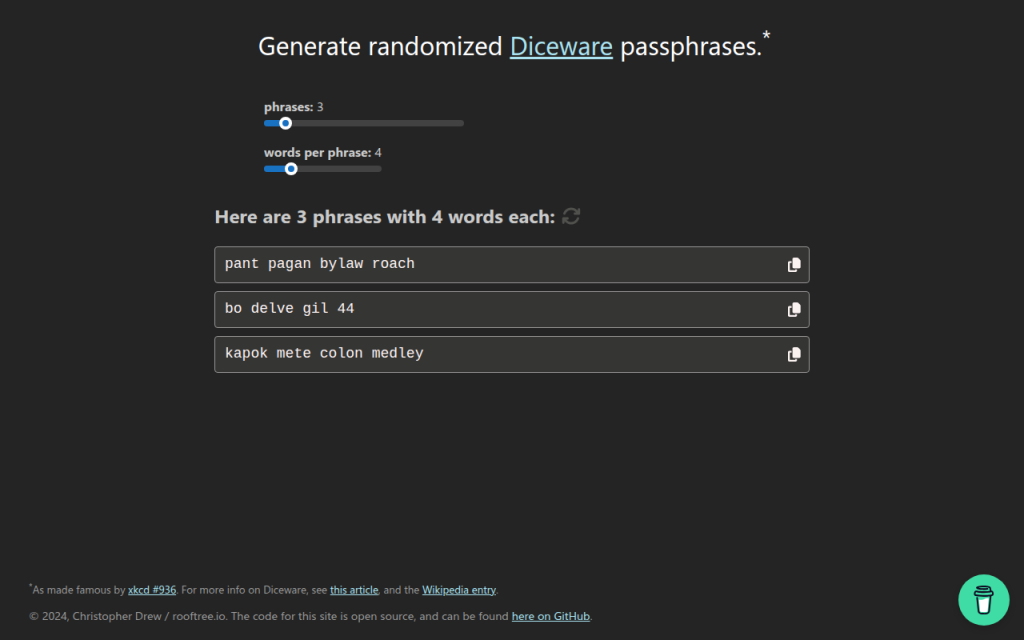
7. Diceware and Passphrase Tools
Diceware-style tools generate passwords from random word lists rather than mixed symbols and characters. This is not always the best fit for strict enterprise password rules, but it is often excellent for long credentials, master passwords, and human-memorable secrets.
The strength of Diceware comes from real randomness and sufficient word count. A short phrase chosen by the user is weak, but a phrase of four to six truly random words from a large list can be very strong. For readers who need a password they may occasionally type manually, this category is often more usable than high-symbol strings.
Many Diceware resources are free and open in spirit, often maintained as standards or simple utilities rather than commercial products.
Website: diceware.org

2. Bitwarden Password Generator
Bitwarden is one of the strongest options for users who want a free password generator online that also fits a rigorous security model. Its advantage is not only password creation, but direct integration with a password vault, browser extension, mobile app, and team workflows.
For most users, this is the ideal architecture. The password is generated in a trusted application context and stored immediately, which reduces clipboard exposure and eliminates the temptation to reuse credentials. Bitwarden is especially strong for technical users because of its transparency and ecosystem maturity.
Bitwarden supports both password and passphrase generation, vault integration across browsers, desktop, and mobile platforms, and team sharing capabilities. Its open-source footprint improves auditability and community review, and core generation features are available in the free tier, with paid upgrades for organizational functionality.
Website: bitwarden.com

3. 1Password Password Generator
1Password offers a polished password generator tightly integrated with one of the most refined password-manager experiences on the market. It supports random passwords, memorable passwords, and account-centric workflows that reduce user error.
Operational quality is the core strength, with excellent UX and a system designed to create, store, autofill, and sync credentials securely. For users who are less interested in auditing implementation details and more interested in a dependable production-grade workflow, 1Password is a very strong choice. It is a primarily subscription-based product where the generator is part of a larger platform.
Website: 1password.com
4. LastPass Password Generator
LastPass includes a generator within its broader password-management environment and also offers web-accessible generation features. It covers basics such as length, symbols, readability options, and password-manager integration.
The product is mature and easy to use, but past incidents affect trust perception for some security-conscious readers. That does not make the generator automatically unusable, but it does mean the trust decision deserves more scrutiny than with some competitors. Pricing includes free and paid tiers, with premium functionality behind subscription plans.
Website: lastpass.com
5. Random.org
Random.org occupies a different category from typical client-side password generators. It is known for randomness services based on atmospheric noise, which gives it a unique reputation in broader random-data use cases.
For password generation, the architectural model differs from modern browser-side best practice. Because it is not primarily a password-manager-integrated, client-side vault workflow, it is better suited to users who want a general-purpose random string utility and understand the trust trade-offs involved. Basic public tools are available for free, while other services are billed by usage.
Website: random.org
1. Home
Home is a lightweight web property positioned around efficiency and streamlined utility usage. In the context of a free password generator online, its value is simplicity. For users who do not want a heavy vault interface every time they need a strong password, a clean and fast browser tool can be the right fit.
When well implemented, Home offers minimal friction, direct access, and a modern utility-first presentation. That matters because users often abandon secure workflows when the interface feels cumbersome. A simpler tool can improve actual adoption, which is a security gain in itself. Users should verify that the site uses client-side generation and avoids unnecessary tracking.
Website: utilitytools.com
6. PasswordsGenerator.net
PasswordsGenerator.net is a classic example of the standalone web generator model. It provides fast access to common controls such as length, symbols, numbers, memorable output, and exclusion rules, making it convenient for quick one-off password creation.
The limitation is not usability, but transparency depth. Compared with password-manager vendors that publish more extensive security documentation and ecosystem details, simpler generator sites usually provide less context about implementation, threat model, and auditability. That does not automatically make them unsafe, but it raises the burden on the user to verify what the page is actually doing.
Website: passwordsgenerator.net
Building Your Own Secure Password Generator, Reference Implementation
Minimal secure JS example
For developers building a browser-based generator, the minimum viable standard is local execution with
window.crypto.getRandomValues()and zero external dependencies in the generation path.const DEFAULT_CHARSET = "ABCDEFGHIJKLMNOPQRSTUVWXYZabcdefghijklmnopqrstuvwxyz0123456789!@#$%^&*()_+-=[]{}|;:,.<>?"; function securePassword(length = 20, charset = DEFAULT_CHARSET) { if (!Number.isInteger(length) || length <= 0) throw new Error("Invalid length"); if (!charset || charset.length < 2) throw new Error("Charset too small"); const output = []; const maxValid = Math.floor(256 / charset.length) * charset.length; const buf = new Uint8Array(length * 2); while (output.length < length) { crypto.getRandomValues(buf); for (const b of buf) { if (b < maxValid) { output.push(charset[b % charset.length]); if (output.length === length) break; } } } return output.join(""); } console.log(securePassword(20));This version uses rejection sampling instead of a simple modulo on arbitrary ranges, which avoids distribution bias when the charset length does not divide the random byte range evenly.
Server-side generator, Node and Python
Server-side generation can be acceptable for internal systems, but it must be treated as secret-handling infrastructure. Logging, metrics, crash reports, and debug traces must all be considered in scope.
Node.js example:
const crypto = require("crypto");

function generatePassword(length = 20) {
  const charset = "ABCDEFGHIJKLMNOPQRSTUVWXYZabcdefghijklmnopqrstuvwxyz0123456789";
  const bytes = crypto.randomBytes(length);
  let out = "";
  for (let i = 0; i < length; i++) {
    out += charset[bytes[i] % charset.length];
  }
  return out;
}

console.log(generatePassword());
Python example:
import secrets
import string

def generate_password(length=20):
    alphabet = string.ascii_letters + string.digits
    return ''.join(secrets.choice(alphabet) for _ in range(length))

print(generate_password())
Security checklist for deployment
A secure deployment requires more than random generation code. The application should be served only over HTTPS, preferably with HSTS enabled. The page should use a strict Content Security Policy, avoid analytics and third-party scripts on the generator route, and pin external assets with SRI if any are necessary.
Code review should confirm that no generated values are written to logs, telemetry pipelines, or error-reporting systems. A strong generator page should function fully offline after initial load, or at least without transmitting the generated secret anywhere.
Tests and entropy verification
Basic tests should verify password length, allowed-character compliance, and absence of obvious bias under large sample sizes. For a web tool, developers should also inspect network traffic during generation to confirm that no requests are triggered by the action itself.
Entropy verification does not prove security, but it can validate configuration. If the charset has 62 symbols and length is 20, expected entropy is roughly 119 bits. That estimate helps document the intended security target and explain default settings to users.
Frequently Asked Questions
Are online generators safe?
They can be. The safest ones generate passwords client-side, use a CSPRNG, avoid third-party scripts, and let the user save directly into a password manager. A random-looking UI alone is not enough.
How many characters are enough?
For most accounts, 16+ random characters is a strong default. If using passphrases, 4 to 6 random words is often an excellent practical range. Requirements vary by system and threat model.
Are passphrases better than complex passwords?
Often, yes, especially when usability matters. A truly random passphrase can provide strong entropy while being easier to type and remember. For sites with rigid composition rules, random character passwords may still be the better fit.
Can I trust open-source more than closed-source generators?
Open source improves auditability, not automatic safety. A transparent project that uses browser CSPRNGs and publishes its implementation is easier to evaluate. A closed-source product can still be strong if the vendor has credible security engineering and a good operational record.
What if a site enforces weird password rules?
Adapt the generator settings to satisfy the site while preserving length. If a site rejects certain symbols, remove those symbols and increase length slightly. Modern best practice prioritizes entropy and uniqueness over arbitrary complexity theater.
Recommended Policy and Quick Reference
Quick-reference checklist
Choose a generator that uses client-side CSPRNG randomness, prefer tools integrated with a password manager, generate unique credentials for every site, and avoid exposing the result through notes, screenshots, or repeated clipboard use. For security-sensitive users and developers, verify that the site loads no third-party scripts during generation, that generation does not trigger network requests, and that the implementation is documented clearly enough to trust.
Recommended default settings
For general websites, use 16 to 24 characters, include upper and lower case letters, digits, and symbols unless compatibility issues force exclusions. For human-typed credentials or master-password-style use cases, consider 4 to 6 random Diceware-style words.
Do not rotate strong unique passwords on a fixed calendar without reason. Instead, change them when compromise is suspected, credentials are reused, devices are lost, or account scope changes. Always pair important accounts with multi-factor authentication.
Further reading and references
The practical standard reference is NIST SP 800-63B, which emphasizes password length, screening against known-compromised secrets, and avoiding outdated complexity rituals. Browser cryptography guidance from platform documentation is also essential for developers implementing client-side generation.
The fastest next step is to select one trusted tool from the list above, generate a new password for a high-value account, and save it directly into a password manager. That single workflow change usually delivers more real security than any amount of password advice read in theory.