JNTZN

Tag: documentation

  • Productivity Tool Setup Guide — Reduce Tool Friction

    Productivity Tool Setup Guide — Reduce Tool Friction

    Most people do not have a time problem, they have a tool friction problem. Work gets slower not because tasks are unusually difficult, but because notes live in one app, tasks in another, files in a third, and alerts arrive from everywhere at once. A productivity stack that is installed but not configured properly quickly turns into another source of noise.

    A visual of 'tool friction': multiple app windows/icons (notes app, task manager, calendar, chat, file storage) scattered around a person at a desk. Arrows between apps cross and tangle, and small visual 'noise' symbols (bells, red dots) indicate notifications. Emphasize friction and fragmentation rather than complexity.

    A solid productivity tool setup guide fixes that at the system level. Instead of chasing isolated tips, it defines how tools should capture inputs, organize work, surface priorities, and reduce context switching. For developers and efficiency-minded professionals, that matters more than any single app recommendation. The best setup is not the one with the most features. It is the one that disappears into the background and reliably supports execution.

    What is a productivity tool setup guide?

    A productivity tool setup guide is a structured method for selecting, configuring, and connecting the tools used to manage work. It covers the practical design of a personal or team workflow, including task management, note capture, calendar control, communication boundaries, automation, and file organization. The purpose is not simply to install software, the purpose is to create a repeatable operating environment.

    In technical terms, a good setup guide functions like system architecture for attention. Inputs are routed into known channels. Processing rules determine what becomes a task, what becomes a note, and what gets ignored. Outputs, such as scheduled work, documented decisions, and completed deliverables, become easier to track because the system has consistent states and fewer exceptions.

    A system-architecture diagram for attention: inputs (email, chat, meeting notes, PRs) flow into three labeled funnels/channels (Capture, Process/Organize, Execute) with processing rules boxes that route items into Task System, Knowledge Base, or Archive. Outputs (scheduled work, documented decisions, completed deliverables) come out the other side. Use clear labels for channels and routing decisions.

    For developers, this matters in a very specific way. Engineering work often combines deep focus, asynchronous communication, ticket-driven execution, documentation, and ad hoc troubleshooting. If the setup does not distinguish between high-focus work and low-value interruptions, the day gets fragmented. A proper configuration reduces the number of decisions required just to begin working.

    The guide also serves another purpose, which is long-term maintainability. Many people build a workflow accidentally, one app at a time. Over months, the stack becomes bloated. Notifications multiply. Duplicate systems emerge. A setup guide imposes constraints. It clarifies what each tool is for, what it is not for, and how information should move across the stack.

    Key aspects of a productivity tool setup guide

    Define the role of each tool

    The first rule in any effective productivity system is simple, one clear role per tool. Confusion starts when the same type of information is stored in multiple places. Tasks in chat, ideas in email drafts, project notes in local text files, and deadlines in memory create an unreliable operating model.

    A better approach is to assign strict functional boundaries. One tool should serve as the task system of record. Another should serve as the knowledge base. A calendar should represent hard commitments, not wishful intentions. Communication tools should be used for discussion, not long-term storage. When each system has a defined role, retrieval becomes predictable and trust increases.

    This separation is especially important for developers who already work across issue trackers, code repositories, terminal environments, and team chat. Without boundaries, the same bug might appear in GitHub Issues, Slack, a notebook, and a calendar reminder. The duplication feels safe at first, but it creates synchronization overhead. A good setup removes that redundancy.

    Build around capture, organization, and review

    Every strong setup handles three phases well, capture, organization, and review. Capture refers to the ability to record incoming ideas, requests, and obligations quickly. If capture is slow, people defer it. Deferred capture becomes forgotten work.

    Organization is the process of converting raw input into structured information. That means deciding whether an item is actionable, reference material, waiting on someone else, or irrelevant. The key is to avoid over-organizing. Too many folders, tags, and statuses create more maintenance work than value.

    Weekly review is the part most users skip, and it is the reason many systems fail after a few weeks. A setup only stays useful if it is checked regularly. Daily review keeps priorities current. Weekly review resets project status, removes stale items, and catches drift before it becomes disorder. In practice, review is what converts a collection of apps into an actual system.

    Minimize context switching

    A major objective of any productivity tool setup guide is reducing attention fragmentation. Context switching is expensive. It introduces latency, increases mental reload time, and lowers the quality of deep work. This is not just a preference issue, it is a throughput issue.

    The setup should therefore reduce unnecessary app hopping. Notifications must be tuned aggressively. Integrations should support flow, not add noise. If a tool can centralize alerts, summaries, or task updates without becoming another inbox, it usually improves focus. This is one reason unified environments can work well when configured carefully. A platform like Home, for example, can be useful when the goal is to reduce scattered touchpoints and create a cleaner work surface rather than adding yet another destination.

    The practical test is simple. At any point in the workday, it should be obvious where new inputs arrive, where current priorities live, and where supporting information is stored. If that answer changes depending on the day, the setup needs simplification.

    Design for retrieval, not just storage

    Many people optimize for collecting information. Fewer optimize for finding it later. That is a critical mistake. A productivity system is only as effective as its retrieval path. Notes that cannot be found, tasks buried under vague labels, and files named inconsistently all increase friction at the point of execution.

    A better design uses a small number of categories, predictable naming, and lightweight metadata. Projects should have stable names. Meeting notes should follow the same title pattern. Files should be stored according to how they are retrieved in practice, not according to an ideal taxonomy no one remembers.

    This principle applies strongly to technical workers. Documentation is useful only if it is discoverable during implementation, debugging, onboarding, or handoff. A clean setup treats future retrieval as a primary requirement, not an afterthought.

    Match the stack to work type

    Not every workflow needs the same tools. A solo developer, a startup operator, and an enterprise engineering manager all have different needs. The right setup depends on the volume of communication, complexity of projects, collaboration model, and reporting requirements.

    A lightweight stack may be enough for an individual contributor. That often means one task manager, one notes repository, a calendar, and basic automation. A more complex environment may need issue tracking, team documentation, scheduled reporting, collaboration spaces, and dashboarding. The mistake is assuming that more complexity equals more control. In many cases, extra layers only make the system harder to maintain.

    The most reliable setups are usually conservative. They cover the critical functions well and avoid optional complexity until there is a real operational need.

    Core tool categories and their purpose

    Tool Category Primary Function Configuration Priority Common Failure Mode
    Task Manager Track actionable work and next steps High Treated as a wishlist instead of a current execution system
    Notes/Knowledge Base Store reference material, decisions, and ideas High Over-tagging and poor retrieval structure
    Calendar Manage time-bound commitments High Used for vague intentions rather than real constraints
    Communication Tool Support discussion and coordination Medium Becomes a task manager and archive at the same time
    File Storage Preserve assets and documents Medium Inconsistent naming and duplicated versions
    Automation Layer Move information between systems Medium Automates broken processes instead of fixing them
    Dashboard/Home Workspace Centralize visibility and reduce switching Medium to High Added as another destination without clear workflow value

    How to get started with a productivity tool setup guide

    Start with workflow mapping, not app shopping

    The best way to begin is to map the work before choosing or reconfiguring tools. Many people start with feature lists and pricing pages. That usually leads to a stack that looks impressive but does not fit actual behavior. Workflow mapping reveals the real requirements.

    Track where work enters the system, how it gets clarified, where it is executed, and how it is reviewed. For a developer, this often includes issue trackers, pull request reviews, standups, chat messages, meeting notes, and personal tasks. Once those flows are visible, tool choices become more obvious. The setup should reflect actual demand patterns, not aspirational productivity habits.

    This stage also reveals duplication. If the same item is captured in three places, one of those locations should be eliminated. If approvals are hidden in chat but project status lives elsewhere, the handoff point needs to be made explicit. Good setup is often subtraction before addition.

    Establish a minimum viable stack

    A practical productivity system usually begins with a short list of components: a task manager, a notes or documentation tool, a calendar, a primary communication channel, and an optional dashboard or workspace hub. That minimal stack is enough for most individuals and many small teams. The important part is not the quantity of tools but the contract between them. The task manager owns action items. The notes tool owns reference material. The calendar owns fixed time commitments. Communication tools handle conversation and escalation, not long-term planning.

    If a central workspace is added, it should reduce search time and provide visibility across priorities. That is where a solution like Home can add value, especially for users who want a simpler control layer over fragmented apps and recurring work surfaces.

    Configure capture paths first

    Before customizing tags, themes, templates, or advanced views, configure capture. This is the highest-leverage step. If incoming information does not enter the system quickly, nothing else matters.

    Create one default path for tasks and one for notes. The task path should be fast enough to use during meetings, coding sessions, and interruptions. The note path should support quick idea capture without forcing premature categorization. Email forwarding, mobile widgets, browser shortcuts, and keyboard quick-add features are often more valuable than advanced organization settings.

    The reason is behavioral. People consistently use systems that have low entry friction. They abandon systems that require too many decisions at the moment of capture. Good setup respects that constraint.

    Keep organization deliberately simple

    A common failure pattern is building a beautifully structured system that is too complex to sustain. Excessive tags, nested folders, multi-stage statuses, and custom taxonomies may look efficient, but they usually increase maintenance cost. A productivity system should support work, not become work.

    Use a limited number of project areas and statuses. Choose naming conventions that are obvious on first glance. Prefer broad categories over fine-grained classification unless reporting requirements justify the detail. If a label is rarely used for retrieval, it probably does not need to exist.

    This principle is even more important when the system is shared with others. Complexity compounds under collaboration. What feels precise to one user often feels ambiguous to the rest of the team.

    Set review intervals and protection rules

    A setup becomes reliable when it has operational cadence. That means the system is not only configured once but maintained through routine review. Daily review keeps the current task list aligned with reality. Weekly review checks open loops, stale projects, deferred items, and upcoming deadlines.

    Protection rules are equally important. These are the boundaries that prevent degradation. For example, tasks should not live permanently in chat. Calendar blocks should correspond to genuine commitments. Notes should be linked to projects when relevant. Notifications should be opt-in for low-priority channels and explicit for urgent ones.

    A system without review becomes a graveyard. A system without rules becomes inconsistent. A durable setup requires both.

    Implement in a controlled sequence

    The rollout should be sequential, not simultaneous. Rebuilding everything at once creates unnecessary resistance and makes it difficult to diagnose what is working.

    1. Audit current tools and remove obvious duplicates.
    2. Choose the system of record for tasks and notes.
    3. Configure capture methods and notification rules.
    4. Define naming conventions, project structure, and review cadence.
    5. Add integrations or a central workspace only after the core flow is stable.

    This sequence works because it preserves functional clarity. Capture and execution come first. Optimization comes later. Once the core system is stable, dashboards, automations, and unified workspaces can be layered in with less risk.

    Example of a practical developer setup

    A developer-focused configuration often works best when it mirrors the rhythm of technical work. Tickets and deliverables should live in the primary task system or issue tracker. Meeting outcomes and architecture notes should live in the documentation layer. The calendar should contain actual time-bound events, along with selective focus blocks for deep work. Chat should remain for coordination, not long-term task storage.

    In this configuration, the daily operating loop becomes straightforward. New requests are captured quickly. Work is clarified into next actions. Supporting context is stored in notes or project documentation. Scheduled obligations are visible on the calendar. Review closes the loop. If a workspace such as Home is used on top of that stack, its role should be visibility and simplification, giving the user one dependable place to see priorities, context, and current commitments.

    The result is not a perfect system. No real productivity setup is perfect. The result is a lower-friction environment that supports consistent execution.

    Conclusion

    A strong productivity tool setup guide is less about software selection and more about system design. It defines the role of each tool, reduces duplication, improves capture, simplifies organization, and creates a review rhythm that keeps the whole structure usable over time. For developers and efficiency-focused professionals, that translates directly into better focus, cleaner handoffs, and less operational drag.

    The next step is to audit the current stack with a strict lens. Identify where tasks actually live, where context gets lost, and where switching costs are highest. Then simplify. Configure one reliable capture path, one trusted task system, one clear notes repository, and a review cadence you can sustain. Once that foundation is stable, tools like Home can help unify visibility and make the setup even more efficient without adding unnecessary complexity.


  • New Manual Post: Create Clear, Actionable Operational Docs

    New Manual Post: Create Clear, Actionable Operational Docs

    Manual workflows break faster than most teams admit, and they do not usually fail in dramatic ways. They fail quietly, through missed handoffs, duplicated edits, inconsistent formatting, unclear ownership, and the constant drag of doing the same task from memory instead of from process. That is where a New Manual Post becomes useful, not as a vague note or one-off update, but as a structured manual entry that captures a repeatable action in a form people can actually use.

    A flow diagram showing a sequence of handoffs between team members where small issues accumulate: missed handoff, duplicated edits, inconsistent formatting, and unclear ownership. Visual cues like warning icons and faded arrows indicate quiet failures that slow the workflow.

    For developers and efficiency-focused operators, the phrase New Manual Post can sound deceptively simple. In practice, it represents a documented unit of work, a new procedural record, announcement, or instruction set created manually to support operational clarity. Whether it is being used inside a knowledge base, internal publishing workflow, CMS, team documentation system, or productivity platform, its value comes from precision. A well-constructed manual post reduces ambiguity, creates traceability, and makes execution less dependent on tribal knowledge.

    What is New Manual Post?

    A New Manual Post is best understood as a manually created content entry designed to communicate a task, update, process, instruction, or operational standard. Unlike automated posts generated from triggers, integrations, or templates alone, a manual post is authored intentionally. It exists because human judgment is required, either to add context, validate information, apply domain expertise, or document a process that automation cannot reliably infer.

    In technical and operational environments, this matters more than it may first appear. Automation is excellent at repetition, but weak at interpretation. Teams still need manually authored records for change notices, troubleshooting instructions, release checklists, environment-specific steps, incident summaries, publishing approvals, and process exceptions. A new manual post fills that gap by acting as a controlled artifact, something a person creates when accuracy and nuance are more important than speed alone.

    The phrase can apply across several systems. In a content management platform, it may refer to a manually published article or documentation entry. In a workflow environment, it may be a new procedural update entered by an administrator. In an internal productivity stack, it may function as a knowledge object that supports onboarding, maintenance, or cross-team coordination. The exact implementation differs, but the pattern is consistent: a human-authored post used to preserve operational intent.

    That distinction is especially relevant for developers. In engineering organizations, teams often over-index on tooling and under-invest in documentation primitives. A New Manual Post becomes a bridge between system behavior and human execution. It explains not just what happened, but what someone should do next. That is often the most valuable layer in any workflow.

    Key Aspects of New Manual Post

    Manual creation as a quality control layer

    Manual creation is not a weakness, it is a quality control mechanism. When a team creates a new manual post, it is choosing to insert judgment into the process. That judgment can validate assumptions, remove noise, clarify dependencies, and contextualize exceptions.

    This is particularly important in systems where automated output is technically correct but operationally incomplete. A deployment notification may state that a service changed, but a manual post can explain rollback conditions, affected users, validation steps, and support implications. That additional layer is what makes information usable rather than merely available.

    Manual posts also create accountability. A person, team, or role owns the content. That means changes can be reviewed, timestamps can be tracked, and revisions can be tied to actual decisions. For organizations trying to improve governance, compliance, or reproducibility, that ownership model is foundational.

    Structure determines usefulness

    A New Manual Post succeeds or fails based on structure. Unstructured notes age badly. They become hard to scan, hard to trust, and hard to maintain. A strong manual post typically includes a clear title, a defined purpose, contextual background, action steps, ownership information, and update history if the process changes over time.

    This is where many teams lose efficiency. They create “documentation” that is really just a text dump. Readers then spend more time interpreting the post than they would have spent asking a teammate directly. That defeats the point. A manual post should reduce cognitive load, not increase it.

    A practical mental model is to think of each post as an interface. Just as a clean API exposes expected inputs and outputs, a useful manual post exposes the exact information the reader needs to act. If the post is about publishing content, it should specify prerequisites, review criteria, publication steps, and failure conditions. If it is about system maintenance, it should make the order of operations obvious.

    Context is as important as instruction

    Many process documents fail because they focus only on the steps. Steps matter, but context determines whether a reader can apply them correctly. A New Manual Post should explain why the process exists, when it should be used, and what happens if it is skipped or modified.

    That context is what makes a manual post resilient. Without it, the content works only for the original author or for the moment in which it was written. With it, the post becomes transferable across teams and durable over time. Someone unfamiliar with the system can still understand intent, constraints, and expected outcomes.

    For developers, this is similar to writing maintainable code comments or architectural decision records. A line of code can tell someone what is happening. Good documentation explains why that choice exists. Manual posts should operate under the same principle.

    Searchability and retrieval define long-term value

    A manual post that cannot be found might as well not exist. The long-term utility of a New Manual Post depends on naming conventions, categorization, metadata, and discoverability. Teams often create documentation faster than they create information architecture, and the result is predictable chaos.

    A post title should be descriptive enough to stand alone in search results. The body should contain terminology that matches how users actually search. Related tags, timestamps, project labels, and ownership markers all improve retrieval. For efficiency-focused users, this is not administrative overhead. It is the difference between a living system and a digital graveyard.

    This is one place where platforms such as Home can become particularly useful. When a workspace centralizes manual posts with clean navigation, consistent templates, and strong retrieval patterns, teams spend less time hunting for process knowledge and more time executing it.

    Manual does not mean anti-automation

    A common mistake in workflow design is treating manual and automated processes as opposites. In mature systems, they are complementary. A New Manual Post should exist where automation cannot safely decide, where human review adds value, or where process exceptions need to be documented.

    In practice, the best systems automate the predictable layer and reserve manual posts for the interpretive layer. A monitoring system can open an alert automatically. A human can then create a new manual post that explains remediation logic, customer impact, and temporary workarounds. A CMS can generate publication tasks, while an editor creates the manual post that defines standards for review and approval.

    This hybrid approach is usually the most efficient. It respects the strengths of software, without pretending that every business process can be reduced to a trigger-action chain.

    How to Get Started with New Manual Post

    Begin with a clear operational use case

    The fastest way to create a useless manual post is to start writing before defining its purpose. A new manual post should solve a specific operational problem. That problem might be recurring confusion, missed execution steps, onboarding friction, publishing inconsistency, or dependency on one experienced team member who “just knows how it works.”

    Before writing, identify the exact behavior the post should support. Ask what the reader needs to accomplish after reading it. If the answer is vague, the post will be vague too. If the answer is concrete, the content can be engineered around that outcome.

    A strong starting point is to classify the post by function. Is it instructional, procedural, informational, corrective, or approval-oriented? That classification shapes the structure. An incident recovery post needs a different format than a content publishing checklist or a handoff guide.

    Define a repeatable template

    A New Manual Post becomes scalable only when it follows a standard format. Without a template, every author writes differently, and readers are forced to relearn the layout every time. Standardization reduces reading friction and makes updates easier to manage.

    A simple template can be enough if it is consistent.

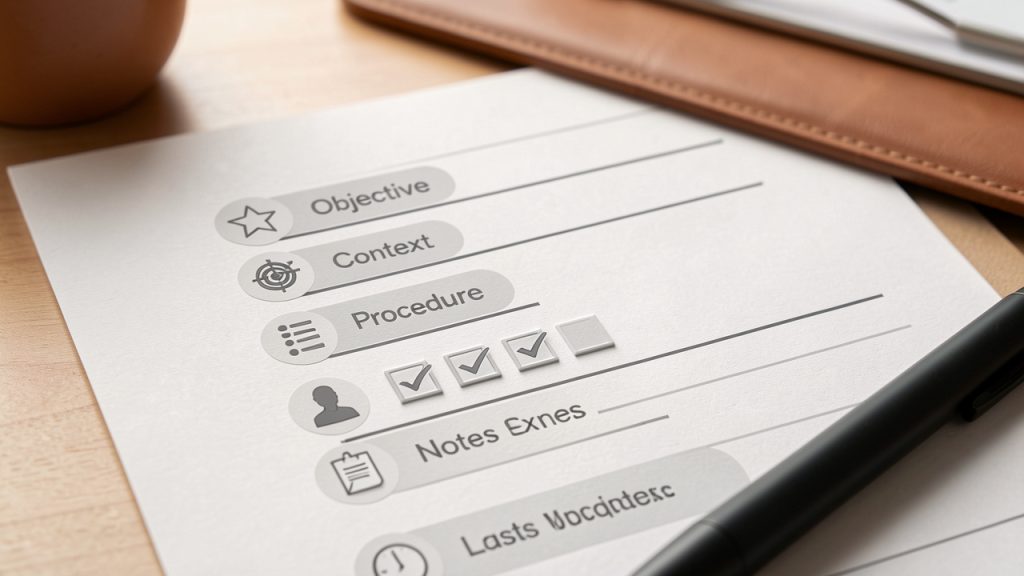
    A clean, labeled template mockup of a New Manual Post page, with sections for Title, Objective, Context, Procedure, Owner, Notes/Exceptions, and Last Updated. Show an example short checklist in the Procedure area to illustrate actionable steps.

    Most teams benefit from a consistent structure that identifies purpose, prerequisites, the ordered procedure, owner, exceptions, and the last updated date. This kind of structure is especially effective for technical teams because it mirrors system design discipline. Inputs, outputs, dependencies, and control points are all easier to identify when the content model is stable.

    Write for execution, not for elegance

    A New Manual Post should be optimized for action. That means concise wording, explicit instructions, and minimal ambiguity. Many teams write process documents as if they are internal essays. That style tends to hide the actual work inside explanatory prose. The better approach is execution-first writing, where each paragraph moves the reader toward a decision or task.

    That does not mean removing detail. It means organizing detail so it supports usage. If a step has prerequisites, state them before the step. If a step can fail, mention the failure condition where it matters. If a process varies by environment, segment the instructions accordingly instead of burying the distinction in a later paragraph.

    Third-person, technical documentation style can be valuable. It encourages precision and discourages unnecessary flourish. For efficiency-minded readers, that style is respectful. It saves time and reduces interpretation risk.

    Test the post with a new reader

    The real quality test for a New Manual Post is not whether the author understands it, it is whether someone less familiar with the task can use it successfully. If possible, have a colleague, new team member, or adjacent stakeholder follow the post exactly as written. Observe where they hesitate, ask questions, or make assumptions.

    Those points of friction reveal missing context and weak phrasing. In technical environments, this is the documentation equivalent of usability testing. A process document that only works for experts is incomplete. It may still have value, but it is not yet operationally mature.

    Testing also exposes hidden dependencies. If the reader needs prior access, domain knowledge, or another internal document to complete the task, the post should make that explicit. Good manual posts surface those assumptions instead of silently relying on them.

    Maintain it as a living asset

    A manual post should not be treated as a static artifact. Processes evolve, tools change, permissions shift, and exceptions become normal behavior over time. If the post is not reviewed periodically, it will drift away from reality and eventually become a source of error rather than efficiency.

    This is why ownership matters. Every New Manual Post should have a maintainer, even if updates are infrequent. A post without an owner usually becomes stale. A post with an owner has a better chance of remaining useful because someone is responsible for validating it against current operations.

    Teams that manage documentation well often integrate manual post maintenance into existing review cycles. Release updates, quarterly audits, onboarding reviews, and incident retrospectives all create natural opportunities to refresh relevant posts. In a centralized environment such as Home, this process becomes easier because documents, owners, and usage patterns can be tracked in one place.

    Focus on the first few high-friction workflows

    Teams often overcomplicate adoption by trying to document everything at once. A better method is to start with the processes that produce the most waste, confusion, or rework. Those are the workflows where a New Manual Post will deliver visible value quickly.

    Start by identifying the recurring task that causes the most avoidable questions or errors, document the current best-known process in a structured manual post, validate the post with one or two real users performing the task, and refine the content based on confusion points, omissions, and edge cases.

    That approach turns documentation into an operational improvement loop instead of a one-time writing project. It also helps build organizational trust. When people see that manual posts solve actual problems, adoption becomes easier.

    Conclusion

    A New Manual Post is not just another content entry, it is a practical mechanism for turning fragmented know-how into usable process knowledge. When created with structure, context, and ownership, it improves consistency, speeds onboarding, reduces preventable mistakes, and gives teams a clearer path from information to action.

    The next step is straightforward: choose one workflow that currently depends too much on memory or messaging, and create a single well-structured manual post around it. If the post is easy to find, easy to follow, and easy to maintain, it will do more than document work, it will make the work itself more reliable.