JNTZN

Tag: keyword research

  • How to Use AI in SEO Effectively

    How to Use AI in SEO Effectively

    Search visibility is getting harder to win, even for businesses that publish regularly. Rankings shift faster, competition is stronger, and the old approach of guessing what Google wants is no longer enough. That is why so many marketers, freelancers, and business owners are paying close attention to the role of AI in SEO.

    Used well, artificial intelligence can help you research keywords faster, uncover content gaps, improve on-page optimization, and spot patterns that would take hours to find manually. Used poorly, it can flood your site with thin content, bad advice, and pages that never rank. The difference is not the tool itself, it is how you use it.

    This guide breaks down what AI for SEO actually means, where it helps most, and how to start without overcomplicating your workflow. Whether you run a small business site, manage client projects, or build products that depend on organic traffic, the goal is the same: use AI to make smarter SEO decisions, not noisier ones.

    What Is AI in SEO?

    At its core, AI in SEO means using artificial intelligence to improve how you plan, create, optimize, and measure search-focused content. Instead of relying only on manual research and instinct, you use machine-driven analysis to process large amounts of data and identify opportunities more quickly.

    That can include everything from keyword clustering and search intent analysis to content briefs, title suggestions, internal linking ideas, and technical audits. AI can review patterns across thousands of search results far faster than a human can. This makes it especially useful for small teams that need leverage.

    The important distinction is that AI is not a replacement for strategy. Search engine optimization still depends on clear positioning, credible expertise, useful content, and a strong user experience. AI speeds up parts of the work, but it does not automatically create authority or trust.

    A helpful way to think about it is this: traditional SEO is like working with a compass and a paper map. You can still reach the destination, but it takes more time and interpretation. AI adds a dynamic navigation layer, it helps you see faster routes, missed turns, and hidden opportunities. You still have to decide where to go.

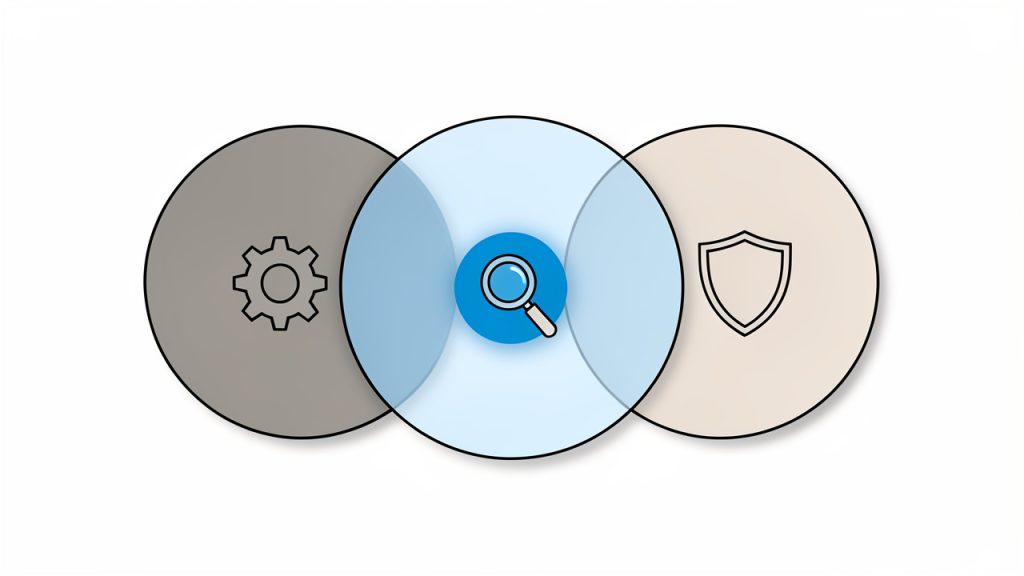
    Side-by-side metaphor: left panel shows traditional SEO as a person with a compass and paper map navigating a route; right panel shows AI-assisted SEO as a tablet or dashboard overlaying a dynamic navigation map with suggested routes, missed turns, and highlighted opportunities.

    Why AI Has Become So Important for Search

    SEO has always involved data, but the volume of that data has exploded. Search results now reflect intent, context, freshness, topical authority, user behavior, and competitive depth. Manually evaluating all of that is possible, but increasingly inefficient.

    Artificial intelligence helps by finding relationships that are easy to miss. It can group related keywords, detect semantic coverage gaps, and surface themes across competitor pages. That gives you a more structured view of what search engines may expect from high-quality content in a given topic area.

    There is also a practical reason for its rise. Content teams are under pressure to publish more, update faster, and prove results sooner. AI can reduce the time spent on repetitive tasks, which frees up more energy for strategy, editing, and quality control.

    What AI Can and Cannot Do

    AI can support idea generation, streamline research, and improve consistency. It is particularly useful when you need to organize large keyword lists, create first drafts, analyze page structure, or prioritize optimization opportunities across many URLs.

    What it cannot do reliably on its own is understand your business nuance the way you do. It does not inherently know your customers, your competitive edge, or the lived experience behind your expertise. It can imitate authority, it cannot guarantee it.

    That matters because search engines reward content that is genuinely helpful. If your workflow becomes fully automated, your site may start to sound polished but empty. Readers notice that quickly, and so do search systems designed to detect shallow content.

    Key Aspects of AI for SEO

    The value of AI becomes clearer when you look at the specific parts of SEO it can improve. Not every use case delivers the same impact, and not every business needs the same level of automation.

    Keyword Research and Topic Discovery

    One of the strongest use cases for AI in SEO strategy is keyword research. AI tools can process large sets of search queries and group them by similarity, intent, and topical relevance. That helps you move beyond isolated keywords and start building content around complete subject areas.

    For example, instead of targeting only one term like “email marketing tips,” AI can help uncover related needs such as beginner setup, automation workflows, open rate improvement, segmentation tactics, and reporting questions. This leads to more comprehensive content planning.

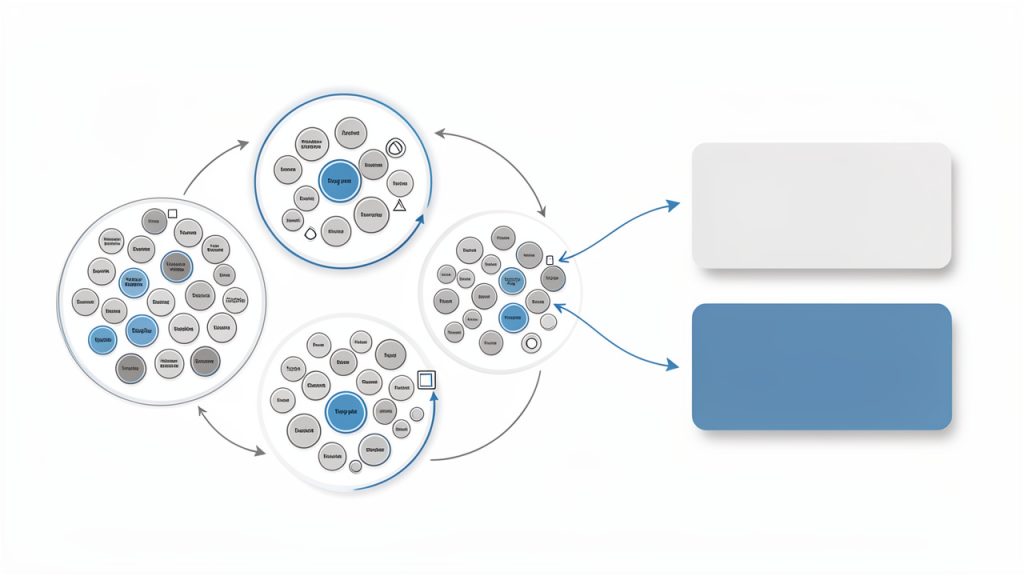
    Keyword clustering diagram: many individual keyword bubbles grouped into labeled clusters (e.g., 'beginner setup', 'automation workflows', 'open rate improvement'), with intent tags (informational, transactional, navigational) and arrows showing how clusters form topic pages.

    It also improves prioritization. Rather than chasing every keyword with volume, you can use AI-assisted analysis to identify themes that better match your audience and commercial goals. This matters because not all traffic is useful traffic. Relevance beats raw volume.

    Search Intent Analysis

    Search intent is one of the most important ideas in modern SEO, and AI is particularly good at pattern recognition. By analyzing search results at scale, AI can help you understand whether users want a guide, a tool, a product page, a comparison, or a quick answer.

    That prevents a common mistake: creating the wrong type of content for the query. If the top results are all product comparison pages and you publish a short educational article, your page may struggle even if the writing is strong.

    Intent analysis also helps with content depth. Some topics need a concise answer. Others need a full framework, examples, and visuals. AI can reveal those expectations faster by studying how successful pages are structured.

    Content Creation and Optimization

    This is the area that gets the most attention, and also the most misuse. AI can absolutely help with content creation. It can generate outlines, draft introductions, rewrite weak sections, suggest FAQs, and improve readability. For busy teams, that can cut production time significantly.

    But there is a clear difference between AI-assisted writing and AI-dependent publishing. The first uses AI as a drafting partner, the second treats it like a substitute for expertise. That is where quality drops.

    The best results usually come from a layered process. AI handles the heavy lifting of organizing ideas and producing a rough draft. A human then sharpens the argument, adds examples, checks accuracy, aligns the tone, and contributes real insight. That combination is far stronger than either approach on its own.

    On-Page SEO Improvements

    Artificial intelligence can also help optimize existing pages. It can suggest stronger titles, better subheading structures, improved keyword placement, missing entities, and clearer calls to action. This is useful when you already have content but need to make it more competitive.

    In many cases, the gains come from clarity rather than keyword density. AI can identify where a page is vague, repetitive, or incomplete. It can also compare your page against similar ranking content and highlight missing subtopics.

    That said, suggestions should not be followed blindly. If every recommendation is accepted mechanically, content can become formulaic. Search performance often improves when a page is both well optimized and distinctly useful.

    Technical SEO and Site Analysis

    Technical SEO can feel intimidating, especially for small teams. AI does not remove the need for technical knowledge, but it can make issue detection more accessible. It can summarize crawl problems, flag duplicate content risks, spot internal linking weaknesses, and identify pages that may be underperforming due to structural issues.

    This is especially helpful when a website has grown quickly. Over time, many sites accumulate orphan pages, inconsistent metadata, redirect chains, and outdated content. AI can surface these patterns more quickly than a manual page-by-page review.

    For developers and technically minded site owners, AI can also speed up diagnosis. Instead of just listing errors, better systems can explain likely causes and suggest practical fixes in plain language. That shortens the gap between noticing a problem and acting on it.

    Competitor Analysis

    Competitor research is often where AI saves the most time. Reviewing rival pages manually takes effort, especially when you are comparing multiple domains across many keywords. AI can summarize content themes, ranking patterns, topical gaps, and structural differences much faster.

    This can reveal opportunities that are not obvious at first glance. You might discover that competitors rank not because they write better, but because they answer a broader range of related questions. Or you may find that a weaker-looking site is winning with stronger internal linking and clearer page intent.

    The point is not to copy competitors. It is to understand the landscape so you can build something more complete, more useful, or more focused for your audience.

    Performance Forecasting and Workflow Efficiency

    Another growing benefit of using AI in SEO is operational. Beyond rankings and content, AI can help teams prioritize work. It can identify which pages are most likely to benefit from an update, which topics deserve expansion, and where effort is unlikely to pay off.

    That kind of forecasting matters when resources are limited. Most small businesses and freelancers cannot optimize everything at once. AI can act like a filter, helping you decide what deserves attention first.

    The efficiency gains are real, but they should be measured carefully. Faster output is only valuable if it leads to better outcomes. Publishing twice as much mediocre content rarely beats publishing fewer, stronger pages with a clear purpose.

    How to Get Started With AI for SEO

    Getting started does not require a complex stack or a large budget. In fact, the smartest approach is usually the simplest one. Begin by improving one part of your workflow where time is being lost or quality is inconsistent.

    Start With a Specific Use Case

    If you try to apply AI to every SEO task at once, you will likely end up with clutter instead of clarity. A better approach is to choose one focused use case. For some teams, that is keyword clustering. For others, it is content brief creation, content updates, or metadata optimization.

    When you begin with a narrow goal, it becomes easier to judge whether AI is actually helping. You can compare speed, quality, and outcomes against your old process. That gives you a practical baseline instead of relying on hype.

    A simple first step is to take an existing topic and use AI to organize related keywords and subtopics. Then compare that output to what you would have planned manually. In many cases, you will find useful patterns, but also some irrelevant suggestions. That is normal. The skill lies in filtering.

    Keep Human Review in the Loop

    The fastest way to damage your SEO is to publish AI-generated content without meaningful review. Even when the writing sounds smooth, it may contain vague claims, outdated advice, or filler that adds no value.

    Human review protects quality. It ensures the content matches your brand, reflects your audience’s real questions, and includes details AI cannot invent responsibly. This is especially important in industries where trust matters, such as finance, health, legal services, or B2B consulting.

    Think of AI as your first-pass assistant, not your final editor. It can accelerate the early stages, but judgment still belongs to the human side of the workflow.

    Build a Repeatable Process

    SEO becomes more effective when it is systematic. If AI is going to help, it should fit into a repeatable process rather than being used randomly from task to task.

    A practical starter workflow often looks like this:

    1. Research the topic and gather search queries, competitor pages, and audience questions.
    2. Use AI to organize patterns such as intent, clusters, missing subtopics, and content structure.
    3. Create or revise content with human expertise, examples, and brand-specific positioning.
    4. Review performance after publishing, then update based on impressions, clicks, and ranking movement.

    This kind of structure keeps AI grounded in real SEO work. It also makes it easier to improve over time because you can see where the output was genuinely useful and where it created extra editing.

    Focus on High-Leverage Pages First

    Not every page deserves the same level of effort. If you are new to AI-assisted SEO, start with pages that can produce visible results. That usually means service pages, high-intent blog posts, product category pages, or aging content that already gets impressions but underperforms.

    These are the pages where better structure, stronger relevance, and fresher information can have an outsized impact. AI can help you identify what is missing, but the page still needs a clear business objective and a useful reader experience.

    That is why page selection matters. You do not need hundreds of AI-touched pages. You need a handful of pages where improved optimization can actually move traffic or conversions.

    Measure More Than Output

    It is easy to get impressed by speed. A tool that creates ten content ideas in seconds feels productive. But SEO success is not about how quickly assets are produced. It is about whether they rank, earn clicks, satisfy visitors, and support business goals.

    So measure outcomes, not just activity. Track whether AI-assisted pages attract better traffic, whether content updates improve visibility, and whether search visitors convert at a useful rate. If those numbers do not improve, the workflow may be efficient but ineffective.

    The table below shows the difference between a healthy and unhealthy approach to using AI for SEO.

    Approach Healthy Use of AI Risky Use of AI
    Keyword research Clustering terms, spotting themes, identifying intent Chasing every suggestion without relevance
    Content creation Drafting, outlining, and speeding up research Publishing unedited, generic copy at scale
    Optimization Improving clarity, coverage, and structure Overstuffing keywords based on tool prompts
    Technical SEO Summarizing issues and prioritizing fixes Trusting automated recommendations blindly
    Reporting Surfacing trends and opportunities Focusing on vanity metrics only

    Common Mistakes to Avoid

    Many early mistakes with AI in SEO come from unrealistic expectations. Some users assume AI will replace expertise. Others assume more content automatically means more rankings. Neither assumption holds up for long.

    The most common problem is sameness. When everyone uses similar prompts and publishes lightly edited drafts, content starts to blend together. It may be readable, but it lacks the specificity that makes a page worth ranking or sharing.

    Another mistake is skipping fact-checking. AI can sound certain while being wrong. In SEO, inaccurate content is more than embarrassing. It can hurt trust, weaken conversions, and create expensive cleanup work later.

    Conclusion

    Artificial intelligence is changing SEO, but not by making strategy obsolete. Its real value is speed, pattern recognition, and support across research, optimization, and analysis. When used carefully, it helps small teams work with more precision and less wasted effort.

    The strongest approach is simple: use AI to handle repetition and surface insights, then rely on human judgment to shape the final result. Start with one use case, test it on important pages, and measure whether it improves outcomes. That is how AI for SEO becomes a practical advantage instead of just another trend.

    Your next step is to pick a single workflow, whether keyword research, content optimization, or content brief creation, and improve it with AI this week. Keep the process lean, review everything with a human eye, and build from what actually works.

  • Best Keyword Research Tools for Small Teams and Freelancers

    Best Keyword Research Tools for Small Teams and Freelancers

    The difference between a page that gets buried and one that brings in steady traffic often comes down to a simple question: Are you targeting the terms people actually search for? That is where keyword research tools earn their keep.

    For small business owners, freelancers, developers, and anyone trying to grow online without wasting time, choosing the right tool can remove a lot of guesswork. Good keyword tools help you spot demand, understand competition, and find realistic opportunities before you invest hours writing content, building landing pages, or launching ads.

    What Are Keyword Research Tools?

    Keyword research tools are platforms that help you discover the words and phrases people type into search engines. At the most basic level, they turn a broad topic like “accounting software” or “portfolio website” into a map of search intent. Instead of guessing what your audience wants, you can see how people phrase their questions, what related topics they care about, and which search terms are worth targeting.

    That sounds simple, but the real value goes deeper. A strong keyword research tool does not just generate ideas. It also gives context. You can usually see estimated search volume, ranking difficulty, cost-per-click data for ads, seasonal trends, and related queries. When used well, that information helps you decide whether a keyword is too competitive, too vague, too commercial, or perfectly matched to your audience.

    For practical marketers and budget-conscious teams, this matters because content has a cost. Even if you are writing your own blog posts or product pages, your time is not free. The best keyword research platforms help you invest that time where it has the highest chance of paying off.

    Why These Tools Matter for Smaller Teams

    Large companies can afford trial and error. Most small businesses cannot. If you run a local service business, sell digital products, freelance, or manage a lean startup, you need a clearer path from effort to results.

    Keyword tools reduce the risk of publishing content nobody searches for. They also help you avoid chasing broad, highly competitive terms that are almost impossible to rank for without a large site and a long timeline. Often, the smartest move is not to target the biggest keyword. It is to target the most relevant and reachable one.

    Think of keyword research like choosing a market stall location. A crowded main street may look attractive, but if the rent is too high and the competition is fierce, a smaller side street with the right foot traffic can be far more profitable. Search works in a similar way.

    Illustration of the market-stall analogy: a simple streetscape with a crowded main street full of identical stalls labeled 'High Volume / High Competition' and an affordable, well-positioned side street stall labeled 'Niche / Right Traffic'. Include a small business owner happily attending the side-street stall while the main street stalls look busy but expensive. Emphasize accessibility and the idea of realistic foot traffic versus costly competition.

    Key Aspects of Keyword Research Tools

    Not all keyword research platforms are built for the same purpose. Some are designed for SEO content planning. Others lean toward PPC campaigns, product research, YouTube optimization, or ecommerce listings. To choose well, you need to understand what actually makes a tool useful.

    Search Volume and Demand Signals

    One of the first metrics people look for is search volume, which estimates how many times a keyword is searched in a given month. This is helpful, but it should never be treated as a perfect truth. Search volume is often modeled data, not an exact count, and different tools may report different numbers for the same term.

    What matters more is how you use that number. A keyword with moderate volume but strong relevance can outperform a high-volume term that attracts the wrong audience. If you are a freelancer offering “Shopify speed optimization,” a keyword with 200 focused monthly searches may be far more valuable than a broad ecommerce term with 20,000 searches.

    Good keyword research tools also help you spot patterns around demand. Some show trend data over time, which is useful if your market is seasonal. Others group related phrases so you can see whether one topic deserves a single page or an entire content cluster.

    Keyword Difficulty and Competition

    Another major feature is keyword difficulty, a score meant to estimate how hard it would be to rank organically. This can be helpful for prioritization, especially when you are building a newer site. But like search volume, difficulty scores are directional, not absolute.

    A smart approach is to use the score as a starting point, then manually inspect the search results. If the first page is packed with high-authority domains, government sites, or deeply established brands, the practical difficulty may be much higher than a number suggests. On the other hand, if the results are weak, outdated, or poorly matched to intent, you may have an opening.

    This is where experienced users get more value from keyword tools than beginners. They do not just collect scores. They interpret the landscape behind them.

    Search Intent and Topic Relevance

    The most important question in keyword research is not “How many people search this?” It is “What does the searcher want?”

    A person searching “best invoicing software” is likely comparing options. Someone searching “how to create an invoice as a freelancer” wants guidance. Someone searching “buy invoicing software” is close to taking action. A useful keyword tool helps you identify these differences through related terms, SERP analysis, and keyword modifiers.

    This matters because content performs best when it matches intent. If your page tries to sell when the user wants education, it will struggle. If your article explains basics when the user wants product comparisons, it may never gain traction. Strong keyword research helps align the page type, format, and message with what searchers actually expect.

    Long-Tail Keywords and Realistic Wins

    For many small websites, long-tail keywords are where momentum starts. These are more specific search phrases, often with lower search volume but clearer intent and lower competition. They may include location qualifiers, problem-based wording, or detailed use cases.

    A broad keyword like “project management software” is difficult territory. A phrase like “project management software for freelance designers” is narrower, but often far more actionable. The searcher knows what they want, and your content can answer that need directly.

    Many keyword research platforms are especially useful here because they surface related questions, autocomplete suggestions, and phrase variations that would be hard to brainstorm manually. These insights often lead to practical content ideas, landing pages, service pages, and FAQs that convert well.

    SERP Analysis and Content Feasibility

    The best keyword tools do more than list phrases. They show you the actual search engine results page, or at least key details about it. This matters because rankings are shaped by the kind of content Google believes fits the query.

    If the results for a keyword are dominated by videos, product pages, local listings, or giant media brands, that tells you something. If every result is a blog post with thin information, that tells you something too. SERP analysis turns keyword research from a spreadsheet exercise into a realistic editorial strategy.

    For example, if you are planning to target “best time tracking app for freelancers,” you want to know whether the results favor list posts, software review sites, comparison pages, or vendor landing pages. That insight affects not only whether you should target the term, but how you should build the page.

    Pricing, Accessibility, and Ease of Use

    For many readers, feature depth is only half the story. Cost and usability matter just as much. Some tools are built for agencies and SEO professionals, with robust databases and advanced filters. Others are simpler, cheaper, or even free, which can be ideal if you are just getting started.

    A tool is only useful if you will actually use it. If a platform is too expensive, too cluttered, or too complex for your workflow, it often becomes shelfware. In that case, a lighter tool with fewer features but clearer output may deliver better results.

    The sweet spot for many small teams is a platform that balances reliable data, intuitive reporting, and affordable pricing. You do not necessarily need the most advanced software. You need the one that helps you make better decisions consistently.

    Comparing Common Types of Keyword Research Tools

    There is no single “best” platform for everyone. The better question is which category fits your goals, budget, and experience level.

    Tool Type Best For Strengths Trade-Offs
    Free search-based tools Beginners, small sites, idea generation Easy access, low cost, useful for discovering questions and topic variations Limited data depth, fewer filters, less competitive insight
    SEO suites Content teams, agencies, established sites Broad databases, difficulty scores, competitor analysis, rank tracking Higher monthly cost, steeper learning curve
    PPC-focused tools Advertisers, conversion-focused campaigns Useful bid data, commercial intent signals, ad planning insights Organic SEO features may be secondary
    Niche platform tools YouTube creators, Amazon sellers, app marketers Tailored data for specific search ecosystems Less helpful for general website SEO
    Browser and SERP extensions Quick checks, lightweight workflows Fast access to page-level SEO data and search result context Often limited without paid plans

    A free tool can be enough when you need early-stage validation. If your business depends heavily on search traffic, though, the cost of a more complete platform may be justified quickly. The key is not chasing every feature. It is matching the tool to the decisions you need to make.

    How to Get Started With Keyword Research Tools

    Getting value from keyword research is less about technical expertise and more about asking better questions. Many beginners open a tool, type in a broad phrase, and get overwhelmed by hundreds or thousands of suggestions. The solution is to begin with business clarity, not just data.

    Start With Core Topics, Not Random Keywords

    Before you touch any tool, define the main areas your audience cares about. A freelance web developer might start with topics like website performance, landing page design, WordPress fixes, and ecommerce setup. A local bakery might focus on custom cakes, wedding desserts, catering, and nearby delivery.

    These topic buckets become your starting seeds. Once entered into a keyword research platform, they reveal how real searchers talk about those needs. That is often where the most useful insight appears. People may use terms you never considered, or search around problems rather than services.

    Evaluate Keywords Through a Business Lens

    It is easy to get distracted by large search numbers. Resist that urge. A keyword is only valuable if it connects to your goals. Sometimes that means leads. Sometimes it means affiliate traffic, newsletter growth, or product sales. Relevance should always come before volume.

    A useful way to judge a keyword is to ask whether someone landing on that page could realistically become a customer, subscriber, or qualified visitor. If the answer is no, high traffic alone is not enough. This is especially important for small businesses that need outcomes, not vanity metrics.

    Build Around Topics, Clusters, and Intent

    Modern keyword research works best when you think in topic clusters rather than isolated phrases. Instead of creating one page per tiny variation, build a strong main page around a core topic, then support it with related subtopics and question-based content.

    For example, a productivity consultant targeting “time management for remote teams” might also create supporting content around meeting overload, async communication, workload planning, and productivity metrics. Keyword tools help reveal those relationships. This not only improves content planning, it also creates a stronger site structure for both users and search engines.

    Keep Your First Workflow Simple

    You do not need a complicated system to begin. In fact, simpler is usually better. A practical starter process looks like this:

    1. Choose a seed topic that connects directly to your service, product, or audience problem.
    2. Use a keyword tool to find related phrases, questions, and long-tail variations.
    3. Check intent and competition by reviewing the current search results.
    4. Select one realistic keyword target and create a page that answers it better than what already exists.

    That process is enough to generate momentum. Once you see which pages attract clicks, rankings, and conversions, you can refine your approach with more confidence.

    Common Mistakes to Avoid

    Many people assume keyword research is about collecting the biggest list possible. It is not. More data does not automatically mean better strategy. In fact, one of the most common mistakes is turning research into endless analysis without publishing anything.

    Another frequent error is treating tool metrics as facts instead of estimates. Search volume, difficulty, and traffic potential are useful guides, but they are not guarantees. Real performance depends on page quality, search intent fit, domain strength, internal linking, and many other factors.

    A subtler mistake is focusing only on what is searched, while ignoring what your audience is trying to solve. The best keyword work sits at the intersection of demand, relevance, and usefulness. If your content genuinely helps the right people, keyword tools become amplifiers, not crutches.

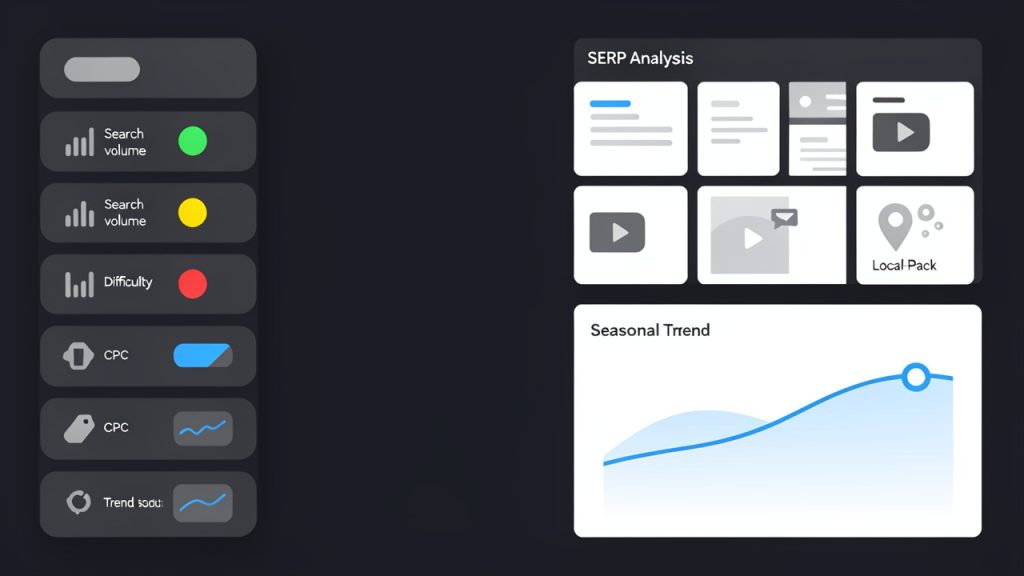
    Dashboard-style mockup of a keyword research tool UI showing key metrics side-by-side: a list of keywords with columns for search volume, keyword difficulty (score), CPC (cost-per-click), and a small sparkline for trends; a panel that previews SERP analysis with icons indicating result types (organic snippets, videos, shopping/product cards, local pack); and a chart showing seasonal trend for a selected keyword. Clean, modern UI with clear labels and color-coded difficulty (green/yellow/red).

    Choosing the Right Tool for Your Needs

    The right keyword research platform depends on where you are in your growth journey. If you are validating ideas, publishing your first content, or running a small site, a free or low-cost tool may be enough. What you need most is visibility into language, questions, and basic demand.

    If you are publishing consistently, competing in tougher markets, or managing multiple clients, you will likely need stronger features. That includes competitor analysis, content gap reports, historical trends, and more detailed SERP data. At that stage, investing in a more advanced tool can save time and sharpen your decisions.

    Developers and technically minded users often benefit from platforms that make filtering, exporting, and analyzing large keyword sets easier. Business owners and freelancers, on the other hand, may prefer cleaner interfaces that translate search data into quick action. Neither preference is better. The best tool is the one that fits your workflow and helps you move from insight to execution.

    Conclusion

    Keyword research tools are not just for SEO specialists. They are practical decision-making tools for anyone who creates content, runs campaigns, builds landing pages, or wants to reach the right audience online. Used well, they help you understand demand, identify realistic opportunities, and create pages that match what people are actually looking for.

    The next step is simple. Pick one core topic in your business, run it through a keyword research platform, and study the results with a critical eye. Look for intent, relevance, and realistic competition. Then publish one well-targeted page. That single action is often where better search strategy begins.

  • How to Use Long-tail Keywords to Grow a Small Site

    How to Use Long-tail Keywords to Grow a Small Site

    Some keywords look exciting on paper and fail in the real world. They get tons of searches, fierce competition, and very little room for a smaller site to win. That is where long-tail keywords become powerful. They help businesses reach people who are searching with more detail, more intent, and often much closer to taking action.

    If you run a small business, freelance online, build products, or publish content with limited time and budget, this topic matters. You do not need to outrank giant brands for broad terms to grow traffic. You need to show up for the right searches. Understanding how long-tail search phrases work can turn SEO from a vague marketing task into a practical, repeatable strategy.

    What Is a Long-Tail Keyword?

    A long-tail keyword is a more specific search phrase, usually longer and more precise than a broad keyword. Instead of targeting something like shoes, a long-tail phrase might be best waterproof running shoes for winter. Instead of project management software, it might be free project management software for freelancers.

    The phrase “long tail” does not just refer to the number of words. It describes search demand across the full landscape of queries. A small number of broad keywords get very high search volume, while a huge number of specific searches each get lower volume. Collectively, those highly specific searches make up the long tail of search behavior.

    A simple 'long tail' demand curve: a tall narrow spike on the left labeled 'short-tail / high volume' and a long trailing tail to the right labeled 'long-tail / many low-volume queries'. Add callouts showing 'high competition' at the left spike and 'collective opportunity' across the tail.

    That distinction matters because searchers using detailed phrases usually know what they want. They may be comparing tools, trying to solve a specific problem, or looking for a product that fits narrow requirements. In SEO terms, that often means higher intent, less competition, and better conversion potential.

    Why Specific Searches Matter More Than Broad Ones

    Broad keywords attract attention, but they also attract everyone else trying to rank. Large brands, established publishers, and heavily funded competitors often dominate those results. For a newer website or smaller business, competing head-to-head on broad terms can be slow and expensive.

    Specific search queries create a more realistic path. If someone searches for invoicing tool, the intent is still unclear. They could be looking for a definition, a tutorial, a template, or software. If they search for free invoicing tool for solo consultants, the intent becomes much easier to serve.

    This is the practical advantage of long-tail SEO. You are not chasing traffic for its own sake. You are matching content with a searcher who has already narrowed the problem down.

    Long-Tail Keywords vs Short-Tail Keywords

    A lower-volume keyword is not automatically better. But when the phrase reflects a real need and your content answers it well, it can bring in visitors who are far more likely to subscribe, buy, book, or engage.

    A two-column visual comparing short-tail vs long-tail: icons or bullets for each attribute (Search Volume, Competition, Intent Clarity, Conversion Potential) with arrows or color coding showing 'High/Low' differences — short-tail: high volume, high competition, low intent clarity; long-tail: lower volume, lower competition, higher intent clarity and conversion.

    Keyword Type Example Search Volume Competition Intent Clarity Conversion Potential
    Short-tail email marketing High High Low to medium Medium
    Mid-tail email marketing tools Medium Medium to high Medium Medium to high
    Long-tail best email marketing tools for local restaurants Low to medium Lower High High

    Key Aspects of Long-Tail Keywords

    Long-tail search phrases are often presented as a simple SEO trick, they are not. They work because they align with how people actually search, especially when they are close to making a decision.

    Search Intent Is the Real Engine

    The biggest strength of long-tail phrases is search intent. Specific searches tend to reveal what the user wants in a way broad keywords do not. A query like time tracking could mean almost anything. A query like free time tracking app for freelance designers tells you a story.

    That story helps you create better content. You can write a page that speaks directly to freelance designers, compares free tools, explains trade-offs, and gives a next step. This level of alignment is what makes long-tail content more effective than generic pages written only to include a popular keyword.

    Intent usually falls into categories such as informational, commercial, navigational, or transactional. Long-tail phrases often sit closer to the commercial or transactional end, which is why they tend to convert well. Even informational long-tail queries can be valuable because they often reveal a very specific problem that your audience urgently wants solved.

    Lower Competition Creates Faster Opportunities

    Competition is where long-tail strategy becomes especially useful for smaller sites. A broad term may have thousands of backlinks pointing to the top-ranking pages, deep brand trust, and years of authority behind it. A narrower phrase may still be competitive, but often in a much more manageable way.

    This does not mean every long-tail phrase is easy to rank for. Some industries are crowded at every level. But the odds improve when you target detailed phrases that reflect a niche use case, audience segment, or pain point.

    For example, a developer tool site may struggle to rank for API testing. But it may have a better chance with API testing tools for small SaaS teams or how to test REST APIs without Postman alternatives. Those phrases narrow the audience while increasing relevance.

    Conversion Potential Is Usually Higher

    Traffic is useful, but outcomes matter more. Many long-tail searches come from people who are already evaluating options or trying to complete a task. They are not just browsing. They are closer to action.

    That is why a page targeting a specific phrase with 150 monthly searches can outperform a page targeting a broad phrase with 10,000 monthly searches. If the first page brings in highly relevant users, it may generate more demos, sales, signups, or inquiries than the second.

    For small business owners and freelancers, this changes the way SEO should be measured. Instead of asking, “How much traffic can this keyword bring?” it is often smarter to ask, “What kind of visitor will this query attract, and what are they likely to do next?”

    Long-Tail Keywords Support Topic Authority

    Specific keywords do more than bring in isolated traffic. They help build topical depth. When you create useful pages around related long-tail searches, search engines get clearer signals about your expertise in a niche.

    A site about productivity tools could publish content around phrases like best Pomodoro timer for ADHD students, simple habit tracker for remote workers, and free focus apps without account signup. Each article targets a narrow need, but together they strengthen the site’s authority around productivity solutions.

    This is one reason long-tail content scales well over time. A single broad page often cannot satisfy all possible intents. A cluster of focused pages can.

    Voice Search and AI Search Increase Specificity

    Search behavior keeps getting more natural. People type full questions. They use voice assistants. They ask AI tools in conversational language. This trend favors specificity.

    Instead of typing CRM software, a user might ask, What is the best free CRM for a one-person consulting business? That kind of query is inherently long-tail. It is detailed, contextual, and intent-rich.

    For content creators, this means keyword research should go beyond exact phrase matching. You need to understand the underlying need, the phrasing people use, and the variations that surround a topic. The best long-tail content often ranks for dozens of related searches because it answers the topic comprehensively.

    How to Get Started With Long-Tail Keywords

    Long-tail SEO works best when it is practical. You do not need an enterprise team or expensive software to start. What you need is a clear process and a strong understanding of your audience.

    Start With Customer Problems, Not Just Keyword Tools

    Many people begin keyword research inside an SEO tool. That is useful, but it is not the best first step. The strongest long-tail ideas often come from real questions customers ask in emails, support chats, sales calls, reviews, forums, and community spaces.

    Think about the repeated phrases people use when describing a problem. A freelancer may ask, How do I send professional invoices without accounting software? A local business owner may ask, What is the easiest booking tool for a small salon? Those are not just content ideas. They are demand signals.

    When you start from the audience, the resulting keywords tend to be more relevant and commercially meaningful than terms generated only from a database.

    Expand Broad Topics Into Specific Angles

    Once you have a core topic, break it into narrower dimensions. Consider user type, budget, industry, location, difficulty level, use case, feature need, and urgency. These modifiers often create valuable long-tail opportunities.

    A broad topic like password manager can branch into many specific searches. Some users care about family sharing. Others want a free version, a browser extension, Linux support, or a solution for small teams. Each variation reflects a different intent, and each can justify its own page if the demand is real.

    This is where smaller publishers can find leverage. Broad content competes with everyone. Specific content speaks directly to someone.

    Use Search Results as Market Feedback

    One of the simplest ways to validate a keyword is to search it. Look at the pages currently ranking. Are they giant brands, forum threads, tool comparison pages, or weak articles that barely address the topic? The search results reveal both the competition and the expected content format.

    If the top results for a keyword are all product category pages, a blog post may struggle because the intent is commercial. If the results are educational guides, a helpful tutorial might fit well. Matching search intent is often more important than inserting the right wording.

    Also pay attention to related searches, autocomplete suggestions, and “People also ask” boxes. They often expose adjacent long-tail topics and follow-up questions that deserve coverage.

    Create Content That Fully Solves the Query

    Many pages target long-tail phrases but still underperform because they are too thin. A specific query deserves a specific answer. If someone searches for best free calendar app for freelancers, they do not want a generic article about time management. They want a direct comparison, honest recommendations, pros and cons, and guidance on what to choose.

    Depth matters here. Not bloated word count, but useful depth. The best pages acknowledge trade-offs, explain context, and help the reader make a decision. They feel written by someone who understands the problem, not someone trying to squeeze in a phrase for ranking purposes.

    This is especially important for tools, software, and service-related content. Users want clarity. They want to know what fits their needs, what limitations to expect, and what to do next.

    Organize Keywords by Intent and Funnel Stage

    Not every long-tail phrase serves the same purpose. Some attract early-stage readers who want education. Others attract comparison shoppers or ready-to-buy visitors. A useful content strategy recognizes this difference.

    Keyword Intent Example Search Best Content Type Business Goal
    Informational how to organize invoices for freelancers Guide or tutorial Build trust and attract top-of-funnel traffic
    Commercial best invoicing software for freelance writers Comparison article Drive product evaluation
    Transactional buy invoicing tool for freelancers monthly plan Landing page or product page Convert ready buyers
    Problem-solving invoice template with tax for self employed Template or solution page Capture urgent task-based searches

    This structure helps you avoid random publishing. Instead, you build content that supports the full buyer journey.

    Measure the Right Outcomes

    Success with long-tail phrases is not always obvious at first. A page may attract modest traffic but generate strong leads or sales. Another may rank for dozens of variations even if the exact keyword volume looked small.

    Track performance through a mix of rankings, impressions, clicks, conversions, and engagement. Watch which pages earn backlinks naturally. Notice which topics attract qualified visitors. Over time, patterns emerge.

    You may find that one niche audience responds better than another, or that certain modifiers like free, for beginners, or for small business consistently drive better outcomes. Those insights can guide future content much more effectively than search volume alone.

    A Simple Starting Process

    If you are starting from scratch, keep the workflow manageable.

    1. Choose one core topic that connects directly to your business or audience.
    2. List real questions customers ask about that topic.
    3. Expand each question with specific modifiers like audience, budget, feature, or use case.
    4. Check the search results to understand intent and competition.
    5. Publish one highly focused page that answers the query better than the current results.

    This process is simple on purpose. Many SEO strategies fail because they become too complicated to maintain. Long-tail optimization works best when it becomes a steady habit.

    Common Mistakes to Avoid

    A frequent mistake is assuming that every longer phrase is a good keyword. Length alone does not create value. The phrase must reflect genuine demand and meaningful intent. A highly specific query with no real audience will not help much, even if it is easy to rank.

    Another problem is creating dozens of near-duplicate pages for tiny keyword variations. This usually leads to weak content and internal competition. It is often better to build one strong page that naturally covers closely related phrases than several thin pages targeting slight wording changes.

    Some site owners also underestimate content quality. Because long-tail phrases are more niche, they assume minimal effort will be enough. In reality, specific searchers often have high expectations. They want precise answers. If your page feels vague, outdated, or padded, they will leave quickly.

    Conclusion

    Long-tail keywords matter because they connect your content with real intent. They help smaller sites compete more intelligently, reach more qualified visitors, and create pages that are actually useful. Instead of chasing the biggest possible keyword, you focus on the searches where relevance wins.

    The next step is simple. Pick one topic your audience already cares about, find the specific questions inside it, and create a page that answers one of those questions exceptionally well. That is often how sustainable SEO growth starts, not with volume, but with precision.

  • Ecommerce SEO: A Practical Guide to Optimize Online Stores

    Ecommerce SEO: A Practical Guide to Optimize Online Stores

    A beautiful online store means very little if no one can find it. That is the hard truth behind ecommerce SEO. Many store owners invest in product photography, branding, and ads, then wonder why organic traffic stays flat. The problem is rarely the product alone. More often, the site is invisible to the people already searching for what it sells.

    Search engine optimization for ecommerce is not just about ranking a homepage. It is about helping category pages, product pages, collections, filters, and supporting content appear when buyers are actively looking. Done well, it turns your store into a long-term traffic asset, instead of a business that depends entirely on paid acquisition.

    For small business owners, freelancers, and developers building online shops, this matters even more. A strong ecommerce SEO strategy can lower customer acquisition costs, improve visibility across hundreds or thousands of search terms, and create steady sales momentum over time. It takes structure, patience, and smart execution, but the payoff is durable.

    What Is Ecommerce SEO?

    Ecommerce SEO is the process of optimizing an online store so its pages rank higher in search engines for relevant product, category, and informational queries. Unlike general SEO, which may focus heavily on blog content or service pages, SEO for ecommerce has to deal with a larger and more complex site architecture.

    An online store usually contains product listings, collection pages, faceted navigation, internal search results, seasonal pages, and often duplicate or near-duplicate content. That creates unique technical and content challenges. Search engines need to understand which pages matter most, how they relate to one another, and which ones deserve to rank.

    At its core, ecommerce search optimization serves two audiences at once. It helps search engines crawl and interpret your store, and it helps real shoppers discover products faster. Those two goals overlap more than many businesses realize. A clean category structure, descriptive page titles, useful product copy, and fast load times all improve discoverability and user experience at the same time.

    Think of it like organizing a retail store. If the aisles are confusing, labels are missing, and similar products are scattered randomly, customers leave. Search engines react in a similar way when a store has poor structure or thin content. Good ecommerce SEO creates order, clarity, and relevance.

    Why Ecommerce SEO Matters More Than Ever

    Paid ads can drive traffic quickly, but they stop the moment you stop funding them. Organic search works differently. When your category pages and product pages rank well, they can keep bringing in visitors without a direct cost per click.

    This is especially important in competitive markets where ad costs continue to rise. Small brands often cannot outspend larger retailers, but they can still compete through better targeting, stronger content, and a more technically sound site. Search gives smaller businesses a way to win specific, high-intent queries that larger competitors may overlook.

    Search behavior has also changed. Buyers rarely search in broad terms alone. They use detailed phrases such as color, model, material, use case, and brand comparisons. A well-optimized ecommerce site can capture that intent across many stages of the buying journey, from research to purchase.

    Key Aspects of Ecommerce SEO

    Ecommerce SEO is not one task. It is a system made up of technical setup, keyword targeting, on-page optimization, content strategy, internal linking, and user experience. If one part is weak, it often limits the others.

    Keyword Research for Commercial Intent

    Keyword research for an online store should begin with buyer intent, not vanity traffic. A keyword with lower volume but stronger purchase intent can be more valuable than a broad phrase that attracts casual browsers.

    Category pages usually target broader commercial terms, while product pages target specific model or product-based searches. Informational content, such as buying guides or comparisons, can capture earlier-stage demand and support conversions later. This layered approach matters because ecommerce buyers do not all arrive at the same point in the funnel.

    A funnel-style illustration mapping buyer intent to page types: top (informational queries) → guides/blogs, middle (commercial investigation) → category/collection pages, bottom (transactional intent) → product pages. Show examples of queries at each stage (e.g., 'best running shoes for flat feet' → category/guide; 'Nike Air Zoom Pegasus 38' → product).

    For example, someone searching for “best running shoes for flat feet” is still evaluating options. Someone searching for a specific product name is much closer to buying. Your store should have pages designed for both searches, but the page type and content must match the intent. That alignment is one of the biggest ranking factors many stores overlook.

    Site Architecture and Crawlability

    A strong ecommerce site architecture helps both users and search engines, and crawlability is a key factor in that design. Ideally, your important pages should be reachable within a few clicks from the homepage. Categories should be logical, subcategories should be clear, and URLs should reflect that hierarchy in a simple, readable way.

    Poor structure creates crawl waste. Search engines may spend time on filtered URLs, duplicate pages, or low-value variations instead of your core money pages. This is a common issue on platforms with faceted navigation, where every filter combination can generate a unique URL.

    The goal is not to eliminate filters, because filters improve usability. The goal is to control how search engines interact with them. That often means deciding which filtered pages deserve indexing and which should remain crawlable but not indexable, or blocked when appropriate. This is where technical SEO becomes especially important in ecommerce.

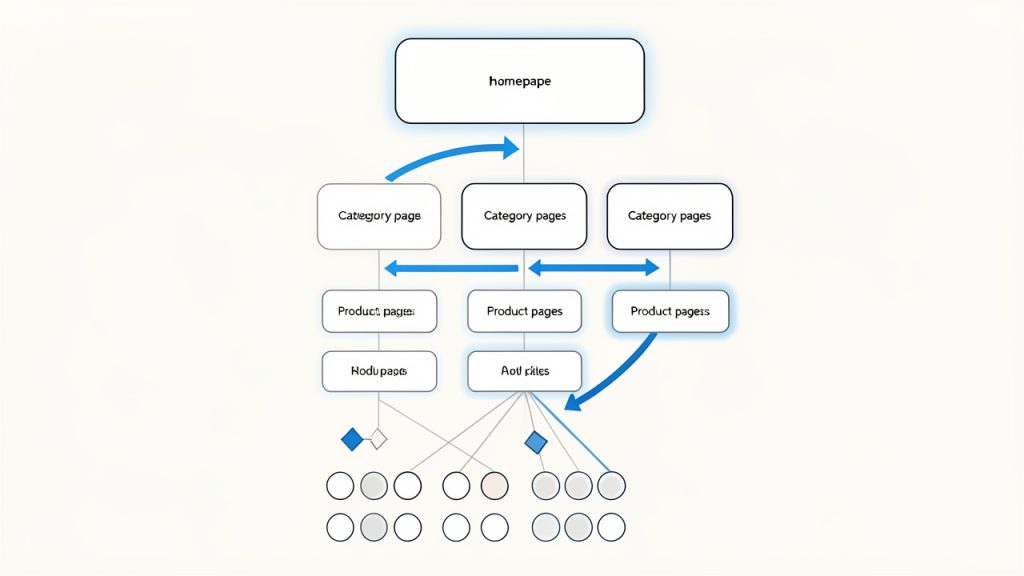
    A clear site architecture diagram showing homepage > category > subcategory > product pages, with faceted/filtered URLs branching off. Include a visual cue for 'important pages within a few clicks' and highlight crawl paths (arrows) to show crawlability.

    On-Page Optimization for Category and Product Pages

    Category pages are often the unsung heroes of ecommerce SEO. They tend to target valuable high-intent keywords and can rank for a wide range of related searches. Yet many stores treat them as simple product grids with almost no context.

    A good category page has a clear title, helpful introductory copy, descriptive headings, optimized metadata, and strong internal links. It should explain what the category offers without overwhelming the user with unnecessary text. The trick is balancing search relevance with shopping usability.

    Product pages need their own level of care. Manufacturer descriptions copied across dozens of stores rarely perform well. Unique product copy, detailed specifications, use cases, FAQs, reviews, and trust signals help a product page stand out. Search engines prefer pages that add value, and shoppers do too.

    Technical SEO for Online Stores

    Technical SEO is often where ecommerce sites either scale well or break under complexity. Page speed, mobile usability, crawl management, structured data, canonical tags, and indexation control all have a direct impact on visibility.

    Large stores often suffer from duplicate content because of product variants, sorting parameters, printer-friendly pages, and multiple URLs leading to similar content. Canonicalization helps signal which version should be treated as primary. Without it, ranking signals can become diluted across duplicates.

    Structured data is another important piece. Product schema, review markup, availability, price, and breadcrumb data can help search engines understand your pages more clearly. In some cases, this can improve how listings appear in search results, making them more attractive to click.

    Content That Supports Product Discovery

    Content marketing still matters in ecommerce, but it has to support the buying journey. Random blog posts with no connection to your products rarely move the needle. Content should bridge the gap between informational searches and commercial pages.

    Buying guides, comparison pages, sizing help, care instructions, gift guides, and “best for” content are all useful formats. These assets can attract top-of-funnel traffic while naturally linking users toward categories and products. They also help answer objections before a customer reaches checkout.

    A useful way to think about content is this: every question a shopper asks before buying is a search opportunity. If your store answers those questions better than competitors, you increase both traffic and trust.

    Internal Linking and Topical Relevance

    Internal links help distribute authority across your site and guide both users and crawlers toward important pages. In ecommerce, internal linking is often underused outside of navigation menus and breadcrumbs.

    Contextual links from guides to categories, from categories to subcategories, and from related products to complementary items can strengthen relevance. This also helps users continue their shopping journey naturally. The best internal linking does not feel forced. It feels like helpful merchandising.

    Topical relevance also matters at the site level. If your store consistently covers a product niche in depth, your pages can reinforce one another. Search engines look for patterns of expertise, not just isolated pages. A tightly themed store with well-connected content often performs better than a scattered one.

    User Experience, Trust, and Conversion Signals

    SEO does not end at rankings. If visitors land on your pages and leave immediately, your traffic will not become revenue. Search optimization for ecommerce works best when it is paired with clear usability and trust.

    Fast load times, clean mobile design, obvious calls to action, transparent shipping information, return policies, and customer reviews all influence whether visitors stay and buy. While not every conversion factor is a direct ranking signal, better user experience often supports better engagement, stronger retention, and more brand searches over time.

    Search engines increasingly reward pages that satisfy users. If your page answers the query, loads quickly, and makes the next step easy, you are not just optimizing for algorithms. You are optimizing for outcomes.

    Common Ecommerce SEO Priorities by Page Type

    Page Type Primary SEO Goal Typical Keyword Intent Main Optimization Focus
    Homepage Brand visibility Navigational, branded Brand messaging, internal links, core categories
    Category Page Rank for commercial terms Commercial investigation Titles, headings, intro copy, filters, internal links
    Product Page Rank for specific product searches Transactional Unique descriptions, schema, reviews, images
    Blog/Guide Page Capture informational traffic Informational Search intent match, depth, linking to products
    Collection or Seasonal Page Capture timely demand Commercial, seasonal Freshness, promotional relevance, discoverability

    How to Get Started With Ecommerce SEO

    Getting started can feel overwhelming because online stores have so many moving parts. The best approach is not to optimize everything at once. Start with the pages and issues most likely to affect revenue and visibility.

    Begin With an SEO Audit

    An ecommerce SEO audit gives you a baseline. It should assess crawlability, indexation, site structure, page speed, duplicate content, metadata quality, internal linking, and content depth. You are looking for constraints that stop good pages from performing.

    Often, the highest-impact fixes are not glamorous. You may discover that important category pages are buried too deep, duplicate product variants are being indexed, or title tags are autogenerated poorly. These issues can suppress performance across the whole site, even if your products are strong.

    A proper audit also helps prioritize. Not every issue deserves immediate action. Focus first on problems that affect key commercial pages and overall site accessibility.

    Map Keywords to the Right Pages

    Once you understand the state of the site, map target search terms to specific pages. This step prevents keyword cannibalization, where multiple pages compete for the same query and weaken each other.

    Your broad commercial phrases should usually map to category pages. Highly specific product terms belong on product pages. Informational queries belong in guides, FAQs, or blog content. This mapping process creates strategic clarity and makes future content decisions easier.

    A simple content-to-keyword map can save months of confusion. Instead of publishing pages at random, you build with intent.

    Improve Core Commercial Pages First

    If you only have limited time, start with the pages closest to revenue. That usually means top category pages, best-selling product pages, and high-margin collections.

    Rewrite thin category intros with useful, concise copy. Improve product descriptions so they are unique and persuasive. Add missing metadata, optimize headings, and strengthen internal links from related pages. These changes are often more profitable than publishing large volumes of new content right away.

    For smaller stores, this focused improvement approach is especially effective. You do not need hundreds of pages to see movement. You need the right pages to be clearly better than they are today.

    Build Supporting Content Around Buyer Questions

    After your core pages are in better shape, create supporting content based on real customer questions. Search query data, customer support logs, reviews, and competitor research can reveal what shoppers want to know before they buy.

    A strong guide can rank for informational terms and funnel readers toward products naturally. For example, a store selling ergonomic office products might publish content on choosing the right desk height, comparing chair materials, or setting up a home workspace. That content should lead into relevant categories and products without feeling forced.

    This approach helps your site capture more search demand while building trust. It also gives you more linking opportunities across the store.

    Track the Metrics That Matter

    Traffic alone is not enough. In ecommerce, SEO success should be tied to commercial outcomes. Rankings, organic sessions, click-through rate, index coverage, and page-level visibility all matter, but so do conversion rate, revenue, and assisted conversions from organic search.

    If a page gains traffic but drives no sales, the issue may be intent mismatch, weak page content, or poor user experience. If impressions rise but clicks do not, your titles and descriptions may need work. The data tells a story, but only if you look beyond top-line traffic.

    A useful starting point is to monitor:

    1. Organic traffic by page type
    2. Rankings for category and product terms
    3. Conversion rate from organic visitors
    4. Revenue influenced by organic search

    A Practical Starting Sequence

    Stage What to Do First Why It Matters
    Audit Review technical health and indexation Prevents hidden issues from limiting growth
    Structure Improve categories, navigation, and URLs Helps users and search engines find key pages
    On-page Optimize titles, headings, copy, and metadata Increases relevance and click potential
    Content Publish guides and supporting articles Expands keyword reach and supports conversions
    Measurement Track rankings, traffic, and revenue Shows what is working and what needs adjustment

    Conclusion

    Ecommerce SEO is both a visibility strategy and a growth system. It helps the right shoppers find the right pages at the right time, whether they are comparing options, researching a purchase, or ready to buy now. The strongest results usually come from getting the fundamentals right first: structure, crawlability, keyword intent, page quality, and internal linking.

    If you want to improve ecommerce search performance, start with your most important commercial pages and the technical issues that may be holding them back. Then build outward with supporting content and a clear measurement process. The next step is simple: audit your store, choose your top priority category pages, and begin optimizing them one by one.

  • The Best SEO Tools: Top Picks and How to Choose

    The Best SEO Tools: Top Picks and How to Choose

    Choosing the right SEO software can save months of wasted effort. Choosing the wrong stack can do the opposite, flooding you with dashboards, noisy metrics, and expensive subscriptions that never turn into rankings, leads, or sales.

    The best SEO tools are not always the most expensive ones. They are the tools that match your goals, your team size, and your workflow, a solo consultant usually needs a lean setup with strong keyword research and rank tracking, a local business may get most of its value from Google Search Console, a local listing platform, and a simple on-page plugin, and an agency often needs collaboration, reporting, crawling, and backlink intelligence at scale.

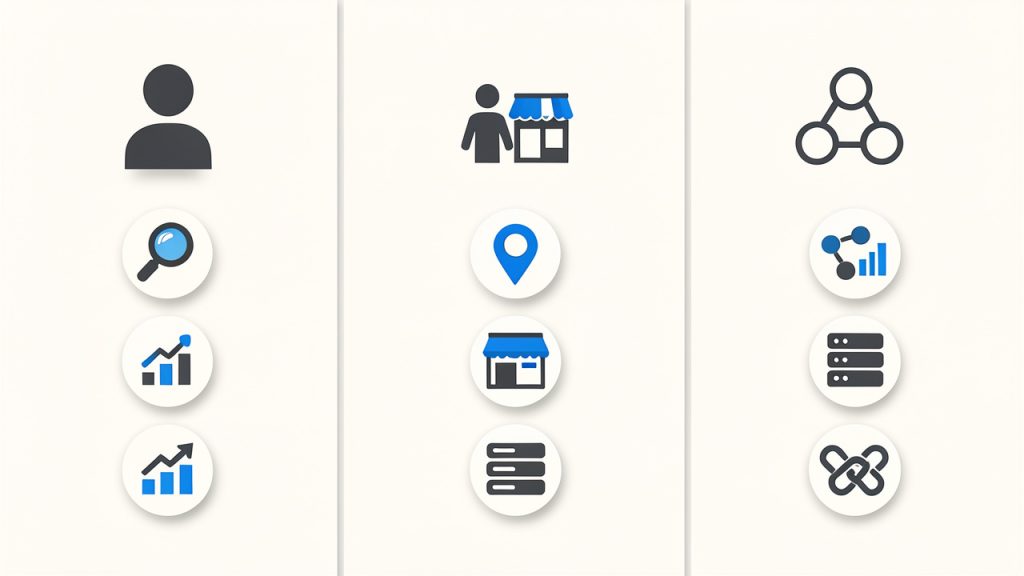
    Three user personas with matching tool stacks

    This guide covers both free and paid SEO tools, with ranked recommendations, side-by-side comparisons, practical workflows, and advice on how to build a stack that actually works. If you want a quick shortcut, start with your primary need: keyword research, technical SEO, backlinks, content optimization, local SEO, or reporting. Then choose one core tool, one validation source from Google, and only add specialized tools when you hit a real limitation.

    Why Choosing the Right SEO Tools Matters

    SEO tools now cover far more than keyword ideas. A modern toolkit may include keyword research, rank tracking, backlink analysis, technical crawling, on-page optimization, content planning, page speed testing, local listing management, and reporting. That breadth is useful, but it also makes tool selection harder because many platforms overlap.

    The good news is that most people do not need everything at once. Small businesses usually need visibility into search queries, page performance, and local presence. Freelancers often need fast audits, competitor research, and lightweight reporting. In-house teams may need deeper integrations, API access, and clearer collaboration features. The best setup depends less on industry hype and more on what work you need to do every week.

    This article is structured to help you move from confusion to a practical decision. First, you will learn how to choose SEO tools based on goals and budget. Then you will see the top tools by category, followed by ranked short reviews, a comparison table, and step-by-step workflows for using multiple tools together.

    How to Choose the Right SEO Tools for Your Needs

    Start with the outcome you care about most. If your goal is traffic growth, prioritize keyword research, content planning, and rank tracking. If your goal is technical stability, put more weight on crawling, page speed testing, and Search Console diagnostics. If you run a local business, local listings, reviews, and map visibility matter more than a huge backlink database.

    Match tasks to features. Keyword research tools help you find topics, estimate search demand, and assess competition. Site audit tools uncover crawl errors, redirects, duplicate content, missing metadata, and indexation issues. Backlink tools help with link prospecting, competitor analysis, and toxicity review. Content optimization platforms help turn a target keyword into a stronger brief and more complete page.

    Budget matters, but so does team fit. A free stack can go surprisingly far when combined well. Entry-level plans are often enough for a freelancer or early-stage business. Enterprise plans only make sense when you need larger data allowances, more seats, API access, and formal reporting.

    Before committing, test three things during a free trial: data quality, usability, and exportability. You should be able to answer simple questions quickly, such as which pages lost traffic, which keywords a competitor ranks for, what technical issues matter first, and how easily you can export data into a spreadsheet or dashboard.

    Top SEO Tools by Category

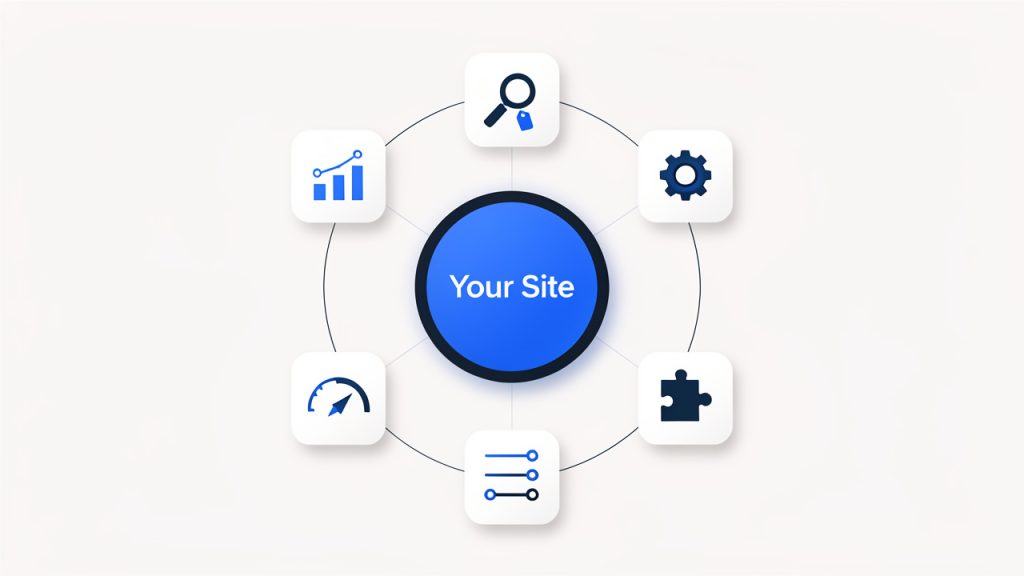
    Hub-and-spoke SEO tools market map

    If you want a quick map of the market, it helps to think in categories. Ahrefs, SEMrush, and Moz Pro are broad suites. Screaming Frog is a technical crawler. Google Search Console and Google Analytics are foundational free data sources. Surfer SEO and Clearscope focus on content optimization. AccuRanker and SERPWatcher are rank trackers. GTmetrix, PageSpeed Insights, and WebPageTest handle performance testing. Yoast and Rank Math support WordPress on-page SEO.

    For keyword research, the strongest choices are usually Ahrefs, SEMrush, and Google’s own search data via Search Console. For technical audits, Screaming Frog remains one of the most trusted options because it shows what a crawler sees, not just what a marketing dashboard summarizes.

    For backlinks, Ahrefs and Majestic are widely respected. For local SEO, Moz Local and Google Business Profile-related workflows are often enough for many small businesses.

    What matters most is not finding one perfect tool. It is building a complementary stack. A strong stack often includes one discovery tool, one technical tool, and one source of truth from Google.

    1. Ahrefs

    Screenshot of ahrefs.com

    Ahrefs is one of the most respected SEO platforms for backlink analysis, keyword research, competitor discovery, and content gap analysis. It is especially useful when you want to understand why a competing page ranks, where its links come from, and which topics are driving growth in a niche.

    Key features include Site Explorer for backlink and organic traffic analysis, Keywords Explorer for keyword ideas, difficulty, and SERP review, a Site Audit tool for technical SEO monitoring, and Content Gap and competitor comparison tools. Its strengths are strong backlink intelligence, excellent competitor research workflows, and useful keyword and content gap features. Pricing can be steep for small teams, some users find usage limits restrictive, and it is not the cheapest option for occasional use. Ahrefs typically fits best when SEO is a consistent growth channel rather than an occasional task.

    Website: https://ahrefs.com

    2. SEMrush

    Screenshot of semrush.com

    SEMrush is a broad digital marketing suite with strong SEO functionality, especially in keyword research, site audits, rank tracking, competitor analysis, and advertising research. It is often the best fit for teams that want one platform to cover both organic and paid search visibility.

    Its advantage is breadth, enabling keyword research, site audits, position monitoring, competitor examination, and report generation without switching systems constantly. That makes it attractive for agencies and marketing managers who need all-in-one convenience more than specialist depth in one narrow area. SEMrush offers a wide feature set beyond pure SEO, strong reporting and project organization, and a good fit for agencies and multi-channel teams. The interface can feel busy at first, cost rises quickly with add-ons and limits, and heavy overlap of features can overwhelm new users.

    Website: https://semrush.com

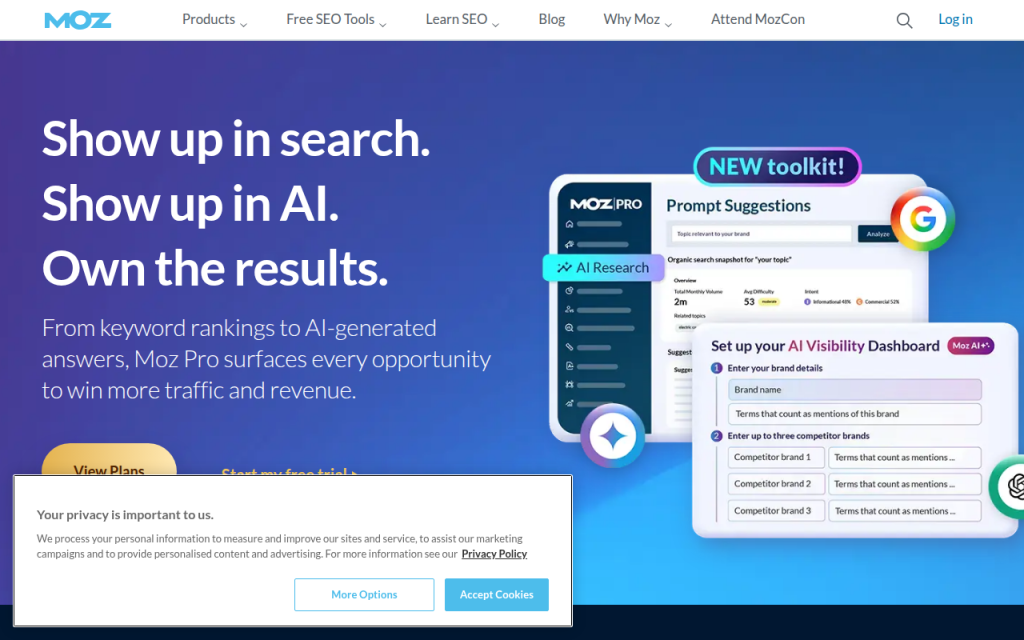
    3. Moz Pro

    Screenshot of moz.com

    Moz Pro remains a solid choice for users who want a more approachable SEO suite. It is often recommended for beginners, small businesses, and teams that want straightforward workflows without too much clutter.

    Moz’s strengths include keyword tracking, site audits, and recognizable authority metrics. It may not feel as expansive as Ahrefs or SEMrush in every area, but that simplicity can be an advantage when adoption matters more than power-user depth. Moz is beginner-friendly, backed by a good educational ecosystem, and useful for small teams and local visibility work. Some datasets feel less expansive than top-tier rivals, power users may outgrow it, and advanced workflows are not its strongest angle.

    Website: https://moz.com

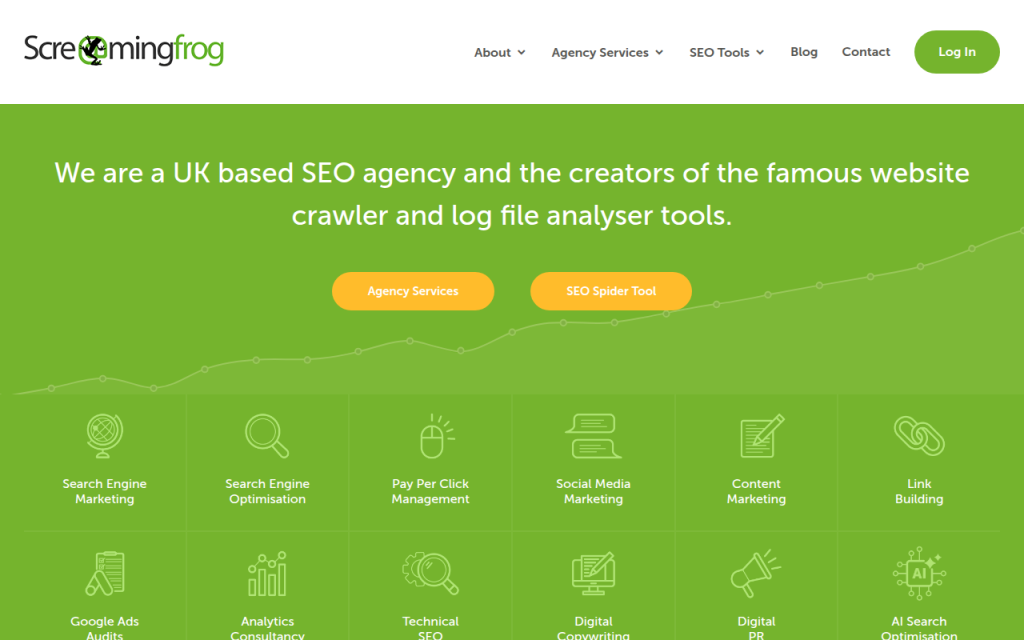
    4. Screaming Frog SEO Spider

    Screenshot of screamingfrog.co.uk

    Screaming Frog is the technical SEO specialist on this list. It crawls websites the way a search engine bot might, revealing status codes, redirect chains, duplicate tags, missing metadata, canonicals, orphan pages, and indexation problems.

    This is the tool to use when rankings are blocked by technical issues rather than weak content. It gives raw, actionable data and is beloved by consultants, developers, and technical SEOs. Features include deep site crawling, custom extraction, technical filtering, and integrations with analytics and Search Console for richer audits. Screaming Frog is one of the best technical crawlers available, excellent for audits and migrations, and useful for large sites and detailed QA work. It has a learning curve for non-technical users, a desktop-software feel that may not suit everyone, and it is less useful for keyword discovery than all-in-one suites. There is a free version with crawl limits and a paid version that unlocks larger-scale and advanced functionality.

    Website: https://www.screamingfrog.co.uk/seo-spider/

    5. Google Search Console

    Screenshot of search.google.com

    Google Search Console is not optional. It shows how your site actually performs in Google Search, including queries, clicks, impressions, average position, indexing status, and coverage issues.

    For small businesses and experienced SEOs alike, this is your validation layer. Third-party tools estimate, Search Console reports what Google is willing to tell you directly. It is essential for identifying pages that rank without getting clicks, queries with growing impressions, and indexing problems that can quietly suppress performance. It is free and authoritative, essential for indexing and performance diagnostics, and valuable for validating third-party data. Limitations include less historical granularity compared with some paid tools and an interface built more for function than polish.

    Website: https://search.google.com/search-console

    6. Google Analytics

    Google Analytics complements Search Console by showing what happens after the click, helping you understand traffic sources, engagement, conversions, landing-page performance, and user behavior.

    Analytics is critical because ranking alone is not the goal. If a page attracts traffic but drives no leads, purchases, or signups, it may need a different keyword target or a stronger page experience. Used with Search Console, Analytics helps connect visibility to business outcomes. Setup can be confusing for beginners, and event tracking requires care, but it remains free and powerful when implemented well.

    Website: https://analytics.google.com

    7. Majestic

    Screenshot of majestic.com

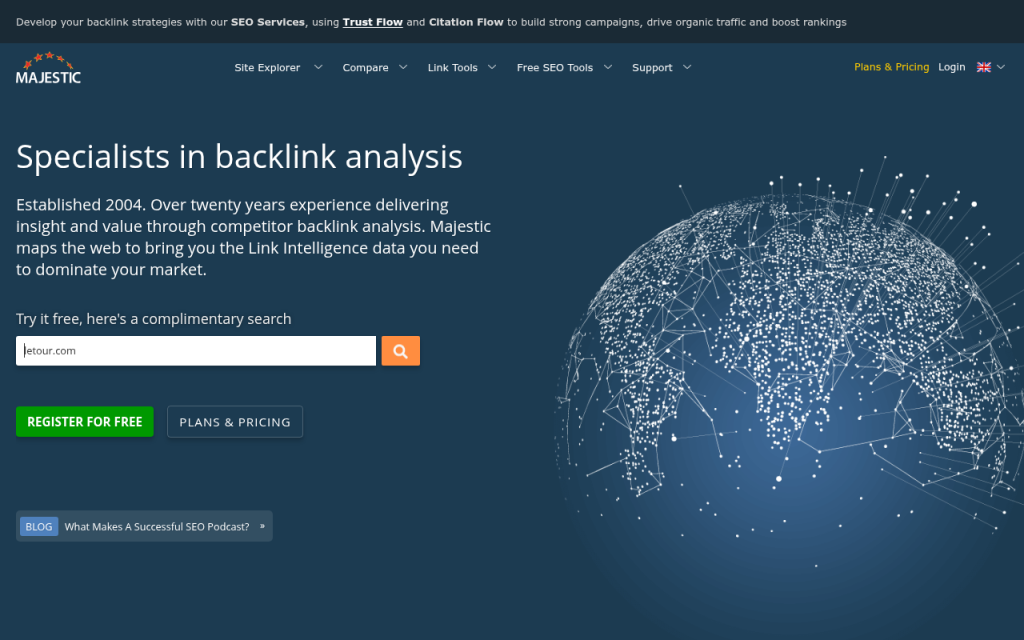
    Majestic is a specialized link intelligence platform focusing on backlink profiles, trust metrics, citation metrics, and link neighborhood analysis. It is not trying to be an all-in-one SEO suite, and that focus is why many link builders still value it.

    If your work revolves around authority analysis, competitor link comparisons, and prospect qualification, Majestic provides a link-centric lens rather than an everything dashboard. Its strengths are backlink-focused workflows and proprietary trust metrics. It can feel narrow compared with broader suites, the interface may seem dated to some users, and it is usually justified for teams doing regular backlink work.

    Website: https://majestic.com

    8. Surfer SEO

    Surfer SEO focuses on content optimization, SERP-based content structure, on-page recommendations, and workflow support for writers and editors. It helps teams build pages that better match search intent and topical coverage by suggesting subtopics and relevant terms based on ranking pages.

    Its real value is speed and structured briefs. Surfer is excellent for content briefs and optimization, aligning pages to SERP patterns, and supporting writers and editors. It can encourage formulaic writing if used too rigidly, and it is best combined with editorial judgment rather than used as an optimization score alone. You will need a separate tool for technical and backlink work.

    Website: https://surferseo.com

    9. Clearscope

    Screenshot of clearscope.io

    Clearscope is a leading content optimization platform, praised for a clean editorial workflow and strong relevance guidance. It helps teams produce content that is more complete, aligned with search intent, and easier to brief across stakeholders.

    Clearscope feels polished for larger content teams and publishers that want consistency across many writers. It is premium priced and more narrowly focused than all-in-one suites, making it better for mature content workflows than for early experimentation.

    Website: https://www.clearscope.io

    10. AccuRanker

    AccuRanker is a specialist rank tracking tool designed for accurate, frequent keyword position monitoring. If daily ranking movements matter, especially across many terms, locations, or devices, a dedicated tracker like AccuRanker is often more reliable and flexible than bundled trackers inside general SEO suites.

    It is best for agencies and larger teams where reporting precision matters. AccuRanker offers strong rank tracking accuracy, frequent reporting options, and useful filters for segmentation. It is a specialized subscription that adds another cost to the stack and is overkill for very small sites. Pricing typically scales with the number of tracked keywords.

    Website: https://www.accuranker.com

    11. GTmetrix

    Screenshot of gtmetrix.com

    GTmetrix is a practical tool for testing page speed, loading behavior, and performance bottlenecks. It translates site speed into visible issues such as oversized assets, script delays, and render-blocking resources.

    For many businesses, GTmetrix is easier to interpret than raw developer diagnostics alone. It is especially useful during redesigns, template changes, and troubleshooting drops in page experience.

    Website: https://gtmetrix.com

    12. WebPageTest

    Screenshot of webpagetest.org

    WebPageTest is a deeper performance testing platform favored by developers and technical specialists. It allows more detailed test conditions and waterfall analysis than many beginner tools.

    If GTmetrix gives you the headline, WebPageTest gives you the engineering detail. It is ideal when SEO and performance work overlap heavily.

    Website: https://www.webpagetest.org

    13. Yoast SEO

    Screenshot of yoast.com

    Yoast SEO is a well-known WordPress plugin that handles titles, meta descriptions, XML sitemaps, schema basics, and on-page optimization guidance. It helps site owners manage important SEO settings without editing code.

    For small business sites on WordPress, Yoast is often enough to establish a strong on-page foundation, especially when combined with Search Console and a basic keyword workflow.

    Website: https://yoast.com

    14. Rank Math

    Screenshot of rankmath.com

    Rank Math is another popular WordPress SEO plugin with a broad feature set and a modern interface. Many users like it because it packs schema options, on-page checks, redirects, and integrations into a single plugin.

    It appeals to site owners who want more built-in functionality from their WordPress SEO plugin without adding several separate extensions.

    Website: https://rankmath.com

    Side-by-Side Comparison: Features, Pricing, and Best Use Cases

    Here is a practical comparison of leading options.

    Tool Best For Strength Area Free Option Typical Pricing Level Best User
    Ahrefs Competitor SEO research Backlinks, keywords Limited tools Premium Agencies, in-house teams
    SEMrush All-in-one marketing SEO Keywords, audits, reporting Limited trials/tools Premium Agencies, multi-channel teams
    Moz Pro Simpler SEO suite Usability, tracking Limited free tools Mid to premium Small teams, beginners
    Screaming Frog Technical SEO Crawling, audits Yes, limited crawl Low to mid Consultants, developers
    Google Search Console Search performance Queries, indexing Yes Free Everyone
    Google Analytics User behavior Engagement, conversion Yes Free Everyone
    Majestic Link analysis Trust and backlink data Limited Mid Link-focused SEOs
    Surfer SEO On-page content Optimization, briefs No meaningful free tier Mid Content teams
    Clearscope Editorial SEO Content relevance No Premium Publishers, large teams
    AccuRanker Rank tracking Position accuracy No Mid to premium Agencies, reporting-heavy teams
    GTmetrix Speed testing Performance diagnostics Yes Free to mid Site owners, developers
    Yoast SEO WordPress on-page SEO Metadata, sitemaps Yes Low WordPress site owners
    Rank Math WordPress SEO plugin On-page, schema, redirects Yes Low WordPress site owners

    A smart stack avoids too much overlap. For many teams, Ahrefs plus Screaming Frog plus Search Console is a strong research and technical combination. SEMrush plus GA4 plus a WordPress plugin suits many small marketing teams. Search Console plus Analytics plus Screaming Frog free plus Yoast or Rank Math is an excellent low-cost starting point.

    Practical Workflows: How to Use Tools Together

    For a new site launch, start in Search Console and your CMS. Set up verification, submit the sitemap, and confirm indexing access. Then run Screaming Frog to check titles, canonicals, redirects, and noindex issues. Use Ahrefs or SEMrush to build a keyword map by assigning one primary intent to each core page. Finally, use Yoast or Rank Math to implement on-page basics and monitor impressions in Search Console during the first few weeks.

    For a content workflow, begin with topic discovery in Ahrefs or SEMrush and pick a keyword cluster based on realistic competition and business relevance. Then use Surfer SEO or Clearscope to create a brief with subtopics, headings, and coverage guidance. After publishing, track early impressions and query variations in Search Console, then refine the page based on actual search behavior rather than only optimization scores.

    For a backlink workflow, use Ahrefs or Majestic to review competitor links and identify realistic prospects. Evaluate link quality by relevance, authority patterns, and traffic signals rather than one metric alone. After outreach and link acquisition, monitor the impact on target pages in Search Console and rankings in AccuRanker or your suite’s tracker.

    For a technical SEO workflow, crawl the site with Screaming Frog, sort issues by impact, then hand off priority fixes to development. Re-crawl after deployment to verify changes. Use Search Console to confirm that indexing and coverage trends improve over time. Technical SEO is not just about finding errors, it is about verifying that search engines respond positively after the fix.

    Free and Low-Cost Alternatives

    If budget is tight, start with Google Search Console, Google Analytics, PageSpeed Insights, Screaming Frog free, and a WordPress plugin like Yoast or Rank Math. That stack will not replace a premium suite for competitor intelligence, but it covers the essentials surprisingly well.

    Low-cost tools become attractive when you need one extra capability without buying a giant platform. A smaller rank tracker, a limited content optimization subscription, or a standalone crawler license can often produce better ROI than paying for a large suite you barely use.

    A simple way to extend free tools is to export data into spreadsheets. Search Console query exports can reveal pages with high impressions but low click-through rates, which often surfaces quick wins faster than broad keyword databases. CSV exports from crawlers can also be filtered to uncover missing metadata, redirect chains, and thin category pages.

    Advanced Topics and Emerging Trends in SEO Tools

    AI is changing how SEO tools assist with content briefs, topical clustering, internal linking suggestions, and intent modeling. The best use of AI in SEO is acceleration, not blind content generation. AI helps teams analyze SERPs faster, organize information, and identify missing angles, while human judgment protects quality and originality.

    Privacy changes and reduced data transparency also affect tool choice. Third-party estimates remain useful, but they are still estimates. That makes first-party sources like Search Console, Analytics, CRM data, and server logs more important. Future-proof SEO stacks will combine external intelligence with internal evidence.

    Another growing area is SERP feature tracking. Ranking number three means less if the page is pushed down by ads, video packs, local packs, and AI-generated search features. Modern SEO tools need to help you see not just rank, but visibility context.

    Common Mistakes When Choosing or Using SEO Tools

    One of the biggest mistakes is relying too heavily on a single metric such as Domain Authority, Domain Rating, or Trust Flow. These numbers are helpful shorthand, not business truth. A lower-metric site can still outrank stronger domains with better relevance, structure, and intent match.

    Another common mistake is buying overlapping subscriptions too early. Many teams pay for two large suites when one suite plus Search Console would cover most tasks. Complexity rises, adoption drops, and reporting becomes inconsistent.

    Misconfiguration is another silent failure point. If Analytics events are wrong, Search Console is not verified properly, or crawlers are blocked, your tool stack will produce false confidence. Always validate setup before trusting output.

    Tool Evaluation Checklist and Quick Decision Guide

    Use this simple framework when comparing three candidate tools: core feature fit, data trust, ease of use, integrations, export options, support, and total monthly cost. Score each category from 1 to 5. The highest score should not automatically win, but patterns become obvious quickly.

    For a small business, prioritize ease of use, essential audits, Google integration, and affordable pricing. For a freelancer, prioritize research depth, exportability, and technical troubleshooting. For an agency, prioritize collaboration, reporting, crawl capacity, and keyword-tracking scale. For an enterprise team, API access, governance, and integration flexibility become much more important.

    Conclusion and Next Steps

    The best SEO software is rarely one tool. It is usually a stack built around a clear job. For many users, a practical starting point is Google Search Console plus Google Analytics, one core SEO platform, and one technical or content specialist tool as needed. That combination keeps costs controlled while giving you enough data to make better decisions.

    If you are evaluating options now, run a two-week trial with one real objective. Audit your site, research one competitor, optimize one page, and track one set of target keywords. If the tool helps you make faster, better decisions in that short window, it has probably earned a place in your stack.

    Useful links referenced in this guide:

  • Practical Free SEO Tools That Help You Rank

    Practical Free SEO Tools That Help You Rank

    If you run a small business, work as a freelancer, or manage your own website, SEO can feel expensive before it feels useful. Premium platforms are powerful, but many people do not need an enterprise subscription to make meaningful progress. What they need is clarity, consistency, and a practical set of free SEO tools that solve real problems.

    The good news is that you can do a surprising amount without paying upfront. You can research keywords, inspect technical issues, improve page structure, track visibility, and learn what your audience is searching for by using free tools for SEO in a smart way. The key is not finding one perfect platform, it is building a simple toolkit that matches your goals and your workflow.

    What Are Free SEO Tools?

    Free SEO tools are online resources, browser-based utilities, and platform features that help you improve how your website appears in search engines without requiring a paid subscription. Some are fully free. Others offer limited free plans or specific no-cost features that are still highly valuable for day-to-day SEO work.

    At their core, these tools help answer the questions that matter most. What are people searching for? Which pages are getting traffic? Where is your site technically weak? How does your content compare with competing pages? Which search queries are creating impressions but not clicks? Those are not abstract marketing questions. They are the operating system of search visibility.

    For small business owners, the appeal is obvious. You may not have a dedicated SEO specialist, a large ad budget, or hours each week to spend inside a complicated dashboard. A good free SEO tool reduces friction. It turns guesswork into data and helps you focus on changes that actually move the needle.

    For developers and productivity-minded users, free tools are often even more useful because they make SEO measurable. Instead of treating optimization like a vague checklist, you can evaluate crawlability, performance signals, indexing, metadata, internal links, and search demand in a structured way. That makes SEO easier to integrate into content publishing, site maintenance, and product workflows.

    Key Aspects of Free SEO Tools

    Not all free SEO tools do the same job. Some are excellent for keyword discovery. Others are built for technical diagnostics, analytics, or on-page optimization. Understanding the categories matters more than memorizing brand names, because once you know the job a tool should do, you can choose the right one quickly.

    Keyword Research and Search Intent

    Keyword research is usually the first thing people think of when they hear SEO, and for good reason. If you do not know what your audience is searching for, even strong content can miss the mark. Free tools in this category help you find search terms, related questions, autocomplete suggestions, and topical variations.

    A search-intent spectrum graphic with three labeled bands (Informational → Commercial/Investigational → Transactional) and example queries placed on the spectrum (e.g., 'what is invoicing software' on Informational; 'best invoicing software for freelancers' on Commercial; 'buy invoicing software subscription' on Transactional).

    What makes this especially valuable is not the raw keyword list. It is the intent behind the query. A person searching for “best invoicing software for freelancers” is closer to making a decision than someone searching for “what is invoicing software.” Good SEO starts when you recognize that difference and build content that matches it.

    Many free keyword tools are limited compared with paid suites, but they can still uncover patterns. You may find that your audience uses simpler language than your industry does. You may discover local modifiers, problem-based phrases, or question-style searches that are easier to rank for. That insight often matters more than having a giant spreadsheet of thousands of terms.

    Technical SEO and Site Health

    Technical SEO sounds intimidating, but the basic goal is simple: search engines need to crawl, understand, and index your site efficiently. Free technical SEO tools help you spot barriers that get in the way, such as broken links, missing metadata, duplicate pages, indexing issues, slow-loading assets, and mobile usability problems.

    This matters because content quality alone is not enough if the site structure is working against you. Think of it like opening a great retail store in a building with a jammed front door. The product may be good, but access is the problem. Technical tools reveal these hidden bottlenecks.

    For developers, this category is particularly useful because many SEO issues overlap with clean engineering practices. Proper redirects, structured headings, canonical tags, image optimization, and page speed all improve both user experience and search performance. A free tool that flags these issues can save hours of manual checking.

    Replace “slow-loading assets” with a reference to a performance tool like PageSpeed Insights where relevant, for example when testing images, scripts, and server response times: https://developers.google.com/speed/pagespeed/insights

    Performance Tracking and Search Visibility

    You cannot improve what you do not measure. Free tools for SEO often shine brightest when it comes to tracking, especially if they connect directly to search engine data. They can show which pages earn impressions, which queries generate clicks, how average positions change over time, and where opportunities are hiding.

    This is where SEO becomes less theoretical. A page might be appearing in search results for dozens of queries you never intentionally targeted. That is not a problem. It is an opportunity. With a few content edits, stronger headings, or clearer internal links, you may be able to improve relevance and lift traffic without creating a new page from scratch.

    Visibility data also helps you avoid common mistakes. If a page has high impressions but low clicks, the issue may be your title tag or meta description. If a page gets indexed but never ranks, the content may not match intent or may be too weak compared with competitors. Free tracking tools help you diagnose which problem you are actually dealing with.

    On-Page Optimization

    On-page SEO is the practice of making each page easier for search engines and users to understand. Free tools in this area often review title tags, headings, content structure, keyword usage, image alt text, internal links, and readability. Some even highlight missing elements or suggest improvements.

    The value here is not in blindly following a score. It is in creating pages with stronger alignment between topic, structure, and search intent. A well-optimized page is easier to scan, clearer in its purpose, and more likely to satisfy the visitor. Search engines tend to reward that because users tend to reward it first.

    Writers and freelancers benefit a lot from this category. You do not need advanced technical knowledge to improve title clarity, tighten section hierarchy, remove vague phrasing, or ensure that your main topic is obvious from the start. Often, these are editorial improvements as much as SEO improvements.

    Competitor and Content Gap Analysis

    Some free SEO tools help you learn indirectly by examining the pages already winning in search. This can reveal how competitors structure content, which subtopics they cover, what keywords appear repeatedly, and where your own page may be too thin.

    This is not about copying. It is about understanding expectations. If every top-ranking page for a query explains pricing, use cases, and setup steps, and your article only offers a general overview, your content may feel incomplete. Free competitor research tools can help you spot those gaps before you waste effort promoting underdeveloped pages.

    For small teams, this is one of the most efficient uses of SEO time. Instead of publishing more and more content, you improve what already exists by making it more complete, more useful, and more competitive.

    Types of Free SEO Tools Worth Using

    The best free SEO tools usually fall into a few practical groups. You do not need one of everything. You need enough coverage to research, diagnose, optimize, and measure.

    A simple toolkit diagram showing major free SEO tool categories (Search analytics, Keyword research, Technical audit, On-page optimization, Performance, Browser extensions) as labeled icons around a central 'Your Site' hub, indicating how each tool type supports research, diagnosis, optimization, and measurement.

    Tool Category What It Helps With Best For Typical Limitation
    Search analytics tools Impressions, clicks, rankings, indexing data Site owners and marketers Requires site verification
    Keyword research tools Search terms, questions, topic ideas Writers, bloggers, small businesses Limited volume data or daily searches
    Technical audit tools Broken links, redirects, metadata, crawl issues Developers and site managers Restricted page crawls on free plans
    On-page SEO tools Titles, headings, keyword placement, content quality Freelancers and content teams Simplified scoring or limited reports
    Performance tools Speed, mobile usability, page experience Developers and UX-focused teams Can require interpretation
    Browser extensions Quick page-level SEO checks Fast audits and competitor review Surface-level data only

    A balanced toolkit often combines one tool from each major area instead of relying on a single all-in-one platform. That approach is usually more realistic for people who want useful SEO without a steep cost curve.

    How to Get Started With Free SEO Tools

    Starting with free SEO tools is less about collecting accounts and more about building a repeatable routine. The biggest mistake beginners make is opening ten tools, looking at twenty metrics, and changing nothing. SEO improves when data leads to action.

    Begin With Your Site’s Real Search Data

    The smartest first step is to connect your website to a tool that shows how it performs in search results. This gives you direct evidence of what is happening now. You can see which pages are being discovered, which queries drive impressions, and where click-through rates are weak.

    That baseline is incredibly important. Without it, you end up optimizing based on assumptions. With it, you can prioritize pages that already have traction. A page ranking on the second page of results is usually a better short-term opportunity than a page with no visibility at all.

    Audit a Small Set of Important Pages

    Do not try to optimize your entire site in one weekend. Pick five to ten pages that matter most. For a small business, that might include your home page, core service pages, key location pages, and two or three blog posts. For a freelancer, it may be your portfolio, service descriptions, and lead-generating articles.

    Run those pages through a few free tools and look for patterns. Are titles too generic? Are headings inconsistent? Are pages slow on mobile? Is important content buried too far down? A page-level review is manageable and usually reveals the highest-impact fixes quickly.

    Match Content to Search Intent

    Once you have keyword and visibility data, compare it with what your page actually delivers. If searchers want a tutorial and your page is mostly promotional copy, rankings may stay weak no matter how many keywords you add. If users want pricing clarity and your page avoids specifics, they may bounce even if they click.

    This is where free tools become decision aids rather than score generators. Use them to understand demand, then reshape content so the page genuinely answers the query better. SEO success often comes from better alignment, not just better optimization.

    Fix Technical Friction Early

    Some SEO issues quietly suppress performance. Broken internal links, duplicate title tags, non-indexed pages, missing canonicals, or very slow load times can limit your progress even when content quality is solid. Free technical SEO tools are useful because they surface these structural issues before they become expensive.

    For developers, this is low-hanging fruit with long-term benefits. Technical fixes often improve usability, accessibility, and maintainability at the same time. For non-technical site owners, even basic checks can help you know when to involve a developer and what to ask them to fix.

    Build a Weekly SEO Habit

    SEO rewards consistency more than intensity. One focused hour each week using free tools is often more effective than a rushed monthly audit. In practice, that could mean reviewing search queries on Monday, updating one page on Tuesday, checking technical warnings on Wednesday, and measuring changes at the end of the month.

    That habit turns SEO into an operating rhythm instead of a one-time project. It also reduces overwhelm. You stop chasing every metric and start improving the pages and issues most likely to generate results.

    A simple starting routine looks like this:

    1. Review search performance for your top pages.
    2. Choose one page with visible opportunity.
    3. Improve content alignment based on search intent and query data.
    4. Check technical issues that may block indexing or usability.
    5. Track the result over the next few weeks.

    How to Choose the Right Free SEO Tools

    The best free SEO tool is not the one with the longest feature list. It is the one you will actually use. That usually depends on your role, your website size, and the kind of decisions you need to make.

    For Small Business Owners

    If you wear multiple hats, simplicity matters. You want tools that quickly show what pages people find, what problems need attention, and where you can make practical improvements without becoming an SEO specialist. A clean dashboard and clear recommendations are often more valuable than advanced exports.

    The most useful combination is usually one search analytics tool, one page speed or technical checker, and one keyword discovery tool. That gives you enough visibility to make informed updates without drowning in data.

    For Freelancers and Content Creators

    Freelancers often need SEO tools that support both strategy and execution. You may be writing content, auditing client sites, and reporting progress, sometimes all in the same week. In that case, free tools that help with on-page optimization, keyword mapping, and SERP analysis tend to provide the most value.

    The ideal setup helps you move from idea to publishable content efficiently. You want to know what people search for, what top-ranking content includes, and how to improve your own page structure without adding unnecessary complexity.

    For Developers and Technical Users

    Developers usually benefit most from crawling tools, performance analyzers, structured data validators, and browser extensions that expose page-level signals. These tools support a more diagnostic workflow. Instead of asking “What keyword should I target?” you may be asking “Why is this page not indexable?” or “What template issue is affecting all category pages?”

    That is where free SEO tools become operational infrastructure. They help you catch technical regressions, test changes, and maintain healthy site architecture over time.

    Common Mistakes When Using Free SEO Tools

    Free tools are useful, but they can be misused. The most common mistake is treating incomplete data as definitive truth. Many free keyword tools offer estimates, ranges, or limited datasets. They are directionally helpful, not perfect forecasts.

    Another mistake is chasing tool scores instead of user value. If a page becomes awkward because you forced too many terms into headings, the tool may be satisfied while the reader is not. Search engines have become much better at detecting usefulness, relevance, and quality beyond mechanical optimization.

    Many users also jump between tools without creating a process. They collect screenshots, export reports, and never translate findings into edits. A tool is only helpful when it changes what you publish, fix, or prioritize.

    The final trap is expecting immediate results. SEO usually compounds over time. A free tool can show you the right move today, but rankings and traffic often respond gradually. Patience is part of the strategy.

    What a Practical Free SEO Stack Can Look Like

    You do not need a complicated system to get value from free SEO tools. For many websites, a lean setup is enough.

    Need Practical Free Tool Type Why It Matters
    Understand current visibility Search performance dashboard Shows queries, clicks, impressions, and indexing signals
    Find topic opportunities Keyword and question research tool Helps shape content around real search demand
    Check page quality On-page analyzer or browser extension Reveals obvious optimization gaps
    Catch technical issues Site audit or crawl tool Identifies structural problems that limit performance
    Improve speed and UX Performance testing tool Supports rankings and user satisfaction

    This kind of stack works because it reflects how SEO actually happens. First you learn what is visible. Then you identify opportunities. Then you improve pages. Then you remove technical obstacles. Then you measure again.

    Conclusion

    Free tools for SEO are not just entry-level substitutes for paid platforms. When used well, they are a practical foundation for better content, stronger technical health, and more informed decisions. For small business owners, freelancers, developers, and productivity-focused users, they can make SEO more accessible, less mysterious, and far more actionable.

    The best next step is simple. Pick one important page, review its search data, run a basic audit, and improve it based on real intent and real issues. Then repeat. A small, consistent workflow with the right free SEO tools can outperform a much bigger toolkit that never gets used.

  • Free Online SEO Tools for Fast Audits and Practical Fixes

    Free Online SEO Tools for Fast Audits and Practical Fixes

    Online SEO tools free refers to a category of browser-based utilities that help analyze, monitor, and improve search visibility without requiring a paid subscription.

    For developers, marketers, and solo operators, these tools function as lightweight diagnostics for the web stack, exposing issues in metadata, crawlability, content structure, performance, and keyword alignment before they become expensive problems.

    The practical appeal is straightforward. A site can be audited, benchmarked, and iterated on without purchasing enterprise software, and that matters when the workflow is already fragmented across deployment, analytics, content management, and release cycles.

    Used correctly, free SEO tools do not replace a full optimization stack, but they provide enough signal to prioritize fixes, validate assumptions, and keep a project moving with minimal overhead.

    What is Online SEO tools free?

    Online SEO tools free is best understood as a utility layer for search optimization.

    The tools usually run in a browser, accept a URL, keyword, or snippet of page content, and return structured output such as title tag checks, meta description analysis, heading inspection, indexability signals, backlink summaries, or performance metrics.

    At a functional level, these tools behave like lightweight observability endpoints for public web pages. They are not the product itself, but the diagnostic interface around it, similar to how developer tools inspect DOM state, network requests, and rendering issues without modifying the underlying application.

    For smaller teams, this category is especially valuable because it lowers the barrier to entry. A new site, landing page, documentation portal, or content hub can be checked quickly, often without authentication, integration work, or onboarding overhead.

    That speed is useful when the goal is to verify whether a page is technically ready to rank, not to run a full-scale enterprise SEO program.

    A simple diagnostic browser-based SEO tool showing inputs and structured outputs

    Key Aspects of Online SEO tools free

    Accessibility and low-friction usage

    The strongest characteristic of free online SEO tools is accessibility. A user can open a browser, paste a URL, and receive actionable diagnostics in seconds.

    That makes them ideal for fast iteration, especially during content publishing, QA, or pre-launch review. The low-friction model also fits distributed workflows. A developer may validate canonical tags, while a content writer checks keyword placement, and a site owner reviews performance, all without provisioning separate accounts or connecting internal systems.

    In practice, the tools can be inserted into almost any workflow with near-zero setup cost.

    Technical visibility into page health

    Most free SEO tools focus on the visible and machine-readable layers of a page. They inspect elements such as title tags, meta descriptions, heading hierarchy, image alt text, internal links, and robots directives.

    Some also surface schema markup issues, broken links, or duplicate content signals.

    This matters because search engines do not evaluate pages by content alone. They also process structure, semantics, and crawl instructions. A well-written page can still underperform if the HTML is fragmented, metadata is missing, or the internal linking model is weak.

    Performance and user experience signals

    Many online SEO tools free include page speed and usability checks, which are increasingly relevant to rankings and conversions.

    A slow page can create a bad first impression, even if the content is strong, because search visibility and user retention are tightly connected.

    From a technical perspective, these checks help identify rendering bottlenecks, oversized assets, and inefficient delivery patterns. That can lead to specific fixes such as compressing images, deferring scripts, reducing layout shifts, and optimizing caching behavior. The value is not just ranking support, but improved application efficiency overall.

    Keyword and content alignment

    Free keyword tools help evaluate intent, relevance, and search language. They can identify phrases people actually search for, compare variations, and estimate whether content is aligned with a target topic.

    This is where many teams gain leverage. Instead of guessing what a page should rank for, they can examine query patterns and position the page around a realistic semantic cluster. For developers building documentation, SaaS pages, or blog content, that alignment often determines whether a page attracts qualified traffic or remains invisible.

    Backlink and authority checks

    Some free tools offer partial backlink analysis or domain authority style metrics. While these are more limited compared with paid platforms, they still provide directional insight into visibility and reputation.

    The primary use case is comparative, not definitive. Teams can estimate how a domain stacks up against competitors, identify obvious link opportunities, or notice whether a new site has any external signals at all. Even a basic backlink view can help shape outreach strategy and content prioritization.

    Limitations and trade-offs

    Free tools are useful but they come with constraints. They often limit the number of daily checks, restrict historical data, or simplify metrics that paid platforms calculate in more depth. Some also refresh slower or provide fewer export options.

    The main trade-off is precision versus speed. Free tools are excellent for directional analysis and first-pass auditing, but they are not designed for large-scale reporting, deep competitor intelligence, or automated monitoring across dozens of properties. A mature SEO workflow usually combines them with analytics, log data, and crawl-based tooling.

    How to Get Started with Online SEO tools free

    Identify the immediate objective

    Before choosing a tool, define the operational goal. The right utility depends on whether the page needs a metadata audit, a speed review, a keyword check, or a backlink snapshot. Trying to use one tool for every task usually produces shallow results.

    A practical approach is to start from the page lifecycle. If content is not yet published, the priority is on-page structure and keyword fit. If the page is live, the priority shifts toward technical health, indexing signals, and traffic behavior. If traffic exists but conversion is weak, usability and performance checks become more important.

    Use a simple evaluation sequence

    A repeatable sequence helps avoid random tool-hopping, and it makes the workflow more efficient.

    1. Check the page structure: Confirm title tags, headings, and meta descriptions.
    2. Validate technical signals: Review canonical tags, robots instructions, and indexability.
    3. Inspect content relevance: Compare the page against the target keyword and search intent.
    4. Review speed and usability: Test load behavior, mobile responsiveness, and core performance indicators.

    This sequence works because it moves from static structure to dynamic experience. That mirrors how search engines and users both encounter a page.

    A vertical flowchart showing the recommended evaluation sequence from structure to experience

    Compare tools by output, not branding

    Many free SEO tools look similar at the surface, but the output quality varies. The most useful ones produce clear, specific findings rather than vague scores. A page audit that says “improve SEO” is less valuable than one that identifies a missing canonical, duplicate heading, or oversized image payload.

    When evaluating options, the core question is whether the output can support a decision. If the result can be turned into a ticket, a content revision, or a deployment fix, the tool is doing useful work.

    Evaluation Criterion What to Look For Why It Matters
    Actionability Specific findings, not generic grades Reduces time from diagnosis to fix
    Scope Technical, content, or performance focus Ensures the tool matches the task
    Limits Check quotas, exports, and crawl depth Prevents workflow disruption
    Clarity Clean interface and readable reporting Speeds up review across teams

    Integrate with existing workflows

    Free SEO tools are most effective when they are attached to a process. That can be as simple as a pre-publish checklist in the CMS, a QA step before deployment, or a recurring audit for high-value pages.

    For teams already using a dashboard or workspace, the goal is to centralize the output. Consolidating checks, tasks, and page-level priorities in one place reduces context switching, which is often the hidden cost in SEO operations.

    Avoid false confidence

    A free tool can surface a problem, but it cannot always explain the root cause. For example, a slow page may be due to image size, JavaScript execution, third-party scripts, or server response time. The tool may point to the symptom, while deeper debugging still requires inspection.

    Treat SEO tools as signals, not final answers. Use them to narrow the search space, then confirm the issue with browser tools, analytics, server logs, or code review when necessary. This approach is more reliable than accepting the first metric at face value.

    When free tools are enough, and when they are not

    Free online SEO tools are often enough for single-site owners, small teams, or developers managing a limited number of pages. They are especially effective for audits, quick validation, and early-stage optimization. If the site is small and the task is tactical, free tools can cover a surprising amount of ground.

    They become less sufficient when the operation scales. Large content libraries, competitive markets, and multi-domain environments usually need more automation, historical context, and deeper reporting. At that point, free tools can remain part of the stack, but they should no longer be the only source of truth.

    A useful rule is to keep free tools for discovery and first-pass checks, then supplement them with analytics, rank tracking, log analysis, or paid crawlers when the business case justifies it. That balance keeps the workflow lean without sacrificing accuracy.

    Common mistakes when using free SEO tools

    One common mistake is over-optimizing for the score. A high score does not always mean the page is competitive, useful, or aligned with intent. Search performance depends on more than tool-generated metrics, so the output should be read as guidance, not a finish line.

    Another mistake is ignoring content quality because the technical audit looks clean. SEO is not just indexing and metadata. If the page fails to answer the query better than competing pages, technical perfection will not compensate.

    A third error is treating every tool as interchangeable. Some are better for crawl analysis, some for snippets, some for performance, and some for keywords. Using the wrong utility creates noise, not clarity.

    Building an efficient SEO workflow with free tools

    A practical SEO workflow should resemble a lightweight engineering pipeline. First, define the target page or query. Then run a technical check, followed by keyword and content review, then performance inspection, and finally a validation pass after changes are deployed.

    The advantage of this model is repeatability. Instead of making ad hoc decisions, the team develops a consistent method for diagnosing and improving pages. That consistency matters because SEO work accumulates over time, and inconsistent processes usually create fragmented results.

    For developers, this approach is particularly efficient when tied to release cycles. A landing page, article, or documentation update can be checked before deployment, reviewed after indexing, and rechecked if traffic or rankings fail to move as expected. That keeps optimization close to the code and close to the content, where the actual changes happen.

    Conclusion

    Online SEO tools free provide a practical, low-cost entry point into search optimization. They help expose technical issues, assess content alignment, and surface performance bottlenecks without requiring heavy setup or immediate investment.

    Used well, they function as the diagnostic layer that keeps SEO work organized and efficient. The next step is to choose one page, one goal, and one free tool category, then build a repeatable review process around it. Start small, verify the output against the actual page state, and expand only when the workflow demands more depth.