JNTZN

Tag: manual posting

  • How to Create a New Manual Post

    How to Create a New Manual Post

    Manual posting sounds simple until it becomes the bottleneck. What begins as a straightforward way to publish content, log data, update systems, or push records into a workflow often turns into a repetitive, error-prone task that consumes attention better spent elsewhere.

    That is why a clear understanding of a process for creating a new manual post matters. For developers and efficiency-focused users, the goal is not merely to post something by hand. The goal is to make manual posting structured, repeatable, auditable, and as frictionless as possible. When handled correctly, a manual post remains flexible without becoming chaotic.

    A well-designed manual posting workflow can serve as a bridge between automation gaps, approval-heavy operations, and one-off exceptions. It gives teams control where full automation is either unnecessary, too expensive, or operationally risky. The difference between a useful manual post and a messy one usually comes down to process design, validation, and consistency.

    What Is a New Manual Post?

    A manual post created directly by a user generally refers to a posting action initiated by a person, rather than generated automatically by a script, API integration, scheduler, or background process.

    In a CMS, it may be a hand-created content entry. In an internal tool, it may be a manually submitted record. In operations software, it may represent a user-triggered status update, transaction, or job dispatch.

    The defining characteristic is the same across environments: a person initiates and controls the submission. That matters because human input introduces flexibility and judgment, but it also introduces variability. A manual post can handle edge cases that automation often struggles with, such as unusual formatting, conditional approvals, exception routing, or context-sensitive messaging.

    For developers, a manual post should not be viewed as the opposite of a mature system. In many cases, it is an intentional component of one. Systems that support both automated and manual submission paths tend to be more resilient because they can absorb failures, test new workflows, and handle cases that have not yet been codified into software logic.

    For efficiency-minded individuals, the concept is equally practical. A manual post is often the fallback mechanism that keeps work moving when integration is unavailable, delayed, or overengineered. Instead of waiting for the perfect toolchain, teams can maintain throughput with a reliable manual process that still preserves structure and traceability.

    Side-by-side diagram comparing automated vs manual posting paths: left column shows an automated pipeline (trigger → script/API → background process → published) with green arrows and minimal human touch; right column shows the manual post path (user → guided form → validation/review → submit → published) with highlights for human decision points.

    Key aspects of creating a new manual post

    Control and precision

    The strongest advantage of a manual post is direct control. A user can inspect the content, verify fields, adjust timing, and apply context before submission. This is especially useful when the posted data needs interpretation rather than mechanical transformation.

    Precision matters in environments where a small mistake can ripple through downstream systems. A manually created post allows the operator to pause, validate assumptions, and confirm intent. In content operations, that might mean checking metadata and formatting. In business systems, it might mean verifying identifiers, amounts, destinations, or approval status.

    This level of control is why many organizations keep manual posting capabilities even after introducing automation. It acts as a safeguard and an exception handler. Automation can process the predictable majority, while manual posts cover the nuanced minority.

    Flexibility in edge cases

    Most real workflows contain exceptions. The challenge is that exceptions rarely justify a full engineering sprint, yet they still need to be handled correctly. A manual post workflow excels here because it can accommodate variation without requiring immediate schema redesign or integration work.

    That flexibility is valuable, but it should not be confused with informality. The best manual posting systems define required fields, acceptable formats, validation rules, and review checkpoints. In other words, flexibility should exist within constraints, not instead of them.

    A useful way to think about this is to compare a manual post to a command-line utility with optional flags. The operator has room to adapt behavior, but the system still expects valid input. Good manual workflows operate the same way.

    Traceability and accountability

    A manual post should always leave an audit trail. When a person creates a record by hand, the system needs to capture who submitted it, when it was submitted, what values were entered, and whether later edits occurred. Without that metadata, manual actions become difficult to verify and even harder to troubleshoot.

    This is where many weak workflows break down. Teams often allow manual posts because they are convenient, but fail to make them observable. The result is a process that works until something goes wrong. Then nobody can tell whether the issue came from the source data, the operator, the timing, or a downstream system.

    For developers, auditability is not an optional enhancement. It is part of the design. Even a lightweight interface for creating a new manual post should log state transitions and preserve submission history. That approach reduces operational ambiguity and improves incident response.

    Speed versus standardization

    A manual post can be fast in the short term, and expensive in the long term if it lacks standardization. Users often optimize for immediate completion, especially under deadline pressure. They skip naming conventions, use inconsistent labels, or enter free-form data where structured fields would be more reliable.

    The solution is not to eliminate manual work entirely. The solution is to define a posting model that preserves speed while enforcing consistency. Templates, defaults, dropdowns, validation hints, and pre-filled fields can dramatically reduce input friction without sacrificing data quality.

    The trade-off can be summarized clearly:

    Aspect Manual Post Strength Manual Post Risk Recommended Mitigation
    Control High operator oversight Human inconsistency Required fields and validation
    Flexibility Handles exceptions well Process drift Standard templates
    Speed Fast for one-off actions Scales poorly when repeated Convert repeat tasks into automation
    Accuracy Can be highly precise with review Typing and formatting errors Input constraints and confirmation steps
    Auditability Strong if logged properly Weak if unmanaged User, timestamp, and revision logging

    The role of user experience

    A poor interface makes every manual post slower and less reliable. Even technically strong systems fail if the person entering the data has to interpret unclear field labels, navigate too many steps, or remember hidden business rules.

    The ideal manual posting interface behaves like a guided transaction. It should tell the user what belongs in each field, surface dependencies early, and flag invalid combinations before submission. This reduces cognitive load and increases throughput without requiring full automation.

    This is also where a platform such as Home can fit naturally. If the objective is to reduce operational drag while keeping human control, a centralized workspace can simplify how users create, review, and manage manual posts. Instead of scattering these actions across disconnected tools, teams benefit from a single environment that supports consistency and visibility.

    How to get started with creating a new manual post

    Define the exact purpose

    Before creating any workflow, it is necessary to define what the manual post is supposed to do. That sounds obvious, but many teams begin with the interface rather than the outcome. They create a form first and only later discover that users disagree on what the post represents.

    A good starting point is to identify the business event behind the action. Is the manual post publishing content, creating an internal record, triggering a task, updating status, or correcting a failed automated submission? The answer determines the required fields, validation logic, approval model, and retention policy.

    Without this clarity, the process becomes too generic. Generic workflows invite interpretation, and interpretation produces inconsistency. A focused definition creates operational stability.

    Establish required inputs

    Every manual post should have a minimum viable schema. Even if the process is lightweight, there must be a set of non-negotiable inputs that make the post usable after submission. These usually include identifiers, ownership details, timestamps, category labels, and the actual payload or message body.

    The structure should be strict enough to ensure quality and loose enough to support real work. If the form requires too many fields, users will resist it or enter placeholder values. If it requires too few, the output becomes unreliable. The design target is essential completeness, not maximal data capture.

    A practical way to begin is with a short requirements set:

    • Purpose field: What the post is intended to do.
    • Owner or submitter identity: Who is responsible for the post.
    • Timestamp or effective date: When the action takes effect.
    • Core payload or content body: The substantive data being posted.
    • Status or routing designation: Where the post belongs in the workflow.

    That baseline is often enough to support useful posting while preserving traceability.

    Build a repeatable workflow

    A process for creating a new manual post should not depend on tribal knowledge. If only experienced users know the correct sequence, the workflow is fragile by definition. Repeatability comes from documentation, interface design, and validation logic working together.

    This workflow should specify where the post is created, who is allowed to create it, what checks happen before submission, and what occurs afterward. Post-submission behavior matters as much as the creation step. A post may need review, publication, synchronization, or archival. If these downstream states are undefined, the process remains incomplete.

    For developers, this is a useful place to think in terms of state transitions. Even without coding the entire path, the workflow should define statuses such as draft, submitted, approved, published, failed, or archived. That model makes the manual process easier to monitor and improve later.

    State-transition diagram of a manual post lifecycle showing nodes: Draft → Submitted → (Review →) Approved → Published; alternate paths to Failed or Archived; include transitions for Edits and Revisions with timestamps and responsible users alongside the arrows.

    Start small, then instrument

    The most effective way to launch a manual post workflow is to keep the first version narrow. Support one use case well, observe where users hesitate, and refine the process based on actual friction. Trying to anticipate every future scenario usually leads to bloated forms and overcomplicated review logic.

    Instrumentation is what transforms manual work into an improvable system. Track submission time, completion rate, validation failures, edits after submission, and downstream error frequency. These signals reveal whether the process is efficient or merely tolerated.

    Once metrics exist, a team can make an informed decision about what to automate next. That is the ideal path. A manual post should become either a stable long-term exception path or a prototype for future automation, not a permanent workaround left unexamined.

    Know when manual should stay manual

    Not every manual post needs to be automated. Some actions are too infrequent, too sensitive, or too context-dependent to justify engineering effort. In those cases, optimization should focus on usability, reviewability, and risk reduction rather than replacement.

    The right question is not, “Can this be automated?” but, “Should this be automated given volume, cost, error rate, and business importance?” A manual post that occurs twice a month with high contextual nuance may be perfectly rational. A manual post repeated 500 times a week is usually a signal that the workflow is overdue for redesign.

    The distinction is important because efficiency is not about removing humans from every path. It is about assigning human attention where it creates the most value.

    Conclusion

    A well-designed workflow for creating a new manual post provides something that many systems still need: controlled flexibility. It allows users to act directly, handle exceptions, and maintain progress when automation is unavailable or inappropriate. At the same time, it must be structured enough to support auditability, consistency, and future optimization.

    The next step is straightforward. Define the purpose of the post, establish the minimum required inputs, and document the submission path clearly. Then measure how it performs in practice. If the process lives inside a unified environment such as Home, that effort becomes easier to standardize and manage. The result is not just a manual task done better, but a workflow that respects both operational reality and long-term efficiency.


  • How to Create a New Manual Posting Workflow

    How to Create a New Manual Posting Workflow

    Manual posting sounds simple until it becomes the slowest part of a workflow. A task that starts as a quick update can turn into repeated copy-paste actions, approval delays, formatting inconsistencies, and avoidable human error. For developers and efficiency-focused teams, that friction matters, because even small manual steps scale badly.

    A new manual posting process is often introduced when an organization needs tighter control over what gets published, where it appears, and how it is formatted. That can apply to blog publishing, CMS updates, internal knowledge bases, product announcements, marketplace listings, or operational content queues. The value is not in making work more manual for its own sake. The value is in creating a controlled publishing path when automation is either too risky, too immature, or too inflexible.

    When implemented well, a manual posting workflow becomes a precision tool. It defines ownership, reduces accidental publishing, improves quality assurance, and gives teams a clear operational baseline. Once that baseline is stable, it also becomes much easier to decide what should stay manual and what should later be automated.

    What is a new manual posting process?

    A new manual posting process refers to an established method for creating, reviewing, and publishing content through direct human action rather than relying entirely on scheduled automation, API-driven syndication, or bulk posting systems. In practical terms, it usually means someone enters content into a platform, applies structure and metadata, validates formatting, and explicitly triggers publication.

    This matters in environments where precision beats speed. A developer documentation team, for example, may need strict control over release notes and version labels. A product operations team may need marketplace listings that match exact compliance requirements. A small organization may simply not trust an automated pipeline yet, especially if previous posting tools introduced errors at scale.

    The phrase can also describe a newly adopted manual publishing standard inside a team. In that sense, it is less about a single post and more about a controlled method. The post becomes the output, while the manual system becomes the operating model behind it.

    Why manual posting still exists in automated environments

    Automation is attractive because it reduces repetitive effort. However, not every publishing context is stable enough for full automation. Data sources may be inconsistent. Business rules may change often. Approval requirements may involve multiple stakeholders. In these cases, manual posting remains useful because it gives a human operator the ability to catch contextual problems before they go live.

    There is also a governance benefit. When a process is manual, responsibility is visible. Teams can identify who entered the content, who reviewed it, and when it was published. That makes troubleshooting easier, especially when debugging content mismatches, broken formatting, or metadata issues.

    For many teams, a manual workflow is not the final state. It is the control layer that precedes selective automation. A strong manual process reveals repeated steps, common failure points, and decision logic. That information is exactly what developers need before building a reliable publishing tool.

    Typical use cases

    A new manual posting workflow appears in a wide range of environments. Content teams use it to maintain editorial quality. Developers use it when publishing changelogs, release notes, or documentation that requires exact version control. Operations teams use it when platform-specific formatting rules make generic automation unreliable.

    It is also common during migrations. If a company moves from one CMS to another, manual posting often serves as the safest transition method. The team can verify structure, validate output, and adapt to the new platform before introducing scripts, connectors, or API jobs.

    Key aspects of a new manual posting process

    The most important characteristic of a manual posting system is intentional control. Every field, label, and publishing action is performed with awareness. That sounds basic, but in operational terms it changes the quality of output. It reduces silent failures, such as wrong categories, broken embeds, malformed headings, or missing calls to action.

    A second key aspect is process definition. A manual workflow only becomes efficient when it is standardized. Without standards, manual posting degrades into personal habit, and personal habit is hard to scale. Teams need a clear understanding of content structure, review checkpoints, naming conventions, ownership, and fallback procedures.

    Accuracy and human validation

    Manual posting is strongest when the cost of an error is higher than the cost of taking extra time. A pricing page update, policy change, or customer-facing release note often falls into this category. Human validation catches nuance that rule-based systems may miss. It can detect awkward wording, inaccurate sequencing, or context-specific legal and brand issues.

    This does not mean humans are automatically more accurate. They are not. Humans are simply better at certain forms of contextual judgment. The real goal is to use manual posting where judgment matters, and to support that process with templates and validation rules so quality does not depend purely on memory.

    Speed versus control

    Every manual workflow lives on a spectrum between speed and control. A fast posting process with minimal checks may move content quickly but create inconsistencies. A highly controlled process may produce clean output but frustrate teams if it becomes too slow.

    The right balance depends on publishing risk. Internal updates can tolerate lighter checks. Public-facing product content usually cannot. Efficient teams define different manual posting modes based on impact, which prevents the entire organization from being locked into one overly rigid model.

    Speed vs Control horizontal spectrum visualization with four zones: Fully Manual, Manual with Templates, Manual with Validation Tools, Fully Automated

    The table below illustrates the trade-offs.

    Workflow Type Strength Limitation Best Fit
    Fully Manual Maximum review and contextual control Slowest throughput Compliance-sensitive or high-risk publishing
    Manual with Templates Better consistency and reasonable speed Requires initial setup and maintenance Documentation, CMS articles, structured announcements
    Manual with Validation Tools Human oversight plus fewer formatting errors Tooling complexity may increase Developer teams, operations, content QA
    Fully Automated Highest scale and speed Can propagate errors widely Stable, repetitive, low-variance publishing

    Standardization matters more than effort

    A manual process is often criticized as inefficient, but the real problem is usually not manual effort. It is unstructured manual effort. If two team members publish the same type of content in different ways, the process becomes unpredictable. Metadata diverges. Formatting drifts. Reporting becomes unreliable.

    Standardization fixes this. A documented schema for titles, summaries, tags, categories, internal links, image handling, and review states turns manual posting into a repeatable operational function. Developers, in particular, benefit from treating the content process like a system with inputs, states, outputs, and validation checkpoints.

    Tooling still plays a role

    Manual does not mean tool-free. The best manual posting workflows are supported by checklists, field validation, editorial templates, lightweight dashboards, and task routing. A platform like Home can be useful here when teams need a central environment for organizing publishing work, keeping submissions visible, and reducing the chaos that often surrounds ad hoc content operations.

    The advantage of using a centralized solution is not simply convenience. It is the ability to reduce context switching. If drafting, review, status tracking, and publishing preparation happen in one place, manual work becomes easier to manage and easier to improve.

    How to get started with a new manual posting process

    The first step is to define what the post type actually is. That sounds obvious, but many teams skip it. They say they need a manual publishing process without specifying whether they are posting articles, release notes, support notices, product updates, or structured listings. Each of these has different requirements, risk levels, formatting rules, and approval paths.

    Once the content type is clear, the next step is to identify the minimum required fields. A manual process becomes more reliable when required data is visible and non-negotiable. That may include title, body, tags, status, owner, publish date, canonical URL, revision note, or compliance approval. If these fields are ambiguous, quality issues appear immediately.

    Build a controlled posting template

    Templates are the fastest way to improve a manual process without writing automation. A good template reduces decision fatigue and makes each post easier to verify. It should not be bloated. It should only include the fields and content blocks that matter to the publishing target.

    A useful starting set of requirements often includes the following:

    • Title structure: A consistent naming convention for discoverability and reporting.
    • Content body format: Defined heading patterns, paragraph style, and link policy.
    • Metadata rules: Required tags, categories, author attribution, and publish status.
    • Review checkpoint: A mandatory verification step before the post goes live.

    Once a template exists, test it against real content. If users repeatedly skip a field or misunderstand an instruction, the template is not clear enough. Manual systems fail when they assume people will remember hidden rules.

    Document the workflow as a system

    Treat the posting process the way a developer would treat a service flow. Define states such as draft, ready for review, approved, scheduled, and published. Define transitions between those states. Define who is authorized to move an item from one state to another.

    This structure matters because manual content operations often break at handoff points rather than at creation. One person writes the content, another checks formatting, a third publishes it, and nobody is sure who owns the final verification. A clear state model removes that ambiguity.

    A practical sequence can be kept simple:

    1. Create the post using the approved template.
    2. Validate formatting, metadata, and links.
    3. Review content for accuracy and policy compliance.
    4. Publish manually and confirm live output.
    5. Log the action for traceability and future optimization.

    A simple state-machine diagram showing the lifecycle of a manual post: Draft -> Validate -> Review -> Approve -> Publish -> Log

    Measure before you automate

    One of the biggest mistakes teams make is trying to automate a messy process too early. If a new manual posting system is still unstable, automation will only make inconsistency faster. Before building scripts or workflow connectors, measure the manual process first.

    Track how long posts take to create, where errors happen, what fields are commonly missed, and which review steps cause delay. These observations reveal whether the bottleneck is formatting, approvals, platform limitations, or poor content intake. Once the problem is visible, automation can target the right layer.

    For efficiency-minded users, this is where a solution like Home can help operationally. If the platform centralizes task flow, status tracking, and content staging, teams can collect cleaner process data. That makes future optimization much easier because the workflow is observable rather than scattered across chat threads, docs, and browser tabs.

    Common pitfalls to avoid

    A new manual posting process often fails because it is introduced as a rule without being supported as a workflow. Teams are told to publish manually, but they are not given templates, review criteria, or status visibility. The result is not control. It is confusion.

    Another frequent problem is excessive rigidity. If every post requires the same level of review regardless of impact, the process becomes slow and users start bypassing it. A mature manual system is structured, but it is also proportionate. Lightweight updates should move faster than high-risk public communications.

    The final pitfall is lack of feedback. If publishing errors are corrected silently, the process never improves. Teams need a mechanism for logging mistakes, revising templates, and updating instructions. A manual workflow should evolve like any other operational system.

    Conclusion

    A new manual posting process is not just a slower alternative to automation. It is a deliberate publishing model built for control, traceability, and quality. When teams define structure, assign ownership, and support the workflow with templates and validation, manual posting becomes far more efficient than its reputation suggests.

    The best next step is to audit one content type that currently causes friction. Define its required fields, create a standard template, document the review states, and measure the process for two weeks. That baseline will show whether the manual system is already sufficient or whether it is ready for selective automation. If coordination is the real problem, using a centralized workspace like Home can make the process easier to manage and improve.

  • How to Create a New Manual Post

    How to Create a New Manual Post

    When a topic appears simple on the surface, it often hides the biggest source of confusion. That is exactly what happens with a new manual post. People hear the phrase and assume it refers to something obvious, but in practice it can mean different things depending on the workflow, platform, or business context. For small business owners, freelancers, developers, and productivity-focused users, that ambiguity quickly becomes a problem. If you do not define the process clearly, you waste time, duplicate work, and create avoidable errors.

    A well-planned manual post is often the fastest way to publish something with control and precision. It gives you the ability to decide what goes live, when it goes live, and how it appears without relying entirely on automation. That matters when you are handling updates, announcements, content publishing, product entries, or records that require a human eye. A new post created manually is not old-fashioned. In many cases, it is the most reliable option.

    What Is a New Manual Post?

    A visual that shows different types of 'new manual post'—icons for a blog article, product listing, social media update, forum thread, and CMS entry—arranged around a central label 'New Manual Post' to show the concept applies across platforms.

    A new manual post is, at its core, a piece of content or an entry created directly by a person rather than being generated automatically by software, synced from another system, or imported in bulk. The exact format may vary. In one environment, it could mean publishing a new blog post by hand. In another, it might refer to creating a product listing, a social update, a forum thread, or an entry inside a content management system without automation.

    The key idea is intentional human input. A manual post is built step by step, usually with decisions made in real time about title, structure, formatting, metadata, media, and timing. That level of control is valuable because automated tools are efficient, but they are not always accurate, context-aware, or brand-sensitive.

    For a small business, creating a new post manually can be the better choice when the message is nuanced. A product change, policy update, client announcement, or limited-time offer often needs a careful tone. Automation can publish quickly, but speed without judgment is risky. A manual workflow gives you room to review details before anything becomes public.

    This also matters for productivity-minded users. Manual posting is not just about typing things in by hand. It is about maintaining quality at the point of publication. If you think of your content system like a storefront, a manual post is the moment someone arranges the display carefully instead of unloading boxes onto the floor and hoping everything looks right.

    Key Aspects of a New Manual Post

    Control and Accuracy

    The biggest strength of a manually created post is control, you decide the wording, the formatting, the category, and the publishing details. That sounds basic, but it is often the difference between polished communication and something that feels rushed or inconsistent.

    Accuracy improves because a person is actively checking the content while creating it. When businesses depend too heavily on imports or templates, small mistakes can spread fast. A wrong date, broken link, outdated price, or mismatched headline can damage trust. A manual process gives you a checkpoint before publication.

    This is especially useful when the content has legal, financial, operational, or customer-facing importance. In those cases, a new post entered manually works as a quality filter. It may take slightly longer, but it reduces the cost of publishing the wrong thing.

    Flexibility Across Platforms

    One reason the phrase “new manual post” covers many scenarios is that it applies across many tools. Whether you use a website builder, a content management system, a database-backed dashboard, a marketplace portal, or a scheduling platform, the principle is the same. You are creating a fresh entry directly within the system.

    That flexibility makes manual posting relevant even in highly automated environments. Not every update belongs inside a pipeline. Sometimes a one-off item needs special wording, custom tagging, or immediate publication. A manual workflow handles exceptions well because it is designed for human decision-making, not rule-based repetition.

    Developers and technical teams also understand this distinction. Even in systems built around APIs and automation, there are moments when a manual entry is the safest and quickest route. For example, testing a new publishing flow, correcting an edge case, or verifying how a content type appears in production often starts with a manually created post.

    Quality Over Volume

    A manually published post usually favors quality over scale. That is not a limitation. It is a strategic choice. If your goal is to produce hundreds of entries at once, automation will almost always win. But if your goal is to publish something clear, credible, and properly formatted, manual work has real advantages.

    This becomes even more important for independent professionals and small teams. They do not always need more content. They need better content. A manually created post gives them the chance to think about audience intent, structure, readability, and action before hitting publish.

    In that sense, manual posting supports a more disciplined content process. It encourages review, consistency, and purpose. Instead of asking, “How fast can we push this out?” the better question becomes, “Is this ready to represent the business?”

    Human Judgment and Context

    Automation works best when the rules are stable. Manual posting works best when context matters. That distinction is worth understanding because many publishing mistakes happen when businesses use the wrong method for the wrong type of content.

    A human can notice tone, timing, and nuance in a way software often cannot. For instance, a promotional message may need softer wording during a sensitive news cycle. A product update may require clarification because customers could misinterpret a feature change. A service notice may need urgency without causing alarm. Those are judgment calls.

    A manually created post gives you space for that judgment. It turns publishing into an active editorial decision rather than a background process. That alone can improve both brand perception and internal confidence.

    How to Get Started With a New Manual Post

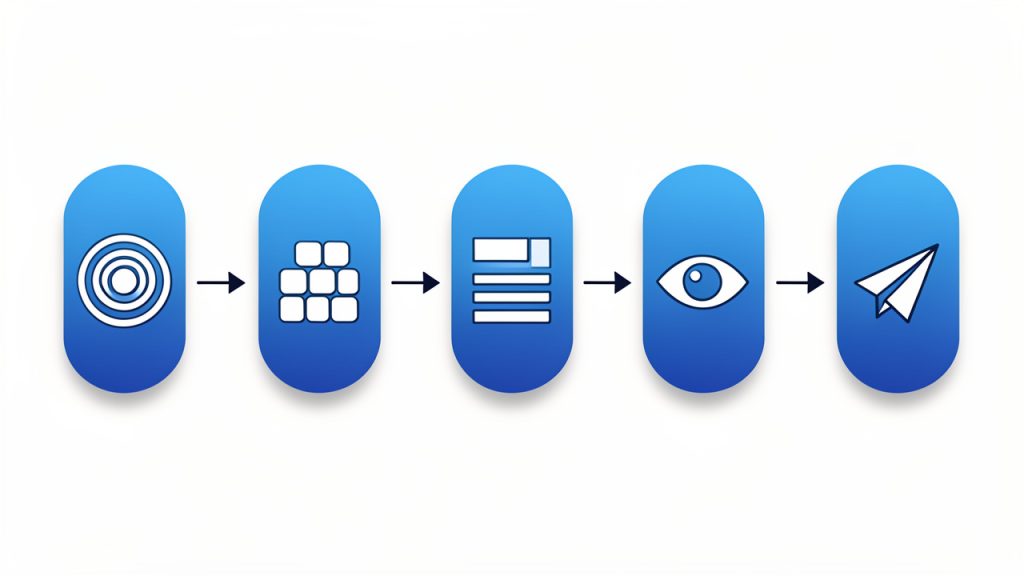
    A simple workflow diagram that shows the recommended manual-post process: 'Define purpose' → 'Gather inputs (title, message, media, category, approvals)' → 'Build for readability (headings, short paragraphs, CTA)' → 'Review' → 'Publish'.

    Start With Purpose, Not the Form

    Many people begin by opening the editor and filling in fields. That is understandable, but it leads to weak posts because the structure appears before the message. A better approach is to define the purpose first. Ask what the post needs to achieve. Is it informing, selling, updating, clarifying, documenting, or prompting action?

    Once the purpose is clear, the rest of the post becomes easier to shape. The title can be more specific. The body can stay focused. The call to action can match the reader’s next move. Without that clarity, even a manually created post can feel scattered.

    This step matters whether you are publishing a blog article, a shop listing, a knowledge base entry, or a platform update. The format may differ, but the principle is constant. A strong post starts with clear intent.

    Gather the Right Inputs Before Publishing

    Manual posting becomes inefficient when people build the content while searching for missing details. That is why preparation matters. Before creating a new post manually, make sure you have the essential inputs ready.

    A short checklist helps:

    • Title or working headline: A clear label you can refine.
    • Core message or objective: The single idea the post must convey.
    • Relevant links, files, or media: Images, downloads, or reference URLs.
    • Category, tags, or placement: Where the post belongs in your system.
    • Review notes or approval status: Any quick confirmations needed before publishing.

    This does not need to become a bureaucratic process. The point is to reduce interruptions. When all inputs are prepared, the act of posting becomes smoother and more accurate.

    For freelancers and solo operators, this step also protects focus. Constantly switching between tabs, assets, and draft notes is mentally expensive. A prepared manual post can be published in minutes. An unprepared one can consume an hour.

    Build the Post for Readability

    A new post should not just exist. It should be easy to scan, understand, and act on. That means strong headings, concise paragraphs, and logical flow. Readers rarely move through digital content in a perfectly linear way. They scan first, judge relevance second, and commit attention only if the content feels worth their time.

    That is why structure matters so much. A manual post gives you the chance to make better editorial choices. You can simplify the headline, tighten the opening, clarify the middle, and make the next step obvious. This is especially useful for businesses that publish information customers actually need, such as pricing updates, service notices, tutorials, FAQs, or announcements.

    Good readability is also a productivity gain. When a post is clearer, it generates fewer support questions, fewer misunderstandings, and fewer internal corrections. One carefully built post can save hours of follow-up.

    Review Before You Publish

    The manual nature of the post is not just about creation. It is also about review. Before publishing, check whether the post is accurate, complete, and aligned with its purpose. Look closely at the title, links, formatting, dates, and any visible calls to action.

    A practical way to think about this is to separate writing from checking. First create the content. Then review it as if you were the reader. This small shift changes what you notice. Errors that felt invisible during writing often become obvious during review.

    If multiple people are involved, even a lightweight approval process helps. One person can draft, another can confirm details. For small teams, that balance preserves speed without sacrificing quality.

    Choose Manual Posting When It Actually Makes Sense

    Not every entry should be manual. Some should absolutely be automated, scheduled, or imported. The smart approach is not to treat manual posting as universally better, but as better for specific situations.

    Manual posting is best for important updates, one-off content, and quality-sensitive entries where control and context awareness are priorities. Automated posting shines for repetitive tasks, scheduled campaigns, and large-volume publishing where speed and consistency matter. Bulk import works for large catalogs or archives, and template-based posting helps with recurring formats that need small edits.

    For small business owners and independent professionals, this often means using a hybrid workflow. Routine items can be templated or automated. High-visibility or sensitive content can be posted manually. That balance keeps operations efficient while protecting quality where it matters most.

    Conclusion

    A carefully created manual post is more than a simple entry made by hand. It is a deliberate publishing choice that gives you control, accuracy, flexibility, and editorial judgment. In a world full of automation, those strengths still matter, and in many cases, they matter more than ever.

    A practical next step is to review your current workflow and identify which kinds of posts truly benefit from human oversight. Then create a simple manual posting process for those cases. When the content is important, visible, or easy to get wrong, a careful manual post is not extra work. It is smart work.

    A well-planned manual post is often the fastest way to publish something with control and precision. It gives you the ability to decide what goes live, when it goes live, and how it appears.

  • How to Create a New Manual Post

    How to Create a New Manual Post

    Publishing online should be simple, but in practice it often feels cluttered. Between automation tools, scheduling platforms, content systems, and social feeds, many people lose sight of one basic question: what exactly are you posting, where, and why? That is where the idea of a new manual post becomes useful.

    For small business owners, freelancers, developers, and productivity-focused users, manual posting is not outdated. In many cases, it is the most reliable way to stay accurate, timely, and intentional. A manually created post gives you direct control over wording, formatting, timing, and context, which matters when a message needs to feel human instead of mass-produced.

    What Is a New Manual Post?

    A new manual post is a piece of content you create and publish directly, without relying on automation, duplication rules, or scheduled reposting systems. It can be a blog update, a community post, a social media entry, a product announcement, or even an internal team update. The defining feature is simple, a person actively writes and publishes it with purpose.

    That distinction matters more than it may seem. Automated systems are excellent for efficiency, but they are often blunt instruments. They can repeat old messages, miss changes in context, or publish wording that no longer fits the moment. A manually created post allows you to respond to what is happening now, with language that reflects your current goals and audience expectations.

    For a small business, this might mean posting a same-day update about adjusted opening hours. For a freelancer, it could mean sharing a newly completed project with a tailored explanation. For a developer, it may involve publishing release notes with precise wording. In each case, the manual approach reduces the risk of disconnect between message and reality.

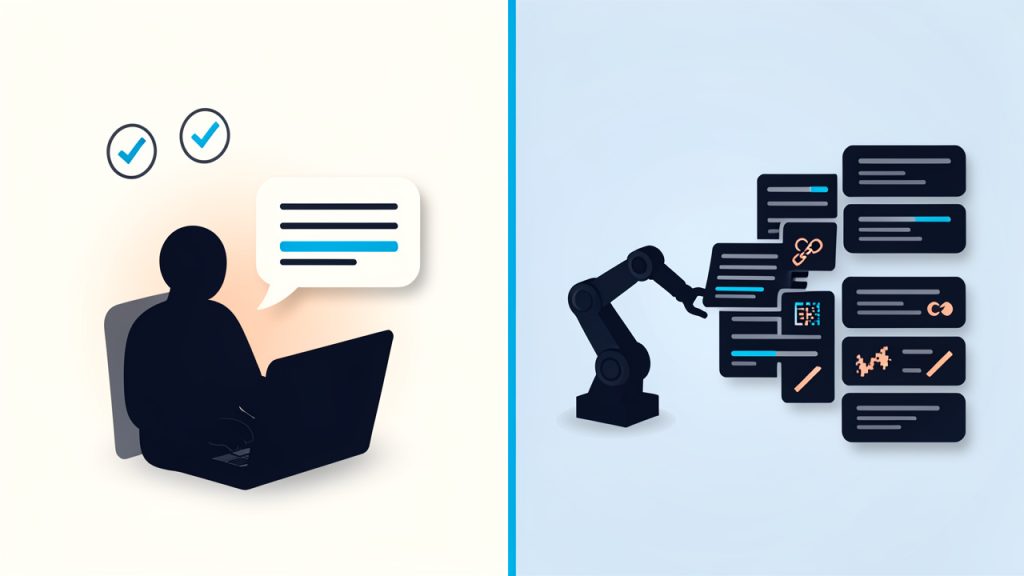
    Split-screen comparison titled "Manual vs Automated Posting": left side shows a person at a laptop writing a tailored message with a speech-bubble preview, checkmarks for 'tone', 'context', 'accuracy'; right side shows an automated pipeline/robot pushing identical posts to multiple platforms with repeating content cards and small error icons (broken link, wrong date) to imply bluntness and risk. Use clear labels "Manual" and "Automated" and a small caption: "Intentional vs. blunt".

    Why Manual Posting Still Matters

    There is also a credibility factor. Readers can often sense when content has been sent through a system rather than written with care. A manually published post tends to feel more immediate and authentic, especially when it addresses a real situation, answers a current question, or reflects a timely update.

    A manually published post also gives you room to review tone, verify links, correct formatting, and avoid the common mistakes that happen when content is pushed out automatically. This does not mean automation is bad. It means manual posting remains important where accuracy, nuance, and timing are critical. The best content workflows usually combine both, using automation for repetitive tasks and manual posts for moments that need judgment.

    Key Aspects of a New Manual Post

    Understanding a manually created post starts with understanding what makes it effective. It is not enough to publish something by hand. The value comes from how the post is planned, written, and delivered.

    Control Over Message Quality

    One of the biggest strengths of a manual post is editorial control. You decide what stays, what goes, and how the message is framed. That matters when brand voice is important or when a careless phrase could confuse readers.

    This is especially useful for businesses and solo professionals who want to sound consistent and trustworthy. Instead of using a recycled template, you can shape the post around the exact situation. That leads to stronger communication and fewer misunderstandings.

    Better Context and Relevance

    A manually created post is usually more context-aware. It reflects current events, audience mood, product changes, or business priorities at the time of publishing. That context improves relevance, and relevance is what makes content feel timely rather than generic.

    Think of it like writing a note to a customer instead of sending a canned autoresponder. The manual version can acknowledge what has changed, answer the likely question, and guide the reader more clearly. Even when the information is simple, the extra relevance makes the content more useful.

    Reduced Risk of Publishing Errors

    Automation can save time, but it can also repeat old mistakes at scale. A broken link, outdated date, wrong image, or mismatched caption becomes much harder to manage when the system publishes it everywhere. Creating a manual post introduces a review step that helps catch those issues before they go live.

    That review step is not glamorous, but it is valuable. It is often the difference between a polished announcement and a post that creates extra support requests. For busy teams and independent professionals alike, preventing avoidable errors is a meaningful productivity gain.

    Stronger Audience Trust

    Trust is built through consistency and clarity. When readers see that your posts are current, specific, and human, they are more likely to believe the rest of what you publish. A manually created post can contribute to that trust because it feels deliberate.

    This is particularly important in customer-facing communication. Updates about pricing, features, availability, deadlines, or service interruptions should not feel robotic. They should feel dependable. Manual posting supports that impression because it gives you the chance to communicate with care.

    Flexibility Across Platforms

    A manual post is not tied to one format. It can be adapted to different platforms while still staying true to the original message. That flexibility matters because each channel has its own expectations. A website announcement may need detail, while a social update needs brevity and immediacy.

    Manual posting helps you tailor the same core information for different audiences. Instead of forcing one version everywhere, you can write what fits each platform. That often results in better engagement because the content feels native rather than copied.

    How to Get Started With a New Manual Post

    Starting with manual posting does not require a complicated system. In fact, the most effective approach is often the simplest one. The goal is to build a repeatable habit that gives you control without slowing you down.

    Begin With a Clear Purpose

    Before writing a manual post, decide what it needs to accomplish. Is it informing, promoting, clarifying, updating, or inviting action? A post without a clear purpose tends to become vague, and vague content rarely performs well.

    A useful test is to finish this sentence before you write: After reading this post, I want the audience to know, feel, or do what? That one question keeps the content focused. It also prevents unnecessary filler, which is especially important when time is limited.

    Match the Post to the Platform

    Manual posting works best when the content fits the place where it appears. A post on a company website can carry more detail and structure. A LinkedIn update may need a stronger professional angle. A short-form social post should get to the point quickly while still sounding natural.

    This is where manual creation shines. You can adapt tone, length, and formatting instead of relying on a one-size-fits-all template. That small adjustment often improves readability and response.

    Create a Simple Publishing Workflow

    You do not need an enterprise content operation to publish well. A lightweight workflow is usually enough. For many users, the essentials are:

    1. Define the goal: Know why the post exists.
    2. Draft the message: Write clearly and directly.
    3. Review for accuracy: Check facts, links, and formatting.
    4. Publish and monitor: Watch for questions or needed edits.

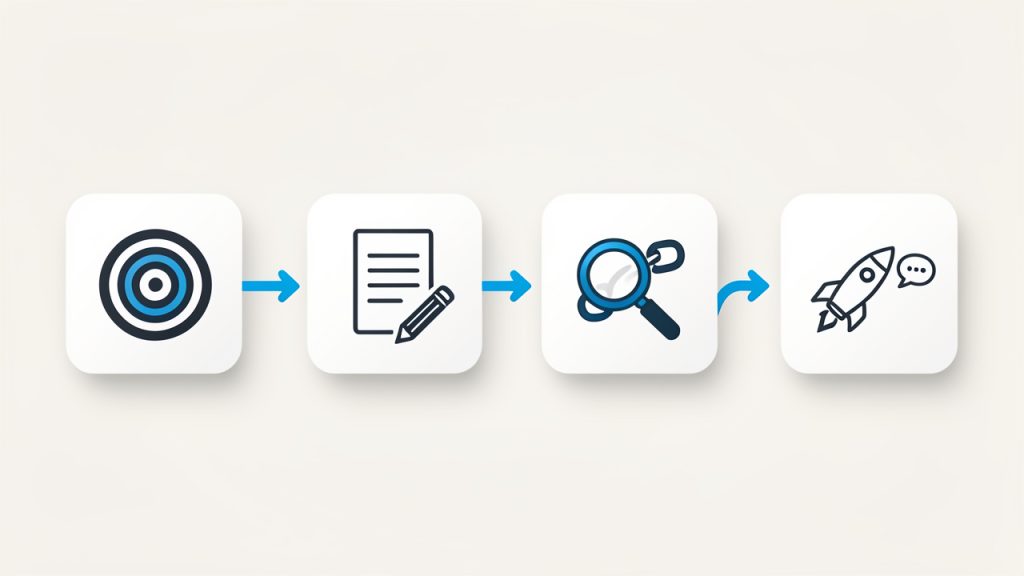
    Simple linear workflow graphic with four connected boxes/icons: 1) Define goal (target icon + short phrase), 2) Draft the message (pencil and document), 3) Review for accuracy (magnifying glass over a link/date), 4) Publish & monitor (upload/rocket icon and a small chat/alert icon). Arrows connect each step; emphasize repetition and simplicity.

    What matters is consistency. If every manually published post goes through the same basic process, quality becomes easier to maintain. That is particularly helpful for small teams and solo operators who need reliable output without extra complexity.

    Focus on Readability First

    A manual post should be easy to scan and easy to understand. That means short paragraphs, clear wording, and a logical flow. Readers do not reward complexity for its own sake. They reward clarity.

    If the topic is technical or detailed, break it into sections and use descriptive headings. If the message is brief, keep it tight and direct. In both cases, remove anything that distracts from the main point. Good manual posting is often less about writing more and more about writing better.

    Use Manual Posting Where It Adds the Most Value

    Not every piece of content needs to be written from scratch at the moment of publishing. The smart approach is to use manual posting selectively, where it offers the greatest return. This usually includes announcements, customer updates, timely commentary, product changes, and sensitive communication.

    The comparison below shows where a manually created post tends to be strongest.

    Use Case Manual Post Strength Why It Works
    Time-sensitive updates High You can reflect current conditions accurately
    Product or service announcements High Tone and details can be tailored carefully
    Routine recurring promotions Medium Manual editing helps, but templates may also work
    Evergreen scheduled content Low to Medium Automation is often efficient here
    Customer issue communication Very High Human wording builds clarity and trust

    Avoid Common Mistakes

    Manual posting is valuable, but it is not automatically effective. Some users publish too quickly and skip review. Others overthink every word and slow themselves down. The right balance is intentional, but practical.

    A few simple habits can help you avoid common problems:

    • Check accuracy: Confirm names, dates, prices, and links.
    • Keep tone consistent: Write in a voice that matches your brand or role.
    • Add one clear action: Tell the reader what to do next, if anything.
    • Edit for brevity: Remove sentences that do not serve the purpose.

    These basics sound obvious, but they solve most quality issues. In real-world publishing, success often comes from disciplined fundamentals rather than elaborate strategy.

    Conclusion

    A manually created post is more than just content typed and published by hand. It is a deliberate communication choice. It gives you control over message quality, improves contextual relevance, reduces preventable errors, and helps your audience feel that a real person is paying attention.

    If you want better results from your content, start small. Choose one important update this week and publish it manually with care. Focus on purpose, clarity, and accuracy. That single habit can improve not only how your posts look, but also how your business, brand, or work is understood.