

A PDF that refuses to open is frustrating enough. When the source comes as a long, unreadable Base64 string, it can feel even worse. You know the file exists somewhere inside that block of text, but turning it into a usable document is not always obvious, especially if you are juggling invoices, contracts, reports, or app-generated files.
That is exactly where Base64 to pdf conversion comes in. It takes encoded document data and restores it into a normal PDF you can save, share, print, or archive. For small business owners, freelancers, developers, and anyone working with digital workflows, understanding this process can save time, prevent file errors, and make document handling far more reliable.
What is Base64 to pdf?
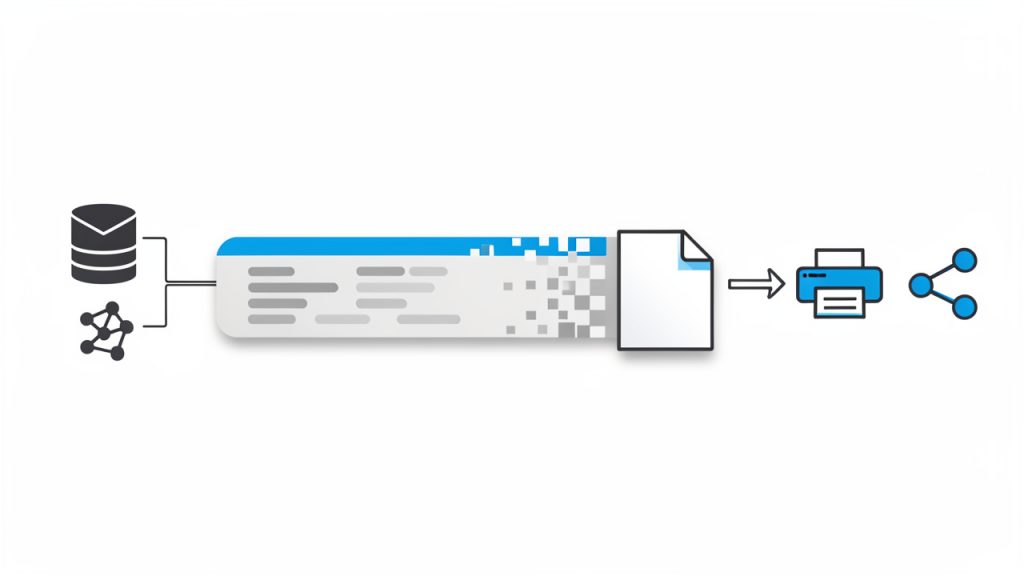
Base64 to pdf refers to converting a Base64-encoded string back into a standard PDF file. Base64 is a text-based encoding method that represents binary data, such as a PDF, in plain ASCII characters. This makes it easier to transmit files through systems that are designed to handle text rather than raw binary content.
In practical terms, Base64 often appears when files are sent through APIs, embedded in JSON responses, stored in databases, attached to emails, or passed between web applications. Instead of receiving a file named document.pdf, you may receive a long string beginning with something like JVBERi0x…. That string is not random noise. It is the PDF, translated into text form.
The conversion process simply reverses that translation. Once decoded, the Base64 content becomes a working PDF again. If the original data is valid and complete, the result should open normally in any standard PDF reader.
Why Base64 is used in the first place
Base64 exists because many systems are more comfortable handling text than binary files. Some older communication protocols, web forms, and data transfer methods can corrupt or reject binary content. Encoding the file as Base64 creates a safer transport format.
This matters in everyday business and technical workflows. A freelance designer might receive a signed PDF through an automation platform. A small business owner might export archived records from a system that stores documents as encoded strings. A developer might build a web app that receives PDF data from an API response. In all of these cases, Base64 is not the final format. It is a delivery format.
That distinction is important. Base64 is not a document type, and it is not a replacement for PDF. It is just a way to carry the PDF from one place to another.
What a Base64 PDF string looks like
A Base64 string is usually long and continuous, made up of uppercase and lowercase letters, numbers, plus signs, slashes, and sometimes equals signs at the end. In some cases, it may also include a prefix such as data:application/pdf;base64, before the encoded content begins.
That prefix is useful in web contexts because it tells the browser what kind of file is being represented. But if you are decoding the content manually or uploading it into a converter, you may need to remove that prefix first. The actual Base64 data starts after the comma.
If the string has been copied from an email, spreadsheet, or exported file, spacing and line breaks can also cause problems. A valid Base64 to pdf conversion depends on receiving the complete string without accidental edits.

Key Aspects of Base64 to pdf
The most important thing to understand is that successful conversion depends on clean input data. When a PDF does not decode correctly, the problem is often not the converter. It is usually a broken Base64 string, a missing prefix issue, an incomplete copy-paste, or corrupted source data from the system that generated it.
This is why Base64 to pdf can seem easy in one scenario and confusing in another. If the source is complete and properly encoded, conversion is almost instant. If the source has been trimmed, altered, or wrapped incorrectly, the output file may be unreadable or fail to generate entirely.
Common use cases
Base64 to pdf conversion appears in more places than many people realize. In business settings, it often shows up in automated invoicing, e-signature workflows, customer document portals, and cloud-based record systems. A platform may package a generated PDF as Base64 to send it safely through an API.
Developers see it constantly in web and mobile applications. An app may generate a PDF receipt, encode it in Base64, and send it to a front end for download. A backend service may receive PDF uploads as encoded strings for temporary processing. Even browser-based tools sometimes use Base64 under the hood when previewing downloadable content.
For non-technical users, the experience is often accidental. You expected a file and got a wall of text instead. That usually means the PDF was delivered in encoded form and now needs decoding.
Base64 to pdf vs other file conversion tasks
This process is different from a traditional file conversion like Word to PDF or JPG to PDF. In those cases, you are changing one file format into another. With Base64 to pdf, you are not really changing the content itself. You are restoring the original binary file from an encoded text version.
That difference affects expectations. A standard format conversion may alter layout, compression, fonts, or quality. A Base64 to pdf conversion should not do that. If done correctly, it recreates the exact original PDF data.
This is also why it is often used in document-sensitive workflows. Contracts, receipts, tax forms, and legal documents need to remain intact. Base64 encoding helps move them safely, and decoding brings them back without modifying the document structure.
Security and privacy considerations
Whenever you handle Base64-encoded PDFs, you are still handling the actual document content. Even though the data looks scrambled, Base64 is not encryption. Anyone with access to that string can decode it into the original PDF.
That is especially important for financial files, client records, HR documents, medical forms, or signed agreements. If you are using an online Base64 to pdf converter, think carefully about what kind of data you are uploading and whether the service is appropriate for sensitive information.
For businesses and developers, local conversion is often the safer route when privacy matters. Keeping the decoding process inside your own environment reduces exposure and gives you more control over storage, retention, and compliance.
Typical problems users run into
One frequent issue is the inclusion of extra characters before or after the Base64 string. This often happens when content is copied from logs, web pages, or exported JSON. Even a small interruption can break the conversion.
Another problem is incomplete data. Base64 strings can be extremely long, and if part of the content is cut off, the PDF will not reconstruct properly. Some tools also struggle when line breaks are inserted in the wrong place, especially if the string was pasted from a formatted document or spreadsheet.
There is also the issue of file type mismatch. Sometimes users assume a string represents a PDF when it actually encodes a PNG, ZIP file, or another document type. If the source is not really a PDF, decoding it as one will fail no matter how many times you try.
Quick comparison of common approaches
| Method | Best For | Pros | Trade-offs |
|---|---|---|---|
| Online Base64 to pdf tool | Fast one-off conversions | Simple, no setup, beginner-friendly | May raise privacy concerns for sensitive files |
| Local desktop utility | Repeated offline use | Better control, no browser upload | May require installation |
| Custom script or app logic | Developers and automated workflows | Scalable, flexible, integrates with systems | Requires technical setup and testing |
| Browser-based manual decoding | Lightweight personal tasks | Convenient for quick checks | Not ideal for confidential business documents |
How to Get Started with Base64 to pdf
If you are new to this, the easiest path is to start by checking the source string carefully. Make sure you actually have Base64 data for a PDF, not just a partial snippet. If the string includes a prefix like data:application/pdf;base64,, note whether your chosen tool expects the full value or only the encoded portion.
For a quick conversion, many users choose an online tool. That works well for non-sensitive documents and occasional tasks. You paste the string, run the conversion, and download the resulting PDF. If the document opens correctly, the process is done.
A simple workflow for first-time users
Most Base64 to pdf tasks follow the same basic sequence:
- Copy the full Base64 string from the source without truncating it.
- Remove any unnecessary prefix or extra characters if your tool requires clean encoded data only.
- Decode the string into PDF format using a trusted converter or local method.
- Open and verify the PDF to confirm that pages, text, and formatting appear correctly.
This sounds straightforward, and in many cases it is. The real challenge is accuracy. A clean input almost always leads to a smooth result.
How developers usually handle it
For developers, Base64 to pdf is often part of a broader workflow rather than a one-time file rescue. You might receive Base64 in an API response, decode it server-side, and write the output as a .pdf file. Or you may let a front end trigger a browser download after decoding a response from a backend service.
In these situations, validation matters. It helps to confirm that the string is complete, verify the MIME type if available, and handle decoding errors gracefully. When documents are customer-facing, even a small file corruption issue can create support tickets and undermine trust.
Developers should also be mindful of performance. Base64 increases data size compared to raw binary. That is acceptable for many workflows, but at scale it can affect payload size, memory use, and response times. For large documents or high-volume systems, direct file handling may sometimes be more efficient than passing everything as Base64.
How to tell if your Base64 string is valid
A valid PDF encoded in Base64 usually decodes into a file that begins with the standard PDF header internally. You will not always inspect that manually, but a reliable conversion result should open in a normal PDF viewer without warnings or blank pages.
If the file will not open, first go back to the source string. Check whether the content was cut off. Look for pasted spaces, line wrapping, quote marks, or metadata mixed into the actual encoded data. If a prefix is present, test whether removing it helps.
It is also worth confirming the origin. If the string came from an API, log export, or database field, verify that the source system actually generated a PDF. Mislabeling happens more often than many users expect.
Choosing the right method for your workflow
The right Base64 to pdf method depends on context. If you only need to decode a receipt once, convenience is probably your priority. If you handle confidential business records regularly, privacy and control matter more. If you are building a product or automating document delivery, repeatability and error handling become essential.
That is why this topic matters beyond a one-time conversion. It sits at the intersection of usability, security, and workflow design. A good process is not just about getting a PDF today. It is about making document handling dependable tomorrow.
Practical tips for smoother results
- Keep the source intact: Avoid editing or reformatting the string unless necessary.
- Check for the data prefix: Some tools accept it, others require only the raw Base64 portion.
- Use secure methods for sensitive files: Treat Base64 data like the document itself.
- Verify the output immediately: Open the PDF and confirm that it matches expectations.
These small checks save time because they catch the most common failure points early. In document workflows, that kind of consistency matters more than speed alone.
Conclusion
Base64 to pdf is simpler than it first appears. You are taking text-encoded document data and restoring it to its original PDF form. Once you understand that Base64 is just a transport layer, the process becomes much easier to manage.
Whether you are a freelancer trying to recover a client file, a small business owner dealing with automated documents, or a developer integrating file delivery into an application, the same rules apply. Start with clean data, choose the right conversion method, and treat encoded documents with the same care you would give the final PDF.
Your next step is straightforward. Take the Base64 string you have, verify that it is complete, and decode it using a method that fits your privacy and workflow needs. If the output opens cleanly, you have not just solved one file problem. You have learned a practical skill that makes digital document handling far more efficient.
Leave a Reply