JNTZN

Tag: templates

  • New Manual Post: Designing Controlled, Auditable Manual Workflows

    New Manual Post sounds simple, but in practice it sits at the intersection of control, repeatability, and operational efficiency. For developers and efficiency-focused users, that combination matters. Automated systems are fast, but they are not always appropriate. A manual post workflow provides deterministic input, explicit review, and a narrower risk surface when precision matters more than throughput.

    Its real value is that it introduces intentional execution into an otherwise automated environment, which can improve quality, reduce accidental changes, and make sensitive publishing steps easier to audit. When teams need reliable checkpoints, manual posting becomes less of a fallback and more of a deliberate system design choice.

    What is New Manual Post?

    A New Manual Post refers to the creation and submission of a new entry, update, record, or publication through direct human action rather than through a scheduled job, API-triggered workflow, or automation pipeline. The exact implementation varies by platform, but the underlying pattern remains consistent. A user opens an interface, inputs content or data, applies required metadata, performs validation, and then publishes or saves.

    In technical environments, this can describe several distinct actions. It may refer to publishing a blog post in a CMS without a content automation pipeline. It may describe creating a record in an internal admin dashboard. It may also refer to manually posting updates to a knowledge base, support portal, moderation queue, or deployment log. The term is broad, but the operational meaning is stable: a new item is created through manual intervention.

    That distinction matters because manual creation changes the system’s behavior. Automated posts optimize for scale and consistency. Manual posts optimize for judgment and contextual awareness. A human can evaluate edge cases, account for timing, catch formatting anomalies, and recognize whether a post should exist at all. In environments where errors are expensive, that judgment layer is often worth the added time.

    Why the concept matters in modern workflows

    Many teams assume that efficiency means full automation. In reality, efficient systems are usually hybrid systems. They automate repetitive, low-risk steps and preserve manual control for critical decisions. A New Manual Post fits neatly into that model because it can function as a controlled insertion point inside a larger workflow.

    For example, a development team might automate draft generation, metadata suggestions, and validation checks, then require a human to manually create or approve the final post. That approach keeps productivity high while reducing the chance of publishing incorrect or incomplete information. The manual step is not inefficiency. It is a control boundary.

    This is especially useful where content, status updates, or records affect users directly. A mistaken product announcement, a malformed release note, or an incorrectly tagged documentation update can create downstream confusion that costs more than the time saved through automation. Manual posting introduces friction, but often the right kind of friction.

    Key Aspects of New Manual Post

    A New Manual Post workflow is defined by a few core characteristics: human initiation, explicit field entry, context-sensitive review, and direct publication control. These characteristics seem basic, but together they create a workflow pattern with distinct strengths and weaknesses.

    Human initiation is the first defining factor. Nothing happens until a person decides to create the post. That means the act itself is intentional, and that intentionality changes quality outcomes. Teams can align a post with current business conditions, product changes, or internal approvals without needing to redesign automation rules every time a new edge case appears.

    Explicit field entry is the second aspect. In a manual process, titles, tags, descriptions, attachments, references, and publishing settings are often entered or verified one by one. This slows things down slightly, but it also surfaces mistakes that automation can hide. A user noticing a missing category or malformed summary before publication is a common and valuable failure-prevention mechanism.

    Control and accuracy

    The strongest argument for New Manual Post is control. Manual workflows allow contributors to see exactly what is being submitted and in what state. This is particularly relevant for technical documentation, compliance updates, product notices, and any system where publication creates a durable record.

    Accuracy benefits from that visibility. A person reviewing a post can catch semantic issues that validation rules might miss. An automated system may confirm that a field is filled in, but it cannot always determine whether the content is misleading, outdated, or contextually inappropriate. Manual posting adds a layer of editorial or operational sense-checking that is difficult to encode in software.

    That is why many organizations preserve manual post paths even when they have mature automation stacks. They do not keep them because the automation is weak. They keep them because not every publishing decision can be reduced to rules.

    Speed versus reliability

    Manual posting is slower than automated posting, and that trade-off is real. If a team must publish thousands of low-risk records per hour, manual entry is the wrong mechanism. But where reliability is more important than raw throughput, the slower process often produces better outcomes.

    This trade-off resembles the difference between batch processing and supervised release management. Batch systems are excellent for volume. Supervised systems are better for exceptions, approvals, and sensitive outputs. A New Manual Post belongs to the second category. It works best when each post carries enough importance to justify direct attention.

    The practical question is not whether manual posting is slower. It is whether the cost of a bad post exceeds the cost of a slower one. In many cases, particularly in technical or customer-facing contexts, the answer is yes.

    Traceability and governance

    Another key aspect is governance. Manual workflows are easier to pair with role-based access, approval checkpoints, and audit trails. When a post is created manually, the responsible user, timestamp, revision state, and publishing action can be recorded with clarity. That is useful for internal accountability and often essential for regulated environments.

    This is also where platform design matters. A weak manual posting interface can make users inconsistent and error-prone. A strong one supports predictable input, visible status indicators, and structured validation. Tools such as Home can improve this layer by centralizing manual workflows in a cleaner operational environment, reducing friction without removing control.

    When manual posting is the better choice

    There is no universal rule, but certain conditions strongly favor a New Manual Post workflow. It is usually the better option when content is high-impact, when approval context changes frequently, or when the source data is too variable for safe automation.

    The table below summarizes the practical difference between manual and automated posting models.

    Factor New Manual Post Automated Post
    Initiation Human-triggered System-triggered
    Speed Lower Higher
    Context awareness Strong Limited to programmed logic
    Error prevention Better for semantic and judgment-based issues Better for repetitive structural consistency
    Scalability Limited by human capacity High
    Audit clarity Often stronger at action level Strong if logging is well implemented
    Best use case Sensitive, high-value, exception-based publishing High-volume, repeatable, low-risk tasks

    How to Get Started with New Manual Post

    Getting started with New Manual Post begins with clarifying what kind of post is being created, who is responsible for it, and what conditions must be satisfied before publication. Many manual workflows fail because they are treated as informal tasks. A reliable manual post process should still be structured, even if it is not automated.

    The first step is to define the object model. A post may be content, a release note, a support update, a knowledge entry, or an internal record. Once that is clear, the required fields become easier to standardize. Standardization is important because it reduces variation without removing human control. The goal is not to script the post completely, but to ensure that every manually created item meets a minimum quality threshold.

    A practical manual posting setup usually requires:

    1. A defined template, including mandatory fields and preferred formatting.
    2. A responsible owner, who creates or approves the post.
    3. A review rule, even if it is lightweight.
    4. A destination system, such as a CMS, internal admin dashboard, or unified workspace like Home.

    Establish a repeatable workflow

    A manual process becomes efficient only when it is repeatable. That means contributors should know where to start, what sequence to follow, and what validation to perform before publishing. Without that structure, manual posting becomes inconsistent and difficult to scale even at a small team level.

    A good starting workflow often follows a simple sequence. The contributor creates the post, completes required fields, reviews formatting and metadata, verifies timing and destination, and then publishes. If approval is required, the publication step is replaced with a handoff state. Making each stage explicit reduces ambiguity and cuts down on avoidable errors.

    The system interface matters here. If users need to switch between multiple tabs, documents, and dashboards just to create one post, manual work becomes unnecessarily expensive. Consolidated environments are more effective because they reduce context switching. That is one reason platforms like Home are valuable. They support efficiency not by forcing automation everywhere, but by making controlled manual actions faster and cleaner.

    Define validation before publication

    The most common weakness in a New Manual Post process is the absence of clear validation. People assume manual means self-explanatory. It rarely does. Even experienced users benefit from a short, consistent verification pass before final submission.

    Validation should focus on correctness, completeness, and destination integrity. Correctness means the content itself is accurate. Completeness means required fields, tags, references, and attachments are present. Destination integrity means the post is going to the right place, under the right visibility, at the right time. A manual post can be well written and still fail operationally if it is published in the wrong environment.

    Teams with frequent manual posting tasks often benefit from a lightweight checklist embedded directly in the interface. This is more effective than storing process documentation in a separate location that users forget to consult. The best validation is visible at the moment of action.

    Reduce friction without removing oversight

    The phrase “manual process” often suggests inefficiency, but that is usually a design problem rather than an inherent limitation. Manual posting becomes painful when interfaces are cluttered, field requirements are unclear, and users lack reusable patterns. Improve those three areas, and the process becomes much more efficient.

    Templates are the first lever. They allow users to start from a known-good structure rather than a blank screen. Sensible defaults are the second lever. If a category, visibility level, or status is usually the same, the system should prepopulate it while still allowing edits. Contextual prompts are the third lever. They remind users what matters at the point of execution rather than burying guidance in documentation.

    The objective is not to eliminate the manual step at all costs. The objective is to remove unnecessary effort while preserving human review where it creates value.

    Practical implementation considerations

    For developers, the term New Manual Post often raises an implementation question: how should a system support manual creation in a technically sound way? The answer usually involves interface design, permissions, auditability, and state management rather than complex algorithms.

    A well-designed manual post system should clearly separate draft, review, and published states. It should also maintain revision history and identify the actor responsible for each transition. This makes the workflow legible and helps teams debug process failures. If a bad post goes live, the question should not be “what happened?” but “which transition failed and why?”

    Permissions are equally important. Not every user who can draft should be able to publish. Not every user who can publish should be able to edit historical records. Manual systems become safer when these responsibilities are explicit. That applies whether the posting environment is a custom internal tool or a packaged platform.

    Manual posting in hybrid systems

    The most effective real-world architecture often combines manual and automated components. For instance, metadata might be suggested automatically, formatting may be validated by the system, and notification delivery can occur after publication without human involvement. The actual creation and release of the post, however, remains manual.

    This hybrid model gives teams the best of both approaches. Automation handles repetitive mechanics. People handle judgment, timing, and exception management. New Manual Post is therefore not the opposite of automation. It is often the human checkpoint inside an automated ecosystem.

    That framing is useful because it prevents false choices. Teams do not need to decide between full manual control and full automation. They can design for both, assigning each part of the workflow to the mechanism that handles it best.

    Conclusion

    New Manual Post is more than a basic publish action. It is a workflow pattern built around control, accuracy, and accountable execution. For developers and efficiency-minded teams, its relevance comes from the fact that not every task should be automated, especially when a post carries operational, customer-facing, or compliance risk.

    The next step is to evaluate where manual posting currently exists in the workflow, where it should exist, and where it creates unnecessary friction. If the process is critical, formalize it. If the interface is messy, simplify it. If the team is juggling too many tools, consider a centralized environment such as Home to make manual posting faster without sacrificing oversight.

  • Note-Taking Tools: Capture, Organize, and Retrieve Ideas

    Note-Taking Tools: Capture, Organize, and Retrieve Ideas

    The hardest part of managing ideas is rarely the ideas themselves. It is the friction between capturing them, organizing them, and finding them again when they matter. That is why note taking tools have become essential infrastructure for developers, students, knowledge workers, and anyone trying to operate with less mental clutter and more precision.

    A good note system does more than store text. It becomes an external memory layer, a lightweight project tracker, a reference library, and often a thinking environment. The gap between a quick scratchpad and a structured knowledge base is where most modern note taking tools compete, and where the right choice can change daily workflow more than another messaging app or calendar ever will.

    What are note taking tools?

    Note taking tools are software applications designed to capture, structure, retrieve, and synchronize information across devices and workflows. At the simplest level, they replace paper notebooks and sticky notes. At a more advanced level, they function as personal knowledge management systems, supporting tags, links, databases, templates, collaboration, and automation.

    The category is broad because note taking itself is not a single activity. One user needs a fast place to jot meeting points. Another wants markdown-based documentation for technical work. A third wants a searchable archive of research, clipped web pages, and project decisions. The best note taking tools are built to handle one or more of these jobs without introducing so much complexity that the tool becomes the work.

    For developers, the value is especially clear. Notes often include API references, debugging observations, architecture decisions, sprint planning details, and reusable snippets. In that context, a note taking tool is not just a repository of text. It is part of the development environment, sitting somewhere between documentation, task management, and long-term memory.

    The market has evolved accordingly. Some tools focus on speed and simplicity, offering instant capture and minimal formatting. Others are designed for deep knowledge organization, using backlinks, graph views, or nested structures. Still others emphasize team collaboration, making them suitable for shared project spaces and lightweight internal wikis.

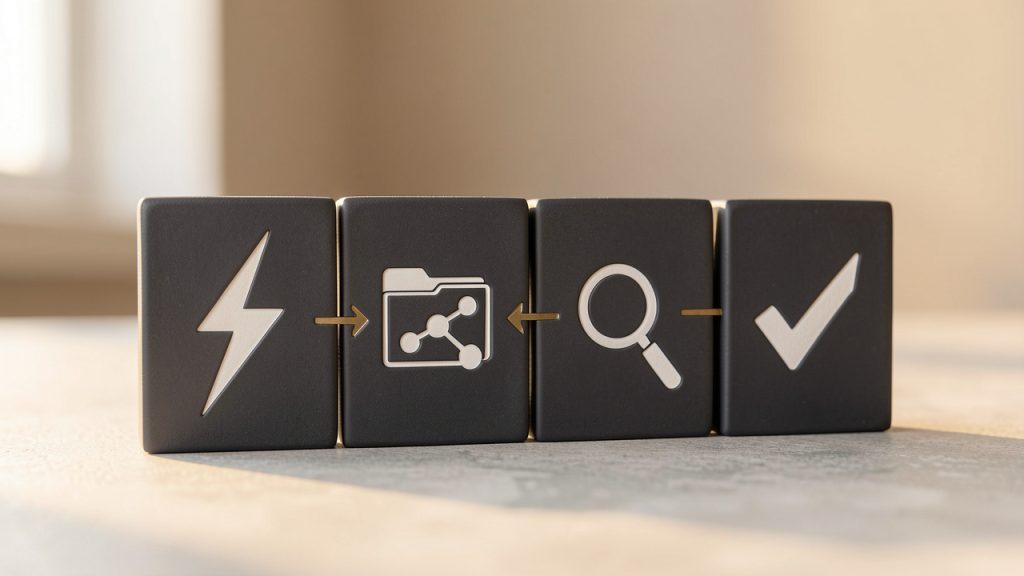
    A useful way to understand the category is to view note taking tools through four functional layers. The first is capture, where information enters the system. The second is organization, where notes are classified or connected. The third is retrieval, where search and navigation determine whether stored information remains useful. The fourth is action, where notes connect to tasks, projects, and decisions. Tools that perform well across all four layers tend to remain valuable over time.

    A clean, simple flow diagram showing the four functional layers as stacked or sequential blocks: Capture -> Organization -> Retrieval -> Action. Each block has a small icon (e.g., lightning bolt for capture, folder/tag/linked nodes for organization, magnifying glass for retrieval, checklist/arrow for action) and arrows indicating information flow between them.

    Key aspects of note taking tools

    Capture speed and low-friction input

    The first quality that separates effective note taking tools from forgettable ones is capture speed. If opening the app, creating a note, and typing the first line takes too long, users default to temporary workarounds. They send themselves messages, open random text files, or trust memory, which usually fails under pressure.

    Fast capture matters because note-taking often happens in unstable contexts. A developer notices an edge case during testing. A manager hears a useful idea in a meeting. A researcher finds a source worth preserving. In each case, the note tool must behave like a reliable buffer between fleeting input and durable knowledge.

    This is why mobile widgets, keyboard shortcuts, browser extensions, voice input, and quick-add commands are not minor features. They directly affect adoption. A tool that supports frictionless intake earns trust because it reduces the delay between thought and storage.

    Organization models and information architecture

    Once notes accumulate, structure becomes more important than formatting polish. Different note taking tools use different organizational models, and each model reflects a theory about how people think. Some rely on folders and subfolders. Others emphasize tags. Some add backlinks and bidirectional relationships, allowing notes to behave more like a graph than a filing cabinet.

    Folders work well when the content has a stable hierarchy, such as client documentation or course materials. Tags are more flexible when information belongs to multiple contexts at once. Linked-note systems are powerful when the goal is idea discovery, synthesis, or long-term knowledge development.

    The trade-off is predictable. The more flexible the structure, the more discipline the user must apply. A rigid folder tree can feel limiting but remains easy to understand. A highly networked note system can be powerful but risks devolving into a web of inconsistent links. The best note taking tools provide enough structure to maintain order while preserving enough freedom to support real work.

    A comparative illustration with three panels: (1) a hierarchical folder tree (filing cabinet) labeled "Folders", (2) a tag cloud with overlapping tags labeled "Tags", and (3) a network graph of interconnected nodes labeled "Backlinks / Graph". Include a small caption under each panel summarizing trade-offs (e.g., "stable hierarchy", "flexible multi-context", "idea discovery").

    Search, retrieval, and resurfacing

    A note that cannot be found is operationally equivalent to a note never taken. That makes retrieval quality one of the most important evaluation criteria. Search should be fast, tolerant of partial memory, and rich enough to filter by title, tag, date, content type, or workspace.

    Advanced retrieval goes further. Some tools support saved searches, backlinks, semantic suggestions, or contextual resurfacing. That matters because users rarely remember where a note lives. They remember fragments, such as a phrase, a meeting date, or the project it was related to. Good retrieval systems are designed around that reality.

    For technical users, search becomes even more critical when notes contain code references, version information, command history, and architecture discussions. In these cases, note taking tools can replace hours of repeated investigation. The ability to locate the exact observation made three weeks ago during debugging is a genuine productivity gain, not a convenience feature.

    Markdown, formatting, and developer friendliness

    Many developers prefer note taking tools that support Markdown, plain text storage, and exportable formats. The reason is not aesthetic. It is about portability, durability, and control. Notes that live in accessible formats are easier to migrate, script, version, and back up.

    Rich text editors appeal to users who value visual formatting and ease of use. They are often better for collaborative documents and polished internal pages. Plain text or markdown-first systems are often better for technical workflows, especially when users want to integrate notes with git repositories, static documentation, or local-first workflows.

    This is one of the clearest fault lines in the category. Some note taking tools behave like document editors. Others behave more like a layer on top of files. Neither approach is universally superior. The better choice depends on whether the priority is presentation, collaboration, customization, or long-term control over data.

    Cross-device sync and offline reliability

    A note system only works if it is available where work happens. That makes cross-device synchronization a baseline requirement for many users. Desktop access is important for deep work. Mobile access matters for capture. Web access can be essential in restricted environments or on shared machines.

    Reliability matters as much as feature breadth. Sync conflicts, slow updates, and partial note loads damage trust quickly. A note taking tool should feel consistent across platforms, especially when users move between laptop, phone, and tablet throughout the day.

    Offline access is similarly important. Notes are often needed while traveling, in low-connectivity spaces, or during outages. Tools that support local caching or local-first storage give users a stronger sense of control and reduce dependence on constant connectivity.

    Collaboration and shared knowledge

    While many note taking tools begin as personal systems, the strongest products increasingly support shared work. Team notes, meeting records, engineering decisions, onboarding guides, and process documentation often benefit from living in a collaborative environment rather than isolated personal notebooks.

    This shifts the requirement set. Collaboration introduces permissions, version history, comments, page sharing, and sometimes database-style structures. The tool must support both clarity and governance. Informal notes can coexist with structured team knowledge, but only if the workspace can scale without becoming chaotic.

    For teams, a note platform often becomes a lightweight wiki. That is particularly useful for fast-moving technical groups that need accessible documentation but do not want the overhead of a formal documentation stack for every internal process. In that space, tools that balance speed with shared structure tend to perform best.

    Security, privacy, and data ownership

    Not all notes are equal. Some are disposable reminders. Others contain confidential business information, research, credentials, or intellectual property. Because of that, security and privacy should not be treated as secondary considerations when evaluating note taking tools.

    Encryption, access controls, compliance posture, and export capability all matter. So does data ownership. Users should understand whether notes are stored locally, in the cloud, or both, and whether they can be exported in usable formats without lock-in. For developers and organizations, this question often determines whether a tool is merely convenient or strategically viable.

    A practical evaluation framework helps. The table below compares the major dimensions that usually matter most.

    Evaluation Area What to Look For Why It Matters
    Capture Quick add, mobile input, browser clipping, shortcuts Reduces friction and improves consistency
    Organization Folders, tags, links, templates, databases Determines long-term scalability
    Search Full-text search, filters, saved queries Makes notes reusable, not just stored
    Format Markdown, rich text, export support Affects portability and editing style
    Sync Fast cross-device updates, offline mode Ensures access everywhere work happens
    Collaboration Shared spaces, comments, permissions Supports teams and project documentation
    Security Encryption, backups, access control Protects sensitive information
    Extensibility Integrations, APIs, automation Connects notes to broader workflows

    Different tools emphasize different strengths. A minimalist app may excel at rapid capture but fall short on collaboration. A workspace platform may be ideal for team documentation but feel heavy for personal thinking. A local-first markdown tool may appeal strongly to developers but require more setup and discipline.

    That is why the best note taking tools are not simply the most feature-rich. They are the ones aligned with the user’s information behavior. The more closely the tool matches the way a person captures, organizes, and retrieves knowledge, the more likely it is to become part of daily workflow.

    How to get started with note taking tools

    Start with use case, not brand

    Many people choose note taking tools by looking at feature checklists or popularity rankings first. That usually leads to avoidable switching later. A better starting point is to define the primary workload. Is the tool meant for quick capture, technical documentation, research organization, meeting notes, or team collaboration?

    This matters because each use case imposes different requirements. A developer maintaining architecture notes may value markdown support, backlinks, and local storage. A manager coordinating meetings may value templates, calendar integration, and sharing. A student may care most about searchable notebooks, annotation support, and cross-device access.

    The first decision should be functional. Once that is clear, vendor choice becomes easier. Instead of asking which app is best in general, the user asks which app is best for this specific operating model.

    Build a small system before building a big one

    A common mistake is over-designing note architecture on day one. Users create elaborate folder structures, complex tagging taxonomies, and nested templates before they have enough real notes to understand what structure is needed. The result is maintenance overhead without practical benefit.

    A better method is to begin with a simple operating structure and let patterns emerge. One notebook for active work, one for reference, and one for archive is often enough to start. Tags can be added later when repeated themes become clear. Links can emerge naturally as knowledge grows. This incremental approach prevents the tool from becoming a classification project.

    For many users, successful adoption depends less on the perfect structure and more on a stable routine. The goal is not to build a museum of notes. The goal is to create a system that gets used consistently under real conditions.

    Use templates where repetition exists

    Templates are one of the most practical features in modern note taking tools, especially for recurring workflows. Meeting notes, sprint retrospectives, daily logs, research summaries, bug reports, and one-on-one agendas all benefit from standardized structure.

    The benefit is not just speed. Templates improve note quality by reducing omission. A meeting template can prompt decisions, owners, and deadlines. A debugging template can prompt reproduction steps, observed behavior, attempted fixes, and final resolution. Over time, this consistency makes notes easier to search and compare.

    For technical teams, templates also improve institutional memory. Repeated formats create stable records. They help turn notes from private fragments into reusable operational assets.

    Connect notes to workflow, not just storage

    Many note collections fail because they remain disconnected from action. Notes are taken, saved, and forgotten. The strongest systems connect note taking tools to ongoing work, which means tying them to tasks, projects, calendars, repositories, or team processes.

    A project note should contain context, decisions, next steps, and relevant links. A meeting note should lead to action items. A research note should connect to related topics or implementation plans. When notes remain linked to execution, they become a living system rather than passive storage.

    This is also where integrated workspaces can help. A platform such as Home can be useful when users want note capture and organization to sit closer to daily operations instead of living in an isolated app. When notes, references, and active work exist in the same environment, context switching drops and information becomes easier to act on.

    Review and prune regularly

    A note system that only accumulates will eventually become noisy. Regular review keeps the signal strong. This does not require aggressive deletion. It means archiving stale material, merging duplicates, and elevating high-value notes into more permanent reference pages.

    A lightweight review cycle often works best. Weekly review can focus on active notes and unfinished ideas. Monthly review can focus on structure, taxonomy, and archives. This creates a feedback loop where the note taking tool continues to reflect current priorities rather than becoming a pile of digital sediment.

    The following sequence is enough for most users starting from scratch:

    1. Define the primary use case for the note system.
    2. Choose one tool that matches that workflow instead of testing many at once.
    3. Create a minimal structure with only a few top-level categories.
    4. Capture notes daily and review patterns after two to four weeks.
    5. Add templates or tags only where repetition clearly exists.

    This approach works because it avoids premature optimization. It lets real usage shape the system, which is usually more durable than trying to predict every category in advance.

    Compare tool types before committing

    The category becomes easier to navigate when viewed by operating style rather than by individual product names. The table below summarizes the main patterns.

    Tool Type Typical Strength Common Limitation Best For
    Minimalist note apps Fast capture, low complexity Limited structure and collaboration Personal reminders, quick notes
    Markdown-first tools Portability, developer control, extensibility Higher setup friction Developers, technical documentation
    Workspace-style platforms Collaboration, databases, shared knowledge Can feel heavy for simple note taking Teams, project hubs, internal wikis
    Research-focused tools Clipping, annotation, source organization Less suited to general task flow Students, researchers, analysts
    Local-first tools Privacy, offline access, ownership Variable sync and sharing maturity Privacy-conscious users, power users

    Choosing between these types is often more important than choosing between brands inside the same type. Once a user identifies the operating model that fits, the field narrows quickly.

    Conclusion

    The best note taking tools do not just help people write things down. They reduce cognitive load, preserve context, and make information usable across time. That requires more than a clean editor. It requires effective capture, scalable organization, reliable search, strong sync, and enough flexibility to match the way real work unfolds.

    For developers and efficiency-focused users, the right note taking tool often becomes part of the core stack. The smartest next step is simple: identify the main use case, choose one tool that fits it, and build a small system that can survive daily use. If the goal is to connect notes more closely with actual work, collaborative context, and organized execution, exploring a workspace like Home can be a practical place to start.

  • New Manual Post: Create Clear, Actionable Operational Docs

    New Manual Post: Create Clear, Actionable Operational Docs

    Manual workflows break faster than most teams admit, and they do not usually fail in dramatic ways. They fail quietly, through missed handoffs, duplicated edits, inconsistent formatting, unclear ownership, and the constant drag of doing the same task from memory instead of from process. That is where a New Manual Post becomes useful, not as a vague note or one-off update, but as a structured manual entry that captures a repeatable action in a form people can actually use.

    A flow diagram showing a sequence of handoffs between team members where small issues accumulate: missed handoff, duplicated edits, inconsistent formatting, and unclear ownership. Visual cues like warning icons and faded arrows indicate quiet failures that slow the workflow.

    For developers and efficiency-focused operators, the phrase New Manual Post can sound deceptively simple. In practice, it represents a documented unit of work, a new procedural record, announcement, or instruction set created manually to support operational clarity. Whether it is being used inside a knowledge base, internal publishing workflow, CMS, team documentation system, or productivity platform, its value comes from precision. A well-constructed manual post reduces ambiguity, creates traceability, and makes execution less dependent on tribal knowledge.

    What is New Manual Post?

    A New Manual Post is best understood as a manually created content entry designed to communicate a task, update, process, instruction, or operational standard. Unlike automated posts generated from triggers, integrations, or templates alone, a manual post is authored intentionally. It exists because human judgment is required, either to add context, validate information, apply domain expertise, or document a process that automation cannot reliably infer.

    In technical and operational environments, this matters more than it may first appear. Automation is excellent at repetition, but weak at interpretation. Teams still need manually authored records for change notices, troubleshooting instructions, release checklists, environment-specific steps, incident summaries, publishing approvals, and process exceptions. A new manual post fills that gap by acting as a controlled artifact, something a person creates when accuracy and nuance are more important than speed alone.

    The phrase can apply across several systems. In a content management platform, it may refer to a manually published article or documentation entry. In a workflow environment, it may be a new procedural update entered by an administrator. In an internal productivity stack, it may function as a knowledge object that supports onboarding, maintenance, or cross-team coordination. The exact implementation differs, but the pattern is consistent: a human-authored post used to preserve operational intent.

    That distinction is especially relevant for developers. In engineering organizations, teams often over-index on tooling and under-invest in documentation primitives. A New Manual Post becomes a bridge between system behavior and human execution. It explains not just what happened, but what someone should do next. That is often the most valuable layer in any workflow.

    Key Aspects of New Manual Post

    Manual creation as a quality control layer

    Manual creation is not a weakness, it is a quality control mechanism. When a team creates a new manual post, it is choosing to insert judgment into the process. That judgment can validate assumptions, remove noise, clarify dependencies, and contextualize exceptions.

    This is particularly important in systems where automated output is technically correct but operationally incomplete. A deployment notification may state that a service changed, but a manual post can explain rollback conditions, affected users, validation steps, and support implications. That additional layer is what makes information usable rather than merely available.

    Manual posts also create accountability. A person, team, or role owns the content. That means changes can be reviewed, timestamps can be tracked, and revisions can be tied to actual decisions. For organizations trying to improve governance, compliance, or reproducibility, that ownership model is foundational.

    Structure determines usefulness

    A New Manual Post succeeds or fails based on structure. Unstructured notes age badly. They become hard to scan, hard to trust, and hard to maintain. A strong manual post typically includes a clear title, a defined purpose, contextual background, action steps, ownership information, and update history if the process changes over time.

    This is where many teams lose efficiency. They create “documentation” that is really just a text dump. Readers then spend more time interpreting the post than they would have spent asking a teammate directly. That defeats the point. A manual post should reduce cognitive load, not increase it.

    A practical mental model is to think of each post as an interface. Just as a clean API exposes expected inputs and outputs, a useful manual post exposes the exact information the reader needs to act. If the post is about publishing content, it should specify prerequisites, review criteria, publication steps, and failure conditions. If it is about system maintenance, it should make the order of operations obvious.

    Context is as important as instruction

    Many process documents fail because they focus only on the steps. Steps matter, but context determines whether a reader can apply them correctly. A New Manual Post should explain why the process exists, when it should be used, and what happens if it is skipped or modified.

    That context is what makes a manual post resilient. Without it, the content works only for the original author or for the moment in which it was written. With it, the post becomes transferable across teams and durable over time. Someone unfamiliar with the system can still understand intent, constraints, and expected outcomes.

    For developers, this is similar to writing maintainable code comments or architectural decision records. A line of code can tell someone what is happening. Good documentation explains why that choice exists. Manual posts should operate under the same principle.

    Searchability and retrieval define long-term value

    A manual post that cannot be found might as well not exist. The long-term utility of a New Manual Post depends on naming conventions, categorization, metadata, and discoverability. Teams often create documentation faster than they create information architecture, and the result is predictable chaos.

    A post title should be descriptive enough to stand alone in search results. The body should contain terminology that matches how users actually search. Related tags, timestamps, project labels, and ownership markers all improve retrieval. For efficiency-focused users, this is not administrative overhead. It is the difference between a living system and a digital graveyard.

    This is one place where platforms such as Home can become particularly useful. When a workspace centralizes manual posts with clean navigation, consistent templates, and strong retrieval patterns, teams spend less time hunting for process knowledge and more time executing it.

    Manual does not mean anti-automation

    A common mistake in workflow design is treating manual and automated processes as opposites. In mature systems, they are complementary. A New Manual Post should exist where automation cannot safely decide, where human review adds value, or where process exceptions need to be documented.

    In practice, the best systems automate the predictable layer and reserve manual posts for the interpretive layer. A monitoring system can open an alert automatically. A human can then create a new manual post that explains remediation logic, customer impact, and temporary workarounds. A CMS can generate publication tasks, while an editor creates the manual post that defines standards for review and approval.

    This hybrid approach is usually the most efficient. It respects the strengths of software, without pretending that every business process can be reduced to a trigger-action chain.

    How to Get Started with New Manual Post

    Begin with a clear operational use case

    The fastest way to create a useless manual post is to start writing before defining its purpose. A new manual post should solve a specific operational problem. That problem might be recurring confusion, missed execution steps, onboarding friction, publishing inconsistency, or dependency on one experienced team member who “just knows how it works.”

    Before writing, identify the exact behavior the post should support. Ask what the reader needs to accomplish after reading it. If the answer is vague, the post will be vague too. If the answer is concrete, the content can be engineered around that outcome.

    A strong starting point is to classify the post by function. Is it instructional, procedural, informational, corrective, or approval-oriented? That classification shapes the structure. An incident recovery post needs a different format than a content publishing checklist or a handoff guide.

    Define a repeatable template

    A New Manual Post becomes scalable only when it follows a standard format. Without a template, every author writes differently, and readers are forced to relearn the layout every time. Standardization reduces reading friction and makes updates easier to manage.

    A simple template can be enough if it is consistent.

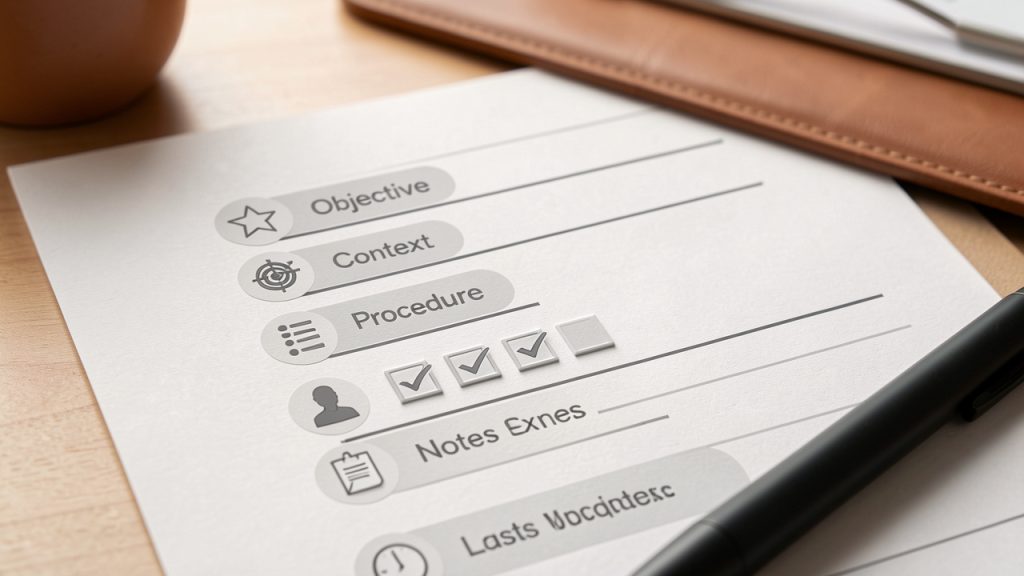
    A clean, labeled template mockup of a New Manual Post page, with sections for Title, Objective, Context, Procedure, Owner, Notes/Exceptions, and Last Updated. Show an example short checklist in the Procedure area to illustrate actionable steps.

    Most teams benefit from a consistent structure that identifies purpose, prerequisites, the ordered procedure, owner, exceptions, and the last updated date. This kind of structure is especially effective for technical teams because it mirrors system design discipline. Inputs, outputs, dependencies, and control points are all easier to identify when the content model is stable.

    Write for execution, not for elegance

    A New Manual Post should be optimized for action. That means concise wording, explicit instructions, and minimal ambiguity. Many teams write process documents as if they are internal essays. That style tends to hide the actual work inside explanatory prose. The better approach is execution-first writing, where each paragraph moves the reader toward a decision or task.

    That does not mean removing detail. It means organizing detail so it supports usage. If a step has prerequisites, state them before the step. If a step can fail, mention the failure condition where it matters. If a process varies by environment, segment the instructions accordingly instead of burying the distinction in a later paragraph.

    Third-person, technical documentation style can be valuable. It encourages precision and discourages unnecessary flourish. For efficiency-minded readers, that style is respectful. It saves time and reduces interpretation risk.

    Test the post with a new reader

    The real quality test for a New Manual Post is not whether the author understands it, it is whether someone less familiar with the task can use it successfully. If possible, have a colleague, new team member, or adjacent stakeholder follow the post exactly as written. Observe where they hesitate, ask questions, or make assumptions.

    Those points of friction reveal missing context and weak phrasing. In technical environments, this is the documentation equivalent of usability testing. A process document that only works for experts is incomplete. It may still have value, but it is not yet operationally mature.

    Testing also exposes hidden dependencies. If the reader needs prior access, domain knowledge, or another internal document to complete the task, the post should make that explicit. Good manual posts surface those assumptions instead of silently relying on them.

    Maintain it as a living asset

    A manual post should not be treated as a static artifact. Processes evolve, tools change, permissions shift, and exceptions become normal behavior over time. If the post is not reviewed periodically, it will drift away from reality and eventually become a source of error rather than efficiency.

    This is why ownership matters. Every New Manual Post should have a maintainer, even if updates are infrequent. A post without an owner usually becomes stale. A post with an owner has a better chance of remaining useful because someone is responsible for validating it against current operations.

    Teams that manage documentation well often integrate manual post maintenance into existing review cycles. Release updates, quarterly audits, onboarding reviews, and incident retrospectives all create natural opportunities to refresh relevant posts. In a centralized environment such as Home, this process becomes easier because documents, owners, and usage patterns can be tracked in one place.

    Focus on the first few high-friction workflows

    Teams often overcomplicate adoption by trying to document everything at once. A better method is to start with the processes that produce the most waste, confusion, or rework. Those are the workflows where a New Manual Post will deliver visible value quickly.

    Start by identifying the recurring task that causes the most avoidable questions or errors, document the current best-known process in a structured manual post, validate the post with one or two real users performing the task, and refine the content based on confusion points, omissions, and edge cases.

    That approach turns documentation into an operational improvement loop instead of a one-time writing project. It also helps build organizational trust. When people see that manual posts solve actual problems, adoption becomes easier.

    Conclusion

    A New Manual Post is not just another content entry, it is a practical mechanism for turning fragmented know-how into usable process knowledge. When created with structure, context, and ownership, it improves consistency, speeds onboarding, reduces preventable mistakes, and gives teams a clearer path from information to action.

    The next step is straightforward: choose one workflow that currently depends too much on memory or messaging, and create a single well-structured manual post around it. If the post is easy to find, easy to follow, and easy to maintain, it will do more than document work, it will make the work itself more reliable.