JNTZN

Author: olemai

  • Best Free QR Code Generators Online (2026) – Compare Quality & Privacy

    Best Free QR Code Generators Online (2026) – Compare Quality & Privacy

    A bad QR code fails silently. It prints fine, looks sharp on screen, and still refuses to scan when someone actually needs it. That is why choosing a QR code generator free online is not just about finding the first tool with a download button, it is about output quality, payload support, vector export, privacy, and whether the free tier is genuinely usable.

    This guide compares the best free QR code generators online for 2026 with a technical lens. The focus is practical: which tools work well for static URLs, vCards, Wi-Fi credentials, payment links, and developer workflows, and which ones start free but become restrictive the moment analytics, dynamic redirects, or team features are needed.

    Top Free QR Code Generators Online (2026): Feature-by-Feature Comparison

    Quick Overview, What This List Covers

    For this comparison, “free” means a no-cost tier or fully free web utility that allows actual QR creation and download. The evaluation prioritizes tools that support common output formats such as PNG and SVG, while also noting PDF, EPS, or API-based generation where relevant. It also distinguishes between static QR codes, where the encoded payload cannot be changed after creation, and dynamic QR codes, where the destination can be updated later through a redirect layer.

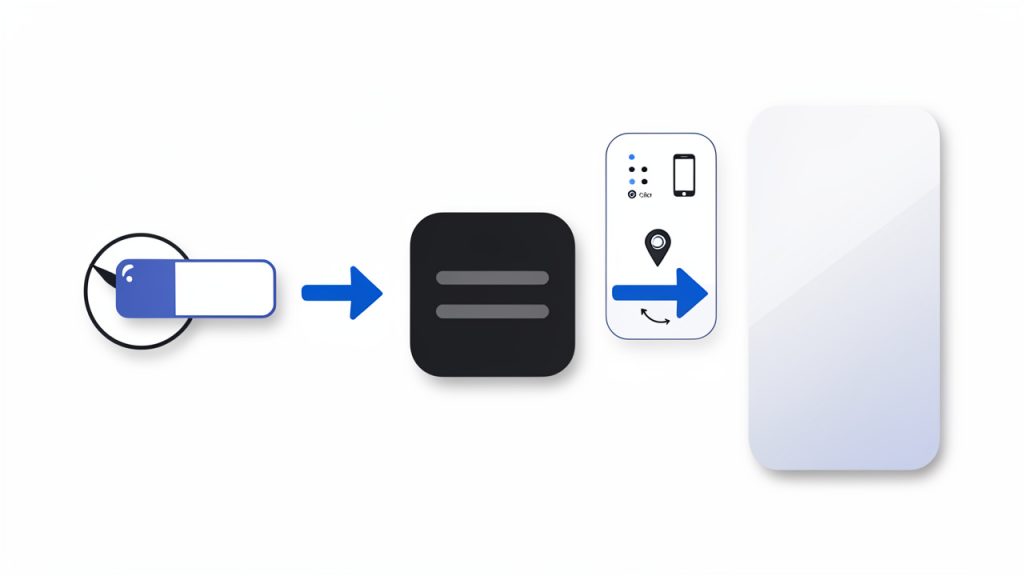
    Split diagram comparing Static vs Dynamic QR codes: left side shows a static QR encoding a fixed URL (no redirect, unchangeable); right side shows a dynamic QR that points to a short redirect URL/management dashboard (editable destination, analytics layer). Include small labels: 'static — one-time payload', 'dynamic — redirect + editable destination + analytics'.

    The list considers practical constraints many roundups skip. These include whether a tool requires login, whether analytics are included or gated, how much customization is safe before scan reliability drops, and whether the privacy posture is acceptable for anything beyond basic public URLs.

    How to Use This List, Selection Criteria and Testing Methodology

    Each tool was assessed against common payloads: URL, plain text, vCard, Wi-Fi, and payment URI. Testing emphasized cross-device scan behavior on modern iPhone and Android cameras, desktop-generated print outputs, and browser download integrity for both raster and vector files. For guidance on mobile scanning behavior, see resources about scanning with modern iPhone and Android cameras.

    Guidelines diagram for safe visual customization: a central QR example with annotated quiet zone, module size, and recommended logo size; three small examples showing 'good contrast / readable', 'low contrast / fails to scan', and 'over-styled with excessive gradients/logos — risky'.

    The comparison also reviews customization fidelity, especially when gradients, logos, rounded modules, and non-default colors are used. Where APIs or programmatic endpoints exist, the analysis notes whether they are suitable for developer automation, serverless generation, or embedding into internal tools. If a free tool stores or processes payloads in ways that raise privacy concerns, that trade-off is called out directly.

    1. Home

    Home is a strong fit for users who want more than a disposable generator page. It is particularly relevant for people who treat QR as part of a broader workflow, such as link sharing, lightweight publishing, or digital utility creation. In the context of a QR code generator free online, Home stands out by being useful beyond the one-time export moment. That matters when a QR code is not just an image asset, but an entry point into content, pages, or repeat interactions.

    For developers and efficiency-focused users, the appeal is operational simplicity. Instead of jumping between separate tools for content hosting, landing pages, or link handling, Home can reduce the number of moving parts. That is often more valuable than a generator with dozens of visual effects. The best QR workflows are stable, editable, and easy to maintain, and Home aligns well with that principle.

    Key features and positioning

    Home combines content and QR management in the same ecosystem, which is useful when QR is part of a broader digital distribution process. It favors fast publishing and workflow efficiency over excessive styling, making it a good choice when you expect repeat use rather than a one-off image export.

    Trade-offs

    Home is not a styling-first tool. If you need ornate branding controls, a dedicated generator may be more appropriate. Also evaluate Home as a broader platform instead of a bare widget, since the overall product configuration affects pricing and capabilities.

    Website: Home

    Screenshot of qrcode-monkey.com

    2. QRCode Monkey

    QRCode Monkey remains one of the most capable free options for users who care about design flexibility. It supports PNG, SVG, PDF, and EPS exports, which makes it much more practical than tools limited to low-resolution raster output. For print, branding, and scalable web assets, that vector support is a major advantage.

    Its sweet spot is static QR generation with visual customization. Users can embed logos, change eye shapes, apply gradients, and export high-resolution files. For marketers and designers, that makes it one of the strongest free choices. For developers, it is useful when the need is simple, static, and asset-oriented rather than API-centric.

    Features and workflow

    QRCode Monkey offers full vector exports and a broad set of visual controls. The free tier is highly usable for static QR creation and supports print-quality workflows thanks to SVG/PDF/EPS output. It is not built around analytics or dynamic redirects.

    Practical considerations

    Designed primarily for static QR creation, it is not ideal for programmatic batch generation and does not provide a meaningful free analytics layer. Heavily styled codes can still scan reliably if styling is conservative.

    Website: qrcode-monkey.com

    Screenshot of qrstuff.com

    3. QRStuff

    QRStuff is one of the more versatile options in terms of supported data types. It handles not only URLs and text, but also vCard, Wi-Fi, PayPal, and Bitcoin payloads, which makes it practical for users building QR codes for transactions or contact exchange rather than just website links.

    Its interface is less design-centric than QRCode Monkey, but it is more structured for payload variety. That matters if the priority is encoding the right content format with minimal friction. The free experience is solid for static QR generation, while dynamic editing and deeper management typically move behind account and paid plan boundaries.

    Features and workflow

    QRStuff covers a broad set of payloads with basic color controls and a clear workflow for business formats. It is a pragmatic choice where payload variety matters more than elaborate branding.

    Practical considerations

    Analytics and advanced dynamic features are gated. The free output options are less design-rich than some competitors and sign-up may be required for storage or editing workflows.

    Website: qrstuff.com

    Screenshot of goqr.me

    4. GoQR.me

    GoQR.me is the lightweight, engineer-friendly option in this list. Its interface is minimal, but the real value is the public API endpoint, which makes it useful for automation, small web tools, internal dashboards, and quick generation from scripts or templates.

    It is not built for elaborate branding. There is little in the way of logo placement or artistic styling. What it does offer is predictability. If the requirement is to create a static QR code quickly, or to generate one programmatically from a URL parameter set, GoQR.me remains one of the most practical free tools available.

    Features and workflow

    GoQR.me exposes a REST-style API and is fast for static generation. It often returns PNGs and is simple to parameterize from scripts or server-side code.

    Practical considerations

    Branding and styling are limited, so it is less suitable for polished marketing assets. Check service terms for scale and operational limits if you will generate many codes.

    Website: goqr.me

    Screenshot of beaconstac.com

    5. Beaconstac Free QR Generator

    Beaconstac targets users who are already thinking beyond static image generation. Its free QR generator is part of a broader platform that includes dynamic QR workflows, tracking, deep links, and enterprise-grade management. That makes it more ambitious than a pure utility page.

    The trade-off is familiar. The free layer is often enough to test the platform, but not enough to replace a paid campaign stack. If a team expects editable destinations, mobile app routing, or scan analytics, Beaconstac is worth evaluating early because it offers a clearer growth path than purely static tools.

    Features and workflow

    Beaconstac supports dynamic QR codes and campaign-oriented tooling with templates and branding controls inside a managed platform. APIs and SDKs are available on higher plans.

    Practical considerations

    Best features are not fully free, so view the free tier as an entry point rather than a forever-free solution. It is a good fit when you anticipate growth into tracked campaigns.

    Website: beaconstac.com

    6. QR Code Generator by qrcode-generator.de

    This tool is widely used because it is simple, accessible, and focused on the basics. It supports text, URL, phone, SMS, and vCard without turning the workflow into a design application.

    Its strength is readability and restraint. If the goal is a dependable static code without getting lost in styling controls, it performs well. That also makes it a good recommendation for internal business documents, labels, and quick operational deployment where visual experimentation is unnecessary.

    Features and workflow

    qrcode-generator.de covers core payloads with a straightforward, no-friction UI. It produces dependable static codes suitable for common use cases.

    Practical considerations

    Advanced customization and API workflows are limited, and dynamic capabilities are not a primary free value.

    Website: https://www.qrcode-generator.de

    Screenshot of unitag.io

    7. Unitag QR Code Generator

    Unitag is one of the more visually ambitious tools in the category. It is aimed at users who want branded codes with custom shapes, templates, gradients, and logos, often for packaging, flyers, menus, and social promotion. From a visual design standpoint, it offers more latitude than many free generators.

    The problem with highly styled QR codes is always the same, aesthetics can overtake scan reliability. Unitag is powerful, but users need discipline. Strong contrast, controlled logo size, and proper quiet zones are essential. For brand-sensitive assets, Unitag is attractive. For mission-critical scanning in difficult lighting or low-quality print environments, a simpler design is often safer.

    Features and workflow

    Unitag focuses on advanced styling and template-based design for branding-first applications.

    Practical considerations

    Over-styling can harm scanning. Dynamic and analytics features are limited or paid, and highly decorative outputs may not be appropriate for operational use.

    Website: unitag.io

    Screenshot of developers.google.com

    8. Google Chart API / goQR API

    This category is less about consumer UI and more about programmatic QR generation. The goQR API is directly relevant today, while the older Google Chart API remains historically important but should be treated cautiously because of long-standing deprecation concerns and shifting support expectations.

    For developers, URL-parameter generation is still a useful pattern. It works well for prototypes, automation scripts, internal portals, and server-side rendering pipelines. The biggest limitation is that these methods are generally static-only, and raster outputs can degrade if resized carelessly. If automation matters more than dashboard features, this route is often the fastest.

    Features and workflow

    URL-based generation is simple to parameterize, embeddable in scripts and templates, and fast to integrate into developer workflows.

    Practical considerations

    Not ideal for branded campaigns, often raster-oriented unless SVG support is explicit, and there is no built-in analytics or dynamic management.

    Websites: developers.google.com, goqr.me

    9. Shopify QR Code Generator and E-commerce Platform Tools

    E-commerce-oriented QR generators solve a narrower but practical problem. Instead of being general-purpose encoders, they are optimized for product pages, checkout links, store locations, or payment workflows. For merchants, that specialization is useful because the destination and attribution logic may already exist inside the platform.

    These tools are rarely the best choice for general developer use or broad payload experimentation. Their value is contextual. If the QR code exists to move a customer from offline packaging or signage into a product or payment flow, a platform-native generator can reduce friction and keep tracking cleaner.

    Features and workflow

    Commerce-friendly destinations and product/payment flow integration make platform-native generators useful for retail and packaging.

    Practical considerations

    Less flexible for non-commerce payloads, customization may be basic, and portability is limited by platform dependence.

    Website: shopify.com

    How to Choose the Right Free QR Code Generator, Decision Matrix

    The right tool depends less on popularity and more on constraints. If the requirement is vector export for print, QRCode Monkey is hard to beat in the free category. If the priority is payload variety, QRStuff is more flexible. If the need is API-driven generation, GoQR.me is often the most efficient choice. If the project may grow into tracked campaigns, Beaconstac is the more future-oriented pick. If the QR code is part of a broader content or utility workflow, consider Home.

    The other major decision is static versus dynamic. Static codes are simpler, faster, and more private in many cases because there is no redirect layer. Dynamic codes are better when the destination may change, but they introduce dependency on the provider’s infrastructure, account limits, and retention policies.

    Requirement mapping, briefly summarized:

    • Vector print output: QRCode Monkey, because SVG/PDF/EPS preserves quality at any size.
    • Many payload types: QRStuff, for broader support for Wi‑Fi, vCard, and payment-related data.
    • API automation: GoQR.me, for simple URL-based generation and low UI friction.
    • Dynamic links and analytics: Beaconstac, for a redirect layer and tracking architecture.
    • Branded visual QR: Unitag, for advanced shape and logo customization.
    • Commerce workflows: Platform-native generators like Shopify tools, for alignment with product and payment destinations.

    Best Practices & Technical Specifications

    A free generator can still produce a production-grade QR code if technical basics are handled correctly. For print, a practical minimum is about 2 x 2 cm for simple payloads, though larger is safer once logos or dense content are involved. The quiet zone should be at least four modules on all sides. Removing or shrinking that margin is a common reason codes fail.

    Error correction is important. L is lowest redundancy and best for compact codes, M is a solid default, and Q or H are useful when adding a logo or expecting partial obstruction. Higher error correction increases symbol density, which pushes up minimum practical print size. For branded QR codes, medium-complexity payloads with M or Q correction and a restrained logo size often work best.

    For colors, dark foreground on a light background remains the default rule for a reason. A code using #111111 on #FFFFFF will outperform low-contrast palettes most of the time. Avoid glossy materials, compressed JPG exports, and transparent overlays that interfere with module edges. If a QR code may appear in both print and digital contexts, export SVG for layout masters and generate PNG derivatives as needed.

    Step-by-Step: Create a Free QR Code for Common Use Cases

    Create a URL QR (static)

    1. Open a generator such as QRCode Monkey or GoQR.me.
    2. Paste the full URL, including https://.
    3. Choose output type, preferably SVG for print and PNG for quick digital use.
    4. Keep styling minimal if the code will be small or printed.
    5. Download and test on at least two phones before publishing.

    Create a Dynamic URL QR

    1. Use a platform that supports dynamic redirects, such as Beaconstac.
    2. Create the destination link inside the managed dashboard.
    3. Generate the QR code tied to that redirect record.
    4. Test scan behavior and confirm editability of the destination.
    5. Review analytics and expiry rules before deployment.

    Create a vCard QR

    Include only necessary fields because payload length increases density. Name, phone, email, and company are usually enough. If a generator supports native vCard fields, use them instead of pasting manually formatted text to avoid syntax errors.

    Create a Wi-Fi QR

    Wi-Fi QR codes encode SSID, security type, and password in a standard string format. They are useful for guest networks, events, and office onboarding, but avoid publishing high-sensitivity credentials on public materials. Use guest access and rotate credentials if broadly distributed.

    Troubleshooting & FAQ (Technical)

    If a QR code will not scan from print, likely causes are insufficient size, poor contrast, glossy reflection, missing quiet zone, or low-resolution raster export. Many failures blamed on the generator are actually caused by exporting a small PNG and then stretching it in design software, which softens module boundaries.

    If a logo causes failures, reduce its footprint and raise error correction only if the symbol density remains manageable. If resizing breaks the code, return to the original source and export a larger PNG or an SVG. If a dynamic QR leads to a redirect loop or 404, inspect the redirect chain and final HTTPS destination; long or broken chains can break scan handoff on mobile devices.

    For sensitive payloads, free online generators should be used carefully. Public URLs are fine. Plaintext secrets, internal credentials, recovery tokens, or personal data should not be submitted to arbitrary online forms unless the provider’s privacy and retention terms are acceptable. When in doubt, generate locally or use a trusted managed platform with clear compliance language.

    Appendix, API References, Useful Payload Formats, and Tools

    For developers, API-style generation is one of the most efficient ways to produce QR assets at scale. The goQR endpoint is practical for internal tooling and rapid automation because it avoids browser UI friction and fits into serverless workflows.

    Useful payload classes include vCard, Wi‑Fi, SMS, mailto, and geo URI. The technical challenge is keeping payload size under control so the resulting symbol remains easy to scan. Dense content increases module count and raises minimum practical display or print size.

    Further reading includes ISO/IEC 18004 for QR symbology fundamentals and provider-specific documentation for generation policies. Developers embedding QR output into web layouts should prefer vector assets and test rendering at real target sizes rather than relying on browser zoom.

    Conclusion, Recommendation Matrix and Final Checklist

    For most users searching QR code generator free online, the shortlist is clear. QRCode Monkey is the best free pick for high-quality static design output. QRStuff is excellent for payload diversity. GoQR.me is the most practical lightweight choice for developers and automation. Beaconstac is the better fit when dynamic QR and analytics are part of the roadmap. Home deserves special attention when the QR code is part of a broader content or utility workflow rather than a one-time image export.

    Before launch, verify destination accuracy, adequate size, strong contrast, proper quiet zone, tested output format, multiple-device scan validation, and a clear privacy stance for the encoded content. A QR code is tiny, but deployment details decide whether it works like infrastructure, or fails like decoration.

  • Text-to-Speech Online Free MP3: Best Tools & Workflow Guide

    Text-to-Speech Online Free MP3: Best Tools & Workflow Guide

    Finding a reliable text to speech online free MP3 tool sounds simple until the details start to matter. One service has a clean interface but weak voices. Another sounds excellent but hides MP3 export behind a signup. A third looks free until the licensing terms rule out commercial use. For developers, creators, and anyone building efficient workflows, the real problem is not converting text to audio, it is choosing a tool that produces usable MP3 output, predictable quality, and a workflow that does not collapse at scale.

    This guide is built for that exact use case. It combines a ranked comparison with practical implementation advice, so the reader can move from quick one-off MP3 exports to repeatable, production-aware text-to-speech pipelines. It also covers the technical layer most pages skip, including bitrate, sample rate, SSML, loudness normalization, API automation, and licensing risk.

    Overview, Text-to-Speech Online Free MP3

    Definition and core capabilities

    Text-to-speech (TTS) systems convert written text into synthesized speech. In the browser-based category, the typical workflow is simple: paste text, choose a voice, adjust rate or pitch, preview playback, then export an audio file.

    A simple flowchart of the typical browser-based TTS workflow: 1) Paste or type text -> 2) Choose language/voice -> 3) Adjust rate/pitch -> 4) Preview playback -> 5) Export/download MP3. Include small icons for each step (text, voice, sliders, play, download).

    What separates basic tools from useful ones is not the presence of a play button, it is the extent of control over voice quality, language coverage, pronunciation, and output format.

    For the specific search intent around text to speech online free MP3, MP3 export is the operational requirement. MP3 remains the most convenient output for general distribution because it is small, widely supported, and easy to embed in websites, learning modules, video editors, and mobile workflows. Most online TTS services target this format first, while some also expose WAV or OGG for higher fidelity or lower-latency application use.

    Common use cases

    Accessibility is the obvious one, especially for users who prefer listening to articles, instructions, or educational material instead of reading blocks of text. Audiobook prototyping is another common use, because a creator can test pacing and tone before committing to full narration. Voiceovers for internal demos, explainer videos, and UI prompts also fit naturally into online TTS workflows.

    Language learning and pronunciation support are growing use cases as well. A learner may need a consistent voice to model vocabulary, sentence rhythm, or accent contrast. Developers often use online TTS for prototyping before connecting to an API. That is where quick MP3 export becomes especially valuable, because it allows fast iteration without building a backend pipeline on day one.

    File output formats, with emphasis on MP3

    MP3 is a lossy codec, but for spoken voice it is often the most efficient trade-off between quality and file size. Typical online tools export anywhere from 64 kbps to 320 kbps, though many web demos settle in the 96 kbps to 192 kbps range. For general voice content, 128 kbps is usually acceptable, while 160 kbps to 192 kbps is a better target when the result will be reused in podcasts, course content, or public-facing media.

    A two-panel chart showing audio quality vs file size for MP3 bitrates (64, 96, 128, 160, 192, 320 kbps) and a separate table or annotated frequency-axis showing common sample rates (22.05 kHz, 24 kHz, 44.1 kHz, 48 kHz). Use arrows/labels to indicate recommended targets (128 kbps acceptable; 160–192 kbps for polished narration; 44.1 kHz as safer default).

    Sample rate also matters. Common values include 22.05 kHz, 24 kHz, 44.1 kHz, and 48 kHz. Lower sample rates reduce file size and can sound perfectly fine for prompts or screen-reader-style output. For polished narration, 44.1 kHz is a safer default. Online tools frequently hide these settings, so the user inherits whatever the service encodes by default. That is one reason results vary, even when the synthesized voice itself is strong.

    Most free browser tools also impose operational constraints. These may include per-session character caps, queue limits, daily quotas, or download throttling. Some demos allow listening but limit export. Others allow export but prohibit commercial reuse. Those constraints matter more than headline claims of “free.”

    Article Intent and Scope

    Search intent analysis

    The search phrase text to speech online free MP3 has mixed intent. Part of the audience wants a fast answer: a site that converts text into a downloadable MP3 with no friction. Another part wants a durable solution that supports multiple languages, batch generation, or integration into a production process. That means the query sits between informational and transactional search intent.

    A shallow list of tools is not enough for this query. The user usually needs two things at once: a comparison of viable options and a method for getting better output from whichever tool they choose. That is why a hybrid comparison plus how-to guide is the right structure.

    Scope and deliverables of this guide

    This guide ranks practical online TTS services that can produce MP3 output, then explains how to evaluate quality, control pronunciation with SSML, automate exports through APIs, and avoid licensing mistakes. It also highlights where free tools are sufficient and where upgrading to a paid service becomes rational.

    For teams building content systems or creator workflows, integrating audio generation into a broader publishing home can be valuable. A platform such as Home can fit naturally into the workflow when audio generation is part of a larger content operation, especially if the goal is to organize, publish, and manage assets in one place rather than treating TTS as an isolated one-off utility.

    Top Free Online TTS Tools That Export MP3, Comparative Matrix

    Selection criteria and testing methodology

    The tools below were selected based on practical relevance, public accessibility, voice quality reputation, and whether MP3 export is directly available or realistically achievable through a demo or cloud workflow. Testing used the same short English input, similar speaking-rate settings where possible, and an evaluation focused on three indicators: naturalness, latency, and output practicality.

    Naturalness is represented as an estimated MOS-style score on a five-point scale. This is not a lab-grade benchmark, but it is a useful directional measure for comparative listening. Latency reflects approximate time from submission to audible or downloadable output under normal web conditions. File quality considers perceived clarity, encoding quality, and whether the resulting MP3 is immediately usable.

    Feature matrix

    Tool MP3 Export Languages/Voices SSML Support Speed/Pitch Controls Signup Required Commercial Use Clarity Best For
    Home Varies by workflow integration Workflow-dependent Workflow-dependent Workflow-dependent Usually yes Depends on configured provider Teams managing content workflows
    TTSMP3 Yes Broad consumer voice set Partial/limited practical support Yes No Must verify terms carefully Fast one-off MP3 downloads
    NaturalReader Yes Broad, polished voices Limited in browser workflow Yes Often for advanced features Terms vary by plan Human-like playback and simple exports
    Google Cloud Text-to-Speech Yes Extensive Yes Yes Yes Clear in paid cloud terms Developers, automation, scale
    IBM Watson Text to Speech Yes Good enterprise coverage Yes Moderate Yes Clearer in cloud account terms Developer testing and enterprise use
    Microsoft Azure AI Speech Yes Extensive neural voices Yes Yes Yes Clear in Azure terms High-quality synthesis and production apps

    Performance indicators

    Tool Estimated Naturalness (MOS 1-5) Approx. Latency Observed Quality Notes
    Home 4.0-4.8, provider dependent Workflow dependent Strong if paired with premium TTS backend
    TTSMP3 3.8-4.3 Low Convenient, quality varies by selected voice
    NaturalReader 4.1-4.5 Low to medium Smooth consumer-grade voices
    Google Cloud Text-to-Speech 4.3-4.7 Low Clean, configurable, API-friendly
    IBM Watson Text to Speech 4.0-4.4 Low to medium Consistent, slightly more utilitarian timbre
    Microsoft Azure AI Speech 4.4-4.8 Low Among the strongest neural voice options

    1. Home

    Screenshot of cloud.google.com

    1. Home

    Home is not just a text-to-speech website in the narrow sense, it is more useful to teams and advanced users who need a place to organize content operations, publishing tasks, and tool-driven workflows in one environment. That matters because TTS rarely stays isolated for long. A single MP3 export becomes a set of recurring tasks: article narration, asset naming, metadata management, publishing, and version control.

    For users who want a more structured system instead of hopping between disconnected free tools, Home stands out as a workflow layer. If the objective is to integrate text to speech online free MP3 generation into a broader production process, this kind of environment can be more efficient than relying entirely on standalone converter pages. Pricing depends on the specific product usage model and any connected services.

    Website: utilitytools.com

    2. TTSMP3

    Screenshot of ttsmp3.com

    2. TTSMP3

    TTSMP3 is one of the most direct answers to the query. It is designed for quick text input, voice selection, playback, and MP3 download with minimal friction. For users who want fast results and do not want to configure a cloud account, it is often the shortest path from text to a downloadable file.

    Its strength is convenience: a simple interface, a broad enough voice set for many scenarios, and an obvious export flow. The trade-off is that it is not built like a developer platform, so deep control, licensing confidence, and production guarantees are weaker than what cloud providers offer. In practical use, observed MP3 outputs are usually appropriate for casual voice content, often in the mid-bitrate range suitable for speech. Character limits and session restrictions may apply depending on traffic and tool policy.

    Website: ttsmp3.com

    3. NaturalReader

    Screenshot of naturalreaders.com

    3. NaturalReader

    NaturalReader is a strong option when voice smoothness matters more than raw configurability. It targets a broader audience than developers alone, and that can be an advantage because the product is designed to make listening feel easy. Its voices often sound more polished than users expect from a free web TTS experience.

    For creators making article narration, study materials, or simple voiceovers, NaturalReader often feels more refined than ultra-basic tools. The downside is that certain advanced capabilities, including licensing clarity or high-volume export, may depend on account level or plan structure. Pricing follows a freemium model, with free access for lighter usage and paid plans for more advanced voices or expanded features.

    Website: naturalreaders.com

    4. Google Cloud Text-to-Speech

    Screenshot of cloud.google.com

    4. Google Cloud Text-to-Speech

    Google Cloud Text-to-Speech is one of the best technical choices for users who move beyond manual browser conversion. While the entry path is less casual than a public converter site, the advantages are significant: high-quality voices, explicit API control, support for SSML, and reliable MP3 generation within a cloud environment.

    This tool stands out for developers, automation-heavy teams, and anyone who wants reproducible results. Instead of hoping a browser UI preserves the same settings tomorrow, the user defines the voice, encoding, speaking rate, and request structure directly. That precision is what makes cloud TTS attractive once the workload grows.

    Key features include an extensive voice catalog, SSML support for pauses, emphasis, and pronunciation control, and MP3 output via API configuration. The trade-offs are account setup and quota-based free usage rather than unlimited demos. Pricing is usage-based, and there is typically a free tier or trial path, but ongoing use follows cloud billing rules.

    Website: cloud.google.com

    5. IBM Watson Text to Speech

    5. IBM Watson Text to Speech

    IBM Watson Text to Speech remains a viable option for developers who want structured cloud access without relying on a consumer-facing converter. It provides programmable speech synthesis with an enterprise-oriented posture, which is useful when auditability, documentation, and service consistency matter.

    Its voice character can feel slightly more utilitarian than the most expressive neural offerings, but the platform is solid for application prompts, system narration, and internal tooling. The practical advantage is clearer cloud-account governance compared with ad hoc free websites. Pricing is cloud-based, with trial or lite access depending on current terms.

    Website: cloud.ibm.com

    6. Microsoft Azure AI Speech

    Screenshot of azure.microsoft.com

    6. Microsoft Azure AI Speech

    Microsoft Azure AI Speech is one of the strongest options for high-quality neural TTS in a scalable environment. It combines broad language support, strong voice realism, and mature SSML handling. For developers building products, content pipelines, or multilingual voice experiences, Azure is often near the top of the shortlist.

    Its main limitation in this context is friction: it is not the quickest way to generate one free MP3 in the browser if that is all the user wants. But for teams that care about reliability, voice selection, and future integration, the added setup effort pays off. Pricing is consumption-based, with free-tier and trial conditions depending on the account and region.

    Website: azure.microsoft.com

    How to Produce High-Quality MP3 from Online TTS

    Choosing bitrate and sample rate

    For spoken-word content, 128 kbps MP3 is the baseline that balances quality and size well. If the output will be embedded in videos, podcasts, or learning products, 160 kbps to 192 kbps is a safer range. Lower values such as 64 kbps can still work for short prompts or accessibility cues, but they are more likely to introduce audible artifacts around consonants and sibilants.

    For sample rate, 44.1 kHz is a strong default when fidelity matters. 22.05 kHz or 24 kHz is acceptable for compact voice prompts and internal tools. If a browser tool does not expose these parameters, evaluate the output by use case rather than assuming all MP3 files are equivalent.

    Using SSML for better speech

    SSML is the main mechanism for making synthetic speech sound intentional. It can insert pauses, emphasize words, slow or speed phrases, and correct pronunciation. This is one of the clearest differences between basic online text readers and serious TTS systems.

    A small SSML adjustment can fix many common problems. A badly paced sentence may only need a break tag. A mispronounced product name may need a phoneme or alias. A heading that sounds flat may need emphasis. When supported, SSML is often more important than switching providers.

    <speak>
      Welcome to <emphasis level="moderate">Home</emphasis>.
      <break time="400ms"/>
      This MP3 export uses <prosody rate="95%">controlled pacing</prosody>
      for clearer narration.
    </speak>
    

    Post-processing and loudness targets

    Even strong TTS output usually benefits from light post-processing. The most useful adjustments are normalization, gentle compression, and loudness targeting. For podcast-style spoken content, a target around -16 LUFS is a common reference. For mono voice or platform-specific requirements, the exact target may vary, but the key is consistency.

    Noise gating is usually unnecessary with synthetic voices because there is no room noise in the original generation. However, clipping can still occur if a platform applies aggressive gain or if multiple processing stages stack. A clean workflow keeps the generated MP3 at a moderate level, then normalizes once near the final output stage.

    Batch generation and automation

    Once the user needs more than a few files, browser-only workflows become inefficient. API-based generation is the natural next step. A request typically includes the input text or SSML, the voice name, and the desired output encoding such as MP3.

    curl -X POST 
      -H "Authorization: Bearer YOUR_TOKEN" 
      -H "Content-Type: application/json" 
      -d '{
        "input": {"text": "This is a sample MP3 export."},
        "voice": {"languageCode": "en-US", "name": "en-US-Neural2-C"},
        "audioConfig": {"audioEncoding": "MP3", "speakingRate": 1.0}
      }' 
      "https://texttospeech.googleapis.com/v1/text:synthesize"
    

    A Python workflow for batch export can read text rows from CSV, submit requests, decode the returned audio payload, and save each file under a predictable naming scheme.

    import csv
    import base64
    import requests
    
    API_KEY = "YOUR_API_KEY"
    URL = f"https://texttospeech.googleapis.com/v1/text:synthesize?key={API_KEY}"
    
    with open("input.csv", newline="", encoding="utf-8") as f:
        reader = csv.DictReader(f)
        for row in reader:
            payload = {
                "input": {"text": row["text"]},
                "voice": {"languageCode": "en-US", "name": "en-US-Neural2-C"},
                "audioConfig": {"audioEncoding": "MP3"}
            }
            r = requests.post(URL, json=payload, timeout=30)
            r.raise_for_status()
            audio_b64 = r.json()["audioContent"]
            with open(f'{row["slug"]}.mp3', "wb") as out:
                out.write(base64.b64decode(audio_b64))
    

    Licensing, Commercial Use, and Attribution

    A major weakness in many pages about text to speech online free MP3 is the absence of legal caution. Free access does not automatically mean commercial permission. Demo endpoints often exist for evaluation, not publication. Some services allow personal use but restrict monetized content, resale, or redistribution. Others require an account tier upgrade before generated audio can be used in products or public media.

    The safest workflow is procedural: capture the terms-of-service URL, record the plan name used for synthesis, and save screenshots or account records that show the entitlement in effect when the file was generated. If the service changes its terms later, this documentation helps establish what permissions were active at the time of production.

    Cost and Limitations, When Free Tools Are Not Enough

    Free tools are ideal for experiments, prototypes, and low-volume personal use. They become less practical when the project needs high throughput, consistent voice assignment, bulk export, reliable SSML support, or clean legal status. Rate limits are the first pressure point. Voice quality consistency is the second. Licensing confidence is often the third, and that one matters most when money is involved.

    Paid APIs start to make sense when audio generation becomes recurring operational work rather than occasional convenience. A small project may still fit comfortably inside free or trial quotas. A content site publishing narrated articles every day probably will not. At that point, cloud billing is less a cost problem and more a predictability advantage.

    Troubleshooting and FAQ

    If the voice sounds robotic, the cause is often not the engine alone. The script may be too dense, punctuation may be weak, or the speaking rate may be too fast. Inserting sentence-level punctuation and SSML breaks usually improves realism more than random voice switching.

    If MP3 output sounds worse than WAV, that is expected in some cases. MP3 compression discards information. With speech, the loss is usually acceptable, but repeated encode cycles make it worse. The fix is simple: keep a higher-quality master when possible, then export MP3 only once at the delivery stage.

    Pronunciation issues with accents, homographs, and proper nouns are common. SSML alias tags, phoneme tags, or strategic respelling can solve many of them. When automation fails, the usual causes are invalid credentials, quota exhaustion, malformed SSML, or character encoding issues in the submitted text.

    Implementation Examples and Recipes

    A simple single-click recipe looks like this: open a browser TTS tool such as TTSMP3 or NaturalReader, paste the article excerpt, choose a voice, lower the speaking rate slightly for long-form readability, preview the result, then export the MP3. If pronunciation is wrong and the interface does not support SSML, edit the text directly using punctuation and phonetic hints.

    A batch job recipe is more robust. Export article titles and body text into CSV, run a Python script that submits each row to a cloud TTS API, store the returned MP3 files with predictable slugs, and write metadata back to the CMS or content repository. This is where a structured environment such as Home becomes useful, because the MP3 is no longer just a file, it becomes part of a managed content asset workflow.

    Appendix, Test Inputs, SSML Samples, and Glossary

    A useful short test string is: “The quick brown fox jumps over the lazy dog. This is a sample narration for MP3 export.” A medium test should include dates, numbers, acronyms, and a proper noun. A long test should include multiple paragraphs to expose pacing issues, breath timing, and consistency over duration.

    Core glossary terms are straightforward. SSML is Speech Synthesis Markup Language. MOS is Mean Opinion Score, a human-rated quality measure. LUFS is a loudness unit used for delivery normalization. Sample rate defines how frequently audio is sampled. Bitrate defines how much encoded data is allocated per second.

    Conclusion and Recommendations

    For quick browser-based conversion, TTSMP3 is one of the fastest ways to get a downloadable file. For smoother consumer-grade voices, NaturalReader is often the better experience. For developers and teams that need reliable MP3 generation, Google Cloud, IBM Watson, and Azure AI Speech are stronger long-term options because they support automation, SSML, and clearer usage governance.

    The right next step depends on workload. If the task is a one-time MP3 export, start with a browser tool. If the task repeats weekly, evaluate API-driven generation. If audio is part of a broader content operation, use a workflow platform such as Home to keep narration, publishing, and asset management connected. That shift, from isolated conversion to managed workflow, is usually where the biggest efficiency gains appear.

  • Free Password Generator Online: Security Guide and Best Practices

    Free Password Generator Online: Security Guide and Best Practices

    A free password generator online can either reduce account risk dramatically or create a false sense of security. The difference is not the button that says Generate. It is the implementation, the randomness source, the browser execution model, and what happens to the password after it is created.

    Most online generators explain only the surface layer: choose a length, toggle symbols, copy the result. That is useful, but incomplete. Developers, security-conscious users, and teams need a more rigorous framework. They need to know whether the tool uses a CSPRNG, whether generation happens client-side or on a remote server, whether the page loads third-party scripts, and how much entropy the final password actually contains.

    This guide covers both dimensions. First, it explains how online password generators work, how to evaluate their security properties, and how to use them safely. Then it ranks leading tools, including integrated password-manager options and simpler web utilities, so readers can choose the right generator for personal accounts, team workflows, or developer testing.

    What a Free Password Generator Online Actually Is

    Overview, definition and purpose

    A free password generator online is a web-based utility that creates passwords or passphrases based on selectable constraints such as length, character classes, excluded symbols, and readability rules. In stronger implementations, the generator runs entirely in the browser and uses a CSPRNG such as window.crypto.getRandomValues() to produce unpredictable output. In weaker implementations, generation may rely on ordinary pseudo-random logic, server-side generation, or opaque scripts that offer little transparency.

    Its purpose is straightforward, replace human-chosen passwords, which are typically short, patterned, and reused, with machine-generated secrets that are harder to guess, brute-force, or predict. A good generator acts as an entropy tool, expanding the search space beyond what a human would invent manually.

    Use cases and audience

    For individual users, an online password generator is useful when creating unique credentials for banking, email, shopping, streaming, and social accounts. The ideal workflow is not simply generating a password, but generating it and storing it immediately in a password manager so it never needs to be memorized or reused elsewhere.

    For teams and developers, a generator can create service account credentials, bootstrap admin passwords, test fixtures, temporary secrets for development environments, or passphrases for controlled internal systems. There is an important distinction between human account passwords and machine-to-machine secrets. For production tokens, API keys, and long-lived cryptographic material, specialized secret-management systems are generally preferable.

    Generated passwords are strongly recommended when the threat model includes credential stuffing, online guessing, password spraying, or database leaks. They are less suitable when a secret must be reproducible from memory without a password manager, in which case a high-entropy passphrase may be a better design.

    How Online Password Generators Work, Mechanics and Algorithms

    Randomness sources, PRNG vs CSPRNG

    PRNG vs CSPRNG comparison, left: Math.random()/PRNG with predictable-sequence icon, right: window.crypto.getRandomValues()/CSPRNG with locked vault icon

    The critical implementation detail is the randomness source. A normal PRNG, pseudo-random number generator, can appear random while being predictable if an attacker can infer its state or seed. JavaScript’s Math.random() falls into this category. It is acceptable for UI effects, simulations, or non-security applications, but it is not appropriate for password generation.

    A CSPRNG is designed so that its output remains computationally infeasible to predict, even if an attacker knows part of the internal process. In browsers, the standard interface is window.crypto.getRandomValues(). In Python, the corresponding secure interface is the secrets module. In Node.js, it is the crypto module.

    When evaluating a free password generator online, this is the first technical question to answer. If the site does not clearly state that it uses browser-native cryptographic randomness, caution is warranted. If the implementation uses Math.random(), the tool fails a baseline security requirement.

    Entropy measurement, bits of entropy explained

    Entropy visualization: entropy = L × log2(N) at the top, then two side-by-side bar comparisons showing a 16-character set vs 8-character example

    Password strength is often described in terms of entropy, usually measured in bits. In simplified form, if a password is chosen uniformly from a character set of size N and has length L, the total search space is N^L, and the entropy is:

    entropy = log2(N^L) = L × log2(N)

    That formula matters because many interfaces display strength bars without explaining the underlying math. Consider a 16-character password drawn uniformly from a 94-character printable ASCII set. The approximate entropy is:

    16 × log2(94) ≈ 16 × 6.55 ≈ 104.8 bits

    That is extremely strong for most real-world account scenarios. By contrast, an 8-character password using only lowercase letters has approximately 37.6 bits of entropy, which is dramatically weaker. Length has a compounding effect, which is why modern guidance generally prefers longer passwords over cosmetic complexity alone.

    Entropy estimates only hold if selection is actually random. If a password is created with patterns, substitutions, or predictable templates, the effective entropy drops sharply. A password like Winter2026! looks varied but is easy for attackers to model.

    Character set and policy constraints

    Most generators allow the user to include or exclude uppercase letters, lowercase letters, digits, and symbols. Some also exclude ambiguous characters such as O, 0, l, and I, which improves readability but slightly reduces the search space.

    These options are useful because many websites still enforce legacy password policies. Some require at least one symbol. Others reject certain punctuation. A good generator adapts to those constraints without pushing the user into weak choices.

    The trade-off is simple, every restriction narrows the search space. Excluding half the symbols does not necessarily make a password weak if the length is sufficient, but excessive constraint can reduce entropy in measurable ways. This is why the best default setting is usually long first, complexity second.

    Deterministic generators, passphrases and algorithmic derivation

    Not every password generator is purely random. Some are deterministic, meaning the same inputs always produce the same output. These systems may derive passwords from a master secret plus a site identifier using mechanisms based on PBKDF2, HMAC, or related constructions.

    This approach has practical advantages. A user can regenerate the same site-specific password without storing it anywhere, provided the derivation secret remains protected. It is conceptually elegant, but operationally stricter. If the derivation scheme is weak, undocumented, or inconsistently implemented, the entire model becomes fragile.

    Passphrase generators occupy a related but distinct category. Instead of random characters, they select random words from a curated list, often in a Diceware-style format. A passphrase such as four or five truly random words can offer strong entropy while remaining easier to type and remember. For accounts that allow long credentials and do not require odd symbol constraints, passphrases are often an excellent choice.

    Network and browser considerations, client-side vs server-side generation

    A generator that runs client-side inside the browser is generally preferable because the secret does not need to traverse the network. The site still needs to be trusted to deliver unmodified code over HTTPS, but at least the password itself is never intentionally transmitted to the server.

    A server-side generator can still produce strong passwords, but it creates a different threat surface. The server may log requests, retain generated values, expose them to analytics middleware, or leak them through misconfiguration. For this reason, transparent client-side generation is the stronger architecture for a public web utility.

    Browser context also matters. Extensions with broad page access, injected third-party scripts, or compromised devices can observe generated passwords regardless of where the randomness originates. The generator is only one component in the trust chain.

    Security Evaluation, Threat Model, Risks and Best Practices

    Threat model matrix

    The useful question is not whether an online generator is safe in the abstract. It is whether it is safe against a defined attacker model.

    Threat / Attacker Capability Relevant Risk Strong Generator Property Recommended Mitigation
    Network observer Password interception in transit Client-side generation over HTTPS Use TLS, prefer browser-side generation
    Compromised website backend Logged or stored generated passwords No server-side generation Audit architecture, avoid tools that transmit secrets
    Malicious third-party script DOM scraping or exfiltration Minimal dependencies, strict CSP Prefer sites with no analytics and no external scripts
    Weak randomness attacker Predictable output CSPRNG only Verify use of window.crypto.getRandomValues() or equivalent
    Local malware / hostile extension Clipboard or form capture Direct save to manager, minimal clipboard use Use clean device, trusted extensions only
    Credential database breach Offline cracking High-entropy unique password Use 16+ characters or strong passphrase
    User reuse across services Credential stuffing Unique per-account generation Store in password manager, never reuse

    Common risks, logging, clipboard leakage and browser extensions

    Even a technically solid free password generator online can be undermined by workflow mistakes. The most common one is the clipboard. Many users generate, copy, paste, and forget that clipboard history utilities, remote desktop tools, or OS-level syncing may retain the secret longer than expected.

    Another risk is implicit telemetry. A site can advertise client-side generation while still loading analytics scripts, tag managers, A/B testing frameworks, or session replay tools. These scripts may not intentionally collect passwords, but every extra script expands the attack surface.

    Browser extensions are another major variable. Password-related pages are high-value targets, and extensions with broad page permissions can inspect the DOM. The stronger the generator, the more important it becomes to reduce ambient browser risk.

    Evaluating generator implementations

    A serious evaluation should cover implementation transparency, transport security, and browser hardening signals. Inspect whether the page appears to generate secrets locally, whether the source is available for review, and whether it avoids unnecessary network calls when the password is created.

    The strongest implementations typically combine HTTPS, HSTS, a strict Content Security Policy, minimal third-party JavaScript, and clear privacy documentation. If the generator is open-source, that adds auditability, though open source is not automatic proof of safety. It simply allows verification.

    A particularly strong signal is a site that states the generation method explicitly, avoids tracking, and integrates directly with a password manager so the secret can be saved immediately rather than copied around manually.

    Best practices for users

    For most accounts, a practical default is 16 to 24 random characters using a broad character set, adjusted only when a site has compatibility limitations. For passphrases, 4 to 6 random words is often a strong and usable target.

    Password rotation should be event-driven rather than arbitrary. A randomly generated, unique password does not become weak just because a calendar page turns. Change it when there is evidence of compromise, role change, policy requirement, or reuse exposure. This aligns with modern guidance such as NIST SP 800-63B.

    Multi-factor authentication remains essential. A strong generated password mitigates one class of risk, but it does not neutralize phishing, session theft, or device compromise by itself.

    How to Use a Free Password Generator Safely

    Quick UI workflow

    The safest manual workflow is compact. Open a trusted generator, set the desired length, include the required character classes, generate once, store immediately in a password manager, and then use it in the target account flow.

    The key operational principle is to minimize exposure time. A password that exists briefly in a secure form field is better than one left in notes, chats, screenshots, or repeated clipboard copies.

    Secure workflow, generate, save, clear

    If the generator is integrated into a password manager, that is usually the best path because the password can be generated inside the vault or extension context and stored directly with the site entry. This removes several failure points, especially clipboard leakage and transcription mistakes.

    If the workflow requires copying, paste it once into the target field or manager entry, then clear the clipboard if the operating system supports it. On shared systems, avoid browser-based generation entirely unless the environment is trusted.

    Automation and APIs, minimal examples

    For developers, a programmatic approach is often safer and more reproducible than ad hoc web usage.

    JavaScript in the browser, using a CSPRNG:

    function generatePassword(length = 20) {
      const charset = 'ABCDEFGHIJKLMNOPQRSTUVWXYZabcdefghijklmnopqrstuvwxyz0123456789!@#$%^&*()_+-=[]{}|;:,.<>?';
      const bytes = new Uint32Array(length);
      crypto.getRandomValues(bytes);
      let out = '';
      for (let i = 0; i < length; i++) {
        out += charset[bytes[i] % charset.length];
      }
      return out;
    }
    
    console.log(generatePassword(20));
    

    This example uses crypto.getRandomValues(), not Math.random(). The modulo mapping is acceptable for many practical uses, though a rejection-sampling approach is preferable if exact uniformity across arbitrary charset sizes is required.

    Python with the standard library secrets module:

    import secrets
    import string
    
    alphabet = string.ascii_letters + string.digits + "!@#$%^&*()_+-=[]{}|;:,.<>?"
    password = "".join(secrets.choice(alphabet) for _ in range(20))
    print(password)
    
    print(secrets.token_urlsafe(24))
    

    secrets.choice() is suitable for character-based passwords. token_urlsafe() is useful when URL-safe output is preferred, such as for temporary credentials or internal tooling.

    Integrations, browser extensions, CLI tools and imports

    Integrated generators are generally best for routine use because they connect generation and storage in one controlled flow. Browser extensions from established password managers reduce friction and encourage unique credentials across accounts.

    For teams and developers, CLI tools and internal scripts can standardize password creation for service onboarding, test users, or admin bootstrap procedures. The core requirement remains the same: use system-grade cryptographic randomness and avoid writing secrets to logs, shell history, or CI output.

    Comparison of Leading Free Online Password Generators

    Comparative criteria

    The most meaningful comparison points are not just convenience toggles. They are client-side CSPRNG support, transparency, passphrase capability, integration with a password manager, and the overall privacy posture.

    The table below summarizes common decision criteria for leading tools.

    Tool Client-side CSPRNG Open Source / Public Code Passphrase Mode Manager Integration Privacy / Tracking Posture Best For
    Home Strong emphasis on streamlined secure utility design Limited public implementation detail visible externally Varies by implementation scope Useful if part of a broader efficiency workflow Simplicity-focused Users wanting a lightweight modern tool experience
    Bitwarden Password Generator Yes, within apps and vault ecosystem Significant open-source availability Yes Excellent Strong transparency reputation Users who want generation plus secure storage
    1Password Password Generator Yes, via product ecosystem Closed-source core product Yes Excellent Strong vendor security documentation Users prioritizing premium UX and account integration
    LastPass Generator Yes, product-based generation Closed-source Yes Good Mixed trust perception due to historical incidents Existing LastPass users needing convenience
    Random.org String Generator Server-based randomness model Not primarily an open-source client utility No native passphrase focus None Different trust model Users wanting atmospheric randomness for non-vault scenarios
    PasswordsGenerator.net Web utility style Limited transparency compared to manager vendors Basic options None Functional but less auditable Quick one-off generation with custom rules

    Decision matrix

    If the goal is generate and store securely, Bitwarden and 1Password are the strongest mainstream choices because they integrate password creation directly with vault storage.

    If the goal is simple web access with minimal friction, a lightweight online tool such as Home can be appealing, especially for users who want an efficient interface rather than a full vault workflow.

    If the goal is developer experimentation or educational review, Random.org and simpler generator sites are useful contrast cases because they highlight architectural differences between server-side randomness, web UI convenience, and full password-manager ecosystems.

    Screenshot of home page for diceware.org

    7. Diceware and Passphrase Tools

    Diceware-style tools generate passwords from random word lists rather than mixed symbols and characters. This is not always the best fit for strict enterprise password rules, but it is often excellent for long credentials, master passwords, and human-memorable secrets.

    The strength of Diceware comes from real randomness and sufficient word count. A short phrase chosen by the user is weak, but a phrase of four to six truly random words from a large list can be very strong. For readers who need a password they may occasionally type manually, this category is often more usable than high-symbol strings.

    Many Diceware resources are free and open in spirit, often maintained as standards or simple utilities rather than commercial products.

    Website: diceware.org

    Screenshot of bitwarden.com

    2. Bitwarden Password Generator

    Bitwarden is one of the strongest options for users who want a free password generator online that also fits a rigorous security model. Its advantage is not only password creation, but direct integration with a password vault, browser extension, mobile app, and team workflows.

    For most users, this is the ideal architecture. The password is generated in a trusted application context and stored immediately, which reduces clipboard exposure and eliminates the temptation to reuse credentials. Bitwarden is especially strong for technical users because of its transparency and ecosystem maturity.

    Bitwarden supports both password and passphrase generation, vault integration across browsers, desktop, and mobile platforms, and team sharing capabilities. Its open-source footprint improves auditability and community review, and core generation features are available in the free tier, with paid upgrades for organizational functionality.

    Website: bitwarden.com

    Screenshot of 1password.com

    3. 1Password Password Generator

    1Password offers a polished password generator tightly integrated with one of the most refined password-manager experiences on the market. It supports random passwords, memorable passwords, and account-centric workflows that reduce user error.

    Operational quality is the core strength, with excellent UX and a system designed to create, store, autofill, and sync credentials securely. For users who are less interested in auditing implementation details and more interested in a dependable production-grade workflow, 1Password is a very strong choice. It is a primarily subscription-based product where the generator is part of a larger platform.

    Website: 1password.com

    Screenshot of lastpass.com

    4. LastPass Password Generator

    LastPass includes a generator within its broader password-management environment and also offers web-accessible generation features. It covers basics such as length, symbols, readability options, and password-manager integration.

    The product is mature and easy to use, but past incidents affect trust perception for some security-conscious readers. That does not make the generator automatically unusable, but it does mean the trust decision deserves more scrutiny than with some competitors. Pricing includes free and paid tiers, with premium functionality behind subscription plans.

    Website: lastpass.com

    Screenshot of random.org

    5. Random.org

    Random.org occupies a different category from typical client-side password generators. It is known for randomness services based on atmospheric noise, which gives it a unique reputation in broader random-data use cases.

    For password generation, the architectural model differs from modern browser-side best practice. Because it is not primarily a password-manager-integrated, client-side vault workflow, it is better suited to users who want a general-purpose random string utility and understand the trust trade-offs involved. Basic public tools are available for free, while other services are billed by usage.

    Website: random.org

    1. Home

    Home is a lightweight web property positioned around efficiency and streamlined utility usage. In the context of a free password generator online, its value is simplicity. For users who do not want a heavy vault interface every time they need a strong password, a clean and fast browser tool can be the right fit.

    When well implemented, Home offers minimal friction, direct access, and a modern utility-first presentation. That matters because users often abandon secure workflows when the interface feels cumbersome. A simpler tool can improve actual adoption, which is a security gain in itself. Users should verify that the site uses client-side generation and avoids unnecessary tracking.

    Website: utilitytools.com

    6. PasswordsGenerator.net

    PasswordsGenerator.net is a classic example of the standalone web generator model. It provides fast access to common controls such as length, symbols, numbers, memorable output, and exclusion rules, making it convenient for quick one-off password creation.

    The limitation is not usability, but transparency depth. Compared with password-manager vendors that publish more extensive security documentation and ecosystem details, simpler generator sites usually provide less context about implementation, threat model, and auditability. That does not automatically make them unsafe, but it raises the burden on the user to verify what the page is actually doing.

    Website: passwordsgenerator.net

    Building Your Own Secure Password Generator, Reference Implementation

    Minimal secure JS example

    For developers building a browser-based generator, the minimum viable standard is local execution with window.crypto.getRandomValues() and zero external dependencies in the generation path.

    const DEFAULT_CHARSET =
      "ABCDEFGHIJKLMNOPQRSTUVWXYZabcdefghijklmnopqrstuvwxyz0123456789!@#$%^&*()_+-=[]{}|;:,.<>?";
    
    function securePassword(length = 20, charset = DEFAULT_CHARSET) {
      if (!Number.isInteger(length) || length <= 0) throw new Error("Invalid length");
      if (!charset || charset.length < 2) throw new Error("Charset too small");
    
      const output = [];
      const maxValid = Math.floor(256 / charset.length) * charset.length;
      const buf = new Uint8Array(length * 2);
    
      while (output.length < length) {
        crypto.getRandomValues(buf);
        for (const b of buf) {
          if (b < maxValid) {
            output.push(charset[b % charset.length]);
            if (output.length === length) break;
          }
        }
      }
      return output.join("");
    }
    
    console.log(securePassword(20));
    

    This version uses rejection sampling instead of a simple modulo on arbitrary ranges, which avoids distribution bias when the charset length does not divide the random byte range evenly.

    Server-side generator, Node and Python

    Server-side generation can be acceptable for internal systems, but it must be treated as secret-handling infrastructure. Logging, metrics, crash reports, and debug traces must all be considered in scope.

    Node.js example:

    const crypto = require("crypto");
    
    function generatePassword(length = 20) {
      const charset = "ABCDEFGHIJKLMNOPQRSTUVWXYZabcdefghijklmnopqrstuvwxyz0123456789";
      const bytes = crypto.randomBytes(length);
      let out = "";
      for (let i = 0; i < length; i++) {
        out += charset[bytes[i] % charset.length];
      }
      return out;
    }
    
    console.log(generatePassword());
    

    Python example:

    import secrets
    import string
    
    def generate_password(length=20):
        alphabet = string.ascii_letters + string.digits
        return ''.join(secrets.choice(alphabet) for _ in range(length))
    
    print(generate_password())
    

    Security checklist for deployment

    A secure deployment requires more than random generation code. The application should be served only over HTTPS, preferably with HSTS enabled. The page should use a strict Content Security Policy, avoid analytics and third-party scripts on the generator route, and pin external assets with SRI if any are necessary.

    Code review should confirm that no generated values are written to logs, telemetry pipelines, or error-reporting systems. A strong generator page should function fully offline after initial load, or at least without transmitting the generated secret anywhere.

    Tests and entropy verification

    Basic tests should verify password length, allowed-character compliance, and absence of obvious bias under large sample sizes. For a web tool, developers should also inspect network traffic during generation to confirm that no requests are triggered by the action itself.

    Entropy verification does not prove security, but it can validate configuration. If the charset has 62 symbols and length is 20, expected entropy is roughly 119 bits. That estimate helps document the intended security target and explain default settings to users.

    Frequently Asked Questions

    Are online generators safe?

    They can be. The safest ones generate passwords client-side, use a CSPRNG, avoid third-party scripts, and let the user save directly into a password manager. A random-looking UI alone is not enough.

    How many characters are enough?

    For most accounts, 16+ random characters is a strong default. If using passphrases, 4 to 6 random words is often an excellent practical range. Requirements vary by system and threat model.

    Are passphrases better than complex passwords?

    Often, yes, especially when usability matters. A truly random passphrase can provide strong entropy while being easier to type and remember. For sites with rigid composition rules, random character passwords may still be the better fit.

    Can I trust open-source more than closed-source generators?

    Open source improves auditability, not automatic safety. A transparent project that uses browser CSPRNGs and publishes its implementation is easier to evaluate. A closed-source product can still be strong if the vendor has credible security engineering and a good operational record.

    What if a site enforces weird password rules?

    Adapt the generator settings to satisfy the site while preserving length. If a site rejects certain symbols, remove those symbols and increase length slightly. Modern best practice prioritizes entropy and uniqueness over arbitrary complexity theater.

    Recommended Policy and Quick Reference

    Quick-reference checklist

    Choose a generator that uses client-side CSPRNG randomness, prefer tools integrated with a password manager, generate unique credentials for every site, and avoid exposing the result through notes, screenshots, or repeated clipboard use. For security-sensitive users and developers, verify that the site loads no third-party scripts during generation, that generation does not trigger network requests, and that the implementation is documented clearly enough to trust.

    Recommended default settings

    For general websites, use 16 to 24 characters, include upper and lower case letters, digits, and symbols unless compatibility issues force exclusions. For human-typed credentials or master-password-style use cases, consider 4 to 6 random Diceware-style words.

    Do not rotate strong unique passwords on a fixed calendar without reason. Instead, change them when compromise is suspected, credentials are reused, devices are lost, or account scope changes. Always pair important accounts with multi-factor authentication.

    Further reading and references

    The practical standard reference is NIST SP 800-63B, which emphasizes password length, screening against known-compromised secrets, and avoiding outdated complexity rituals. Browser cryptography guidance from platform documentation is also essential for developers implementing client-side generation.

    The fastest next step is to select one trusted tool from the list above, generate a new password for a high-value account, and save it directly into a password manager. That single workflow change usually delivers more real security than any amount of password advice read in theory.

  • New Manual Post: Create Clear, Actionable Operational Docs

    New Manual Post: Create Clear, Actionable Operational Docs

    Manual workflows break faster than most teams admit, and they do not usually fail in dramatic ways. They fail quietly, through missed handoffs, duplicated edits, inconsistent formatting, unclear ownership, and the constant drag of doing the same task from memory instead of from process. That is where a New Manual Post becomes useful, not as a vague note or one-off update, but as a structured manual entry that captures a repeatable action in a form people can actually use.

    A flow diagram showing a sequence of handoffs between team members where small issues accumulate: missed handoff, duplicated edits, inconsistent formatting, and unclear ownership. Visual cues like warning icons and faded arrows indicate quiet failures that slow the workflow.

    For developers and efficiency-focused operators, the phrase New Manual Post can sound deceptively simple. In practice, it represents a documented unit of work, a new procedural record, announcement, or instruction set created manually to support operational clarity. Whether it is being used inside a knowledge base, internal publishing workflow, CMS, team documentation system, or productivity platform, its value comes from precision. A well-constructed manual post reduces ambiguity, creates traceability, and makes execution less dependent on tribal knowledge.

    What is New Manual Post?

    A New Manual Post is best understood as a manually created content entry designed to communicate a task, update, process, instruction, or operational standard. Unlike automated posts generated from triggers, integrations, or templates alone, a manual post is authored intentionally. It exists because human judgment is required, either to add context, validate information, apply domain expertise, or document a process that automation cannot reliably infer.

    In technical and operational environments, this matters more than it may first appear. Automation is excellent at repetition, but weak at interpretation. Teams still need manually authored records for change notices, troubleshooting instructions, release checklists, environment-specific steps, incident summaries, publishing approvals, and process exceptions. A new manual post fills that gap by acting as a controlled artifact, something a person creates when accuracy and nuance are more important than speed alone.

    The phrase can apply across several systems. In a content management platform, it may refer to a manually published article or documentation entry. In a workflow environment, it may be a new procedural update entered by an administrator. In an internal productivity stack, it may function as a knowledge object that supports onboarding, maintenance, or cross-team coordination. The exact implementation differs, but the pattern is consistent: a human-authored post used to preserve operational intent.

    That distinction is especially relevant for developers. In engineering organizations, teams often over-index on tooling and under-invest in documentation primitives. A New Manual Post becomes a bridge between system behavior and human execution. It explains not just what happened, but what someone should do next. That is often the most valuable layer in any workflow.

    Key Aspects of New Manual Post

    Manual creation as a quality control layer

    Manual creation is not a weakness, it is a quality control mechanism. When a team creates a new manual post, it is choosing to insert judgment into the process. That judgment can validate assumptions, remove noise, clarify dependencies, and contextualize exceptions.

    This is particularly important in systems where automated output is technically correct but operationally incomplete. A deployment notification may state that a service changed, but a manual post can explain rollback conditions, affected users, validation steps, and support implications. That additional layer is what makes information usable rather than merely available.

    Manual posts also create accountability. A person, team, or role owns the content. That means changes can be reviewed, timestamps can be tracked, and revisions can be tied to actual decisions. For organizations trying to improve governance, compliance, or reproducibility, that ownership model is foundational.

    Structure determines usefulness

    A New Manual Post succeeds or fails based on structure. Unstructured notes age badly. They become hard to scan, hard to trust, and hard to maintain. A strong manual post typically includes a clear title, a defined purpose, contextual background, action steps, ownership information, and update history if the process changes over time.

    This is where many teams lose efficiency. They create “documentation” that is really just a text dump. Readers then spend more time interpreting the post than they would have spent asking a teammate directly. That defeats the point. A manual post should reduce cognitive load, not increase it.

    A practical mental model is to think of each post as an interface. Just as a clean API exposes expected inputs and outputs, a useful manual post exposes the exact information the reader needs to act. If the post is about publishing content, it should specify prerequisites, review criteria, publication steps, and failure conditions. If it is about system maintenance, it should make the order of operations obvious.

    Context is as important as instruction

    Many process documents fail because they focus only on the steps. Steps matter, but context determines whether a reader can apply them correctly. A New Manual Post should explain why the process exists, when it should be used, and what happens if it is skipped or modified.

    That context is what makes a manual post resilient. Without it, the content works only for the original author or for the moment in which it was written. With it, the post becomes transferable across teams and durable over time. Someone unfamiliar with the system can still understand intent, constraints, and expected outcomes.

    For developers, this is similar to writing maintainable code comments or architectural decision records. A line of code can tell someone what is happening. Good documentation explains why that choice exists. Manual posts should operate under the same principle.

    Searchability and retrieval define long-term value

    A manual post that cannot be found might as well not exist. The long-term utility of a New Manual Post depends on naming conventions, categorization, metadata, and discoverability. Teams often create documentation faster than they create information architecture, and the result is predictable chaos.

    A post title should be descriptive enough to stand alone in search results. The body should contain terminology that matches how users actually search. Related tags, timestamps, project labels, and ownership markers all improve retrieval. For efficiency-focused users, this is not administrative overhead. It is the difference between a living system and a digital graveyard.

    This is one place where platforms such as Home can become particularly useful. When a workspace centralizes manual posts with clean navigation, consistent templates, and strong retrieval patterns, teams spend less time hunting for process knowledge and more time executing it.

    Manual does not mean anti-automation

    A common mistake in workflow design is treating manual and automated processes as opposites. In mature systems, they are complementary. A New Manual Post should exist where automation cannot safely decide, where human review adds value, or where process exceptions need to be documented.

    In practice, the best systems automate the predictable layer and reserve manual posts for the interpretive layer. A monitoring system can open an alert automatically. A human can then create a new manual post that explains remediation logic, customer impact, and temporary workarounds. A CMS can generate publication tasks, while an editor creates the manual post that defines standards for review and approval.

    This hybrid approach is usually the most efficient. It respects the strengths of software, without pretending that every business process can be reduced to a trigger-action chain.

    How to Get Started with New Manual Post

    Begin with a clear operational use case

    The fastest way to create a useless manual post is to start writing before defining its purpose. A new manual post should solve a specific operational problem. That problem might be recurring confusion, missed execution steps, onboarding friction, publishing inconsistency, or dependency on one experienced team member who “just knows how it works.”

    Before writing, identify the exact behavior the post should support. Ask what the reader needs to accomplish after reading it. If the answer is vague, the post will be vague too. If the answer is concrete, the content can be engineered around that outcome.

    A strong starting point is to classify the post by function. Is it instructional, procedural, informational, corrective, or approval-oriented? That classification shapes the structure. An incident recovery post needs a different format than a content publishing checklist or a handoff guide.

    Define a repeatable template

    A New Manual Post becomes scalable only when it follows a standard format. Without a template, every author writes differently, and readers are forced to relearn the layout every time. Standardization reduces reading friction and makes updates easier to manage.

    A simple template can be enough if it is consistent.

    A clean, labeled template mockup of a New Manual Post page, with sections for Title, Objective, Context, Procedure, Owner, Notes/Exceptions, and Last Updated. Show an example short checklist in the Procedure area to illustrate actionable steps.

    Most teams benefit from a consistent structure that identifies purpose, prerequisites, the ordered procedure, owner, exceptions, and the last updated date. This kind of structure is especially effective for technical teams because it mirrors system design discipline. Inputs, outputs, dependencies, and control points are all easier to identify when the content model is stable.

    Write for execution, not for elegance

    A New Manual Post should be optimized for action. That means concise wording, explicit instructions, and minimal ambiguity. Many teams write process documents as if they are internal essays. That style tends to hide the actual work inside explanatory prose. The better approach is execution-first writing, where each paragraph moves the reader toward a decision or task.

    That does not mean removing detail. It means organizing detail so it supports usage. If a step has prerequisites, state them before the step. If a step can fail, mention the failure condition where it matters. If a process varies by environment, segment the instructions accordingly instead of burying the distinction in a later paragraph.

    Third-person, technical documentation style can be valuable. It encourages precision and discourages unnecessary flourish. For efficiency-minded readers, that style is respectful. It saves time and reduces interpretation risk.

    Test the post with a new reader

    The real quality test for a New Manual Post is not whether the author understands it, it is whether someone less familiar with the task can use it successfully. If possible, have a colleague, new team member, or adjacent stakeholder follow the post exactly as written. Observe where they hesitate, ask questions, or make assumptions.

    Those points of friction reveal missing context and weak phrasing. In technical environments, this is the documentation equivalent of usability testing. A process document that only works for experts is incomplete. It may still have value, but it is not yet operationally mature.

    Testing also exposes hidden dependencies. If the reader needs prior access, domain knowledge, or another internal document to complete the task, the post should make that explicit. Good manual posts surface those assumptions instead of silently relying on them.

    Maintain it as a living asset

    A manual post should not be treated as a static artifact. Processes evolve, tools change, permissions shift, and exceptions become normal behavior over time. If the post is not reviewed periodically, it will drift away from reality and eventually become a source of error rather than efficiency.

    This is why ownership matters. Every New Manual Post should have a maintainer, even if updates are infrequent. A post without an owner usually becomes stale. A post with an owner has a better chance of remaining useful because someone is responsible for validating it against current operations.

    Teams that manage documentation well often integrate manual post maintenance into existing review cycles. Release updates, quarterly audits, onboarding reviews, and incident retrospectives all create natural opportunities to refresh relevant posts. In a centralized environment such as Home, this process becomes easier because documents, owners, and usage patterns can be tracked in one place.

    Focus on the first few high-friction workflows

    Teams often overcomplicate adoption by trying to document everything at once. A better method is to start with the processes that produce the most waste, confusion, or rework. Those are the workflows where a New Manual Post will deliver visible value quickly.

    Start by identifying the recurring task that causes the most avoidable questions or errors, document the current best-known process in a structured manual post, validate the post with one or two real users performing the task, and refine the content based on confusion points, omissions, and edge cases.

    That approach turns documentation into an operational improvement loop instead of a one-time writing project. It also helps build organizational trust. When people see that manual posts solve actual problems, adoption becomes easier.

    Conclusion

    A New Manual Post is not just another content entry, it is a practical mechanism for turning fragmented know-how into usable process knowledge. When created with structure, context, and ownership, it improves consistency, speeds onboarding, reduces preventable mistakes, and gives teams a clearer path from information to action.

    The next step is straightforward: choose one workflow that currently depends too much on memory or messaging, and create a single well-structured manual post around it. If the post is easy to find, easy to follow, and easy to maintain, it will do more than document work, it will make the work itself more reliable.

  • New Manual Post: CMS-agnostic Publishing Standard

    New Manual Post: CMS-agnostic Publishing Standard

    A New Manual Post is where content operations either become repeatable or start breaking at scale. Teams often assume publishing is simple until metadata is inconsistent, slugs collide, schema fails validation, assets load slowly, and the same article renders differently across platforms. What looks like a writing task is usually a systems task.

    This manual defines a CMS-agnostic, technically prescriptive standard for creating a new manual post across documentation portals, knowledge bases, release note systems, blogs, and headless content pipelines. It is designed for developers, editors, and content operators who need output that is structured, searchable, compliant, and production-ready on the first pass.

    Flow diagram of the New Manual Post lifecycle showing stakeholders and systems

    Overview: Purpose and Scope of the New Manual Post

    Definition: What is a “New Manual Post” in content workflows

    A New Manual Post is a manually authored content entry created according to a defined publishing specification rather than ad hoc editor behavior. In practical terms, it is a post that includes required metadata, controlled structure, taxonomy assignments, media rules, validation steps, and a governed publishing workflow.

    The term applies across multiple contexts. In a traditional CMS such as WordPress or Drupal, it refers to a post created through the editorial interface with enforced fields and plugins. In a headless CMS, it refers to a structured entry with validated content models. In static site generators, it usually means a Markdown or MDX file with front-matter and repository-based review. In developer documentation and release notes, it may also include schema annotations, version tags, and CI-driven preview builds.

    The important distinction is that a manual post is not merely “new content.” It is a governed content object with predictable behavior in rendering, indexing, syndication, and archival systems.

    Intended audience and prerequisites

    This manual is written for content authors, technical writers, developers, editors, SEO managers, and documentation maintainers. It is especially relevant for teams that publish to more than one surface, such as a marketing site, product docs, help center, and changelog.

    Readers should understand basic publishing concepts such as slugs, metadata, categories, and media assets. For repository-based workflows, familiarity with Git branching, pull requests, and linting is assumed. For CMS-based teams, familiarity with content types, plugins, and editorial permissions is sufficient.

    Where organizations need a unified workspace for documentation, workflows, and reusable content operations, a platform such as Home can reduce fragmentation by centralizing templates, approvals, and publishing standards.

    Objectives: What this manual post should achieve

    The first objective is standardization. Every new manual post should conform to the same structural and metadata rules regardless of author or platform, which reduces editorial ambiguity and prevents downstream rendering issues.

    The second objective is reproducibility. Another team member should be able to recreate, audit, update, and republish the post without reverse-engineering hidden assumptions. This is essential for documentation teams, release engineering, and regulated environments.

    The third objective is discoverability and compliance. The post must support search, faceted navigation, structured data, canonical control, and metadata validation. A post that cannot be found, parsed, or trusted is operationally incomplete.

    Technical Requirements and Environment

    Supported platforms and CMS integrations

    A robust New Manual Post specification must operate across WordPress, Drupal, Contentful, Sanity, Strapi, Ghost, Netlify CMS, Hugo, Jekyll, Eleventy, Docusaurus, and Next.js-based content stacks. The governing principle is separation of concerns, content fields should remain portable even when rendering layers differ.

    In monolithic CMS platforms, field mapping should be implemented through custom post types, field groups, or modules. In headless systems, content models should explicitly enforce required metadata and validation constraints. In static site generators, the same constraints should be represented in front-matter schemas and pre-commit validation.

    Platform Type Example Platforms Metadata Support Structured Data Injection Repo Workflow Recommended Fit
    Traditional CMS WordPress, Drupal High High Optional Editorial teams
    Headless CMS Contentful, Sanity, Strapi High High Mixed Multi-channel delivery
    Static Site Generator Hugo, Jekyll, Eleventy High High Native Developer docs
    App-integrated docs Docusaurus, Next.js High High Native Technical content
    Lightweight publishing Ghost Medium Medium Low Blog-first teams

    Platform-compatibility illustration showing separation of concerns

    Visual compatibility matrix for platform types

    File formats, encodings, and naming conventions

    All source files should use UTF-8 encoding without BOM. This avoids character corruption in multilingual content, code samples, and schema serialization. Markdown-based posts should use .md or .mdx, while data sidecars should use .yml, .yaml, or .json where required by the stack.

    Naming conventions must be deterministic. The canonical slug should use lowercase letters, numerals, and hyphens only. Spaces, underscores, locale-specific punctuation, and date prefixes should be avoided unless the platform requires them. A recommended rule is ^[a-z0-9]+(?:-[a-z0-9]+)*$.

    File naming should mirror the slug whenever possible. If the stack supports nested routes, the preferred form is content///index.md. This pattern improves portability, colocates assets, and reduces path ambiguity.

    Dependencies: components, libraries, and plugins

    A New Manual Post often depends on more than the editor. It may require syntax highlighters, schema injectors, image optimization plugins, sitemap generators, link checkers, search indexers, and consent managers for embeds.

    Version constraints should be explicit. A content system that validates one schema version in preview and another in production creates hard-to-diagnose failures. Teams should pin critical dependencies, especially those affecting rendering and metadata generation.

    At minimum, the environment should include a markdown linter, HTML validator, schema validator, image optimizer, and broken-link checker. If the workflow is centralized through Home, those checks can be exposed as reusable publishing gates rather than separate manual tools.

    Content Structure and Schema

    Required front-matter and metadata fields

    Every New Manual Post should define a minimum metadata contract. The required fields are typically title, slug, date, author_id, status, canonical_url, meta_description, og_image, and schema_type. Optional but recommended fields include updated_at, revision, locale, categories, tags, and noindex.

    A YAML front-matter template should remain compact but strict:

    title: "New Manual Post"
    slug: "new-manual-post"
    date: "2026-03-17"
    updated_at: "2026-03-17"
    author_id: "docs-team"
    status: "draft"
    canonical_url: "https://example.com/docs/new-manual-post"
    meta_description: "Technical manual for creating a new manual post with metadata, schema, workflow, and QA requirements."
    og_image: "/assets/og/new-manual-post.png"
    schema_type: "TechnicalArticle"
    categories:
      - "documentation"
    ### tags:
      - "cms"
      - "metadata"
      - "seo"
    revision: "1.0.0"
    locale: "en-US"
    noindex: false
    

    These fields should be validated before preview generation. If a platform lacks native field validation, pre-publish automation should block incomplete entries.

    Content blocks: headings, lead, body, code blocks, and assets

    A compliant post should use a predictable internal structure. That usually includes a lead section, hierarchical headings, body content, code blocks where relevant, tables for comparisons, and media assets with descriptive metadata.

    Heading hierarchy must remain semantic. The title exists outside body markup, main sections use H2, and subordinate concepts use H3. Skipping levels creates accessibility and navigation issues. Code blocks must declare language identifiers, and examples should be minimal but executable where possible.

    Assets should be referenced by stable paths or media IDs, never by temporary editor links. If diagrams or screenshots are essential, they should be versioned alongside the post or managed through a controlled asset pipeline.

    Taxonomy, tags, and category assignment rules

    Taxonomy is where discoverability either becomes precise or collapses into noise. Categories should represent broad content domains such as documentation, release-notes, tutorials, or product-updates. Tags should represent narrower attributes such as technologies, product modules, workflows, or standards.

    Each post should have one primary category and a limited, controlled tag set. Free-form tags tend to proliferate spelling variants and duplicates, which damages faceted search and analytics. Controlled vocabularies should be documented in a shared taxonomy register.

    Assign tags only when they improve retrieval for a real user task. If a tag does not alter filtering, search relevance, or reporting, it is usually noise.

    Authoring Guidelines and Style Specifications

    Tone, voice, and terminology constraints

    The prescribed tone for a New Manual Post is neutral, technical, and operational. It should avoid inflated marketing language, undefined shorthand, and conversational ambiguity. Terms must be stable across articles, especially for product names, workflow states, field labels, and component names.

    Controlled vocabulary matters because search, analytics, and translation memory depend on consistency. A post that alternates between “post,” “entry,” “article,” and “document” without reason creates unnecessary interpretation cost.

    Writers should prefer direct statements and explicit requirements. “Must” indicates a hard requirement. “Should” indicates a default expectation with limited exceptions. “May” indicates optional behavior.

    Code formatting, language specification, and snippet policies

    When the post includes technical implementation, code blocks should be copyable, labeled, and runnable in the stated environment. Every block must declare its language, and every sample should match the version assumptions documented elsewhere in the article.

    Inline fragments should be reserved for short commands, paths, variables, or field names. Longer examples should be isolated in fenced blocks. Snippets that omit required imports, flags, or configuration keys should be clearly marked as partial to prevent failed execution.

    A code sample that is not validated is documentation debt. In mature workflows, code examples should be exercised by test runners or example builds in CI.

    Accessibility and localization requirements

    Accessibility is a publishing requirement. All images require meaningful alt text unless purely decorative. Tables need clear headers. Heading levels must remain sequential. Embedded media should include captions or transcripts where applicable.

    For interactive components, semantic HTML should be preferred over script-only behavior. ARIA attributes should only be added when native semantics are insufficient.

    Localization readiness should be considered at authoring time. Dates, units, locale-sensitive references, and UI labels should be structured for translation. If the stack supports i18n tokens or translation keys, avoid hard-coded strings in reusable snippets.

    Media and Assets Handling

    Image specs: resolutions, formats, compression

    Images should be generated in responsive variants rather than uploaded as a single oversized file. Recommended derivatives often include widths such as 640, 960, 1280, and 1600 pixels, with actual breakpoints aligned to the front-end layout.

    Preferred formats are AVIF and WebP, with JPG or PNG fallback for legacy support or edge-case graphics. Compression targets should preserve readability in screenshots, especially where code or interface labels appear. Excessive compression creates support costs because screenshots become unusable in documentation.

    Video, audio, and third-party embeds

    Embeds should be treated as external dependencies with privacy, performance, and availability implications. A YouTube or Vimeo iframe may degrade load performance, leak user data, or fail under restrictive consent settings.

    The preferred implementation is a consent-aware lazy embed with preview thumbnails and explicit user activation. Audio and video assets that carry instructional value should also have text alternatives, timestamps, or summary transcripts.

    Third-party widgets should only be allowed if ownership, retention, and consent requirements are documented. If the embedded platform changes API behavior, the post should fail gracefully rather than breaking layout.

    Asset storage, CDN usage, and caching policies

    Assets should live in a managed storage layer with deterministic paths, access controls, and lifecycle retention. Whether stored in CMS media libraries, object storage, or repository paths, the source of truth must be documented.

    CDN distribution should include cache headers aligned with update frequency. Fingerprinted assets can use long-lived immutable caching, while mutable editorial assets require shorter TTLs or explicit purge logic. Cache busting through hashed filenames is preferred over query-string versioning where possible.

    This is one of the areas where operational tooling matters. Platforms like Home can simplify asset governance by aligning storage, versioning, and publishing approval into one workflow rather than splitting them across CMS, CDN, and team chat.

    SEO, Metadata, and Structured Data

    Meta tags: title, description, robots, canonical

    Every New Manual Post should generate a unique HTML title and meta description. A practical title target is 50 to 60 characters, while meta descriptions usually perform best around 140 to 160 characters. These are not rigid limits, but they are useful operational constraints.

    Canonical URLs are mandatory when content can appear through multiple paths, preview domains, or syndicated endpoints. Robots directives should be explicit for drafts, archives, and staging environments. A missing robots rule in preview systems can cause accidental indexation.

    Open Graph and Twitter Card implementation

    Open Graph metadata should map directly from the source fields used by the post schema. At minimum, implement og:title, og:description, og:type, og:url, and og:image. Social previews should use stable image dimensions and avoid text near image edges due to platform cropping.

    Twitter Card behavior typically mirrors Open Graph, though teams should verify current platform support. The key operational principle is field parity. If title, description, and image differ between search and social without intent, click-through metrics become difficult to interpret.

    JSON-LD schema examples for article types

    Structured data should use the schema type appropriate to the content. General documentation may use Article, current-event or release communications may use NewsArticle, and technical tutorials or references should prefer TechnicalArticle.

    A compact JSON-LD example for a technical post is shown below:

    {
      "@context": "https://schema.org",
      "@type": "TechnicalArticle",
      "headline": "New Manual Post",
      "description": "Technical manual for creating a new manual post with metadata, schema, workflow, and QA requirements.",
    ## "author": {
        "@type": "Organization",
        "name": "Docs Team"
      },
      "datePublished": "2026-03-17",
      "dateModified": "2026-03-17",
      "mainEntityOfPage": "https://example.com/docs/new-manual-post",
    ### "image": [
        "https://example.com/assets/og/new-manual-post.png"
      ]
    }
    

    The schema should be generated from the same source metadata as the visible page to prevent drift between rendered content and structured data output.

    Workflow: Creation, Review, and Publishing Process

    Authoring flow and branching strategy (if in repo)

    The cleanest workflow follows a controlled path from draft to review to publish. In repository-based systems, each post should originate from a dedicated branch named after the ticket or slug. This improves traceability and allows preview builds to map directly to proposed content changes.

    In CMS-based systems, workflow states should mirror repository discipline. Draft, in review, approved, scheduled, and published are typically sufficient. The state model should not be overloaded with informal statuses that nobody enforces.

    Review checklist and QA steps

    Review is not only editorial, it is also structural and technical. The post must pass metadata validation, render checks, accessibility checks, link verification, and asset performance checks before publication.

    A concise QA checklist, enforced consistently, typically includes these steps:

    • Validate metadata: ensure required front-matter fields are present.
    • Test links and embeds: verify external and internal links, check consent behavior.
    • Run linting and schema validation: catch structural issues before build.
    • Verify alt text, headings, and tables: ensure accessibility requirements are met.
    • Confirm preview rendering on target devices: check critical viewports and mobile.
    • Approve scheduling or publish immediately: ensure timing and dependencies are correct.

    Publishing actions, scheduling, and rollback procedures

    Publishing should be an explicit event with auditability. Scheduled content must respect time zone rules, embargo policies, and dependency readiness, especially for release notes tied to product deployment windows.

    Rollback procedures should be predefined. If a post ships with broken assets, invalid schema, legal exposure, or critical technical inaccuracies, the team should know whether to unpublish, hotfix in place, redirect temporarily, or restore the previous revision. Ambiguity during rollback increases incident duration.

    Versioning, Archival, and Change Log

    Semantic versioning and content revision IDs

    Content changes should be versioned using a semver-like pattern. Major revisions reflect conceptual restructuring or materially changed guidance. Minor revisions capture additive updates. Patch revisions cover typo fixes, screenshot updates, and link corrections.

    A revision ID should exist in metadata and in the editorial log. This is especially useful when support teams, developers, and search analysts need to reference a specific state of a page.

    Archival policy and deprecated content handling

    Not every old post should be deleted. Some should be archived, some redirected, and some retained with deprecation banners. The decision depends on traffic, backlink value, legal retention rules, and whether the information is historically important.

    Deprecated technical content should identify the replacement page, last verified date, and reason for deprecation. Redirects are useful when intent remains equivalent. Archives are better when the old content has reference value but should no longer rank as current guidance.

    Programmatic changelog format and examples

    Machine-readable changelogs help automation, auditing, and release reporting. A Markdown summary can serve readers, while JSON or YAML can feed tooling.

    {
      "slug": "new-manual-post",
      "revision": "1.2.0",
      "date": "2026-03-17",
      "changes": [
        {
          "type": "minor",
          "area": "seo",
          "summary": "Added JSON-LD TechnicalArticle example"
        },
        {
          "type": "patch",
          "area": "assets",
          "summary": "Updated image compression guidance"
        }
      ]
    }
    

    Quality Metrics and Monitoring

    KPIs: engagement, technical accuracy, and performance

    A New Manual Post should be measured not only by pageviews but by whether it actually solves user tasks. Useful KPIs include time on page, scroll depth, task completion, bounce rate, search exit rate, and support deflection.

    Technical quality metrics are equally important. Monitor broken links, schema validation pass rates, Lighthouse performance scores, and rendering regressions after theme or plugin updates. A high-traffic article with invalid metadata is still an underperforming asset.

    Automated tests: link checkers, linting, schema validators

    Automation is the only reliable way to enforce standards at scale. Markdown linting catches structural inconsistency. HTML validators catch malformed markup. Schema validators catch structured data drift. Broken-link tools catch one of the most common failure classes in documentation.

    The ideal model is pre-merge validation plus scheduled revalidation after publication. This matters because external dependencies decay over time even when the original article was correct.

    Monitoring alerts and periodic audits

    Monitoring should distinguish between immediate failures and slow degradation. A failed build, missing canonical tag, or broken deployment preview requires rapid alerting. Declining page speed or stale screenshots can be addressed through scheduled audits.

    Quarterly audits are a practical baseline for evergreen content, while release notes and compliance-sensitive content may require monthly review. Escalation paths should map clearly to editorial, engineering, SEO, and legal owners.

    Security, Privacy, and Compliance

    Handling PII and secure content practices

    Personally identifiable information should never appear in screenshots, examples, logs, or downloadable assets unless explicitly approved and lawfully documented. Test data should be synthetic. Sensitive tokens, account IDs, and internal URLs must be redacted before publication.

    Security also includes content integrity. Author accounts should use role-based permissions, MFA where possible, and auditable approvals for publish actions.

    Cookie, consent requirements for embedded content

    Third-party embeds may set cookies or transmit user data before consent is granted. This creates compliance and trust issues. Embeds should therefore be blocked or replaced by consent placeholders until the user opts in, depending on jurisdiction and policy.

    Consent behavior should be documented as part of the component library, not left to each author. A manual post should consume a compliant embed component rather than inventing custom iframe behavior.

    Regulatory considerations (GDPR, CCPA, industry-specific)

    Compliance requirements vary by market and industry, but the common baseline includes lawful processing, data minimization, transparency, and auditability. GDPR and CCPA are the most commonly cited, though healthcare, finance, and public sector teams may face additional controls.

    Documentation teams often underestimate compliance because content feels non-transactional. In reality, embedded analytics, forms, videos, and third-party scripts can all create regulated data flows.

    Troubleshooting and FAQs

    Common issues and diagnostics

    Most failures in a New Manual Post are predictable. Rendering issues usually trace back to malformed front-matter, unsupported block types, or escaped characters. Missing social previews often come from absent OG images or blocked crawlers. Slow pages usually point to unoptimized assets or heavy embeds.

    Diagnostics should start with the source metadata, then preview rendering, then generated HTML, then network behavior. This layered approach prevents teams from debugging symptoms before validating source truth.

    Error codes and remediation steps

    Error Condition Likely Cause Remediation
    Missing metadata field Incomplete front-matter or CMS field omission Block publish, populate required field, rerun validation
    Schema validation failure Incorrect schema_type or malformed JSON-LD Regenerate schema from source fields, revalidate
    Broken hero image Invalid path or CDN purge lag Verify asset path, purge cache, redeploy
    Slug conflict Duplicate route or permalink collision Rename slug, update canonical, create redirect if needed
    Embed blocked Consent policy or CSP restriction Use approved embed component, verify consent configuration

    Support escalation matrix

    Escalation should follow ownership boundaries. Editorial handles structure and copy, engineering handles templates and build failures, SEO handles indexing anomalies, and legal or privacy handles regulated content concerns.

    A mature team defines response targets by severity. A failed production publish or compliance issue may require same-day handling. A taxonomy refinement can wait for the next scheduled content operations cycle.

    Templates, Snippets, and Reference Artifacts

    YAML front-matter template

    The front-matter template shown earlier should be treated as the default contract for Markdown-based systems. In form-based CMS environments, the same field set should be represented in the content model with matching validation rules.

    JSON-LD article schema snippet

    The JSON-LD example provided above is intentionally minimal, but production implementations may also include publisher, breadcrumbs, articleSection, keywords, and image variants. The key requirement is consistency between visible content and structured data output.

    CI/CD pipeline snippet for publishing

    A simple CI pipeline for a repository-based New Manual Post should lint content, validate links and schema, generate a preview build, and only then allow merge or deploy.

    name: content-publish
    ### on:
      pull_request:
      push:
        branches: [main]
    
    jobs:
      validate-and-build:
        runs-on: ubuntu-latest
    ### steps:
          - uses: actions/checkout@v4
          - name: Install dependencies
            run: npm ci
          - name: Lint markdown
            run: npm run lint:md
          - name: Check links
            run: npm run test:links
          - name: Validate schema
            run: npm run test:schema
          - name: Build site
            run: npm run build
    

    A sample commit message can follow the form docs(new-manual-post): add initial technical specification. A pull request title can mirror the same scope naming for traceability.

    Appendices and Further Reading

    Glossary of terms and acronyms

    Canonical URL refers to the preferred URL for indexing when duplicates or variants exist. Front-matter is structured metadata placed at the beginning of a content file. JSON-LD is a linked data serialization format used for structured data. OG refers to Open Graph metadata for social sharing. TTL means time to live in caching behavior.

    Additional terms worth standardizing include slug, taxonomy, revision, embed, CDN, CSP, and PII. Teams should keep these definitions in a shared glossary to reduce drift across authors and systems.

    Change history for the manual post

    The manual itself should be versioned and periodically reviewed. As publishing systems evolve, the specification should reflect actual platform capabilities rather than preserving outdated assumptions.

    This is especially important for schema types, embed policies, performance thresholds, and consent requirements, all of which change faster than most editorial playbooks.

    Links to validation tools and references

    Useful references include Markdown linters, W3C HTML validators, Schema.org documentation, Google Rich Results testing tools, Lighthouse, broken-link checkers, accessibility auditing tools, and official CMS documentation for the platforms in use.

    The next step is practical, convert this specification into your team’s working template. Build the metadata contract into your CMS or repository, automate the checks, and publish one New Manual Post under full validation. Once that succeeds, the process becomes a system rather than a habit.

  • Designing Efficient Manual Posting Workflows

    Designing Efficient Manual Posting Workflows

    Manual posting sounds simple until it becomes a bottleneck. What begins as a straightforward act—publishing an update, logging a record, submitting a task, or entering a system change—often turns into a slow, error-prone routine that drains focus from higher-value work.

    A new manual post is rarely just a post. In most operational environments, it is a unit of work tied to approvals, formatting rules, timing, ownership, and downstream visibility. For developers and efficiency-focused professionals, the real issue is not whether manual posting is possible. It is whether the process is structured well enough to remain reliable when volume, complexity, and team size increase.

    This article examines what a new manual post represents in modern workflows, where manual posting still makes sense, where it breaks down, and how to design a cleaner system around it. The goal is practical: reduce friction, preserve control, and make every manual action intentional instead of repetitive.

    What a new manual post is

    A new manual post can be understood as any content, record, update, or operational entry created directly by a user rather than generated through automation, integration, or scheduled logic. In developer-adjacent environments, that might refer to a CMS entry, a changelog update, a marketplace listing, a support announcement, an internal knowledge base article, or a structured operational submission.

    The phrase matters because manual posting still exists in highly automated systems. Even mature teams with APIs, webhooks, and orchestration layers encounter edge cases that require direct human input. Launch-day edits, emergency notices, one-off compliance entries, and corrective updates are common examples. The presence of a manual path is not a design failure. In many cases, it is a necessary fallback for accuracy and control.

    The challenge appears when manual posting becomes the default instead of the exception. At that point, the workflow starts accumulating hidden costs. Time per post increases. Formatting drift appears between contributors. Metadata becomes inconsistent. Review cycles lengthen because every item requires interpretation rather than validation against a standard.

    Treating the post as a controlled interface

    From a systems perspective, a manual post is best treated as a controlled interface for human-authored data entry. That framing changes how the process should be designed. Instead of asking users to “just create a post,” an efficient system defines the required fields, expected structure, validation rules, publishing conditions, and ownership model before the user starts writing.

    This is especially important for technical teams. Developers tend to optimize automated pipelines, but many organizations neglect the final human-operated layer. The result is a mismatch: sophisticated backend architecture paired with a weak content or data-entry surface. That mismatch introduces preventable errors, even when the surrounding platform is technically sound.

    A strong manual-post workflow behaves more like a well-designed form than an open text box. It gives users freedom where judgment matters and constraints where consistency matters. That distinction is what separates a scalable process from a fragile one.

    Commercial and opportunity-cost considerations

    The commercial side of a new manual post is equally important. Every manually created entry consumes labor, and labor has a cost. If one employee spends ten minutes creating, reviewing, and publishing a post, that may seem negligible. Across hundreds of posts per month, the cumulative overhead becomes substantial.

    There is also an opportunity-cost layer. Skilled contributors should not spend most of their time correcting titles, re-entering tags, or chasing missing fields. Manual posting should support strategic work, not replace it. This is why efficiency tools matter so much in this category. They do not eliminate human judgment. They preserve it for the moments where it adds the most value.

    For organizations balancing speed and control, the right question is not whether manual posting should exist. The right question is where manual posting should be used, how it should be standardized, and what parts of the process should be assisted by tooling.

    Why manual posting still matters

    Despite the push toward automation, manual posting remains essential because not every update follows a predictable pattern. Structured automation works best when inputs are stable and rules are clear. Real operations are messier. Teams encounter exceptions, urgent revisions, unique announcements, and context-sensitive messaging that cannot always be reduced to predefined templates.

    Manual posting also provides accountability. A human-authored post often carries deliberate intent, especially when the content affects customers, compliance records, public communication, or product documentation. In these cases, direct authorship is a feature, not a liability. It allows for judgment, nuance, and contextual awareness that automation may not capture correctly.

    That said, the value of manual posting depends on the design of the posting environment. A poor manual workflow forces users to remember hidden rules. A good one exposes them clearly, at the moment they are needed.

    Manual control vs automated throughput

    The trade-off between manual and automated posting is not ideological. It is operational. Automation improves throughput, repeatability, and scale. Manual posting improves exception handling, editorial judgment, and contextual precision. Strong systems use both.

    Three-column comparison infographic labeled 'Manual', 'Automated', 'Hybrid' showing each column's best use case, primary strength, and primary risk (icons for human judgement, speed/repeatability, and balance/complexity).

    The difference becomes clearer when evaluating typical scenarios.

    Workflow Type Best Use Case Primary Strength Primary Risk
    Manual Post One-off updates, sensitive communications, corrections Human judgment and flexibility Inconsistency and slower execution
    Automated Post High-volume recurring entries, synchronized platform updates Speed and repeatability Incorrect output at scale if rules fail
    Hybrid Post Template-driven entries with human review Balance of efficiency and control Complexity in process design

    For most teams, the hybrid model is the most practical. It reduces repetitive work while preserving a human checkpoint. That is often the ideal environment for a new manual post, especially when quality standards matter.

    When manual posting is the better choice

    A manual post is usually the better option when the content is unique, time-sensitive, or dependent on human interpretation. For example, a product team issuing a service incident update may need to revise language based on evolving facts. A support team publishing a temporary workaround may need to adapt tone and detail to user sentiment. These are not fixed-output scenarios.

    Manual posting also works well when the total volume is still manageable. If a team creates only a small number of high-value posts each week, full automation may introduce more complexity than benefit. In such cases, improving the manual workflow yields faster gains than building a complete automated system.

    The decision should be based on frequency, variability, business impact, and error tolerance. Those four variables determine whether manual posting is a strategic choice or an expensive habit.

    The hidden costs of a new manual post

    The most significant cost in manual posting is not typing time. It is context switching. Each new manual post requires the author to stop one task, remember rules, gather source information, enter data, validate accuracy, and often notify stakeholders. That interruption degrades focus, especially for developers and technical operators already working across multiple systems.

    Another hidden cost is inconsistency. Without a defined structure, different contributors produce different outputs. Titles may follow conflicting patterns. Categories may be selected unevenly. Important metadata may be omitted entirely. Over time, this affects searchability, analytics quality, and downstream reporting.

    There is also a governance cost. If manual posts are not easy to audit, teams struggle to answer simple operational questions. Who created this entry? Which version is current? Was it approved? Did it go live on time? Systems that support manual posting need to capture these answers automatically, even when the content itself is manually authored.

    Error surfaces in manual workflows

    Every manual post introduces multiple potential failure points. The content may be correct but categorized incorrectly. The date may be accurate but the timezone may be wrong. The message may be approved but published to the wrong destination. In technical environments, these are not minor defects. They create rework and can damage trust.

    An effective workflow reduces these error surfaces through design. Required fields, constrained options, preview states, approval checkpoints, and post-publication logs all contribute to reliability. This is where an efficiency platform can create immediate value. Instead of relying on memory and tribal knowledge, the system carries part of the operational burden.

    Tools such as Home are particularly useful when teams need a central environment for structured manual actions. The benefit is not only speed. It is consistency, visibility, and lower cognitive load across recurring posting tasks.

    Documentation drift and operational debt

    A poorly managed manual posting process generates operational debt. Teams begin with a lightweight informal system, often because the volume is low. As usage grows, undocumented conventions appear. New contributors learn through screenshots, chat messages, and corrections rather than through a reliable workflow. At that point, even simple posting tasks become fragile.

    Documentation drift follows. The official instructions say one thing, but the real process has changed. This disconnect creates duplicated effort and onboarding friction. In practical terms, the team is paying an efficiency tax every time a new manual post is created.

    The solution is not always large-scale software replacement. Often, it starts with standardizing the entry model, clarifying ownership, and adding validation where mistakes commonly occur.

    How to design a better manual posting workflow

    A better workflow starts by defining the object being posted. That sounds obvious, but many teams skip it. If the organization cannot clearly describe what constitutes a valid post, no amount of interface polishing will fix the underlying ambiguity.

    The post should have a schema, even if it is not called that. There should be clear rules for title construction, body format, status values, tags, ownership, and publication conditions. Once these rules are made explicit, the workflow can be optimized around them.

    The second step is to reduce unnecessary decisions. Decision fatigue is a major contributor to slow manual processes. If every author must choose formatting, taxonomy, distribution logic, and review paths from scratch, the system is doing too little. Defaults, templates, and guided inputs improve speed without removing control.

    Build for validation, not correction

    Many organizations design posting processes that detect problems only after publication. That is inefficient. The correct model is to validate before release. Required fields should be enforced early. Ambiguous choices should be replaced with predefined options where possible. Preview states should show exactly how the post will appear in its destination context.

    This validation-first design is especially useful for technical and operational posts. Small errors often have outsized impact in these environments. A missing identifier or incorrect status label can make an entry difficult to trace later. Preventing the mistake is cheaper than fixing it after downstream systems have already consumed the data.

    Standardization without rigidity

    Standardization often fails when it becomes overly restrictive. People then bypass the process, creating side channels and shadow workflows. The objective is not to eliminate flexibility. It is to preserve it only where it matters.

    A practical approach is to standardize the structural layer and leave the interpretive layer open. In other words, the system can require title syntax, category selection, timestamps, and ownership while still allowing the author to write a nuanced explanation. This model works well because it aligns software constraints with human strengths.

    A new manual post should feel guided, not trapped. If users feel boxed in, adoption suffers. If they feel unsupported, quality suffers. Good workflow design sits between those extremes.

    Practical criteria for evaluating manual post systems

    When evaluating a platform or internal tool for manual posting, the most useful lens is operational fit. A system may look clean and still perform poorly if it lacks field validation, version visibility, or role-aware permissions. Conversely, a technically plain interface may be highly effective if it reduces task time and enforces consistency.

    The following criteria are especially relevant for developers and efficiency-minded teams:

    1. Input structure.
    2. Validation logic.
    3. Approval and publishing visibility.
    4. Auditability and revision tracking.
    5. Template and reuse support.

    These criteria should be measured against actual workflow behavior, not vendor language. A system is effective only if it reduces friction in live use.

    Comparing basic and structured manual posting

    Capability Ad Hoc Manual Posting Structured Manual Posting
    Field consistency Variable High
    Error prevention Limited Built into workflow
    Team onboarding Slow, person-dependent Faster, process-driven
    Audit trail Often incomplete Usually explicit
    Scalability Weak beyond low volume Stronger across teams

    A structured environment does not necessarily require heavy enterprise software. In many cases, a focused tool like Home can centralize routine manual posting tasks in a way that feels lightweight to contributors while still preserving control for operators and managers.

    Making the next manual post more efficient

    Improvement usually begins with one workflow, not a full transformation program. Select a high-frequency manual posting task and examine where time is lost. In most cases, the delays come from missing inputs, repeated formatting, inconsistent approvals, or poor visibility after publishing.

    Then redesign the workflow around those specific failures. Add a template. Make critical fields mandatory. Predefine categories. Surface approval status. Store revision history. These are operational changes, not abstract best practices, and they produce measurable gains quickly.

    A team does not need to eliminate manual work to become efficient. It needs to make manual work intentional, structured, and low-friction. That shift is what turns a new manual post from a recurring interruption into a controlled, predictable process.

    The next step is simple: audit one current manual posting flow and document every action required to complete it. If the path is longer than expected, inconsistent across users, or difficult to verify afterward, the process is ready for redesign. That is where better tooling, clearer standards, and platforms like Home can start delivering immediate value.

  • Designing a Reliable New Manual Post Workflow

    Designing a Reliable New Manual Post Workflow

    A New Manual Post sounds simple on the surface, but in real publishing systems it is rarely just a blank editor and a Publish button. For developers, content teams, and operators responsible for reliable workflows, a manual post is a structured content object created intentionally by a human inside a CMS, publishing platform, or API-enabled editorial system. It exists at the intersection of content design, validation, governance, SEO, accessibility, and deployment mechanics.

    That is why manual posting still matters even in an era of automation. Imported feeds, scheduled campaigns, AI-assisted drafts, and templated syndication all have their place, but some content must be created with tighter control. Legal announcements, product changes, incident updates, regulated statements, and executive communications often require a manual path because each field, approval, and timing decision has operational consequences. A well-designed New Manual Post workflow reduces errors, improves auditability, and makes publishing faster without sacrificing control.

    Introduction, Definition and Purpose of a New Manual Post

    Precise definition and scope

    A New Manual Post is a content record authored or assembled directly by a user through a CMS interface or a controlled creation endpoint, rather than being generated by an automated import, feed sync, or rule-based publishing job. In technical terms, it is a user-initiated write operation against a content model that typically includes body content, metadata, assets, and lifecycle state.

    The scope varies by platform. In a blog CMS, it may refer to a standard article entry with a title, slug, excerpt, body, categories, and publish state. In social media tooling, it can mean an individually composed update with media attachments and explicit scheduling. In enterprise content systems, a New Manual Post is often one node within a larger workflow that includes RBAC, reviewer assignment, localization, content staging, and downstream cache invalidation.

    A useful taxonomy separates manual posts, automated posts, imported posts, and scheduled posts. A manual post describes the creation path, while scheduling describes a timing behavior. A manual post can still be staged and scheduled. Lifecycle states commonly include draft, in review, approved, scheduled, published, archived, and sometimes unpublished or superseded.

    Lifecycle state diagram for a New Manual Post showing states (draft → in review → approved → scheduled → published → archived) with possible branches for 'rejected', 'unpublished', and 'superseded'. Include arrows for transitions, labels for automated scheduling and manual publish, and a note showing timestamp/version metadata attached to each state.

    Intended audience and use-cases

    The primary audience includes developers building content workflows, technical writers managing structured content, marketing and operations teams handling high-importance posts, and administrators defining permissions and controls. The need is not only to create content, but to create it predictably.

    Use-cases cluster around content that needs deliberate human oversight. That includes regulated industries, investor communications, release notes, policy changes, security incident notices, press releases, and evergreen knowledge-base material that must pass editorial and compliance review. A manual path is also preferred when content requires rich formatting, embedded assets, or nuanced messaging that automated systems cannot safely infer.

    In practical environments, manual posting is less about resisting automation and more about preserving intent. When a post carries legal exposure, reputational risk, or complex presentation requirements, the manual workflow becomes the safest operational model.

    Relationship to automated posts and CMS workflows

    Automated publishing is optimized for scale and repeatability. Manual posting is optimized for control and traceability. The two are not mutually exclusive, and mature platforms support both within the same pipeline.

    A common pattern is hybrid. A user creates a New Manual Post in the CMS, validation services inspect it, workflow rules route it to reviewers, and the publish system later deploys it through automated queues and CDN layers. This means the creation event is manual, but the downstream delivery remains programmatic.

    From an architecture standpoint, manual content should fit cleanly into the same content lifecycle as automated entries. That consistency matters for search indexing, cache behavior, analytics attribution, version history, and rollback procedures.

    Preconditions and Required Inputs

    User roles, permissions, and audit trails

    A manual post should never be treated as an unrestricted form submission. It should be governed by role-based access control. Typical roles include author, editor, reviewer, publisher, and administrator. Authors can create drafts, editors can modify and annotate, reviewers can approve or reject, and publishers can move approved content into a live state.

    Permissions must be granular. Systems should distinguish between creating a post, editing a published post, uploading media, altering SEO metadata, changing publish dates, and triggering immediate publication. This prevents workflow bypass and reduces accidental production changes.

    Audit trails are equally important. Every create, edit, approval, publish, unpublish, and archive event should record who performed the action, when it happened, what changed, and from which client or session context. Versioning should support diff inspection so teams can compare revisions before approving a post.

    Role & permissions flowchart: icons for roles (author, editor, reviewer, publisher, administrator) with the actions each role can perform (create draft, edit, annotate, approve/reject, publish, change publish date, upload media). Show audit-trail output: user, timestamp, action, diff. Optionally show lock/checkout to prevent concurrent edits.

    Content components and metadata schema

    A robust New Manual Post requires more than visible body text. At minimum, the content schema usually includes a title, slug, excerpt, body, author reference, tags, categories, publish date, status, and featured media. Production-grade schemas also include canonical URL, SEO title, meta description, Open Graph data, Twitter Card fields, language, locale, attachments, and structured data payloads.

    This metadata is not cosmetic. Slugs affect URL stability. Canonical tags influence duplicate-content handling. Open Graph and Twitter Card fields shape link previews. Language and locale determine routing, indexing, and translation behavior. Structured data improves search visibility and machine interpretation.

    A strong schema also enforces field constraints. Titles may have a soft limit for readability, excerpts may be capped for preview rendering, and slugs should be unique within a namespace. These are not merely UI preferences, they are contract terms between the editor, storage layer, frontend renderer, and search systems.

    Technical requirements, formatting, media assets, and size limits

    The technical input layer should be explicit about accepted formats. Images are commonly restricted to JPEG, PNG, WebP, or SVG depending on trust level and rendering context. Video uploads may be limited to MP4 with H.264 video and AAC audio for broad compatibility. Documents may allow PDF only. Each asset type should have size limits, dimension expectations, and scanning rules.

    Accessibility attributes are required inputs, not optional polish. Images need meaningful alt text, decorative media should be flagged accordingly, and audio or video content often requires captions or transcripts. If the platform supports embeds, each embed type should be validated against an allowlist.

    Structured data is another technical requirement that many basic guides omit. A New Manual Post may need JSON-LD for article, FAQ, product, event, or organization markup. When present, it must conform to schema expectations and stay synchronized with visible page content.

    Step-by-Step Process, Creating a New Manual Post

    Preparation, research, assets, and preflight checks

    The workflow begins before the editor opens. Good manual posting starts with source verification, final copy approval, media preparation, and metadata planning. Images should be compressed, named predictably, and matched with alt text and captions. External links should be checked for correctness and destination quality.

    A preflight pass prevents downstream friction. Teams should confirm the target audience, intended URL, publish window, localization needs, and review path. If the post references legal, financial, or regulated material, the approval matrix should be determined before drafting begins.

    Entry, form fields, and editor modes

    Once in the CMS, the user creates a new entry and selects the appropriate content type. The editor mode matters. WYSIWYG editors offer ease and visual formatting, Markdown editors improve portability and cleaner source control behavior, and HTML mode gives maximum precision for advanced layouts and embeds.

    The author then completes the content fields in a predictable order: core metadata first, body second, distribution metadata third, and publishing controls last. This order reduces the chance of forgetting canonical fields or shipping a body without taxonomy, social metadata, or structured data.

    For teams handling high-volume workflows, tools such as Home can reduce friction by centralizing asset access, approval visibility, and publishing state in one operational surface. The value is not only speed, but fewer context switches between drafting, review, and release.

    Validation, client-side and server-side checks

    Validation should run at multiple layers. Client-side checks provide immediate feedback for missing required fields, invalid character counts, malformed URLs, or oversized uploads. Server-side checks remain authoritative and should revalidate all inputs regardless of client behavior.

    Beyond simple field validation, mature systems also inspect content safety and integrity. That includes profanity filtering where appropriate, XSS sanitization, script stripping, broken image detection, unsupported embed rejection, and link health checks. If a platform permits inline HTML, sanitization rules must be deterministic and testable.

    Timezone handling deserves special attention. Publish dates should be normalized to UTC in storage while preserving the editor’s display timezone in the UI. Many publishing incidents come from ambiguous local times, especially around daylight savings transitions.

    Review and approval workflow

    After draft completion, the post enters review. In low-risk environments this may be a single editorial pass. In enterprise systems, it can include content review, legal review, compliance review, localization review, and final publisher approval.

    The workflow should support inline comments, mention-based notifications, revision diffs, and explicit state transitions. Checkout or lock semantics prevent silent overwrites. Where simultaneous edits are allowed, the system needs conflict detection and merge resolution rules.

    Approval should be affirmative and attributable. A post should not move to publishable state because silence was interpreted as consent. That requirement becomes crucial during audits or post-incident investigation.

    Scheduling and publish controls

    Publishing controls define whether the post goes live immediately, at a specific future time, or into a staged environment first. Staged publishing is common when content must be verified in a production-like context before public release.

    A robust scheduler stores normalized timestamps, retries failed publish jobs safely, and surfaces queue state to editors. It should also support dependency awareness. For example, a post may rely on a media asset, a landing page, or a translated variant that must exist before release.

    Editorial and Technical Best Practices

    SEO technical checklist

    A New Manual Post should be optimized structurally, not just rhetorically. That means a clean heading hierarchy, a stable canonical URL, a concise and accurate meta description, indexability rules aligned with intent, and structured data that reflects the actual content type.

    Search engines also respond to consistency. Titles, slugs, headers, and social metadata should describe the same subject using related but not duplicated phrasing. Alt attributes should be descriptive, not stuffed. Internal links should reinforce site architecture and help crawlers discover related resources.

    Accessibility checklist, A11Y

    Accessibility starts in the markup and continues through editorial choices. Semantic headings, proper list markup, keyboard-reachable controls, and sufficient color contrast are baseline requirements. Media needs captions, transcripts, and alternative descriptions where appropriate.

    Manual posts often fail accessibility because the workflow treats it as a final review issue instead of a creation requirement. The better pattern is to make alt text, captioning, and heading validation part of the form logic itself. When accessibility fields are integrated into content entry, compliance rates improve significantly.

    Performance optimizations for assets and inline code

    Performance is part of publishing quality. Large hero images, uncompressed media, excessive embeds, and poorly highlighted code examples can harm page speed and user engagement. Image variants should be responsive, compressed, and lazy-loaded where suitable. Code blocks should use lightweight highlighting and avoid client-heavy libraries if static rendering is available.

    For pages with technical examples, pre-rendered formatting is often more efficient than runtime decoration. Inline assets should be evaluated for blocking behavior, and unnecessary third-party scripts should be excluded from the post template.

    Security and content-safety checks

    Security controls belong in the content pipeline. Inputs must be sanitized against XSS, uploads should be scanned for malware, outbound links may require reputation checks or whitelisting, and embedded HTML must be tightly constrained.

    Manual posts also create a human security risk. Authors can accidentally expose secrets, internal URLs, tokens, or unpublished product details. A strong pipeline uses pattern-based detectors to scan for credentials, private endpoints, and restricted terms before a post can be approved.

    Technical Implementation Patterns

    CMS UI form vs API-first creation

    The classic implementation is a CMS UI with structured fields, editor widgets, and status controls. This is the simplest model for non-technical teams and offers the strongest guardrails. The API-first model is better when content creation needs to integrate with external systems, scripts, or internal operational tools.

    The distinction is often overstated. The best platforms expose the same domain model through both interfaces. The UI becomes a client of the same content API, ensuring parity in validation, workflow state, and versioning behavior.

    Data model examples for a Manual Post

    A manual post data model should be explicit about required fields, allowed states, and nested asset metadata. The following schema illustrates a practical structure.

    {
      "$schema": "https://json-schema.org/draft/2020-12/schema",
      "title": "NewManualPost",
      "type": "object",
      "required": ["title", "slug", "body", "status", "authorId"],
      "properties": {
        "id": { "type": "string", "format": "uuid" },
        "title": { "type": "string", "minLength": 5, "maxLength": 120 },
        "slug": { "type": "string", "pattern": "^[a-z0-9-]+$" },
        "excerpt": { "type": "string", "maxLength": 300 },
        "body": { "type": "string", "minLength": 50 },
        "status": {
          "type": "string",
          "enum": ["draft", "review", "approved", "scheduled", "published", "archived"]
        },
        "authorId": { "type": "string" },
        "tags": {
          "type": "array",
          "items": { "type": "string" },
          "maxItems": 20
        },
        "categories": {
          "type": "array",
          "items": { "type": "string" }
        },
        "canonicalUrl": { "type": "string", "format": "uri" },
        "publishAt": { "type": "string", "format": "date-time" },
    ### "seo": {
          "type": "object",
          "properties": {
            "metaTitle": { "type": "string", "maxLength": 60 },
            "metaDescription": { "type": "string", "maxLength": 160 },
            "robots": { "type": "string" }
          }
        },
        "social": {
          "type": "object",
          "properties": {
            "ogTitle": { "type": "string" },
            "ogDescription": { "type": "string" },
            "ogImage": { "type": "string", "format": "uri" },
            "twitterCard": { "type": "string" }
          }
        },
        "attachments": {
          "type": "array",
          "items": {
            "type": "object",
            "required": ["url", "mimeType"],
            "properties": {
              "url": { "type": "string", "format": "uri" },
              "mimeType": { "type": "string" },
              "alt": { "type": "string" },
              "caption": { "type": "string" }
            }
          }
        }
      }
    }
    

    This structure works because it separates editorial content from distribution metadata while keeping them within one validated object. It also supports API parity with UI-based workflows.

    Storage and publish pipeline

    Behind the form, the pipeline usually follows a sequence: save content to the database, create a revision record, enqueue validation or indexing tasks, render or transform content for delivery, purge or refresh CDN caches, and notify downstream systems through webhooks.

    Transactional integrity matters here. If the database save succeeds but asset association fails, the post should not appear published. Systems should use compensating actions or transactional boundaries that preserve consistent state. For repeated submissions, idempotency keys prevent duplicate posts or duplicate publish events.

    Automation and integrations

    Once the manual post is created, automation becomes helpful again. Webhooks can notify analytics systems, search indexing services, translation pipelines, or social distribution tools. CI/CD for content is increasingly common in static or hybrid architectures where publishing triggers builds, preview deployments, or validation suites.

    An example API request for manual post creation is straightforward when the schema is stable.

    curl -X POST https://api.example.com/v1/posts 
      -H "Authorization: Bearer <token>" 
      -H "Content-Type: application/json" 
      -H "Idempotency-Key: 2a4a0d7b-1234-4ad3-b999-778899001122" 
      -d '{
        "title": "New Manual Post",
        "slug": "new-manual-post",
        "excerpt": "A controlled workflow for creating content manually in a CMS.",
        "body": "<p>Post body content.</p>",
        "status": "draft",
        "authorId": "user_123",
        "tags": ["cms", "workflow"],
        "publishAt": "2026-03-20T09:00:00Z"
      }'
    

    A successful response should return the post identifier, normalized timestamps, revision number, and current workflow state.

    Testing, QA, and Monitoring

    Test cases and automated checks

    Testing should cover both content integrity and system behavior. Unit tests validate field constraints, sanitization rules, and status transitions. Integration tests verify media upload handling, revision persistence, webhook firing, and permission checks. End-to-end tests confirm that a user can create, review, schedule, publish, and unpublish a post under realistic conditions.

    Editor compatibility also deserves dedicated testing. Rich-text plugins, code block components, embeds, and media galleries often introduce regressions that are invisible until rendering time. A manual post flow is only reliable when the authoring surface and published output behave consistently.

    Live preview and staging validation

    Preview environments are essential for catching layout, rendering, and metadata issues before a post becomes public. Good preview systems mirror production routes closely and render with the same templates, feature flags, and asset pipelines used in live delivery.

    Staging validation should include social card testing, structured data inspection, mobile rendering, accessibility scans, and cache propagation checks. URL parity helps detect routing problems early, especially for localized or category-driven paths.

    Monitoring, uptime, content health, and analytics

    Once published, a New Manual Post enters an operational phase. Monitoring should detect broken links, missing media, indexing failures, accessibility regressions, and publish job errors. Alerts need to be actionable, not just noisy.

    Analytics then closes the loop. Teams should monitor pageviews, engagement depth, time on page, bounce behavior, conversions, share rate, and search visibility. These metrics reveal whether the post succeeded not only technically, but strategically.

    Governance, Compliance, and Retention

    Legal and regulatory checks

    Manual content often carries compliance obligations. If a post contains personal data, consent basis and data minimization principles matter. If it includes promotional claims, disclosures may be required. If it contains licensed or third-party media, copyright provenance must be documented.

    DMCA and takedown readiness are part of governance as well. Teams need a process for verifying complaints, removing disputed content quickly, and preserving records of the original publication and subsequent edits.

    Retention policies and archival workflows

    Not every post should remain editable forever. Retention policy should define when content is archived, superseded, soft-deleted, or preserved immutably. For some industries, legal holds may suspend deletion entirely.

    A sound archival model preserves discoverability and traceability. Soft delete supports operational recovery, while immutable archives support investigations and compliance requirements. Published URLs may need redirects or tombstone pages depending on public expectations and SEO impact.

    Audit logs and forensic traceability

    Forensic traceability requires more than basic revision history. Logs should include actor identity, action type, timestamp, affected fields, approval state, and origin context. In higher-assurance environments, cryptographic signing or tamper-evident storage may be necessary.

    These logs are what turn a manual workflow into an accountable one. Without them, a New Manual Post is just a mutable document. With them, it becomes a governed publishing artifact.

    Edge Cases and Failure Modes

    Merge conflicts and concurrent edits

    Concurrent edits are common in fast-moving teams. Simple systems use optimistic locking, where a save fails if the revision token is stale. More advanced platforms implement operational transform or CRDT-based collaboration for near-real-time editing.

    The right model depends on complexity and team behavior. For most CMS environments, optimistic locking plus clear revision diffing is sufficient. For collaborative editorial surfaces, richer conflict resolution may justify the added engineering cost.

    Media upload throttling and CDN failure

    Media pipelines fail in ways that content teams often do not anticipate. Upload throttling, antivirus scan delays, transcoding failure, or CDN propagation lag can create a published post with incomplete assets.

    The mitigation strategy should include retry logic, fallback storage, delayed publish holds for required assets, and a visible asset status indicator in the CMS. Publishing should not silently succeed if critical media remains unresolved.

    Rollback and emergency unpublish procedures

    Emergency unpublish is an operational necessity. A post may contain incorrect facts, legal exposure, broken assets, or confidential information. Teams need a fast path that removes public visibility, purges CDN caches, and records the event in the audit log.

    Rollback should distinguish between content reversion and visibility change. Sometimes the correct action is to restore a previous revision. In other cases the correct action is to unpublish immediately and investigate offline before any replacement goes live.

    Templates, Snippets, and Reusable Components

    Common post templates

    Templates reduce authoring time and improve consistency. A how-to template typically includes summary, prerequisites, numbered procedure, expected result, and troubleshooting. An announcement template focuses on headline, impact, timing, affected users, and next steps. A press release template emphasizes official title, date, location, statement body, media contact, and boilerplate.

    Reusable sections such as hero blocks, author bios, CTAs, and related-resource modules should be standardized at the component level rather than copied manually into each post. This improves maintainability and reduces markup drift.

    Code snippet components and embed patterns

    When a manual post includes code, snippets should use trusted renderer components with language tagging, escaping, and copy-safe formatting. Raw embed HTML should be avoided unless sanitized against a strict policy. Snippet blocks are safer when stored as typed nodes rather than freeform HTML strings.

    Localization and internationalization templates

    Localized manual posts need structured relationships between source and translated variants. Each variant should carry locale metadata, translation status, and fallback behavior. URL conventions should remain predictable, and canonical or hreflang logic must be explicit.

    Metadata conventions matter here. A translated post should not inherit the wrong Open Graph description, publish window, or image alt text. Localization succeeds when content objects are linked, not merely duplicated.

    Metrics for Success and Optimization Loop

    Primary and secondary KPIs

    The success of a New Manual Post can be measured at two levels. Primary KPIs include pageviews, indexed status, time on page, conversion rate, and engagement depth. Secondary KPIs include editorial turnaround time, approval latency, publish error rate, and rollback frequency.

    Those secondary metrics are especially valuable for teams improving process efficiency. A post that performs well externally but required five failed publish attempts still signals an operational weakness.

    A/B testing content variants and CTAs

    Manual posts can support experimentation when the platform allows controlled variants. Headlines, CTA blocks, hero images, and summary copy are common candidates. The key is attribution discipline. Variant assignment, audience segmentation, and outcome measurement must be consistent or the result is noise disguised as insight.

    Continuous improvement checklist

    A sustainable optimization loop is compact and repeatable.

    1. Review performance data after publication.
    2. Inspect technical health for indexing, accessibility, and broken assets.
    3. Identify content friction from user behavior and feedback.
    4. Revise and republish with versioned documentation of changes.

    This process turns manual posting from a one-off editorial action into a measurable publishing system.

    Appendix, Code Samples and Checklists

    JSON Schema for New Manual Post

    The earlier JSON Schema provides a baseline model, but production systems often extend it with localization, workflow state ownership, and compliance annotations. The key principle is explicitness. If a field affects rendering, review, or distribution, it should be first-class in the schema.

    Example publishing API request and response

    A typical response should include state and revision metadata.

    {
      "id": "8f7784f5-2203-4c2d-9f4e-145fef22f1a1",
      "title": "New Manual Post",
      "slug": "new-manual-post",
      "status": "draft",
      "revision": 1,
      "createdAt": "2026-03-15T10:22:00Z",
      "updatedAt": "2026-03-15T10:22:00Z"
    }
    

    Pre-publish checklist

    A printable pre-publish checklist should stay short enough to use consistently and strict enough to catch meaningful issues.

    1. Validate metadata for title, slug, canonical URL, and meta description.
    2. Verify media for dimensions, compression, alt text, and captions.
    3. Run content checks for links, formatting, structured data, and accessibility.
    4. Confirm workflow state for approvals, schedule, timezone, and audience targeting.

    Troubleshooting table

    Symptom Likely Cause Remediation
    Post fails to publish Missing approval or invalid required field Check workflow state, server validation logs, and required metadata
    Images not rendering CDN lag, invalid asset URL, or upload processing failure Reprocess asset, verify storage path, purge CDN cache
    Duplicate post created Retry without idempotency protection Use idempotency key and inspect submission retry behavior
    Formatting broken on live page Editor plugin mismatch or unsafe HTML sanitization Compare preview vs production render and review allowed markup rules
    Scheduled post published at wrong time Timezone normalization error Store UTC, display local timezone clearly, and test DST transitions
    Published post contains unsafe markup Incomplete sanitization pipeline Enforce server-side HTML sanitization and add security regression tests

    A New Manual Post is not just a content entry. It is a controlled publishing transaction with editorial, technical, legal, and operational dimensions. When the workflow is designed well, teams gain speed without losing governance, and developers gain consistency without constraining authors.

    The next step is to formalize the workflow in the system already in use. Define the schema, tighten validation, document approval states, and instrument the publish pipeline. Whether implemented in a traditional CMS or coordinated through a workspace like Home, the goal remains the same: make manual publishing reliable, observable, and safe at scale.

  • Best Tools to Improve Productivity: A Practical Ranked Guide

    Best Tools to Improve Productivity: A Practical Ranked Guide

    Modern work rarely fails because people lack ambition. It fails because attention gets fragmented, tasks get buried across apps, and simple processes accumulate hidden overhead. The best tools to improve productivity do not just help users work faster. They reduce switching costs, standardize repeatable workflows, and create a system that can survive busy weeks, context changes, and team growth.

    This ranked guide is designed for developers, knowledge workers, students, operators, and managers who want more than a generic roundup. The objective is operational: identify which productivity tools actually hold up under real use, compare them with consistent criteria, and show how they fit into practical workflows. The scope covers task management, focus, automation, collaboration, note-taking, and developer productivity. It excludes procurement-heavy enterprise suites and bespoke internal tools that are not broadly accessible.

    Overview: Purpose and Scope

    Objective

    This article evaluates productivity tools through a practical lens: how quickly they can be adopted, how well they integrate with adjacent systems, and whether they produce measurable gains in output, focus, or coordination. The ranking favors tools that combine usability with technical depth, particularly those that support APIs, automation, templates, offline work, and cross-platform access.

    Audience and Use Cases

    The intended audience includes solo professionals managing personal systems, teams coordinating shared work, developers streamlining technical workflows, and students trying to reduce cognitive overload. Representative use cases include capturing ideas without friction, turning inputs into actionable tasks, automating repetitive admin work, protecting deep-work time, and keeping project communication tied to execution.

    Scope and Limitations

    This guide focuses on broadly available tools with self-serve adoption paths. Some products offer enterprise plans, but the recommendations prioritize tools that can be evaluated and deployed without long procurement cycles. Rankings reflect a blend of flexibility, ecosystem strength, and practical ROI rather than popularity alone.

    Methodology: Selection and Evaluation Criteria

    Data Sources

    The shortlist was informed by market visibility, official documentation, integration catalogs, platform support, pricing transparency, and observed adoption across technical and non-technical teams. Competitor articles were useful for breadth, but not sufficient for depth, so this guide emphasizes criteria that many roundups skip, including security posture, extensibility, and implementation realism.

    Evaluation Metrics

    Each tool was assessed across learning curve, integration surface, automation support, platform coverage, offline capability, privacy controls, extensibility, and cost efficiency. Preference went to tools that can serve both immediate needs and future complexity. In other words, a good tool should work on day one, and also remain useful after a user adds automation, templates, collaboration rules, or scripting.

    Testing Procedures

    A representative workflow was used for each category. Task tools were tested for capture-to-completion flow, recurring work, team assignment, and cross-app triggers. Note systems were checked for speed, retrieval quality, and structure. Automation tools were evaluated on trigger reliability, branching, observability, and error handling. Developer tools were judged by plugin ecosystem, performance, and workflow compatibility.

    Quick Reference: Comparison Matrix

    The table below is a fast filter for readers who need a shortlist before reading full profiles.

    Rank Tool Domain Category Primary Use Case Platforms Price Tier
    1 Home utilitytools.com Personal productivity hub Organized start page, links, workflows, daily focus Web Free / product-dependent
    2 Notion notion.so Knowledge management Docs, databases, project hubs Web, Desktop, Mobile Freemium
    3 Todoist todoist.com Task management Personal task capture and planning Web, Desktop, Mobile Freemium
    4 Obsidian obsidian.md Notes Local-first knowledge base Desktop, Mobile Freemium
    5 Asana asana.com Project management Team planning and execution Web, Desktop, Mobile Freemium
    6 Zapier zapier.com Automation No-code workflow automation Web Subscription
    7 Trello trello.com Project management Lightweight Kanban organization Web, Desktop, Mobile Freemium
    8 Slack slack.com Collaboration Team messaging and notifications Web, Desktop, Mobile Freemium
    9 Toggl Track toggl.com/track Time tracking Time analysis and reporting Web, Desktop, Mobile Freemium
    10 VS Code code.visualstudio.com Developer productivity Editing, debugging, extensions Desktop, Web Free
    11 Make make.com Automation Visual multi-step workflows Web Freemium
    12 Freedom freedom.to Focus Cross-device distraction blocking Desktop, Mobile Subscription
    13 RescueTime rescuetime.com Focus analytics Passive time and attention tracking Desktop, Mobile Subscription
    14 Microsoft Teams microsoft.com/microsoft-teams Collaboration Meetings, chat, Microsoft 365 workflow Web, Desktop, Mobile Freemium / M365
    Tool Integrations Automation Support Offline Mode Encryption
    Home Moderate, browser-centric Light Limited Standard web security
    Notion High Moderate Partial Encryption in transit and at rest
    Todoist High Moderate Strong Encryption in transit and at rest
    Obsidian Plugin-based High with plugins/scripts Strong Local-first, user-controlled
    Asana High High Limited Enterprise-grade controls available
    Zapier Very high Very high No Cloud workflow security controls
    Trello Moderate Moderate Limited Atlassian security model
    Slack Very high High Limited Enterprise controls on higher tiers
    Toggl Track Moderate Moderate Partial Standard SaaS protections
    VS Code Very high Very high Strong Local environment dependent
    Make High Very high No Cloud platform security controls
    Freedom Low Low Local/device-centric Standard SaaS protections
    RescueTime Moderate Moderate Partial Standard SaaS protections
    Microsoft Teams High High Partial Microsoft security/compliance stack

    Core Categories: Tool Taxonomy and Rationale

    Productivity systems break when one tool is forced to do everything. Task managers are optimized for execution state. Note systems are optimized for retrieval and synthesis. Automation platforms are optimized for moving data between systems. Communication platforms are optimized for shared awareness, not durable planning. Treating these categories as interchangeable usually creates noise.

    That distinction matters because the best results come from composed stacks, not isolated apps. A common example is a workflow in which an idea lands in notes, becomes a task, triggers a calendar block, and posts status updates to a team channel. The more clearly each tool’s role is defined, the less friction the user experiences.

    Composed stack workflow: note → task → calendar → team update

    1. Home

    Home is best understood as a lightweight personal command surface for daily work. Instead of asking users to constantly reopen tabs, search bookmarks, or reconstruct routines from memory, it centralizes the starting point. For users whose productivity problem is not lack of apps but lack of operational coherence, that matters a lot. A clean home base can remove dozens of tiny context switches per day.

    Home as a personal command surface, before/after

    It stands out because it is simple in the right place. Many productivity tools become overhead before they become useful. Home helps reduce that by making recurring destinations, work contexts, and focus modes easier to access. For developers and knowledge workers who live in the browser, it can function as the front door to a broader stack that includes notes, task managers, docs, dashboards, and communication tools.

    Key Features

    Key features include centralized workspace access, a fast launch point for repeat workflows, suitability for personal dashboards and daily routines, and a low-friction setup compared with heavier systems.

    Pros

    Home reduces tab hunting and bookmark sprawl, fits browser-first workflows well, and is simple enough to maintain consistently.

    Cons

    Home is not a full task manager or note platform, and its value depends on intentional configuration.

    Website: https://utilitytools.org

    2. Notion

    Notion remains one of the most flexible productivity tools available because it combines documents, databases, internal wikis, lightweight project management, and templates in a single interface. For individuals, it can serve as a second brain. For teams, it can become the operating system for documentation and planning, provided governance is handled carefully.

    Its strength is structural flexibility. A user can start with a simple notes page and gradually evolve into linked databases, editorial calendars, sprint boards, meeting records, and SOPs. The downside is that flexibility can become ambiguity. Notion works best when the owner defines clear schemas, naming conventions, and views instead of improvising everything.

    Key Features

    Notion offers pages, databases with relational properties, templates and shared workspaces, and an API with a broad integration ecosystem.

    Pros

    Notion is extremely versatile, strong for documentation and knowledge management, and strikes a good balance of usability and depth.

    Cons

    It can become messy without structure, and offline behavior is not as strong as local-first tools.

    Website: https://www.notion.so

    3. Todoist

    Todoist is one of the best pure task managers for people who want speed, clarity, and low maintenance. It avoids the bloat that turns many project tools into administrative systems. Natural language input, recurring task handling, filters, and multi-platform reliability make it particularly effective for personal productivity and lightweight team coordination.

    It ranks highly because execution is where many productivity systems fail. Users often have plenty of capture tools but no trusted task layer. Todoist fills that gap with minimal friction. For developers and busy professionals, the ability to get tasks in quickly and organize them later is a major advantage.

    Key Features

    Todoist supports natural language due dates, recurring tasks, priority levels, project sections, labels, and filters, across broad cross-platform clients.

    Pros

    Todoist is fast, intuitive, excellent for individuals, and reliable on mobile and desktop.

    Cons

    It is not ideal for complex dependency-heavy projects, and advanced team workflow depth is limited.

    Website: https://todoist.com

    4. Obsidian

    Obsidian is a local-first note-taking environment built around Markdown files and linked thinking. It is particularly strong for developers, researchers, writers, and anyone who wants durable ownership of their knowledge base. Unlike cloud-first tools, it keeps the underlying files accessible and portable.

    Its value is not just privacy or offline support. It is the combination of local storage, graph-like linking, and extensibility through community plugins. Obsidian rewards users who think in systems. That makes it one of the strongest long-term tools to improve productivity for people who build ideas over time rather than just store documents. Pricing is generous for personal use, with optional paid sync and publishing services.

    Website: https://obsidian.md

    5. Asana

    Asana is one of the strongest platforms for team task and project management when visibility, ownership, and process structure matter. It supports lists, boards, timelines, dependencies, recurring work, and workflow rules, which makes it effective for marketing teams, operations teams, agencies, and cross-functional groups.

    The reason it remains highly ranked is that it scales process maturity better than simpler tools. A team can start with task lists and move toward formalized workflows with rules and reporting. The trade-off is complexity. Asana is powerful, but it requires deliberate setup to avoid becoming a system that tracks work more than it enables work.

    Website: https://asana.com

    6. Zapier

    Zapier is the default automation layer for many modern productivity stacks. It connects SaaS tools through triggers and actions, allowing users to eliminate repetitive handoffs such as copying lead data, generating tasks, logging form responses, or sending notifications. For non-developers, it often provides the fastest path to real time savings.

    Its strength is breadth. With thousands of supported apps and a straightforward builder, Zapier can turn disconnected tools into a functional system. The trade-off is cost at scale and limited precision compared with custom scripting. Still, for many teams, the ROI is immediate because even one reliable automation can save hours per week.

    Website: https://zapier.com

    7. Trello

    Trello remains one of the clearest Kanban-style tools on the market. It is visual, approachable, and easy to understand in minutes. That makes it especially effective for small teams, content workflows, and users who want visible movement from backlog to done without the cognitive weight of larger project suites.

    Its limitation is structural depth. Trello can stretch with Power-Ups and automation, but once dependencies, reporting, or formal process controls become central, teams often outgrow it. For lightweight workflow management, however, it stays very effective.

    Website: https://trello.com

    8. Slack

    Slack is the messaging layer many teams rely on for coordination, alerts, and rapid decision-making. It is not a project manager, but it becomes more useful when integrated with one. Notifications from GitHub, Asana, CI systems, and support tools can be centralized so the team sees work state without constant dashboard checking.

    Its strength is ecosystem and speed. Its weakness is that chat can become the place where important decisions disappear. Slack improves productivity when used as a communications bus, not a substitute for documentation or task ownership.

    Website: https://slack.com

    9. Toggl Track

    Toggl Track is one of the best time-tracking tools for users who want visibility without heavy overhead. It works well for freelancers, agencies, consultants, and individuals trying to understand where work time actually goes. That clarity is often a prerequisite for productivity improvement because perceived effort and measured effort rarely match.

    It is particularly useful in combination with task systems. Linking tracked time to projects reveals which work produces output and which work quietly consumes the day.

    Website: https://toggl.com/track

    10. VS Code

    VS Code is arguably the default editor for modern developer productivity. Its performance, debugging support, integrated terminal, Git features, and extension ecosystem make it capable of supporting everything from scripting and web development to infrastructure work and documentation.

    For developers, productivity is often less about generic time management and more about reducing friction in the build-test-debug loop. VS Code excels there. It also integrates well with broader systems through extensions, tasks, and local automation scripts.

    Website: https://code.visualstudio.com

    11. Make

    Make offers visual workflow automation with stronger branching and data manipulation capabilities than many simpler automation tools. It is well suited to users who want to build multi-step scenarios that transform, filter, and route data across systems.

    Compared with Zapier, Make often gives more control over workflow logic. The trade-off is a steeper learning curve. For operations-heavy users, that extra complexity can be worth it.

    Website: https://make.com

    12. Freedom

    Freedom is a focused solution for blocking distracting apps and websites across devices. It does not try to be a full productivity platform. That narrowness is exactly why it works. When the primary problem is fragmented attention rather than poor planning, blocking temptations directly is often more effective than adding another planning layer.

    It fits best in stacks where task and note systems already exist but focus still collapses under digital interruption.

    Website: https://freedom.to

    13. RescueTime

    RescueTime is useful for passive measurement of digital behavior. Unlike manual time trackers, it observes application and website activity to show patterns in focus, distraction, and work allocation. That makes it valuable for diagnosing productivity issues before trying to solve them.

    Its role is analytical. It helps users answer whether a problem is planning, interruption, or underestimation. That can prevent buying or configuring the wrong tool.

    Website: https://www.rescuetime.com

    14. Microsoft Teams

    Microsoft Teams is strongest in organizations already committed to Microsoft 365. It combines chat, meetings, file collaboration, and organizational controls in a way that is often compelling for regulated environments or companies that need alignment with Microsoft identity, compliance, and document infrastructure.

    For smaller teams outside that ecosystem, it can feel heavier than Slack. Inside Microsoft-centric environments, it can be the more efficient choice because it reduces platform switching.

    Website: https://www.microsoft.com/microsoft-teams

    Implementation Patterns and Ready-Made Stacks

    A solo knowledge worker often does best with a compact stack: Home plus Todoist plus Notion or Obsidian, with Toggl Track for measurement and Freedom for focus. Home acts as the launch layer, Todoist handles execution, Notion or Obsidian stores knowledge, Toggl measures effort, and Freedom protects deep work. This setup keeps responsibilities separated and reduces tool overlap.

    A small team usually benefits from Asana, Slack, Notion, and Zapier. Asana owns tasks, Slack handles communication, Notion stores durable information, and Zapier moves data between systems. Developers often lean toward VS Code with Trello or Asana, plus Slack and Make or scripts, and Obsidian when documentation and local control matter.

    Security, Privacy, and Compliance Considerations

    Security should not be treated as an enterprise-only concern. Even individual productivity stacks can expose client notes, internal roadmaps, API tokens, or personal data. At minimum, users should review data export options, admin controls, session management, integration permissions, and whether the tool supports SSO or strong authentication methods.

    Local-first tools like Obsidian offer strong data ownership, but they shift backup responsibility to the user. Cloud-first tools simplify syncing and collaboration, but require trust in vendor controls and integration hygiene. The practical approach is to apply least privilege to every integration, rotate tokens where possible, and periodically audit which automations still need access.

    Cost Optimization and Licensing Strategies

    The right pricing model depends on where the bottleneck lives. Freemium tools work well when the constraint is organization, not automation depth. Paid plans make sense when they unlock features that remove repetitive labor, such as recurring workflows, advanced filters, reporting, or integrations.

    A simple break-even model helps. If a paid tool costs $12 per month and saves 20 minutes weekly, the subscription is usually justified for any user whose time is worth more than a few dollars per hour. The trap is paying for overlapping subscriptions that solve the same problem in slightly different ways.

    Common Anti-Patterns and Failure Modes

    The biggest failure mode is tool proliferation. Teams add a task manager, a docs tool, a whiteboard, a second docs tool, a chat layer, and multiple automation services, then wonder why work becomes harder to find. The issue is not lack of capability. It is lack of role clarity.

    Over-automation is another common problem. If an automation creates tasks nobody reviews or floods channels with low-value notifications, it increases noise instead of productivity. Good systems minimize manual work while preserving human judgment at the points where context matters.

    Decision Framework: Choosing Tools for Your Context

    If the main issue is personal execution, start with Todoist. If the main issue is knowledge sprawl, choose Notion or Obsidian based on whether cloud collaboration or local ownership matters more. If the issue is team coordination, move toward Asana plus Slack or Teams depending on ecosystem fit. If the issue is repetitive manual work, add Zapier or Make only after the source systems are stable.

    If the browser is where the day starts and context switching is the recurring tax, Home deserves early consideration because it improves access to everything else. That is especially useful when the problem is not one missing feature, but fragmented entry points across the stack.

    Conclusion: Prescriptive Next Steps

    The best tools to improve productivity are the ones that remove friction from a clearly defined workflow. Start by identifying the category of pain: execution, focus, coordination, knowledge capture, or automation. Then choose one primary tool for that category before expanding the stack. In most cases, a smaller, well-configured system outperforms a large, loosely governed one.

    For the next seven days, audit where tasks live, where notes live, and where time gets lost. Then choose a compact stack. A strong starting point is Home for access, Todoist for tasks, Notion or Obsidian for knowledge, and one focus or automation tool as needed. Once the foundation works consistently, add integrations carefully and measure whether each addition reduces effort or simply adds another place to check.

  • Free URL Shortener Guide for Developers

    Free URL Shortener Guide for Developers

    Short links solve a practical, recurring problem: long, parameter-heavy URLs are brittle, hard to read, and often incompatible with character-limited channels. Developers and operations teams need predictable redirect semantics, automation-friendly APIs, and controls for privacy, analytics, and domain ownership. This guide treats “free URL shortener” as a developer-focused evaluation and implementation manual. It compares popular free services, explains system architecture for self-hosting, provides code-first examples for integration and automation, and supplies a decision rubric for selecting a solution that fits technical constraints and compliance requirements.

    The content is structured for immediate consumption by engineers and technical decision makers. Each recommended shortener is presented with implementation details, API notes, and best-fit scenarios. Later sections contain reproducible deployment instructions (Docker, Nginx, certbot), sample scripts (cURL, Node.js, Python), and operational guidance for abuse prevention, data retention, and migration.

    Overview: URL Shorteners, Definition, Protocols, and Common Use Cases

    A URL shortener maps a compact, often opaque token to a longer target URL and issues an HTTP redirect when the compact token is requested. Server responses are commonly HTTP 301 (Moved Permanently) or HTTP 302 (Found, Temporary Redirect). A 301 signals to clients and search engines that the destination is permanent, which may cause clients to cache the redirect and search engines to transfer ranking signals. A 302 indicates temporariness and reduces transfer of SEO signals. Some services implement client-side fallback via HTML with a meta-refresh when JavaScript or other features are required, but meta-refresh is inferior for automation, for capturing original referrer headers, and for SEO.

    When designing an integration, the redirect code should match intent: use 301 for persistent canonicalization and link permanence, and use 302 for short-term campaigns or A/B testing. For deep linking on mobile, additional heuristics or a JavaScript-based intent-delivery layer may be necessary to surface the correct app link.

    Short links serve many roles. They reduce character count for micro-posting services, package UTM parameters for marketing channels, convert long campaign URLs into QR codes for print, and act as lightweight tracking endpoints for analytics pipelines. Developers use shorteners as routing primitives for email campaigns, as dynamic deep links for mobile apps, and as a glue layer to enable safe retargeting or affiliate forwarding. Operational use cases include controlled redirects for maintenance windows, A/B testing, and temporary URL staging.

    Short links improve readability and compliance with external character constraints, centralize analytics collection, and enable link rotation without changing the published destination. Trade-offs include link rot risk if the shortening service or custom domain expires, privacy implications from centralized click data, and potential reputation issues when short domains are associated with spam. Control over DNS and TLS mitigates these risks. Self-hosting increases ownership, but it requires operational overhead.

    How Free URL Shorteners Work, Architecture and Components

    A minimal shortener comprises a persistence layer that stores key-to-target mappings, a routing layer to resolve tokens and handle HTTP responses, DNS configuration to expose one or more domains, TLS termination (often via a CDN or cert manager), and optional analytics collectors. Production-grade services add edge caching, global load balancing, and CDN-backed static responses to minimize redirect latency. For free-tier services, the provider absorbs most infrastructure cost and enforces quotas and rate limits.

    Architecture diagram of a minimal URL shortener: show DNS → (optional CDN/Edge) → TLS termination (cert manager/CDN) → routing/redirect service. The redirect service talks to a persistence layer (key → target mapping DB) and an analytics collector. Include optional components: global load balancer, edge caching, webhook delivery, and admin/API front-end. Use labeled boxes and arrows to indicate request flow and where TLS/DNS/TTL matter.

    Token generation approaches vary by collision properties, predictability, and token length. Counter-based generators produce sequential tokens (for example base62(counter)); these are compact and collision-free, but predictable. Random tokens sample from an alphabet and are less predictable, but require collision checks or longer token lengths to maintain safety. Hash-based methods derive tokens from the target URL (for example a truncated SHA-256) to permit idempotent creation, at the cost of potential collisions. Custom slugs permit human-readable tokens when the service policy allows them.

    Token-generation comparison graphic: three parallel flows for counter-based (counter → base62 encoder → short slug), random token (crypto random → collision check → slug), and hash-based (hash(target) → truncate → slug). For each flow show short pros/cons icons/text: predictability (low/high), collision risk (none/possible), idempotence (no/yes), typical length. Optionally show custom slug path (user-specified slug → uniqueness check).

    A simple counter-plus-base62 approach is common and straightforward to implement. The pseudocode below shows a typical implementation pattern, where an atomic increment yields a compact base62 slug.

    # Pseudocode: generate slug from a monotonic counter
    ALPHABET = "0123456789abcdefghijklmnopqrstuvwxyzABCDEFGHIJKLMNOPQRSTUVWXYZ"
    def base62_encode(n):
        if n == 0:
            return ALPHABET[0]
        s = ""
        while n > 0:
            s = ALPHABET[n % 62] + s
            n = n // 62
        return s
    
    # insert record and return slug
    counter = db.increment('global_counter')  # atomic increment
    slug = base62_encode(counter)
    db.insert('links', { 'slug': slug, 'target': target_url, 'created_at': now })
    return slug
    

    Implementing 301 versus 302 in a basic HTTP handler is typically a per-record decision. The example below shows an Express-style handler that reads the intended redirect type from record metadata and sets a short private cache window.

    // Express-like handler
    app.get('/:slug', async (req, res) => {
      const record = await db.find('links', { slug: req.params.slug })
      if (!record) return res.status(404).send('Not found')
      // decide redirect type from record.meta or default
      const status = record.permanent ? 301 : 302
      res.set('Cache-Control', 'private, max-age=3600')
      res.redirect(status, record.target)
    })
    

    Free services must limit abuse. Typical controls include API rate limits per API key or IP, token bucket throttling for write operations, CAPTCHA gating for anonymous creation, and URL scanning against malware/blacklists such as Google Safe Browsing or VirusTotal. Implement logging and alerting for spikes, and soft-block flows that require verification before publication. IP-based throttles should balance false positives against abuse. Consider behavioral signals for progressive challenges.

    Click analytics are usually captured at the edge or application layer and enriched with referrer, user agent, IP-derived geo, and timestamp. Pipelines often stream events into message queues (Kafka, Pub/Sub), then into an analytics store such as ClickHouse or BigQuery for aggregation. Privacy-conscious deployments minimize retained PII, hash or truncate IPs, and document retention windows. For GDPR and CCPA compliance, provide Data Processing Agreements and export/delete flows for user data.

    Comparing Popular Free URL Shorteners, Features and Selection Criteria

    The features developers typically evaluate include custom domain support, analytics depth, API availability, link expiration, QR code generation, UTM support, and password protection. Free-tier values change over time, so confirm current limits on vendor documentation.

    Service Custom Domain Analytics API Link Expiration QR Code UTM/Tag Support Password Protection
    Home (utilitytools.com) Yes Basic + webhooks REST API, API key Optional Yes Native UTM builder Optional
    Bitly (free) No (paid) Basic REST API (limited) No Yes Manual UTM No
    TinyURL No Minimal Simple GET API No No No No
    Rebrandly (free) Yes (limited) Basic REST API Yes (paid tiers) Yes Native UTM Yes (paid)
    is.gd / v.gd No Minimal Simple API No No No No
    Firebase Dynamic Links No (project domain) Yes (via analytics) SDKs & REST Yes Yes Deep link params No
    YOURLS (self-hosted) Yes Full (self) REST API Configurable Via plugins Full control Via plugins

    Public free shorteners typically front redirects with a CDN or edge nodes to achieve low latency and high availability. Latency on first resolution includes DNS lookup time. Custom domains introduce TTL considerations. Self-hosted solutions depend on the chosen hosting, and should use a global CDN if low latency is required.

    Evaluate providers for malware scanning, HTTPS enforcement, and published abuse contact points. Short domains used in abusive campaigns degrade reputation and increase false positives in email or platform filters. Using a custom domain mitigates that risk by placing trust under the user’s control.

    Free tiers limit link creation, analytics retention, and API call volumes. Paid tiers unlock custom domains, increased quotas, and advanced analytics. Self-hosting shifts cost to compute and maintenance overhead but removes per-link pricing.

    Shortlist: Recommended Free URL Shorteners and When to Use Each

    Below are concise, developer-focused recommendations and implementation notes for each candidate. Key features, fit scenarios, and operational considerations are described in prose to keep the guide focused on actionable decisions.

    1. Home (utilitytools.com)

    Home provides a developer-oriented URL shortening service designed for teams that need a free, lightweight API, optional custom domain support, and webhook-driven analytics. It positions itself as an owner-first platform, enabling deterministic redirect semantics, configurable link expiration, and a simple authentication model. For teams prioritizing domain control, Home integrates custom domain setup with automated TLS provisioning and provides an API key model suited for CI/CD automation.

    Key features include a REST API for link creation and management with API key authentication, custom domain support with DNS-checking utilities and certbot automation, basic analytics (clicks, referrers, device, geo) with webhook streaming, UTM templating to standardize campaign parameters, and QR code generation per short link. Pros include domain control that reduces reliance on third-party domains and improves deliverability, developer ergonomics with a predictable API and webhook-first analytics, and a free tier that includes custom domain options and a reasonable request quota. Cons include a smaller ecosystem of integrations compared with large incumbents, and capped analytics retention on the free tier.

    Home offers a free tier with one custom domain and 10,000 shortens per month, with paid upgrades for extended retention and higher API limits. Website: https://utilitytools.org

    2. Bitly (free plan)

    Bitly is an established shortener with a mature API and enterprise capabilities. The free plan allows ad-hoc link shortening, basic analytics, and limited API access. Bitly is appropriate for individuals or small teams that need a reliable public short domain and integration with common marketing workflows. The platform supports shortening via web UI or API, provides an analytics dashboard for basic metrics, and exposes link management via dashboard and SDKs. Branded domains are available only on paid plans. Pros: mature platform with stable uptime and broad integration ecosystem, and simple onboarding. Cons: custom domains and advanced analytics are behind paywalls, and API limits on the free plan restrict automation at scale.

    Bitly provides a limited free plan, and commercial plans unlock brand domains and enhanced analytics. Website: https://bitly.com

    3. TinyURL

    TinyURL offers a no-friction, anonymous shortening interface and a minimal API for simple use cases. It is optimized for single-click creation without account overhead, suited for quick ad-hoc links or developer scripts where analytics and custom domains are not required. Features include immediate short links without an account, a simple HTTP GET API for programmatic shortening, and an option for a custom alias when available. TinyURL is zero-onboarding and predictable, but it lacks advanced analytics and custom domain support. TinyURL is free for basic use. Website: https://tinyurl.com

    4. Rebrandly (free plan)

    Rebrandly focuses on branded links and custom domain management. The free plan supports a limited number of branded domains and links, plus a developer-friendly API. It suits marketing teams that require visible branding in links without full enterprise spend. Rebrandly offers custom branded domains with DNS helpers and automated TLS, UTM templates and link editing, and a REST API using API keys. Pros include strong brand control and marketing-focused features such as UTM builders and QR codes. Cons include free limits that restrict link counts and domain slots, and some features (advanced analytics, team management) requiring paid plans. Website: https://rebrandly.com

    5. is.gd / v.gd

    is.gd and v.gd are minimalist shorteners that prioritize privacy and simplicity. They provide tiny domains and an uncomplicated API for developers who want low-friction, privacy-minded short links without analytics. These services offer anonymous shortening via simple HTTP APIs, options to create pronounceable slugs, and minimal data retention policies. The strengths are the very small domain footprint and privacy-focused approach. Limitations are the absence of analytics and custom domains. These utilities are free to use. Website: https://is.gd

    6. Firebase Dynamic Links

    Firebase Dynamic Links (FDL) provides deep-linking primitives optimized for mobile apps. Short links created with FDL can route users to different destinations depending on platform, install state, and app configuration. FDL supports platform-aware routing to iOS, Android, and web, integration with Firebase Analytics, and short link creation APIs and SDKs. This is a rich choice for mobile-first products that need deep-link behavior, but it is not primarily a general-purpose shortener for arbitrary marketing links. Domain flexibility is limited since default domains are issued by Firebase. Pricing is tied to Firebase usage; dynamic links are generally free within normal project limits. Website: https://firebase.google.com/products/dynamic-links

    7. YOURLS (self-hosted)

    YOURLS is an open-source, PHP-based self-hosted shortener that gives full control of custom domains, data, and analytics. It is ideal for teams that need on-premise ownership, custom plugins, and exportable data without vendor lock-in. Features include full data ownership and export, a plugin architecture for password protection or QR codes, and a REST API compatible with many clients. Pros include complete control over data and no vendor rate limits beyond host capacity. Cons are the operational burden of backups, TLS management, and security, and the scaling work required to add caching or distribute the database.

    YOURLS runs on a standard LAMP stack, requiring PHP, MySQL, and a web server. For production, use Docker, TLS via certbot, and a reverse proxy with caching. YOURLS is open-source and free to run, with infrastructure costs applying. Website: https://yourls.org

    8. Polr (self-hosted)

    Polr is a modern, self-hosted shortener built with PHP and Lumen. It has a clean UI and an API for automated workflows. Polr suits teams seeking a lightweight alternative to YOURLS with a more modern stack. It offers a REST API and dashboard, OAuth support via plugins, link statistics, and published Docker images. Polr is lean and developer-friendly, but its plugin ecosystem is less mature than YOURLS, and operational overhead is similar to other self-hosted options. Polr is open-source; infrastructure costs apply. Website: https://polrproject.org

    Integration and Implementation Guides, Developer-Focused

    Calling a public shortener API is straightforward. The Bitly example below shows creating a short link with a single POST request and an authorization header.

    curl -X POST "https://api-ssl.bitly.com/v4/shorten" 
      -H "Authorization: Bearer YOUR_BITLY_TOKEN" 
      -H "Content-Type: application/json" 
      -d '{"long_url":"https://example.com/very/long/url?campaign=123","domain":"bit.ly"}'
    

    A typical response contains the shortened ID and link, along with the original long URL.

    Automating link generation can be done in any language. In Node.js, use fetch to call the provider API. In Python, requests is a concise library for the same purpose.

    Node.js example:

    // Node.js example using fetch
    const fetch = require('node-fetch')
    async function createShort(longUrl, token) {
      const res = await fetch('https://api-ssl.bitly.com/v4/shorten', {
        method: 'POST',
        headers: {
          'Authorization': `Bearer ${token}`,
          'Content-Type': 'application/json'
        },
        body: JSON.stringify({ long_url: longUrl })
      })
      return res.json()
    }
    

    Python example:

    import requests
    
    def create_short(long_url, token):
        url = "https://api-ssl.bitly.com/v4/shorten"
        headers = {'Authorization': f'Bearer {token}', 'Content-Type': 'application/json'}
        r = requests.post(url, json={'long_url': long_url}, headers=headers)
        r.raise_for_status()
        return r.json()
    

    Deploying a self-hosted shortener such as YOURLS or Polr typically involves a containerized application, a database, and a reverse proxy with TLS. The Docker Compose example below shows a minimal YOURLS stack with a MySQL container. Ensure you secure database credentials and persist volumes.

    version: '3.7'
    services:
      yourls:
        image: yourls:latest
        ports:
          - "8080:80"
        environment:
          YOURLS_DB_USER: yourls
          YOURLS_DB_PASS: yourlspass
          YOURLS_DB_NAME: yourls
          YOURLS_SITE: "https://short.example.com"
        depends_on:
          - db
      db:
        image: mysql:5.7
        environment:
          MYSQL_DATABASE: yourls
          MYSQL_USER: yourls
          MYSQL_PASSWORD: yourlspass
          MYSQL_ROOT_PASSWORD: rootpass
        volumes:
          - db_data:/var/lib/mysql
    
    volumes:
      db_data:
    

    Use an Nginx reverse proxy and certbot to provision certificates. After certbot issues certificates, switch the server block to listen on 443 and configure SSL parameters.

    Example Nginx snippet for proxying traffic to YOURLS:

    server {
      listen 80;
      server_name short.example.com;
      location / {
        proxy_pass http://yourls:80;
        proxy_set_header Host $host;
        proxy_set_header X-Real-IP $remote_addr;
        proxy_set_header X-Forwarded-For $proxy_add_x_forwarded_for;
      }
    }
    

    Custom domains for shorteners typically require a CNAME for subdomains such as go.example.com, or an A/ALIAS record for apex domains if the provider publishes IP addresses. Providers often validate DNS records and then complete TLS provisioning. Use a low TTL during rollout for faster propagation. When the provider does not accept CNAME at the apex, use ALIAS or ANAME records where supported.

    Best practices for UTM tagging and redirect consistency include using server-side UTM injection or templates to prevent parameter drift, normalizing destination URLs to avoid duplicated tracking parameters, and consistently applying 301 versus 302 according to link persistence. For automated pipelines, store canonical target URLs and avoid repeated recreation of identical tokens.

    Analytics, Tracking, and Privacy, Technical and Legal Considerations

    Free services typically capture timestamp, source IP (or derived geo), referrer, user agent, and click counts. Enriched analytics such as funnel tracking or unique-user calculations are often reserved for paid tiers. Webhook integration or CSV export enables off-platform analysis.

    Server-side tracking forwards click events to the owning analytics platform immediately upon redirect resolution. This centralizes data and removes dependence on provider retention policies. Service-provided analytics are convenient, but they create vendor lock-in and possible data loss if terms change. For server-side capture, retain minimal PII, hash IPs as needed, and stream events to the analytics pipeline asynchronously to avoid redirect latency.

    Shortener operators and integrators are responsible for lawful processing of personal data. Store only what is necessary, provide documented retention windows, and implement deletion workflows. If the service acts as a processor, ensure Data Processing Agreements and subject-access procedures are in place. For EU users, anonymize IPs by truncating the last octet or store only derived geo at city or region granularity.

    Design choices that preserve privacy include providing opt-out mechanisms for tracking cookies, respecting Do Not Track signals where feasible, publishing a clear privacy policy that lists data types and retention windows, and offering a privacy-first mode that stores only aggregate counts without per-click identifiers.

    Risks, Limitations, and Mitigation Strategies

    Link rot happens when the shortening service or custom domain expires. Mitigation steps include owning the custom domain, configuring automated renewals, periodically exporting link mappings, and serving a fallback redirect page that explains the outage and lists alternate destinations. For critical links, mirror the destination on an owned domain and use shorteners only as pointers.

    Short links can be abused to hide malicious destinations. Integrate malware checks during creation, such as calls to Google Safe Browsing or internal allowlists. Provide a reporting endpoint for end users and a process to block or quarantine suspicious slugs. Maintain a public abuse contact and implement automated takedowns when abuse is confirmed.

    When hitting provider limits, implement exponential backoff and queue link creation jobs. Cache created short links to avoid repeated API calls, and implement quota monitoring alerts in CI/CD workflows.

    To avoid vendor lock-in, prefer providers that allow CSV or JSON export of link mappings and analytics. For self-hosted options, maintain scheduled backups and document export procedures. If migrating providers, implement a script to re-create slugs or map incoming short-domain requests with redirects to the new provider.

    A graceful fallback redirect strategy is to serve an informative status page at the apex that detects the provider outage and redirects to backup locations or explains where content can be found.

    Decision Checklist: Choosing a Free URL Shortener

    Map core requirements such as custom domain (must or optional), analytics retention window in days, API access, rate limits (per minute/hour), deep-linking support, and data ownership to candidate providers. Use a simple scoring rubric to make a reproducible decision. One recommended weighting is: feature fit 40%, privacy and data ownership 20%, performance and latency 15%, cost and upgrade path 15%, and operational overhead 10%. Score each candidate 0–5 on each axis, multiply by weight, and sum. Thresholds: above 4.0 is a strong fit, 3.0–4.0 is acceptable, below 3.0 is poor.

    For a marketing team that values branding and analytics, weight feature fit and analytics higher; Rebrandly or Bitly often score well. For an engineering team that prioritizes API, privacy, and control, weight privacy and operational overhead higher; Home or a self-hosted YOURLS/Polr instance tends to score better.

    Appendix, Quick Reference: API Endpoints, cURL Examples, and DNS Commands

    Bitly common endpoints include POST /v4/shorten for creating short links and GET /v4/bitlinks/{bitlink} for metadata. Authentication uses the Authorization: Bearer {token} header.

    TinyURL example:

    curl "https://api.tinyurl.com/create" 
      -H "Authorization: Bearer TINY_API_KEY" 
      -H "Content-Type: application/json" 
      -d '{"url":"https://example.com"}'
    

    is.gd example:

    curl "https://is.gd/create.php?format=json&url=https://example.com"
    

    YOURLS exposes an API via /yourls-api.php with actions such as shorturl and stats, authenticated by username and signature token. To export links from YOURLS, invoke the admin export tool with an authenticated session.

    Use command-line DNS tools during rollout. Check a CNAME with dig:

    dig +short CNAME go.example.com
    

    Check an A record:

    dig +short A example.com
    

    Obtain a TLS certificate with certbot using the nginx plugin:

    sudo certbot --nginx -d short.example.com
    

    Check nameservers:

    nslookup -type=NS example.com
    

    Conclusion and Recommended Next Steps

    For branding and marketing ease, evaluate Rebrandly or Bitly. For lightweight, anonymous needs, use TinyURL or is.gd. For deep-linking into mobile apps, use Firebase Dynamic Links. For complete data ownership and portability, deploy YOURLS or Polr. For teams that want a hosted developer-first service with a free custom domain allowance and webhook analytics, Home (https://utilitytools.org) is an operationally efficient choice that reduces vendor lock-in while offering automation-friendly controls.

    Next steps: define minimal acceptance criteria such as required API calls per day, retention window, and custom domain requirements. Run the scoring rubric across candidate providers and prototype link creation and redirect handling using the cURL or Node.js examples provided. If choosing self-hosting, deploy a staging YOURLS instance with Docker Compose, configure DNS with the short domain and certbot, and set up monitoring and export cron jobs.

    Further reading: consult vendor documentation for up-to-date rate limits and API semantics, and review authoritative privacy guidance for GDPR and CCPA compliance before storing click-level data. Use the appendix commands when performing DNS and TLS validation during rollout.

  • Best Productivity Tools for Engineers — Integration & Metrics

    Best Productivity Tools for Engineers — Integration & Metrics

    Productivity suffers when context switching, tool sprawl, and opaque workflows consume more time than the work itself. Developers and efficiency-minded professionals need tools that reduce cognitive load, automate repetitive operations, and expose measurable outcomes. This article provides a structured, technical examination of the best productivity tools, their architectural trade-offs, integration considerations, and a pragmatic onboarding path for adoption.

    What are the best productivity tools?

    The term best productivity tools refers to software and services that reduce friction in task completion, enforce repeatable workflows, and surface relevant information at the moment of need. In an engineering context, these tools behave as modular components: a task manager functions as a queue, a notes system as a document store, automation services as event-driven pipelines, and communication tools as signaling and state-sharing layers. Quality in this domain is measured by latency, reliability, observability, and the ability to compose services via APIs.

    Architecture diagram showing modular productivity components and their roles: task manager as a queue, notes/knowledge store as a document DB, automation as event-driven pipelines, and communication as signaling/state layer. Include arrows for common interactions (task creation → knowledge link, automation triggering ticket creation → notification), and annotate quality metrics (latency, reliability, observability) on the connections.

    Classifying these tools clarifies selection criteria. Task-oriented systems prioritize scheduling semantics, recurrence rules, and prioritization algorithms. Knowledge-oriented systems emphasize search index architecture, bidirectional linking, and versioned storage. Automation platforms require durable retries, idempotency guarantees, and predictable rate limiting. Collaboration platforms must provide granular permissions, audit logs, and identity federation. Recognizing these categories guides architectural decisions and highlights trade-offs between feature parity and focused specialization.

    Key aspects of best productivity tools

    Integration and API design

    Interoperability is the technical foundation for composing productivity stacks. Tools with RESTful APIs, event webhooks, or SDKs reduce coupling by exposing deterministic contracts for state mutation and retrieval. Evaluate an API surface for idempotency guarantees, rate limiting policies, pagination behaviors, and schema stability. Integration-first tools enable the construction of orchestration layers that synchronize state across the task manager, calendar, and knowledge base in a predictable manner.

    Integration diagram illustrating interoperability patterns: RESTful APIs, event webhooks, SDKs feeding into an orchestration/synchronization layer. Show concerns to evaluate (idempotency, rate limiting, pagination, schema stability) as callouts on the API arrows, and include a small inset showing an orchestration service reconciling state across calendar, task manager, and knowledge base.

    Data portability and backup

    Data lock-in increases long-term operational risk. The best tools provide export formats that are structured and machine readable, such as JSON, Markdown, or SQLite dumps. A reliable backup strategy includes scheduled exports, cryptographic verification of payload integrity, and retention policies aligned with compliance needs. For teams, federated data models and self-hosted options often provide stronger guarantees against vendor dependency while requiring additional operational overhead.

    Extensibility, scripting, and automation

    Extensibility is a discriminator for power users. Tools that offer scripting runtimes, plugin ecosystems, or first-class automation workflows enable custom behaviors that match domain-specific processes. Consider runtime sandboxes, permission boundaries for scripts, and the ability to attach metadata to objects to drive programmatic rules. Automation should be observable, with execution logs, retry policies, and dead-letter handling when external services fail.

    User interface ergonomics and discoverability

    Productivity tools succeed when interaction cost is low. Ergonomics includes keyboard-driven workflows, command palettes, and composable shortcuts, which reduce context switching. Discoverability entails inline help, searchable commands, and predictable affordances. For developers, integration with the terminal, IDE, or system-level quick actions, such as a “Home” dashboard used as a single-pane entry point, can significantly reduce task switching overhead.

    Security, permissions, and compliance

    Security concerns include least-privilege access control, auditability, encryption at rest and in transit, and secure secrets management. Tools that integrate with identity providers (SAML, OIDC) simplify enterprise onboarding. Fine-grained permission models allow separation of read, write, and admin operations, which is essential when automations act on behalf of users. Compliance features such as data residency controls and access logs are necessary for regulated environments.

    Metrics, telemetry, and feedback loops

    Useful productivity tooling surfaces meaningful metrics: time to completion per task type, number of context switches per day, automation success rate, and backlog growth velocity. These observability primitives enable iterative optimization of processes and tool configuration. Instrumentation should include both system-level telemetry and domain events to allow correlation between user behavior and productivity outcomes.

    Comparison of common tools (feature-oriented)

    The table below summarizes representative tools that commonly appear in high-performing stacks, focusing on integration potential, platform reach, and primary use case.

    Tool Primary use Platforms Integrations Typical cost tier
    Notion Knowledge base, lightweight DB Web, macOS, Windows, iOS, Android APIs, Zapier, community plugins Free to moderate subscription
    Obsidian Local-first notes, linking Desktop, Mobile Plugins, Git integration Free core, paid sync/publish
    Todoist Task manager, GTD support Web, Desktop, Mobile Calendar sync, Zapier, CLI Freemium, Pro subscription
    Trello Kanban task boards Web, Desktop, Mobile Power-Ups, API Freemium, Teams tiers
    Zapier Automation, event piping Web 5,000+ app integrations Tiered automation pricing
    Slack Team communication, signaling Web, Desktop, Mobile Webhooks, apps, workflows Freemium, paid workspaces

    How to get started with the best productivity tools

    Prerequisites

    • Inventory: A concise list of current tools and their primary owner.
    • Objectives: Measurable goals such as reducing context switches by a percentage or cutting meeting time.
    • Access: Credentials or admin rights required to configure integrations.
    • Retention policy: Agreed data retention and backup cadence.

    Audit and define outcomes

    Begin with an audit of existing workflows, signal flows, and pain points. Identify where manual handoffs occur, what repetitive tasks consume developer time, and which systems hold the single source of truth for task and knowledge state. Express outcomes as metrics, for example, mean time to resolve an incident or the average number of tool switches per developer per day.

    Select a minimal, composable stack

    A minimal stack minimizes moving parts while providing coverage for critical workflows. Pairing a knowledge store, a task manager, and an automation layer often yields high leverage. Favor tools that provide robust APIs and clear data export paths. Where a personal dashboard is beneficial, consolidate feeds into a single-pane “Home” to expose prioritized tasks, calendar items, and critical notifications in one view.

    Design canonical workflows and automation

    Document canonical workflows as state machines: define initial state, allowed transitions, side effects, and terminal states. Implement automations to enforce transitions and surface exceptions. Automation code should be idempotent and instrumented with structured logs. For example, a CI alert can trigger ticket creation, publish a notification to the team channel, and escalate if not acknowledged within a defined SLA.

    Iterate with telemetry and guardrails

    Deploy telemetry to validate that the chosen tools and workflows meet the objectives. Use measurable thresholds to decide when to expand automation coverage or simplify the stack. Apply guardrails to prevent automation from producing noisy outputs, such as rate caps, scoped permissions, and environment separation between staging and production.

    Governance and onboarding

    Adoption succeeds when governance aligns with developer workflows. Establish templates, naming conventions, and least-privilege roles to prevent configuration drift. Onboarding should include short, focused runbooks and example automations that demonstrate value quickly. Mentorship and periodic architecture reviews ensure the toolset evolves with team needs rather than accumulating redundant services.

    Practical example: consolidating incident response

    An effective incident response pipeline integrates monitoring alerts, an on-call schedule, a task manager for follow-up actions, and a postmortem knowledge artifact. A single automation can accept alert payloads, create a ticket, assign an on-call person, and open a templated postmortem in the knowledge base. Observability for this flow should include latency from alert to acknowledgment and time to remediation. Centralizing status and links in a “Home” view keeps the runbook, current incident state, and triage tools in one place, reducing the number of context switches during high-stress events.

    Conclusion

    Selecting and orchestrating the best productivity tools depends on clear objectives, measurable outcomes, and an emphasis on integration and observability. Tools that expose robust APIs, enable data portability, and support extensibility provide the architectural headroom required by engineering teams. Adopt through audit, minimal stack selection, workflow codification, automation implementation, and telemetry-driven iteration.

    Next step: perform a short audit to capture current tool usage and pick a single metric to improve. From that artifact, prototype a minimal integration that consolidates the most frequent context switch into a single pane such as Home, validate the improvement through telemetry over two sprints, and then expand automation coverage based on observed benefits.